
Comfy Cozy
The production-grade local counterpart to Comfy Cloud MCP — your GPU, your models, reversible, provable.
Talk to ComfyUI like a colleague. It talks back.
- Local execution — renders on your GPU, against your models, on your disk
- Surgical, validated edits — small reversible changes, never rewrites; every edit is one
undoaway - Zero-LLM recipes — "dreamier", "sharper", "faster" apply as instant, deterministic macros
- Provenance —
workflow.lockpins model SHA-256s + pack commits; drift warns at validate - 6 swappable LLM brains — Claude, GPT-4o, Gemini, Ollama, NVIDIA Nemotron, or any OpenAI-compatible endpoint
TL;DR (each line stands alone — take what you need)
- Plain-English co-pilot for ComfyUI. You describe the change; the agent does it.
- 134 MCP tools · 6 LLM providers — Claude, GPT-4o, Gemini, Ollama, NVIDIA Nemotron, or any OpenAI-compatible endpoint (
custom). Swap with one env var or mid-session — your pick sticks across restarts, and it won't switch you to a model that can't run the tools.- Zero-LLM recipes. "Dreamier", "sharper", "faster" — common intents apply as instant, deterministic parameter macros. No API call, no wait, fully undoable.
- Keyless run reports. Every render leaves a structured report — env fingerprint, per-node timings, and an explained finding for every anomaly.
agent diagnose --last. No API key in that path, ever.- Everything is undoable. Reversible delta layers (LIVRPS), full undo stack, nothing destructive without your say-so.
- It learns you. ~30 runs in, it starts biasing toward what actually worked for your renders. Crash-safe, append-only.
- Fast edit loop. Validate → fix → re-validate without re-fetching the node registry — cached, instant. Downloads resume from the dead byte.
- Built for the VFX floor. Linear EXR into the vision loop ·
workflow.lockprovenance sidecars · multi-worker endpoint pooling with failover.- Ships three ways: inside Claude Code/Desktop (MCP) · standalone CLI · native ComfyUI sidebar.
Jump to what you need:
| You want to... | Go to |
|---|---|
| Get running in 2 minutes | Get Running |
| Compare with the cloud twin | Where it sits |
| See what talking to it looks like | See It In Action |
| Put it inside ComfyUI | Connect the Sidebar |
| Pick / swap your LLM | Pick Your LLM |
| Instant parameter macros | Zero-LLM Recipes |
| Know why a render was slow/broken | Run Reports |
| Let it run overnight | Autonomous Mode |
| Understand the machinery | How It Works · Architecture Deep Dive (expandable, below) |
Maturity legend — Unless flagged otherwise, a feature is on by default. Opt-in = one extra install or env flag, always called out inline (e.g. the USD stage layer via
pip install -e ".[dev,stage]", the Agent Bridge node pack, or the BGE embedder).
Install
pip install comfy-cozy        # the package
uvx comfy-cozy mcp            # or zero-install, straight to the MCP server
60 seconds to Claude Code
-
Install —
pip install comfy-cozy(above). -
Register the MCP server — add this to your Claude Code / Claude Desktop MCP config:
{ "mcpServers": { "comfy-cozy": { "command": "comfy-cozy", "args": ["mcp"] } } } -
Start ComfyUI (if it isn't already running).
-
Talk to it — "load my portrait workflow and make it dreamier." Claude drives all 133 tools from there.
The local twin, in one picture
flowchart LR
    Client["Claude Code /<br/>any MCP client"] --> Cozy["comfy-cozy MCP server<br/>133 tools · validate-first gate · undo"]
    Cozy --> GPU["ComfyUI on YOUR GPU<br/>your models · your disk"]
    Client -.->|"the cloud twin"| Cloud["Comfy Cloud MCP"]
    Cloud -.-> CGPU["cloud GPUs"]

    classDef orange fill:#d99458,color:#1a1a1a,stroke:#1a1a1a
    classDef yellow fill:#d9c958,color:#1a1a1a,stroke:#1a1a1a
    class Client,Cloud,CGPU orange
    class Cozy,GPU yellow
Where it sits
No swipes — all three solve real problems. This is about where your pixels get made.
| Comfy Cloud MCP | Comfy-Cozy | raw comfy-cli | |
|---|---|---|---|
| Execution locus | cloud GPUs | your local GPU | your local GPU |
| Custom workflow edits | runs your saved workflows (converted for cloud) | surgical, validated edits — 133 tools | manual JSON / CLI flags |
| Undo / reversibility | — | full undo stack + reversible delta layers | — |
Provenance (workflow.lock) |
— | model SHA-256s + pack commits, drift warnings | — |
| Works offline | no — cloud service (OAuth / API key) | yes | yes |
| Cost model | cloud compute | free — your hardware, MIT | free — your hardware |
— = not part of that tool's documented surface. Cloud MCP's outputs come back via download; Comfy-Cozy's never leave your disk.
You describe. It does. You never touch JSON.
- Say what you want in plain English — it loads workflows, swaps models, tweaks parameters, installs missing nodes, runs generations, analyzes outputs.
- Edits don't wait for permission. It makes the change, tells you what it did. Everything is undoable.
- One exception, always: installing node packs or downloading models. That pulls code onto your machine, so it asks first. Every time.
- It learns your style. Session 100 knows what session 1 didn't.
graph LR
    You([You]) -->|"make it dreamier"| Agent[Comfy Cozy]
    Agent -->|loads, patches, runs| ComfyUI[ComfyUI]
    ComfyUI -->|image| Agent
    Agent -->|"Done. Lowered CFG to 5,<br/>switched to DPM++ 2M Karras.<br/>Here's your render."| You

    classDef orange fill:#d99458,color:#1a1a1a,stroke:#1a1a1a
    classDef yellow fill:#d9c958,color:#1a1a1a,stroke:#1a1a1a
    class You,ComfyUI orange
    class Agent yellow
Session 1 is a capable tool. Session 100 is a capable tool that knows your style.
Demo
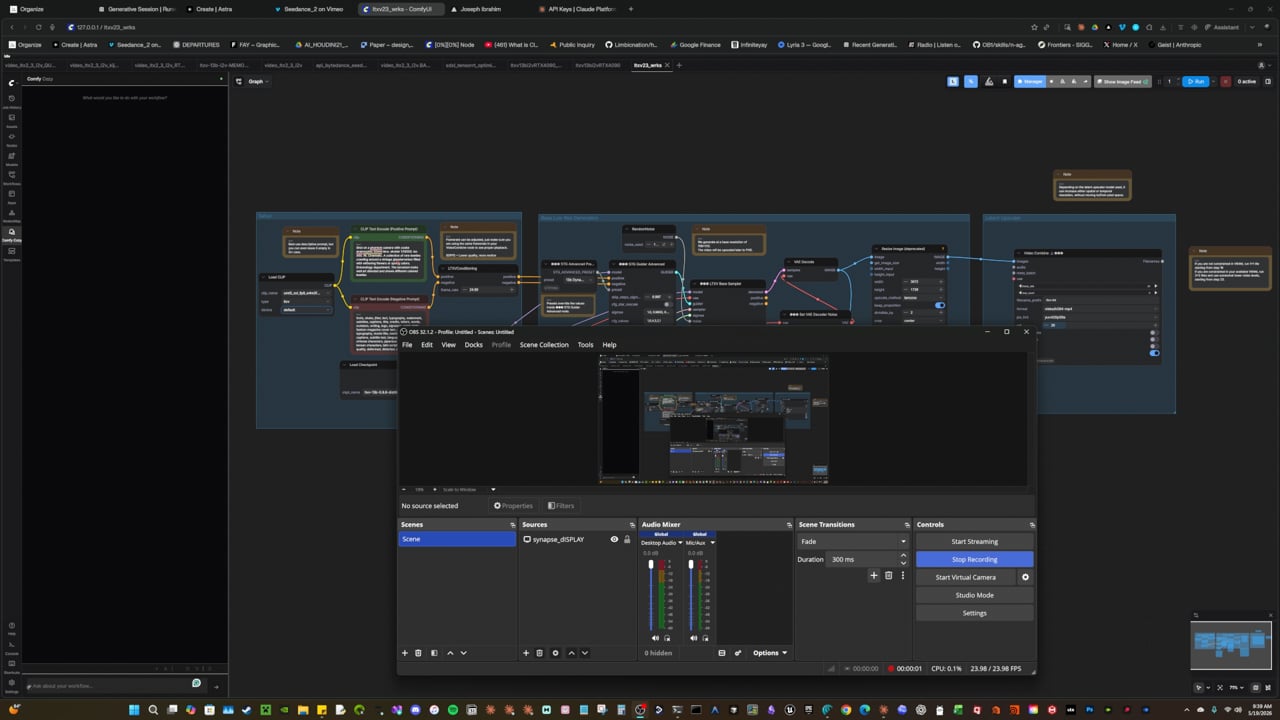
Demo 1 — overview
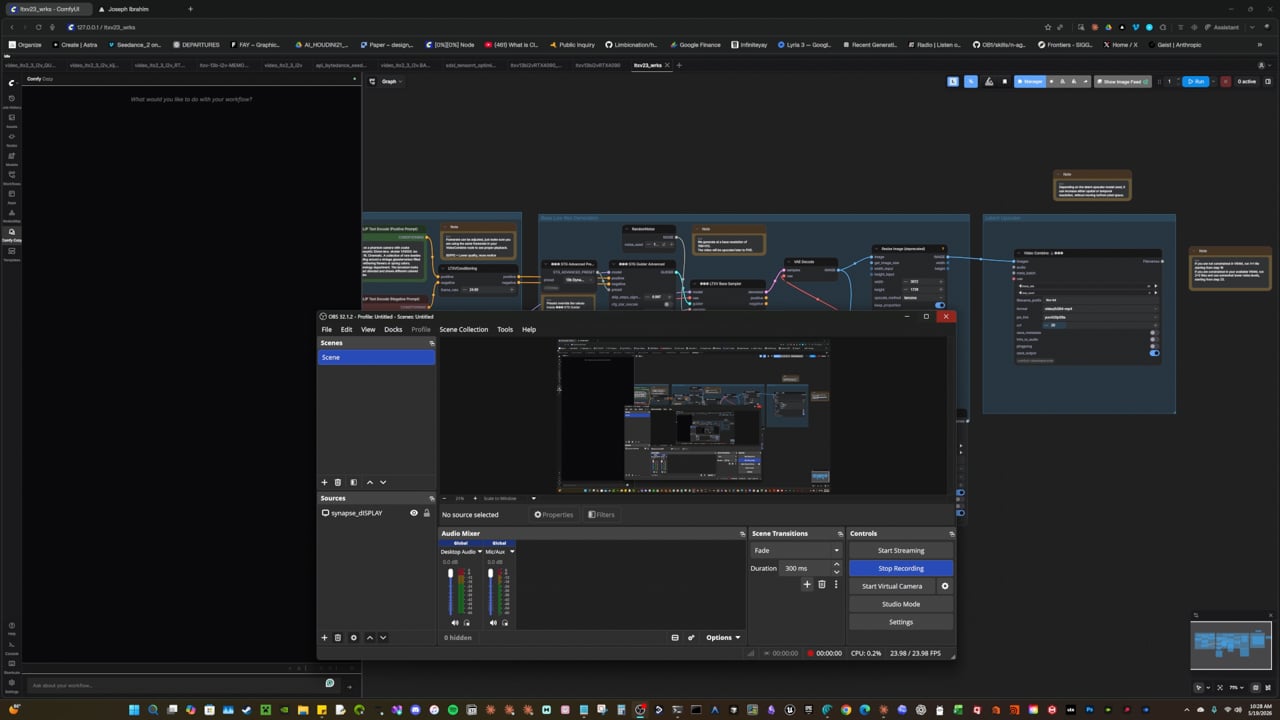
Demo 2 — walkthrough
See It In Action
| You say | What happens |
|---|---|
| "Load my portrait workflow and make it dreamier" | Loads the file, applies the dreamier recipe — CFG down, sampler switched — instantly, no LLM round-trip, full undo |
| "I want to use Flux" | Searches CivitAI + HuggingFace, downloads the model on your go-ahead, wires it into your workflow |
| "Repair this workflow" | Finds missing nodes, shows you the packs it needs, installs them once you approve, fixes connections, migrates deprecated nodes |
| "Run this with 30 steps" | Patches the workflow, validates it, queues it to ComfyUI, shows progress |
| "Analyze this output" | Uses Vision AI to diagnose issues and suggest parameter changes |
| "What model should I use for anime?" | Searches CivitAI + HuggingFace + your local models, recommends the best fit |
| "Optimize this for speed" | Profiles GPU usage, checks TensorRT eligibility, applies optimizations |
| "Repair and run this" | Finds missing nodes, asks once to install the packs, validates, executes |
Get Running
flowchart LR
    A["Install"] -->|30 sec| B["Paste key"]
    B -->|done| C(["comfy-cozy run"])

    classDef orange fill:#d99458,color:#1a1a1a,stroke:#1a1a1a
    classDef yellow fill:#d9c958,color:#1a1a1a,stroke:#1a1a1a
    class C orange
    class A,B yellow
Three prerequisites, three copy-paste steps. Under 2 minutes start to finish.
| What you need | Where to get it | Time | |
|---|---|---|---|
| 1 | Python 3.11+ | python.org/downloads | already have it? skip |
| 2 | ComfyUI running | github.com/comfyanonymous/ComfyUI | already have it? skip |
| 3 | One LLM backend | API key (Anthropic / OpenAI / Google / NVIDIA) OR Ollama (free, local, no key) | 1 min to grab a key |
Already have all three? Copy-paste these three blocks. That's it.
1. Install
pip install comfy-cozy
(Prefer working from source? The dev path:)
git clone https://github.com/JosephOIbrahim/Comfy-Cozy.git
cd Comfy-Cozy
pip install -e .
One command. No build step. No Docker. No conda. Just pip.
pip install -e ".[dev]"           # + 4,680+ passing tests
pip install -e ".[dev,stage]"     # + USD stage subsystem (~200MB, most users skip)
2. API key
Installed from PyPI / a wheel? Create ~/.comfy-cozy/.env.
Running from a checkout?
cp .env.example .env
Either way, open .env in any text editor and paste your key on the first line:
ANTHROPIC_API_KEY=sk-ant-your-key-here
The agent looks for
.envin~/.comfy-cozy/first, then the checkout root. Your current directory is deliberately not searched.
Pick one block, paste into .env:
# --- OpenAI ---
LLM_PROVIDER=openai
OPENAI_API_KEY=sk-your-key-here
# first time only: pip install openai

# --- Gemini ---
LLM_PROVIDER=gemini
GEMINI_API_KEY=your-key-here
# first time only: pip install google-genai

# --- Ollama (fully local, free, no key) ---
LLM_PROVIDER=ollama
AGENT_MODEL=llama3.1
# first time only: ollama pull llama3.1
Add one more line to .env:
COMFYUI_DATABASE=C:/path/to/your/ComfyUI
3. Go
comfy-cozy run
Type what you want. Type quit when you're done.
cozyis the short alias for the same command. The oldagententry point still works but is deprecated — it prints a migration notice.
Connect the Sidebar to ComfyUI
The agent also lives inside ComfyUI as a native sidebar panel. To enable it, create two symlinks from ComfyUI's custom_nodes/ folder to Comfy-Cozy:
Windows (run as Administrator):
cd C:\path\to\ComfyUI\custom_nodes
mklink /D comfy-cozy-panel C:\path\to\Comfy-Cozy\panel
mklink /D comfy-cozy-ui C:\path\to\Comfy-Cozy\ui
Linux / macOS:
cd /path/to/ComfyUI/custom_nodes
ln -s /path/to/Comfy-Cozy/panel comfy-cozy-panel
ln -s /path/to/Comfy-Cozy/ui comfy-cozy-ui
Restart ComfyUI. The Comfy Cozy chat panel appears in the left sidebar.
graph LR
    CN["ComfyUI/custom_nodes/"] --> P["comfy-cozy-panel/ (symlink)"]
    CN --> U["comfy-cozy-ui/ (symlink)"]
    P -->|"canvas sync (headless)"| Panel["panel/__init__.py"]
    U -->|"sidebar + chat"| UI["ui/__init__.py"]

    classDef orange fill:#d99458,color:#1a1a1a,stroke:#1a1a1a
    classDef yellow fill:#d9c958,color:#1a1a1a,stroke:#1a1a1a
    class CN,U orange
    class P,sync,Panel,UI yellow
Both symlinks are required:
comfy-cozy-panel-- Canvas sync bridge (runs headlessly -- keeps the agent in sync with your live graph)comfy-cozy-ui-- The visible sidebar: chat window, quick actions, status
Optional: the Agent Bridge node pack (live canvas + render timing)
Want the agent to load workflows straight onto your canvas, see the edits you make by hand, and tell you exactly which node ate your render time? Install the one extra node pack. It's optional -- everything else works without it -- but it unlocks three things ComfyUI's stock API can't give the agent.
graph LR
    Agent[Comfy Cozy] -->|"push_workflow_to_canvas"| Gate{"Origin + Bearer<br/>gate"}
    Gate -->|"POST /agent/push_workflow"| Canvas["Your ComfyUI canvas<br/>(every open tab reloads)"]
    Canvas -->|"you hand-edit a node"| Gate
    Gate -->|"POST /agent/canvas_changed"| Buf["canvas buffer"]
    Buf -->|"get_canvas_state"| Agent
    Render["Your render finishes"] -->|"per-node timing"| Prof["GET /agent/exec_profile/{id}"]
    Prof -->|"get_execution_profile"| Agent

    classDef orange fill:#d99458,color:#1a1a1a,stroke:#1a1a1a
    classDef yellow fill:#d9c958,color:#1a1a1a,stroke:#1a1a1a
    class Canvas,Render orange
    class Agent,Gate,Buf,Prof yellow
The mutating bridge routes are Origin-gated (a browser fetch can't attach a custom header, so same-origin is the auth layer) and Bearer-gated for non-browser callers when
MCP_AUTH_TOKENis set — so a cross-origin page can't hijack your canvas.
What you get:
- "Load my portrait workflow onto the canvas" -- it appears in your browser, no file juggling
- "What did I just change?" -- the agent reads your hand edits back off the canvas
- "Why was that render slow?" -- real per-node timing, so optimization stops being guesswork
Install (one symlink, then restart):
Windows (run as Administrator):
cd C:\path\to\ComfyUI\custom_nodes
mklink /D comfy_agent_bridge C:\path\to\Comfy-Cozy\node_pack\comfy_agent_bridge
Linux / macOS:
cd /path/to/ComfyUI/custom_nodes
ln -s /path/to/Comfy-Cozy/node_pack/comfy_agent_bridge comfy_agent_bridge
Restart ComfyUI. You'll see comfy_agent_bridge: routes registered in the log -- that's it. If a bridge feature ever returns a "node pack not installed" message, it means ComfyUI needs a restart to pick the pack up.
Under the hood: these three routes are covered by a live contract test suite (
tests/integration/test_bridge_routes_integration.py) that boots against a real ComfyUI and asserts each route answers correctly -- so "installed but silently broken" can't slip through. Run it withpython -m pytest tests/integration/test_bridge_routes_integration.py -vwhile ComfyUI is running.
Pick Your LLM
Comfy Cozy is provider-agnostic — six engines, one abstraction. Same 133 tools, same streaming, same vision analysis; swap one env var, or swap models mid-session. Your last pick is remembered across restarts, a swap won't hand you a model that can't call tools, and list_models_available shows which engines are configured (and, with probe=true, which actually answer).
Pick one row. Everything else on this page works the same either way.
| Provider | Best when | Needs a key? |
|---|---|---|
| Anthropic (default) | you want the best results out of the box | yes |
| Ollama | you want everything local and free | no |
| OpenAI | you already pay for GPT-4o | yes |
| Google Gemini | you already have a Google key | yes |
| NVIDIA Nemotron | you want free credits + reasoning models | yes |
| Custom | you self-host vLLM / LM Studio / LiteLLM | usually no |
Setup for each is one collapsed block below — Anthropic is open by default.
Anthropic (default)
# .env
ANTHROPIC_API_KEY=sk-ant-your-key-here

# Optional overrides (defaults shown):
#   AGENT_MODEL=claude-opus-4-7                  -- main loop
#   FAST_MODEL=claude-haiku-4-5-20251001         -- low-stakes triage
#   VISION_MODEL=claude-opus-4-7                 -- analyze/compare images
#   THINKING_BUDGET=4000                         -- agent reasoning budget (tokens)
#   VISION_THINKING_BUDGET=2000                  -- vision reasoning budget

# Run
comfy-cozy run
Ships as the default with Opus 4.7 + extended thinking + three-tier prompt caching.
The agent runs on Opus 4.7 with a 4K reasoning budget; vision analysis (analyze_image,
compare_outputs, suggest_improvements) runs the same model with its own budget. Set
FAST_MODEL if you want to route triage / classification tools to Haiku 4.5.
OpenAI
# Install the SDK (one time)
pip install openai

# .env
LLM_PROVIDER=openai
OPENAI_API_KEY=sk-your-key-here
AGENT_MODEL=gpt-4o           # or gpt-4o-mini for faster/cheaper

# Run
comfy-cozy run
Full tool-use support with streaming. Works with any OpenAI-compatible endpoint.
Google Gemini
# Install the SDK (one time)
pip install google-genai

# .env
LLM_PROVIDER=gemini
GEMINI_API_KEY=your-key-here
AGENT_MODEL=gemini-2.5-flash  # or gemini-2.5-pro

# Run
comfy-cozy run
Function declarations mapped automatically. Supports Gemini's thinking mode.
Ollama (fully local, no API key)
# Install Ollama: https://ollama.com
# Pull a model
ollama pull llama3.1

# .env
LLM_PROVIDER=ollama
AGENT_MODEL=llama3.1          # or any model you've pulled

# Run (no API key needed)
comfy-cozy run
Uses Ollama's OpenAI-compatible endpoint at localhost:11434. Override with OLLAMA_BASE_URL if running remotely. No data leaves your machine.
NVIDIA Nemotron (NIM cloud / OpenRouter / self-hosted)
# Install the SDK (one time)
pip install openai

# .env
LLM_PROVIDER=nvidia
NVIDIA_BASE_URL=https://integrate.api.nvidia.com/v1   # or OpenRouter / self-hosted vLLM
NVIDIA_API_KEY=nvapi-your-key-here
AGENT_MODEL=nvidia/nemotron-3-super-120b-a12b         # super (default) / ultra / nano

# Run
comfy-cozy run --model nemotron
Endpoint-agnostic, OpenAI-compatible provider for NVIDIA's Nemotron-3 reasoning models — grab a key + free credits at build.nvidia.com. The same provider serves NVIDIA NIM cloud, OpenRouter, and a self-hosted vLLM/SGLang endpoint; the model id picks the backend. Nemotron streams <think> reasoning, which the provider strips from both the visible output and the replayed history by default (reasoning is off unless you set NVIDIA_EMIT_REASONING=true). Vision stays on a multimodal provider (VISION_PROVIDER, default anthropic), so swapping the loop to a text-only Nemotron never breaks analyze_image.
Custom (bring-your-own OpenAI-compatible endpoint)
# Install the SDK (one time)
pip install openai

# .env
LLM_PROVIDER=custom
CUSTOM_BASE_URL=http://localhost:8000/v1   # your vLLM / SGLang / LM Studio / LiteLLM / OpenRouter endpoint
CUSTOM_API_KEY=                            # optional -- many local servers need none
CUSTOM_MODEL=my-local-model                # the model id your endpoint serves

# Run (LLM_PROVIDER=custom is already set above)
comfy-cozy run
Point it at anything that speaks the OpenAI chat-completions API -- a self-hosted vLLM/SGLang server, LM Studio, LiteLLM, OpenRouter, or your own gateway. It's a plain passthrough (no Nemotron <think> handling), so a local endpoint isn't mislabeled nvidia anymore. Vision stays on VISION_PROVIDER, so analyze_image keeps working.
Swap models on the fly
Beyond the LLM_PROVIDER env var, switch the reasoning model per launch or mid-conversation — no restart, and it reaches the live loop immediately:
comfy-cozy run --model nemotron        # alias -> nvidia/nemotron-3-super-120b-a12b
comfy-cozy run --model claude          # back to the default
comfy-cozy run --provider openai --model gpt-4o
comfy-cozy run --model custom          # your custom OpenAI-compatible endpoint (needs CUSTOM_MODEL)
In conversation, the swap_model and list_models_available tools do the same thing. Three things happen for free:
- Your pick sticks. The last swap is remembered across restarts (
~/.comfy-cozy/model_selection.json); an explicit--modelalways wins. - No broken loops. A swap is atomic (rolls back on a bad key) and refuses a model that can't call tools — before anything changes, not mid-chat.
- You can see what's live.
list_models_availablelists each engine's capabilities and a healthstatuscolumn: which engines are configured, and — withprobe=true— which actually answer, and how fast.
The whole swap in one picture — the gate, the rollback, the memory, and the health check:
graph TD
    Req["swap_model · --model · LLM_PROVIDER"] --> Resolve["resolve alias<br/>claude · nemotron · custom · …"]
    Resolve --> Gate{"can it<br/>tool-call?"}
    Gate -->|no| Refuse["refuse — nothing changes<br/>(no half-swap)"]
    Gate -->|yes| Swap["atomic swap<br/>snapshot → reassign → clear cache"]
    Swap --> Probe{"live probe<br/>key / endpoint ok?"}
    Probe -->|fails| Rollback["roll back to<br/>the previous model"]
    Probe -->|ok| Persist["remember it<br/>~/.comfy-cozy/model_selection.json"]
    Persist --> Live["now running the new engine"]
    Live --> Health["list_models_available<br/>status: configured + reachable"]

    classDef orange fill:#d99458,color:#1a1a1a,stroke:#1a1a1a
    classDef yellow fill:#d9c958,color:#1a1a1a,stroke:#1a1a1a
    class Refuse,Rollback orange
    class Req,Resolve,Gate,Swap,Probe,Persist,Live,Health yellow
Architecture
All six providers share the same abstraction layer (agent/llm/):
graph LR
    Agent[Agent Loop<br/>133 tools] --> LLM{LLM_PROVIDER}
    LLM -->|anthropic| A["Claude<br/>Streaming + Cache"]
    LLM -->|openai| B["GPT-4o<br/>Tool Calls"]
    LLM -->|gemini| C["Gemini<br/>Function Decl."]
    LLM -->|ollama| D["Ollama<br/>Local + Private"]
    LLM -->|nvidia| E["Nemotron<br/>NIM / OpenRouter"]
    LLM -->|custom| F["Custom<br/>Any OpenAI-compatible"]

    classDef orange fill:#d99458,color:#1a1a1a,stroke:#1a1a1a
    classDef yellow fill:#d9c958,color:#1a1a1a,stroke:#1a1a1a
    class B,D,F orange
    class Agent,A,C,E,LLM yellow
Common types (TextBlock, ToolUseBlock, LLMResponse), unified error hierarchy, provider-specific format conversion handled internally. Switch providers with one env var -- no code changes. All 6 providers have dedicated test suites (230+ tests) plus a parameterized conformance suite that verifies protocol compliance across providers. Every stream() and create() call is instrumented with llm_call_total and llm_call_duration_seconds metrics (per-provider labels).
Reasoning + caching (Opus 4.7)
The Anthropic path uses two Opus-4.7-specific features the other providers ignore:
- Extended thinking. Every agent turn ships
thinking={"type": "enabled", "budget_tokens": THINKING_BUDGET}. The streamedThinkingBlocks include a cryptographicsignature; we capture it and replay it on the next turn so tool-use loops stay valid (without the signature, Anthropic 400s the next request). - Three-tier system prompt.
system_prompt.build_system_prompt_blocks()returns a list of cache blocks instead of one big string. Two blocks are markedcache_control: ephemeral; the third (volatile session context) is deliberately not cached. Combined with the last-tool cache pin, three of Anthropic's four cache breakpoints stay hot across a session.
flowchart TB
    classDef stable   fill:#d99458,stroke:#1a1a1a,color:#1a1a1a,stroke-width:1.2px
    classDef volatile fill:#d9c958,stroke:#d99458,color:#1a1a1a,stroke-width:1.2px

    subgraph SYS[" system prompt blocks "]
        b1["<b>Block 1 · stable prefix</b><br/>identity · paths · RULES<br/>+ comfyui_core.md<br/><i>cache_control: ephemeral</i>"]
        b2["<b>Block 2 · topical knowledge</b><br/>3d / flux / controlnet / video / ...<br/><i>cache_control: ephemeral</i>"]
        b3["<b>Block 3 · session tail</b><br/>notes · recommendations<br/>last-output context<br/><i>uncached</i>"]
    end

    subgraph TOOLS[" tools[] "]
        t1[tool 1]
        t2[tool 2]
        tN[... 100+ tools]
        tL["<b>last tool</b><br/><i>cache_control: ephemeral</i>"]
    end

    subgraph LOOP[" agent turn loop "]
        m1[messages · user input]
        think["<b>ThinkingBlock</b><br/>thinking text<br/>+ signature ✓"]
        tu[ToolUseBlock]
        tr[ToolResultBlock]
        api[(claude-opus-4-7<br/>thinking enabled)]
    end

    b1 --> api
    b2 --> api
    b3 --> api
    t1 --> api
    t2 --> api
    tN --> api
    tL --> api
    m1 --> api
    api --> think --> tu --> tr --> m1

    class b1,b2,tL stable
    class b3,t1,t2,tN,m1,think,tu,tr,api volatile
Tone key. Blue = blocks pinned in the prompt cache (the stable prefix, the
topical knowledge, and the last-tool breakpoint). Amber = the per-turn volatile
tail: session context, the message log, and the streaming agent loop itself.
Signature-bearing ThinkingBlocks are replayed verbatim on each turn so the
API accepts the next request.
Three Ways to Use It
Same 133 tools, three front ends — MCP inside Claude, standalone CLI, or the one-click launcher. Pick one.
A. Inside Claude Code / Claude Desktop (recommended)
The agent runs as an MCP server -- Claude can use all 133 tools directly.
Add this to your Claude Code or Claude Desktop MCP config:
{
  "mcpServers": {
    "comfy-cozy": {
      "command": "comfy-cozy",
      "args": ["mcp"]
    }
  }
}
Now talk to Claude about your ComfyUI workflows. It has full access. (uvx comfy-cozy mcp works too, once the PyPI listing is live — no install step at all.)
B. Standalone CLI
comfy-cozy run                        # Start a conversation
comfy-cozy run --session my-project   # Auto-saves so you can pick up later
comfy-cozy run --verbose              # See what's happening under the hood
C. One-click launcher (ComfyUI + agent together)
If you use the ComfyUI CLI launcher (ComfyUI CLI.lnk), Comfy Cozy is the default mode:
[ 1 ]  STABLE          Balanced. Works with everything.
[ 2 ]  DETERMINISTIC   Same prompt = same pixels.
[ 3 ]  FAST            Sage attention + async offload.
[ 4 ]  COMFY COZY  *   Talk to your workflow. (auto-selects in 10s)
Select 4 (or wait 10 seconds) -- ComfyUI starts in a background window, then the agent launches ready to talk.
Handy CLI Commands (no API key needed)
comfy-cozy inspect               # See your installed models and nodes
comfy-cozy parse workflow.json   # Analyze a workflow file
comfy-cozy sessions              # List your saved sessions
comfy-cozy diagnose --last       # Why was that render slow/broken?
comfy-cozy diagnose --last --json | jq '.findings'   # Same, for scripts/CI
What the Agent Knows About Your Models
The agent ships with built-in knowledge about how each model family actually behaves. It won't use SD 1.5 settings on a Flux workflow.
| Model | Resolution | CFG | Notes |
|---|---|---|---|
| SD 1.5 | 512x512 | 7-12 | Huge LoRA ecosystem. Negative prompts matter. |
| SDXL | 1024x1024 | 5-9 | Better anatomy. Tag-based prompts work best. |
| Flux | 512-1024 | ~1.0 (guidance) | No negative prompts. Needs FluxGuidance node + T5 encoder. |
| SD3 | 1024x1024 | 5-7 | Triple text encoder (CLIP-G, CLIP-L, T5). |
| LTX-2 (video) | 768x512 | ~25 | 121 steps. Frame count must be (N*8)+1. |
| WAN 2.x (video) | 832x480 | 1-3.5 | Dual-noise architecture. 4-20 steps. |
The agent will never mix model families -- no SD 1.5 LoRAs on SDXL checkpoints, no Flux ControlNets on SD3.
Artist-Speak Translation
| You say | What the agent adjusts |
|---|---|
| "dreamier" or "softer" | Lower CFG (5-7), more steps, DPM++ 2M Karras |
| "sharper" or "crisper" | Higher CFG (8-12), Euler or DPM++ SDE |
| "more photorealistic" | CFG 7-10, realistic checkpoint, negative: "cartoon, anime" |
| "more stylized" | Lower CFG (4-6), artistic checkpoint or LoRA |
| "faster" | Fewer steps (15-20), LCM/Lightning/Turbo, smaller resolution |
| "higher quality" | More steps (30-50), hires fix, upscaler |
| "more variation" | Higher denoise, different seed, lower CFG |
| "less variation" | Lower denoise, same seed, higher CFG |
Zero-LLM Recipes (instant artist-speak)
The table above isn't just documentation — the most common intents ship as recipes: pre-built, deterministic parameter macros that apply without any LLM call.
- Instant. "Dreamier" lands in milliseconds, not seconds. No API round-trip, no tokens.
- Deterministic. The same recipe always makes the same change. No model mood.
- Safe. Every recipe step dispatches through the same safety gate as everything else, and every change is one
undoaway. - 14+ built-in — intent macros (dreamier, sharper, faster, ...) plus build recipes for common workflow assemblies.
You: "make it dreamier"
Agent: applied recipe 'dreamier' — CFG 8.0 → 6.0, sampler → DPM++ 2M Karras. Undo anytime.
Two tools drive it: list_recipes (see what's available) and apply_recipe (fire one). The LLM stays in the loop for everything a recipe can't express — recipes just make the common path free.
Run Reports ("why was that slow?" — keyless)
Recipes made common edits instant and deterministic. Run reports do the same for common diagnoses.
Every render leaves a report on disk. Automatically. No setup, no key.
comfy-cozy diagnose --last
env 59a135a4 · 127.0.0.1:8188 · 2026-07-12T20:31:06Z
run error · 3.4s · workflow aaaaaaaa · baseline 4 clean runs
triggers: execution_error, oom
  CRITICAL vram_pressure — the workflow's VRAM demand exceeded the device.
    fix: reduce resolution or batch size, enable offload, or tile the VAE decode.
What's in a report (each line stands alone):
- Environment fingerprint — one hash for os · python · torch · CUDA · driver · ComfyUI. A torch upgrade = a new fingerprint. No more "what changed?"
- Per-node timings — which node ate the render (needs the Agent Bridge; degrades gracefully without it).
- An explained finding for every anomaly. The contract refuses silence — a fired trigger with zero findings is a structurally invalid document, rejected by the schema itself.
- Self-building baseline. Your first clean runs quietly become "normal" for that workflow on that machine. A run 25% past its own median gets flagged. A fresh machine's first sessions produce clean, empty-trigger reports and quietly build your baseline — the tool bootstraps its own normal.
Three ways in:
| Path | Command | For |
|---|---|---|
| Terminal | comfy-cozy diagnose --last |
you, after a weird render |
| Scripts / CI | diagnose --last --json | jq · --strict exits 1 on critical |
render-farm gates |
| Agent | diagnose MCP tool |
the co-pilot, before it optimizes |
Zero LLM involvement. The whole path is deterministic code — run it on a box with no API key, pipe it to jq, gate a pipeline on it. Findings point; the agent's repair tools act.
How It Works
The four-phase loop every request runs through — UNDERSTAND → DISCOVER → PILOT → VERIFY — plus the safety rails around installs and execution.
graph TB
    subgraph Browser ["ComfyUI Browser"]
        Sidebar["Comfy Cozy Sidebar<br/>Native left panel -- Chat -- Quick Actions"]
    end
    subgraph Backend ["Agent Backend (Python)"]
        Routes["49 REST Routes<br/>+ WebSocket"]
        Tools["133 Tools<br/>workflow -- models -- recipes -- vision -- session -- provision"]
        Cache["object_info cache<br/>TTL + invalidate<br/>re-validate ~1 ms"]
        Engine["IAIEngine<br/>ComfyUIAdapter -- EndpointPool<br/>pooled client -- per-host breakers -- job affinity"]
        Cog["Cognitive Engine<br/>LIVRPS delta stack -- CWM -- experience"]
    end
    subgraph ComfyUI ["ComfyUI (1..N workers)"]
        API["/prompt -- /history -- /ws"]
        Canvas["Live Canvas"]
    end
    subgraph Disk ["Persistence"]
        EXP[("experience.jsonl<br/>append-only, fsync'd<br/>cross-session learning")]
        Sessions[("sessions/ in a checkout<br/>~/.comfy-cozy when installed<br/>workflow state")]
        Lock[("workflow.lock<br/>model SHA-256s -- pack commits<br/>drift warnings at validate")]
    end

    Sidebar <-->|"WebSocket + REST"| Routes
    Sidebar <-->|"canvas sync"| Canvas
    Routes --> Tools
    Tools --> Cog
    Tools -->|introspection| Cache
    Cache -->|"class-scoped GETs"| API
    Tools -->|execution path| Engine
    Engine -->|httpx + websockets| API
    Cog --> EXP
    Tools --> Sessions
    Tools -->|save_workflow| Lock

    style Browser fill:#d9c958,color:#1a1a1a,stroke:#d99458
    style Backend fill:#d9c958,color:#1a1a1a,stroke:#d99458
    style ComfyUI fill:#d9c958,color:#1a1a1a,stroke:#d99458
    style Disk fill:#d9c958,color:#1a1a1a,stroke:#d99458

    classDef orange fill:#d99458,color:#1a1a1a,stroke:#1a1a1a
    classDef yellow fill:#d9c958,color:#1a1a1a,stroke:#1a1a1a
    class Engine orange
    class Sidebar,Routes,Tools,Cache,Cog,API,Canvas,EXP,Sessions,Lock yellow
graph LR
    You([You]) --> Agent[133 Tools]
    Agent --> Understand[UNDERSTAND<br/>What do you have?]
    Understand --> Discover[DISCOVER<br/>What do you need?]
    Discover --> Pilot[PILOT<br/>Make the changes]
    Pilot --> Verify[VERIFY<br/>Did it work?]
    Verify -->|learn| Agent

    classDef orange fill:#d99458,color:#1a1a1a,stroke:#1a1a1a
    classDef yellow fill:#d9c958,color:#1a1a1a,stroke:#1a1a1a
    class You,Verify orange
    class Understand,Discover,Pilot,Agent yellow
Four phases, always in order:
- UNDERSTAND -- Reads your workflow, scans your models, checks what's installed
- DISCOVER -- Searches CivitAI, HuggingFace, ComfyUI Manager (31k+ nodes)
- PILOT -- Makes changes through safe, reversible delta layers (never edits your original)
- VERIFY -- Runs the workflow, checks the output, records what worked
When validation finds errors, the agent auto-repairs. Workflow fixes flow without stopping; installing missing packs pauses exactly once for your go-ahead:
flowchart TD
    Run(["You: 'run this'"]) --> Validate["validate_before_execute<br/>+ workflow.lock drift warnings"]
    Validate --> Check{"Errors?"}
    Check -->|No| Execute["execute_workflow"]
    Check -->|"Missing nodes"| Repair["repair_workflow<br/>identifies the packs"]
    Check -->|"Missing inputs"| SetInput["set_input<br/>fill required fields"]
    Check -->|"Wrong model name"| Discover["discover<br/>find correct model"]
    Repair --> Confirm{"Pack list shown —<br/>you approve?"}
    Confirm -->|"yes → confirm=true"| Install["install packs"]
    Confirm -->|no| Report
    Install --> Revalidate["re-validate<br/>cached schemas — ~1 ms"]
    SetInput --> Revalidate
    Discover --> SetInput
    Revalidate --> Check2{"Still errors?"}
    Check2 -->|No| Execute
    Check2 -->|Yes| Report["Report unfixable<br/>issue + ask"]
    Execute --> Done(["Done — image ready"])

    classDef orange fill:#d99458,color:#1a1a1a,stroke:#1a1a1a
    classDef yellow fill:#d9c958,color:#1a1a1a,stroke:#1a1a1a
    class Run,Execute,Done,Report orange
    class Validate,Repair,Confirm,Install,SetInput,Discover,Check,Revalidate,Check2 yellow
The rules of the road, in five lines:
- Doer, not describer. Say "wire the model" — it wires the model. Say "run it" — it validates, fixes, executes.
- Edits never stop to ask. Every change is undoable; asking would just be friction.
- Fetching code/files always asks.
repair_workflow,install_node_pack,download_modelshow you the list and wait for yourconfirm=true. No exceptions. - Run-after-edit requires a fresh validation. Once you've changed the session workflow, the gate denies execution until
validate_before_executepasses. (Running an explicit file path is exempt.) - The seams are tested. A cross-module seam test runs the real discovery producer against the real repair consumer, so they can never silently drift apart.
Event Triggers
Register callbacks (or webhooks) that fire automatically when ComfyUI events happen. Built into the execution pipeline -- no polling.
flowchart LR
    WS["ComfyUI<br/>WebSocket"] -->|event| Parse["ExecutionEvent<br/>.from_ws_message()"]
    Parse --> Dispatch["TriggerRegistry<br/>.dispatch()"]
    Dispatch --> CB1["on_complete<br/>→ auto-evaluate"]
    Dispatch --> CB2["on_error<br/>→ log to session"]
    Dispatch --> CB3["on_progress<br/>→ custom callback"]
    Dispatch --> WH["Webhook<br/>→ POST JSON to URL"]

    classDef orange fill:#d99458,color:#1a1a1a,stroke:#1a1a1a
    classDef yellow fill:#d9c958,color:#1a1a1a,stroke:#1a1a1a
    class WS,CB1,CB3,WH orange
    class Parse,Dispatch,CB2,from_ws_message,dispatch yellow
from cognitive.transport.triggers import on_execution_complete, register_webhook

# Python callback
on_execution_complete(lambda event: print(f"Done in {event.elapsed:.1f}s"))

# External webhook (POSTs JSON on every execution_complete + execution_error)
register_webhook("https://your-server.com/hook", ["execution_complete", "execution_error"])
Autonomous Mode
Write a creative intent. Hit go. No workflow file needed, no parameters to tune -- the agent composes a workflow, runs it on ComfyUI, scores the result, and learns from it automatically.
flowchart TD
    You(["Creative Intent<br/>'cinematic portrait, golden hour'"]) --> INTENT["INTENT<br/>Parse + validate"]
    INTENT --> COMPOSE["COMPOSE<br/>Load template<br/>Blend with experience"]
    COMPOSE --> PROVISION{"PROVISION CHECK<br/>Models on disk?"}
    PROVISION -->|"missing"| WARN["Warning logged<br/>(continues)"]
    PROVISION -->|"all present"| PREDICT
    WARN --> PREDICT["PREDICT<br/>CWM estimates quality<br/>(SNR-adaptive alpha)"]
    PREDICT --> GATE{"GATE<br/>Arbiter:<br/>proceed?"}
    GATE -->|Yes| CB{"CIRCUIT BREAKER<br/>ComfyUI healthy?"}
    GATE -->|Interrupt| STOP(["Interrupted<br/>+ reason"])
    CB -->|Open| FAIL(["Failed: infra down"])
    CB -->|Closed| EXECUTE["EXECUTE<br/>Post to ComfyUI<br/>Monitor WebSocket"]
    EXECUTE --> EVALUATE["EVALUATE<br/>Vision AI or rule-based<br/>(auto-wired)"]
    EVALUATE --> LEARN["LEARN<br/>Record to accumulator<br/>Recalibrate CWM"]
    LEARN --> DONE(["Complete<br/>Experience recorded"])
    EVALUATE -->|"score < threshold<br/>retries remaining"| CB

    classDef orange fill:#d99458,color:#1a1a1a,stroke:#1a1a1a
    classDef yellow fill:#d9c958,color:#1a1a1a,stroke:#1a1a1a
    class You,CB,EXECUTE,DONE orange
    class GATE,EVALUATE,LEARN,STOP,FAIL,PROVISION,INTENT,COMPOSE,WARN,PREDICT yellow
Use from Python:
from cognitive.pipeline import create_default_pipeline, PipelineConfig

pipeline = create_default_pipeline()   # fresh accumulator, CWM, arbiter
result = pipeline.run(PipelineConfig(
    intent="cinematic portrait, golden hour",
    model_family="SD1.5",              # optional -- agent detects from intent
))
print(result.success, result.quality.overall, result.stage.value)
if result.warnings:
    print("warnings:", result.warnings)  # e.g. template family fallback
`
No comments yet
Be the first to share your take.