
VibeStudio
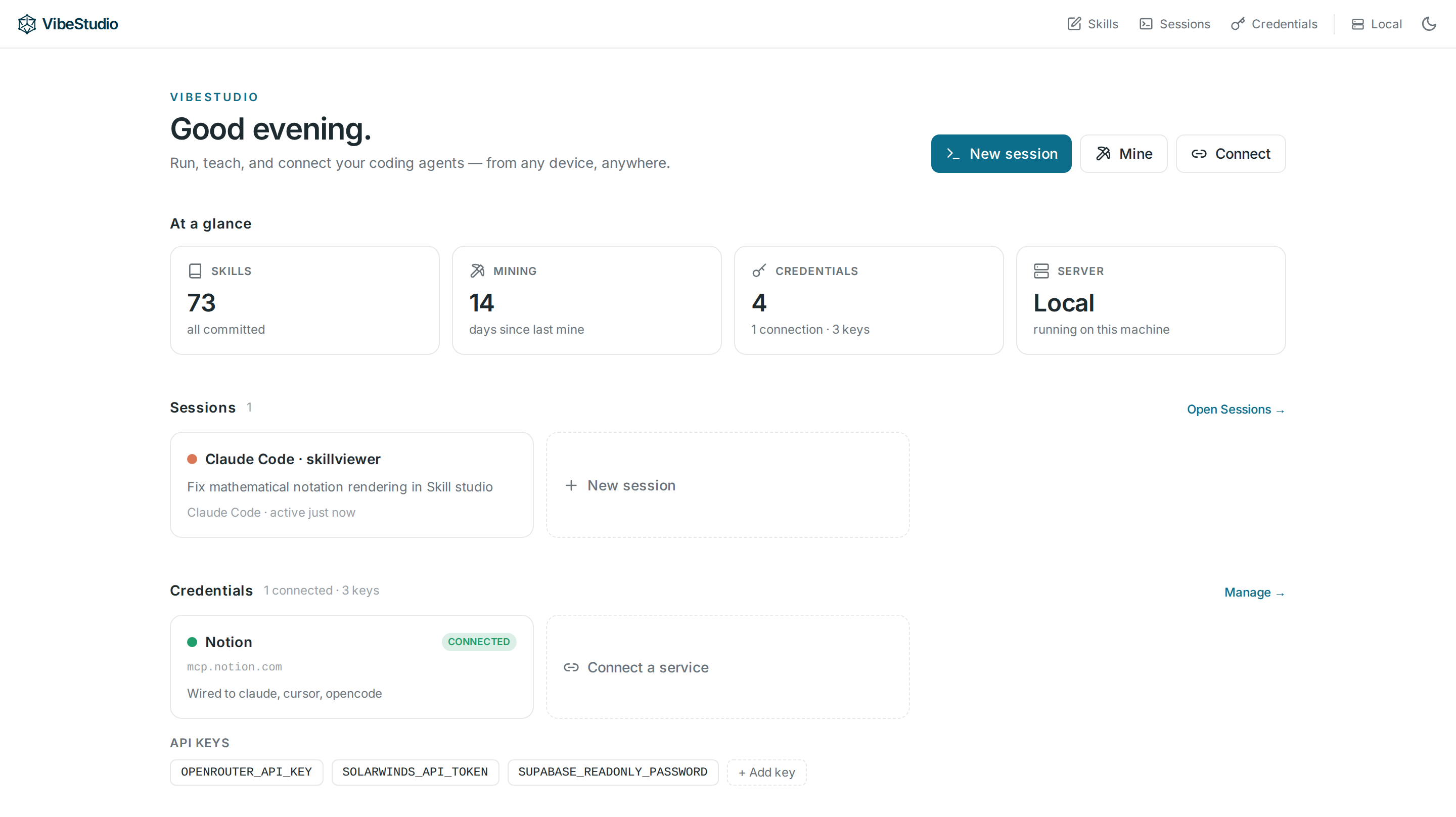
Manage the coding agents running on your machine — from anywhere. Available on macOS, Linux, Windows, iPhone, and Android.
Download → macOS · Windows · Linux — free, runs locally, no account. (install notes)
Your coding agents work best where your code, keys, and tools already live: your own machine. But you're not always sitting at it. VibeStudio is one dashboard for every agent running there — Claude Code, Codex, Cursor, Gemini CLI, opencode — driven from your desktop, a browser, or your phone.
It runs the agents and manages everything they need: the skills that carry your taste and expertise, and the credentials and MCP connections they call — versioned, synced, and kept on your own hardware.
Built with Tauri, it also drives any remote dev host natively, VS Code-remote style (see design.md).
Features
- Run every agent from one place — launch, watch, and resume any of them from a single dashboard. Terminals survive UI disconnect and notify you when a run finishes or needs you — locally, or on any SSH host VS Code-remote style.
- Reach them from anywhere — the backend serves the whole app over HTTP, so a browser or your phone drives the same agents on your machine (setup below).
- Skill Management — find and edit every skill across your agents in a live
SKILL.mdeditor, with automatic versioning and git-remote sync as the source of truth. - Skill Mining — turn past agent conversations into new skills, or fold recent ones back into existing skills.
- Credentials & Connections — hold the API keys your agents need and OAuth an MCP once; every agent reaches it through a local gateway, so no token ever lands in a config, environment, or transcript.
Install
Grab the latest build for your platform:
| Platform | |
|---|---|
| macOS — Apple silicon & Intel | Download |
| Windows | Download |
| Linux — Debian/Ubuntu | Download |
First launch
Windows builds aren't code-signed yet, so each shows a one-time prompt:
- Windows — SmartScreen shows "Windows protected your PC". Click More info → Run anyway.
- Linux — install the package with
sudo apt install ./VibeStudio-Linux-x86_64.deb.
Use from anywhere
The backend serves the full app over plain HTTP, meaning all you need is a browser pointed at the skill-server to run the entire app — notifications included.
On the computer: click the Local pill → Open on your phone… → scan the QR. The app fronts its own server with Tailscale (free) and walks you through the two one-time Tailscale permissions if needed. Any device signed in to your Tailscale network can open the URL; on iPhone, open it in Safari and tap Share → Add to Home Screen so VibeStudio can notify you when a run finishes or needs you (Apple only grants web notifications to installed apps — Android needs no extra step).
Build from source
Install Rust, Node.js/npm, and the Tauri prerequisites for your OS, then:
git clone https://github.com/AltrinaAI/vibestudio.git
cd vibestudio
npm install
npm run tauri -- build
The built app bundle is written under client/desktop/target/release/bundle/.
Development
npm install
npm run dev          # native desktop
| Mode | Command | Open |
|---|---|---|
| Native desktop | npm run dev |
the app window |
| Browser, local backend | cargo run -p skill-server + npm run dev:vite |
localhost:1420 |
Roadmap
The thesis: the future is one where humans collaborate with AI agents rather than being replaced by them — so you should own and direct the agents doing your work, not rent them. Next:
- Team collaboration & shared secrets — share skills, and the secrets and connections they need, across a team, account-backed.
- Multi-modal skills / SOP documents in a format both humans and agents can read, for computer-use agents.
No comments yet
Be the first to share your take.