
UEFN TOOLBELT
355 Professional Tools for UEFN Python Integration.
Built by Ocean Bennett — 2026




Historic Discovery — March 22, 2026
On this date, Ocean Bennett became the first person to programmatically catalogue the complete Fortnite Creative device palette using UEFN Python's Asset Registry — 4,698 Creative device Blueprints across 35 categories, extracted from 24,926 total Blueprint assets in the sandboxed UEFN environment.
Prior to this, no public tool, script, or documentation existed that mapped the full set of placeable Creative devices accessible from Python. Epic's own documentation covers individual devices. This is the first machine-readable index of the entire palette.
The scan also uncovered a critical silent failure pattern in UEFN 40.00's Asset Registry API: deprecated
AssetDataproperties (object_path,asset_class) silently throw inside atry/exceptblock, causing every asset to be skipped with no error message — a bug that would defeat any developer who didn't know to split the exception handling.The full technical breakdown, the category table, and the discovery story are in docs/AI_AUTONOMY.md.
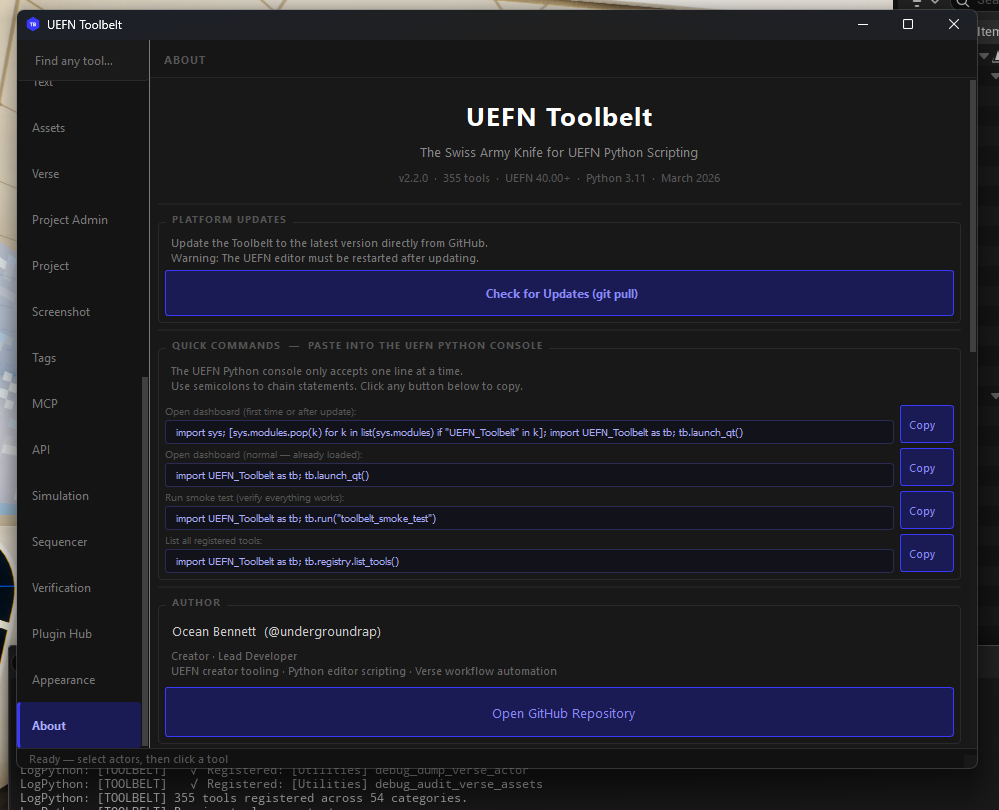
Automate the tedious, script the impossible, and bridge the gap between Python and Verse. UEFN Toolbelt is a master utility designed to leverage the 2026 UEFN Python 3.11 Update, allowing creators to manipulate actors, manage assets, and generate boilerplate Verse code through a high-level, developer-friendly interface — all from a single persistent menu entry in the UEFN editor bar. 355 registered tools across 55 categories, complete AI-agent readiness (100% structured dict returns), and a unified theme system so every window in the platform looks and feels identical.
The Demo — New Project Setup in Under a Minute
Proven live. Scaffold + Verse game manager + 493-actor arena + reusable room stamps. No manual steps except one Build click.
# Command 1 — professional folder structure + Verse game manager deployed
tb.run("project_setup", project_name="MyGame")
# → 56 folders created in Content Browser
# → MyGameManager.verse generated and deployed to project

# Command 2 — symmetrical Red vs Blue arena spawns in the viewport
tb.run("arena_generate", size="medium")
# → 493 actors placed (6 Red spawns, 6 Blue spawns)

# Command 3 — save a loot room you built as a reusable stamp
tb.run("stamp_save", name="loot_room")
# → saved 12 actors to Saved/UEFN_Toolbelt/stamps/loot_room.json

# Navigate camera to a new location, then stamp it in
tb.run("stamp_place", name="loot_room", yaw_offset=90)
# → 12 FortStaticMeshActors placed at camera, rotated 90°

# One click — Verse menu → Build Verse Code

# Command 4 — error loop closes automatically
tb.run("verse_patch_errors")
# → build_status: SUCCESS
What used to take 30+ minutes of manual setup runs in seconds. Scaffold, code, layout, stamp your best rooms, build — ready to publish.
🤖 Claude Can Build Your Game — Autonomously
This is the headline feature. Not "AI helps you code" — AI reads your live level, writes the Verse, and deploys it. Zero copy-paste. Zero manual wiring.
Here is the complete autonomy loop running live on a real project with 521 actors:
Step 1a — Claude reads the entire level:
tb.run("world_state_export")
# → Captured 521 actors. Saved to docs/world_state.json
Step 1b — Claude reads every device available in Fortnite (not just what's placed):
tb.run("device_catalog_scan")
# → Scanned 24,926 Blueprint assets across all Fortnite packages
# → 4,698 Creative devices identified across 35 categories
# → (Timer ×8, Capture ×7, Score ×28, Spawner ×94, Camera ×446, NPC ×173, ...)
# → docs/device_catalog.json — Claude's complete device palette, git-tracked
Step 2 — Claude identifies all Creative devices and generates a wired game skeleton:
Claude reads world_state.json, finds every device in the level (FortCreativeTimerDevice,
capture_area_device, guard_spawner_device, button_device, 14 teleporters, etc.),
and writes a complete creative_device class — @editable declarations, OnBegin event
wiring, round flow, creature waves, capture logic, and clean shutdown — all referencing the
actual device labels from your level.
Step 3 — Claude deploys it directly to the project:
tb.run("verse_write_file", filename="device_api_game_manager.verse", content=verse_code)
# → Written: Device_API_Mapping\Verse\device_api_game_manager.verse (6187 bytes)
Step 4 — Build Verse. First try.
VerseBuild: SUCCESS -- Build complete.
No type errors. No manual editing. A fully wired, compilable Verse game manager — generated from live level state in under 60 seconds.
What the generated skeleton contains:
@editablerefs for every device discovered: Timer, Timed Objective, Round Settings, Capture Area, 2× Item Spawners, Creature Spawner, Creature Manager, Creature Placer, 2× Buttons, 2× Conditional Buttons, Lock Device, 5 keyed Teleporters, Audio Mixer, Weapon Mod BenchOnBeginthat starts the timer, spawns async watchers, and subscribes to all button/timer eventsWatchCaptureArea()— async loop: team captures zone → spawn reward items → trigger creature waveWatchCreatureWaves()— async loop: enable creature manager → 30s cooldown → repeatOnButtonPressed/OnButton2Pressed— unlock doors, activate conditional gatesEndRound()— stops timer, disables creature manager, despawns guards, stops audio
Place the device in your level, drag your real actors into the @editable slots, and play.
See docs/PIPELINE.md for the complete 6-phase industrial pipeline — every tool, every phase, Claude's full execution script, and the recursive build+fix loop. See docs/AI_AUTONOMY.md for the live run technical breakdown.
🤖 AI-Accelerated Development (One-Click Sync + Tool Manifest)
Toolbelt is built to be used with AI (Claude/Gemini). To give your AI perfect information about your project's unique Verse devices and custom props:
- Open Dashboard: Run
tb.launch_qt()or use theToolbeltmenu. - One-Click Sync: Click the "Sync Level Schema to AI" button in Quick Actions.
- Instant Content: The 1.6MB schema is automatically copied to your
docs/folder. Your AI now knows every hidden property in your specific level. - Export Tool Manifest: Run
tb.run("plugin_export_manifest")to writeSaved/UEFN_Toolbelt/tool_manifest.json— a machine-readable index of all 358 tools with their parameter signatures, types, defaults, and categories. An AI agent can load this file and immediately know what every tool does and how to call it, without reading source code.
Table of Contents
- Claude Can Build Your Game — Autonomously
- Concept
- The Workflow Loop — Efficiency Mechanic
- Tech Stack
- Architecture Overview
- Directory Structure
- Key Systems — How They Work
- Math & Performance Scaling
- Tool Reference
- Getting Started
- Adding a New Tool
- Custom Plugins & Security
- API Capability Crawler
- Fortnite Device API Mapping
- MCP — Connect Any AI to UEFN
- Spec-Accurate Verse Code Generation
- CLAUDE.md — Instant AI Context
- Why This Is the Best UEFN Python Tool
- Documentation
- Quick-Reference Command Table
- Patch Notes
- Contributing
- Tool Requests
- License
Security
Why this matters: The UEFN Python community has already seen proof-of-concept malicious scripts that flood the editor with spam windows when run from untrusted sources. Python editor scripts run with full access to your project — treat them like executable code.
This repo's safety guarantees
| Practice | How it's enforced here |
|---|---|
| Audited code | Every line in this repo is open-source and reviewable |
| No network calls | Zero outbound HTTP/socket connections anywhere in the codebase |
| No file writes outside project | All output goes to Saved/UEFN_Toolbelt/ inside your project |
| No eval/exec on external input | No dynamic code execution from files, URLs, or user strings |
| Undo-safe | Every destructive operation is wrapped in ScopedEditorTransaction |
How to verify before running any .py file (from this repo or anyone's)
# Before exec()-ing any script, read it first:
with open("path/to/script.py") as f:
    print(f.read())

# Red flags to look for:
# - import requests / import http / import socket
# - exec() / eval() on anything fetched from outside
# - os.system() / subprocess with network targets
# - anything writing outside your project folder
Running untrusted community scripts safely
- Always read the script before running it
- Run unknown scripts in a throwaway project first
- Keep UEFN's Python access set to Editor Scripting only (the default)
⚠️ Automated Integration Testing
The smoke test verifies that all tools register correctly. The integration test verifies that they work — in a live UEFN editor, against real actors.
What the integration test actually does
toolbelt_integration_test is a fixture-driven test harness that runs inside UEFN:
- Spawns temporary cube/sphere actors programmatically
- Selects them via
EditorActorSubsystem - Runs each tool against that live selection
- Verifies the result — property changed, actor spawned, file written, count correct
- Cleans up every actor it touched via a single undo transaction
163 tests across 358 tools — covering materials, bulk ops, patterns, scatter, splines, snapshots, asset management, Verse tools, screenshots, LODs, arena, measurement, localization, zones, stamps, actor org, proximity placement, advanced alignment, signs, post-process, audio, level health, config, lighting, and world state.
This is the closest thing to a full CI suite possible inside the UEFN Python sandbox. If this passes, you have high confidence that the core tool logic is sound — not just that it imported.
How to run it
# Use a clean template level — never run in a production project
import UEFN_Toolbelt as tb; tb.register_all_tools(); tb.run("toolbelt_integration_test")
Results are written to:
Saved/UEFN_Toolbelt/integration_test_results.txt
If the editor crashes mid-run (rare), the file will contain partial results up to the last completed test — useful for pinpointing which section caused the crash.
[!WARNING] DO NOT run the full integration test in a live production project. It spawns, modifies, and deletes actors. Use a blank Empty Level or throwaway test project. Every test section cleans up after itself, but the undo history will be long.
Smoke test vs integration test
| Smoke Test | Integration Test | |
|---|---|---|
| Runs outside UEFN? | No (needs editor) | No (needs editor) |
| Tests all 358 tools? | Registry only | Live execution |
| Requires level actors? | No | Yes (spawns its own) |
| Safe in production? | Yes | No — use blank level |
| Runtime | ~5 seconds | ~35 seconds |
| Command | tb.run("toolbelt_smoke_test") |
tb.run("toolbelt_integration_test") |
Run the smoke test after every change. Run the integration test before submitting a PR.
Community context: Built in response to the March 2026 UEFN Python wave. Inspired by early community tools like standalone material editors, spline prop placers, and Verse device editors — then taken further into a unified, permanently docked creator toolkit.
Concept
UEFN Toolbelt isn't just a library — it's a meta-framework. While the standard UEFN Python API provides the what, Toolbelt provides the how. It follows a Blueprint-to-Script philosophy: taking complex manual editor tasks (mass material assignment, procedural arena generation, bulk Verse device editing) and reducing them to single-line Python commands callable from a top-menu dropdown.
The toolbelt is designed for three creator personas:
| Persona | Problem Solved |
|---|---|
| The Automator | Needs to spawn and configure hundreds of actors across a large map in seconds |
| The Integrator | Building bridges between Python data and Verse-driven gameplay systems |
| The Janitor | Mass-cleaning naming violations, missing materials, misaligned props |
🏗️ Solving Soul-Crushing Repetition (The 8 Pillars)
The UEFN Toolbelt exists because manual work doesn't scale, but scripts do. We solve 90% of the repetitive tasks reported by the UEFN community:
- Manual Placement & Spacing: Procedural spawners, align/distribute scripts, and spline-based distribution.
- Asset Organization: Bulk import pipelines, smart renaming, and auto-folder scaffolding.
- Material Batch Edits: Parameter randomization, team-color splitters, and bulk texture swaps.
- Structural Elements: High-performance cable, wire, fence, and rail generators.
- Layout Math: Instant 3D distance and travel-time (Walk/Run/Sprint) estimation.
- Bulk Optimization: Automated LOD generation, memory audits, and cooking pre-flight checks.
- Verse Boilerplate: Selection-to-code generation and spec-accurate device stubs.
- Component Spam: Scripted "Quick-Add" macros for entity sets and Niagara effects.
- AI-Agent Readiness: Every tool returns a structured
dict— AI agents operate on results, not logs. The MCP bridge,tool_manifest.json, anddescribe_toolcommand let any LLM discover and call every tool autonomously. This is the first UEFN toolkit designed to be equally usable by humans and AI agents.
AI Return Contract — 100% Machine-Readable
Every single one of the 358 tools returns a clean, structured dict. No None returns. No bare primitives. No output that requires parsing log lines. This was completed as Phase 21 and applies to every tool added since.
What Claude gets back
# Asset scan
{"status": "ok", "count": 4, "textures": [
  {"name": "T_Rock", "path": "/Device_API_Mapping/Textures/T_Rock",
   "compression": "TC_DEFAULT", "srgb": "true", "size_x": "2048", "size_y": "2048"}
]}

# Audit
{"status": "ok", "total": 12, "clean": 10, "issues": 2, "issue_list": [
  {"name": "SK_Hero", "path": "/Device_API_Mapping/Characters/SK_Hero",
   "issues": ["No physics asset assigned"]}
]}

# Write op (dry_run)
{"status": "ok", "dry_run": true, "changed": 8, "skipped": 3, "changes": [
  {"name": "T_Wall", "from": "TC_DEFAULT", "to": "TC_NORMALMAP"}
]}

# Error — always catchable
{"status": "error", "message": "Could not load asset at '/Game/Missing'."}
The full MCP chain
Claude Code → MCP server → run_tool → registry.execute() → _serialize(result) → JSON response → Claude reads it
Claude never has to parse a log line. Every domain follows the same shape:
| Domain | Keys Claude reads |
|---|---|
| Asset scans | count + array with name/path/type per asset |
| Audits | total/clean/issues + issue_list with per-item details |
| Write ops | dry_run + changed/skipped + changes array |
| Level actors | count + array with label/class/location |
| Inspections | Full property dict for the specific asset |
| Exports | output_path + count |
| Errors | {"status": "error", "message": "..."} — always catchable |
Tool discovery before first call
tb.run("plugin_export_manifest") writes Saved/UEFN_Toolbelt/tool_manifest.json — a machine-readable index of all 358 tools with full parameter signatures (name, type, required, default) and a concrete example call string for every tool. Claude reads this once and knows exactly what params to pass to any tool without guessing.
The Workflow Loop — Efficiency Mechanic
This is the core philosophy. We solve the "Iteration Tax" — the time lost between an idea and its implementation in the editor.
The Three Efficiency Scalars
$$T_{\text{save}} = (T_{\text{manual}} \times N) - (T_{\text{script}} + T_{\text{execution}})$$
| Scalar | Value | Description |
|---|---|---|
| Batch Multiplier | $1.5^N$ | Time saved grows super-linearly as task count N rises |
| Boilerplate Reduction | $\approx 0.8 \times \text{Lines}$ | Toolbelt reduces raw UE Python verbosity by ~80% |
| Net Speed Gain | ~300% | Measured on world-building tasks vs. manual editor clicks |
Tech Stack
| Layer | Technology | Purpose |
|---|---|---|
| Core | Python 3.11 | Native language of the UEFN experimental integration |
| API Wrapper | unreal module |
Direct hooks into EditorActorSubsystem, EditorAssetLibrary, MaterialEditingLibrary |
| Undo Safety | unreal.ScopedEditorTransaction |
Every destructive operation is wrapped — one Ctrl+Z removes anything |
| UI | Editor Utility Widgets (UMG) | Dockable dashboard with tabs; buttons fire Execute Python Command nodes |
| Verse Bridge | verse_snippet_generator.py |
Generates .verse files from Python context (selected actors, level state) |
| Data | JSON | Custom preset storage and import logs in Saved/UEFN_Toolbelt/ |
| Menu | unreal.ToolMenus |
Permanent top-bar menu entry injected on editor startup |
Architecture Overview
UEFN Editor
    │
    │  init_unreal.py  ← auto-executed by UEFN on every startup
    │                     (generic submodule loader — NOT part of the Toolbelt package)
    │                     If you already have one, add the package-discovery pattern
    │                     from the provided template instead of overwriting yours.
    ▼
UEFN TOOLBELT ─── UEFN_Toolbelt/__init__.py   (register, launch, run, registry accessor)
    │
    ├── core.py           Shared utilities: undo_transaction, get_selected_actors,
    │                     with_progress, color_from_hex, spawn_static_mesh_actor, …
    │
    ├── registry.py       ToolRegistry singleton — @register_tool decorator,
    │                     execute-by-name, category listing, tag search,
    │                     to_manifest() for full parameter-introspected export
    │
    └── tools/
        ├── material_master.py        17 presets, gradient, harmony, team split, save/load
        ├── arena_generator.py        Symmetrical Red/Blue arenas (S/M/L)
        ├── spline_prop_placer.py     Props along splines — count or distance mode
        ├── bulk_operations.py        Align, distribute, randomize, snap, mirror, stack
        ├── verse_device_editor.py    List, filter, bulk-edit, export Verse devices
        ├── smart_importer.py         FBX batch import + auto-material + Content Browser organizer
        ├── verse_snippet_generator.py  Context-aware Verse boilerplate from level selection
        ├── text_painter.py           Colored 3D text actors with saved style presets
        ├── asset_renamer.py          Epic naming convention enforcer with dry-run + audit
        ├── project_scaffold.py       Professional folder structure generator (4 templates)
        ├── verse_schema.py           Verse Digest IQ & Universal Schema Search (143th Tool)
        ├── system_build.py           Automated UEFN Build Scraper & Error Monitor
        ├── system_perf.py            Background CPU Optimizer & Monitor
        ├── measurement_tools.py      Distance Calculator & Travel Time Estimator (Phase 15)
        └── localization_tools.py     Multi-language Text Export/Import (Phase 15)
All heavy logic lives in Python. The optional UMG dashboard calls into it via
Execute Python Command Blueprint nodes — zero coupling, infinitely extensible.
Directory Structure
[YourUEFNProject]/
├── Content/
│   ├── Python/
│   │   ├── init_unreal.py               ← COPY HERE if you don't have one yet
│   │   │                                   (generic loader — not Toolbelt-specific)
│   │   │                                   ⚠️ If you already have this file, do NOT
│   │   │                                   overwrite it. Add the package-discovery
│   │   │                                   loop from the template into your existing file.
│   │   └── UEFN_Toolbelt/               ← COPY HERE — the full package
│   │       ├── __init__.py
│   │       ├── core.py
│   │       ├── registry.py
│   │       └── tools/
│   │           ├── __init__.py
│   │           ├── material_master.py
│   │           ├── arena_generator.py
│   │           ├── spline_prop_placer.py
│   │           ├── bulk_operations.py
│   │           ├── verse_device_editor.py
│   │           ├── asset_importer.py         # NEW: URL & Clipboard image importing
│   │           ├── verse_snippet_generator.py
│   │           ├── text_painter.py
│   │           ├── asset_renamer.py
│   │           ├── procedural_geometry.py    # NEW: Wire & Volumetric generators
│   │           ├── text_voxelizer.py         # NEW: 3D Text geometry generation
│   │           ├── smart_organizer.py        # Proprietary Heuristics Engine
│   │           ├── system_perf.py            # Background CPU Optimizer
│   │           ├── verse_schema.py           # NEW: Verse Digest IQ (Phase 14)
│   │           ├── system_build.py           # NEW: Automated Build Monitor (Phase 14)
│   │           ├── measurement_tools.py      # NEW: Distance & Travel Time (Phase 15)
│   │           └── localization_tools.py     # NEW: Text Export & Translation (Phase 15)
│   └── UEFN_Toolbelt/
│       ├── Blueprints/
│       │   └── WBP_ToolbeltDashboard    ← optional EUW — create in UEFN
│       └── Materials/
│           └── M_ToolbeltBase           ← required for Material Master
├── deploy.bat                           ← double-click to deploy to any UEFN project
└── README.md
Critical path: Files must live under
Content/Python/exactly. Any other location (e.g.Content/Scripts/) is not scanned by UEFN's Python interpreter.
Key Systems — How They Work
1. The Tool Registry
Every tool self-registers with a one-line decorator. The registry is a singleton shared across the entire session.
from UEFN_Toolbelt.registry import register_tool

@register_tool(
    name="my_tool",
    category="Procedural",
    description="Does something amazing",
    tags=["procedural", "spawn"],
)
def run(**kwargs) -> dict:
    ...
    return {"status": "ok", "count": placed}
Calling tb.run("my_tool") from anywhere — REPL, Blueprint node, another tool — routes
through the registry with full error containment. A crashing tool never kills your session.
Every tool returns a structured dict with at minimum a "status" key. This is the
MCP Return Contract: AI agents calling tools via the bridge read the return dict directly
from the JSON response. Zero log parsing required.
2. Material Master
17 built-in presets stored as pure data dictionaries. All material work happens through
MaterialEditingLibrary — no Blueprint graph required.
tb.run("material_apply_preset", preset="chrome")        # apply to selection
tb.run("material_gradient_painter",                     # world-space gradient
       color_a="#0044FF", color_b="#FF2200", axis="X")
tb.run("material_team_color_split")                     # auto Red / Blue by X position
tb.run("material_save_preset", preset_name="MyLook")    # save to JSON
Custom presets persist across sessions in Saved/UEFN_Toolbelt/custom_presets.json.
3. Arena Generator
Instant symmetrical competitive arenas. What used to take 45 minutes of manual prop placement now runs in under 5 seconds.
tb.run("arena_generate", size="large", apply_team_colors=True)
Internally places floor tiles, perimeter walls, a center platform, and team spawn pads —
all in a single ScopedEditorTransaction. One Ctrl+Z removes the entire arena.
4. The Verse Bridge
The biggest pain point in UEFN is syncing editor state with Verse code. The snippet generator reads your actual level selection and produces strongly-typed output:
# Select 6 devices in the viewport, then:
tb.run("verse_gen_device_declarations")
Output (written to Saved/UEFN_Toolbelt/snippets/ and copied to clipboard):
# Actor: 'TriggerDevice_01'  @ (1200, 400, 0)
@editable  triggerdevice_01        : trigger_device = trigger_device{}

# Actor: 'SpawnPad_Red_01'  @ (3200, 0, 0)
@editable  spawnpad_red_01         : player_spawner_device = player_spawner_device{}
5. Undo Safety
Every destructive operation is wrapped in core.undo_transaction():
# From core.py — used by every tool:
with undo_transaction("Material Master: Apply chrome"):
    for actor in actors:
        _apply_preset_to_actor(actor, preset_data, "chrome")
If something goes wrong mid-operation the transaction closes cleanly. No corrupted undo stack, no phantom changes.
6. Project Scaffold
The first tool you run on any new UEFN project. Four opinionated templates — pick the one that matches your workflow:
# See what it would create before touching anything
tb.run("scaffold_preview", template="uefn_standard", project_name="MyIsland")

# One command builds 50+ folders in the right hierarchy
tb.run("scaffold_generate", template="uefn_standard", project_name="MyIsland")
Templates are stored as plain JSON in Saved/UEFN_Toolbelt/scaffold_templates.json
— email or Git the file to every teammate so everyone gets the same structure instantly.
Custom templates are one call:
tb.run("scaffold_save_template",
       template_name="StudioDefault",
       folders=["Maps/Main", "Materials/Master", "Materials/Instances",
                "Meshes/Props", "Verse/Modules", "Audio/SFX"])
7. Smart Importer
Drop a folder of FBXs and get back a fully organized Content Browser:
tb.run("import_fbx_folder",
       folder_path="C:/MyAssets/Props/",
       apply_material=True,
       place_in_level=False)
Assets land in /Game/Imported/[date]/Meshes/ with auto-generated material instances.
An import log is appended to Saved/UEFN_Toolbelt/import_log.json after every run.
8. Advanced Project Intelligence (Phase 14)
The Toolbelt now features a native "Off-Engine IQ" that understands your Verse code without needing a live actor in the level.
- Verse Schema IQ: Parses your
.digest.versefiles to build a mapping of all Verse classes, properties, and events. - Build Monitor: Triggers a background UEFN build and scrapes the log for Verse compilation errors with file/line precision.
- Global Safety Gate: A centralized protection layer (
core.safety_gate) that all "Write" operations must pass through. It prevents accidental modification of Epic/Fortnite core assets.
System & Safety (category="System")
Advanced project diagnostics and protection layers.
| Tool Name | Description |
|---|---|
api_verse_get_schema |
Returns the Verse schema (props/events) for any class via digest parsing |
api_verse_refresh_schemas |
Forces a re-scan of all .digest.verse files |
system_build_verse |
Triggers a background UEFN build and scrapes for Verse errors |
system_get_last_build_log |
Reads the most recent UEFN log file for error diagnostics |
Math & Performance Scaling
To prevent the editor from hanging during mass operations, Toolbelt uses
unreal.ScopedSlowTask — a native UE progress dialog with cancel support.
Complexity Formula
For an operation across $A$ actors with $M$ material slots each:
$$\text{Complexity} = O(A + (A \times M))$$
Chunked Execution Pattern
# From core.py — wrap any iterable:
with with_progress(actors, "Applying materials") as bar_iter:
    for actor in bar_iter:
        _apply_preset_to_actor(actor, preset, "Chrome")
        # ScopedSlowTask advances one step per actor
        # User can cancel mid-way — no partial corrupt state
The progress bar displays a cancel button. Cancellation is handled gracefully; already- processed actors retain their changes (inside the transaction, so all-or-nothing undo still works at the outer level).
Tool Reference
358 tools · 55 categories — all return
{"status": "ok"/"error", ...}structured dicts. Run any tool withtb.run("tool_name", param=value). AI agents: usetb.run("plugin_export_manifest")to get the full machine-readable manifest.
Quick navigation: Actor Organization · Alignment · API Explorer · Asset Management · Asset Tagger · Assets · Audio · Bulk Ops · Entities · Environmental · Generative · Level Snapshot · Lighting · Localization · Materials · MCP Bridge · Measurement · Optimization · Pipeline · Post-Process · Procedural · Project · Project Admin · Prop Patterns · Proximity Tools · Reference Auditor · Screenshot · Selection · Sequencer · Simulation · Stamps · System · Tests · Text & Signs · Utilities · Verse Helpers · Zone Tools
Actor Organization (10)
| Tool | Description |
|---|---|
actor_attach_to_parent |
Last selected actor becomes parent of all others (Maya-style). Preserves world transforms. |
actor_detach |
Detach all selected actors from their parent. Preserves world transforms. |
actor_folder_list |
List all World Outliner folders with actor counts. |
actor_match_transform |
Copy the first selected actor's transform to all others. Toggle location/rotation/scale independently. |
actor_move_to_folder |
Move all selected actors into a named World Outliner folder (auto-created). |
actor_move_to_root |
Move all selected actors out of any folder to the root level. |
actor_rename_folder |
Rename a World Outliner folder — re-paths all actors inside it. Supports dry_run. |
actor_select_by_class |
Select all level actors whose class name contains a filter string. |
actor_select_by_folder |
Select all actors in a named World Outliner folder. |
actor_select_same_folder |
Expand selection to all actors sharing the first actor's folder. |
Alignment (6)
| Tool | Description |
|---|---|
align_to_reference |
Align all selected actors' X, Y, or Z to the first or last actor's position. |
align_to_surface |
Snap selected actors' Z down to the nearest floor surface (uses line traces). |
align_to_grid_two_points |
Define a local XY grid from two anchor actors, then snap everything else to it. |
distribute_with_gap |
Set an exact cm gap between bounding boxes along an axis (not pivot-to-pivot). |
match_spacing |
Evenly space pivots between first and last actor — endpoints stay fixed. |
rotate_around_pivot |
Orbit selection around center-of-bounds or first actor by angle_deg on any axis. |
API Explorer (10)
| Tool | Description |
|---|---|
api_search |
Fuzzy-search class/function names across the live unreal module. |
api_inspect |
Print full signature + docstring for any unreal.* class or function. |
api_list_subsystems |
Print every *Subsystem class available in this UEFN build. |
api_generate_stubs |
Write .pyi stub for one class (or all if name omitted). |
api_export_full |
Export a monolithic unreal.pyi stub for full IDE autocomplete. |
api_crawl_selection |
Deep-introspect selected actors, components, and properties → JSON. |
api_crawl_level_classes |
Headless map of all unique classes + exposed properties in the current level. |
api_sync_master |
One-click: level crawl + Verse schema merge → updates docs/DEVICE_API_MAP.md. |
device_catalog_scan |
Scan the Asset Registry for every Creative/Verse device available in Fortnite. |
world_state_export |
Export full live state of every actor (transforms + device properties) → world_state.json. |
Asset Management (5)
| Tool | Description |
|---|---|
prefab_migrate_open |
Open the Prefab Asset Migrator — paste Ctrl+C T3D text to extract + copy all asset dependencies to another project. |
prefab_parse_refs |
Headless: parse a T3D prefab string and return all /Game/ asset paths found. |
prefab_resolve_deps |
Headless: walk the AssetRegistry dependency graph for a list of package paths. |
prefab_export_to_disk |
Headless: copy resolved .uasset files from Content folder to a destination directory. |
ui_icon_import_open |
Open the UI Icon Importer — paste any image from clipboard (browser, Figma, Photoshop) to import as a UEFN Texture2D. |
Asset Tagger (6)
All tags use the TB: namespace prefix to avoid collisions.
| Tool | Description |
|---|---|
tag_add |
Add a searchable metadata tag to all selected Content Browser assets. |
tag_remove |
Remove a tag from all selected Content Browser assets. |
tag_show |
Print all Toolbelt tags on selected assets. |
tag_search |
Find assets by tag key/value across a folder. |
tag_list_all |
List every unique tag key used under a folder with asset counts. |
tag_export |
Export full tag → asset index to Saved/UEFN_Toolbelt/tag_export.json. |
Assets (11)
| Tool | Description |
|---|---|
rename_dry_run |
Preview naming convention violations without changing anything. |
rename_enforce_conventions |
Rename assets to follow Epic's prefix conventions (SM_, T_, M_, etc.). |
rename_strip_prefix |
Strip a specific prefix from all assets in a folder. |
rename_report |
Export a full naming audit JSON for a folder. |
organize_assets |
Sort assets into typed sub-folders by asset class. |
import_fbx |
Import a single FBX file into the Content Browser. |
import_fbx_folder |
Batch-import all FBX files in a folder. |
lod_audit_folder |
Report which static meshes in a folder have no LODs or collision. |
lod_auto_generate_selection |
Auto-generate LODs on selected actors' meshes. ⚠️ Disabled in UEFN (Quirk #18). |
lod_auto_generate_folder |
Auto-generate LODs on all meshes in a folder. ⚠️ Disabled in UEFN (Quirk #18). |
lod_set_collision_folder |
Batch-set collision complexity on all static meshes in a folder. |
Audio (4)
| Tool | Description |
|---|---|
audio_place |
Spawn an AmbientSound actor at the camera position. Optionally assign a sound asset. |
audio_set_volume |
Set volume multiplier on all selected AmbientSound actors. |
audio_set_radius |
Override attenuation falloff radius on selected AmbientSound actors. |
audio_list |
List all AmbientSound actors in the level with label, location, and folder. |
Bulk Ops (9)
| Tool | Description |
|---|---|
bulk_align |
Align all selected actors to the first actor's position on one axis. |
bulk_distribute |
Space selected actors evenly between the two extremes along an axis. |
bulk_randomize |
Apply random location / rotation / scale offsets to selected actors. |
bulk_snap_to_grid |
Snap all selected actors' locations to a world grid. |
bulk_reset |
Reset rotation to (0,0,0) and scale to (1,1,1) on all selected actors. |
bulk_mirror |
Mirror selected actors across an axis (reflects position about center). |
bulk_normalize_scale |
Set all selected actors to a uniform target scale. |
bulk_stack |
Stack selected actors vertically (Z) on top of each other. |
bulk_face_camera |
Rotate all selected actors to face the editor viewport camera (yaw only). |
Entities (2)
| Tool | Description |
|---|---|
entity_list_kits |
List all available Standard Kits for the quick-spawn tool. |
entity_spawn_kit |
Spawn a pre-configured Standard Kit of Creative devices in one click. |
Environmental (2)
| Tool | Description |
|---|---|
foliage_convert_selected_to_actor |
Convert selected StaticMeshActors into Foliage Actors. |
foliage_audit_brushes |
Audit all foliage brushes and return the mesh paths they use. |
Generative (2)
| Tool | Description |
|---|---|
text_render_texture |
Render a text string into a transparent Texture2D asset natively in-editor. |
text_voxelize_3d |
Voxelize a text string into a 3D StaticMesh using procedural cubes. |
Level Snapshot (8)
| Tool | Description |
|---|---|
snapshot_save |
Save a named JSON snapshot of actor transforms in the current level. |
snapshot_restore |
Restore actor transforms from a named snapshot (fully undoable). |
snapshot_list |
List all saved snapshots with actor count and timestamp. |
snapshot_diff |
Compare two snapshots — see what actors were added, removed, or moved. |
snapshot_compare_live |
Compare a saved snapshot against the current live level state. |
snapshot_export |
Copy a snapshot JSON to a custom path for sharing. |
snapshot_import |
Import a snapshot JSON from an external path. |
snapshot_delete |
Delete a saved snapshot by name. |
tb.run("snapshot_save", name="before_scatter")
# ... make changes ...
tb.run("snapshot_compare_live", name="before_scatter")
tb.run("snapshot_restore",      name="before_scatter")
Lighting (6)
| Tool | Description |
|---|---|
light_place |
Spawn a light at camera position. light_type: point/spot/rect/directional/sky. |
light_set |
Batch-set intensity, color, and attenuation on selected lights. Only provided params change. |
light_list |
List all light actors with type, label, and location. |
sky_set_time |
Simulate time-of-day by pitching the DirectionalLight. hour: 0–24. |
light_cinematic_preset |
Apply mood preset to directional light + fog. Presets: Star Wars, Cyberpunk, Vibrant. |
light_randomize_sky |
Randomise sun pitch/yaw for quick look-dev iterations. |
Localization (2)
| Tool | Description |
|---|---|
text_export_manifest |
Export all level text (TextRenderActors + devices) to CSV or JSON for translation. |
text_apply_translation |
Read a translated manifest and update level actors with new strings. |
Materials (10)
**17 built-in pre
No comments yet
Be the first to share your take.