
https://github.com/user-attachments/assets/2c0de3ec-fa3d-4f41-ae01-acbff04931e3
TUI (Textual)
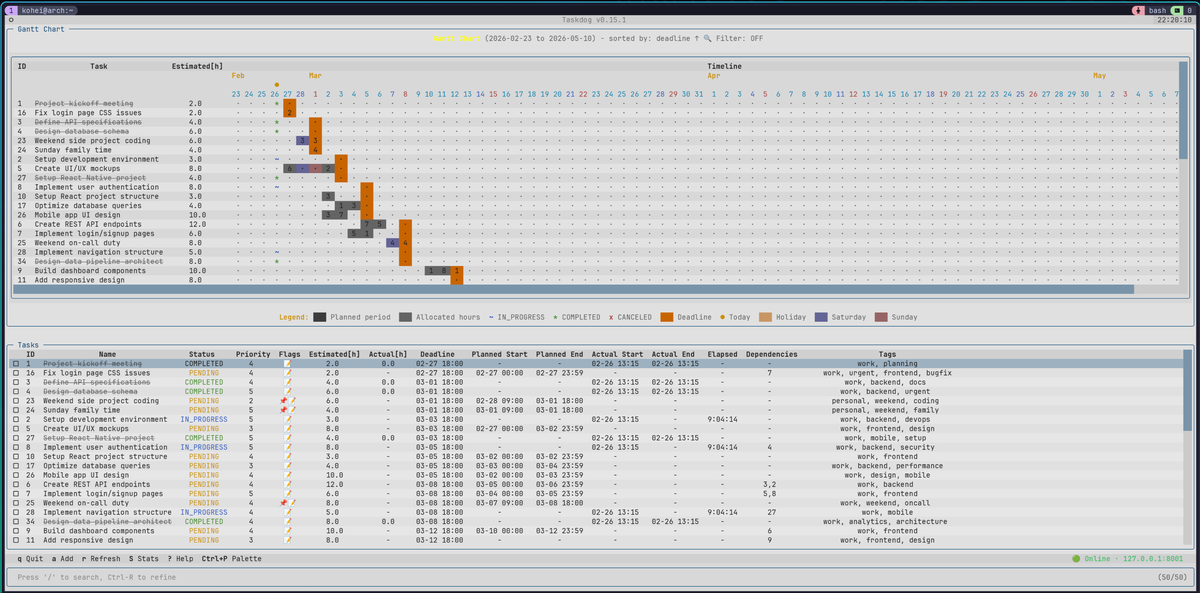
Gantt Chart (CLI)
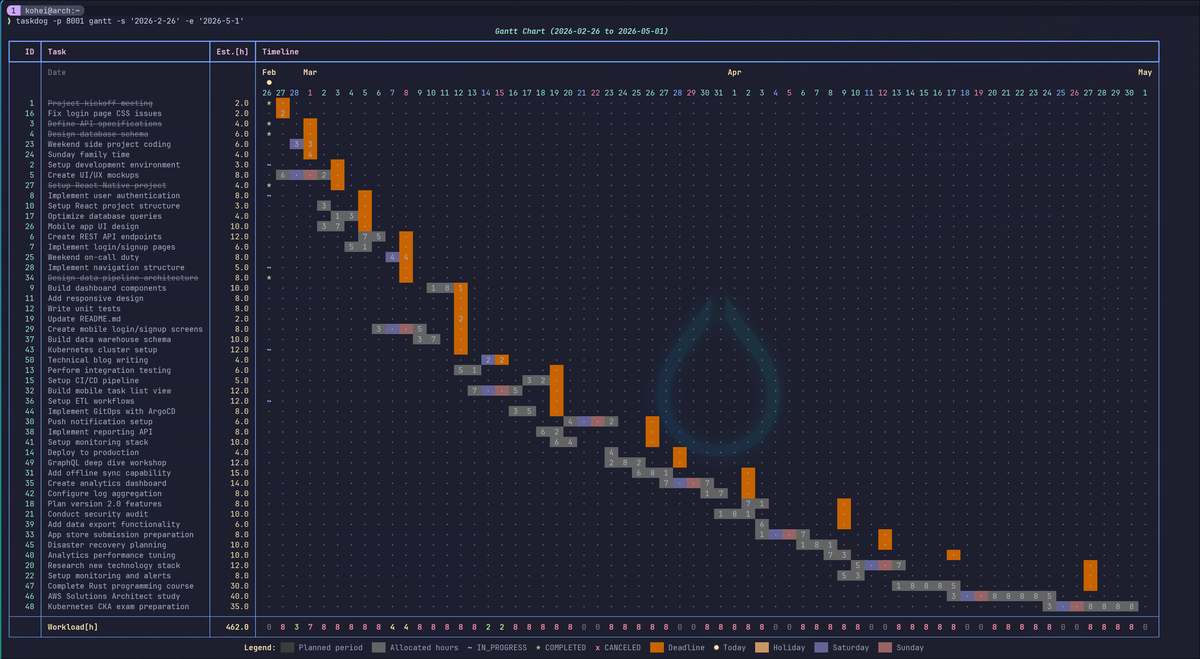
Try It Out
Try taskdog with ~50 sample tasks. No installation required — just Docker:
docker run --rm -it ghcr.io/kohei-wada/taskdog:demo
The TUI works inside the container, but some keybindings (e.g., Ctrl+P for command palette) may conflict with Docker's key sequences. For the best experience, run the server in a container and connect from your host:
docker run --rm -d -p 8000:8000 --name taskdog-demo ghcr.io/kohei-wada/taskdog:demo

# Wait for the server and demo data to be ready (~15s)
docker logs -f taskdog-demo 2>&1 | grep -m1 "Server ready"

uvx --from taskdog-ui taskdog tui
uvxcomes with uv. It runs the command in a temporary environment without installing anything.
Installation
Requirements: Python 3.12+, uv
Supported Platforms: Linux, macOS
Experimental: Windows (WSL2 recommended; native support is still being hardened)
Recommended (with systemd/launchd service)
git clone https://github.com/Kohei-Wada/taskdog.git
cd taskdog
make install
This installs the CLI/TUI and server, and sets up a systemd (Linux) or launchd (macOS) service so the server starts automatically.
Arch Linux (AUR)
yay -S taskdog
Installs the CLI/TUI, server, and MCP binaries plus the systemd user service
(enable per-user with systemctl --user enable --now taskdog-server). See
contrib/aur/ for packaging details.
From PyPI
pip install taskdog-ui[server]
You'll need to manage the server process yourself (e.g., taskdog-server &).
Windows Users
- WSL2 is recommended and follows the same setup flow as Linux.
- Native Windows support is experimental. By default, data is stored under
%LOCALAPPDATA%\taskdogand configuration under%APPDATA%\taskdog. - The editor integration checks
%EDITOR%first, then falls back tocode,notepad, andvim.
Usage
taskdog add "My first task" --priority 10
taskdog list
taskdog gantt
taskdog tui
For complete setup including API key configuration, see Quick Start Guide.
Features
- Multiple Interfaces: CLI, full-screen TUI, and REST API
- Schedule Optimization: 9 algorithms (greedy, genetic, monte carlo, etc.)
- Search & Filter: fzf-style queries, progressive filter chains, multi-field sort
- Time Tracking: Automatic tracking with planned vs actual comparison
- Gantt Chart: Visual timeline with workload analysis
- Task Dependencies: With circular dependency detection
- Markdown Notes: Editor integration with Rich rendering
- Audit Logging: Track all task operations
- MCP Integration: Claude Desktop support via Model Context Protocol
Search, filter & sort
Maximize the task list, sort it from the command palette, then narrow it down with / search, Ctrl+U to re-search, and Ctrl+R to build a progressive filter chain (substring + status/tag exclusion):
https://github.com/user-attachments/assets/dcb44390-7b10-49a0-bdfc-01a03d7751f9
Documentation
- Quick Start Guide - Step-by-step setup
- CLI Commands Reference - Complete command documentation
- API Reference - REST API endpoints and examples
- Configuration Guide - All configuration options
- Design Philosophy - Why Taskdog works this way
- Deployment Guide - Docker, systemd, launchd
Architecture
UV workspace monorepo with five packages:
| Package | Description | PyPI |
|---|---|---|
| taskdog-core | Core business logic and SQLite persistence |  |
| taskdog-client | HTTP API client library |  |
| taskdog-server | FastAPI REST API server |  |
| taskdog-ui | CLI and TUI interfaces |  |
| taskdog-mcp | MCP server for Claude Desktop |  |
Contributing
Contributions are welcome! See CONTRIBUTING.md for guidelines.
License
MIT License - see LICENSE for details.
No comments yet
Be the first to share your take.