
Skills

A collection of agent skills for iOS and Swift development workflows — crash triage, design comparison, build notifications, and log analysis.
Available Skills
design-compare
Compare Figma designs against implementation screenshots with interactive HTML comparison reports.

- Exports Figma nodes at 3x scale via API
- Analyzes layout, typography, colors, components, sizing
- Generates structured match/mismatch reports
- Interactive HTML with swipe slider and side-by-side views
- Multi-screen support in a single report
crashlytics
Generate crash reports from Firebase Crashlytics with automated fix proposals and developer assignments.
- Fetches fatal errors from Firebase Crashlytics
- Analyzes stack traces and identifies root causes
- Proposes specific fixes with code snippets
- Assigns crashes to developers via git blame
- Calculates severity scores (0-100)
oslog
Read, stream, and analyze Apple unified logs (OSLog) for iOS/macOS apps.
- Auto-detects subsystem from
Logger(subsystem:)in source code - Shows recent logs from the live system log store
- Streams logs in real time from a running app
- Analyzes
.logarchivebundles with full predicate filtering
xcodebuild-notify
macOS notifications for xcodebuild commands, mimicking Xcode's build notifications.
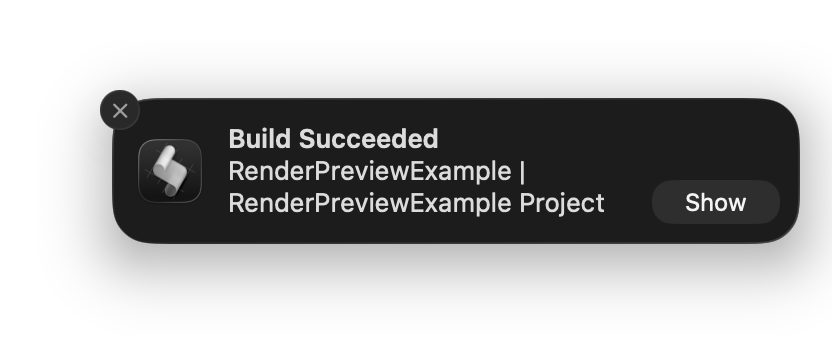
- Sends a notification after every
xcodebuildbuild - Shows
Build SucceededorBuild Failedas title - Body format:
<scheme> | <project> Project
Installation
Any Agent (via skills.sh)
npx skills add artemnovichkov/skills
To install a single skill:
npx skills add artemnovichkov/skills --skill design-compare
Claude Code
/plugin marketplace add artemnovichkov/skills
Xcode 27
Or paste the deeplink in Safari:
xcode://agent-plugin-clone?repo=https://github.com/artemnovichkov/skills
Author
Artem Novichkov, https://artemnovichkov.com/
License
The project is available under the MIT license. See the LICENSE file for more info.
No comments yet
Be the first to share your take.