
Skill Zoo





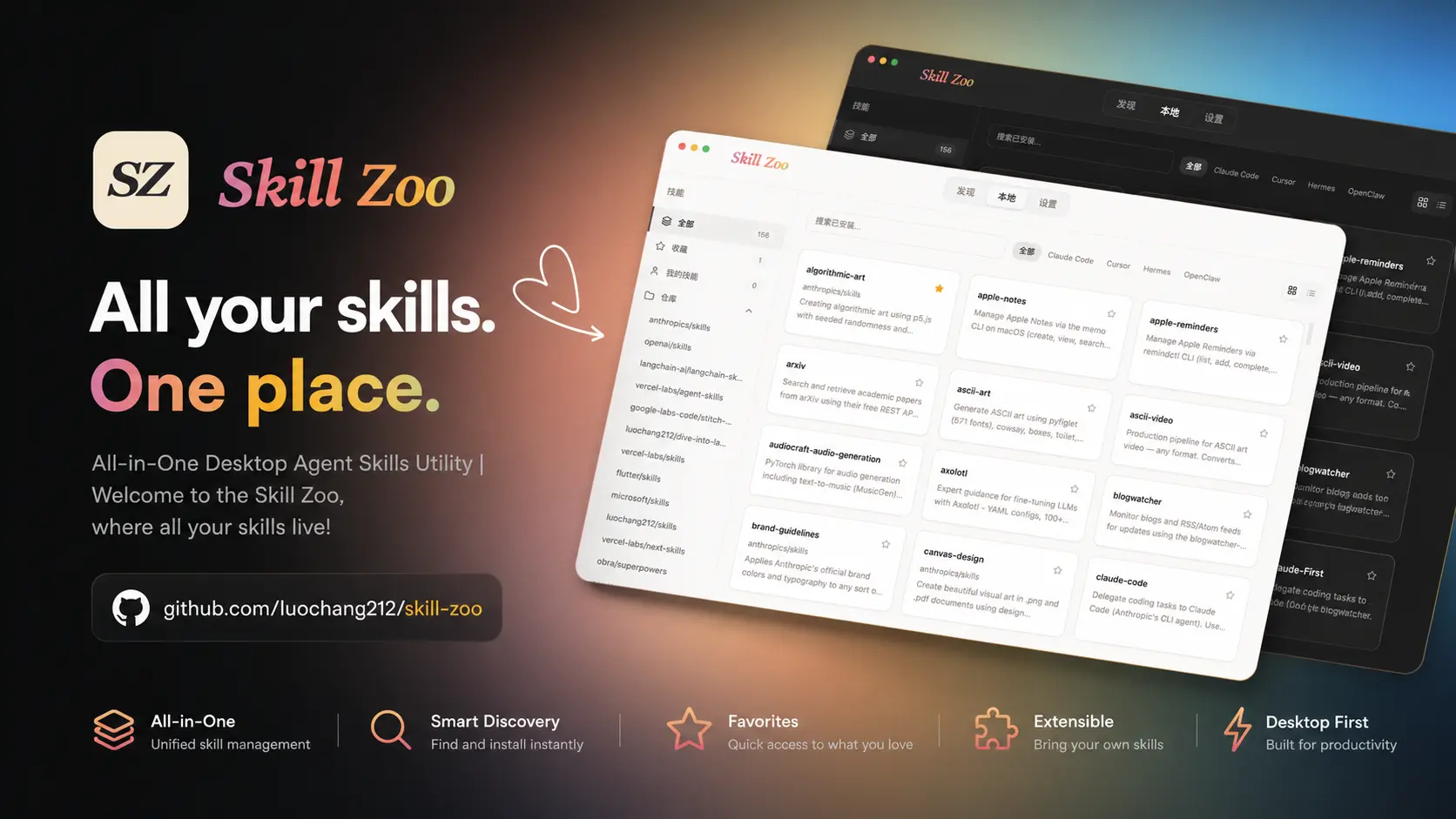
Local Agent Skills Manager: Discover, install, and manage skills for AI coding tools including Claude Code, Codex, Cursor, Hermes, OpenClaw, Pi and more.
✨ Tech Stack
| Layer | Technology |
|---|---|
| Frontend | React 19 + TypeScript 6 + Vite 8 |
| Backend | Rust (Tauri v2) |
| Styling | Tailwind CSS 4 + shadcn/ui |
| State | TanStack React Query |
| Animation | Framer Motion |
| i18n | i18next |
| Lint | oxlint + clippy |
| Format | oxfmt + cargo fmt |
| Testing | Vitest + Rust tests |
| Package Manager | Bun |
🚀 Features
- Explore & Install: Search and download skills from GitHub repositories
- Update Skills: Update installed skills to the latest version from GitHub
- Skill Authoring: Built-in Markdown editor to create skills anywhere, anytime
- Batch Operations: Install, delete, or merge duplicate skills in bulk
- Security Audit: View community audit scores from skills.sh
- Consistency Check: Proactively detect three types of inconsistencies and prompt fixes
- Skill Archive: Move skills into the archive as temporary storage to reduce context load
- CLI + WUI: Provide Skill Zoo control surfaces for Coding Agents and humans
🙌 CLI
When you want to manage Skill Zoo from a coding agent, terminal, or automation, install the npm CLI:
npm i -g skill-zoo
skill-zoo --help

skill-zoo list           # List installed skills
skill-zoo doctor --fix   # Diagnose and fix common issues
skill-zoo wui            # Start the local Web UI
See: Skill Zoo CLI
📦 Installation
Download the latest build from Releases.
macOS
- Download the
.dmg. - Open it and drag
skill-zoo.appintoApplications.
Windows
- Download the
.exeinstaller. - Run it. The installer creates shortcuts and supports automatic updates.
Note: If SmartScreen shows a warning, click "More info" and then "Run anyway".
Linux
Download the AppImage for your CPU architecture, then run:
chmod +x Skill-Zoo-*-Linux-*.AppImage
./Skill-Zoo-*-Linux-*.AppImage
😇 Trust & Security
- Auditable Code: 100% open source. Every build runs on GitHub Actions for anyone to inspect.
- Connects On Demand: No background polling. Network only fires on browse or install.
- You Stay in Control: Any operation that touches real files (delete, move, overwrite) asks for confirmation first.
💡 Contributing
For development, see docs/development.md.
Found a bug or have an idea? Open an issue or submit a PR. Contributions of all kinds are welcome!
No comments yet
Be the first to share your take.