
What It Does
SkillDock is an AI coding skills manager and desktop control center for Claude Code, Cursor, Codex, Windsurf, Gemini CLI, GitHub Copilot, and other AI coding agents. It keeps local Skills, MCP configurations, and plugin bundles visible, editable, and synced. It scans each tool's real Skill directory, shows managed and unmanaged Skills, and lets users preview local changes before updating or pushing.
The core workflow is team collaboration without intermediate handoff directories. Publishers can modify skills or plugins locally and push changes back with one click; users can update with one click while seeing who updated the package and what changed.
- Skills library — Install, update, delete, edit, inspect, and sync local skills.
- MCP management — Browse, import, edit, enable, disable, sync, and inspect MCP server configs.
- Plugin management — Install, enable, disable, inspect, one-click update, and remove plugin packages, with local change and pending-push detection for Git-backed plugins.
- Per-tool Skill management — Inspect and manage the Skills actually used by Claude Code, Cursor, Codex, and other tools; identify managed, unmanaged, and conflicting entries; import unmanaged Skills into SkillDock or remove them from the current tool.
- Skill diff and collaboration — Review staged and unstaged diffs and incoming updates, and revert individual files or hunks.
- Cards and dark mode — Switch Skills, MCP, and Plugins between list and card layouts, with light, dark, and system themes.
- MCP tools discovery — Detect exposed MCP tools, track whether each server config is usable, and control tool-level enablement.
- Skill install — Install skills with one click from
skills.shand ClawHub, or add them from Git repositories and local folders. - MCP install — Install MCP servers with one click from
MCP.Directory, then manage their shared configuration lifecycle. - Plugin install — Install plugin packages with one click from Git repositories and enable their bundled skills, commands, agents, and integrations.
- Complete Git workflow — Keep Git-based skills and plugins as real repositories, detect upstream updates, local edits, and pending pushes, and preview changes before updating or pushing.
- One-click multi-tool sync — Enable skills, MCP servers, and plugins across Claude Code, Codex, Cursor, Windsurf, Gemini CLI, OpenCode, and other coding tools to avoid hand-copying files and editing complex config files.
Skills
View every installed skill by source group or by the tool's real directory, filter by management status, inspect source metadata, and see Git collaboration state at a glance.
Skills list
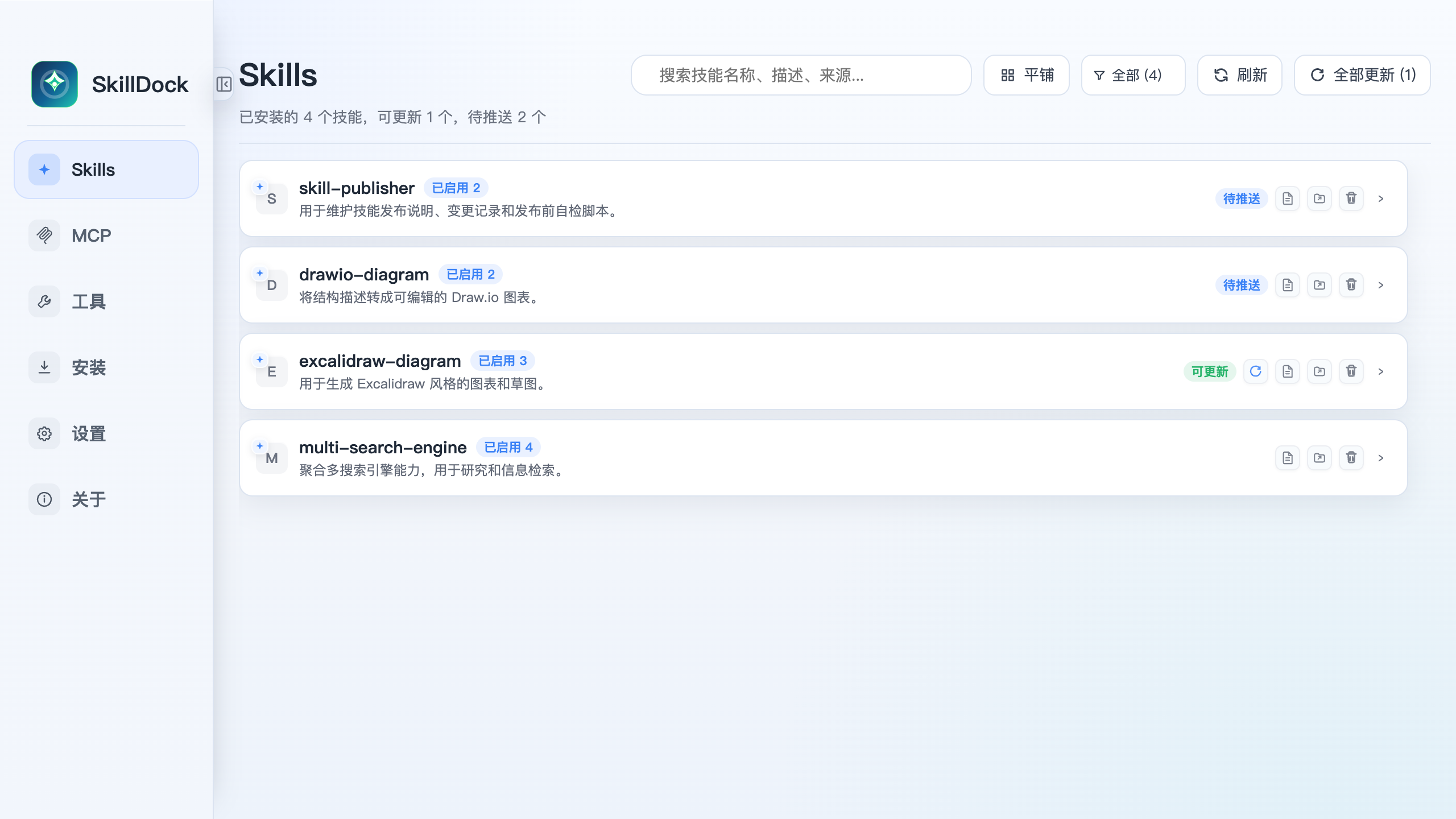
Skills grouped by source
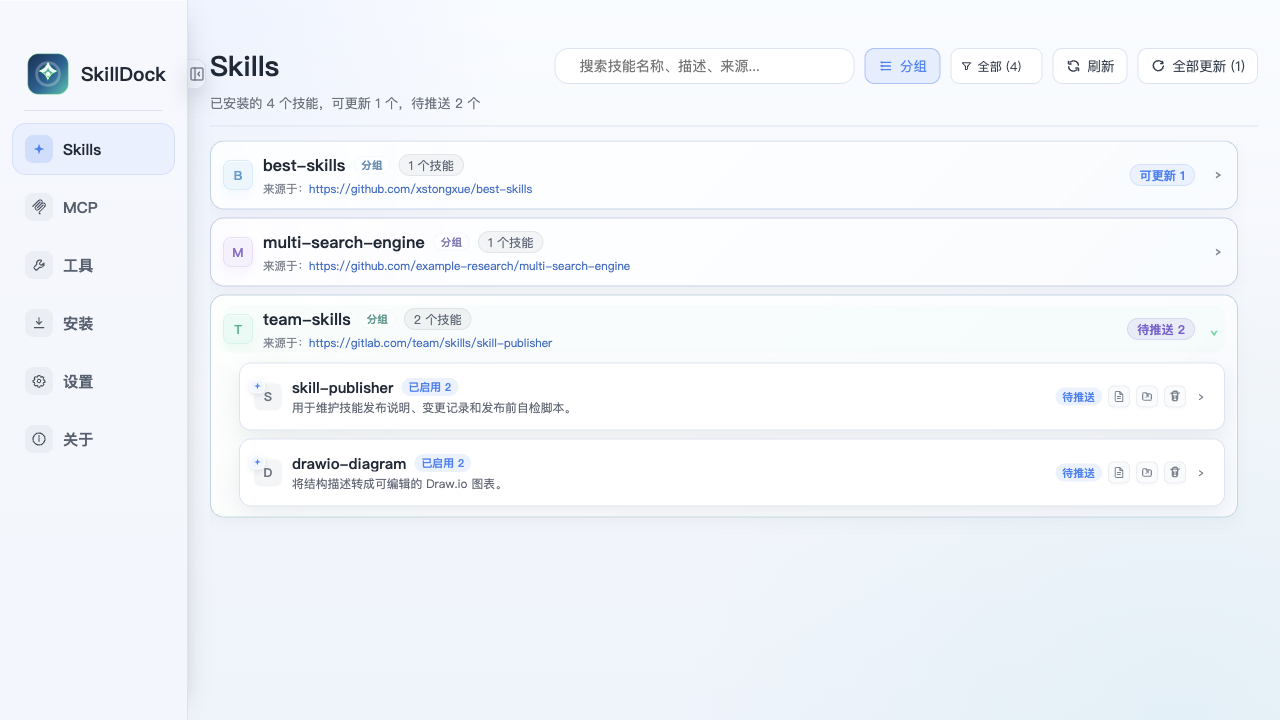
Skill details and tool sync
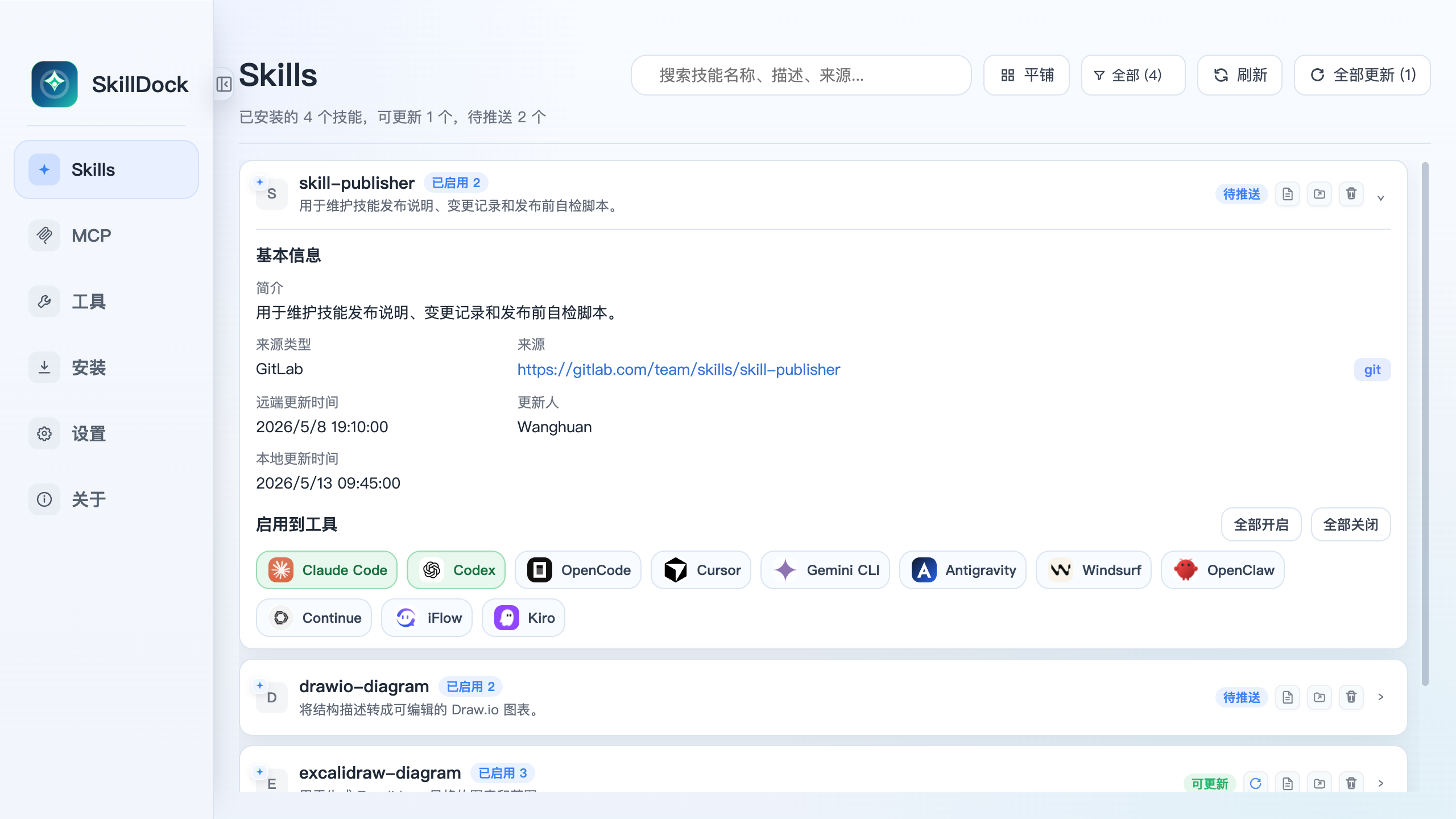
SkillDock preserves source information and tool enablement per skill, so a team-maintained skill can stay connected to its upstream repository while still being applied selectively to Claude Code, Codex, Cursor, Gemini CLI, Windsurf, and other tools.
MCP
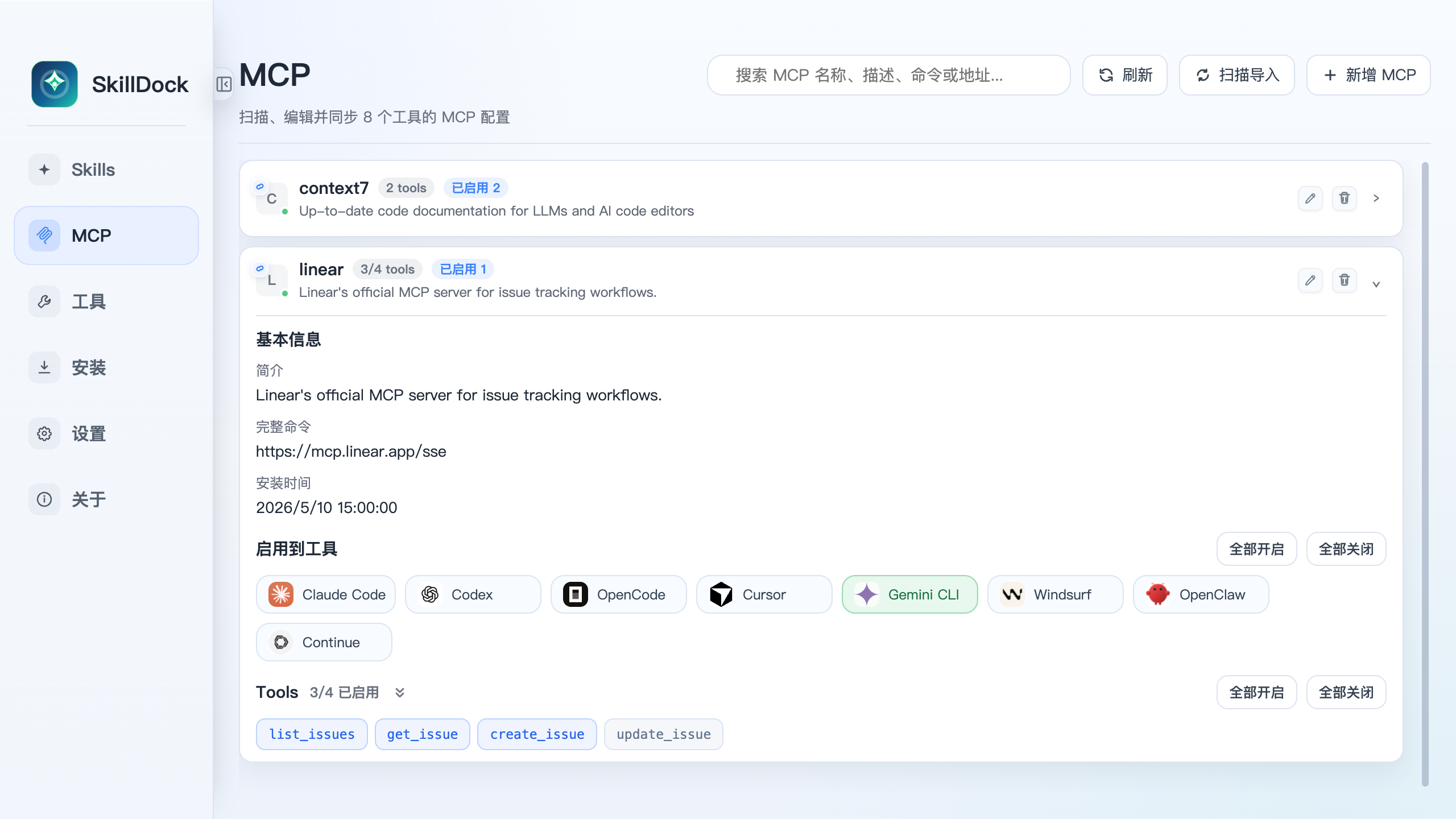
Manage MCP servers in the same workspace as skills. SkillDock scans supported app config files, shows the server command and source, and lets you enable or disable server sync per tool. Use list or card views and inspect MCP tools in context.
MCP list
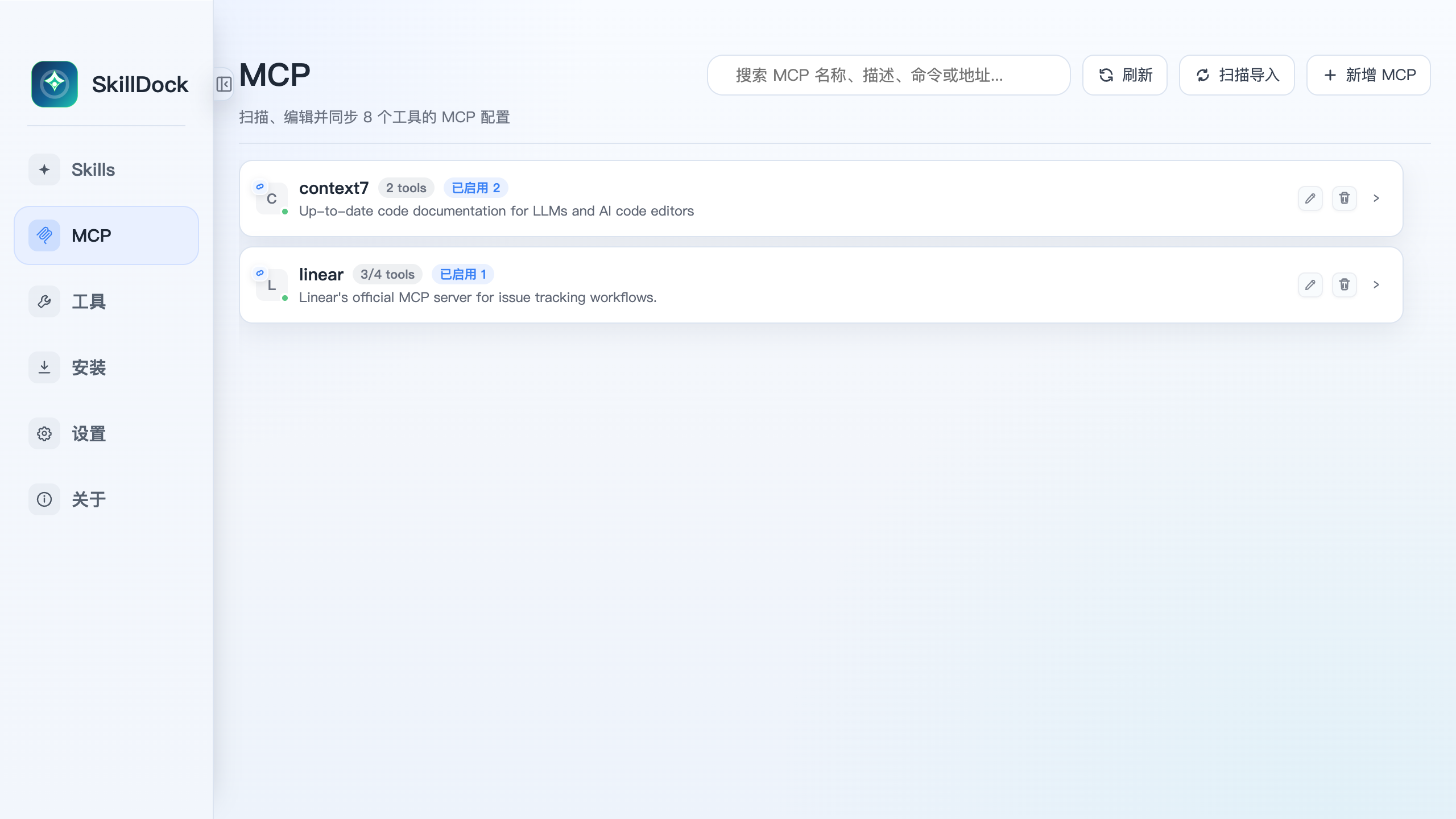
MCP server details and tools
Plugins
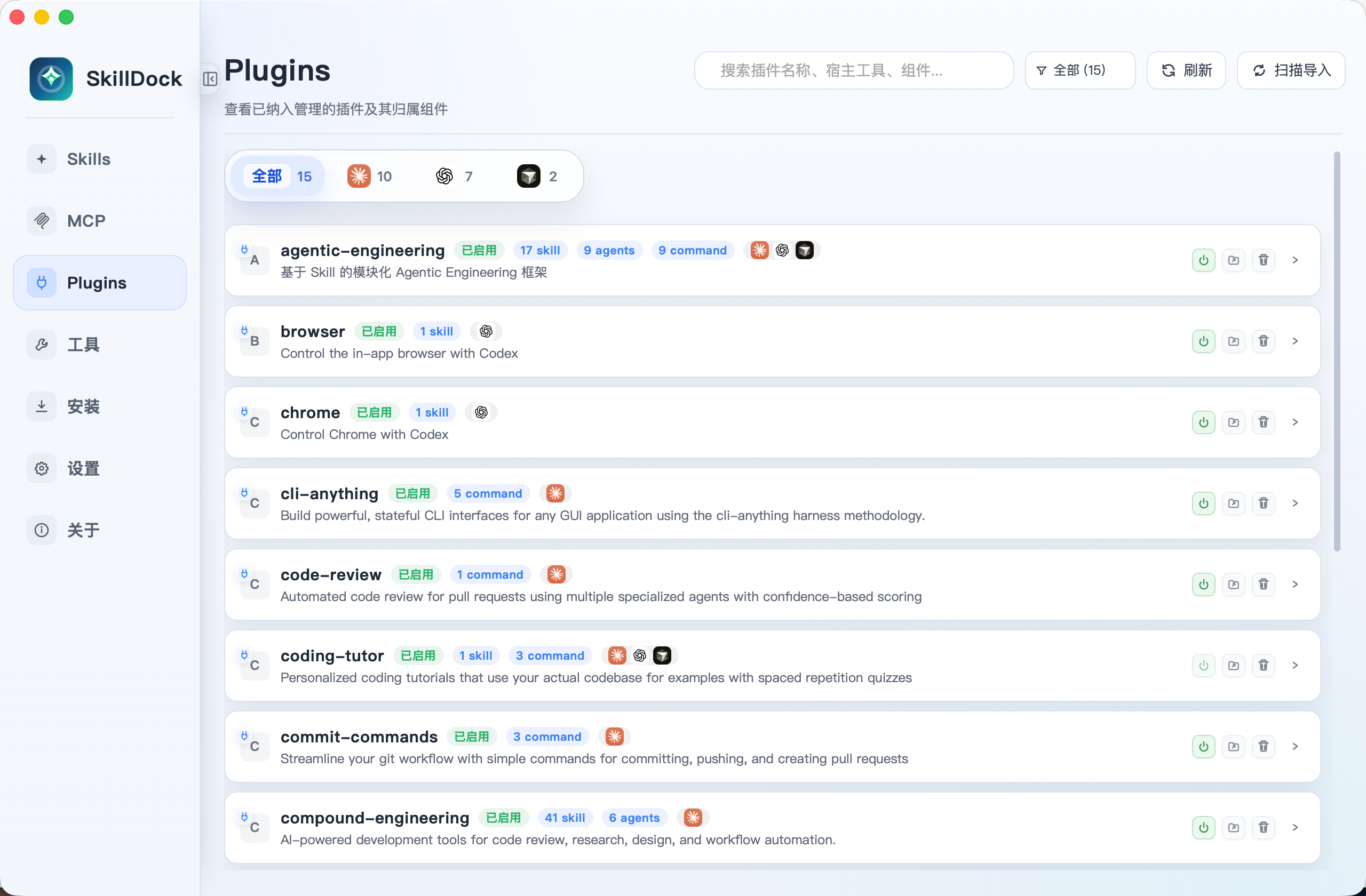
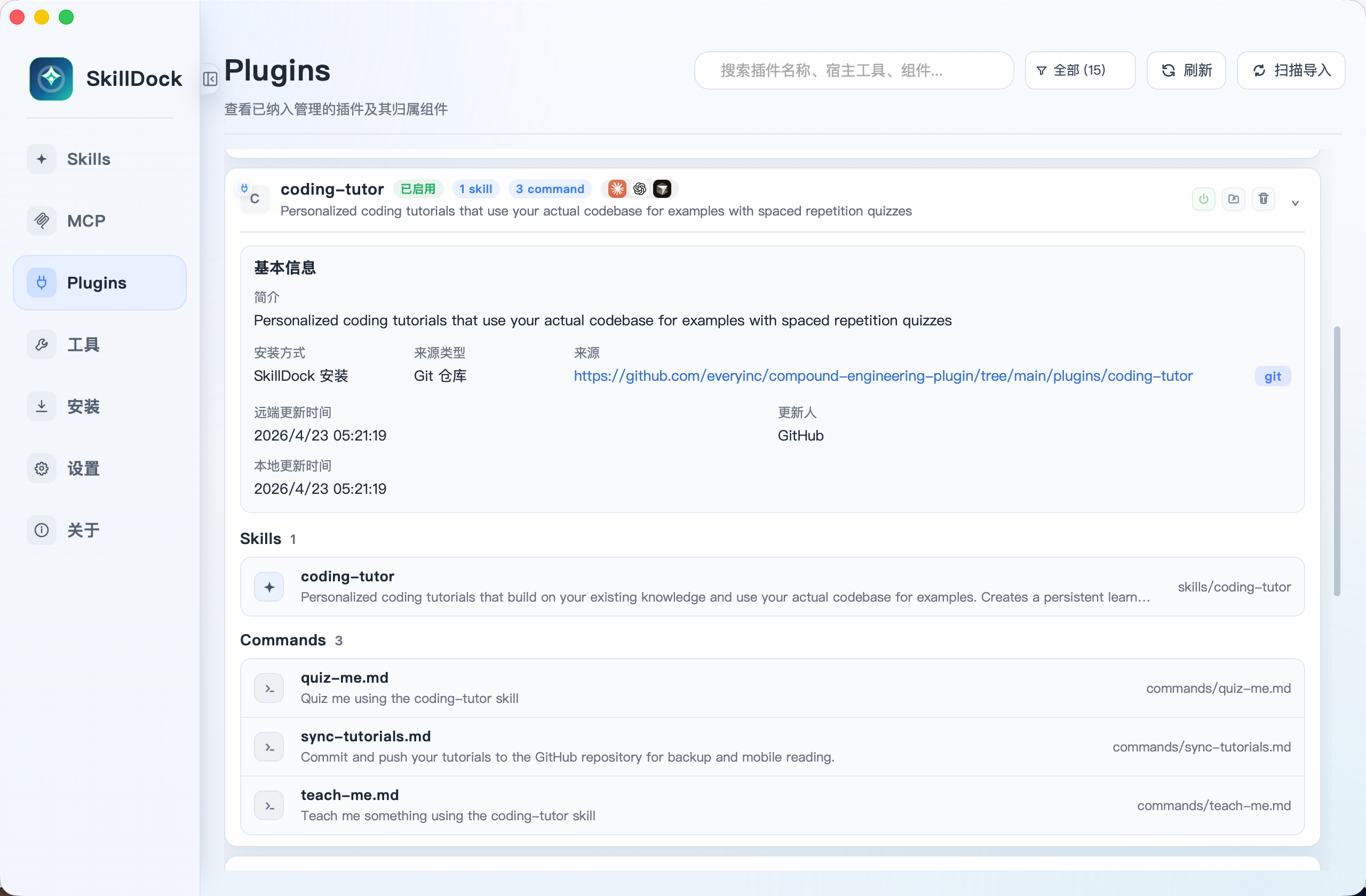
View installed plugins by supported host tool, inspect source metadata, see bundled skills, agents, commands, and host integrations, and track one-click updates, local changes, and pending pushes at a glance.
Plugin list
Plugin details
Tools
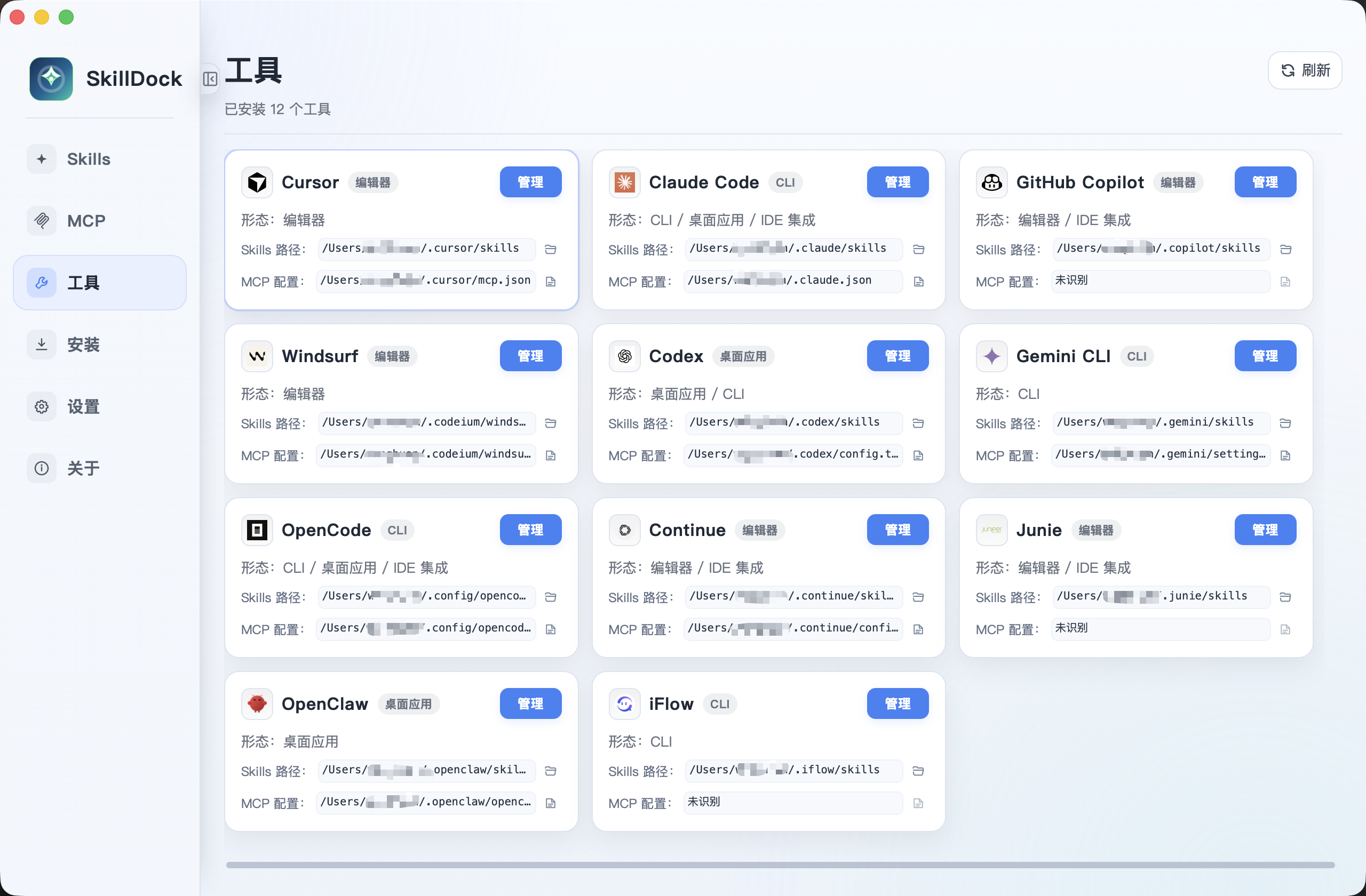
SkillDock detects supported coding tools, shows their skill and MCP config locations, and gives you one place to manage sync targets.
Install
Install flows are split by package type so skills, MCP servers, and plugins can each follow their own lifecycle.
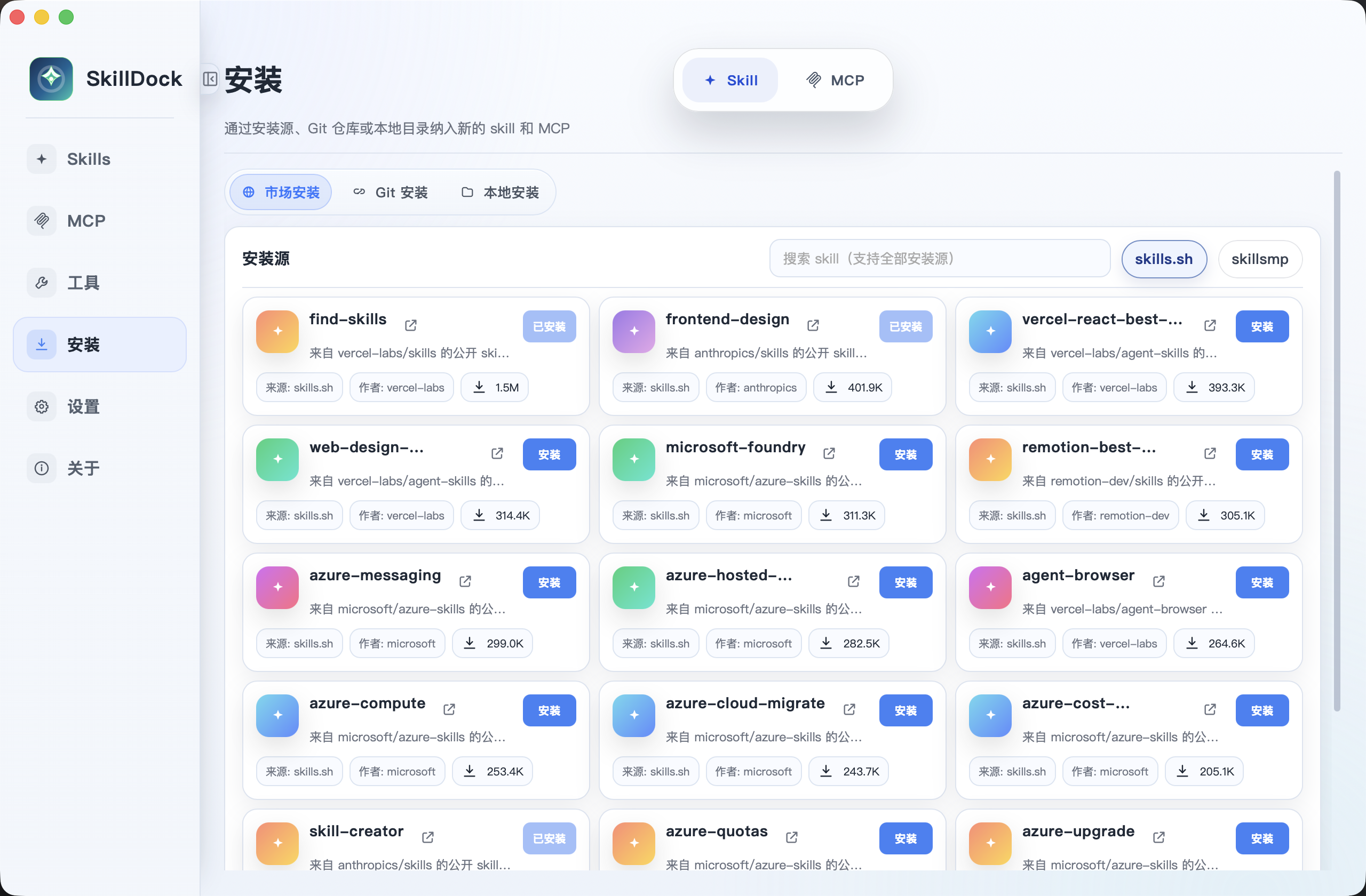
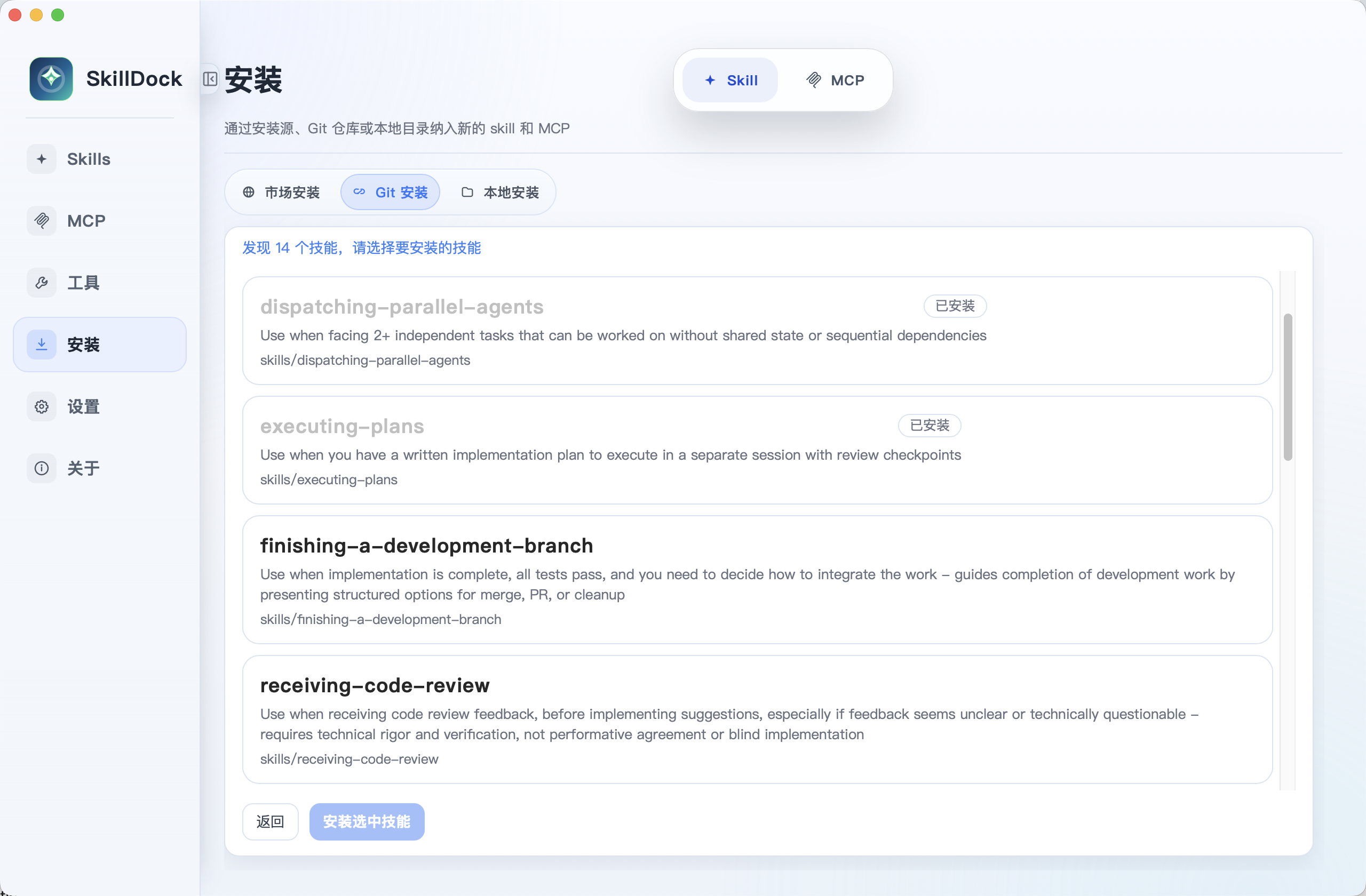
Skill install
Install skills with one click from skills.sh and ClawHub, or add them from Git repositories and local folders.
Skill marketplace install
Skill Git and local install
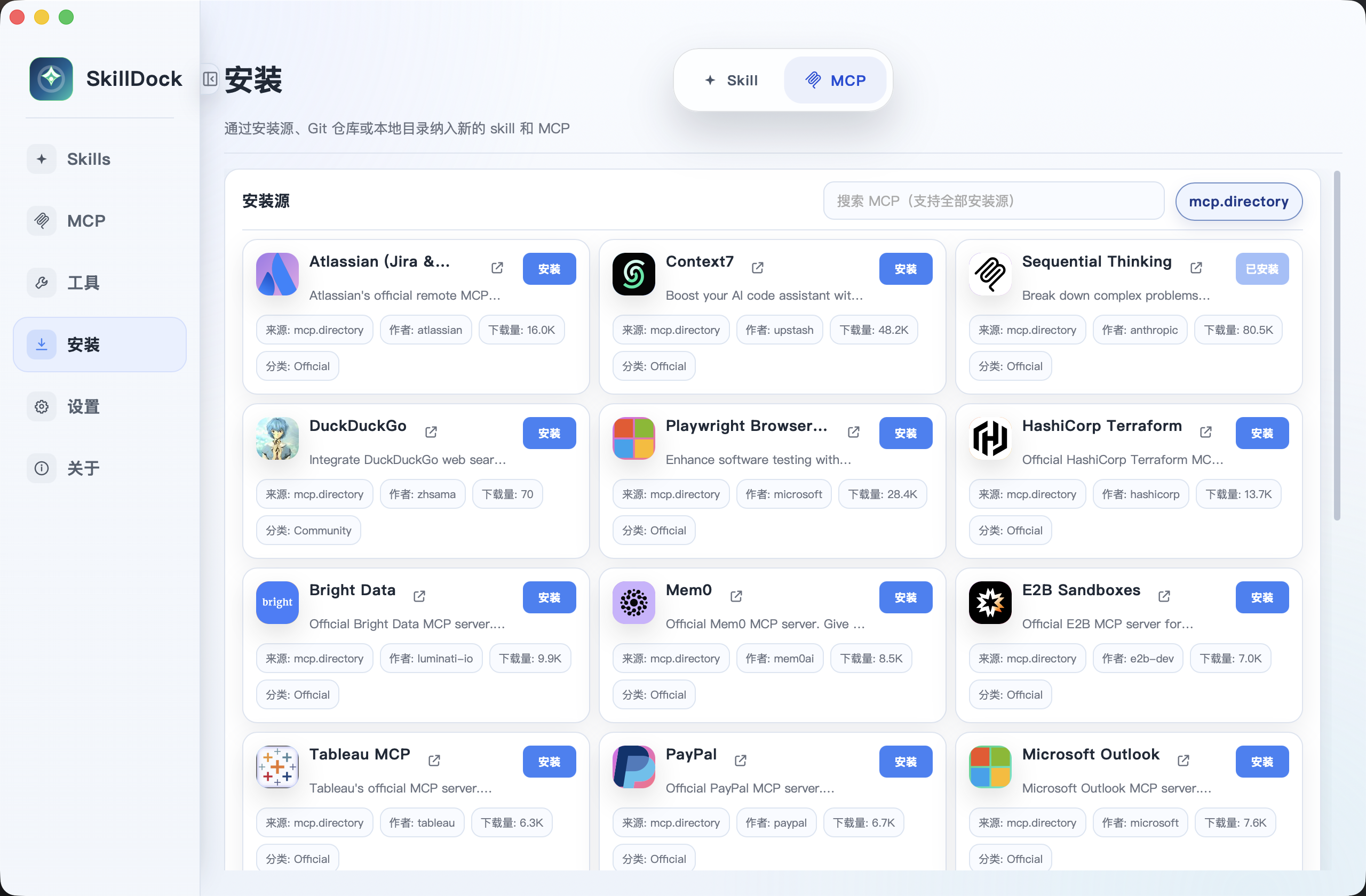
MCP install
Install MCP servers with one click from MCP.Directory, then manage their shared configuration and tools lifecycle.
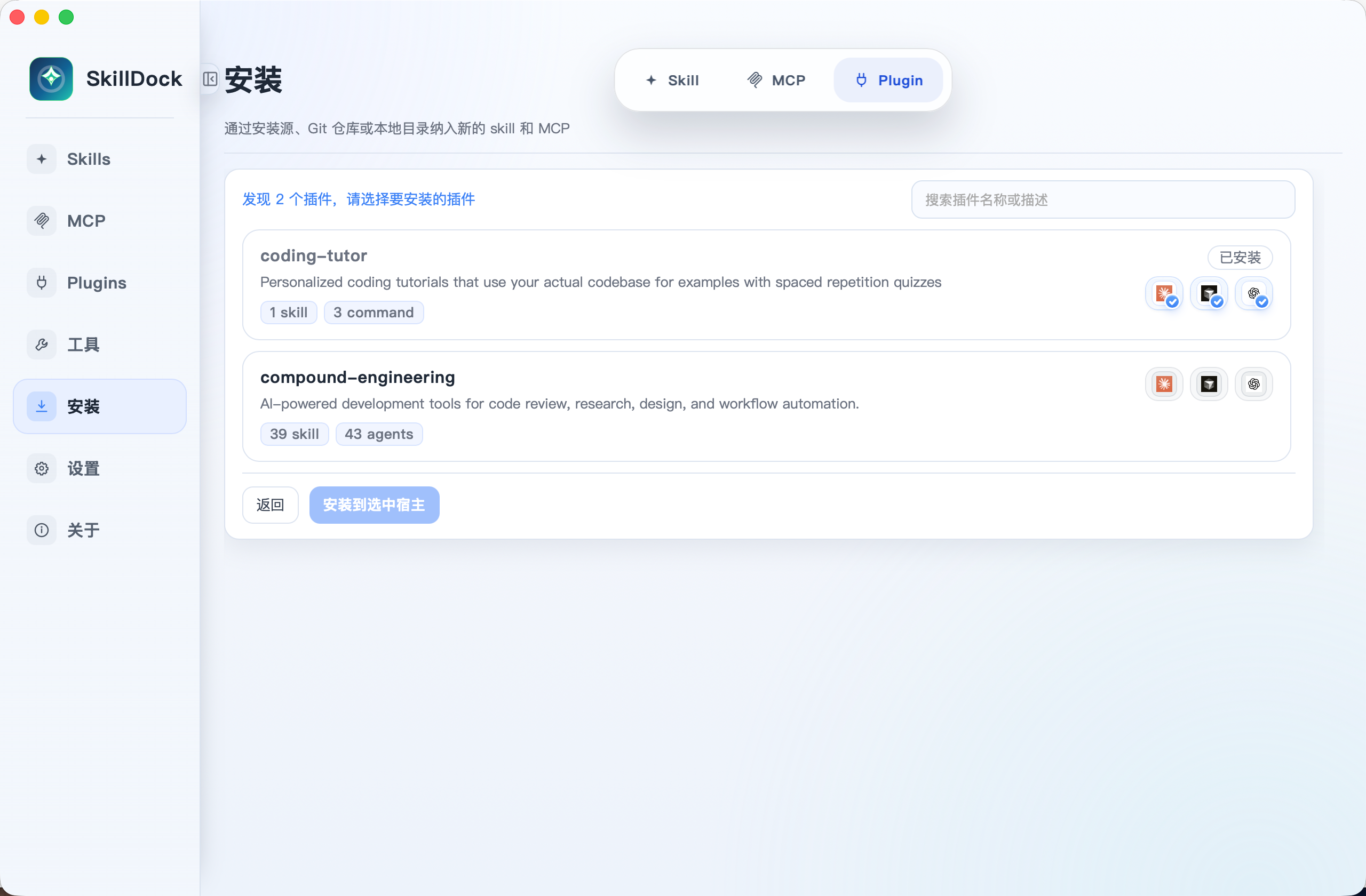
Plugin install
Install complete plugin packages with one click from Git repositories, select supported host tools, and enable bundled skills, commands, agents, and integrations.
Settings
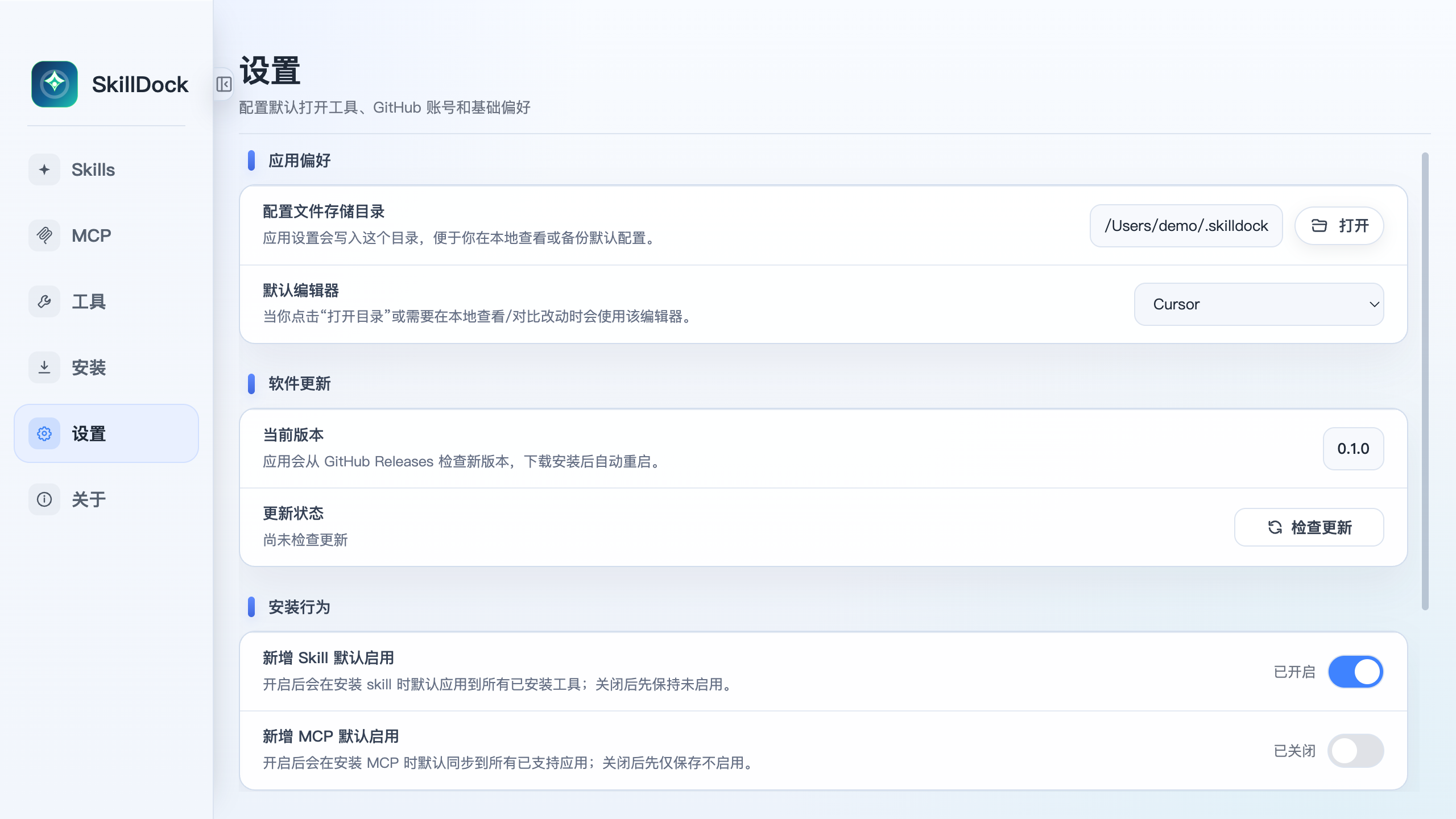
Configure the app storage directory, default editor, update checks, default install behavior, themes, card layout preferences, and tool support status.
Supported Tools
Claude Code · Codex · Cursor · Windsurf · IntelliJ IDEA · OpenCode · Gemini · Antigravity · Continue · GitHub Copilot · Qwen Code · Trae · Trae CN · Cline · Roo Code · Kilo Code · Kiro · Goose · Junie · Augment · CodeBuddy · Droid · OpenClaw · CommandCode · Crush · Qoder · Zencoder · Hermes · iFlow · Pi · OMP · Grok Build · MiMo Code · WorkBuddy
How It Works
Plugins are managed as higher-level packages. A plugin can expose skills, agents, commands, MCP integrations, and host-specific capabilities; SkillDock installs the package once, tracks its source, and lets you enable or disable it for compatible host tools.
MCP servers use a different model: SkillDock manages them as shared configuration records and writes the enabled servers into each tool's MCP config file.
Skill Management and Workflow
“Managed” identifies where a Skill's real files live and who owns its update and removal lifecycle. “Enabled” means linking a managed Skill into Cursor, Claude Code, Codex, or another tool. Only managed Skills can be distributed centrally: the copy in the managed library is the single distribution source and can be enabled in multiple tools through symlinks.
Skills already stored in a tool's local directory can first be imported into SkillDock for management, then centrally managed and distributed to other tools.
| How it enters SkillDock | Managed location | Available after management |
|---|---|---|
| Installed from the SkillDock marketplace, Git, or a local folder | ~/.skilldock/skills |
Inspect, edit, remove, and distribute to multiple tools; Git sources also support update checks, Diff previews, and pushes |
Installed globally with Agent Skills CLI, such as npx skills add ... -g |
~/.agents/skills |
Automatically detected after compatibility is enabled; inspect and distribute it, with preview, update, and removal where Agent Skills CLI supports them |
| Already present in Cursor, Claude Code, Codex, or another tool | Copied to ~/.skilldock/skills after import |
Shown as unmanaged before import; after import SkillDock manages it and can enable it in other tools |
Agent Skills CLI Compatibility
Turn on Settings → Agent Skills CLI Compatibility to scan ~/.agents/skills and automatically recognize Skills installed globally with npx skills add ... -g. They remain managed by Agent Skills CLI and are not moved or copied into ~/.skilldock/skills; SkillDock can inspect and distribute them, with preview, update, and removal where Agent Skills CLI supports those operations.
Skills installed by SkillDock still live in ~/.skilldock/skills. Turning compatibility off only stops the extra scan—it does not modify or delete anything in ~/.agents/skills.
If you prefer the command line, use Agent Skills CLI as the CLI entry point for Skills and SkillDock as the desktop management app: install and maintain ~/.agents/skills through the CLI, then use SkillDock to inspect them visually, preview updates, and distribute them across tools without changing your existing CLI workflow.
Enterprise Skill Management and Internal Platform Integration
SkillDock is well suited as a unified enterprise Skill management platform. It can connect to an internal marketplace for Skill discovery, download, installation, and updates, and integrate with an internal publishing platform for review, publishing, and listing.
- Connect an enterprise marketplace: Discover, download, install, and update internal Skills in one place.
- Connect an enterprise publishing platform: Submit local changes to existing enterprise review, publishing, and listing workflows.
- Easy to integrate and customize: Publishing uses an adapter architecture, while marketplace integrations can reuse shared data models and installation flows, making it easier to extend SkillDock for internal APIs.
- Keep data under enterprise control: Private code, credentials, and business data can remain inside the enterprise, with customization available under the MIT License.
Download
Download the latest SkillDock release.
| Platform | Status |
|---|---|
| macOS Apple Silicon | Released |
| Windows x64 | Released |
Open the Unnotarized App
SkillDock is not currently notarized by Apple, so macOS may prevent it from opening. After installation, run:
sudo xattr -cr /Applications/SkillDock.app
You can then launch SkillDock normally.
Getting Started
- Download and open SkillDock.
- Install plugins, skills, or MCP servers from a marketplace, Git repository, or local folder.
- Inspect the real Skill directories used by Claude Code, Cursor, Codex, and other tools.
- Enable plugins, skills, and MCP servers for your coding tools.
- Use Git-aware status to review updates, local edits, Diff previews, and push previews.
Build from Source
Prerequisites: Node.js 20+, Rust 1.77.2+, and the Tauri system dependencies for your platform.
npm ci
npm test
npm run build
npm run tauri:check
npm run desktop:build
For local development, run npm run desktop:dev.
Roadmap
- Publish the source code under the MIT License.
- Clearer skill states: updateable, locally modified, pending push, conflicted.
- Fuller plugin and MCP lifecycle: install, configure, discover tools, and sync across tools.
- Better Git flows: branch selection, team repository pushback, PR/MR handoff.
Contributing
Issues and pull requests are welcome. Before submitting a change, run npm test, npm run build, and npm run tauri:check.
License
SkillDock is released under the MIT License.
No comments yet
Be the first to share your take.