
Agent Session Handover
Continue work across Codex, Claude Code, and Cursor without manually copying long conversations.
The problem
AI coding agents keep their own local session history. When you switch tools, the next agent usually cannot see what happened before, so context, decisions, and unfinished work get lost.
The solution
This skill finds local JSONL session transcripts, extracts the relevant recent messages, and prepares a compact handoff for another agent.
- Supports Codex, Claude Code, and Cursor
- Finds, lists, reads, summarizes, and hands off sessions
- Uses only the Python standard library
- Reads transcript files without modifying them
- Makes no false claim of live chat synchronization
Setup
Copy and paste this prompt to your agent:
Read https://github.com/oguzkr/skill-agent-session-handover and install the
agent-session-handoverskill for this environment. Preserve the repository structure, verify the Python script with--help, run a small local session-list test, and report the installed path and result.
Example prompts
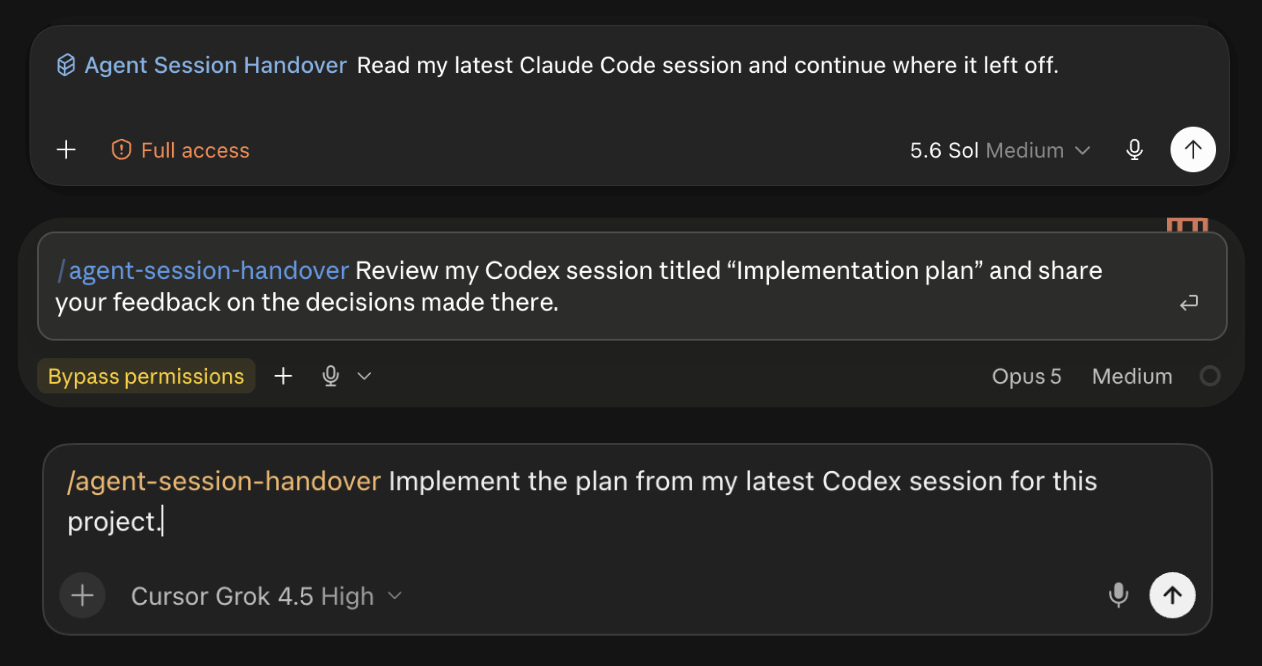
Read my latest Claude Code session and continue where it left off.
Find the Cursor session for this project and summarize the last decisions.
Read my "Conversion optimization" session from Claude and continue the unfinished task.
Compare the latest relevant Codex and Cursor sessions and tell me where they diverged.
CLI examples
export SESSION_HANDOVER="$HOME/.agents/skills/agent-session-handover/scripts/agent_session_handover.py"

python3 "$SESSION_HANDOVER" list --source all --limit 10
python3 "$SESSION_HANDOVER" latest --source codex
python3 "$SESSION_HANDOVER" digest /path/to/session.jsonl --last 12
python3 "$SESSION_HANDOVER" handoff --from claude --to codex --task "Continue this work."
Available commands: list, latest, show, digest, and handoff.
Supported local sources
- Cursor:
~/.cursor/projects/*/agent-transcripts/**/*.jsonl - Codex:
~/.codex/sessions/**/*.jsonland~/.codex/archived_sessions/*.jsonl - Claude Code:
~/.claude/projects/*/*.jsonl
Privacy
Session transcripts may contain secrets, private paths, prompts, and tool output. The skill reads local files and does not upload them, but your agent can still display extracted content. Review output before sharing it.
License
MIT
No comments yet
Be the first to share your take.