
🛰️ recon
Obsidian × AI Knowledge Base
Your project's brain — built by AI, lived in Obsidian.




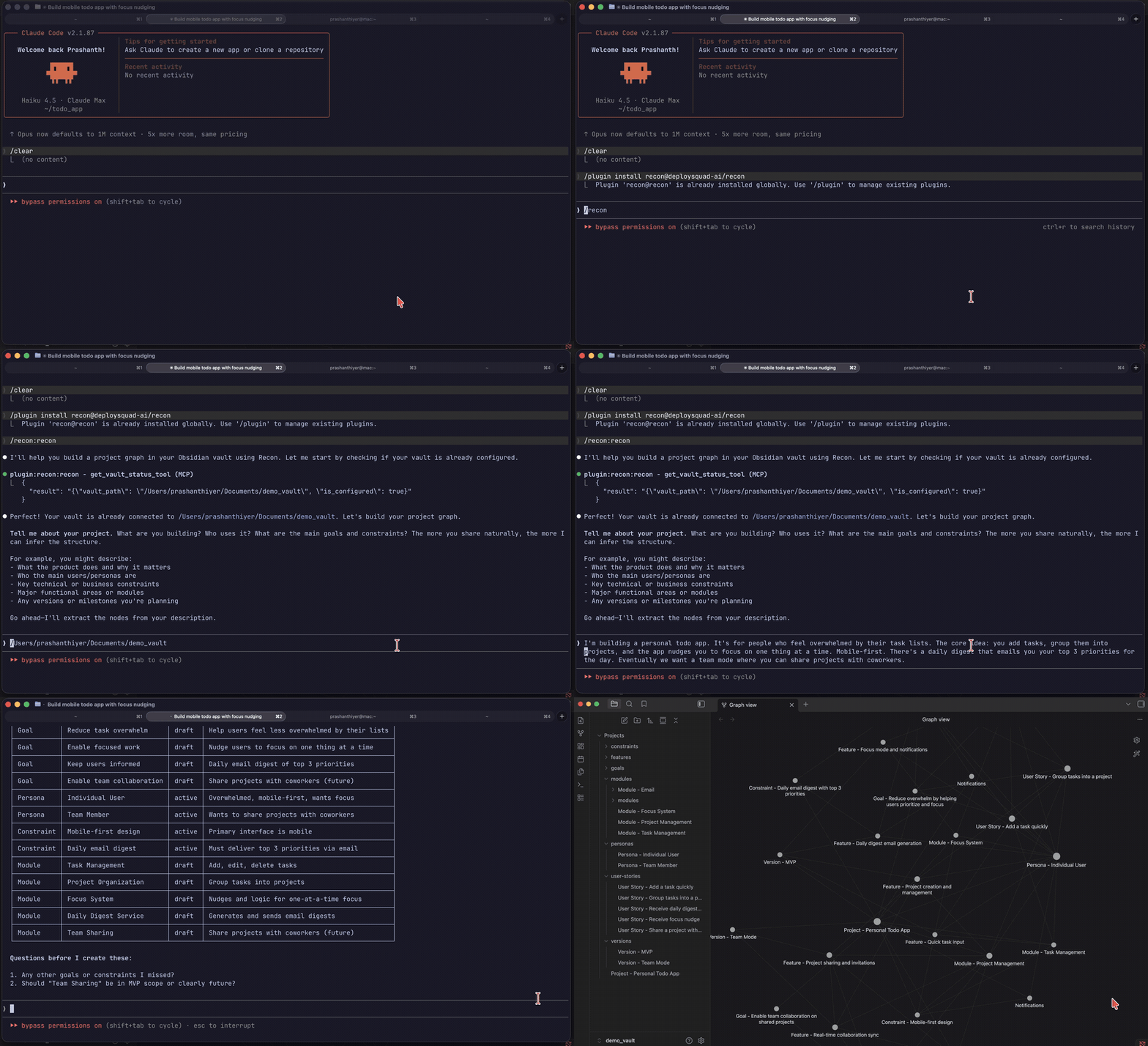
/plugin marketplace add deploysquad-ai/recon
/plugin install recon@deploysquad-ai/recon
then cd into your project and run /recon — the graph is written to the project root.
What it does
recon is a Claude Code MCP server that turns a natural conversation into a structured project knowledge graph — stored as Markdown in your Obsidian vault.
You describe your project. Claude infers goals, personas, modules, decisions, and features — then writes them as linked nodes. No forms. No templates to fill out.
The graph then feeds focused context back to any AI session via generate_context() — so Claude always knows what you're building, every session.
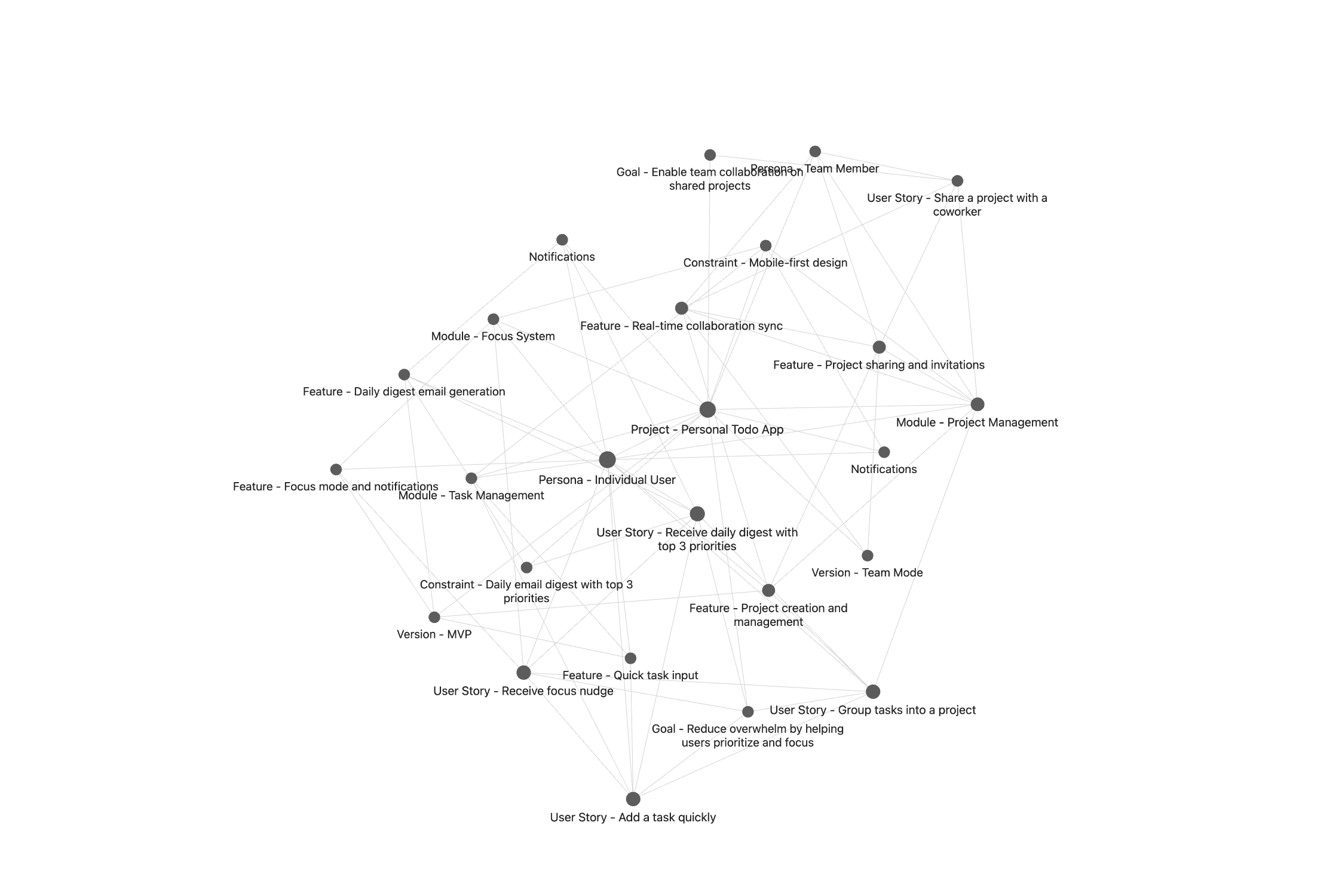
The loop
💬 /recon          →   🧠 graph          →   ⚡ CONTEXT.md     →   🏗️ build
describe project       10 node types         per feature            with full context
                                                                          ↓
                    ←──────────────── 🔄 /recon.add-feature ────────────┘
                                      keep graph current
Works with your AI dev workflow
recon connects directly to AI-assisted development workflows:
Generate context for any feature — written straight to your vault:
"generate context for Task Board"
→ writes features/CONTEXT - Task Board.md
Claude reads the context file and starts every session informed — goals, constraints, decisions, personas. No re-explaining.
Track specs back to the graph:
"link the spec to Task Board"
→ Feature node now points to the spec file
Query "which features have specs?" or "what's the spec for Task Board?" — the graph stays connected end to end.
The full cycle:
/recon                    → build the graph
"generate context for X"  → write CONTEXT.md to vault
/brainstorming            → read context, produce spec
"link the spec to X"      → connect spec back to feature
Quick start
- Add the marketplace:
/plugin marketplace add deploysquad-ai/recon - Install the plugin:
/plugin install recon@deploysquad-ai/recon cdinto your project (any git repo or directory) and run/recon— recon writes the graph to the project root, alongside your code- (Optional) For semantic linking, add
export GEMINI_API_KEY=your-keyto your shell rc (~/.zshrcor~/.bashrc) and restart Claude Code. The/reconpreflight prints a tip with this exact instruction when the key is missing. Free key: https://aistudio.google.com/apikey
Upgrading from a separate-vault setup? The next
/reconrun silently re-points to your project root. Your old vault on disk is untouched;git mvor copy your old graph into the new project root if you want to keep it. SeeCHANGELOG.mdfor details.
Node types
recon builds a graph using 10 structured node types:
| Type | Purpose |
|---|---|
| Project | Root node — name, description, status |
| Goal | Why you're building it |
| Persona | Who uses it |
| Constraint | Hard limits (tech, legal, budget) |
| Module | Architectural components |
| Decision | Key choices made and why |
| User Story | User-facing requirements |
| Epic | Feature groupings |
| Feature | Implementable units — context bundles start here. Supports spec_path to link back to technical specs |
| Version | Release milestones |
All nodes are Markdown files with YAML frontmatter, linked via Obsidian wikilinks. Open your vault in Obsidian to see the graph view.
How it works
Claude Code  →  /recon skill  →  recon MCP server  →  recon-core (Python)  →  Obsidian vault
(you type)      (prompts you)    (validates, routes)   (writes .md files)     (graph view)
- MCP server (
deploysquad_recon_core.mcp_server): exposes 10 tools callable by Claude - recon-core (Python): Pydantic v2 models, vault I/O, graph index, context generation
- Skills:
/reconfor initial authoring,/recon.add-featurefor incremental updates
Requirements
- Claude Code (the CLI)
- Obsidian (to view the graph — optional but recommended)
- uv — Python package runner used by the MCP server (
curl -LsSf https://astral.sh/uv/install.sh | sh)
License
MIT © DeploySquad
No comments yet
Be the first to share your take.