
OpenWriter
Your agent writes. You decide.
The open-source writing surface for the agentic era.
OpenWriter is a markdown-native rich text editor built for humans and agents working side by side. Your agent writes, and you review and approve every change before it lands. Documents are plain .md files on disk, so there's no database and no lock-in, and it works with any MCP-compatible agent.
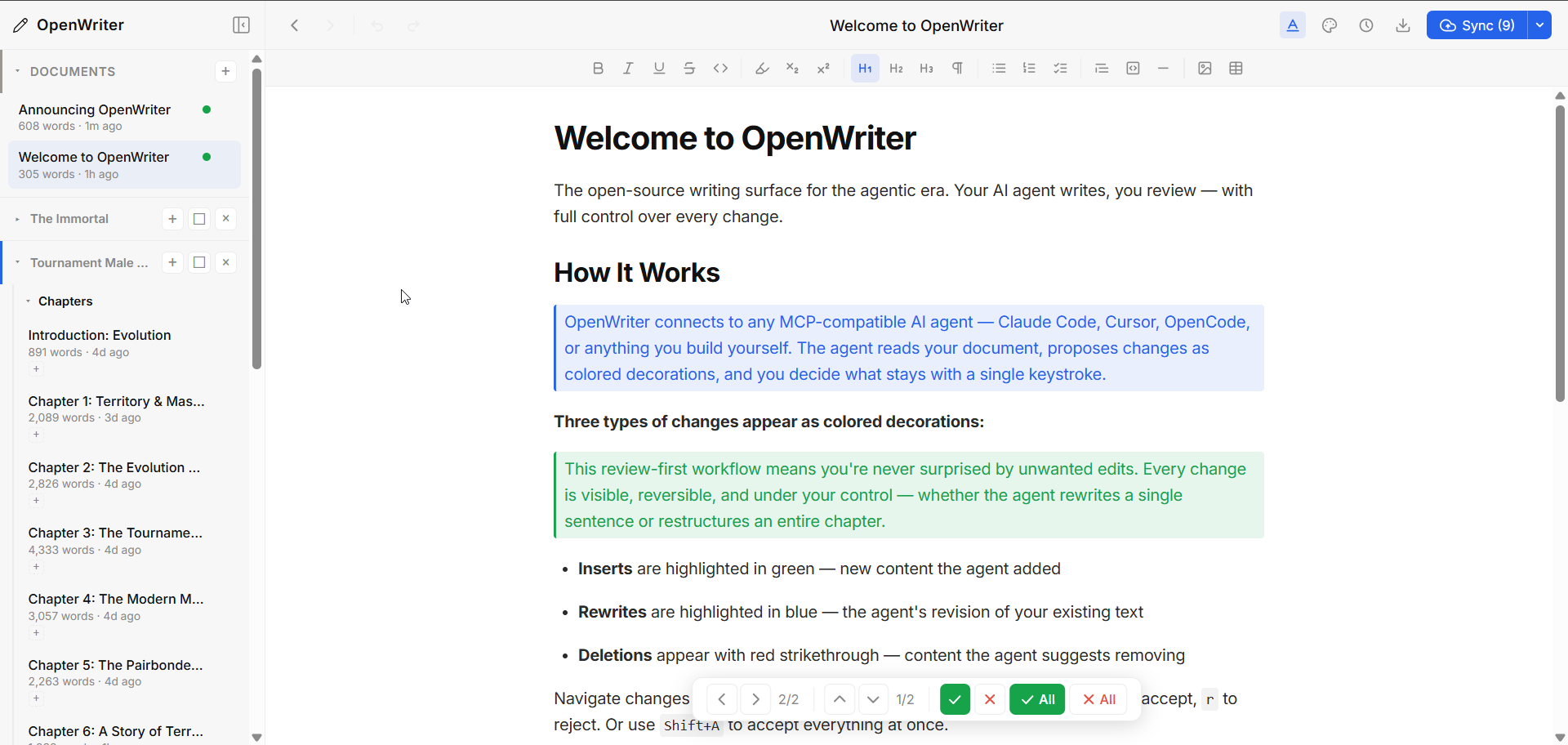
Why OpenWriter?
Coding agents like Claude Code, Codex, and OpenCode changed how people build software. That power never reached writing. Ask an agent to edit your essay and you're stuck reading raw markdown in a terminal, with no surface to review changes and no real workflow.
Every writing tool is racing to bolt on its own weak agent. They have it backwards. The strongest agents already exist, and they're built to drive tools rather than sit trapped inside one. OpenWriter ships no agent of its own. It's the writing surface built for the agent you already run, with a review system that keeps you the author of every word.
Markdown is the native language of AI. Every model reads it, writes it, works in it. OpenWriter treats .md as a first-class citizen. Your documents are plain markdown on disk, and the editor adds rich formatting, workspaces, version history, and agent review on top. No proprietary format. No database. Just files.
The agent writes. You accept or reject. That's it.
Quick Start
One command installs the skill, wires up the MCP server, and gets your agent (Claude Code, Cursor, Codex, and 20+ others) ready to write:
npx openwriter setup
That's everything. Restart your agent and start writing — your agent drives the editor, opens documents, and proposes changes you accept or reject.
Just want to see the editor first?
npm install -g openwriter && openwriteropens it atlocalhost:5050— no agent needed. Documents save as markdown files in~/.openwriter/; open any.mdfrom disk or drag files into the sidebar.
Install the skill:
npx skills add https://github.com/travsteward/openwriter --skill openwriter
Then add the MCP server for the editing tools:
claude mcp add -s user openwriter -- openwriter --no-open
The skill teaches your agent how to use OpenWriter well. The MCP server gives it the document-editing tools. For other MCP agents and the full setup, see the reference.
Features
Markdown native, agent first, no lock-in.
- Agent collaboration over MCP: 24 tools to read, write, and organize documents, working with any MCP-compatible agent like Claude Code, Cursor, or Codex.
- Pending-change review: Agent edits arrive as colored decorations, green inserts, blue rewrites, red deletes, accepted or rejected one keystroke at a time.
- Multi-document workspaces: Group docs into projects with nested containers, tags, and shared context the agent reads to stay consistent.
- Markdown on disk: Every document is a plain .md file with no database and no proprietary format, so you grep and move them freely.
- Git sync: Push documents to GitHub straight from the editor.
- Export: Markdown, HTML, Word, plain text, and PDF.
- Version history: Automatic snapshots with full rollback.
- Plugin system: Extend the agent with custom MCP tools, HTTP routes, and right-click actions, and the built-in Author's Voice plugin writes in your own voice.
See the reference for the full MCP tool list, the review hotkeys, the token-efficient wire format, the plugin API, and architecture.
Contributing
Contributions welcome. Please open an issue first to discuss what you'd like to change. Local development setup is in the reference.
License
MIT, by Travis Steward
No comments yet
Be the first to share your take.