
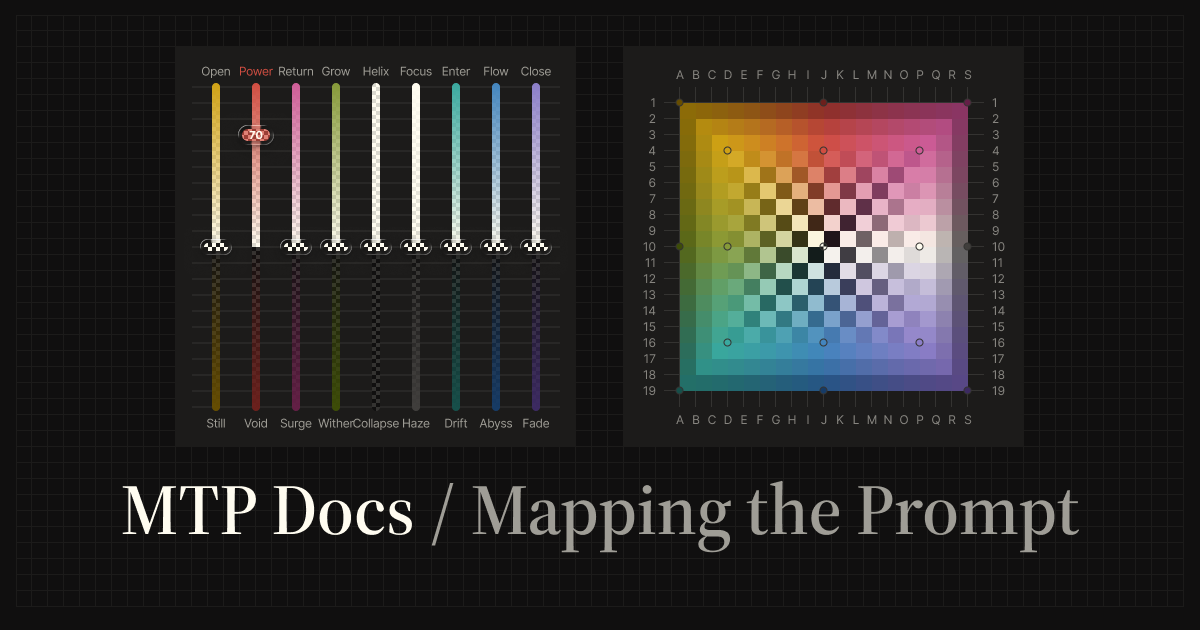
MTP (Mapping the Prompt)
MTP is a framework for steering LLM output with grids, sliders, and presets instead of long natural-language behavior instructions. It is designed to make the ideas and concepts in a prompt easier to express intuitively, helping the user and the LLM align with fewer instructions.
This repository publishes two Agent Skills:
- MTP Skill: steer LLM output with
/mtpsliders, grid coordinates, and presets. - MTP Playlist Skill: build a node-mapped music sequence with
/mtp-playlistfrom a theme, genre, artist, album, era, scene, or sound world.
What is MTP?
Traditionally, changing an AI's tone or behavior often relies on natural-language instructions such as "Act as an expert," "Be more concise," or "Think step by step." These instructions can be ambiguous and may add prompt-side noise that is unrelated to the core task.
MTP moves that behavioral steering into non-verbal parameters such as color, position, and intensity. The MTP Skill makes this framework available through the /mtp command, compiling those settings into structured constraints that act as a reasoning-steering filter.
- Adjust like an EQ — e.g.
power:100,flow:70, or a grid coordinate such asJ:10 - Blend like a Mixer — named presets (
synthesizer,strategist, …) or explicit multi-grid tokens (e.g.D:16 A:1) - Change the vibe, not the task — shift depth, structure, and tone while keeping the base prompt intent intact
/mtp power:100 Summarize this article
/mtp flow:70 Explain this concept
/mtp strategist Compare these options
MTP does not change the task itself. It adjusts qualities such as force, flow, depth, structure, openness, and focus.
How MTP arguments map visually
MTP currently works through the /mtp command, but its arguments can be understood visually.
The slider form, /mtp <node:intensity>, sets the intensity of a named node such as power:70 or flow:100. The grid form, /mtp <column:row>, selects a point on the 19×19 MTP coordinate plane, such as J:4 or D:16.
Both forms describe the same underlying node system: sliders express movement by named direction and intensity, while grid coordinates express position.
Color-node files and directional control
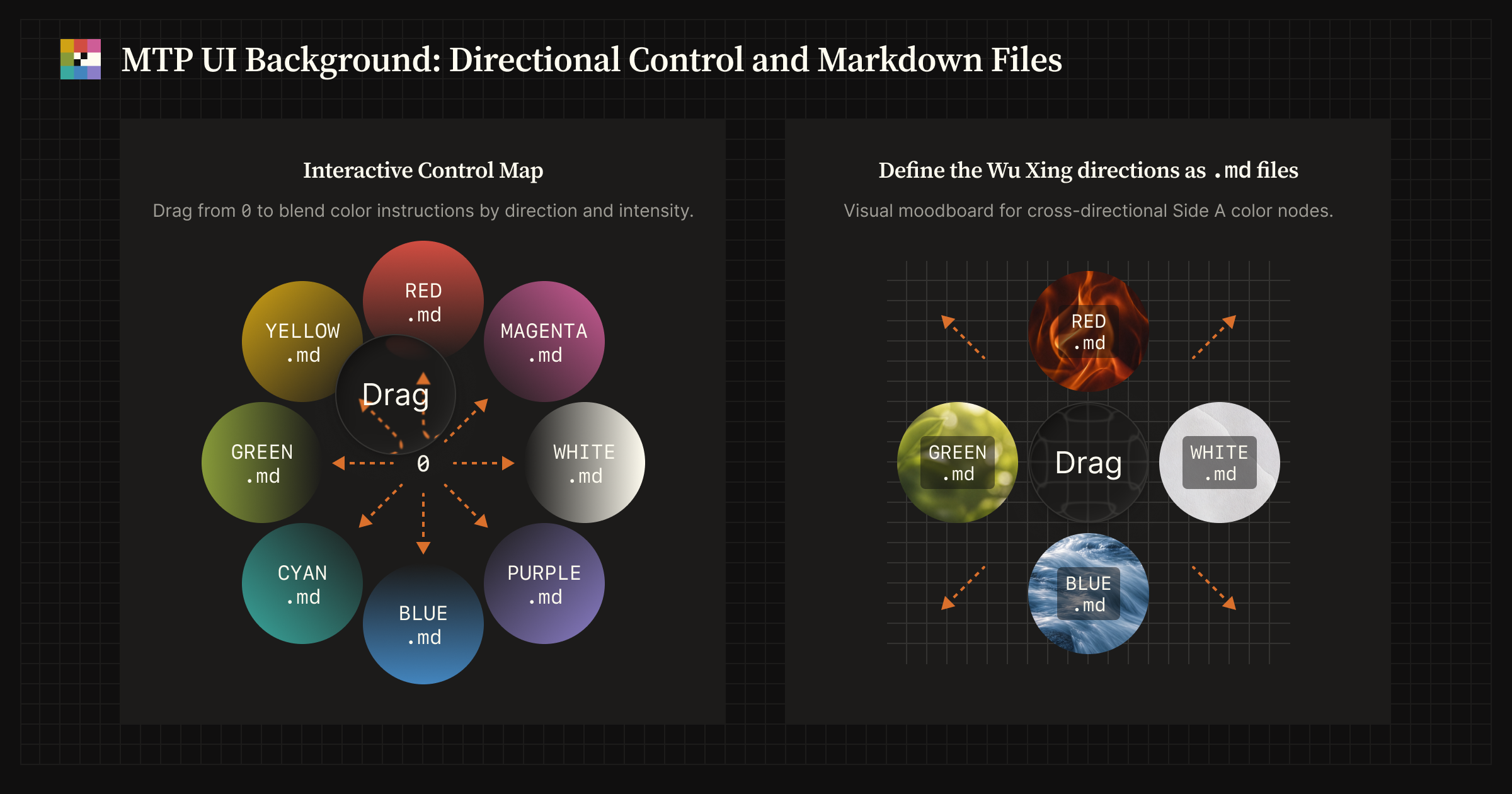
Each direction is defined by a Markdown node file. The center uses TRANSPARENT.md as the origin and mediating node.
| Position | Left | Center | Right |
|---|---|---|---|
| Top | YELLOW.md |
RED.md |
MAGENTA.md |
| Middle | GREEN.md |
TRANSPARENT.md |
WHITE.md |
| Bottom | CYAN.md |
BLUE.md |
PURPLE.md |
Node layout and coordinate-plane UI
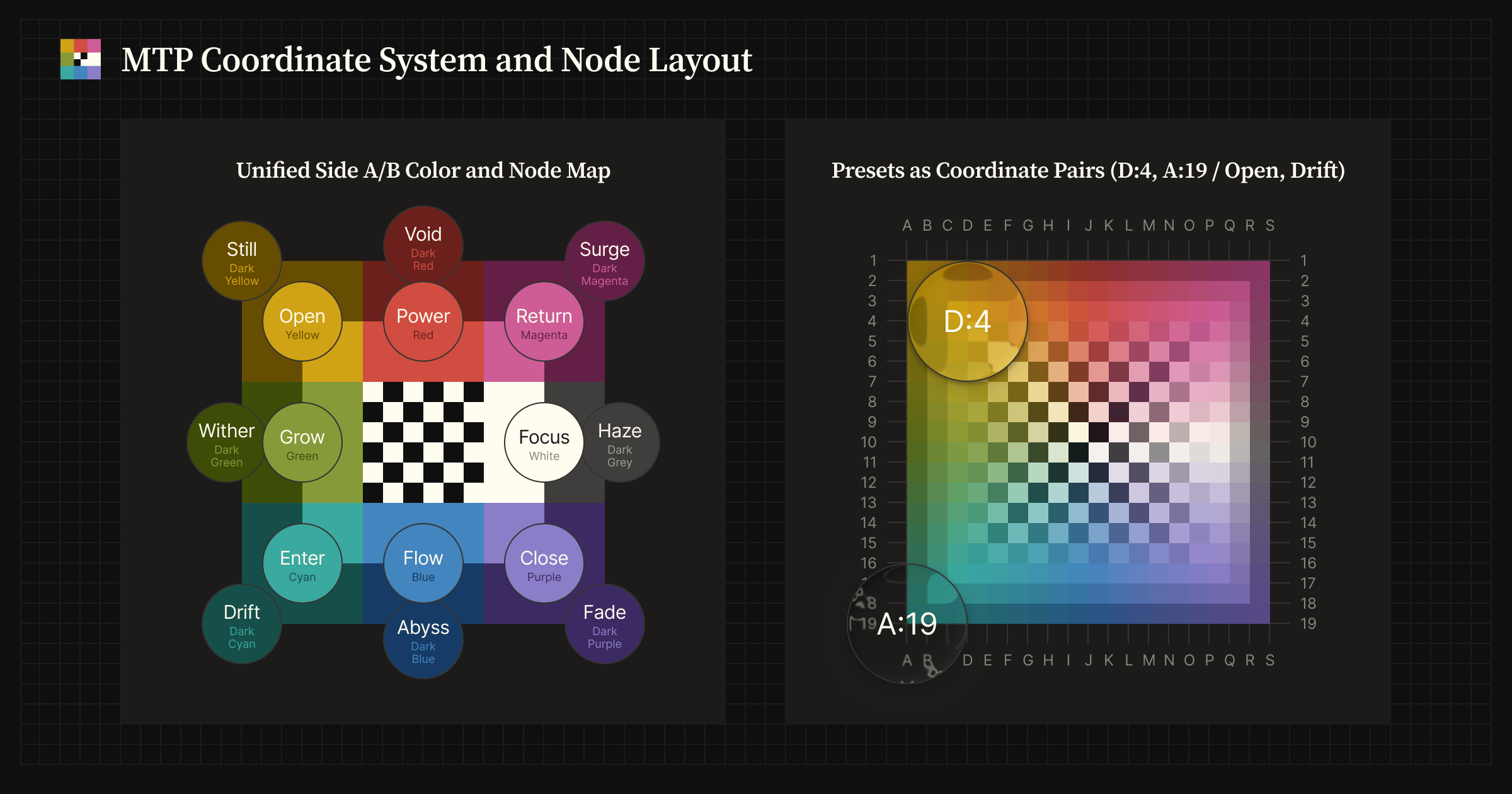
Left: the 3×3 MTP node layout, including the paired Side A and Side B directions for each axis. Right: a UI concept for representing the same node space through color and 19×19 grid coordinates, allowing output tendencies to be selected by position rather than by node name.
Agent Skills quick start
Install
Download the skill ZIP you want to add:
Or install from the command line (GitHub CLI is usually faster for this repository):
# GitHub CLI
gh skill install imkohenauser/mtp skills/mtp
gh skill install imkohenauser/mtp skills/mtp-playlist

# Vercel Skills CLI
npx skills add imkohenauser/mtp --skill mtp
npx skills add imkohenauser/mtp --skill mtp-playlist
Any Agent Skills–compatible host can load the skills; import steps differ by vendor, so follow your client's current documentation.
For shared installation steps, see Skills Installation.
MTP Skill
Control the model with sliders, grid coordinates, or presets.
/mtp power:100                  → Moderate force; clearer, more assertive output
/mtp flow:70                    → Full flow; smooth, connected prose
/mtp J:4                        → Equivalent steering to /mtp power:100 (grid coordinate)
/mtp D:16 A:1                   → Multi-grid coordinates
/mtp strategist                 → Preset blend
Requirement: Python 3 (standard library only, no extra packages).
For platform notes, /mtp syntax reference, and references, see skills/mtp/README.md.
MTP Playlist Skill
Build a deliberately sequenced music arc from a theme, genre, artist, album, era, scene, or sound world.
/mtp-playlist Madonna from present to past
/mtp-playlist Moonlit 80s Heavy Metal
/mtp-playlist Mobb Deep "Shook Ones Pt. II" at Start, 90s New York Rap
For usage details and playlist format notes, see MTP Playlist Skill and skills/mtp-playlist/README.md.
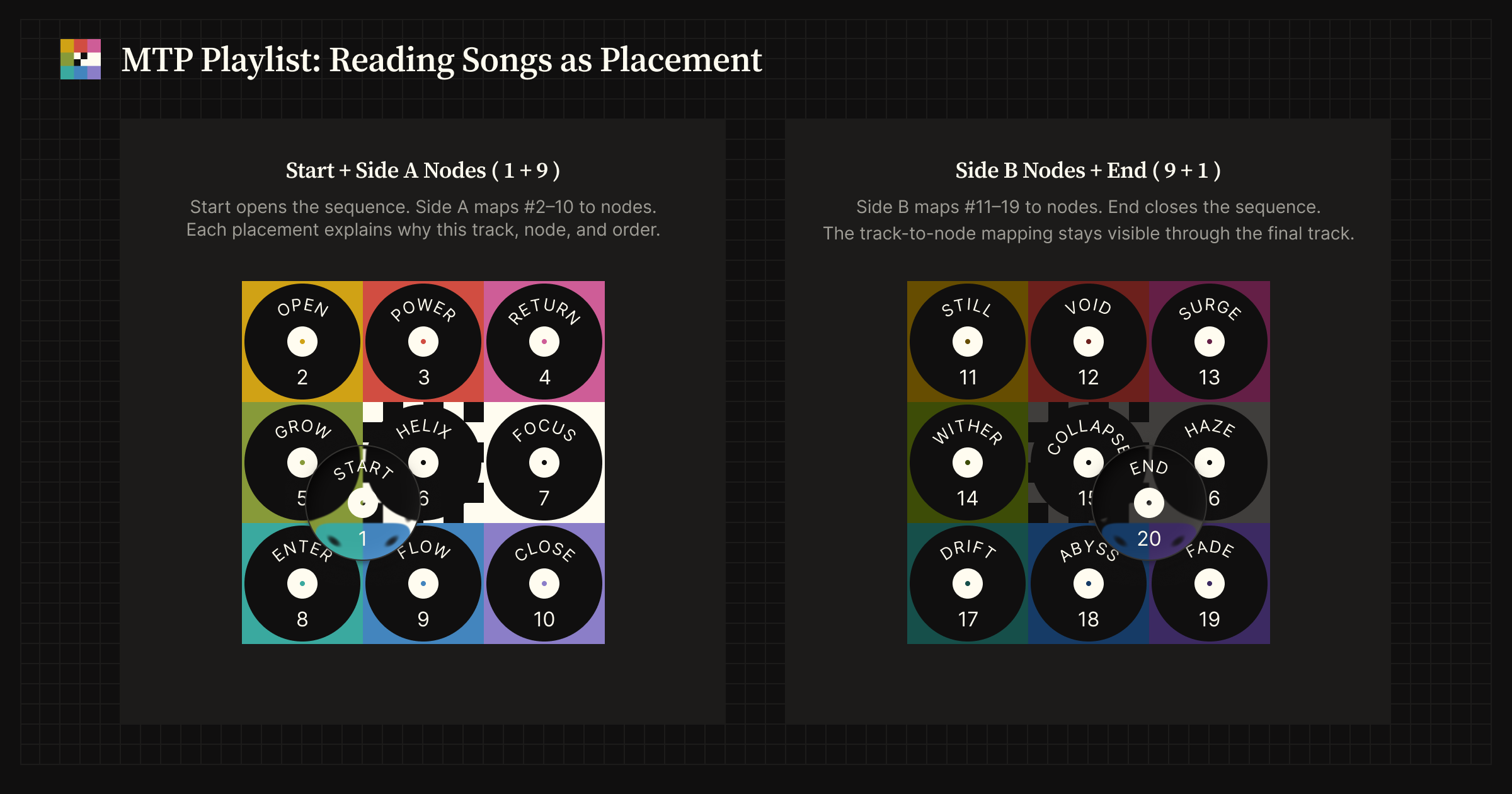 MTP Playlist reads the
 1+9+9+1 arc as Start + Side A (left), then Side B + End (right).
Documentation
Product documentation, reference, and optional reading are on the documentation site below.
Mapping the Prompt documentation site (MTP Docs):
mappingtheprompt.com
Articles
Medium articles by the author, covering the framework and the engineering behind this repository.
- Mapping the Prompt: Steering LLM Output with a 3x3 Color Grid — an introduction to the MTP framework
- Packaging an Open Source Agent Skill: CLI Install, ZIP Releases, and Astro/Starlight Docs — how this repository is structured, released, and documented
For AI agents
During the documentation site build, key pages are aggregated into a single llms.txt file. You can provide this file to AI agents to supply them with the context needed to understand and explain the site.
Roadmap
- MTP Framework concept [alpha] — 2025-09-01
- MTP Skill [beta] — 2026-03-15
- MTP Docs (Mapping the Prompt documentation site) — 2026-05-05
- MTP Playlist Skill — 2026-06-23
- MTP Lite Skill [in progress]
- MTP Interactive UI [planned]
License
MIT — LICENSE.
No comments yet
Be the first to share your take.