
About
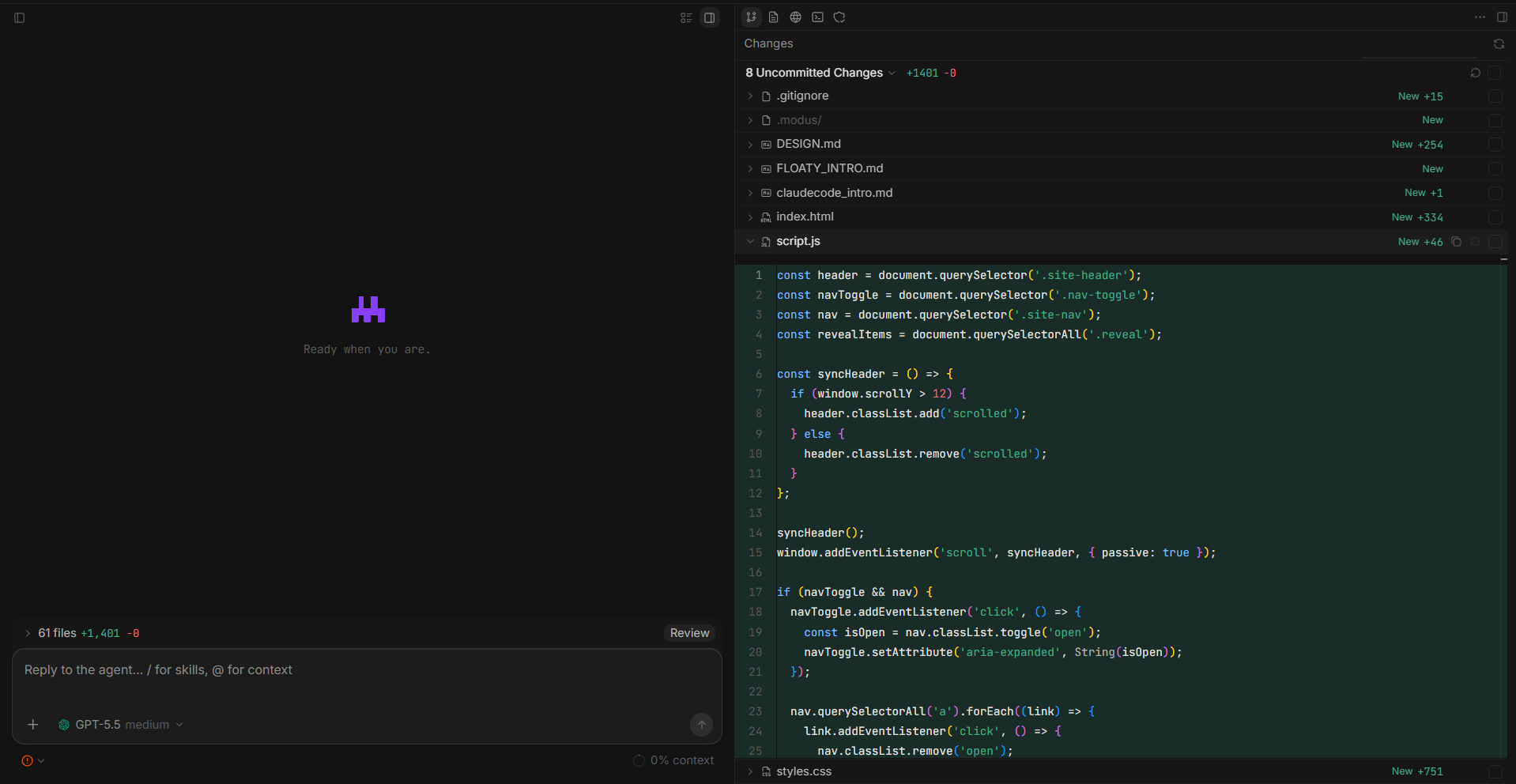
Modus is an open-source desktop app for running AI coding agents inside real local projects.
Open a workspace, connect your own model provider, plan or build, inspect changes, approve risky actions, and keep the full workflow in one window.
Modus is early and currently runs best from source.
Features
- Workspaces and sessions - Open local projects, switch recent workspaces, pin projects, and keep separate agent sessions per repo.
- Bring your own models - Configure built-in or custom PI-compatible providers, defaults, reasoning effort, thinking variants, and model limits.
- Git workflow - Review working tree changes, file diffs, branches, commit history, commits, pushes, and session change stats.
- Terminal, browser, and files - Use a real PTY terminal, an in-app browser with tabs and DevTools, and a workspace file explorer.
- Fast Codebase - Let the agent build a compact local code map before reading files, reducing broad grep/read exploration.
- Subagents - Create specialized subagents, track their activity, and apply or clean up their worktrees.
- Plan and build modes - Start with a reviewable plan, answer structured questions, then move into implementation.
- Context and images - Attach files, folders, docs, Git diffs, terminal output, browser state, selected page elements, rules, and images.
- MCP, skills, and rules - Load Modus MCP servers, invoke local skills with
/, and apply project rules from AGENTS/Claude/Cursor-style files. - Permissioned execution - Route shell, Git, browser, MCP, file, and external actions through one approval flow.
- Checkpoints and rollback - Snapshot the workspace before agent runs and restore from the timeline when needed.
Getting Started
Requirements for Windows and macOS:
- Node.js
>= 22.19.0 - npm
- Rust + Cargo
- Git
git clone https://github.com/brandlll-lee/modus.git
cd modus
npm install
npm run dev
Then open a workspace folder and configure a model provider in Settings.
Development
npm run dev
npm run check
npm run test
npm --workspace @modus/desktop run typecheck
npm --workspace @modus/desktop run build
Package locally:
npm --workspace @modus/desktop run package:win -- --publish never
npm --workspace @modus/desktop run package:mac -- --publish never
Run the Windows command on Windows and the macOS command on macOS.
MCP Config
Modus only auto-loads its own MCP config files:
~/.modus/mcp.json
<workspace>/.modus/mcp.json
It does not silently import Cursor, Claude, Warp, or other agent configs.
Tech Stack
Electron, React, TypeScript, Tailwind CSS, Base UI, Motion, Monaco, xterm.js, Streamdown, Node SQLite, Rust portable-pty, @earendil-works/pi-coding-agent, and the MCP SDK.
Contributing
Contributions are welcome. Keep PRs small, use Conventional Commits, and run npm run check plus npm run test before opening a PR.
License
Apache-2.0. See LICENSE.
No comments yet
Be the first to share your take.