
A Model Context Protocol server providing sandboxed Python code execution and FLUX image generation tools that run on Modal infrastructure. Integrates with Claude Desktop, Goose, and other MCP-compatible clients to extend LLM capabilities.
A collection of tools for your LLMs that run on Modal
26Stars
5Forks
2Open issues
2Watching
Python MIT 0.1.12 Updated 1 year ago
At a glance
Python Slowing down Commercial OK
Install
uvx modal-mcp-toolbox
MCP config
{
  "mcpServers": {
    "modal-toolbox": {
      "command": "uvx",
      "args": ["modal-mcp-toolbox"]
    }
  }
}
README
Modal MCP Toolbox 🛠️
A collection of Model Context Protocol (MCP) tools that run on Modal. This let's you extend the capabilities of your LLM in tools such as Goose or the Claude Desktop App.
Tools
run_python_code_in_sandbox: Let's you run python code in a sandboxed environment.generate_flux_image: Generate an image using the FLUX model.
Demo
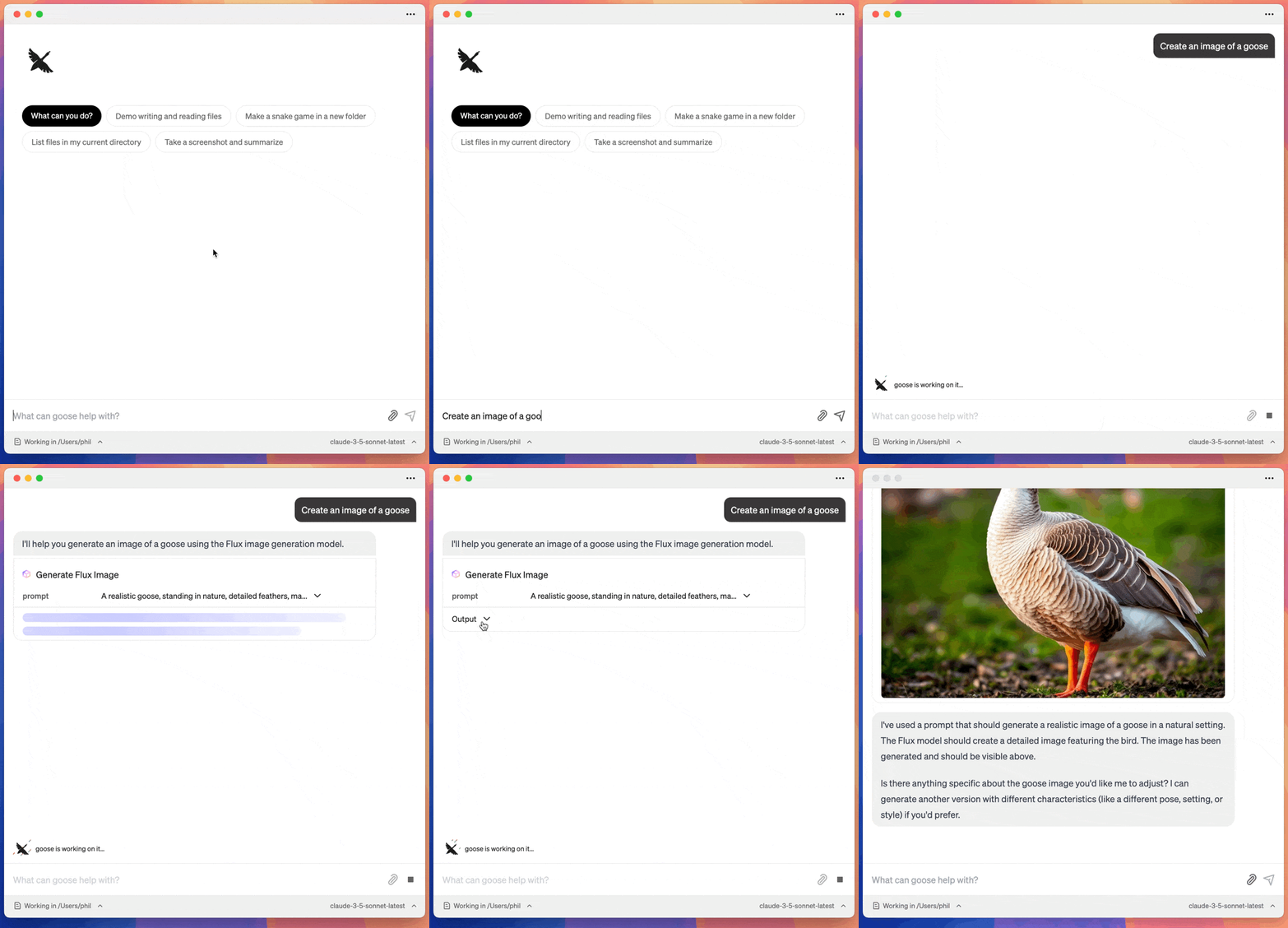
Flux Image Generation
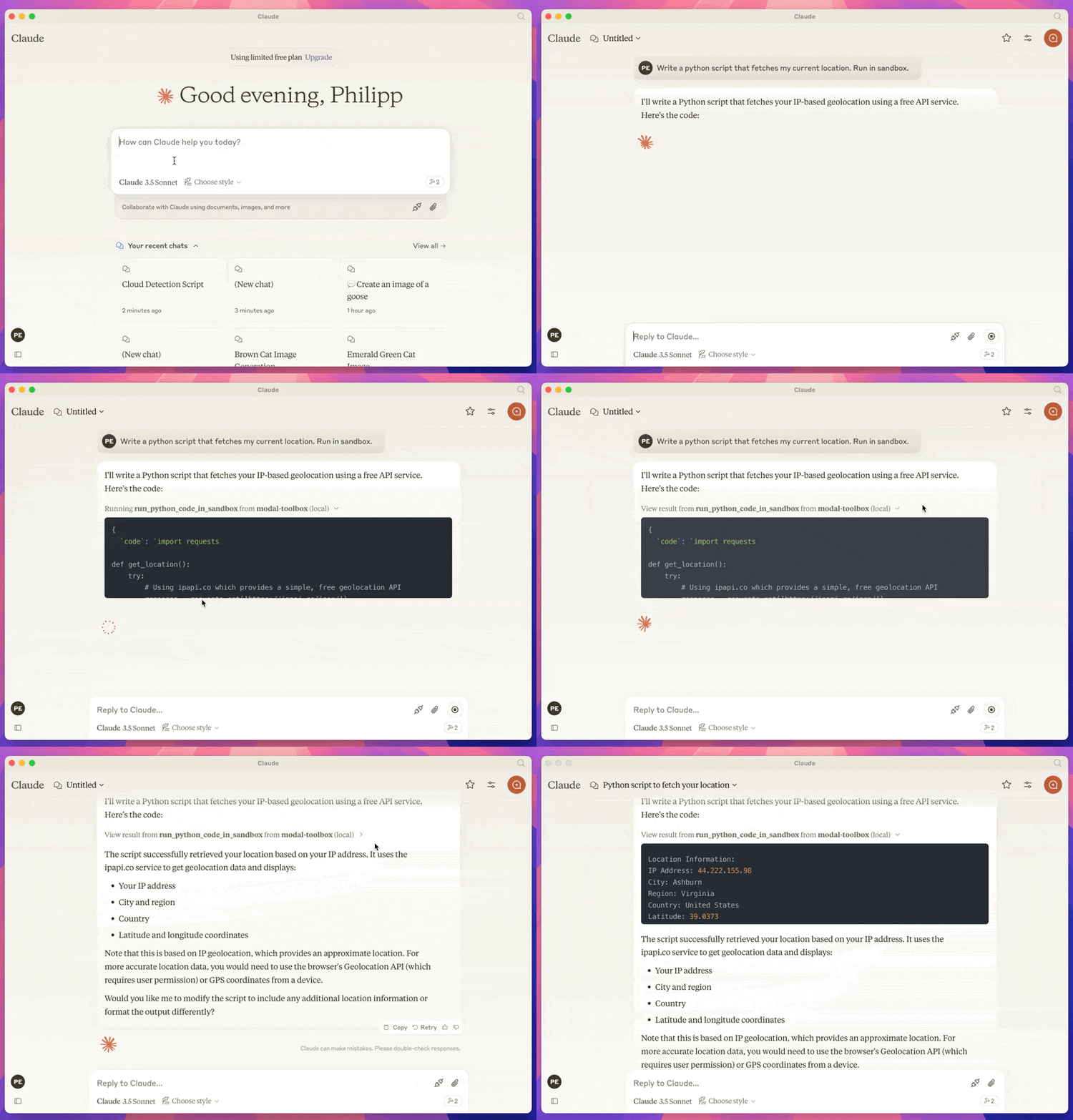
Python Code Execution
Prerequisites
- A modal account and a configured modal CLI.
- UV
- A client that supports MCP. Such as the Claude Desktop App or Goose
This runs against your modal account, so you will need to have a modal account and be logged in.
Installation
Installation depends on the client that uses the MCP. Here is instructions for Claude and Goose.
Claude
Got to Settings > Developer in the Claude Desktop App. And click on Edit Config.
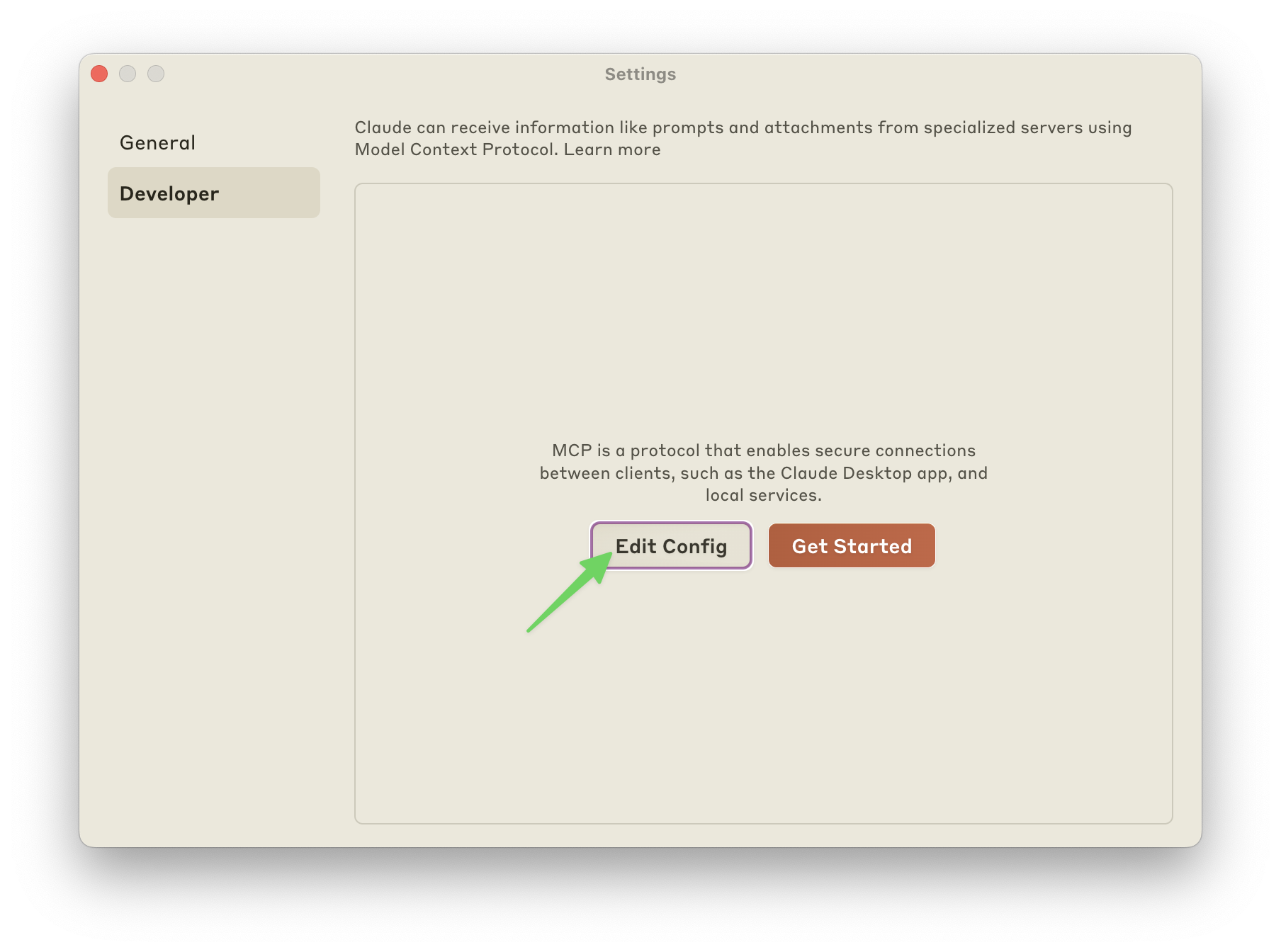
Add the config for the mcp server. My config looks like this:
{
  "mcpServers": {
    "modal-toolbox": {
      "command": "uvx",
      "args": ["modal-mcp-toolbox"]
    }
  }
}
Goose
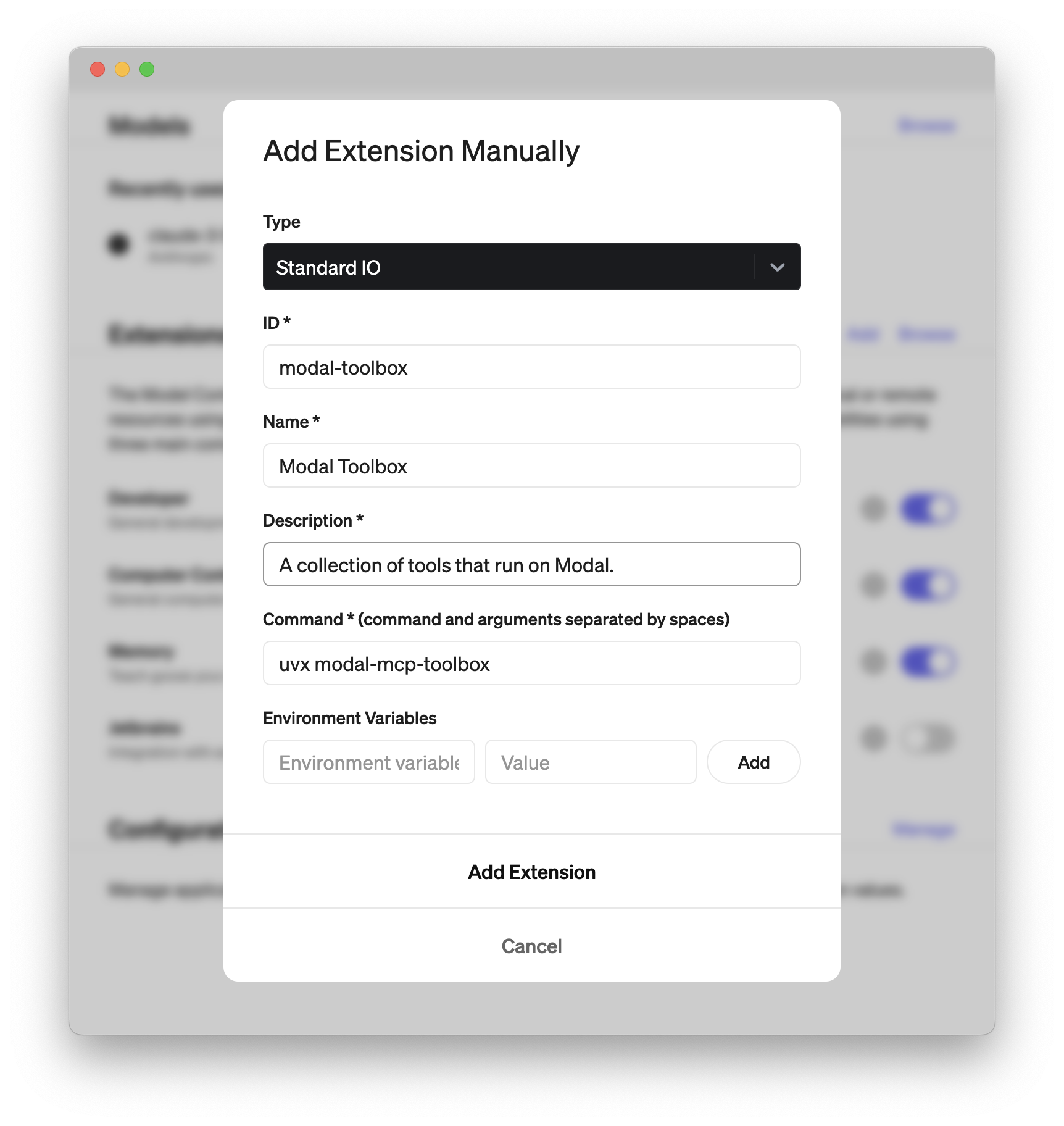
Go to Settings and Click on Add.
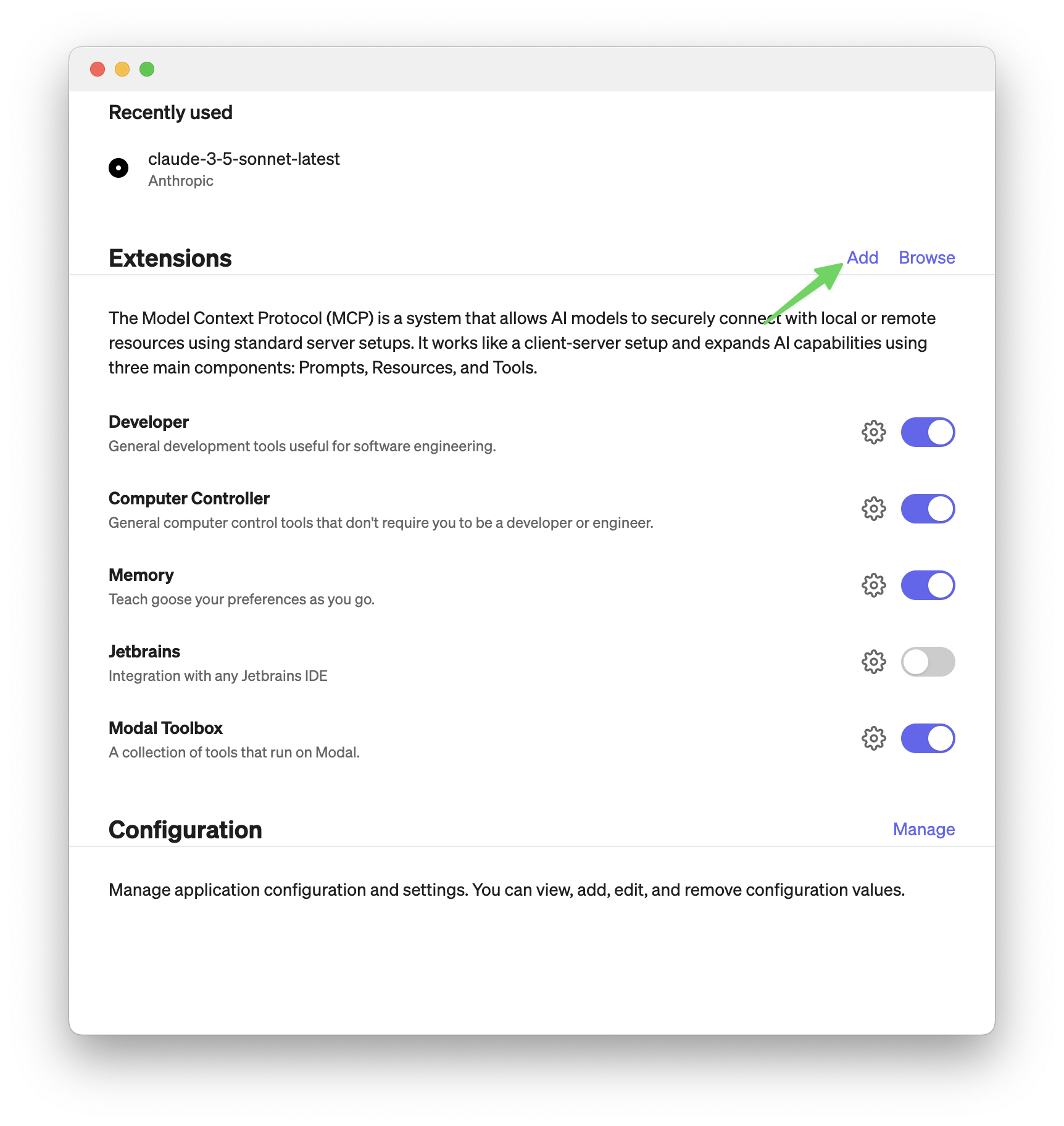
Then add an extension like in the screenshot below. The important part is to set command to:
uvx modal-mcp-toolbox
The rest you can fill in as you like.
Installing via Smithery (not working currently)
To install Modal MCP Toolbox for Claude Desktop automatically via Smithery:
npx -y @smithery/cli install @philipp-eisen/modal-mcp-toolbox --client claude
Comments (0)
Sign in to join the discussion.
No comments yet
Be the first to share your take.