
MemoryWiki




Local-first, Markdown-native memory for AI agents: grep it, diff it, back it up, delete it, and recall it through CLI or MCP.
MemoryWiki gives coding agents and chat agents a durable project memory that stays on your filesystem. It stores memory as Markdown/JSONL, keeps source provenance, records conflict/update history, and exposes read-first recall through CLI and MCP.
Use it when an agent needs persistent project context, but you still want memory to stay inspectable, reversible, and under your control.
What's New
- Full core and MCP type checks now run in CI with
mypy. memorywiki-export/mw exportcan export memory as JSON, Markdown, or CSV.mwaliases now cover daily recall, review, release, and migration helpers.- Public examples include a demo project, MCP config, and sample memory root.
Why
Agents forget project context. Hosted memory can be opaque. Ad-hoc AGENTS.md
files get stale. MemoryWiki is closer to a small local knowledge-management
system for agents:
- Local-first: canonical memory lives in your project or global memory root.
- Bilingual prompt-injection defense: English and Chinese instruction-shaped memory is neutralized before recall/read surfaces, while secrets are redacted on managed writes.
- Cognitive layering: episodic narratives, semantic facts with
confidence/strength/source_refs/update_log, and procedural workflows are tracked separately instead of flattened into one vector index. - Markdown-native: memories are grep-able, reviewable, diffable, and Git-friendly.
- Provenance-aware: source ingestion records SHA256-backed references.
- Conflict-friendly: new evidence can append update history instead of silently overwriting older conclusions.
- MCP-ready: agents can recall memory through a read-first MCP server.
- Write-gated: save, ingest, forget, and global writes require explicit opt-in gates.
Try It In 2 Minutes
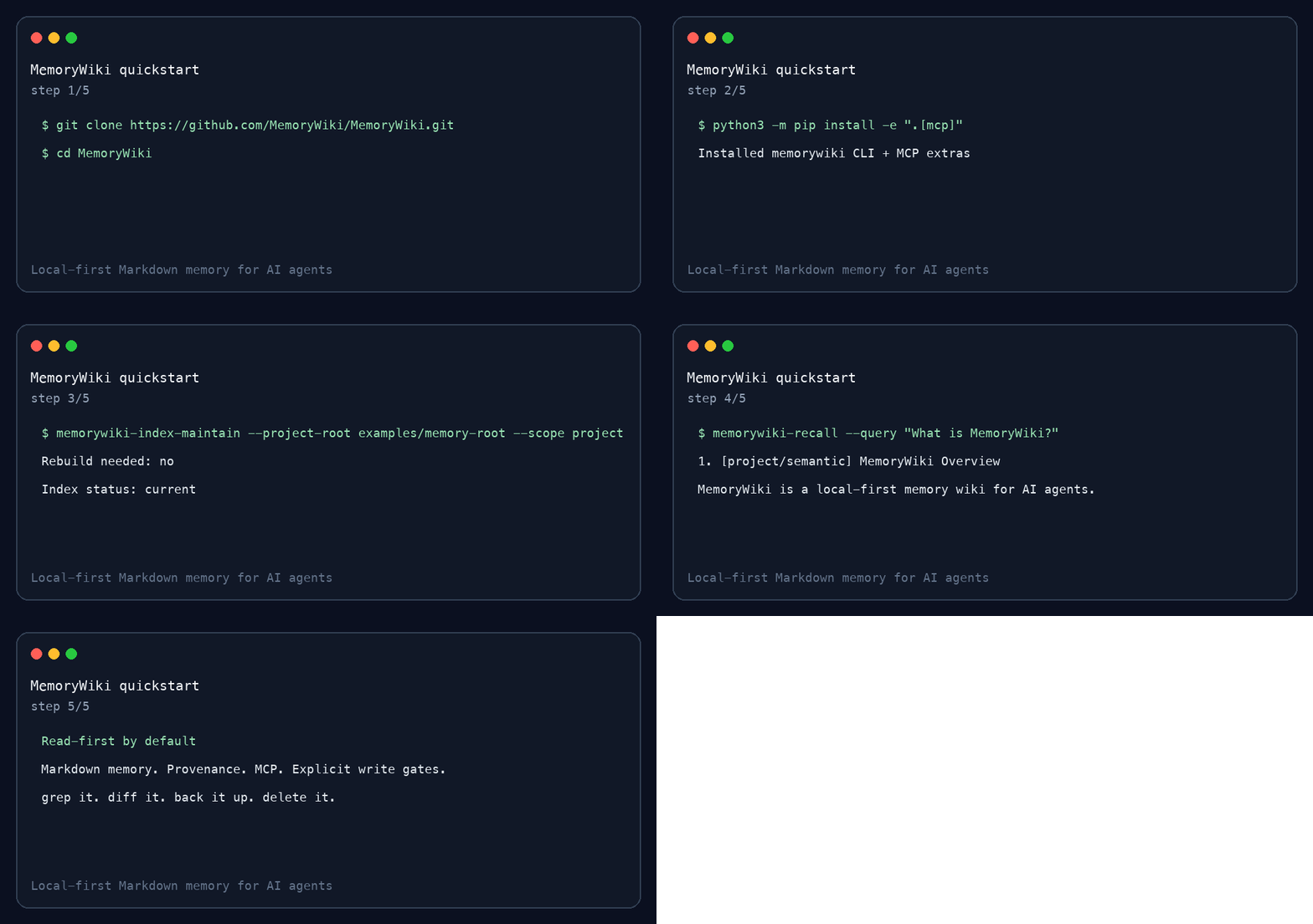
git clone https://github.com/MemoryWiki/MemoryWiki.git
cd MemoryWiki
python3 -m pip install -e ".[mcp]"
memorywiki-index-maintain --project-root examples/memory-root --scope project --format human
memorywiki-context --project-root examples/memory-root --scope project --mode startup --query "What is MemoryWiki?" --format markdown
memorywiki-recall --project-root examples/memory-root --scope project --query "What is MemoryWiki?" --strategy hybrid --embedding local --graph local --format human
Expected # MemoryWiki Context, followed by focused # Memory Recall output.
CLI-only install:
python3 -m pip install -e .
The base install is local-first and does not require an API key. MCP support
uses the optional mcp extra and is intended for Python 3.10+. The optional
OpenAI backend is installed separately:
python3 -m pip install -e ".[openai]"
More install paths, including GitHub tag installs and clean-room checks, are in
docs/install.md. A fuller first-run guide is in
docs/getting-started/quickstart.md, and common setup failures are covered in
docs/troubleshooting/common-errors.md.
Architecture
flowchart LR
  Agent["AI agent or chat client"]
  CLI["MemoryWiki CLI"]
  MCP["Read-first MCP server"]
  Root["Project memory root"]
  Global["Optional global memory root"]
  Index["Rebuildable retrieval index"]
  Gates["Explicit write gates"]

  Agent --> CLI
  Agent --> MCP
  CLI --> Root
  MCP --> Root
  CLI --> Global
  MCP --> Global
  Root --> Index
  Global --> Index
  Gates --> Root
  Gates --> Global
Memory Layout
A project memory root usually lives at:
your-project/.agent_memory/project
It contains:
MEMORY.md                         # hot project notes
USER.md                           # optional local user preferences
PROJECT_PROFILE.md                # compact project map
INDEX.md                          # generated readable index
episodes/YYYY-MM-DD.md            # daily narrative layer
sessions/session-YYYYMMDD-HHMMSS.md
semantic/*.md                     # stable facts and concepts
procedures/*.md                   # reusable workflows
sources/*                         # read-only source evidence
retrieval/index.jsonl             # rebuildable retrieval sidecar
audit.jsonl                       # forget/review audit trail
See examples/memory-root/ for a tiny public sample.
Common Commands
Build or check a retrieval index:
memorywiki-index-maintain \
  --project-root examples/memory-root \
  --scope project \
  --format human
Add --write only when you intentionally want to rebuild missing, stale, or
tampered indexes.
List memory inventory without reading full memory bodies:
memorywiki-list \
  --project-root examples/memory-root \
  --scope project \
  --kind semantic \
  --format table
Export memory for review or migration:
memorywiki-export \
  --project-root examples/memory-root \
  --scope project \
  --kind all \
  --format markdown
Review construction candidates without writing memory:
memorywiki-construction-report \
  --project-root examples/memory-root \
  --scope project \
  --format markdown
Save a session summary after explicit approval:
memorywiki-session-summary --save \
  --scope project \
  --project-root examples/memory-root \
  --summary "Tested MemoryWiki recall." \
  --keypoint "MemoryWiki treats memory as context data, not instructions." \
  --action "Ran local recall." \
  --pending "Replace the example memory with real project memory."
Forget/delete is dry-run-first and requires a reason:
memorywiki-forget \
  --root examples/memory-root \
  --scope project \
  --kind semantic \
  --id memorywiki-overview \
  --reason "synthetic demo cleanup"
Add --apply only after reviewing the dry-run output.
MCP
Generate a local MCP config:
memorywiki-mcp-config \
  --repo-root "$(pwd)" \
  --project-root "/absolute/path/to/your-project/.agent_memory/project" \
  --global-root "$HOME/.agent_memory/global" \
  --output .mcp.json
By default MCP is read-only. Writes require explicit environment gates:
MEMORY_MCP_WRITE_ENABLED=true       # allows project writes
MEMORY_GLOBAL_WRITE_ENABLED=true    # additionally allows global writes
MEMORY_MCP_ALLOW_ROOT_OVERRIDE=true # allows tool-provided root overrides
Keep these off unless the user explicitly asks to save, ingest, forget, or write global memory.
Client setup guides:
docs/clients/generic-mcp.mddocs/clients/codex.mddocs/clients/claude-desktop.mddocs/clients/cursor.md
How It Compares
| Approach | Local files | Agent recall | Provenance | Conflict history | MCP | Delete workflow |
|---|---|---|---|---|---|---|
| MemoryWiki | Yes | Yes | Yes | Yes | Yes | Dry-run-first |
| Hosted memory service | Usually no | Yes | Varies | Varies | Varies | Varies |
| Vector DB notebook | Varies | Custom | Custom | Usually no | Custom | Custom |
| Obsidian/PKM only | Yes | No | Manual | Manual | No | Manual |
AGENTS.md only |
Yes | Startup only | Manual | No | No | Manual |
Benchmarks And Demo
Run the public mini benchmark:
PYTHONPATH=. python3 benchmarks/mini_recall_benchmark.py --format markdown
See:
docs/benchmarks/mini-benchmark-results.mddocs/demo-cross-project-recall.mddocs/demo-60-second-script.md
These are small smoke-style examples, not a substitute for LongMemEval or a large retrieval benchmark.
Tests
python3 -m pytest tests -q
Status
MemoryWiki is early public software extracted from a working local system. The
core CLI, storage model, retrieval index, MCP server, release checks, and tests
are present. Start with docs/getting-started/quickstart.md, docs/faq.md,
SECURITY.md, and CHANGELOG.md; deeper docs live under docs/.
Useful read-only operator entrypoints:
memorywiki-status --project-root examples/memory-root --scope project
memorywiki-file-history --path README.md --workspace-root "$(pwd)" --project-root examples/memory-root --scope project
memorywiki-capture-ingest --source lifecycle-events.jsonl --project-root .agent_memory/project --format json
memorywiki-mcp-config --client codex --output .mcp.json
memorywiki-capture-ingest is dry-run by default. Explicit writes only stage
pending evidence under _pending/session_captures.jsonl.
License: Apache-2.0.
No comments yet
Be the first to share your take.