
Maslow Desktop




A friendly control panel for the Maslow CNC running FluidNC, on desktop, tablet and phone.
It connects to your machine over the network and covers almost everything the built-in FluidNC web UI does, with two things it does better: it respects the Maslow calibration state machine so you can't push the machine into an invalid or stuck state, and it wraps calibration in a plain-language guided wizard.
Why another control panel?
- State-machine aware. Every action is gated against the firmware's allowed transitions (retract → extend → take slack → calibrate → ready to cut). No more wondering why the machine is stuck in an unknown state after a mis-step.
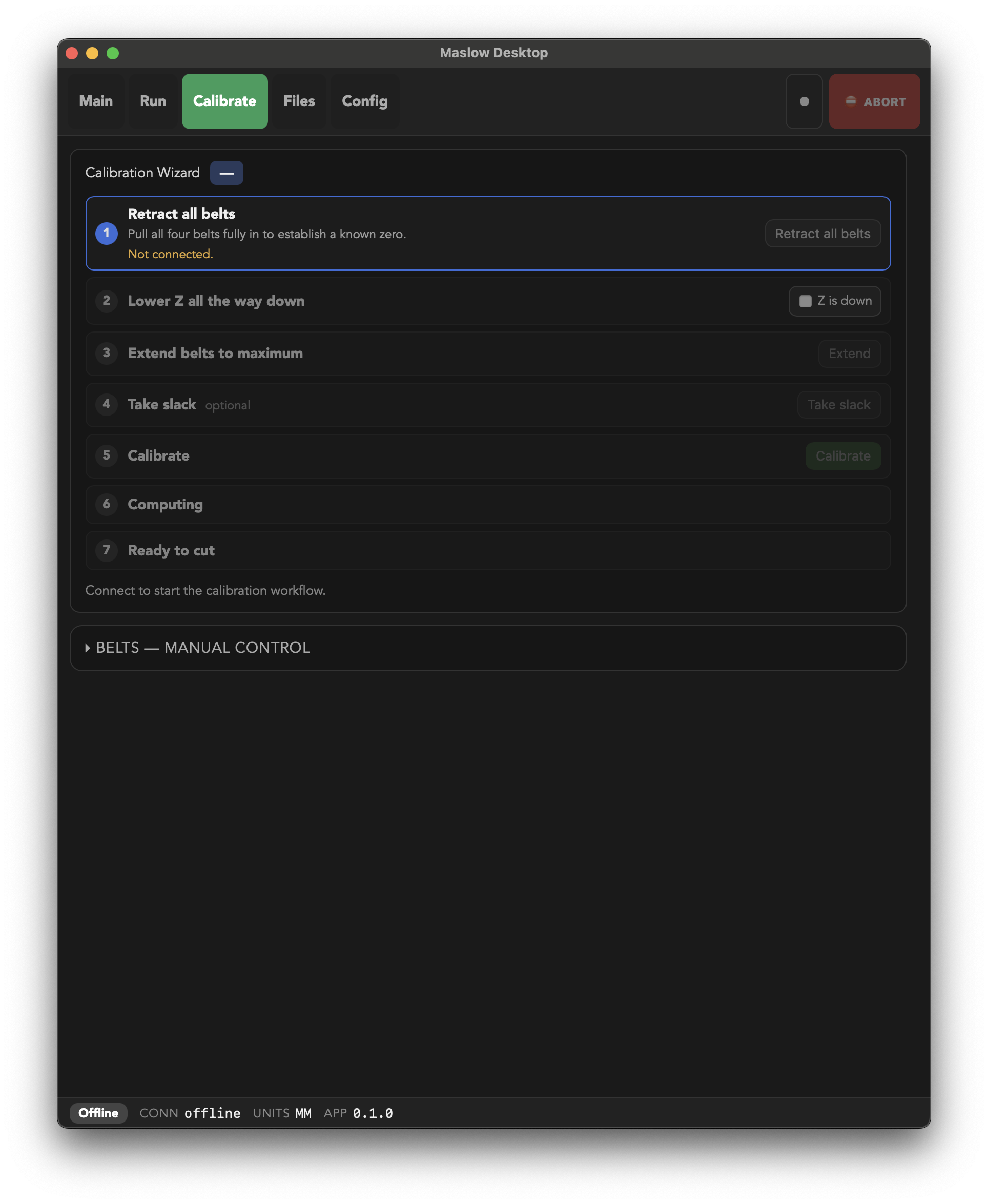
- Guided calibration wizard. Each step is explained in everyday language, advances automatically as the firmware reports progress, and offers a one-tap daily resume (just re-apply tension) plus release tension so the belts and frame can rest overnight.
- One touch-first layout, everywhere. A single responsive interface built for a shop-floor controller: big finger-friendly buttons, a persistent top tab bar, an always-reachable red ABORT, and a machine-state footer. It scales from a portrait tablet mounted next to the machine up to a desktop window, with no separate "mobile" and "desktop" modes to maintain.
- Almost the whole FluidNC web UI, re-implemented. Jogging, jobs, SD card, settings and a raw console, with UX improvements layered on top (the guided wizard being the headline).
Layout
Five top-level tabs, an always-visible ABORT, and a status footer (connection, units, live feed override, firmware/app version). A strict color grammar runs throughout: blue = action, orange = datum (zero/home), green = active/running, red = abort/stop.
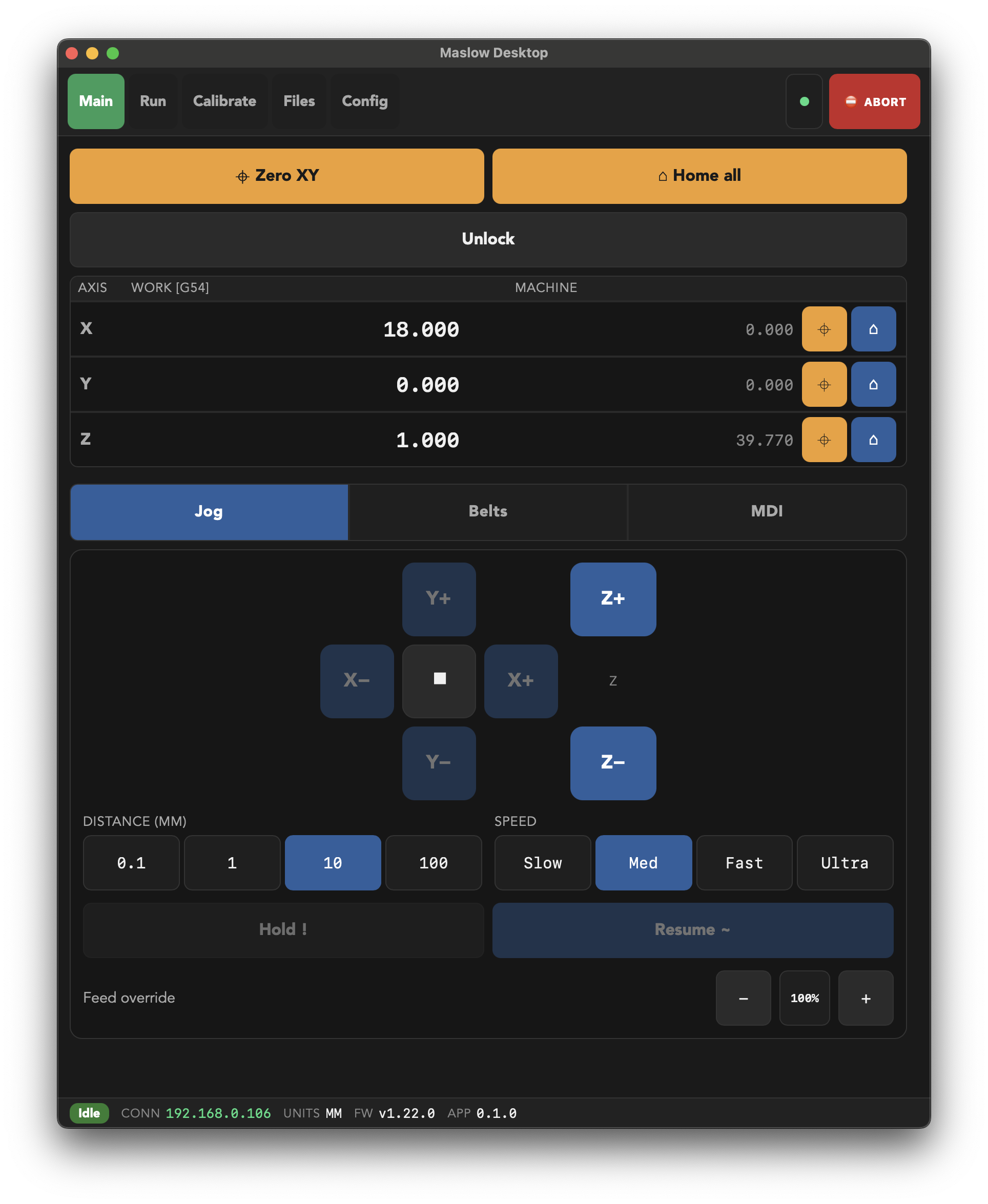
- Main — machine state, big Zero XY / Home all / Unlock, a per-axis DRO (work + machine position with inline set-home / go-to-home), and Jog / Belts / MDI sub-tabs.
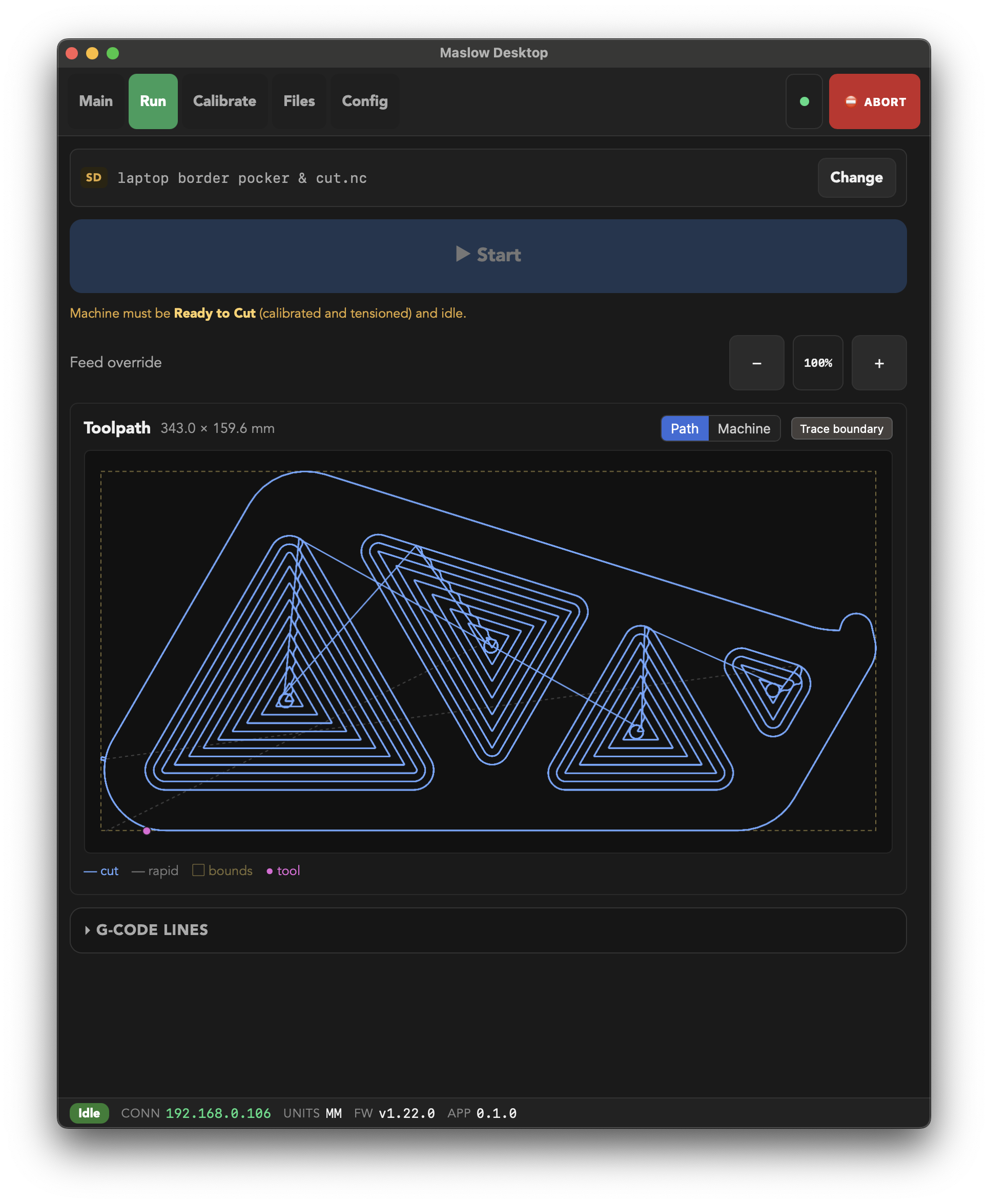
- Run — load a local or SD-card job, big Start / Pause / Cancel, feed override, and an always-visible toolpath preview (the raw G-code line list tucks into a collapsible drawer).
- Calibrate — the guided wizard, with manual belt control and the waypoint map / anchor solver alongside.
- Files — browse, upload and load G-code from the machine's SD card.
- Config — Maslow and FluidNC settings.
| Main — jog & DRO | Run — toolpath | Calibrate — guided wizard |
|---|---|---|
 |
|
 |
Download
Prebuilt installers are on the Releases page:
- macOS:
.dmgfor Apple Silicon and Intel - Windows:
.msior.exeinstaller
An Android
.apkwill be added once mobile signing is set up.
Getting started
You'll need a Maslow running FluidNC reachable on your network (by maslow.local or its IP).
Firmware compatibility: tested against the Maslow build of FluidNC v1.21 to v1.22. Connecting to a firmware outside that range still works, but the app shows an "untested firmware" warning and some behaviour may differ. Within the range it degrades gracefully: a few options (apply-tension limiting) require firmware v1.22 or newer and are simply hidden or ignored on older builds. Full calibration specifically requires firmware v1.22 or newer: v1.21 relies on a client-side recompute handshake this app doesn't implement, so the wizard's Calibrate step is disabled on v1.21 with a message pointing to the firmware's embedded web UI for that one operation. Everything else in the app, including daily resume and job streaming, works normally on v1.21.
Prerequisites
- Node.js 18+
- Rust and the Tauri prerequisites for your OS
Develop
npm install
npm run tauri dev
Build
npm run tauri build
The packaged app lands in src-tauri/target/release/.
Control API
Beyond the UI, the app can expose the machine's full control surface over HTTP, gRPC, and MCP (so an LLM can drive the machine directly), gated behind an API key you generate and enable from the Settings tab. It's off by default.
Full reference: docs.maslow-desktop
Tech stack
Tauri 2 (Rust core) · SvelteKit + Svelte 5 · TypeScript. The frontend talks to FluidNC over WebSocket and HTTP; the Rust side owns the connection, job streaming and the calibration state model.
Disclaimer
This is a community project and is not affiliated with Maslow CNC or FluidNC. CNC machines can cause injury and damage, so use at your own risk and keep the physical emergency stop within reach.
License
Released under the GNU General Public License v3.0 or later.
No comments yet
Be the first to share your take.