
MarkSight






Turn any Markdown document into an installable Claude Agent Skill. One click, in your browser. MarkSight is a free, open source Markdown editor whose core doubles as a remote MCP server that Claude Code can call directly. Live preview, GFM, Mermaid diagrams, and Markdown/HTML/PDF export come with it.
🔗 Live (no signup): marksight.laramateo.com · 🧩 One-click .skill export · 🔌 Built-in MCP server · 🔒 100% client-side
⭐ If MarkSight is useful to you, starring the repo helps others find it.
Quick start
Use it (nothing to install):
-
Open marksight.laramateo.com, write or paste Markdown, and press ⌘⇧K. An installable
.skillbundle downloads immediately. -
Or add MarkSight's MCP server to Claude Code and let Claude build and validate skills for you:
claude mcp add --transport http marksight https://marksight.laramateo.com/api/mcpThen ask Claude to turn Markdown into a skill or convert it to HTML. Tools:
create_skill,validate_skill,markdown_to_html,document_outline,document_metrics.
Want to run MarkSight locally or contribute? See Getting started.
About
Every README I've ever written started the same way: type some Markdown into GitHub's editor, click Preview, spot something broken, click back to Write, fix it, click Preview again. Write, preview, write, preview. Tiny friction, repeated a thousand times, stops being tiny. So I did the most programmer thing possible: I built my own editor.
MarkSight is the editor I wanted to exist: the preview lives right next to
your words. No tabs, no round trips, everything rendering live as you type.
I built it with React, Next.js, TypeScript, and CodeMirror, and obsessed
over making it feel snappy. It runs entirely in your browser, with no
account and no server-side storage: your document sits in localStorage,
exports are generated on your machine, and your writing never leaves your
device.
I could have kept it as a private little tool that solved a private little annoyance. Instead I made it open source, free for anyone to use, fork, break, and improve. That decision turned out to matter more than any feature I shipped. The longer version of that story is on my blog: Why I built an open source Markdown editor.
Features
- Live preview — CodeMirror editor with an instantly-rendered preview pane
- Smart toolbar — context-aware formatting that detects and toggles existing markdown
- Keyboard shortcuts — bold (⌘B), italic (⌘I), strikethrough (⌘U), link (⌘K), inline code (⌘`), headings (⌘⇧1–3), lists, and more
- Document outline — auto-generated, clickable heading navigation that scrolls the preview
- Export — download the raw Markdown source or styled HTML, print to PDF, or preview the HTML in a new tab; set a custom file name before exporting
- Skill Creator — package your document as an Agent Skill (⌘⇧K) that Claude and other AIs can receive: copy the generated
SKILL.mdor download a ready-to-install.skillbundle. Import existing skills from a.skill/.zipfile or straight from GitHub-hosted marketplaces (like anthropics/skills), modify them, and re-export with bundled files preserved - GitHub-flavored markdown — tables, task lists, strikethrough (via
remark-gfm) - Syntax highlighting — fenced code blocks rendered with Prism
- Mermaid diagrams — fenced
mermaidblocks render as live SVG in the preview and exports, themeable per diagram via%%{init}%%directives or YAML frontmatter - Light / dark theme — system-aware, persisted across sessions
- Local persistence — your document is saved to
localStorageautomatically
Keyboard Shortcuts
Note: On macOS, use ⌘ (Command). On Windows and Linux, use Ctrl.
| Action | macOS | Windows / Linux |
|---|---|---|
| Bold | ⌘ B | Ctrl + B |
| Italic | ⌘ I | Ctrl + I |
| Strikethrough | ⌘ U | Ctrl + U |
| Link | ⌘ K | Ctrl + K |
| Inline Code | ⌘ ` | Ctrl + ` |
| Heading 1 | ⌘⇧1 | Ctrl+Shift+1 |
| Heading 2 | ⌘⇧2 | Ctrl+Shift+2 |
| Heading 3 | ⌘⇧3 | Ctrl+Shift+3 |
| Unordered List | ⌘ ⇧ L | Ctrl + Shift + L |
| Ordered List | ⌘ ⇧ O | Ctrl + Shift + O |
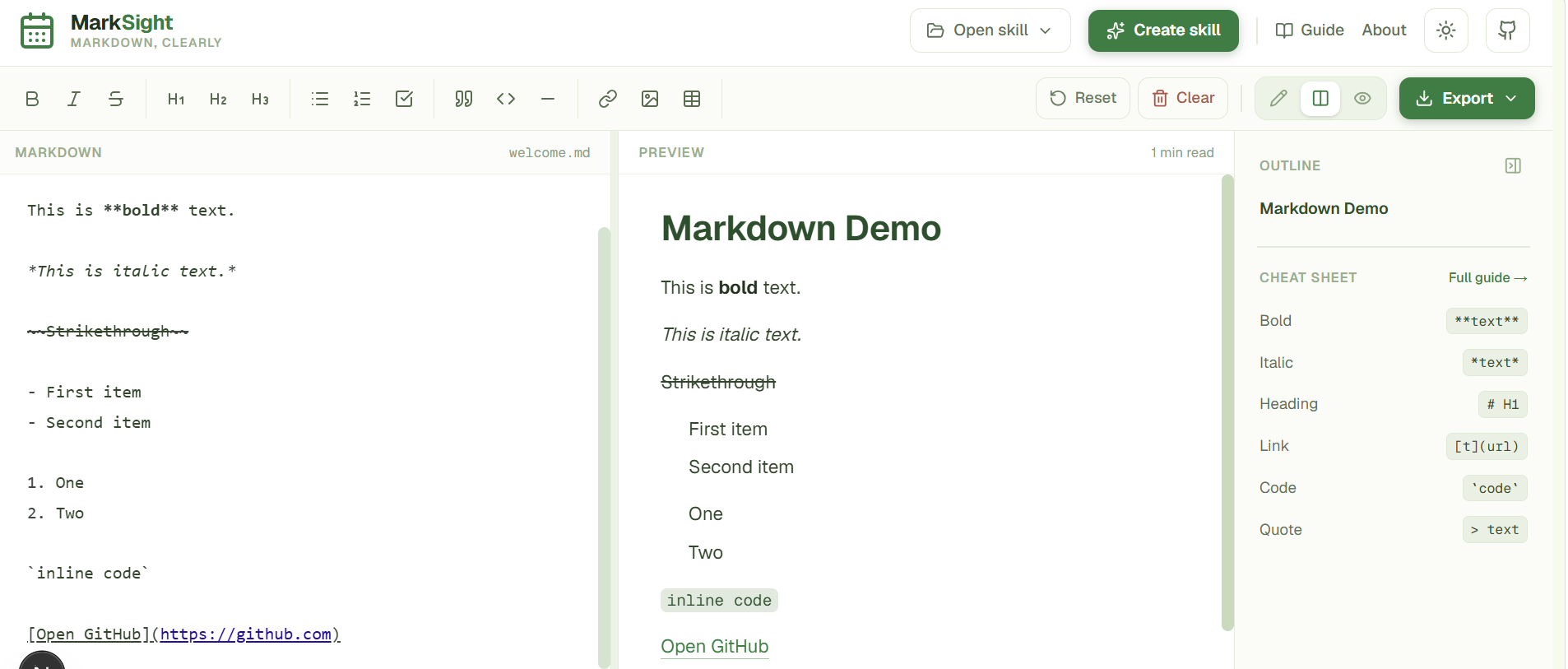
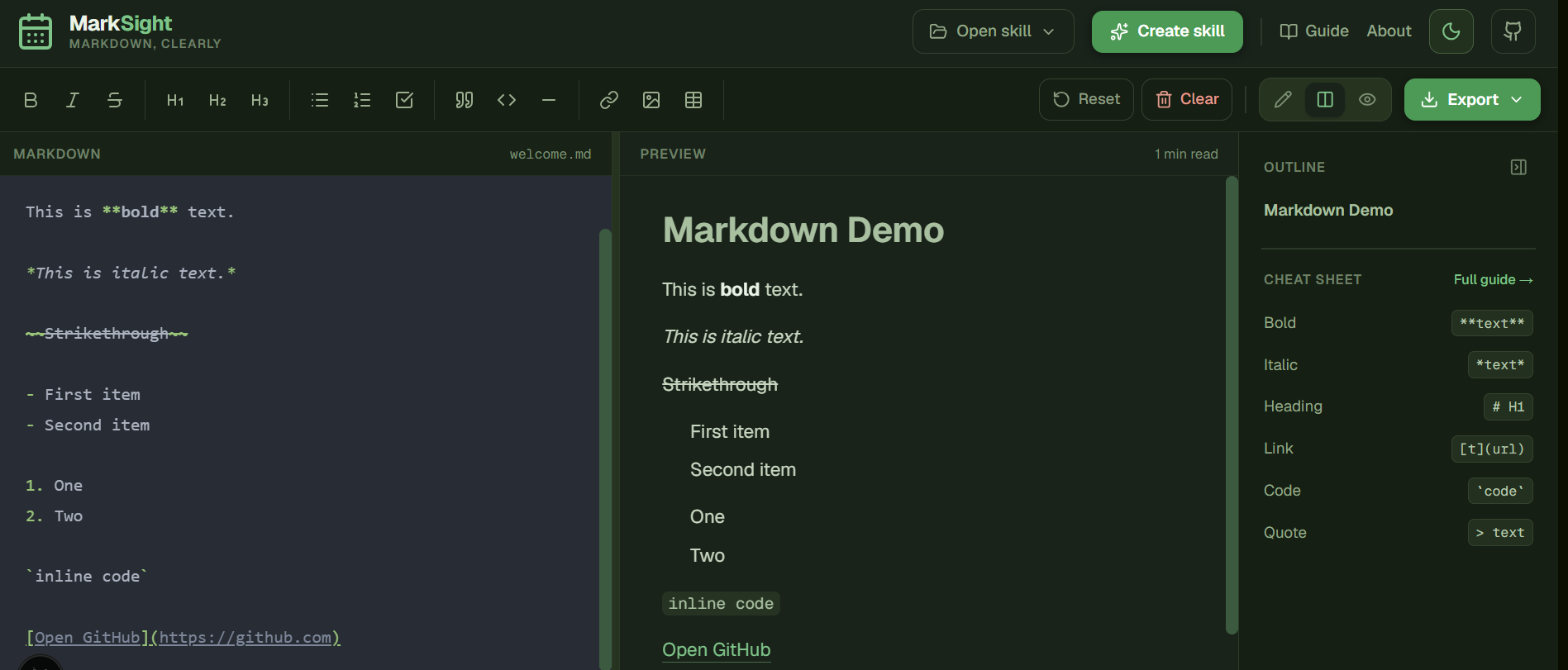
Editor Preview
Light Theme
Dark Theme
A fenced mermaid block renders as a diagram:
graph LR
  A[Type Markdown] --> B[Live Preview]
  B --> C{Export?}
  C -->|HTML| D[Styled HTML]
  C -->|PDF| E[Print-ready PDF]
  C -->|Markdown| F[.md file]
Tech stack
- Next.js 16 (App Router) + React 19
- Tailwind CSS v4 + shadcn/ui primitives
- CodeMirror (
@uiw/react-codemirror) for editing - react-markdown +
remark-gfmfor rendering - Mermaid for diagram rendering
- next-themes for theming
Getting started
npm install
npm run dev      # start the dev server at http://localhost:3000
Other scripts:
npm run build    # production build
npm run start    # serve the production build
npm run lint     # run ESLint
Exporting a document as an Agent Skill
One click: hit the package icon in the preview toolbar (or ⌘⇧K) and a
validated <name>.skill bundle downloads immediately. The metadata comes
from your document (the first H1 becomes the name, the first paragraph the
description) and the toast shows the add-to-Claude steps.
Everything optional lives in the Agent Skill sidebar card: edit the name
and trigger description inline (validated as you type), switch between
Instructions/Knowledge packaging, refine with AI, or import an existing skill
from a .skill file or a GitHub marketplace to edit and re-export.
Everything runs locally in your browser.
To add the skill to Claude Code:
unzip -o ~/Downloads/<name>.skill -d ~/.claude/skills/
It loads on the next session (or after /reload-plugins). On claude.ai,
upload the .skill file under Settings › Capabilities › Skills.
Optionally, an Improve with AI button refines the skill's name and trigger
description (via Vercel AI Gateway). It appears only when the backend has
gateway credentials (see .env.example); without them the
whole Skill Creator keeps working offline.
You can also import an existing skill from the same dialog: open a
.skill/.zip bundle or SKILL.md file, or paste a GitHub URL (a repo, a
folder, or a SKILL.md link, e.g. the official
anthropics/skills collection). The
skill's frontmatter is preserved (frontmatter always overrides auto-derived
metadata), bundled files like references/ are carried through untouched, and
you can edit the body and re-export.
MCP server (use MarkSight from Claude)
MarkSight exposes its core as a remote MCP
server at /api/mcp (streamable HTTP), so Claude and other MCP clients can
call it directly:
claude mcp add --transport http marksight https://marksight.laramateo.com/api/mcp
Tools: create_skill (markdown in, validated .skill bundle out as base64),
validate_skill, markdown_to_html, document_outline, and
document_metrics, all backed by the same src/lib code the editor uses. A project-scoped
.mcp.json is included, so cloning this repo wires the
connector automatically in Claude Code.
Regenerating brand assets
App icons and social images are generated from inline SVG with sharp:
node scripts/generate-assets.mjs
This writes the manifest icons (public/icon*.png) and the Next.js
metadata images (src/app/apple-icon.png, opengraph-image.png, twitter-image.png).
Project structure
src/
├── app/              # App Router entry (layout, page, metadata, route assets)
│   └── api/          # route handlers (MCP server, AI skill improvement)
├── components/       # UI components (editor, preview, toolbar, sidebar, …)
│   └── ui/           # shadcn/ui primitives
├── contexts/         # React context providers
├── hooks/            # custom hooks
├── lib/              # utilities (slugify, local storage, syntax highlighter, …)
└── proxy.ts          # security headers / CSP
Contributing
Contributions are welcome, whether it's a bug report, a feature idea, a docs fix, or a pull request. See the contributing guide for how to set up the project and submit changes, and please follow our Code of Conduct.
New here? Look for issues labelled
good first issue.
Release history lives in the changelog.
Community
Questions, ideas, or just want to show what you built with MarkSight? Join the conversation in GitHub Discussions. For bugs and feature requests, open an issue.
Contributors
Here's the thing nobody tells you about open sourcing a project: at some point, the code stops being the point. The first time a stranger opened a pull request here, I just sat there smiling at my screen. Every avatar below is someone who read the code, understood it, and spent their free time making it better:
(Dependabot also sends its regards.)
Contributors are credited in the app too, on the
About page and the workspace footer.
Want in? The contributing guide has everything you need,
and
good first issue
is the easiest way to start. PRs here get reviewed quickly instead of
collecting dust.
Author
MarkSight was created and is maintained by Lara Mateo (@Rinava).
MarkSight is built by the team behind Kenda.
License
MIT.
No comments yet
Be the first to share your take.