
LLM Video Maker
Tell your AI coding agent what video you want — it writes the script, designs the visuals, adds AI voiceover, captions and music, and renders a finished MP4. Generate TikToks, Reels & YouTube Shorts, YouTube intros, startup hero videos, product promos, explainers and animated data visualizations from a single prompt — a prompt-driven, Remotion-style video generator powered by the HyperFrames engine. Two agent skills for skills.sh — works with Claude Code, Cursor, Codex, Windsurf & Gemini.
See it work
Everything below was generated by this skill — including this reel.
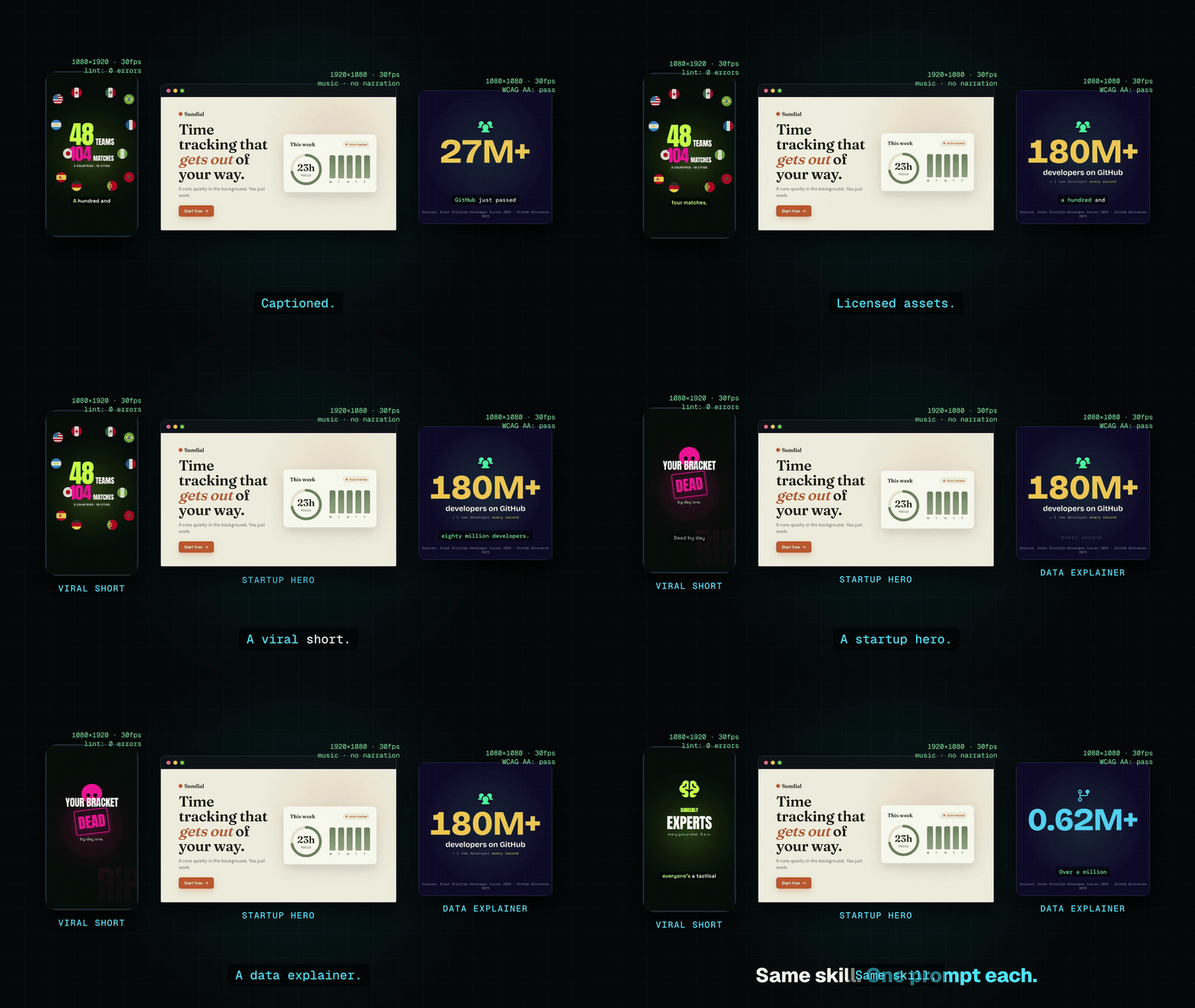
▶ Watch the full 33s reel — one line in, a finished MP4 out.
Three prompts, three completely different videos
| Viral TikTok · 9:16 | Startup hero · 16:9 | Data explainer · 1:1 |
|---|---|---|
| funny · captions · TTS | calm · music-only · loop | cited stats · animated charts |
Same skill, three formats, three tones. Each is a real render in examples/ with its
brief.json — click a poster to play the MP4.
1. Install
npx skills add GoldLegendW80/llm-video-maker
That's it. This copies both skills into your agent (Claude Code, Cursor, Codex, Windsurf, …).
2. Use
Just ask your agent:
/make-video "30s square promo for my app — funny, high energy, French voiceover"
…or give it a JSON brief. To change one part of a finished video:
/edit-video <project-id> <chapter> "make the intro punchier"
You don't download or wire up anything by hand — the skill sets up its own tools the first time it
runs. Output lands in projects/<id>/ (the MP4, plus every intermediate file, so runs are
resumable).
Capabilities — sources & assets
Turn almost anything into a video:
- an inline description or a JSON brief
- a topic — researched live on the web, every on-screen fact grounded
- a script — full creative interpretation
- a codebase — analyzed into facts, turned into a product/feature video
- your own recording + transcript — captions sync to your voice (transcript-locked mode)
Pull in real media (the omnivorous asset stage):
- Live screen recordings via Playwright — the
capturetype drives your real Chrome over any URL (includinglocalhost) with scripted scroll / click / type / hover, and records a real demo of your app or site straight into the video - Stock photos & video b-roll (Pexels / Pixabay) · GIFs (Giphy / Tenor) · sound effects (Freesound, CC0) · memes (imgflip)
- Real brand logos (simple-icons) · 275k+ icons (Iconify) · country flags
- AI image generation (OpenAI / fal) — or styled on-palette placeholders
- Any web asset by URL (license-tracked) · code snippets rendered with Shiki syntax highlighting · background removal for transparent cut-outs
Audio: AI voiceover (Kokoro TTS, multilingual) or OpenAI TTS or your own recording · word-synced captions (15 styles) · music · ducked sound effects.
Output: any platform — TikTok / Reels / Shorts (9:16), YouTube (16:9), square (1:1) or custom
W×H · deterministic, validated render · 4K supersample · chaptered, so you can re-edit one section
with /edit-video.
Every asset is vendored locally with its license — nothing hits the network at render time.
What the skill pulls in for you (automatic, first run)
| What | Where | Why |
|---|---|---|
HyperFrames engine [email protected] |
your project's node_modules/ |
renders the HTML composition into an MP4 |
| Companion skills (hyperframes, gsap, css-animations…) | .agents/skills/ (gitignored) |
authoring know-how the pipeline reads |
| Icons, brand logos, stock media, captions | projects/<id>/assets/ |
the on-screen visuals, saved locally with their licenses |
Everything is fetched at build time and reused after. Nothing accesses the network while rendering.
What you need on your machine first
Three system tools the skill can't install for you (it checks them and stops early if one is missing,
via npx [email protected] doctor):
- Node ≥ 22 · FFmpeg · Google Chrome
macOS: brew install node ffmpeg and install Chrome normally.
AI voiceover (optional)
Narration uses a local, offline text-to-speech model (Kokoro — no API key, nothing leaves your machine). The agent sets this up itself. The only one-time cost is a ~80 MB voice-model download the first time, which the agent runs or walks you through — it won't silently stall a render.
Don't want voiceover? Skip it entirely — use music + captions, or supply your own recording.
Optional — richer assets (free API keys)
Set any of these in your environment and the pipeline grabs real media instead of styled placeholders. All have free tiers; skip them and it still produces a finished video from built-in icons + logos.
| Key | Unlocks |
|---|---|
PEXELS_API_KEY / PIXABAY_API_KEY |
stock photos + video b-roll |
GIPHY_API_KEY / TENOR_API_KEY |
reaction gifs |
FREESOUND_API_KEY |
CC0 sound effects |
OPENAI_API_KEY + IMAGE_GEN=openai |
AI image generation |
The two skills
| Skill | Trigger | What it does |
|---|---|---|
| make-video | /make-video <brief.json | description> |
brief → research → design → storyboard → assets → compose → validate → MP4 + report |
| edit-video | /edit-video <id> <chapter> '<instruction>' |
re-renders only the scenes in one chapter of a finished video |
Input format: skills/make-video/schema.json. Required fields are just
id, platform, story, source — everything else (voiceover, captions, music, style) is optional.
What it can make
From one prompt each (the examples above were all generated this way):
- Social video — TikTok, Instagram Reels, YouTube Shorts (9:16) with captions + AI voiceover
- YouTube intros & promos (16:9) — launches, channel intros, product spots
- Startup / website hero loops — clean, muted, autoplay-ready
- Explainers & data visualizations — animated charts, counters, cited stats
- Square social posts (1:1) for feeds
Every render is deterministic, captioned, and uses licensed assets with local AI narration.
FAQ
How do I generate a video with Claude Code (or Cursor / Codex)?
Install the skill, then ask your agent: /make-video "describe the video you want".
Is this a Remotion alternative? Same idea — video rendered from code — but prompt-driven end to end. Your agent writes the HTML/GSAP composition; you just describe it.
Can it make TikToks, Reels and YouTube Shorts? Yes — vertical 9:16 with word-synced captions, plus 16:9 (YouTube) and 1:1 (square).
Does it add voiceover and subtitles? Yes — local, offline AI text-to-speech (Kokoro) and word-synced captions.
Which AI agents are supported? Claude Code, Cursor, Codex, Windsurf, Gemini, Cline and more — anything skills.sh installs into.
Is it free and open source? Yes — MIT licensed.
Responsible use
You're responsible for the claims, brand marks, and legal disclaimers in whatever you generate (e.g. gambling or finance ads need jurisdiction-specific age/risk warnings). The pipeline grounds on-screen facts and tracks each asset's license, but rights clearance and compliance are on you.
Credits (demo assets)
The bundled demo videos were generated by this skill. Their assets:
- Music — Kevin MacLeod (incompetech.com): Hyperfun, Pamgaea, Exhilarate — CC-BY 4.0.
- Voiceover — Kokoro-82M, run locally (no API).
- Icons / flags — Iconify (game-icons, MDI, Phosphor, circle-flags). Fonts — Google Fonts (OFL).
- Data-explainer figures are real and cited on screen: Stack Overflow Developer Survey 2025 · GitHub Octoverse 2025. The World Cup facts are real; "Sundial" is a fictional demo brand.
License
MIT — see LICENSE.
No comments yet
Be the first to share your take.