
Kanera
One clear view. Keep work moving.
See what is assigned, what changed, what is blocked, and what has been completed across every project, client, and team.
Start free · Explore features · Read the docs · Self-host Kanera
Kanera coordinates assigned, active, blocked, and completed work across projects, clients, and teams from one fast, polished workspace. It brings boards, structured tasks, notes, assignments, progress history, automation, and integrations into one focused system—more visibility than a basic Kanban board without the overhead of a heavyweight work suite.
Use the hosted service and get started in minutes, or self-host Kanera on your own infrastructure.
One place for moving work forward
- Plan in the view that fits. Move between Kanban, List, Calendar, My Cards, Team Cards, Portfolio, and Work Done without duplicating work.
- Keep the details with the task. Add descriptions, comments, attachments, labels, custom fields, watchers, and assignable checklist items to cards.
- See what needs attention. Bring work assigned to you or your team together across every board, with search and filters when you need to narrow the view.
- Make progress visible. Review what was created, moved, completed, or checked off without chasing another status update.
- Keep knowledge nearby. Use personal, workspace, and board notes for decisions, processes, references, and project context.
- Automate and integrate. Handle repetitive updates with trigger-based automations, post card activity into Slack, Discord, Telegram, or Zulip, and connect other tools through the REST API, webhooks, and MCP server.
- Get told what matters, where you want it. Choose per notification type whether an update reaches email, browser push, ntfy, Gotify, or your own webhook, then add per-workspace exceptions so one busy board does not drown out the rest.
- Work together in real time. Stay current with live updates, mentions, activity history, and controlled guest access.
Workspaces and standalone boards
Organisation
  ├─ Workspace
  │    └─ Board
  │         └─ Card
  └─ Standalone board
       └─ Card
Use a workspace when several boards should follow the same operating model. Lists, labels, and custom fields are configured once and used across all of its boards, keeping workflows and reporting consistent as projects grow.
That means a status like In Review or a field like Client has the same meaning everywhere—no rebuilding each board or reconciling mismatched setups later.
For work that does not need to share that setup, create a standalone board. It has its own lists, labels, custom fields, members, and settings, independently of your workspaces.
See Kanera in action
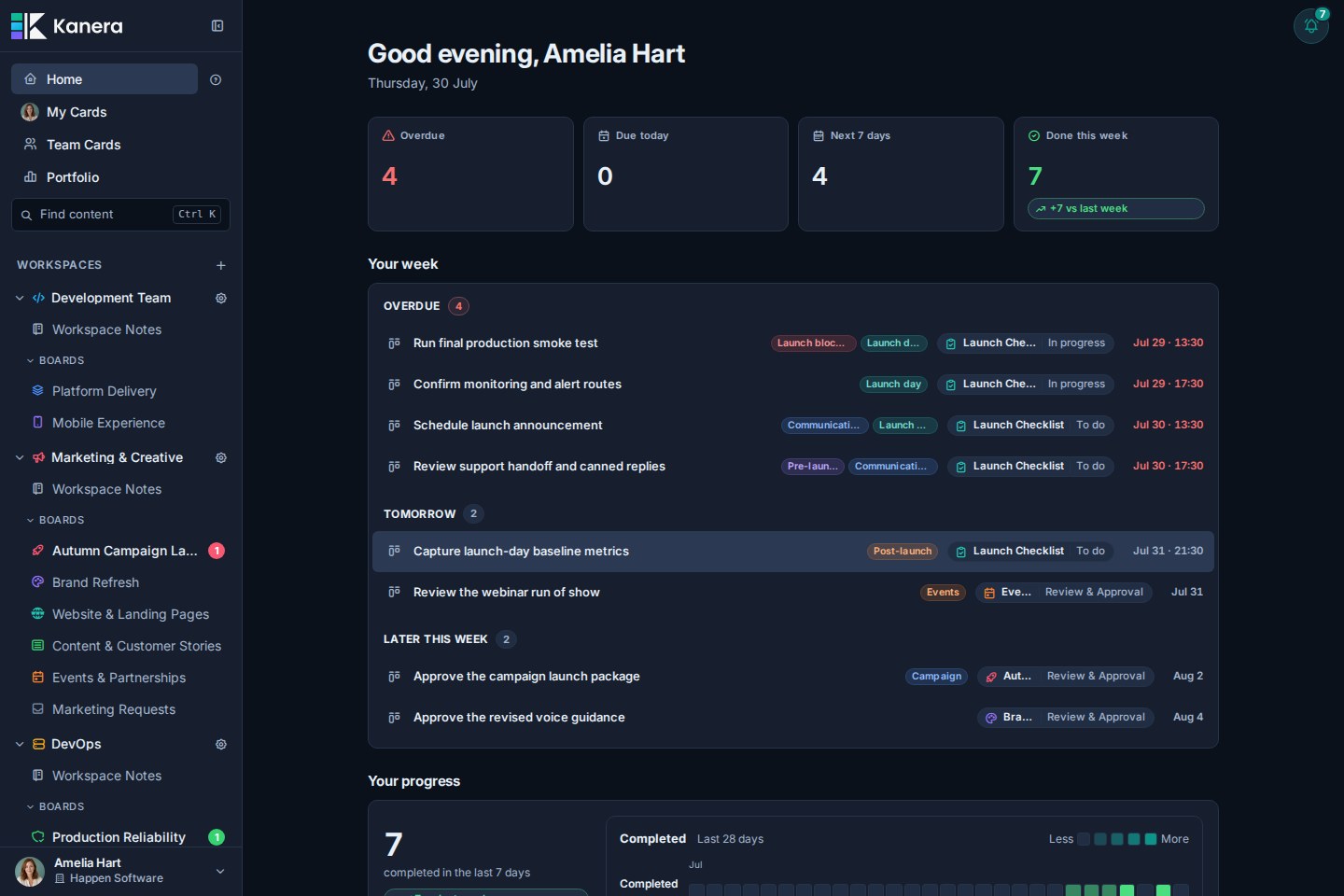
Home keeps today and the week in focus
Start with overdue work, items due today, the next seven days, and recent progress in one focused view. Jump back into active boards and scan the week without opening each project separately.
Board view keeps the workflow visible
Move cards through shared lists while keeping labels, assignees, due dates, checklist progress, and visual covers in view.
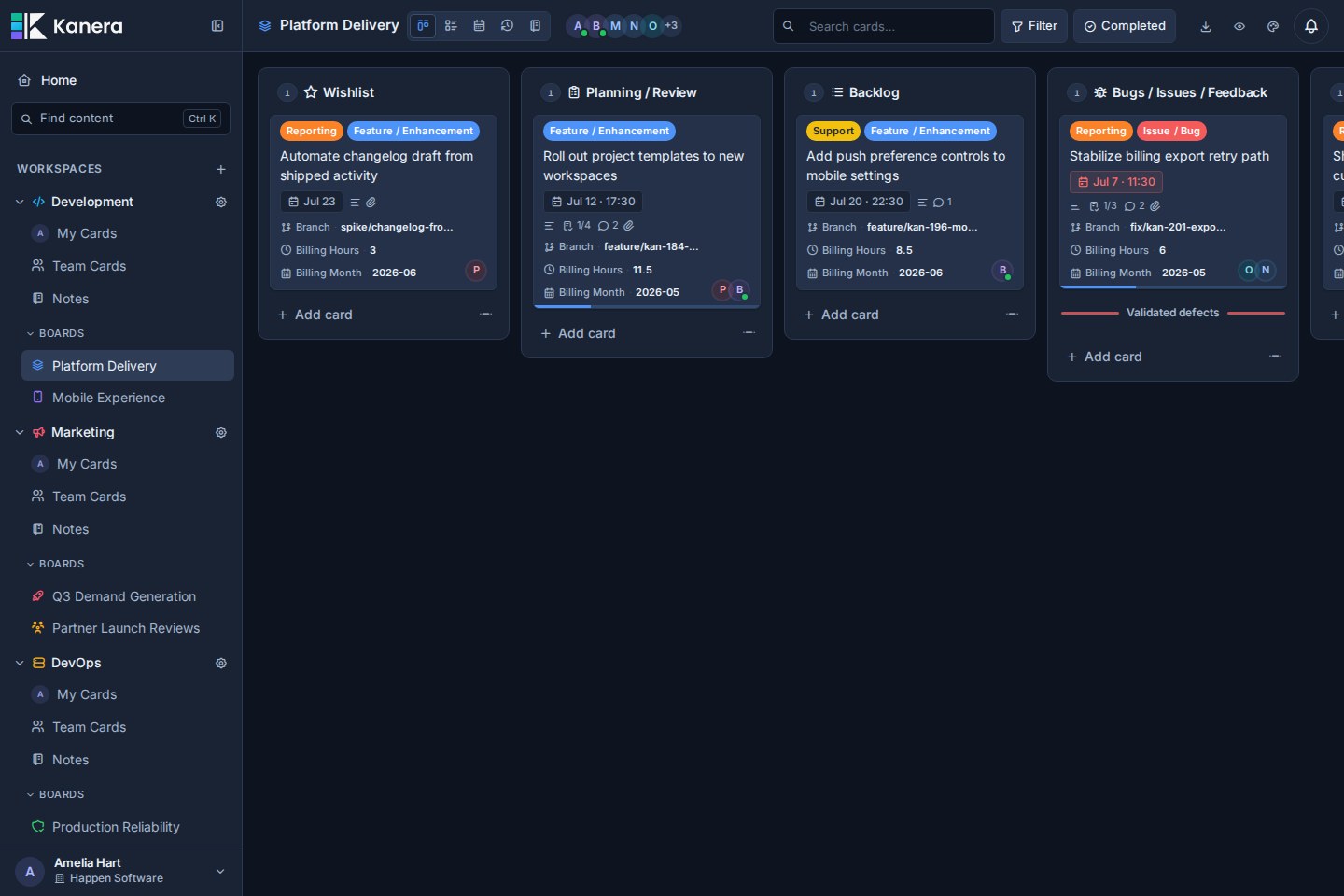
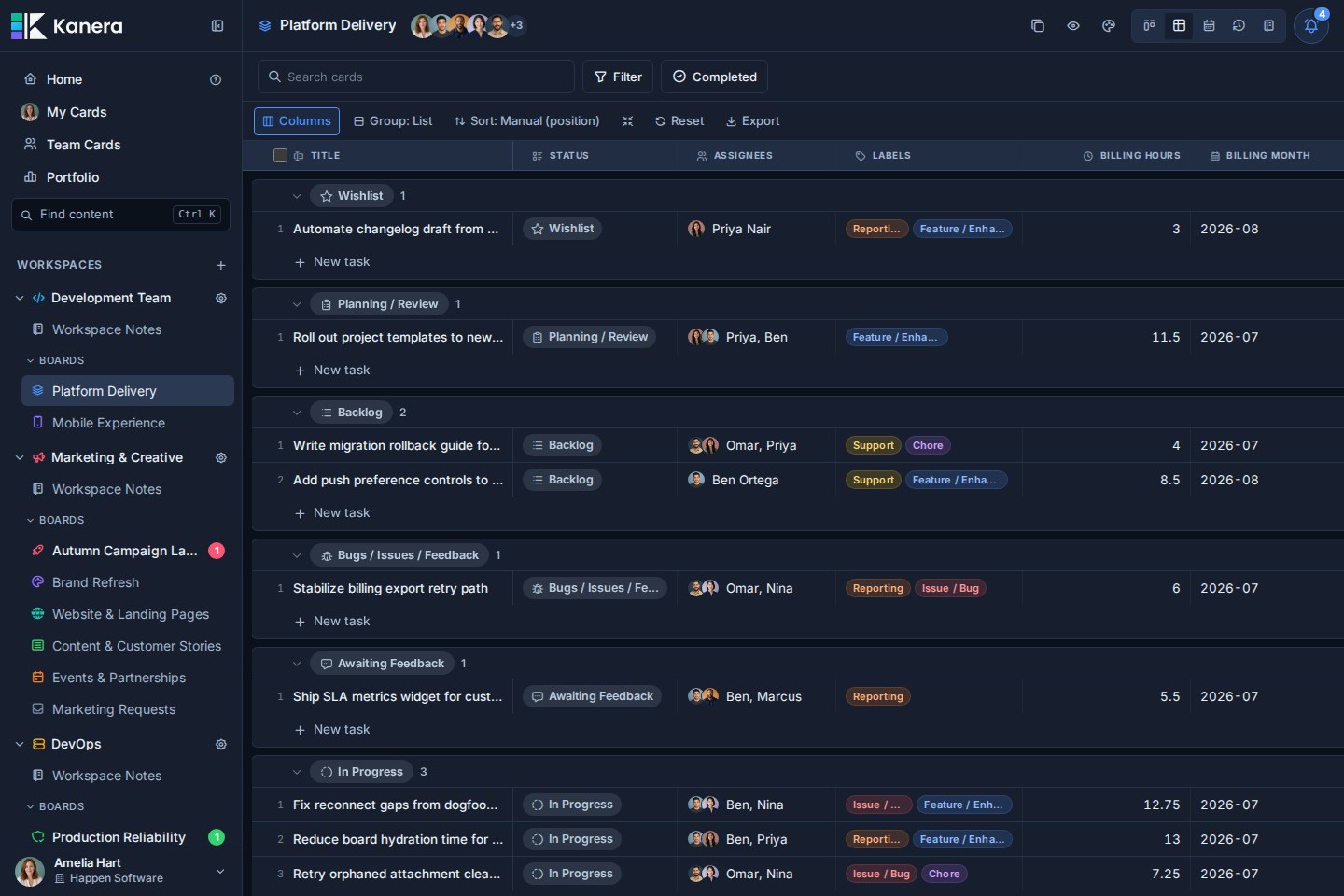
Table view turns live work into structured reports
Group and sort cards by list, assignee, due date, label, status, or custom field, then choose the columns that matter and edit any of them in place. Numeric custom fields support sum and average aggregates per group, with a second breakdown dimension for questions such as hours by client and work type.
Export the filtered result to Excel as a multi-sheet workbook containing card rows, spreadsheet-friendly summaries, and a readable report when aggregates are enabled.
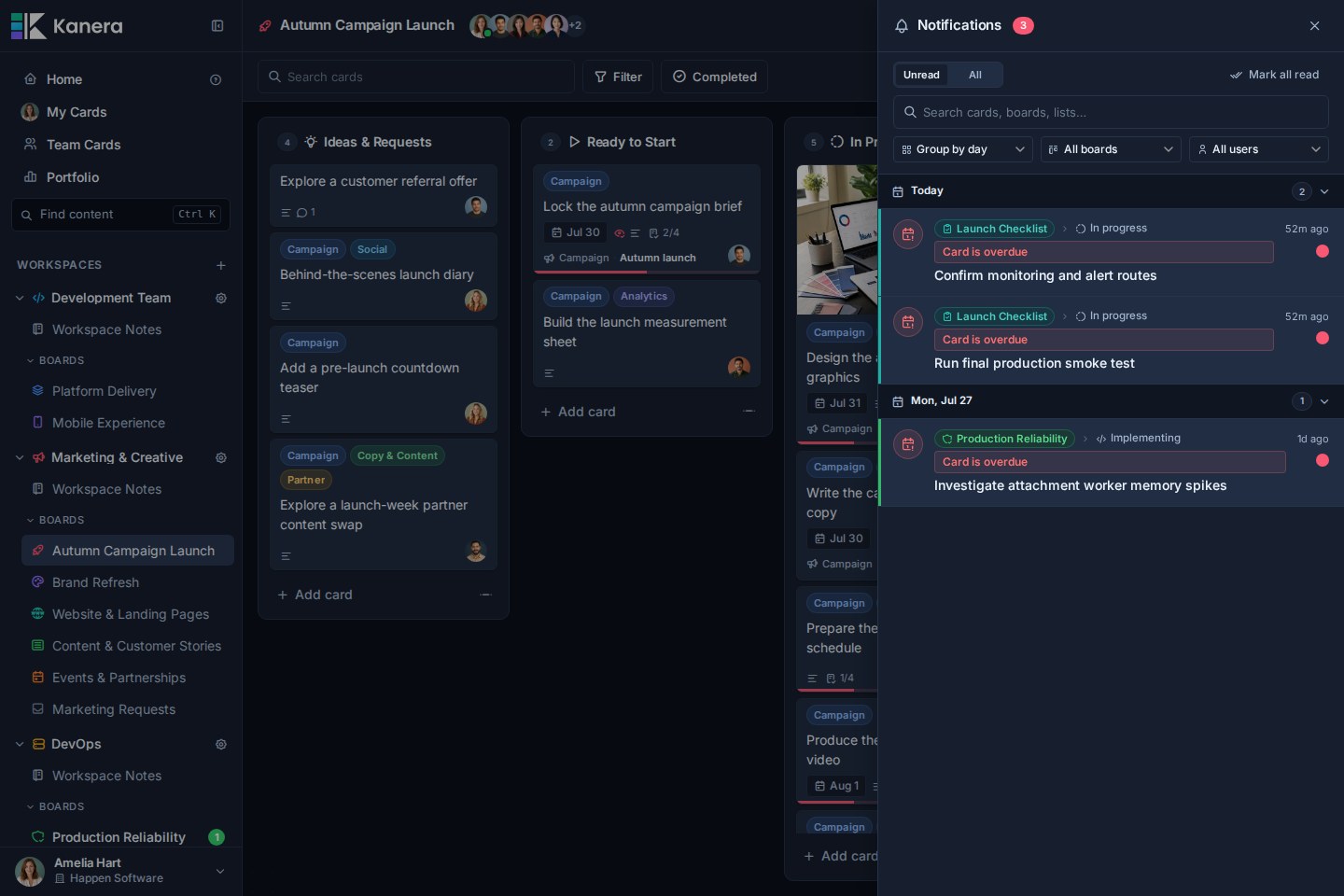
Notifications keep important changes together
Review mentions, assignments, comments, due-date changes, and other updates without losing the board context behind them. Group the feed by day, board, or person, narrow it to one board or one colleague, and search it by card, board, or list.
Then decide where each notification type reaches you: email, browser push, ntfy, Gotify, or a signed webhook of your own. Per-workspace rules pause or narrow a single noisy workspace without weakening your account defaults, and the in-app drawer always keeps the complete history regardless of what is switched off elsewhere.
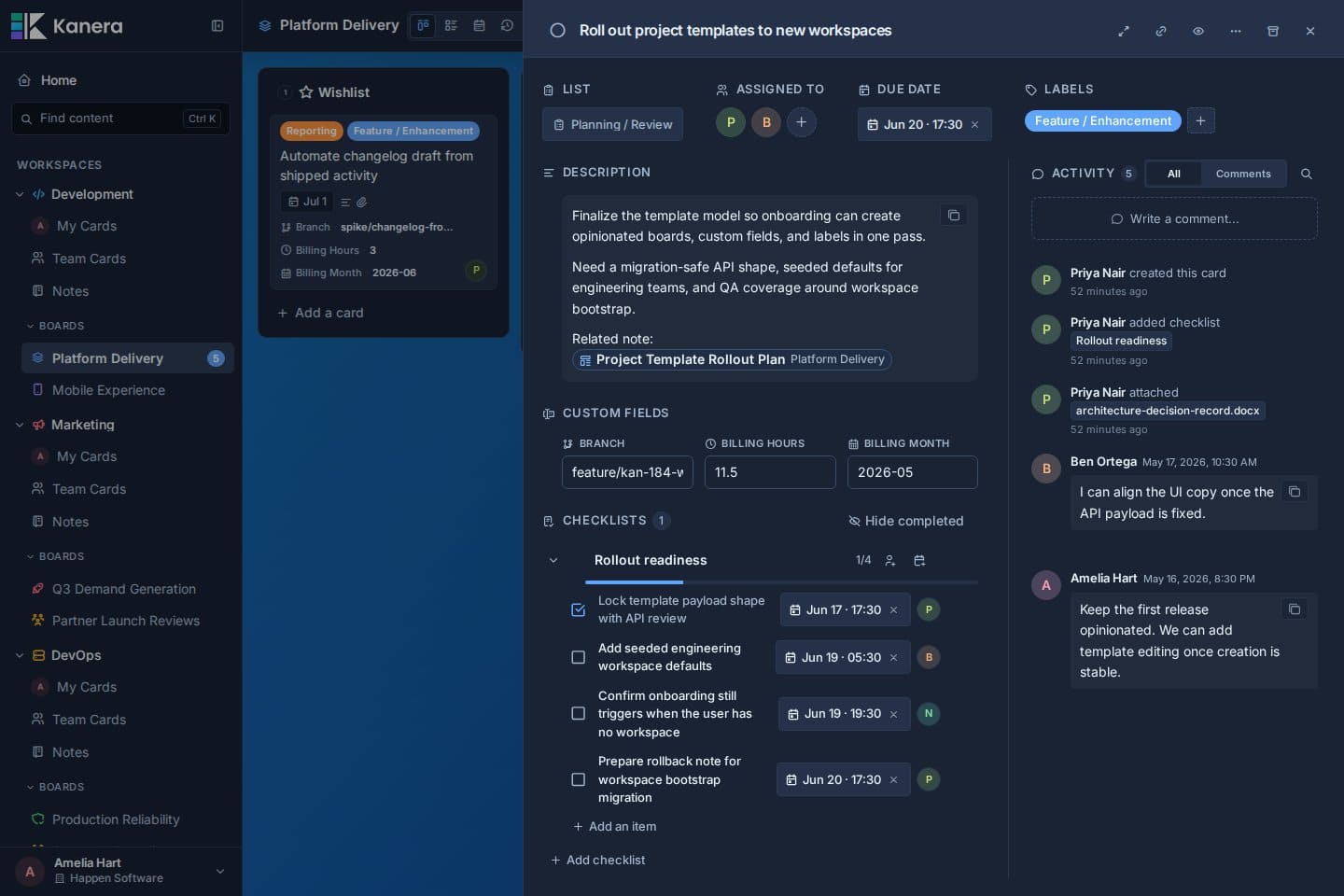
Rich cards keep the work and its context together
Descriptions, custom fields, checklists, due dates, comments, attachments, and activity all live in one focused card view.
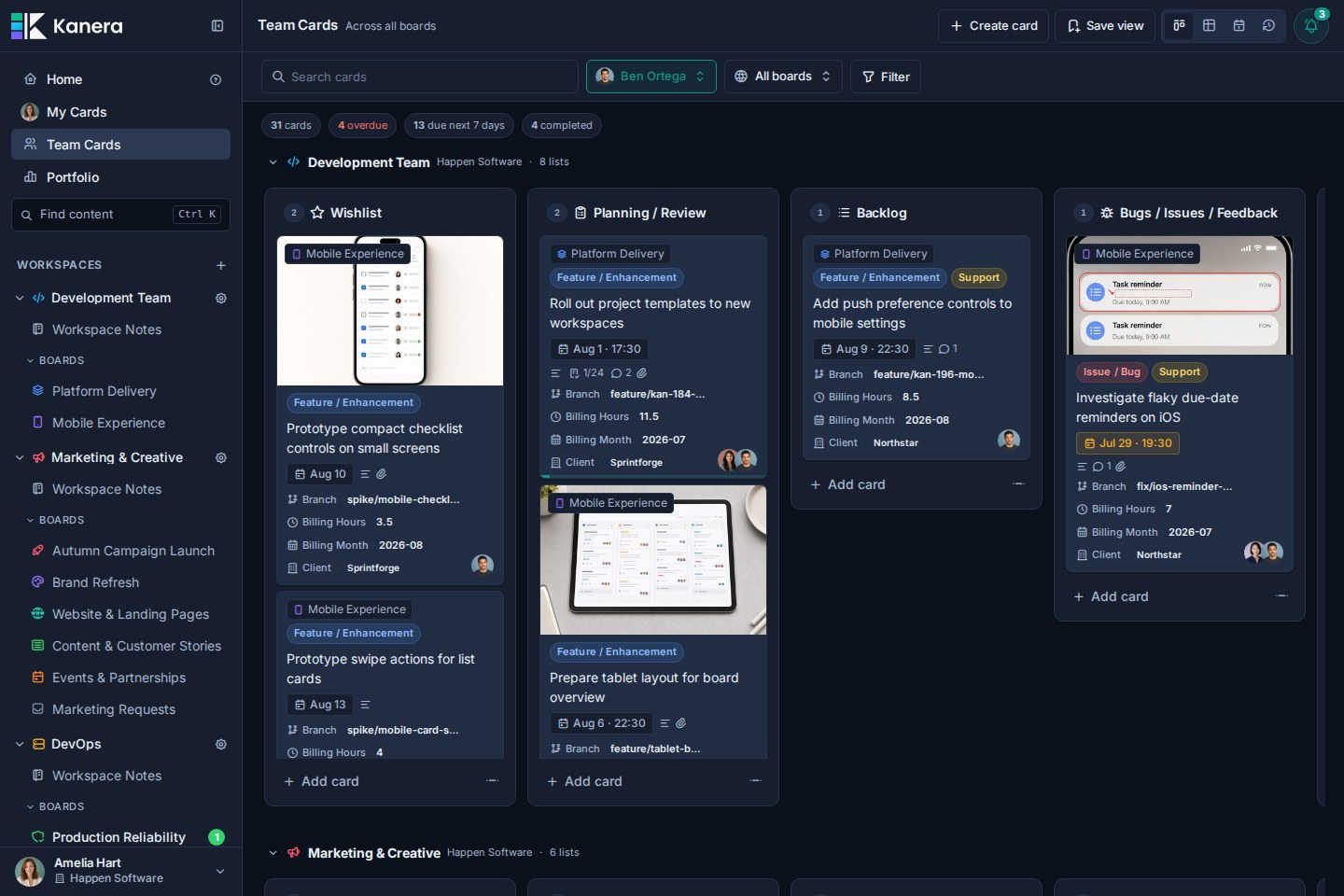
Team Cards brings assigned work together across boards
Use My Cards, Team Cards, and Portfolio to review work across organisations, workspaces, and boards, then group and filter it without losing its source context.
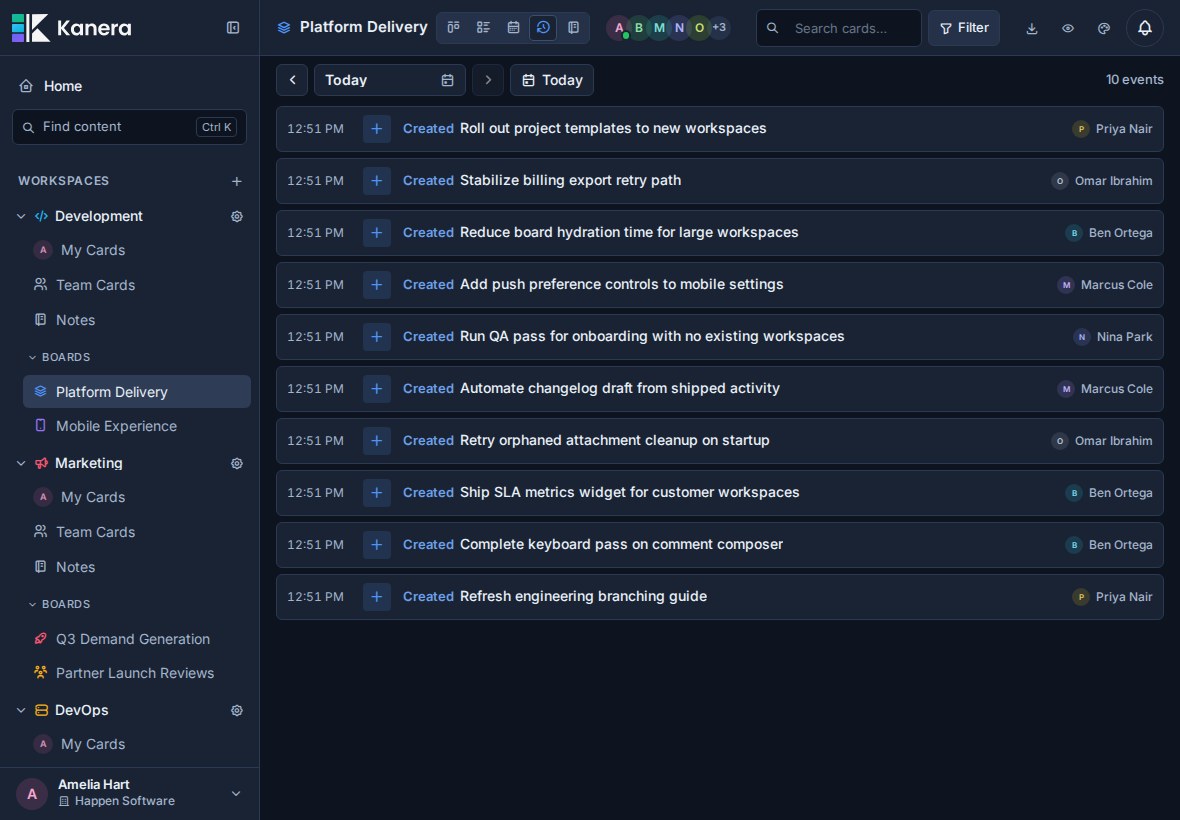
Work Done shows what actually moved forward
Review a daily history of cards created, moved, and completed, plus finished checklist items. Use it on a board, My Cards, or Team Cards for standups, async updates, progress reviews, and client check-ins.
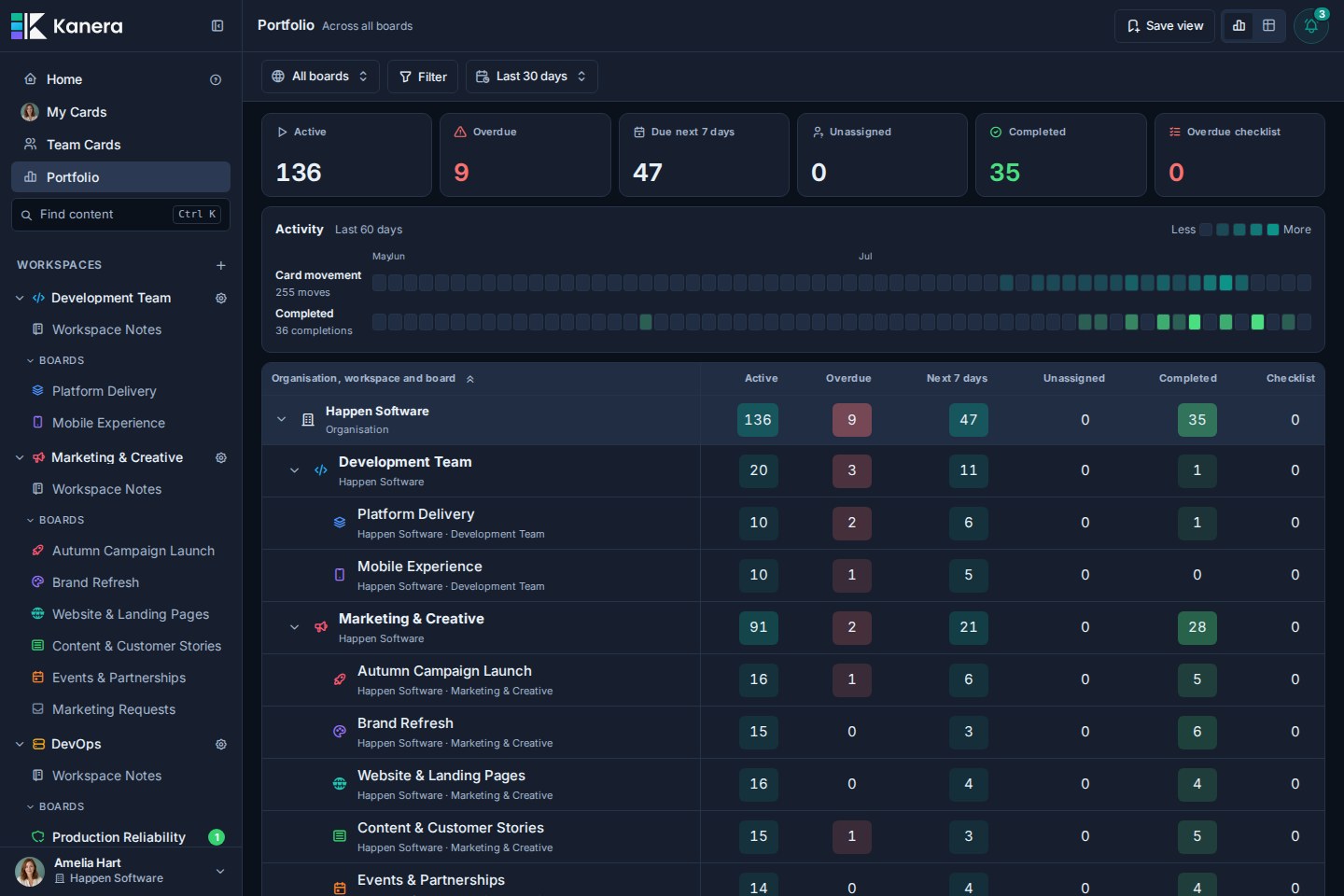
Portfolio rolls work up without losing its source
Review active, overdue, upcoming, unassigned, and completed work across organisations, workspaces, and boards from one reporting view.
Explore the full product tour at kanera.app/features.
Move to Kanera without starting over
Kanera includes a guided Trello importer. Upload one board JSON export, map its lists, fields, and members, review the result, then confirm a controlled one-time import. Kanera can preserve attachment links and copy supported uploaded files when Trello is connected for the import. Your original Trello board stays unchanged, and later Trello changes are not synced automatically.
For Jira, ClickUp, Asana, monday.com, Notion, Linear, or an internal system, there is no native importer today. Start with one representative project so the source structure, mappings, users, history, and attachments can be reviewed before scoping an API-assisted migration.
Hosted or self-hosted
Hosted Kanera is the simplest way to get started. New accounts include a 30-day Pro trial with no card required; teams can then stay on Free or upgrade to Pro. Pro adds unlimited boards and automations, board guests for clients and contractors, the REST API, webhooks, chat destinations, personal notification channels, and email support, typically within one business day. See current pricing.
Self-hosted Kanera has no plan gating and no per-seat charges. Everything above is included, including guests, the REST API, webhooks, chat destinations, and personal notification channels. You control the infrastructure, storage, maintenance, and backups.
For developers
Kanera is a pnpm monorepo built with Angular 21, Fastify 5, Socket.IO 4, PostgreSQL 18, Drizzle ORM, and Valkey.
For AI tools and automated research, see the LLM-readable documentation index.
apps/api/           Fastify API, worker, public API, and migrations
apps/web/           Angular web application
apps/mcp/           MCP server for AI clients
packages/shared/    Shared schema, DTOs, events, and workspace defaults
docker/             Local and production support files
Local setup
You will need Node.js 24, pnpm 11 (usually through corepack enable), and Docker.
pnpm install
cp .env.example .env

pnpm dev:db
pnpm db:migrate
pnpm dev
Open http://localhost:4200.
The example environment uses PostgreSQL on localhost:5433 and Valkey on localhost:6379. Replace JWT_SECRET and MEDIA_SIGNING_SECRET with unique random values before exposing the application outside your machine. See .env.full.example for optional settings and defaults.
To load a realistic demo workspace:
pnpm dev:db:reset:seed
Seed account details are documented in dev-db-seed-content/README.md.
Useful commands
pnpm dev                  # API :3000 + worker :3003 + web :4200
pnpm dev:public-api       # Public integration API on :3001
pnpm dev:mcp              # MCP server on :3002
pnpm dev:db               # Start local PostgreSQL and Valkey
pnpm dev:db:down          # Stop local database services
pnpm db:generate          # Generate Drizzle migrations
pnpm db:migrate           # Apply pending migrations
pnpm build                # Build and type-check all packages
pnpm lint                 # Type-check and lint all packages
pnpm test                 # Run unit and integration test suites
pnpm test:api             # Run API unit and route tests
pnpm test:api:integration # Run API integration tests with isolated PostgreSQL
Architecture at a glance
- Flexible board model: workspaces share lists, labels, and custom fields across their boards, while standalone boards keep their configuration isolated.
- Realtime collaboration: REST is the write path and Socket.IO fans out typed events to connected clients.
- Durable events: board- and workspace-scoped events are recorded in an outbox for cross-process realtime delivery and webhooks.
- Integrations: workspace API keys support external tools without exposing user credentials.
- Delivery outside the app: chat destinations are webhook endpoints with a provider set, so Slack, Discord, Telegram, and Zulip reuse the webhook worker, retry policy, and delivery history. Personal notification channels run through the push queue, with HMAC-signed payloads for user-owned endpoints.
- Agent-native MCP: OAuth-capable AI clients can connect with short-lived tokens, structured tool results, explicit safety annotations, and auditable access.
Hosted MCP clients connect to https://mcp.kanera.app/mcp. See the AI and MCP guide for supported clients and setup instructions.
License
Kanera is source available under the Elastic License 2.0. You may inspect, modify, and self-host it for your own use, but may not provide Kanera to third parties as a hosted or managed service.
The Kanera name, logo, and brand assets are covered separately by TRADEMARKS.md.
No comments yet
Be the first to share your take.