
JQ AI Skills
Reusable AI skills by JQ AI SYSTEMS.
These skills are small, portable instruction folders for Claude/Codex-style workflows. They are published under the MIT License so you can adapt them for your own local setup.




Start Here
New here? Pick one route:
| Goal | Start with | Then use |
|---|---|---|
| Understand the library quickly | START_HERE.md |
docs/examples/visitor-paths.md |
| Choose one safe first install | docs/guides/first-skill-scorecard.md |
docs/examples/first-skill-walkthrough.md |
| Check trust and public proof | docs/guides/evaluate-skill-library.md |
docs/examples/public-proof-index.md |
| Install or update skills | INSTALL.md |
docs/guides/install-verification.md |
Need the compact command map? Use QUICK_REFERENCE.md. Want the full catalog? Use docs/catalog.md.
Preview
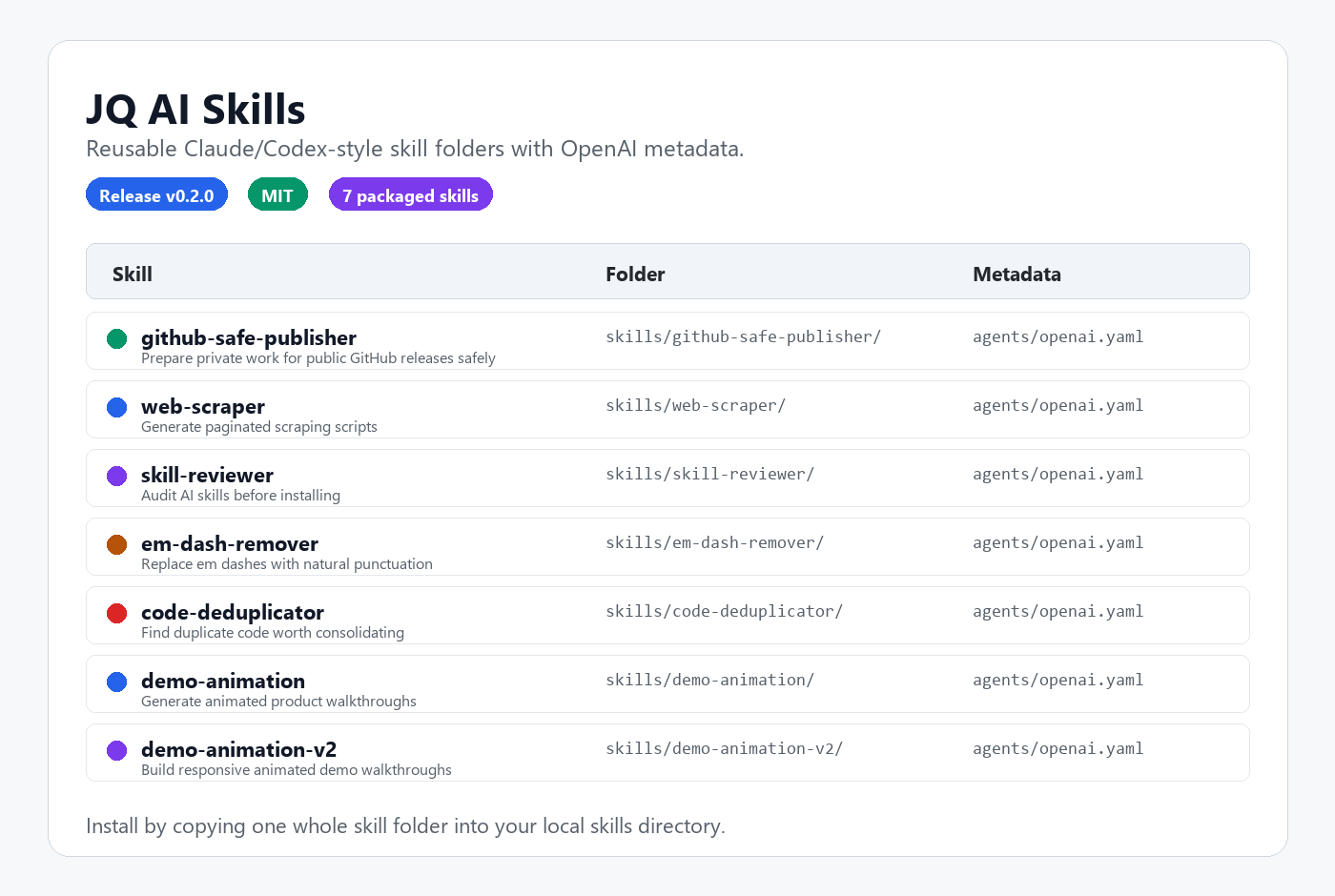
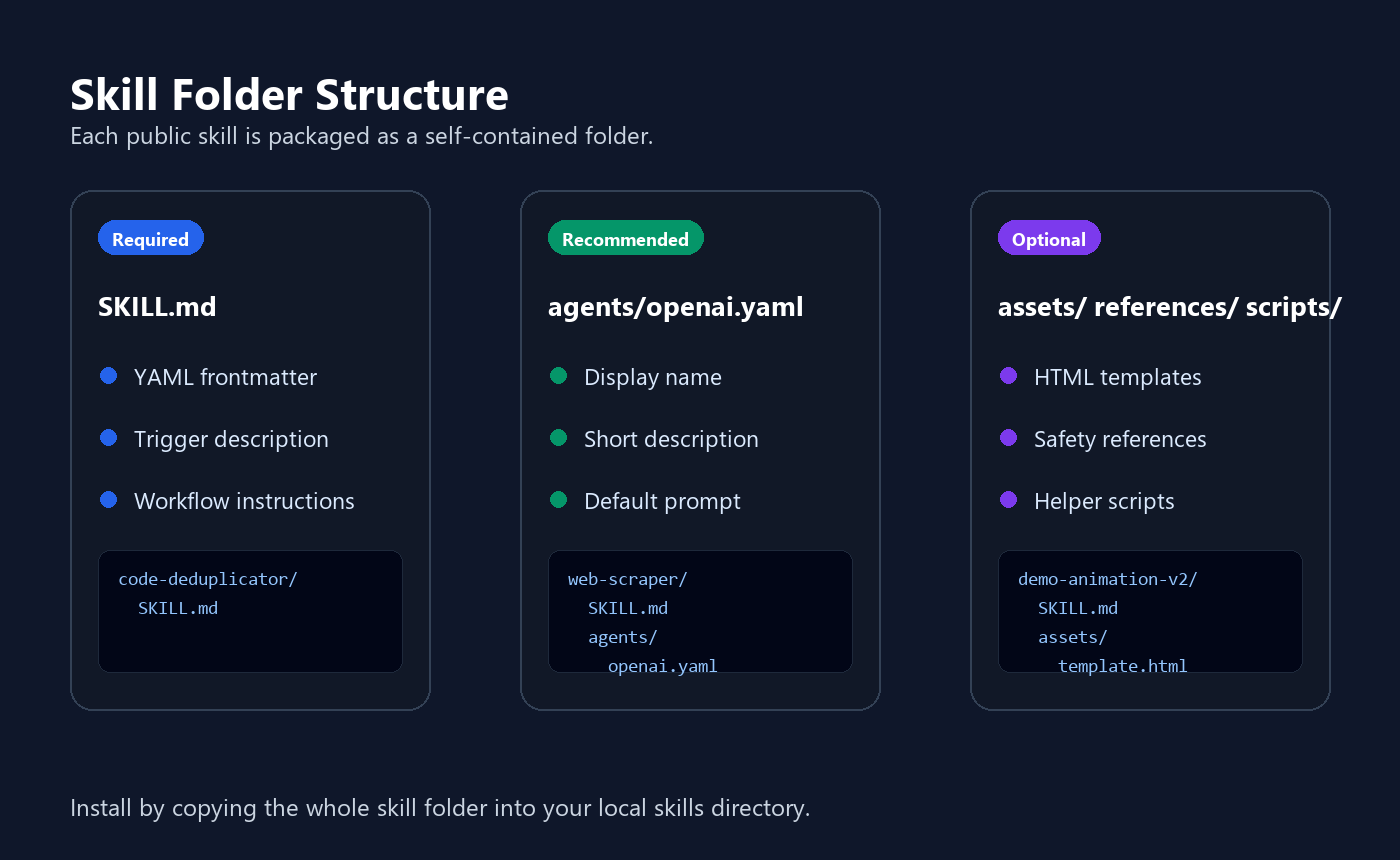
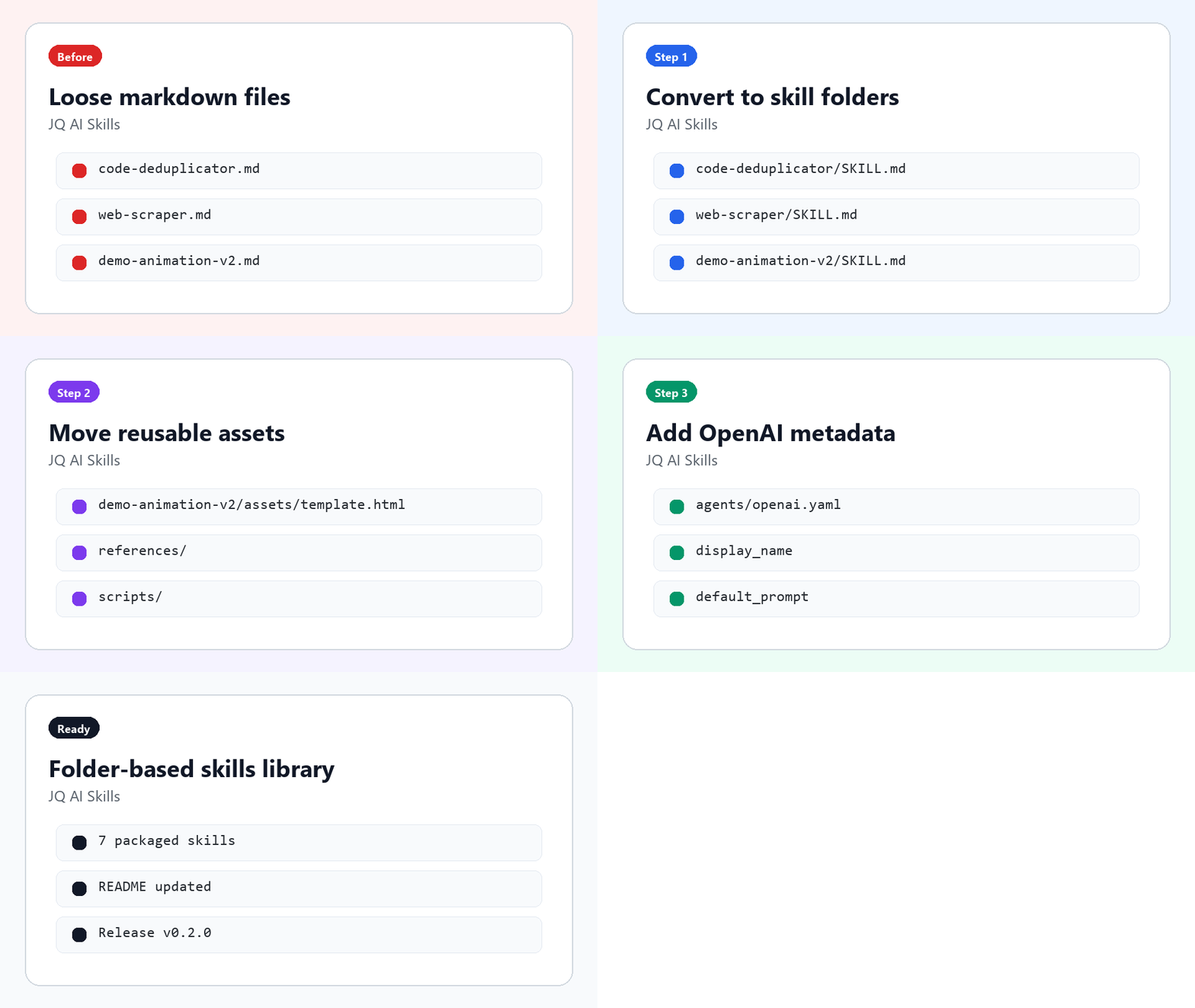
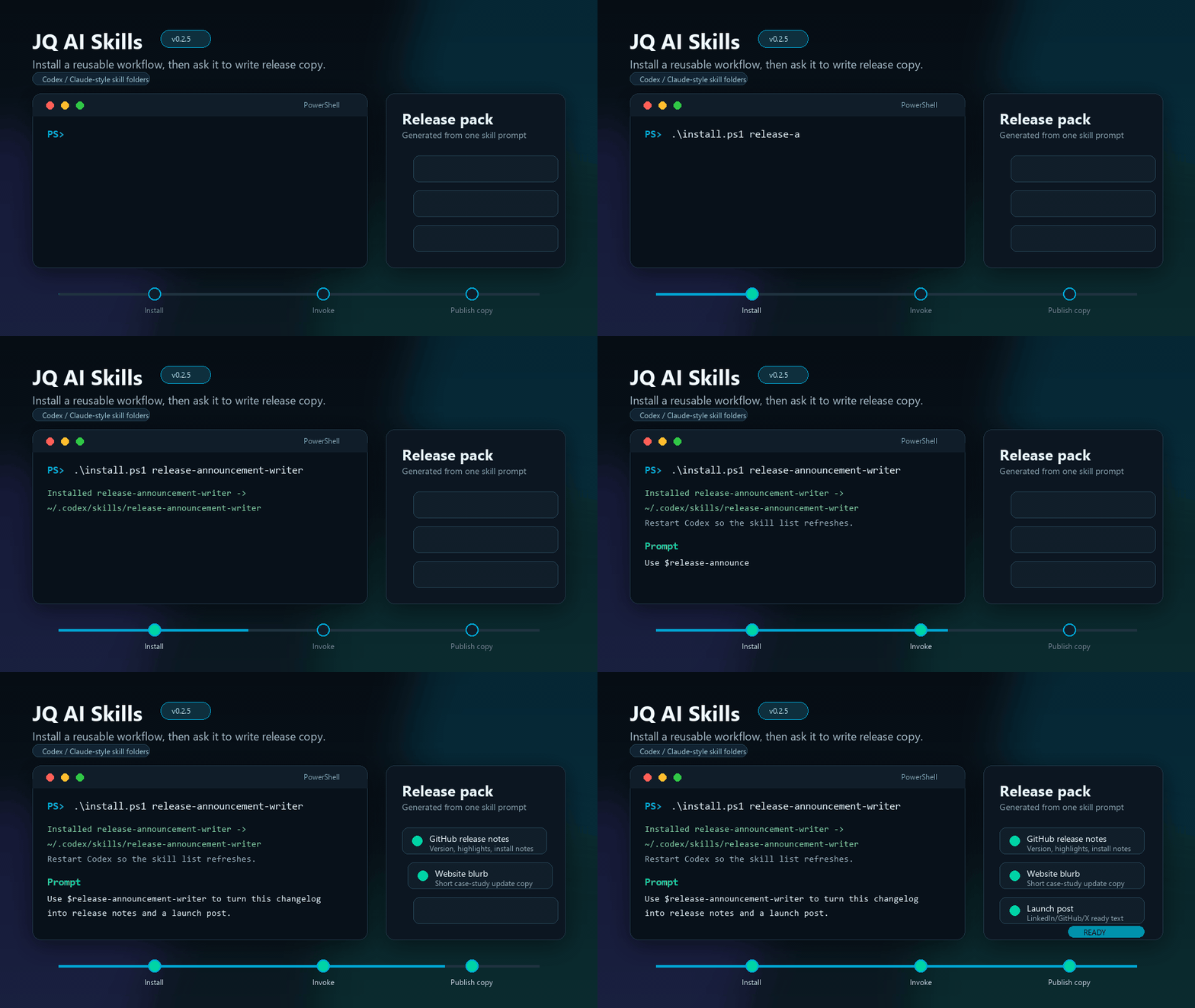
Launch Video
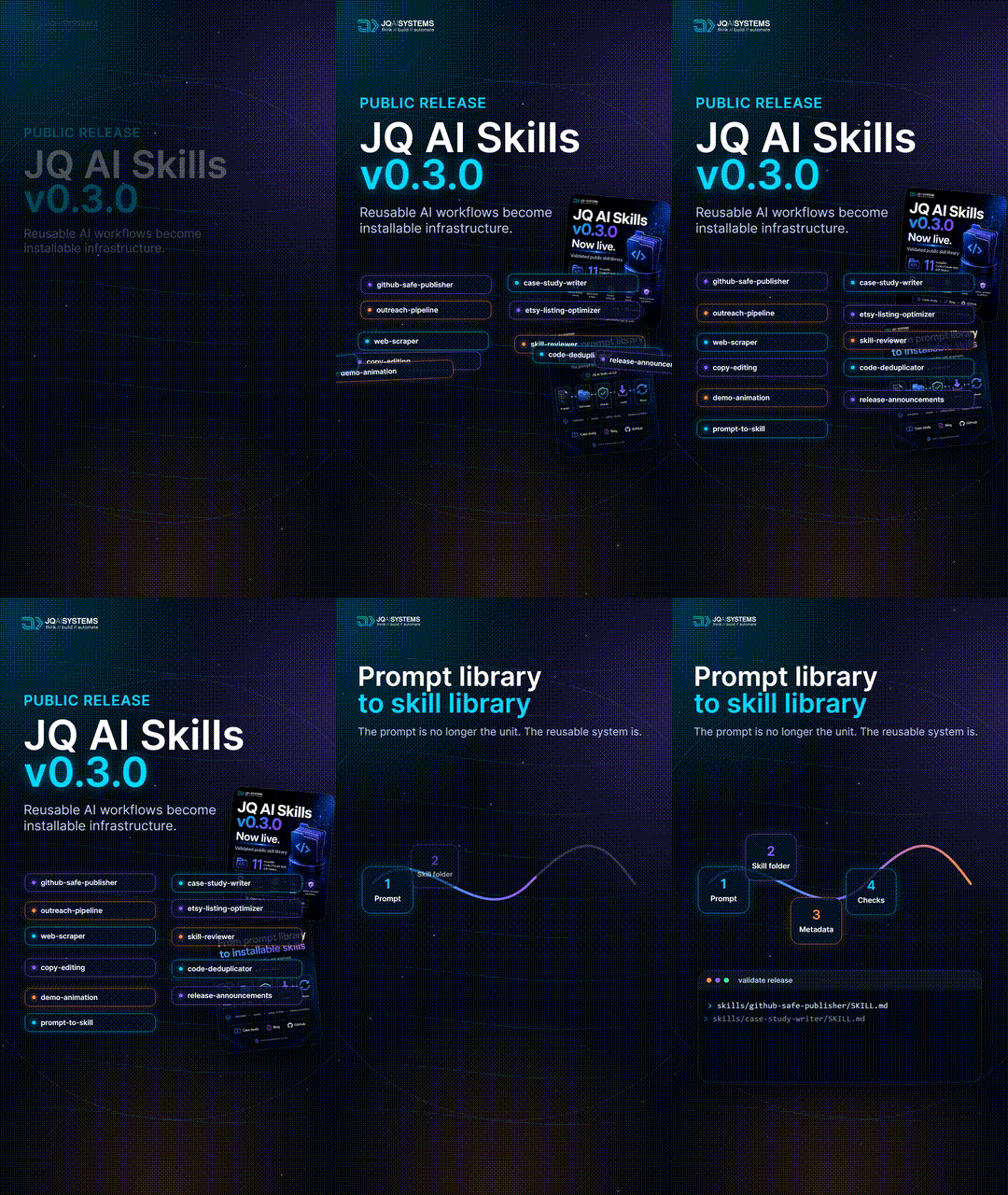
Watch the 30-second launch video with music.
The launch video is a promotional preview of the public skill library. Skill installation does not require these media assets.
Quick Start
If you are new here, start with one skill rather than installing everything:
| If your job is... | Install first | Why |
|---|---|---|
| Public-release safety review | github-safe-publisher |
Checks sensitive project material before public release. |
| Turning work into public proof | case-study-writer |
Converts private project context into a public-safe case study shape. |
| Announcing shipped work | release-announcement-writer |
Turns changelogs and diffs into release notes, website blurbs, and launch posts. |
| Reviewing third-party skills | skill-reviewer |
Audits skill instructions before you install them locally. |
For first-use help, use START_HERE.md, QUICK_REFERENCE.md, or the route picker in docs/examples/visitor-paths.md. For install details, use INSTALL.md, docs/guides/one-minute-install.md, and docs/guides/install-verification.md.
Install flow:
- Pick a skill folder from
skills/. - Copy the whole folder into your local skills directory, or use the install scripts below.
- Restart or reload your AI coding tool.
- Invoke the skill by name in your prompt.
Example prompts:
Use $github-safe-publisher to prepare this repo for a public release.
Use $case-study-writer to turn this private project summary into a public-safe case study.
Use $outreach-pipeline-designer to design a safe human-reviewed prospecting workflow.
Use $cold-outreach-writer to draft a cold email for this prospect from my research notes.
Use $lead-scorer to score this lead list against my rubric and rank it.
Use $etsy-listing-optimizer to audit and rewrite a marketplace listing safely.
Use $research-brief-curator to turn public links into a safe weekly research brief.
Use $verify-public-claims to check this public copy against the supplied evidence and flag unsupported claims.
Use $research-to-article to turn these sources into a traceable, publication-ready article package.
Use $write-evidence-backed-profile to draft this profile copy from the approved evidence pack.
Use $release-announcement-writer to turn this changelog into release notes and a launch post.
Use $github-profile-proof-updater to refresh my GitHub profile assets and prepare the proof trail.
Use $social-campaign-proof-tracker to turn this project update into LinkedIn/X copy, alt text, and follow-up notes.
Use $skill-reviewer to audit this downloaded skill before installing it.
Use $em-dash-remover to clean this landing page copy.
Use $code-deduplicator to consolidate repeated formatting helpers in this sample.
Use $brand-voice-linter to check this copy against our voice guide.
Use $php-form-mailer to make this contact form send email without a third-party service.
Use $client-intake-builder to create a branded intake questionnaire for this project.
Use $llms-txt-generator to create an llms.txt for this site.
Use $vault-janitor to scan this folder and report what is safe to clean.
Use $obsidian-daily-note to log this to today's daily note.
Use $idea-inbox to capture this idea into my ideas folder.
Use $demo-animation-v2 to create a responsive animated walkthrough.
Use $proposal-writer to draft a proposal for this client from my pricing config and their brief.
Use $follow-up-radar to scan my outreach folder and show me what follow-ups are overdue.
Use $client-workspace-scaffolder to set up a folder for my new client.
Use $discovery-brief to run discovery for this client project.
Use $implement-client-feedback to turn these revision notes into scoped changes and verify every item.
Use $client-delivery-auditor to audit this final package and draft a clear handoff.
Use $website-change-verifier to verify this website change across routes, rendering, metadata, and discovery surfaces.
Use $skill-builder to turn the workflow we just did into a reusable skill.
Use $session-handoff to wrap up this session into a START_HERE.md.
Use $agents-md-writer to register my local skills for both Claude Code and Codex.
Use $ops-status-report to generate this week's status snapshot of my workspace.
Use $screen-recorder to record a region of my screen.
Use $remove-ai-image-metadata to inspect these images, create verified clean copies, and report which explicit AI provenance metadata was removed.
Example Artifacts
Every skill ships with public-safe proof: fake-data samples, guides, and checklists a visitor can inspect before installing anything. The short list below covers the main entry points; everything else is one click away.
docs/examples/README.mdis the full index of public-safe samples, walkthroughs, workflow bundles, and first-run outputs.docs/examples/public-proof-index.mdgathers the install, safety, sample, system, and visual proof assets in one place.docs/catalog.mdis the complete catalog of all installable skills, recommended bundles, and safe install defaults.docs/skill-quality-matrix.mdcompares skill maturity, visible proof, safety sensitivity, and safest install notes.INSTALL.md,TROUBLESHOOTING.md, and the guides indocs/guides/cover install, verification, update, review, and first-skill selection routines.CHANGELOG.md,RELEASE_CHECKLIST.md,SECURITY.md,ROADMAP.md, andSUPPORT.mddocument how this repo is maintained and released.
Skill Folder Structure
Each skill is packaged as a self-contained folder:
skill-name/
  SKILL.md
  agents/
    openai.yaml
  assets/       optional templates, images, or reusable files
  references/   optional supporting docs
  scripts/      optional helper scripts
For a field-by-field walkthrough, use docs/guides/skill-anatomy.md. To create a new skill, copy skills/_template/ and replace the placeholder names, descriptions, and prompts.
Skills Included
Safety & Publishing
| Skill | File | Use |
|---|---|---|
| GitHub Safe Publisher | skills/github-safe-publisher/SKILL.md |
Prepare private work for public GitHub releases safely. |
| Skill Reviewer | skills/skill-reviewer/SKILL.md |
Review AI skill files or folders for dangerous behavior. |
| Local App to Public Demo | skills/local-app-public-demo/SKILL.md |
Freeze a local app into a static read-only public demo from the same codebase, with machine paths and private data verified gone. |
Public Proof
| Skill | File | Use |
|---|---|---|
| Case Study Writer | skills/case-study-writer/SKILL.md |
Turn private project work into public-safe case studies. |
| Release Announcement Writer | skills/release-announcement-writer/SKILL.md |
Turn changelogs and shipped changes into release notes, website blurbs, and launch posts. |
| GitHub Profile Proof Updater | skills/github-profile-proof-updater/SKILL.md |
Refresh GitHub profile visuals, preserve README paths, verify live rendering, and document proof trails. |
| Social Campaign Proof Tracker | skills/social-campaign-proof-tracker/SKILL.md |
Plan LinkedIn/X proof campaigns, alt text, published links, reply banks, and follow-up windows. |
Growth & Outreach
| Skill | File | Use |
|---|---|---|
| Outreach Pipeline Designer | skills/outreach-pipeline-designer/SKILL.md |
Design safe human-reviewed prospecting and outreach workflows. |
| Cold Outreach Writer | skills/cold-outreach-writer/SKILL.md |
Draft a personalised cold email, subject lines, LinkedIn note, and follow-up from research notes. |
| Lead Scorer | skills/lead-scorer/SKILL.md |
Rank a lead list into hot, warm, and cold tiers against your own rubric. |
| Follow-up Radar | skills/follow-up-radar/SKILL.md |
Find overdue outreach follow-ups in a folder of markdown and draft them, oldest first. |
| Etsy Listing Optimizer | skills/etsy-listing-optimizer/SKILL.md |
Audit, rewrite, batch, and monitor marketplace listings. |
Client Work
| Skill | File | Use |
|---|---|---|
| Client Workspace Scaffolder | skills/client-workspace-scaffolder/SKILL.md |
Scaffold a client project folder from your reusable structure template. |
| Discovery Brief | skills/discovery-brief/SKILL.md |
Run a discovery interview and write the brief plus a strategy starter. |
| Proposal Writer | skills/proposal-writer/SKILL.md |
Draft a client proposal from your own service tiers and terms. |
| Implement Client Feedback | skills/implement-client-feedback/SKILL.md |
Convert revision notes into scoped changes, protected exclusions, and verified results. |
| Client Delivery Auditor | skills/client-delivery-auditor/SKILL.md |
Audit promised deliverables and prepare a clear handoff plus an unsent delivery message. |
| Website Change Verifier | skills/website-change-verifier/SKILL.md |
Verify website changes across routes, rendering, metadata, discovery surfaces, and deployment state. |
Content & Research
| Skill | File | Use |
|---|---|---|
| Research Brief Curator | skills/research-brief-curator/SKILL.md |
Turn public links and notes into source-aware research briefs with review gates. |
| Verify Public Claims | skills/verify-public-claims/SKILL.md |
Classify public claims against current evidence and produce defensible rewrites. |
| Research to Article | skills/research-to-article/SKILL.md |
Turn sources into a claim map, finished article, metadata, Link Map, and verification notes. |
| Write Evidence-Backed Profile | skills/write-evidence-backed-profile/SKILL.md |
Draft bios, applications, and profile copy from approved evidence without invented claims. |
| llms.txt Generator | skills/llms-txt-generator/SKILL.md |
Generate a spec-compliant llms.txt map of a website for AI assistants. |
| Web Scraper | skills/web-scraper/SKILL.md |
Extract public page content safely into structured notes. |
| Em Dash Remover | skills/em-dash-remover/SKILL.md |
Clean one common AI-writing tell from copy. |
| Brand Voice Linter | skills/brand-voice-linter/SKILL.md |
Lint copy against a brand voice guide: buzzwords, hedging, superlatives, AI tells. |
Dev Workflow
| Skill | File | Use |
|---|---|---|
| Code Deduplicator | skills/code-deduplicator/SKILL.md |
Safely consolidate repeated code patterns. |
| PHP Form Mailer | skills/php-form-mailer/SKILL.md |
Wire any HTML form to a two-email PHP handler with no form SaaS. |
| Client Intake Builder | skills/client-intake-builder/SKILL.md |
Generate a branded single-file client intake questionnaire. |
| Vault Janitor | skills/vault-janitor/SKILL.md |
Find folder junk and report it with sizes; deletes only what you approve. |
Media & Provenance
| Skill | File | Use |
|---|---|---|
| Remove AI Image Metadata | skills/remove-ai-image-metadata/SKILL.md |
Inspect and remove explicit AI-generator or provenance metadata from authorized image files while preserving encoded picture data when the format permits. |
| AI Image Run Pacing | skills/ai-image-run-pacing/SKILL.md |
Run a batch of AI image generations without getting rate limited, losing subject likeness, or storing credentials. |
| Thumbnail Set Designer | skills/thumbnail-set-designer/SKILL.md |
Turn a title and hook into a set of genuinely different on-brand thumbnail prompts, with the traps that ruin AI thumbnails built in. |
| Thumbnail Legibility Check | skills/thumbnail-legibility-check/SKILL.md |
Judge thumbnail candidates at the size viewers actually see them, then rank them through pairwise duels. |
Notes & Productivity
| Skill | File | Use |
|---|---|---|
| Obsidian Daily Note | skills/obsidian-daily-note/SKILL.md |
Append to today's Obsidian daily note from the terminal. |
| Idea Inbox | skills/idea-inbox/SKILL.md |
Capture raw ideas as dated, tagged, indexed markdown files. |
| Ops Status Report | skills/ops-status-report/SKILL.md |
Compile a workspace status snapshot with an Attention Needed section. |
Agent Workflow
| Skill | File | Use |
|---|---|---|
| Skill Builder | skills/skill-builder/SKILL.md |
Author a new skill with the right storage tier, template, and registration. |
| Session Handoff | skills/session-handoff/SKILL.md |
Freeze session state into a start-here doc for instant resume. |
| AGENTS.md Writer | skills/agents-md-writer/SKILL.md |
Generate the AGENTS.md and CLAUDE.md contract that shares skills across agents. |
Demo & Presentation
| Skill | File | Use |
|---|---|---|
| Demo Animation | skills/demo-animation/SKILL.md |
Build legacy desktop-oriented product/demo walkthroughs. |
| Demo Animation V2 | skills/demo-animation-v2/SKILL.md |
Build recommended responsive demo walkthroughs. Includes assets/template.html. |
| Screen Recorder | skills/screen-recorder/SKILL.md |
Record a drag-selected region of the Windows desktop to a clean MP4 (FFmpeg). |
Which Skill Should I Use?
For the fastest guided install, see docs/guides/one-minute-install.md. To score the safest first install, see docs/guides/first-skill-scorecard.md. To prove the full first-install path, see docs/examples/first-install-proof.md. To run the selected skill with fake input, see docs/examples/first-skill-walkthrough.md, the first-skill candidate pack, and its expected review. For the detailed visitor guide, see docs/guides/skill-selection.md. To understand the folder contract, see docs/guides/skill-anatomy.md. To review an unfamiliar skill before install, see docs/guides/skill-review-checklist.md. For the complete catalog, see docs/catalog.md.
| If you want to... | Start with |
|---|---|
| Publish private work without leaking secrets | github-safe-publisher |
| Turn internal work into client-readable proof | case-study-writer |
| Design a review-first sales or prospecting workflow | outreach-pipeline-designer |
| Draft a personalised cold email from research notes | cold-outreach-writer |
| Decide which leads to contact first | lead-scorer |
| Improve a marketplace listing safely | etsy-listing-optimizer |
| Turn public links into a reviewed research brief | research-brief-curator |
| Check whether public claims match the evidence | verify-public-claims |
| Turn verified sources into a finished article package | research-to-article |
| Write a bio or application from approved evidence | write-evidence-backed-profile |
| Package release notes or a launch post | release-announcement-writer |
| Refresh a GitHub profile as a public proof layer | github-profile-proof-updater |
| Track a LinkedIn/X proof campaign after publishing | social-campaign-proof-tracker |
| Review a downloaded skill before installing it | skill-reviewer |
| Extract structured data from public pages | web-scraper |
| Clean AI-ish punctuation from copy | em-dash-remover |
| Enforce a full brand voice guide on copy | brand-voice-linter |
| Reduce repeated code patterns | code-deduplicator |
| Make a static-site form send email without a service | php-form-mailer |
| Onboard clients with a branded questionnaire | client-intake-builder |
| Make a website readable and citable by AI assistants | llms-txt-generator |
| Find out what is eating a folder's disk space | vault-janitor |
| Log work and thoughts to an Obsidian daily note | obsidian-daily-note |
| Capture ideas without losing them in the repo root | idea-inbox |
| Build a responsive walkthrough demo | demo-animation-v2 |
| Build a legacy desktop-only walkthrough demo | demo-animation |
| Draft a client proposal from your own price tiers | proposal-writer |
| Find and draft the follow-ups you forgot | follow-up-radar |
| Set up a new client folder in seconds | client-workspace-scaffolder |
| Run project discovery and write the brief | discovery-brief |
| Turn revision notes into scoped, verified changes | implement-client-feedback |
| Audit a final delivery package before sending | client-delivery-auditor |
| Verify a website change across every affected surface | website-change-verifier |
| Turn a workflow into a reusable skill | skill-builder |
| Resume tomorrow where you stopped today | session-handoff |
| Share one skill set between Claude Code and Codex | agents-md-writer |
| Get a weekly status snapshot of a workspace | ops-status-report |
| Record a region of the Windows desktop to MP4 | screen-recorder |
Why This Matters
The skills repo is the technical credibility layer behind the client-facing systems. It shows how JQ AI SYSTEMS packages repeatable AI workflows into reusable instructions, review steps, and safety checks instead of relying on one-off prompts.
Installation
For the short command reference, see INSTALL.md. After installing, confirm the setup with docs/guides/install-verification.md. If a skill does not show up after install, see TROUBLESHOOTING.md.
For Claude Code/Codex-style local skills:
- Create a local skills folder if you do not already have one.
- Copy the selected skill folder from
skills/. - Place the whole folder in your local skills directory.
- Restart or reload your AI coding tool if needed.
- Ask the tool to use the skill by name.
Only install skills you understand. Review the instructions before using them on private projects.
Codex Install
Copy a whole skill folder into your Codex skills directory, then restart Codex so the skill list reloads.
Fast install from this repo:
Windows PowerShell:
.\install.ps1 github-safe-publisher
.\install.ps1 case-study-writer
.\install.ps1 outreach-pipeline-designer
.\install.ps1 etsy-listing-optimizer
.\install.ps1 research-brief-curator
.\install.ps1 -All
macOS/Linux:
chmod +x ./install.sh
./install.sh github-safe-publisher
./install.sh case-study-writer
./install.sh outreach-pipeline-designer
./install.sh etsy-listing-optimizer
./install.sh research-brief-curator
./install.sh --all
List available skills:
.\install.ps1 -List
./install.sh --list
Manual install:
Windows PowerShell:
New-Item -ItemType Directory -Force "$env:USERPROFILE\.codex\skills" | Out-Null
Copy-Item -Recurse -Force ".\skills\web-scraper" "$env:USERPROFILE\.codex\skills\web-scraper"
macOS/Linux:
mkdir -p ~/.codex/skills
cp -R ./skills/web-scraper ~/.codex/skills/web-scraper
Then invoke it by name:
Use $web-scraper to build a browser console scraper for this public paginated website.
Contributing
Use CONTRIBUTING.md for the expected folder format, metadata requirements, safety rules, and pre-submission checklist. For a public-safe proposal shape, use docs/examples/skill-request-example.md.
Safety Notes
- These files are instructions, not secrets.
- Do not paste sensitive keys, sign-in material, customer records, account exports, or unreleased project notes into prompts unless you fully understand where they will go.
- Use
SECURITY.mdfor responsible-use rules and sensitive issue reporting. - The
skill-reviewerskill exists to help inspect third-party skill files before installing them. - Use
docs/guides/skill-review-checklist.mdbefore installing unfamiliar or modified skill folders. - Run new skills on a test folder before using them in production work.
License
Released under the MIT License.
More systems and case studies: ai.joaoqueiros.com/systems
Want a custom workflow built around your team? Start here: ai.joaoqueiros.com/contact
No comments yet
Be the first to share your take.