
Image Prompt Skills for Claude Code





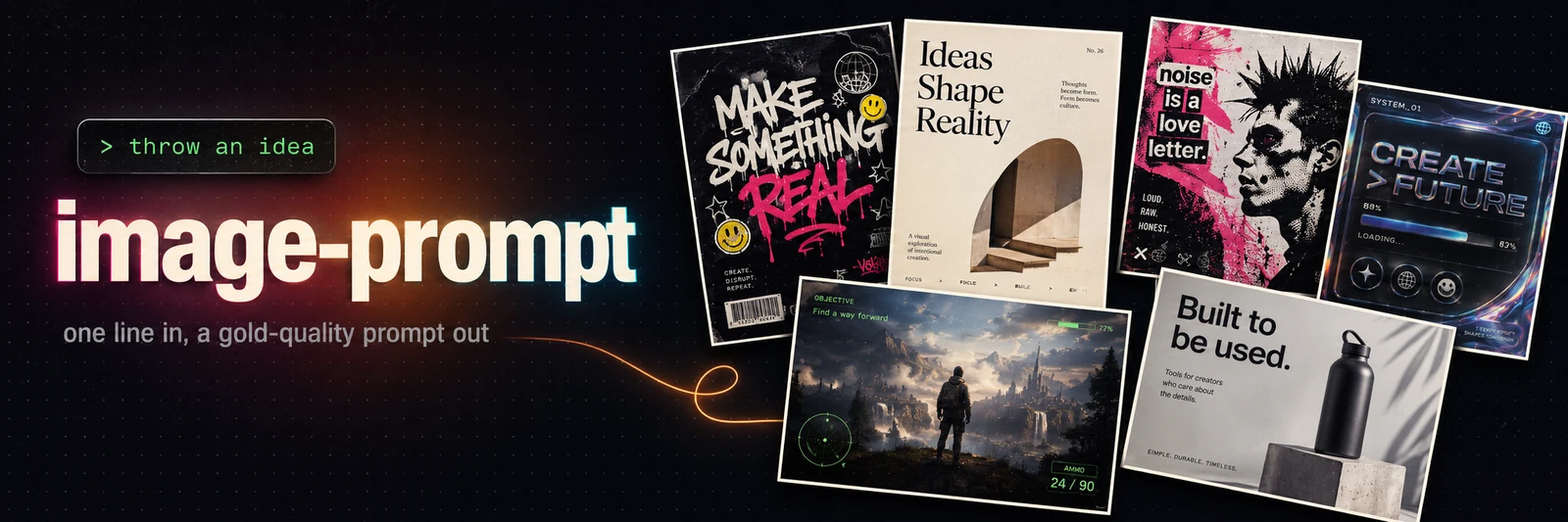
One line in, a gold-quality image prompt out. image-prompt turns a short idea into a
structured, copy-paste-ready prompt for any major image model: posters, landing and UI mockups,
ads, editorial, game art, logos, infographics. You supply the idea; the skill builds the whole
prompt. Press c to copy.
No prompt-engineering required.
Highlights
- Nine-block layered prompts — named composition zones, hex palette, real font references, mood, finish, and IP-safety. The pattern behind gold-tier prompts.
- Nine archetypes — poster, landing hero, product ad, UI mockup, photoreal scene, game screenshot, infographic, logo, illustration.
- Eight model adapters — the same idea renders correctly per model, each distilled from the model's best available prompting docs.
- Style menu — say "help me with the style" and pick from a built-in repertoire.
- Private style presets — save a look you love and reuse it on any idea; share it as a
portable
imgpreset:v1:…code. - Edit / remix mode — identity-preserving posters, style transfer, background swap, product-on-white, text localization.
- Optional generation — opt-in: render the PNG through a provider API.
Install
Claude Code, plugin marketplace (recommended)
/plugin marketplace add veryCoolTimo/imagegen-skills
/plugin install imagegen-skills@imagegen
Claude Code, manual (clone + symlink)
git clone [email protected]:veryCoolTimo/imagegen-skills.git
cd imagegen-skills
ln -s "$(pwd)/skills/image-prompt" ~/.claude/skills/image-prompt
Restart Claude Code so it discovers the skill. It also works on claude.ai and Claude Desktop: import the repository from the Skills panel. The skill produces text only, so no keys or dependencies are needed (generation is a separate opt-in, see below).
Usage
Describe what you want, in any language:
сделай крутой промт для постера панк-выставки в Берлине, лимитированный тираж
landing hero for a specialty coffee delivery app, warm and minimal
game screenshot of a viking longship raid at dawn, AAA fidelity, for Midjourney
инфографика про наш продукт, в стиле антропик, через nano banana pro
I want a poster — help me with the style
put me on a movie one-sheet as an aquatic superhero (I'll attach my photo)
You get the finished prompt in a copyable block plus a one-line assumptions note (archetype, size, quality, brand, model). Redirect with a single sentence: "make it 9:16", "darker palette", "another variant".
Models
Default target is gpt-image-2. The core builder is model-agnostic: each model is one adapter
file under references/models/, so the same idea renders correctly per target. Just name a
model and the skill switches adapters.
| Model | Best for |
|---|---|
| gpt-image-2 (default; + gpt-image-1 / 1.5) | all-round #1: quality, editing, text, photoreal |
| Nano Banana Pro (Gemini 3 Pro Image) | best legible text, up to 4K, factual infographics (Search grounding) |
| Midjourney V8.1 / V7 | aesthetics, creative posters |
| FLUX.2 | open / local, hex + typography + editing |
| Recraft V4 Pro | brand / typography / vector / logos, editable SVG |
| Ideogram v4 | in-image text specialist |
| Reve 2.0 | prompt adherence + layout / element editing |
| universal | rich natural-language prompt for any / unknown tool |
Style presets and sharing
Found a look you love? Save it as a private preset and reuse it on any future idea.
save this style as neon-noir
A preset captures the style layer only (background, palette, fonts, motifs, mood, finish);
content still comes from each new idea. Presets live per-user at
~/.claude/image-prompt/presets/<name>.md, private to your machine and never committed. Reuse:
a poster for a coffee shop, in the neon-noir style
Share a preset with anyone, no hosting or accounts: export preset neon-noir returns a
self-contained imgpreset:v1:… code (gzip + base64). Whoever runs import preset <code> gets
the exact preset. Manage with "list my presets", "update", "delete".
Optional: generate the image
By default the skill only writes the prompt. If you ask it to generate and a provider API
key is set, it renders the PNG via scripts/generate.py and saves it into the project.
Supported providers (key in an env var, never committed):
openai · openrouter (universal — one key, many models) · gemini (Nano Banana Pro) ·
ideogram · recraft · bfl (FLUX.2) · reve. Midjourney has no API, so it stays prompt-only.
python3 scripts/generate.py --provider openrouter --prompt-file prompt.txt \
    --model google/gemini-3-pro-image --aspect 16:9 --resolution 2K --out out.png
Generation is opt-in and paid; the skill confirms before spending.
How it works
idea → detect archetype → expand to the nine blocks → format for the target model → output
The nine blocks: concept line · canvas and background · named composition zones · subject detail · typography (literal copy + real fonts) · hex palette · font role map · mood cluster · finish and quality tag. Photoreal and game-screenshot ideas use a labeled-block variant (scene, subject, lighting, camera, HUD, technical). Each model adapter changes only the rendering, not the content.
Project structure
imagegen-skills/
├── README.md
├── LICENSE                          # MIT
├── .claude-plugin/                  # plugin.json + marketplace.json (powers the marketplace install)
├── assets/                          # banner + the prompt used to make it
├── scripts/generate.py             # optional: render a prompt via a provider API (opt-in)
└── skills/image-prompt/
    ├── SKILL.md                    # trigger, workflow, presets, style menu, edit, output
    └── references/
        ├── anatomy.md              # the nine-block skeleton
        ├── archetypes.md           # templates + default size/quality per archetype
        ├── fonts-palettes.md       # font library by vibe + hex palette discipline
        ├── styles.md               # built-in style menu (repertoire to pick from)
        ├── edit-remix.md           # edit/remix workflow templates
        ├── generation.md           # how the optional generate step calls provider APIs
        ├── gold-examples.md        # curated reference prompts, grows over time
        └── models/                 # one adapter per model (distilled from each model's best docs)
            ├── gpt-image-2.md      # + gpt-image-1 / 1.5 family
            ├── gemini.md           # Nano Banana Pro (Gemini 3 Pro Image)
            ├── midjourney.md
            ├── flux.md
            ├── recraft.md
            ├── ideogram.md
            ├── reve.md
            └── universal.md
Private, per-user data (style presets, your UI reference library) lives under
~/.claude/image-prompt/ and is never committed.
Extending
- New favourite prompt: add it to
references/gold-examples.mdwith aTeaches:tag. - New model: add
references/models/<name>.md; the workflow stays unchanged. - New style: add it to
references/styles.md, or save a private preset and share the code.
License
MIT
No comments yet
Be the first to share your take.