
Status: pre-1.0. Hecate is useful today as an AI workspace for model-provider routing, Hecate Chat, External Agent sessions, project-scoped work, approvals, artifacts, usage, and observability. It is not production-stable infrastructure yet: the bounded report-only QA runbook is available, while broader workflow modes, browser typing and visual capture, richer Agent Presets, and sandbox hardening are still evolving work. Read known limitations before depending on it.
Contents
- What Hecate Is
- Positioning
- System Shape
- Current Capabilities
- Quick Start
- Use The Console
- Project, Context, And Memory Flow
- Architecture And Docs
- Status And Roadmap
- Contributing
- License
What Hecate Is
Hecate is an AI workspace and runtime for people who want one place for projects, chats, model providers, memory, approvals, and supervised agent work. It gives you a product surface to talk to models, run Hecate-native agent tasks, supervise external agent CLIs, inspect project context, approve risky actions, collect evidence, and see what happened after the run.
The open-source runtime can run as a desktop app, from source, in Docker, or behind an access layer for personal remote use. In the default desktop/source setup, Hecate-owned state is stored locally and the gateway binds to loopback; hosted deployments provide their own access-control and storage boundary.
Hecate is not trying to be the only agent framework in your stack. It is the place where agents, agent frameworks, model calls, local tools, and project coordination become visible and controllable by the operator.
The short version:
- Gateway: one local API for OpenAI-compatible Chat Completions, Anthropic-shaped Messages, model discovery, failover, rate limits, provider health, and usage visibility.
- Console: a React operator UI for Chats, Connections, Tasks, Projects, Usage, Observability, and Settings.
- Native runtime: queued task runs, tool-calling
agent_loop, approvals, per-call sandbox policy, artifacts, retries, resumes, and event streams. - External Agent supervision: long-lived local ACP sessions for coding-agent CLIs, with passive discovery, fresh ACP session setup, first-message vendor readiness, optional diagnostics, approvals, and Git diff review.
- ACP agent: a local stdio endpoint that lets an ACP-capable editor use Hecate's native task runtime without bypassing its policy or evidence trail.
- Agent orchestration: project work, roles, assignments, handoffs, review artifacts, activity health, context snapshots, memory candidates, and operator-gated follow-up.
- Evidence: traces, route reports, task artifacts, diffs, logs, screenshots where available, and final run output close to the decision that produced it.
The product goal is not just to make model calls. It is to give you a single place to coordinate personal and project-scoped agent work and understand what is happening, what context it used, what it changed, what it cost, what needs approval, and where the evidence lives.
Positioning
Hecate sits beside agent frameworks and agent CLIs rather than replacing all of them.
| Question | Hecate answer |
|---|---|
| Is Hecate a personal assistant? | It can be the runtime and memory base for one, but it stays grounded in visible chats, projects, tools, approvals, and evidence rather than a hidden bot. |
| Is Hecate an agent? | It includes a native task agent loop, but Hecate itself is the operator console and runtime boundary around agent work, not a single autonomous persona. |
| Is Hecate an orchestrator? | Yes, when it coordinates projects, assignments, native tasks, external-agent sessions, approvals, handoffs, and reviews. The operator remains in control. |
| Is Hecate an agent framework? | Not primarily. Hecate exposes APIs and runtime contracts, but it does not require teams to rewrite their agents into a Hecate SDK. |
| Is Hecate a model gateway? | Yes, but the gateway is one subsystem. It exists so chats, tasks, external tools, and compatible clients share routing, policy, usage, and observability. |
| Is Hecate a project-management tool? | No. Projects are a coordination graph for AI work: context, assignments, evidence, memory candidates, reviews, handoffs, and runtime links. |
| Is this Hecate Cloud? | No. This repo is the open-source Hecate runtime and app. Hecate Cloud is the separate hosted deployment and remote-access product at hecatehq.com. |
The practical model is:
operator
  -> Hecate console / runtime control plane
    -> model gateway
    -> Hecate-native task agent loop
    -> supervised external agent CLIs
    -> portable project coordination state
    -> approvals, artifacts, traces, and review evidence
That makes Hecate useful whether the work is done by Hecate's own task runtime,
an external coding-agent CLI, a local app using /v1, or a future agent system
that claims project assignments through a portable coordination server.
System Shape
flowchart LR
    Operator["Operator"] --> Console["Browser / desktop console<br/>served by Hecate"]
    APIClients["Compatible API clients<br/>SDKs · tools · local apps"]
    ACPClients["ACP-capable editors / clients"]
    ACPBridge["hecate acp serve<br/>local stdio bridge"]

    subgraph HecateProcess["Local Hecate runtime process"]
        direction LR
        HTTP["Loopback HTTP server<br/>embedded UI assets<br/>/v1 · /hecate/v1"]
        Gateway["Model gateway<br/>routing · failover · usage"]
        TaskRuntime["Hecate task runtime<br/>queue · agent_loop<br/>retry/resume"]
        AgentSupervisor["External Agent supervisor<br/>ACP sessions · diagnostics"]
        State["Local state<br/>chats · tasks · settings<br/>runtime overlays"]
        Projects["Portable project coordination<br/>embedded Cairnline"]
        Evidence["Evidence + observability<br/>approvals · artifacts · events<br/>route reports · trace export"]

        HTTP --> Gateway
        HTTP --> TaskRuntime
        HTTP --> AgentSupervisor
        HTTP --> State
        HTTP --> Projects
        Gateway --> Evidence
        TaskRuntime --> Evidence
        AgentSupervisor --> Evidence
        Projects --> Evidence
        State --> Evidence
    end

    Providers["Cloud + local model providers"]
    Tools["Sandboxed workspace tools<br/>WorkspaceFS · ProcessRunner · GitRunner"]
    ExternalCLIs["Vendor agent CLIs / frameworks<br/>operator-installed or runtime-image supplied<br/>own accounts · own runtime"]

    Console --> HTTP
    APIClients --> HTTP
    ACPClients --> ACPBridge
    ACPBridge --> HTTP
    Gateway --> Providers
    TaskRuntime --> Tools
    AgentSupervisor --> ExternalCLIs
The runtime is deliberately boring in the good way: request handling, routing, task execution, approvals, artifacts, and telemetry are all ordinary subsystems with memory, SQLite, and Postgres storage parity where persistence matters.
Current Capabilities
| Surface | What works today |
|---|---|
| Model gateway | OpenAI-compatible Chat Completions, Anthropic-shaped Messages, streaming, vision, model discovery, provider health, failover, retry, usage events, and custom OpenAI-compatible endpoints. |
| Connections | Cloud presets plus Ollama, LM Studio, LocalAI, llama.cpp-compatible servers, local discovery, health checks, credentials, dictation-route readiness, external-agent availability and optional diagnostics, and durable approval grants. |
| Chats | Provider-routed dictation, client-side read aloud through browser-reported local voices, Hecate turns with image attachments, External Agent turns with arbitrary file inputs, Hecate Chat selection of a frozen named runtime preset, tools-on task-backed turns with managed-workspace or current-folder execution, queued prompts, task/run/trace links, inline approvals, inline MCP Apps views, context packet snapshots, project-aware history, and workspace changes with rich per-file diffs. |
| Projects | Cairnline-backed project identity, roots, context and skill metadata, roles, work items, assignments, handoffs, project memory, review artifacts, and memory candidates, presented through Hecate's native operator cockpit and execution links. |
| Tasks | Native agent_loop Runs, one-time and cron Schedules with durable occurrence history, queue/lease execution, blocking approvals, streamed activity, artifacts, retry/resume, stale-Run recovery, MCP tool/App integration, MCP probe, MCP registry discovery, and a built-in report-only qa workflow that records its read-only contract and clearly labels agent-reported findings separately from Hecate-observed posture/evidence. |
| Browser tools | Optional local tools for native project-assignment Tasks. browser_inspect captures script-disabled static text; independent browser_flow runs one approved exact-origin sequence of 1–6 accessibility click/wait actions with scripts enabled. Every call uses a fresh process/profile and bounded text evidence. No typing, uploads, downloads, screenshots, reusable saved browser state, Hecate Chat, External Agents, or remote runtime. Private-IP controls apply per call. See the contract. |
| External Agent | Supervised local ACP sessions for Codex, Claude Code, Cursor Agent, and Grok Build, including file inputs, passive executable discovery, fresh session handshakes, prompt-time vendor readiness, optional version/auth diagnostics, prompt-first approvals, cancellation, and Git diff inspect/revert. External agents keep their own accounts/billing. |
| ACP agent | hecate acp serve exposes Hecate's native agent_loop to local ACP-capable editors and clients. Text prompts map to durable tasks and runs; Hecate retains provider routing, policy, approvals, artifacts, and observability. See the ACP agent contract. |
| Observability | OpenTelemetry traces/metrics/logs, response trace headers, local trace view, route reports, runtime stats, timing, token usage, and provider-reported cost where available. |
| Desktop app | Native bundles run the Hecate runtime as a sidecar. macOS Apple Silicon is launch-tested; Linux and Windows bundles are CI-built but still experimental. |
| Mobile companion | Source-buildable iOS and Android apps sign in through Hecate Cloud, list hosted/desktop connections, and open the selected remote-safe Hecate UI in-app. They do not run agents or a local Hecate sidecar on the phone. See current limits and build steps. |
| Sandbox policy | WorkspaceFS boundaries, ProcessRunner/GitRunner seams, env sanitisation, output caps, timeouts, and bwrap / sandbox-exec wrappers where available. This is not container-level isolation. |
Design direction that is not yet a runtime contract:
- Named workflow modes beyond the available report-only
qaslice:review,investigate,ship,security-audit, anddesign-review. - Browser typing, visual capture, retained sessions, and broader browser-backed QA beyond the narrow approved accessibility-flow slice.
- Richer Agent Presets and preset workflows.
- Broader context-window management and external memory provider selection.
- A first-class workflow/runbook API if the report-only QA experiment proves valuable.
Quick Start
Choose the path that matches how you want to run Hecate.
| Path | Best for |
|---|---|
| Desktop app | Personal Hecate on your laptop. No Docker required. macOS is the most-tested path; Linux/Windows bundles are experimental. |
| Docker | Local container, scripted local deploys, and Linux/Windows alpha use today. |
| From source | Contributors and local development. |
| Hecate Cloud | Hosted Hecate plus authenticated browser access to a running Hecate desktop app. |
Desktop app
Download the current alpha from hecate.sh or from the versioned GitHub Release assets below:
| Platform | Bundle |
|---|---|
| macOS (Apple Silicon) | Hecate_0.7.0_aarch64.dmg |
| Linux x86_64 | Hecate_0.7.0_amd64.deb or Hecate_0.7.0_amd64.AppImage |
| Windows x86_64 | Hecate_0.7.0_x64_en-US.msi |
Open the bundle and launch Hecate. The app starts the bundled runtime on a private loopback port, waits for it to become healthy, and opens the operator UI automatically. State lives in the platform data dir:
- macOS:
~/Library/Application Support/sh.hecate.app/ - Windows:
%APPDATA%\sh.hecate.app\ - Linux:
~/.local/share/sh.hecate.app/
Open Settings → Hecate Cloud to sign in once, then use Open another
Hecate to start or open a controllable instance in an isolated app window.
The picker shows reachable remote-access computers plus hosted runtimes that
are online, starting, or startable; stale and disabled computer registrations
stay hidden. Account sign-in does not expose this computer: enable the separate
Remote access toggle only when you want phones, browsers, or other desktop
apps to reach its local runtime. Installing the hec CLI is not required.
Remote chats and tasks continue to execute on the selected runtime; Hecate does
not migrate its work or unlock that runtime's local-only actions.
macOS release bundles are signed and notarized. Linux and Windows bundles are published by CI but have not yet had the same manual launch coverage. The desktop status, updater behavior, signing notes, and footguns live in Desktop app.
Docker
docker run --rm -p 127.0.0.1:8765:8765 -v hecate-data:/data \
  ghcr.io/hecatehq/hecate:0.7.0
Open http://127.0.0.1:8765.
The container intentionally publishes only on 127.0.0.1. If you bind it
beyond loopback, put your own access control, firewall, or reverse proxy in
front. See Security for the current threat model.
Pinned image tags, binary tarballs, checksums, compose examples, storage notes, and lost-token recovery live in Deployment.
From source
just dev
Local development requires Go, Bun, and the repo toolchain described in
Development. First-run environment knobs live
in .env.example.
Use The Console
Add a provider
On first boot, Chats is available immediately. If Hecate detects a local runtime such as Ollama or LM Studio, the first-run card can add it in one click. For manual setup, open Connections -> Add provider.
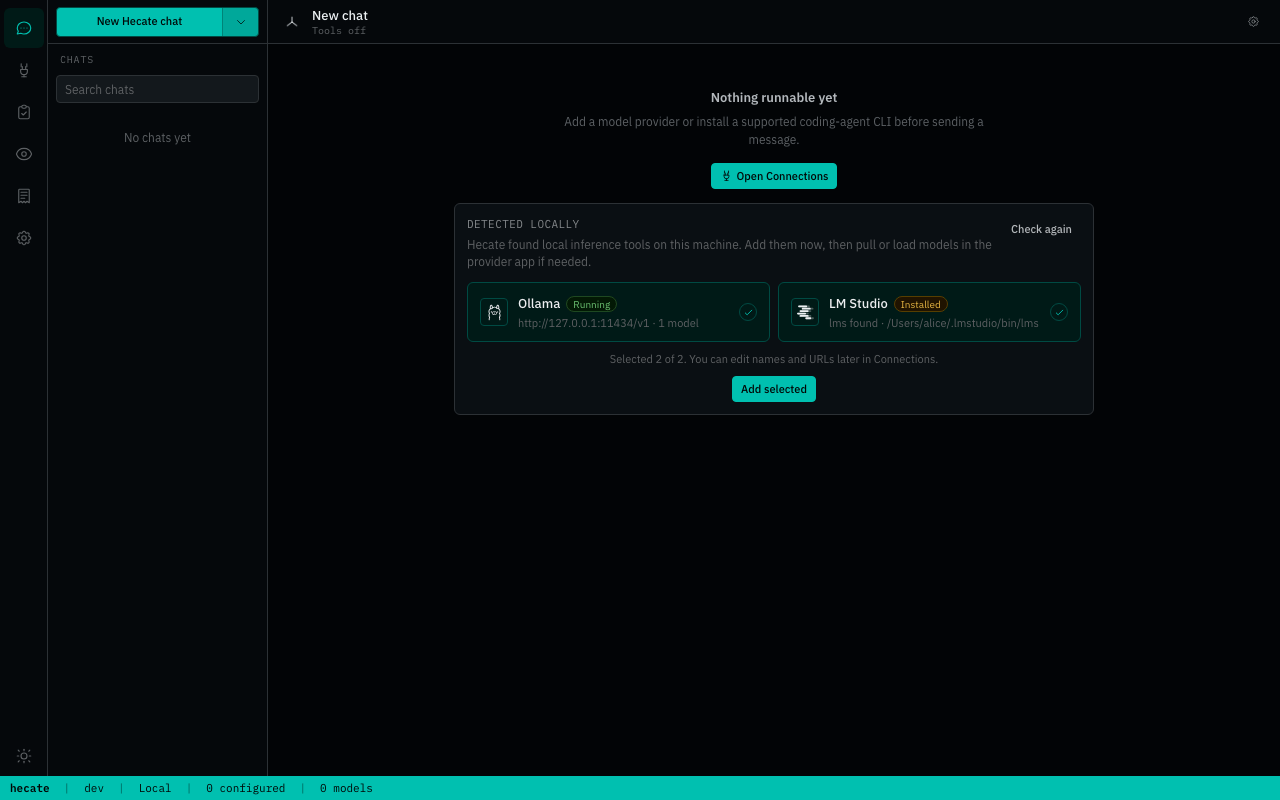
Cloud providers need an API key. Local providers need a running local server URL, usually the preset default. Custom OpenAI-compatible endpoints can be added from the same modal when the preset catalog is not enough.
After a provider is saved, Hecate discovers models and the Chats picker becomes routable. The full provider catalog, env bootstrapping, custom-endpoint walk-through, and credential rotation live in Providers.
Chat with or without tools
Hecate Chat keeps direct model turns and tools-on task-backed turns in one transcript. Tools off sends through the gateway. Tools on uses the task runtime with approvals, artifacts, sandbox policy, and traces.
Before task-backed work starts, chat settings choose Managed workspace or Current folder. Managed execution works in a separate Hecate-owned workspace and leaves the selected source folder untouched; Current folder lets tools edit the selected working tree directly. Hecate snapshots that posture onto the backing task and locks it after the first task-backed segment so the chat cannot silently switch execution boundaries.
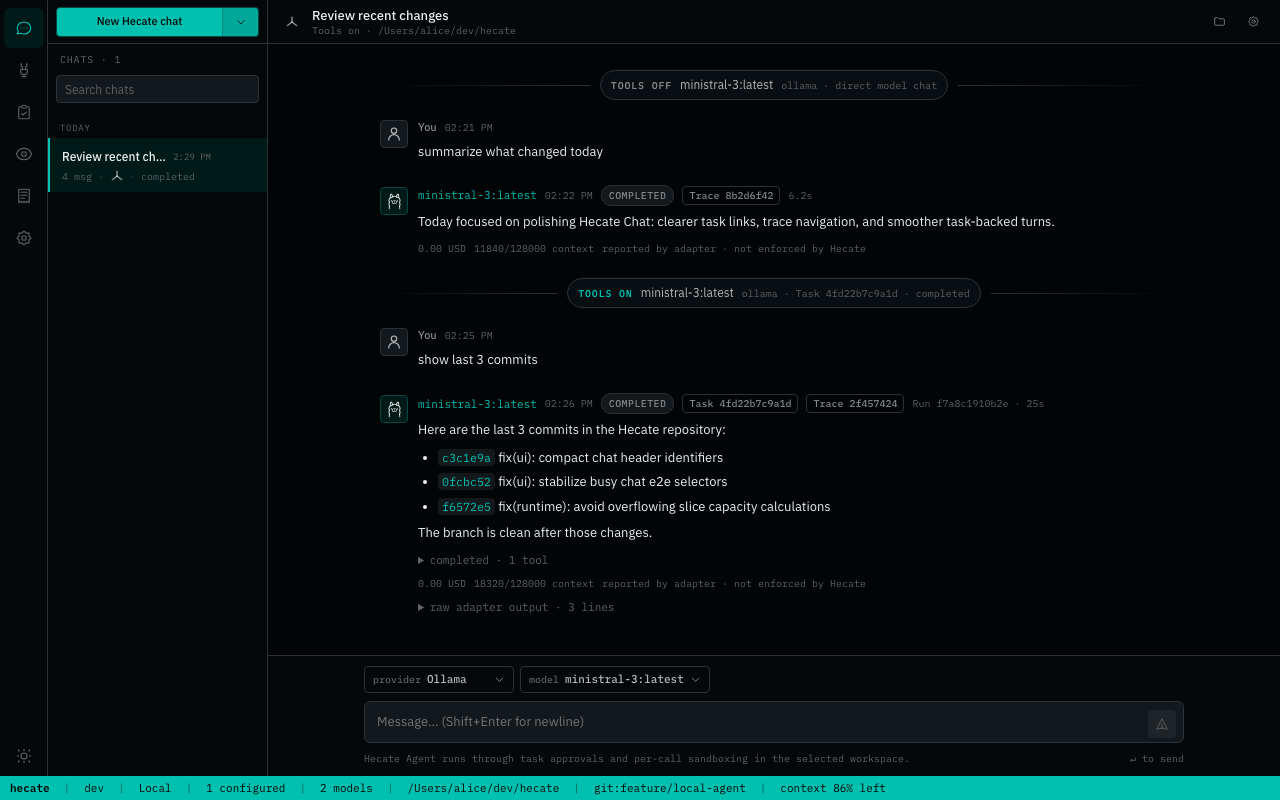
If the selected model cannot call tools, Hecate keeps the chat usable as direct model chat and makes the tools-unavailable state visible.
Image-capable models accept PNG, JPEG, and WebP attachments with tools on or
off, by picker, drag-and-drop, or paste. Hecate stores the image body outside the
transcript, loads its preview through the normal Hecate-native API path
(including the runtime-token header when that optional guard is configured),
and sends it only through an explicitly image-capable provider route.
Image-bearing requests may retry on that exact provider generation but never
fail over or follow a same-name replacement. Tools-on turns hydrate images from
an opaque run input reference immediately before the agent loop starts; task
conversation artifacts retain an omission marker, never the binary body. Image
blocks and remote image URLs are not persisted in those artifacts. Same-input
resume and retry runs rehydrate through the opaque reference. At the final
provider-dispatch boundary, Hecate atomically records the exact resolved route
on the run before provider I/O, so a worker restart cannot Auto-route the image
elsewhere; the first model may be policy-rewritten, then every later model call
stays on that same route and instance. This private may-disclose fence is
distinct from the transcript marker, which is set only after a dispatched
provider call reports its route. A pre-dispatch failure does not mark the
transcript as having disclosed the image. Image drafts never enter the local busy-message queue, and
the UI keeps submitted in-memory File values owned by their turn until it
settles.
External Agent chats accept up to four non-empty files of any type, with the same 5 MiB per-file and 12 MiB per-message limits. Hecate resolves those inputs through the live ACP session: it uses supported inline image or embedded resource forms when available and otherwise supplies a private staged resource link. Transcript images keep their guarded previews; every other file stays inert until the operator chooses its explicit Download action. Malformed image-like inputs remain available to an External Agent as opaque files rather than becoming inline previews. Staged path aliases are removed from operator-visible output and approvals, and staged-turn raw ACP diagnostics are withheld when present.
The composer supports two explicit dictation routes. The provider baseline records for at most two minutes and sends the bounded audio only to the selected OpenAI, Groq, LocalAI, or env-configured OpenAI-compatible transcription provider. A browser-managed route is available where Web Speech is exposed, but must be chosen explicitly because the browser may use its vendor's cloud service. Hecate does not invoke experimental on-device language-pack probes and never silently moves dictation between routes after a failure.
Every route inserts the returned transcript at the cursor as an editable draft
and is independent of the selected chat model or External Agent, so it works
with Claude, Codex, and every other target. Connections reports provider-route
readiness; client speech support is detected in the composer. macOS Dictation
and Windows voice typing (Win+H) can also type directly into the focused
composer under their operating-system privacy settings. Client recognition and
OS dictation do not send audio through Hecate or Tauri IPC; provider recordings
use the Hecate dictation API, which does not retain them. Linux and Windows
desktop provider capture remain experimental until they have real-machine audio
smoke coverage. Dictation never sends the chat message automatically, and
text-to-speech/read-aloud is a separate capability.
Settled assistant responses also expose Read aloud when the current browser or desktop webview reports an installed local text-to-speech voice. Hecate uses that explicit device voice without calling a model, adapter, or Hecate backend speech route, so the same control works for Hecate and every External Agent. Only the visible response text is spoken: Markdown formatting is flattened, literal JSX/HTML-like examples and entity spellings remain audible, URI-shaped text—including link labels, inline code, and tag-like attribute values—becomes “link,” fenced code is announced as omitted, and attachments, tool activity, diffs, raw output, context packets, and debug data stay out of the speech queue. A new read stops the previous one, and changing chats stops playback.
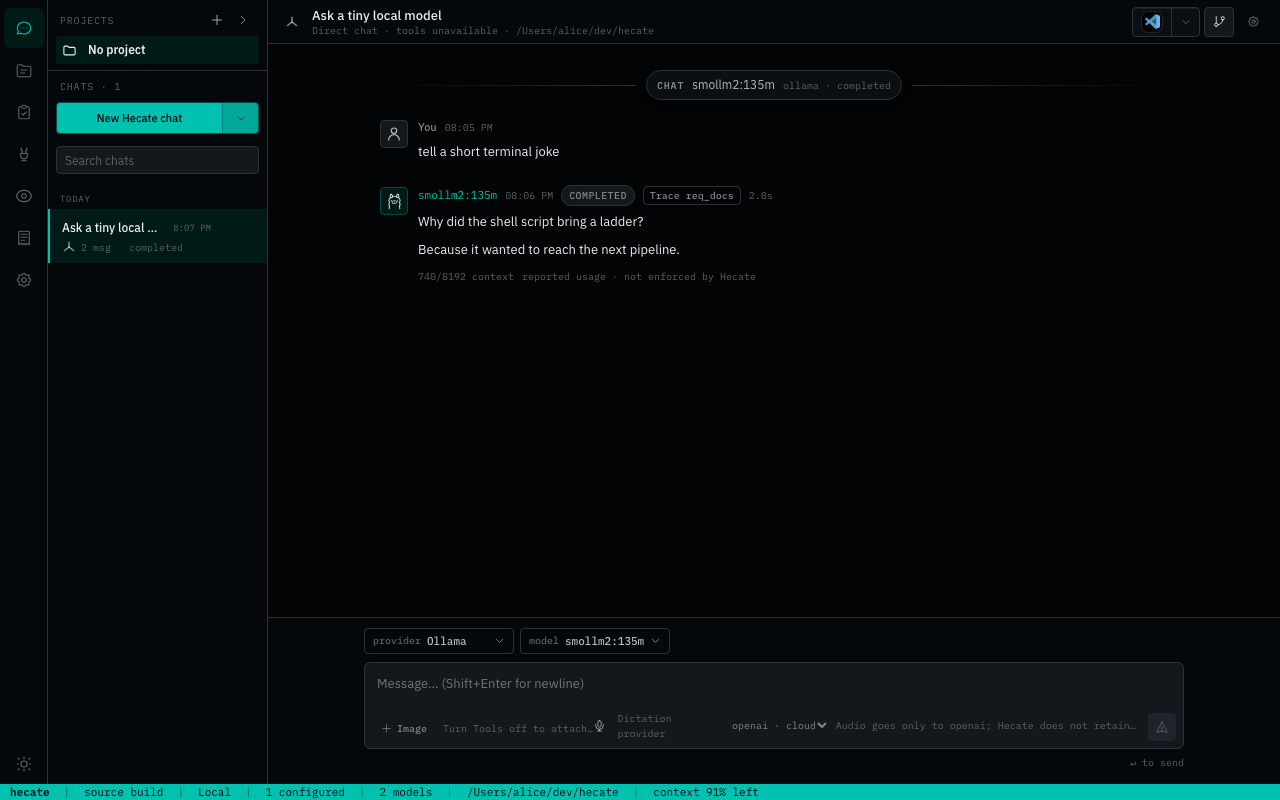
Review workspace changes
Workspace changes sit beside the chat as session context. You can inspect the current staged, working-tree, and untracked layers without digging through transcript noise. Expand tracked files for bounded rich diffs or untracked regular text files for bounded inline previews; binary, oversized, symlink, special-file, conflict, and nested-repository entries stay visible as explicit metadata states. Staged and untracked entries are review-only. Hecate offers discard only for an exact, complete unstaged tracked snapshot, so the control closes when staged or hidden index state, conflicts, truncation, or concurrent workspace changes make that authority ambiguous.
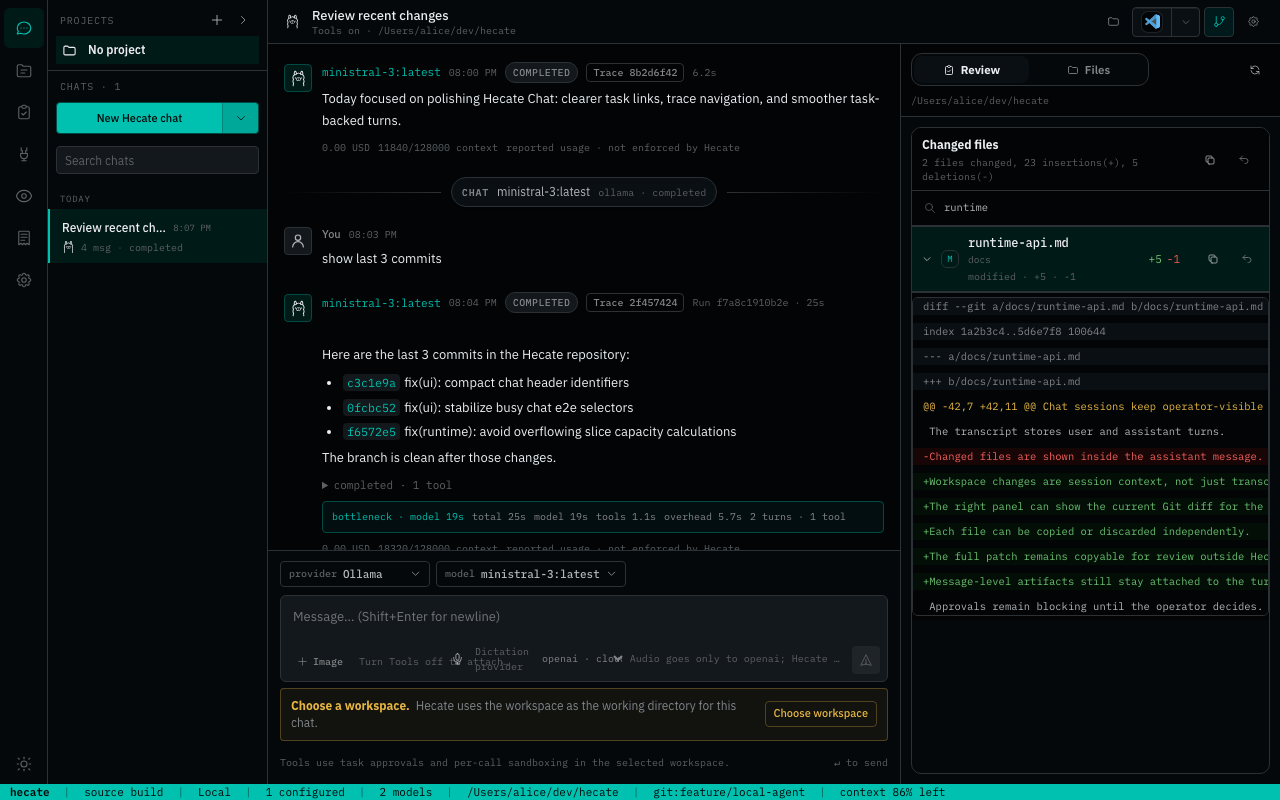
Supervise External Agents
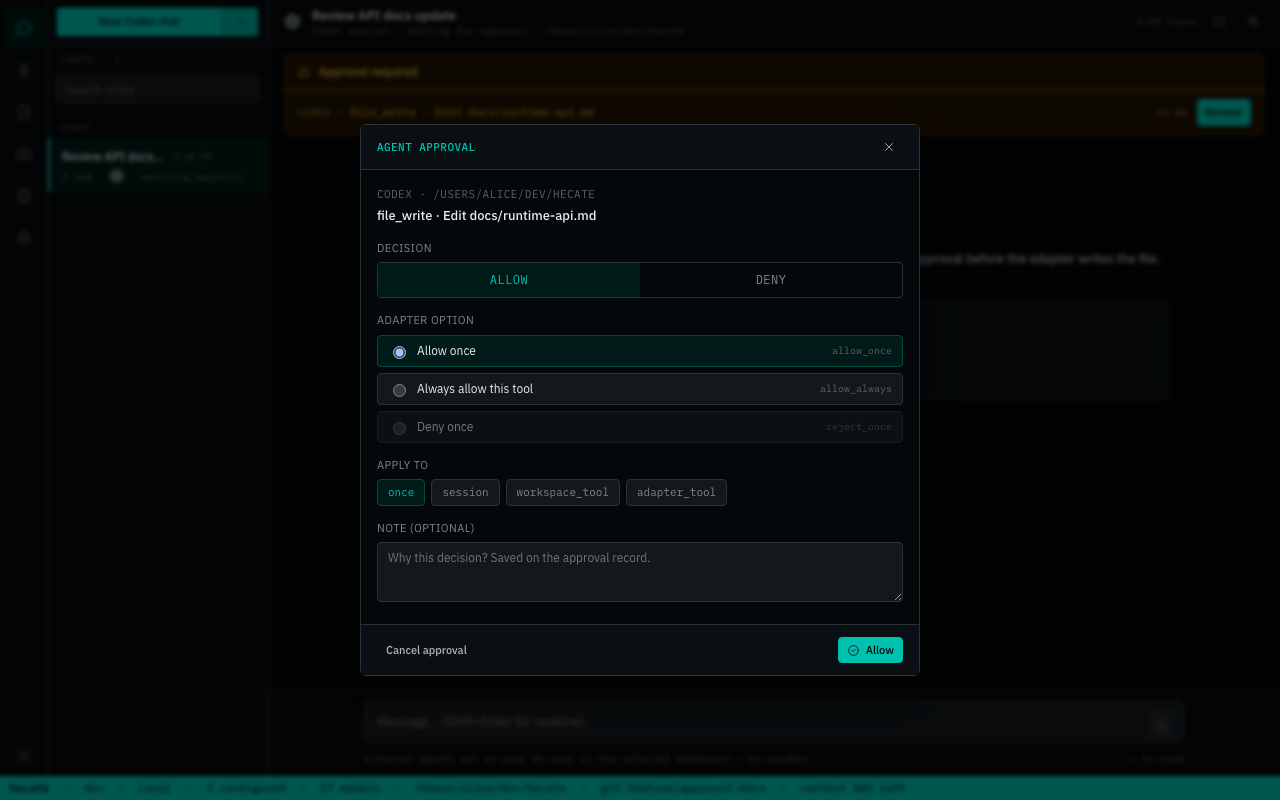
External Agent sessions use Hecate's built-in ACP adapters for owned integrations and direct local ACP CLIs for Cursor and Grok. Hecate supervises the session but does not proxy or pool those vendors' credentials. After Hecate durably admits a turn, reloading or closing its browser/webview connection does not stop the agent; reopen the chat to follow it, or use Stop when it should not continue. Quitting the desktop app is different: the app shuts down the Hecate runtime and cancels and drains active agents.
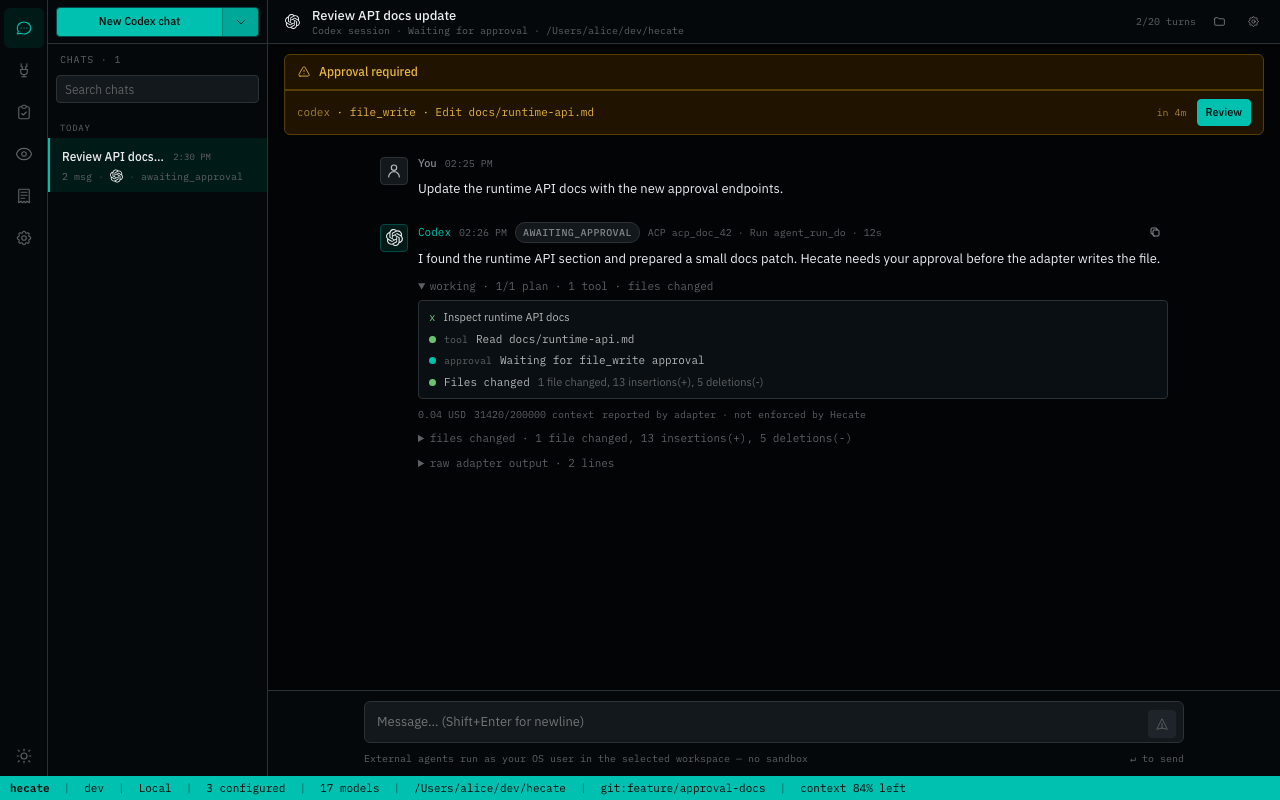
Approvals surface as blocking operator prompts before gated actions can proceed.
See Chat sessions, Agent runtime, and External Agents for the deeper contracts.
Use Hecate as an ACP agent
hecate acp serve is the opposite direction from External Agent supervision:
an ACP-capable editor launches Hecate over local stdio, and Hecate maps the
session to its native durable agent_loop tasks. That keeps provider routing,
task sandbox/tool policy, approvals, artifacts, and traces in Hecate rather
than in a new editor-side runtime. ACP V1 does not expose Agent Preset
selection.
This first slice supports text prompts and local workspace file references. File links stay inside the ACP session workspace and reach the native task as relative paths; the bridge does not copy their bodies. It does not transfer image/audio/embedded-resource bodies, attach editor terminals/filesystems, launch client-supplied MCP servers, reload ACP sessions, or connect an editor to a remote Hecate runtime. See Hecate as an ACP agent for setup, the exact capability boundary, and local security model.
Project, Context, And Memory Flow
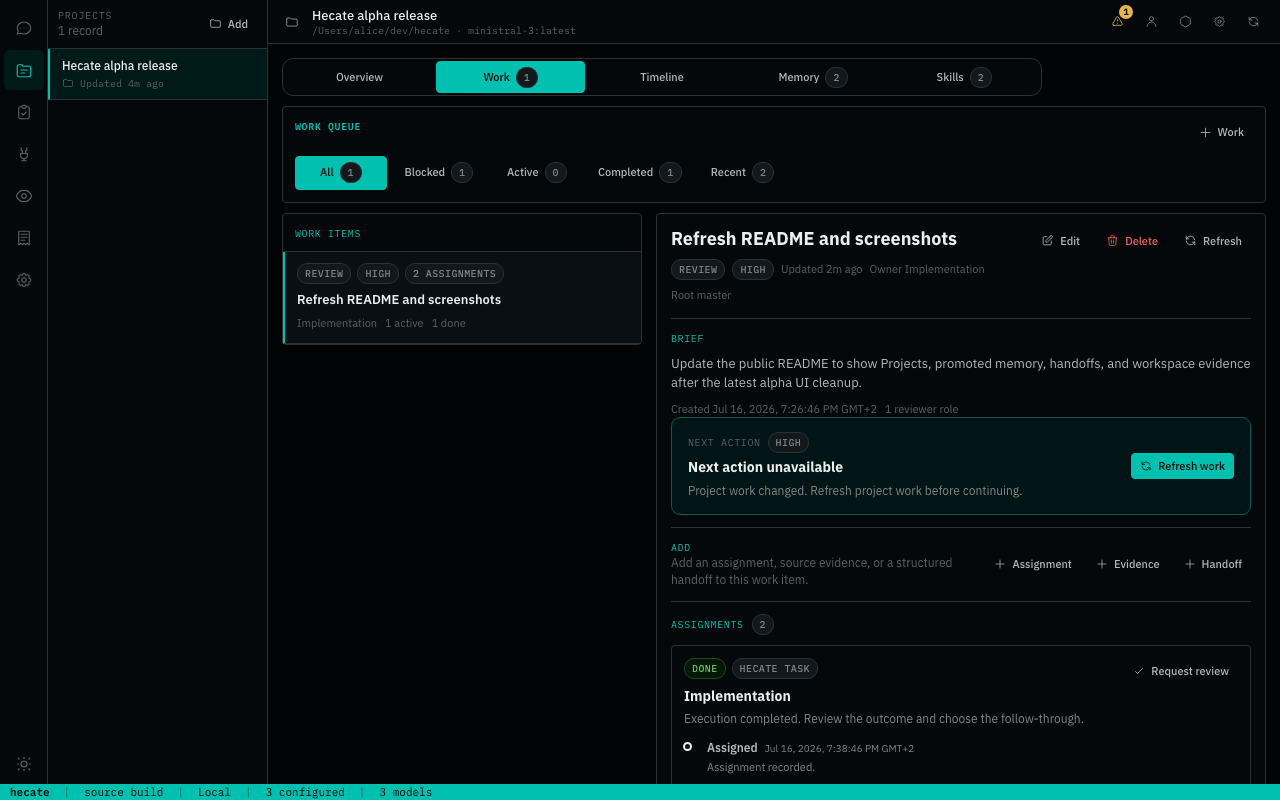
The newer Hecate shape starts with projects. A project is the durable local identity for a work area: code, research, writing, design, ops, planning, or support. A project can start without a workspace; a workspace is the concrete filesystem root used later by a chat, task, or external-agent session when local files matter.
Hecate ships the operator cockpit and runtime integration for this flow. Cairnline, embedded in the current runtime, is the agent-neutral authority for durable project, work, memory, and evidence coordination. Hecate owns runtime launch, model routing, approvals, sandboxing, traces, External Agent supervision, context snapshots, and the richer operator UI. A separately installed Cairnline connector may replace the embedded package boundary later without changing the Projects experience.
flowchart LR
    Project["Project<br/>stable local identity"] --> Roots["Workspace roots"]
    Project --> Sources["Project sources<br/>URLs · notes · files · guidance"]
    Project --> Memory["Project memory<br/>operator-approved entries"]
    Project --> Work["Work items · assignments · handoffs"]

    Roots --> Session["Chat · task · external-agent session"]
    Sources --> Packet["Context packet snapshot"]
    Memory --> Packet
    Work --> Packet
    Session --> Packet
    Packet --> Call["Model or adapter call"]

    Session --> Artifacts["Artifacts · diffs · traces · reports"]
    Artifacts --> Candidates["Memory candidates"]
    Candidates --> Approval["Operator review"]
    Approval --> Memory
Important boundaries:
- Context packets snapshot what Hecate assembled for a call. They are audit evidence, not durable memory by themselves.
- Project memory is explicit operator-approved context. Hecate does not write memory automatically.
- Project sources are provenance and source metadata first; Hecate does not fetch source URLs or include source bodies unless a supported context policy path explicitly does so.
- Memory candidates can be proposed by chats, tasks, handoffs, or future workflows. They stay out of context until the operator promotes them.
- External-agent private memory stays outside Hecate unless the operator imports or writes Hecate memory explicitly.
Read the implemented contract in Runtime API, then the design records for Projects, Context assembly, Agent memory, and Workflow runbooks v0.
Architecture And Docs
The full docs index lives at docs/README.md. Start with the bucket that matches your job.
| You are... | Start here |
|---|---|
| Running Hecate locally | Desktop app, Deployment, Security, Providers |
| Calling Hecate from a client | Runtime API, Chat sessions, Agent runtime, Events |
| Connecting an ACP client to Hecate | ACP agent, Agent runtime, Events |
| Building coding-agent integrations | External Agents, ACP agent, MCP integration, Events |
| Changing the codebase | Architecture, Development, Release, docs-ai |
| Planning future runtime behavior | Design records, especially the proposal/accepted/candidate bucket before implementation starts. |
Runtime references:
- Runtime API - Hecate-native endpoints, task lifecycle, approvals, streaming, projects, memory, work items, and handoffs.
- Agent runtime -
agent_loop, tools, costs, retry-from-model-call, stdout/stderr, and system prompt layers. - Chat sessions - transcript segments, direct turns, task-backed turns, queued prompts, context packets, and External Agent chats.
- ACP agent -
hecate acp serve, its local stdio contract, task mapping, capability boundary, and security posture. - Events - run-event names, payloads, and SSE replay.
- Telemetry - OpenTelemetry spans, metrics, logs, trace headers, local trace view, and retention.
- Sandbox - subprocess boundaries, policy validation, env sanitisation, output caps, timeouts, and OS wrappers.
Operator guides:
- Providers - provider presets, custom endpoints, credentials, model discovery, health, and circuit breaking.
No comments yet
Be the first to share your take.