
GTM Agentic Starter Kit
An open, self-deployable agentic chat for go-to-market teams, over your own CRM, meetings/notetaker, and knowledge base.
Pick an agent ("Deal Coach", "Outreach Writer", "Competitive Intel"), and it works your live data: "summarize my last call with Acme and draft the follow-up", "which renewals are at risk this quarter", "score these inbound leads against our ICP". Use it as a starting point to build sales intelligence on your own data: fork it, add your agents, and ship.
This whole kit is open source (MIT) — fork it, self-host it, own it. Want Salesforce, Gong, or HubSpot wired up with enterprise auth (SSO/SAML) and an SLA? AmpUp can run that for you — reach out to [email protected].



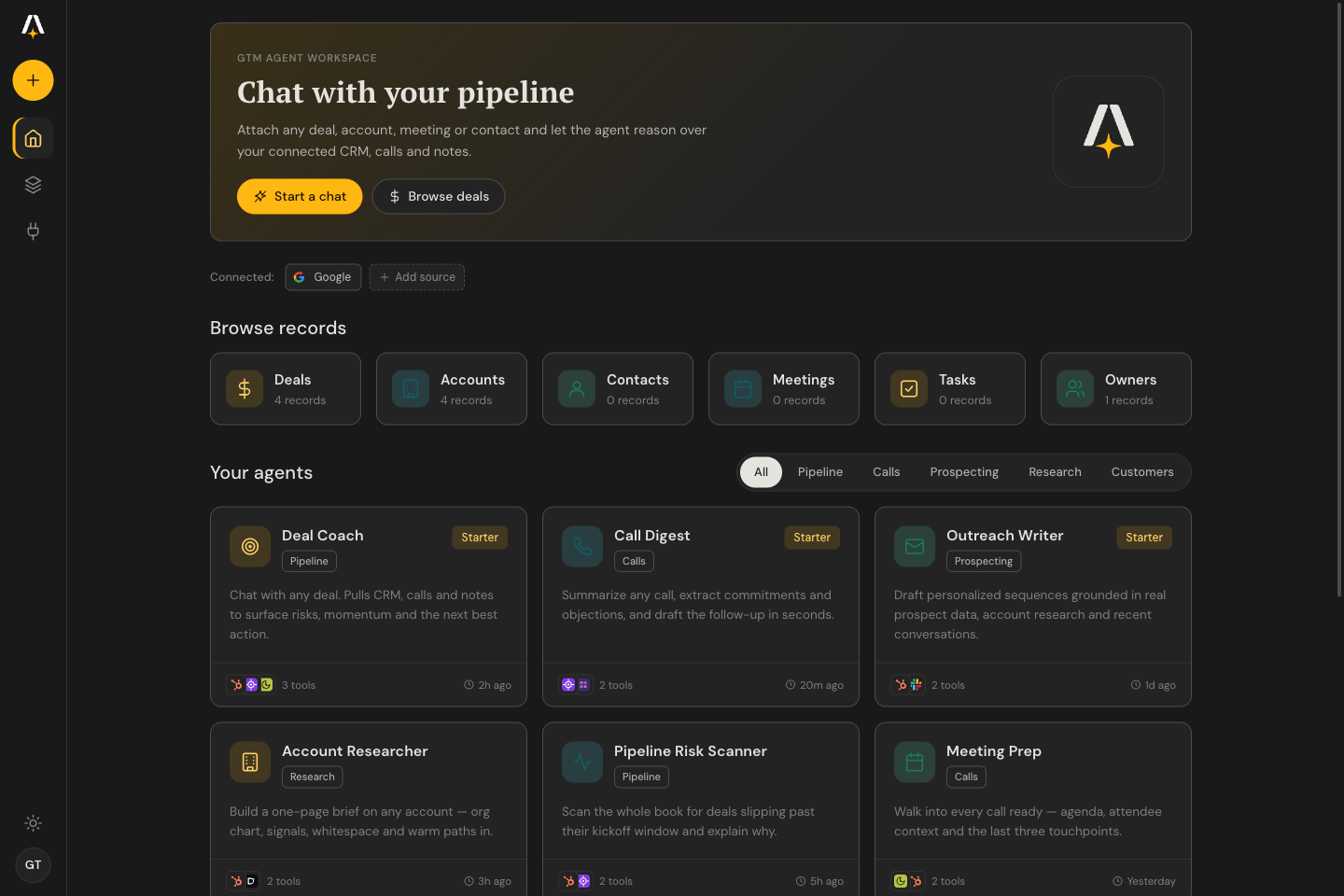
Watch it work, end to end — log in, coach a deal over your live pipeline, dig into this week's meetings, then snap on a new MCP server (Sumble) in seconds:

Who it's for
| 🚀 Founders & GTM teams | Deploy your own GTM copilot in one click, no infra to run. Bring an AmpUp key + an LLM key and you have agents over your real pipeline, calls, and notes. Self-hosted in your Vercel account, with your data. |
| 🛠️ GTM Engineers | A hackable starting point, not a black box. Agents are plain JSON, connectors are an MCP catalog, and the durable chat loop is ~one file. Fork it, add your own agents and MCP servers, and ship. |
| 📊 Sales & Marketing Ops | Stand up a copilot over your pipeline without waiting on eng. Connect your CRM and call recorder, point agents at your ICP and renewal data, and ship answers to the team in an afternoon. |
What you get
- 10 ready-made GTM agents, each scoped to the right tools with a tuned prompt: Deal Coach · Pipeline Risk Scanner · Call Digest · Meeting Prep · Outreach Writer · ICP Lead Scorer · Account Researcher · Competitive Intel · Renewal & Expansion · Customer Health Watch.
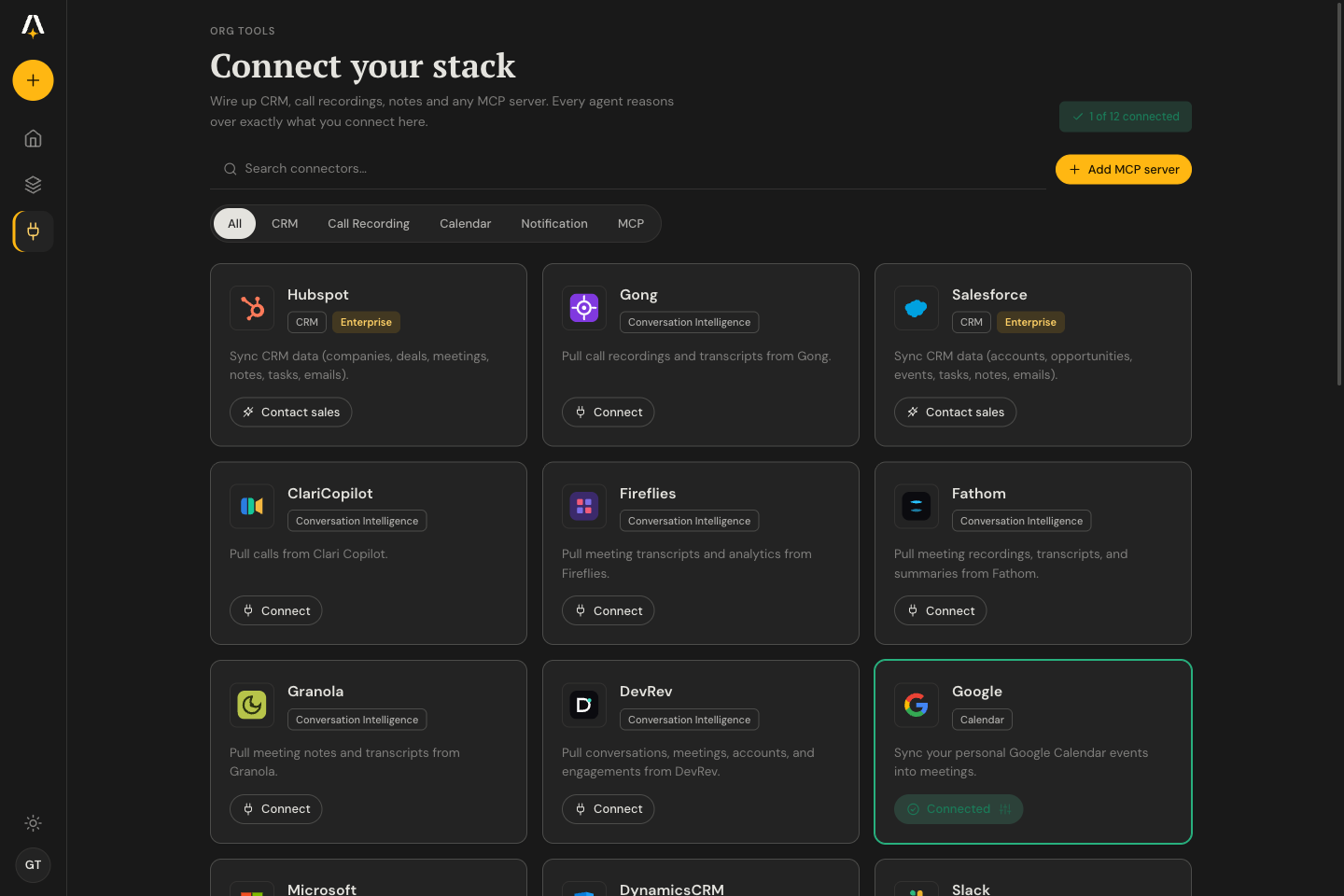
- Connect your stack: a catalog of 14 MCP servers out of the box (HubSpot, Apollo, Clay, Explorium, Fireflies, Fathom, Granola, Exa, Tavily, Firecrawl, Stripe, Linear, Notion, Sentry) plus your AmpUp CRM. Add any MCP server with OAuth/DCR.
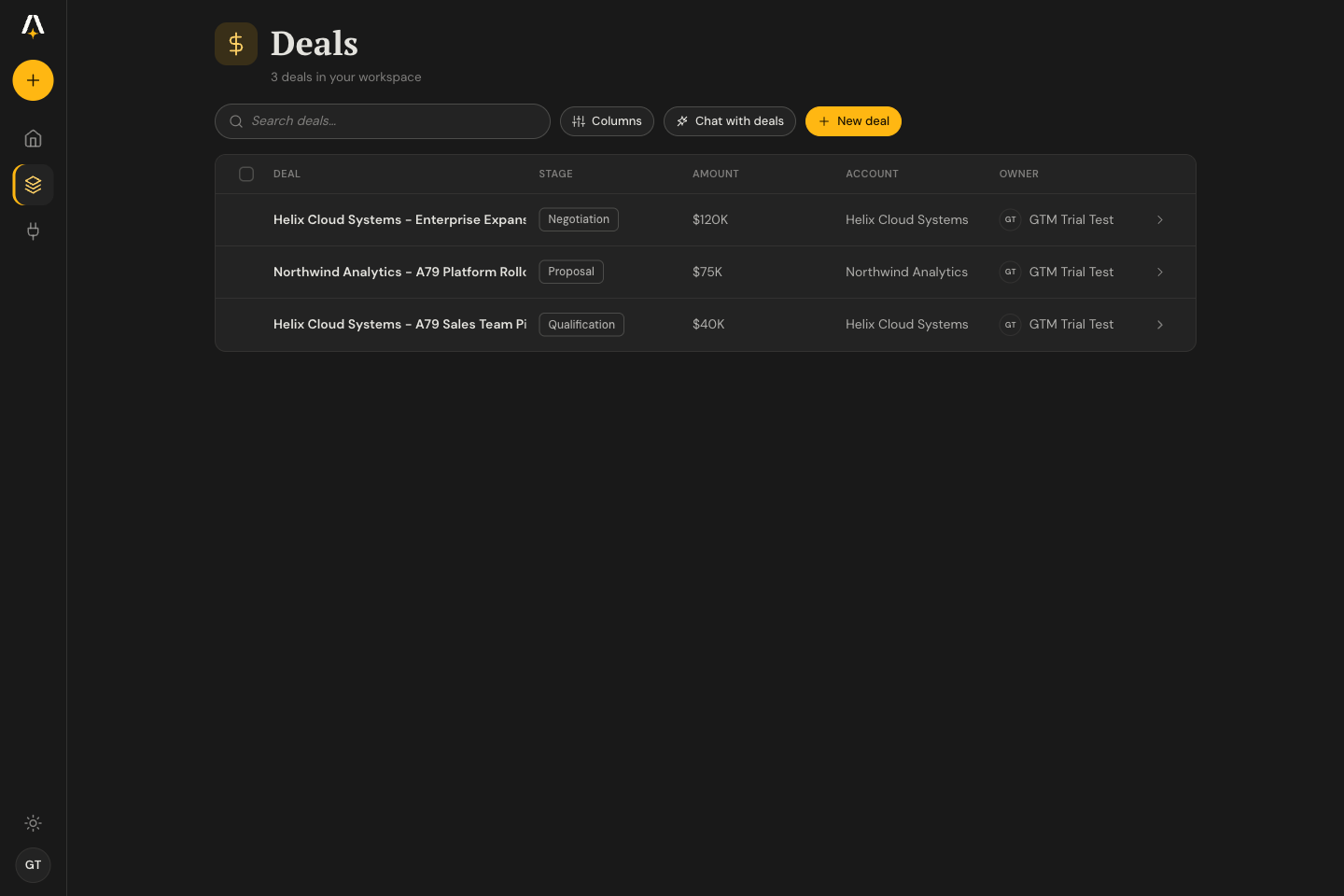
- Grounded chat over your CRM: accounts, deals, meetings, and tasks as first-class records; attach any of them as context for a turn.
- Notetaker: send a recorder bot to a live Meet/Zoom/Teams call right from settings.
- Embeddable widget: one
<script>tag drops the chat onto any site. - Mobile-ready: the same workspace and chat on a phone.
- Durable runtime: every turn (and tool call) is a replayable step on the Vercel Workflow DevKit; the stream is the transcript.
 |
 |
 |
 |
See it in action
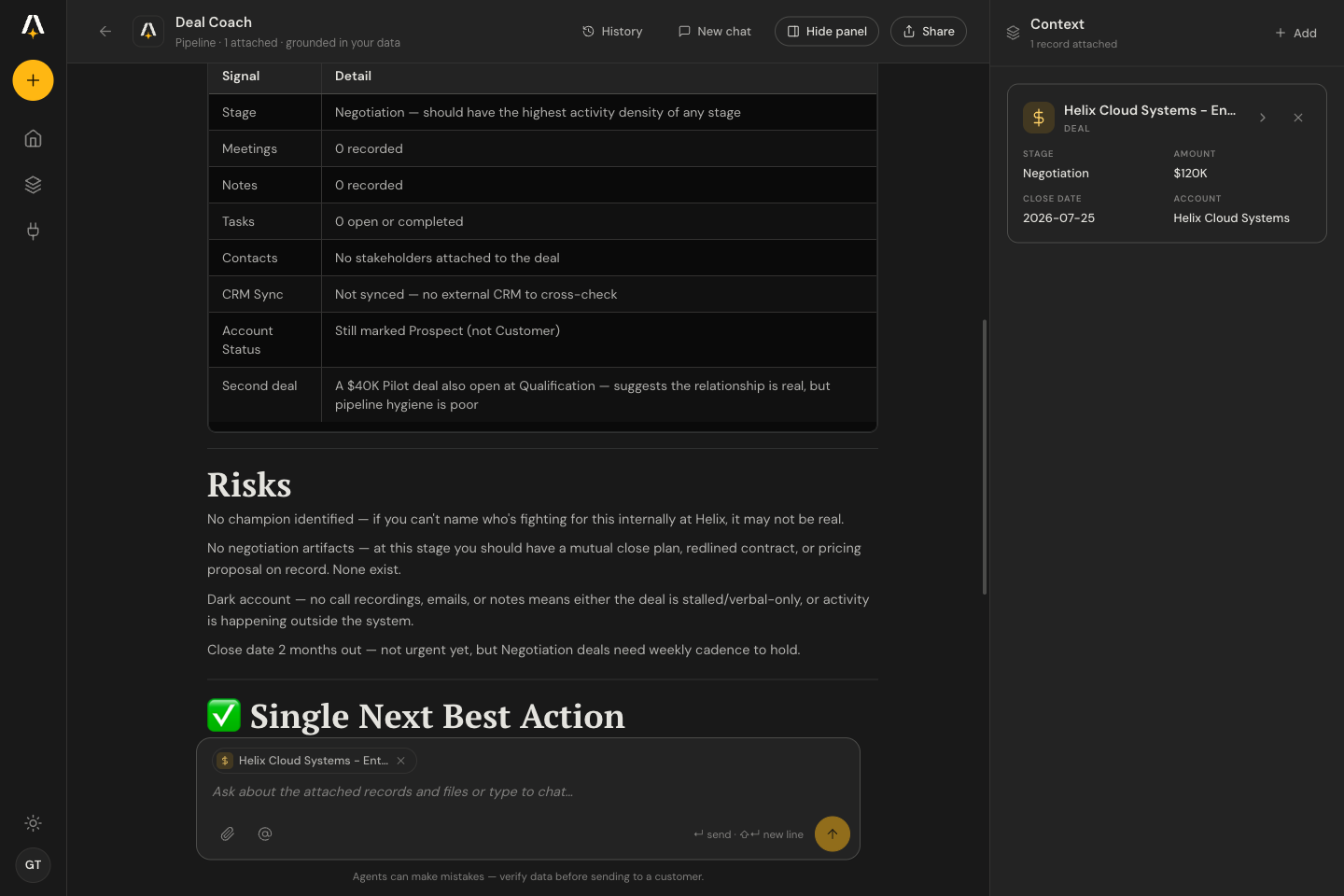
Deal Coach, grounded in your CRM: pick an agent, it pulls the deal + signals and surfaces the risks and the next best action:

Bring your own LLM key: chat runs on your own Anthropic, OpenAI or Google key — paste it in Settings, hit Test key to confirm it works, and you're chatting. It's stored only in your browser; the workspace key is reserved for internal & Pro users:

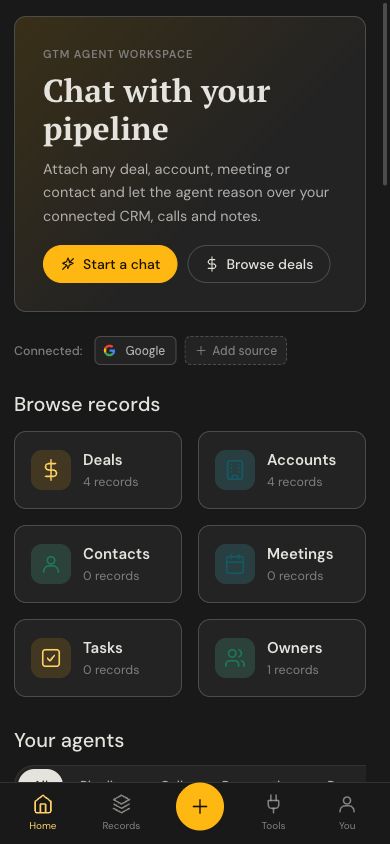
Fully responsive on mobile: the same workspace and chat on a phone:

Embeddable chat widget: one <script src="/widget.js"> tag drops the chat onto any site (Shadow-DOM launcher → chrome-less /embed iframe):
Deploy
The one-click Deploy button requires the repo to be public. If you're viewing a private fork, clone it and deploy with the Vercel CLI (
vercel deploy) instead.
The default deploy is single-org: one AmpUp key scopes everything to your org. Set these environment variables (Vercel will prompt for the required ones):
| Variable | Required | What it is |
|---|---|---|
AMPUP_MCP_URL |
✅ | Your org's MCP endpoint, e.g. https://<org>.a79dev.com/mcp |
AMPUP_MCP_API_KEY |
✅ | Your AmpUp API key (sk-a79-…); scopes all data access to your org |
ANTHROPIC_API_KEY |
one of | Bring your own Anthropic key (calls Anthropic directly; you pay Anthropic) |
AI_GATEWAY_API_KEY |
one of | Use the Vercel AI Gateway instead (unified billing; needs a funded balance) |
CHAT_MODEL |
– | Override the model (default claude-sonnet-4-6, or anthropic/claude-sonnet-4.6 on the gateway) |
SYSTEM_PROMPT |
– | Override the assistant's system prompt |
ENABLE_WEB_SEARCH |
– | true to enable provider-native web search (Anthropic/Google) |
ALLOWED_ORIGIN |
– | CORS allow-origin for the API. Unset = same-origin only (no CORS header); set a specific origin, or *, to allow cross-origin calls (e.g. the embed widget) |
Pick one LLM path. ANTHROPIC_API_KEY wins if both are set.
Make it yours
This is a starter kit; the GTM-specific parts are data, not code:
config/agents.json: the homepage agents. Each is{ name, icon, tag, desc, systemPrompt, mcpServerIds, includeAmpup, starterQuestions }. Add an entry and it shows up in the gallery; scope it to catalog slugs (ormcpCategories) and write its prompt.config/mcp-catalog.json: the recommended connector catalog (14 servers). Add a server with its hosted MCP URL; theslugis the canonical id your agents target.components/gtm/: the UI (home, connectors, records, chat).app/ds/is the design system (light/dark).workflows/chat.ts: the durable agent loop. Tools are discovered from your MCP at runtime; no tool list is baked into the build.
How it works
app/page.tsx+components/gtm/: the GTM Agent UI: a dark left rail, Home (agents gallery + connected sources), Connectors, CRM entity list/detail, and the grounded Chat workspace (attach picker + context panel), with light/dark theme.app/api/records/route.ts: MCP-backed listing of accounts / deals / meetings / tasks, mapped to the entity schema the UI reads (lib/gtm/data.jsx).app/api/chat/route.ts: starts one durable workflow run per conversation (first turn) and resumes it for follow-ups.workflows/chat.ts: the durable agent loop on the Vercel Workflow DevKit, so each turn (and each tool call) is a durable, replayable step.lib/mcp.ts: connects to yourAMPUP_MCP_URLover streamable HTTP.listAmpupToolsdiscovers your org's tools at runtime (tools/list); each tool call is forwarded with your key. No tool list is baked into the build.lib/model.ts: resolves the LLM from env (direct Anthropic or AI Gateway).
Local development
cp .env.example .env.local   # fill in AMPUP_MCP_URL, AMPUP_MCP_API_KEY, an LLM key
pnpm install
pnpm dev                     # http://localhost:3000
The durable workflow runtime runs locally via the Workflow DevKit
(pnpm workflow:web for the workflow dashboard). Built with Next.js,
the Vercel AI SDK, and pnpm.
Quality & tests
pnpm check       # Biome lint + format (ultracite preset)
pnpm fix         # auto-fix lint + format
pnpm typecheck   # tsc --noEmit
pnpm build       # next build
pnpm test        # Playwright e2e
Linting and formatting use Biome (the ultracite preset); end-to-end tests use Playwright.
CI (.github/workflows/) runs check + typecheck + build on every PR, plus
the e2e suite, which covers three flows and self-gates by target:
-
chat and entity list-pages run against a local single-org bench.
pnpm testbootsnext devfrom.env.e2e(copy.env.e2e.example: an AmpUp MCP URL + key for one org, overlays disabled) and drives the durable chat runtime and the/records/*lists against live data. -
login runs against a deployed app. Point it at the deploy and it asserts the Welcome CTAs hand off to Auth0 (no credentials needed):
E2E_BASE_URL=https://your-app.vercel.app pnpm test
In CI the bench specs run when the E2E_AMPUP_MCP_URL / E2E_AMPUP_MCP_API_KEY /
E2E_AI_GATEWAY_API_KEY secrets are set, and the login smoke runs when the
E2E_DEPLOY_URL repo variable points at your deployment (both skip cleanly when
unset).
Multi-tenant mode (advanced)
The default is one org per deployment (the env key scopes everything). The template
also ships a multi-tenant path: with MULTI_TENANT=true + Auth0 configured,
each visitor logs in, mints a per-user AmpUp key, and sees only their own data,
with no shared env key fallback. This is how the hosted version at
chat.ampup.ai runs. It needs an Auth0 tenant and an AmpUp
org that issues per-user session keys; see lib/gtm/auth.jsx for the backbone.
Notes / limits
- Cold starts (observed, cause unconfirmed). Right after a deploy, a request occasionally truncated before the agent finished; retrying succeeded, and steady-state requests were reliable. If you see a turn cut short, retry.
- Conversation history lives in the durable run (the stream is the transcript).
In multi-tenant mode, conversations are persisted per-user via AmpUp and the
cold-reopen replay at
/api/conversation/[runId]is gated behind the per-user key.
How it compares
Tools like Lightfield and Monaco are polished, SaaS-only platforms that replace your CRM and host your data in their cloud. This kit takes the opposite bet: open source, deployed to your Vercel, running agents over the CRM and tools you already own. The full breakdown, with honest trade-offs, is in COMPARISON.md.
Open source, with a managed path when you need it. Everything here is MIT-licensed and yours to self-host. If you'd rather not run it yourself — or you need Salesforce, Gong, or HubSpot connected with enterprise auth (SSO/SAML) and a support SLA — AmpUp offers that as a managed service. Reach out to [email protected].
Privacy, security & license
- PRIVACY.md: exactly where your data goes. This is a self-hosted client: it runs in your Vercel account with your credentials, and the template authors receive none of your data. Your chat data flows only to your chosen LLM provider (Anthropic or the Vercel AI Gateway) and to your AmpUp MCP endpoint; there is no telemetry and no transcript database.
- SECURITY.md: how to report a vulnerability
(
[email protected]) and an operator hardening checklist (setAUTH_SESSION_SECRET/OAUTH_STATE_SECRET, useMULTI_TENANT=truefor more than one user). - License: MIT.
No comments yet
Be the first to share your take.