
gke-sre-ai-agent
Ships the
gke-scoutCLI — an AI on-call SRE for Google Kubernetes Engine.
Point it at a broken workload; it investigates read-only, writes an
evidence-cited root-cause report, and never touches your cluster. Under the
hood it uses the Antigravity CLI (agy, powered by Gemini) talking to the
GKE MCP server through a safety guardrail proxy.
Technical Deep-Dive: https://truongnh-gde.dev/gke-sre-ai-agent.html
Prerequisites
Before you start, make sure you have these installed and configured:
| Tool | Purpose | Install |
|---|---|---|
| gcloud | Google Cloud auth | Install guide |
| kubectl | Kubernetes context | Bundled with gcloud components install kubectl |
| agy | AI reasoning engine (Antigravity CLI) | go install github.com/anthropics/antigravity@latest or your org's install method |
| uv | Python package manager | curl -LsSf https://astral.sh/uv/install.sh | sh |
Demo
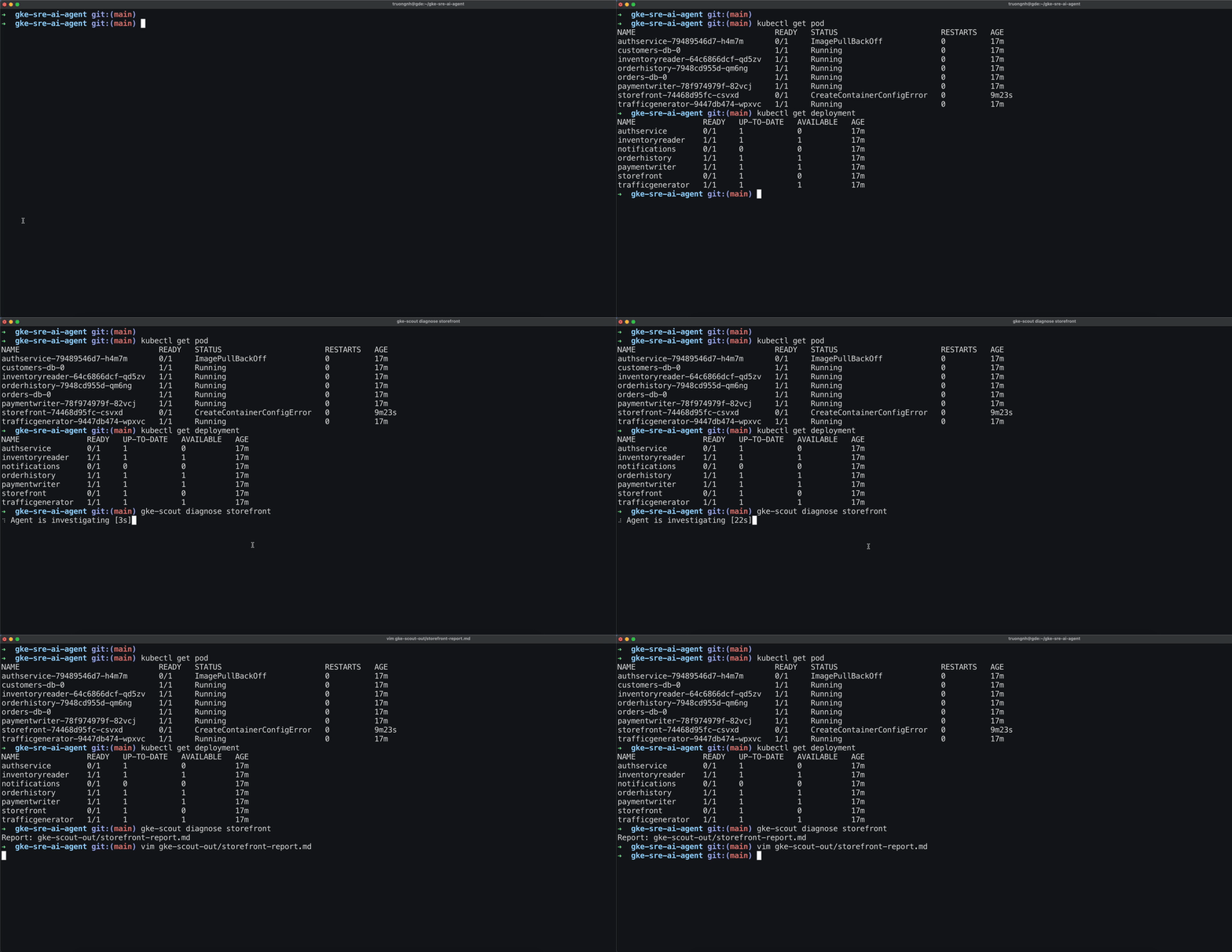
Quick start
1. Authenticate with Google Cloud
gcloud auth login
gcloud auth application-default login   # needed for the guardrail proxy
2. Connect to your GKE cluster
gcloud container clusters get-credentials CLUSTER_NAME \
  --region REGION --project PROJECT_ID
Verify with kubectl get nodes — you should see your cluster's nodes.
3. Install gke-scout
git clone https://github.com/truongnh1992/gke-sre-ai-agent.git
cd gke-sre-ai-agent
uv tool install .
4. Initialize config
gke-scout init # creates ~/.gke-scout/config.yaml
5. Import the guardrail into agy
gke-scout register            # registers the MCP server + installs the skill
agy plugin import gemini       # imports into agy's plugin registry
You only need to run this once.
gke-scout diagnosealso auto-registers before each run, so this step is optional.
6. Diagnose a workload
gke-scout diagnose <DEPLOYMENT_NAME>
That's it. A spinner shows progress while the agent investigates. When it
finishes, a Markdown report appears in ./gke-scout-out/.
Usage examples
# Diagnose a deployment in the default namespace
gke-scout diagnose frontend

# Specify a namespace
gke-scout diagnose payment-service -n payments

# See raw engine output (useful for debugging)
gke-scout diagnose frontend --verbose

# Set a custom timeout (default: 5 minutes)
gke-scout diagnose frontend --timeout 120

# Use Gemini CLI instead of agy
gke-scout diagnose frontend --engine gemini
What the output looks like
Reports are saved to ./gke-scout-out/<workload>-report.md and contain:
- Root cause — a one-sentence diagnosis
- Confidence —
high,medium, orlow - Findings — evidence-cited details (pod status, events, logs)
Low-confidence runs list ranked hypotheses instead.
# Triage report: storefront (namespace: default)

**Confidence:** high

## Root cause

The ConfigMap 'demo-data-config' in namespace 'default' is missing the key 'DEMO_LOGIN_USERNAME', which is required to set the environment variable 'DEFAULT_USERNAME' in the storefront container.

## Evidence

### The storefront pod is stuck in a 'CreateContainerConfigError' status because a referenced ConfigMap key does not exist.
- Pod status: The pod 'storefront-74468d95fc-csvxd' shows STATUS 'CreateContainerConfigError'.
- Pod event details: Warning event reports 'Error: couldn't find key DEMO_LOGIN_USERNAME in ConfigMap default/demo-data-config'.
- Container environment reference: Environment variable 'DEFAULT_USERNAME' is configured to retrieve its value from key 'DEMO_LOGIN_USERNAME' of config map 'demo-data-config'.
How it works
You run:  gke-scout diagnose frontend
                    │
                    ▼
          ┌─────────────────┐
          │  gke-scout CLI  │  builds prompt, starts agy
          └────────┬────────┘
                   │
                   ▼
          ┌─────────────────┐
          │   agy (Gemini)  │  AI agent reasons + calls MCP tools
          └────────┬────────┘
                   │ stdio
                   ▼
          ┌─────────────────┐
          │ guardrail proxy │  blocks writes, redacts secrets, audits
          └────────┬────────┘
                   │ HTTPS
                   ▼
          ┌─────────────────┐
          │  GKE MCP server │  container.googleapis.com/mcp
          └─────────────────┘
The guardrail proxy sits between the AI agent and your cluster. It:
- Blocks any mutating call (apply, patch, delete, scale, exec)
- Redacts secrets and sensitive values from API responses
- Logs every tool call to
~/.gke-scout/audit.jsonl
Troubleshooting
| Problem | Fix |
|---|---|
gke-scout: command not found |
Run uv tool install . from the repo root |
| Timeout errors | Increase with --timeout 600 (seconds) |
ADC auth failed |
Run gcloud auth application-default login |
| Agent uses wrong cluster | Check kubectl config current-context |
| Empty or inconclusive report | Re-run with --verbose to see raw output |
License
This project is licensed under the MIT License. See the LICENSE file for more information.
Google Cloud credits are provided for this project.
No comments yet
Be the first to share your take.