
Flutter Design Engineer
Agent skills for product-aware, adaptive, accessible, and visually verified Flutter UI.


[!NOTE] If this workflow helps your team, you can sponsor its continued development. Sponsorship funds new Flutter workflows, deterministic fixtures, and visual QA research.
Same model. Same prompt. Different workflow.
Flutter Design Engineer is a model-agnostic skill system for Claude Code, Codex, and compatible coding agents. It changes the workflow around the model: establish product intent, define states and visual direction, implement adaptively, then inspect rendered evidence.
inspect → understand → direct → model states → implement → render → critique → refine
| One-shot generation risk | Skill-guided workflow requirement |
|---|---|
| Starts writing widgets from a vague brief | Establishes product intent and an explicit direction first |
| Optimizes for one screenshot size | Requires compact mobile and expanded tablet/desktop composition |
| Shows only the happy path | Models loading, empty, partial, error, and success states |
| Treats accessibility as cleanup | Includes semantics, focus, scaling, RTL, and reduced motion |
| Calls source code “polished” | Requires rendered screenshots, critique, and refinement |
This table describes workflow requirements, not measured model results. The reproducible benchmark protocol is ready; Claude, Codex, and Grok rows remain pending until each has completed a controlled baseline and skill-guided pair.
Flutter Product Studio
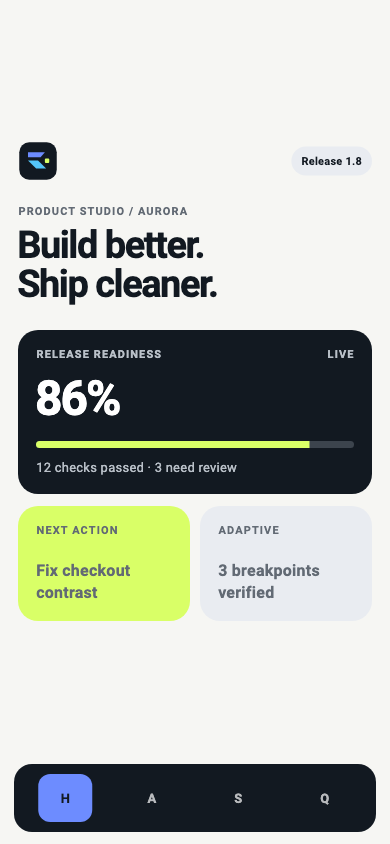
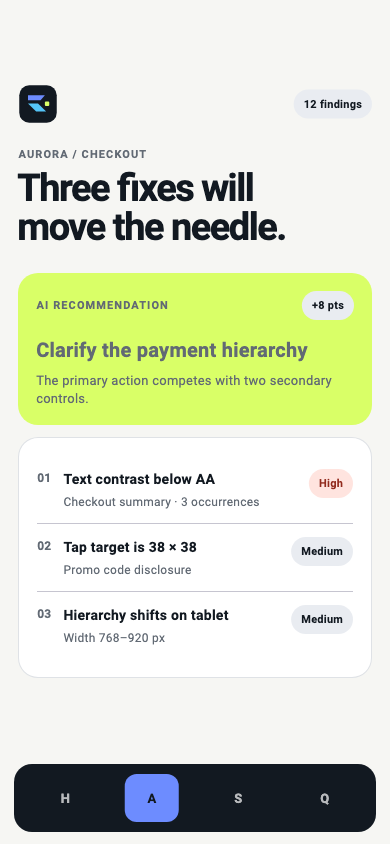
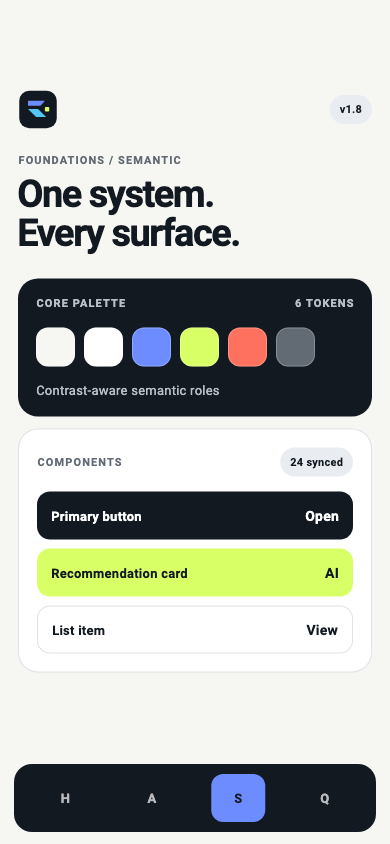
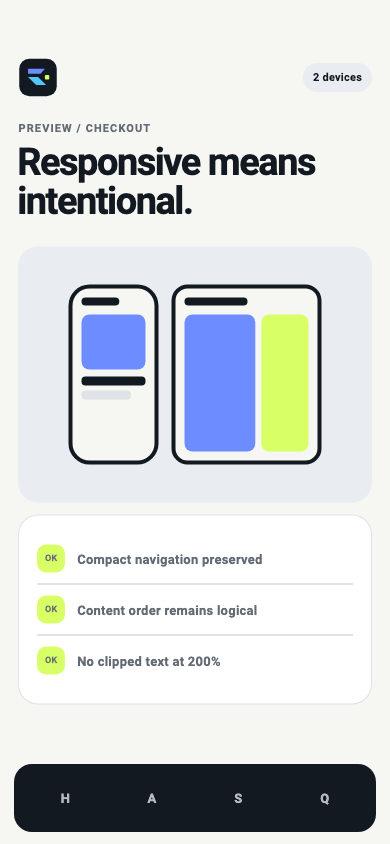
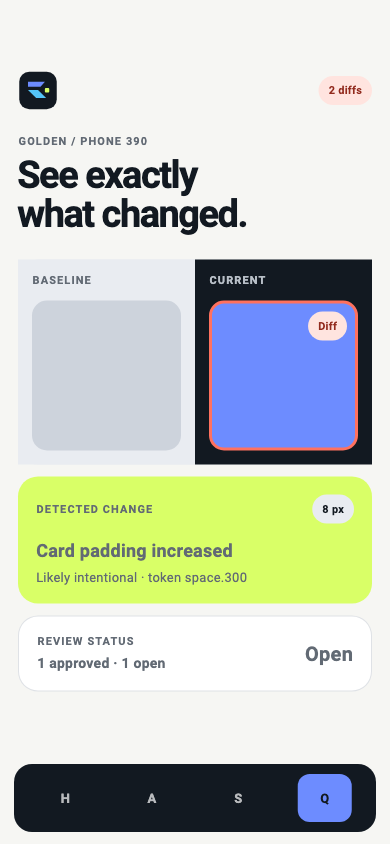
The primary mobile showcase is a deterministic AI-assisted workspace for Flutter teams. One Aurora project moves through Workspace, AI Audit, Design System, Adaptive Preview, Visual QA, and Release using a single cross-platform design system.
| Workspace | AI Audit | Design System |
|---|---|---|
 |
 |
 |
| Adaptive Preview | Visual QA | Release |
|---|---|---|
 |
 |
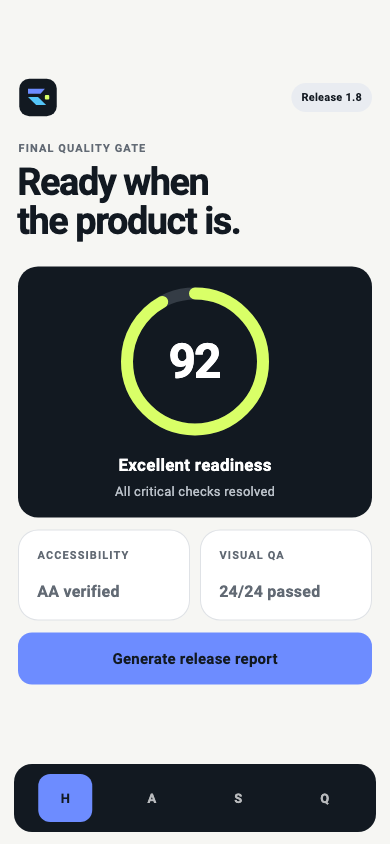 |
These are committed Flutter golden-test outputs generated from local fixture data. The example does not call a live AI service or production backend. See the source, states, and verification commands.
One connected quality bar
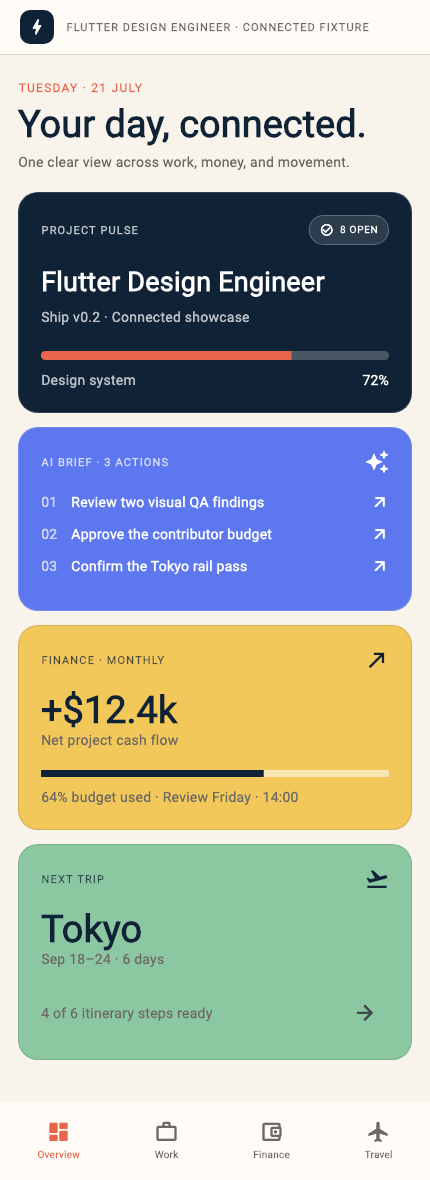
The repository includes a real, deterministic Flutter fixture connecting an AI workspace, project pulse, finance summary, and travel plan. It is one Flutter codebase adapting the same models and components across screen sizes—not separate mobile and web implementations.
| Flutter Mobile | Flutter Tablet / Desktop |
|---|---|
 |
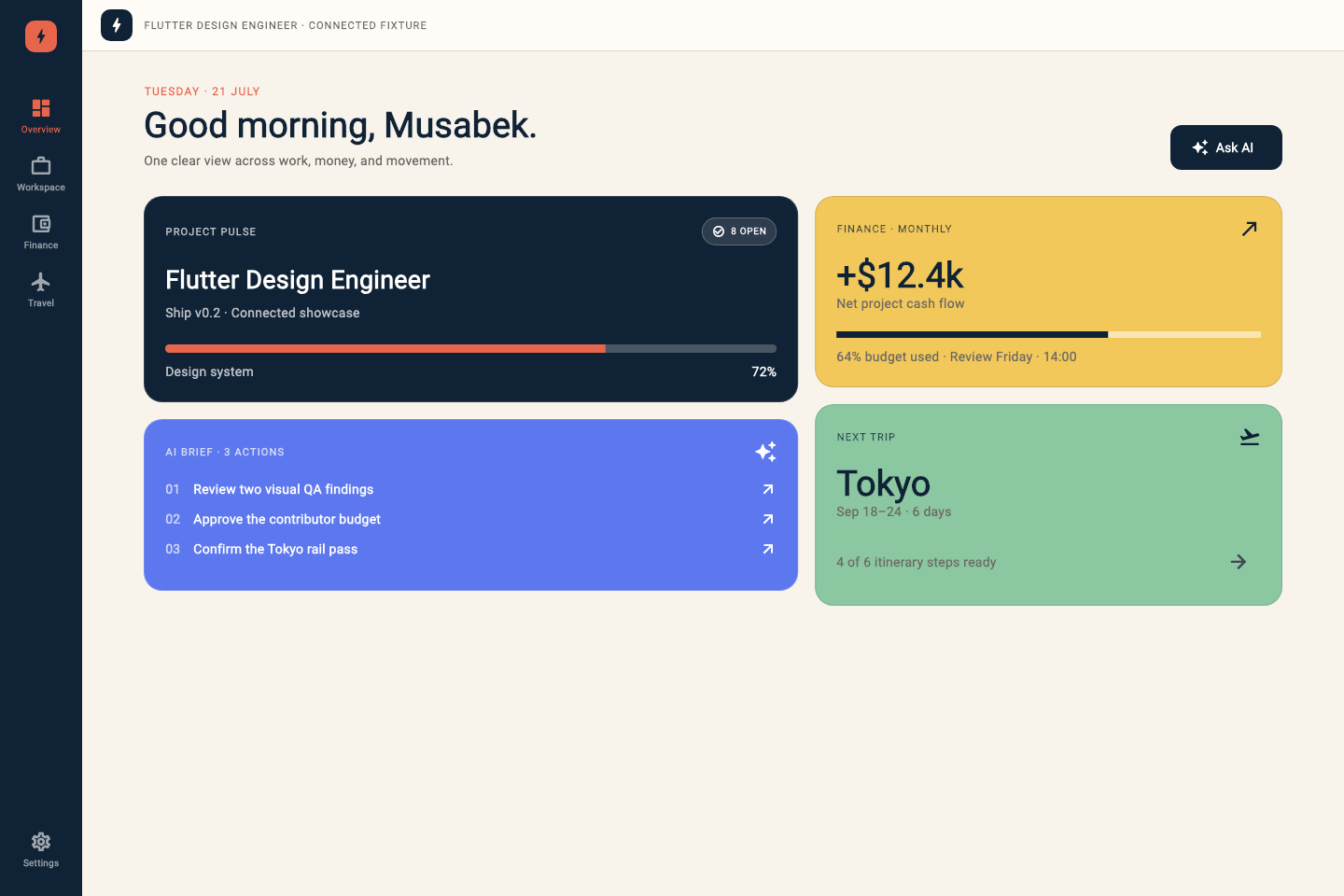 |
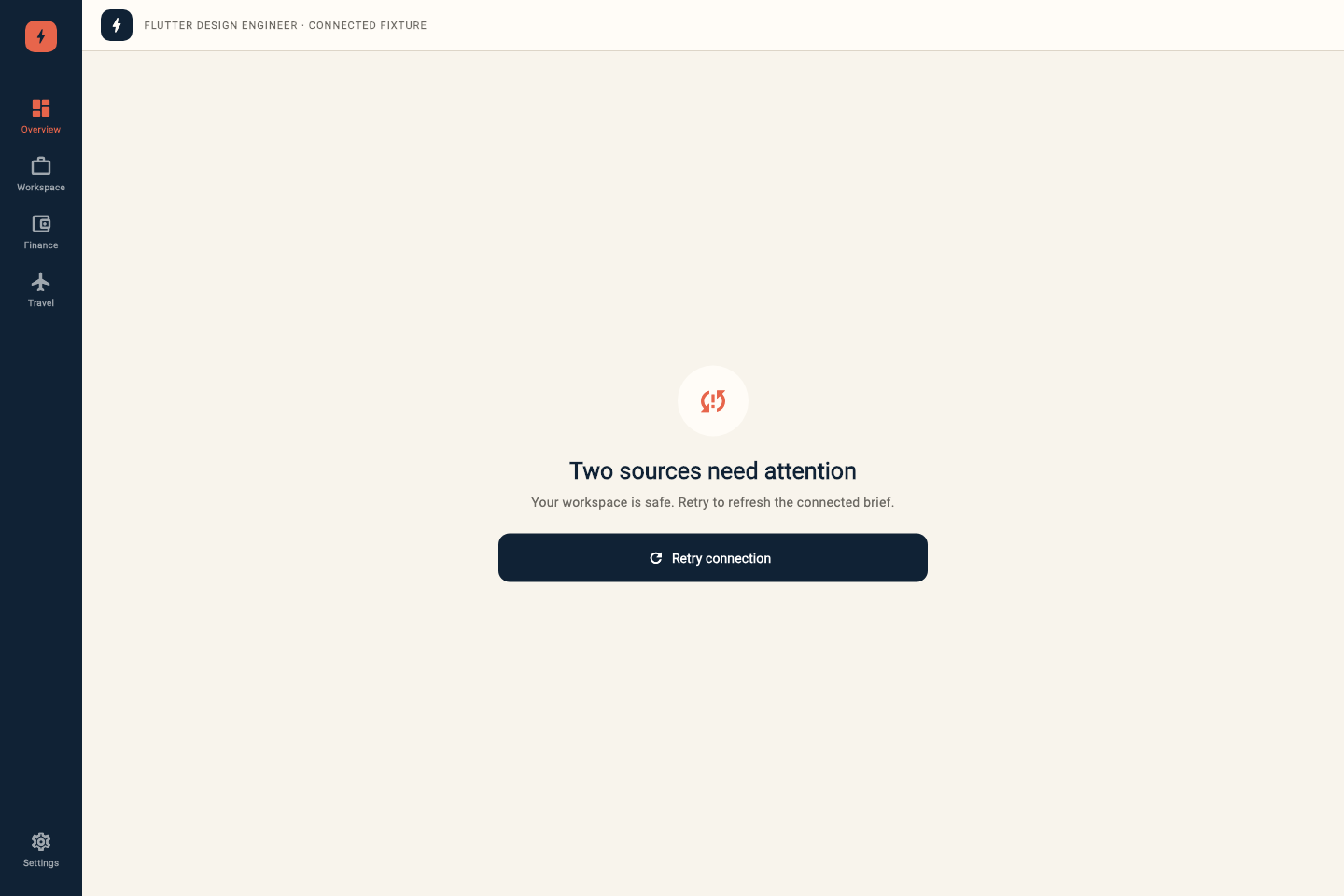
These are committed Flutter golden-test outputs—not design-tool exports. See the demo source and example rationale. The example demonstrates the system's standard; it is not a claim that the result was generated autonomously.
The fixture demonstrates all seven skills as one auditable workflow:
audit → product direction → semantic system → adaptive implementation
      → accessibility + motion → rendered visual QA → refinement
Skills
| Skill | Purpose |
|---|---|
flutter-design |
Route and gate complete design workflows |
flutter-audit |
Diagnose existing Flutter UI without unauthorized edits |
flutter-design-system |
Build semantic tokens, themes, and component contracts |
flutter-implementation |
Implement approved adaptive Flutter interfaces |
flutter-motion |
Add purposeful, interruptible, accessible motion |
flutter-accessibility |
Harden semantics, focus, text scaling, RTL, and localization |
flutter-visual-qa |
Verify rendered states, breakpoints, themes, and goldens |
Each skill is self-contained: install one specialist or the full set without broken shared references.
Install
Quick Start
Want a guided setup? Open the Interactive Install Guide for agent-specific commands, copy controls, verification, and troubleshooting.
[!TIP] Recommended — one command, guided setup. The open skills CLI detects supported agents, lets you choose the destination, and installs all seven Flutter specialists.
npx skills add musabekisakov-imj/flutter-design-engineer
Requires: Node.js with npx · Installs: 7 self-contained skills ·
Works with: Claude Code, Codex, Gemini CLI, Cursor, and other skill-aware
agents. Start a new agent session when installation finishes.
Want to inspect the package first?
npx skills add musabekisakov-imj/flutter-design-engineer --list
Choose your agent
Direct install — no skills CLI
Use this route if Node.js is unavailable. It clones through HTTPS into a temporary directory and copies the skills to the selected destination.
fde_install_dir="$(mktemp -d)" && \
git clone --depth 1 https://github.com/musabekisakov-imj/flutter-design-engineer.git "$fde_install_dir" && \
python3 "$fde_install_dir/scripts/install.py" --destination ~/.claude/skills
fde_install_dir="$(mktemp -d)" && \
git clone --depth 1 https://github.com/musabekisakov-imj/flutter-design-engineer.git "$fde_install_dir" && \
python3 "$fde_install_dir/scripts/install.py" --destination ~/.codex/skills
fde_install_dir="$(mktemp -d)" && \
git clone --depth 1 https://github.com/musabekisakov-imj/flutter-design-engineer.git "$fde_install_dir" && \
python3 "$fde_install_dir/scripts/install.py" --destination .gemini/skills
fde_install_dir="$(mktemp -d)" && \
git clone --depth 1 https://github.com/musabekisakov-imj/flutter-design-engineer.git "$fde_install_dir" && \
python3 "$fde_install_dir/scripts/install.py" --destination .cursor/skills
Customize and maintain
Install only selected skills from an existing clone:
python3 scripts/install.py \
  --destination ~/.codex/skills \
  --skill flutter-design \
  --skill flutter-visual-qa
Update intentionally. The installer protects existing directories. Review
your current installation, then add --force only when you want to replace it:
python3 scripts/install.py --destination ~/.codex/skills --force
Verify the result. The selected destination should contain seven
flutter-* directories:
find ~/.codex/skills -maxdepth 1 -type d -name 'flutter-*' | sort
Troubleshooting
| Problem | What to do |
|---|---|
npx: command not found |
Install Node.js, or use the Python-based direct install above. |
| Destination already exists | Review the installed files; rerun with --force only if replacement is intended. |
| Agent does not discover the skills | Confirm the destination, then fully start a new agent session. |
| GitHub SSH permission error | Use the HTTPS commands above; they do not require a GitHub SSH key. |
First run
Open a new session in your agent, enter your Flutter repository, and try:
Use $flutter-design to audit this app, design an approved adaptive UX,
implement it with the project design system, check accessibility, and verify
the rendered result with screenshots.
Host capabilities differ: screenshot capture, UI control, and automatic skill discovery depend on the environment.
Use
Start broad:
Use $flutter-design to turn this multi-domain dashboard into one coherent adaptive product without changing backend behavior.
Or invoke a specialist directly:
Use $flutter-audit to review these Flutter screens. Do not edit code.
Use $flutter-accessibility to test checkout at 200% text scale and RTL.
Use $flutter-visual-qa to compare compact, tablet, light, and dark states.
How the system routes work
flowchart LR
  A["Flutter request"] --> B["flutter-design"]
  B --> C["Inspect product and project"]
  C --> D["Visual direction and state matrix"]
  D --> E["Design system"]
  D --> F["Implementation"]
  F --> G["Accessibility"]
  F --> H["Motion"]
  G --> I["Rendered visual QA"]
  H --> I
  I --> J["Refinement and evidence"]
Detailed guidance loads only when required. This keeps the entry skill concise while preserving deep specialist workflows.
Verify
Repository checks:
python3 scripts/validate_repository.py
python3 -m unittest discover -s tests -v
Flutter fixture checks:
cd examples/connected-command-center/demo
flutter analyze
flutter test --exclude-tags golden
Regenerate screenshots intentionally:
flutter test --update-goldens
Goldens are rendered and reviewed on macOS; font rasterization differs across operating systems. CI runs platform-independent widget behavior tests and analyzer checks. Inspect every changed golden before accepting it.
Design principles
- Product intent precedes aesthetics.
- Visual direction precedes implementation.
- Relevant states are designed explicitly.
- Constraints drive adaptive composition.
- Accessibility is part of correctness.
- Rendered evidence precedes claims of polish.
- Distinctiveness comes from coherent decisions, not decorative noise.
- Existing architecture and business behavior are preserved by default.
Project status
This project is new and actively seeking real-world validation. It does not claim adoption, download, or contributor numbers it has not earned. See the roadmap, try it on a Flutter project, and share a reproducible issue or improvement.
Contributing
Start with an issue labelled good first issue or propose a focused eval. Behavioral changes should update an eval case and keep all checks green. See CONTRIBUTING.md and our Code of Conduct.
License
MIT. The bundled Roboto and Material Icons fonts used by the deterministic demo are distributed under their upstream Apache 2.0 terms; see font notices.
No comments yet
Be the first to share your take.