
Language: English | Português (Brasil) | 简体中文 | 繁體中文 | 日本語 | 한국어 | Türkçe | Русский | Tiếng Việt | ไทย
Everything OpenAI Codex


Live GitHub badges above are the source of truth. EOC is a field-tested, MIT-licensed Codex workflow system with 12+ language ecosystems, a working repo-marketplace plugin path, and a public rc.1 release track.
Language / 语言 / 語言 / Dil / Язык / Ngôn ngữ
English | Português (Brasil) | 简体中文 | 繁體中文 | 日本語 | 한국어 | Türkçe | Русский | Tiếng Việt | ไทย
The operating system for serious OpenAI Codex work.
Everything OpenAI Codex, or EOC, turns a raw agent harness into a repeatable engineering environment: scoped instructions, reusable skills, quality gates, session memory, install profiles, cross-harness adapters, and release evidence in one open-source repo.
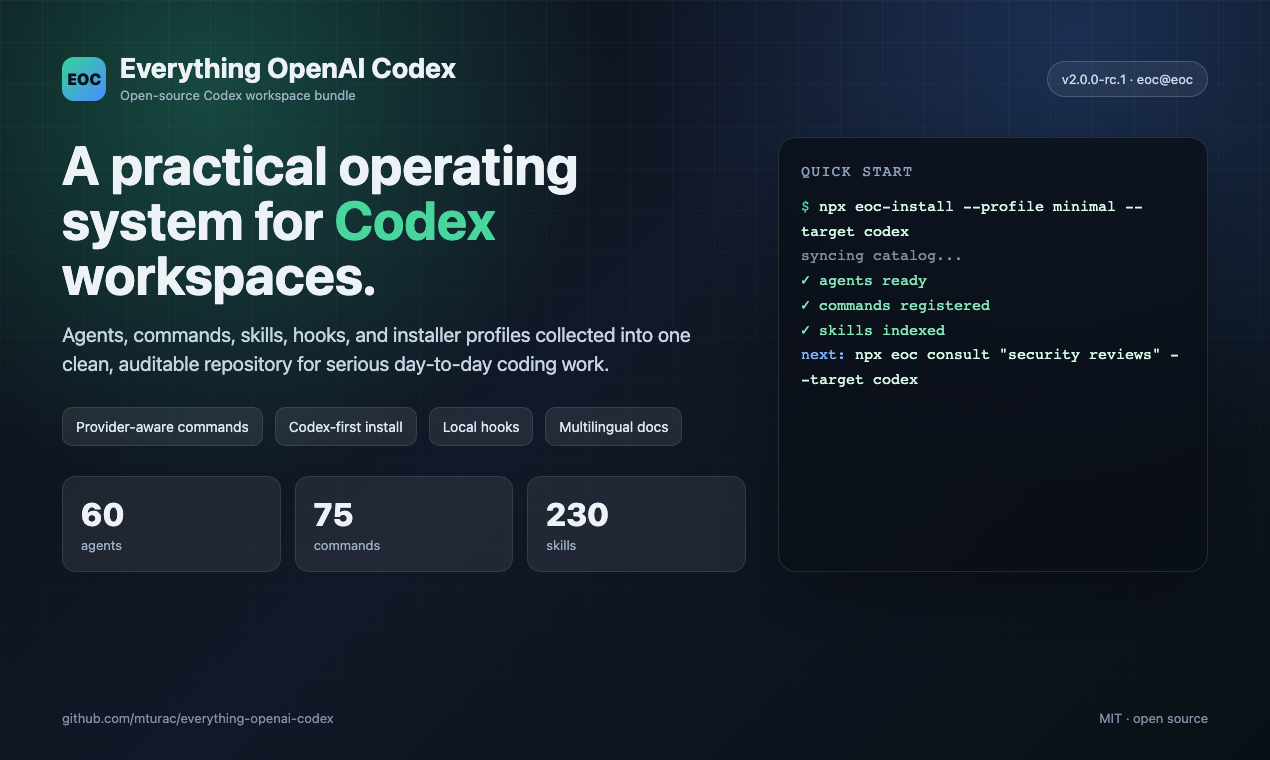
This is not a prompt dump. It is a maintained workflow system extracted from daily Codex use on real software projects. The repo currently ships a validated catalog of 60 agents, 232 skills, 110 rules, 28 hook matchers, 29 install modules, and 75 legacy command shims.
Works across OpenAI Codex, Cursor, OpenCode, Gemini, Zed, GitHub Copilot, Trae, and adjacent agent harnesses.
EOC v2.0.0-rc.1 adds the public Hermes operator story on top of that reusable layer: start with the Hermes setup guide, then review the rc.1 release notes and cross-harness architecture.
EOC Execution Model
EOC is organized around a repeatable operator loop, not a single prompt pack:
Intake -> Route -> Plan -> Execute -> Verify -> Capture -> Resume
That loop is backed by concrete repo surfaces:
| Loop stage | EOC surface |
|---|---|
| Intake and boundaries | AGENTS.md, agent.yaml, install profiles, .codexignore, and safety rules define what the agent owns before work starts |
| Routing | skills/, agents/, rules/, commands/, and cross-harness adapters map a task to the right specialist workflow |
| Execution | hook profiles, MCP configs, install manifests, and orchestration scripts keep runs reproducible across Codex, Cursor, OpenCode, Gemini, Zed, Copilot, and Trae |
| Verification | /quality-gate, skills/verification-loop/, skills/eval-harness/, scripts/preview-pack-smoke.js, manifest validators, and docs tests turn completion into evidence |
| Capture and resume | scripts/status.js, scripts/work-items.js, scripts/session-inspect.js, scripts/sessions-cli.js, hook snapshots, and ecc2/ alpha session commands preserve state for handoff or continuation |
The stable public layer is the contract-and-workflow system above. The Rust control plane in ecc2/ is the in-tree alpha runtime for dashboard, session, status, start, stop, resume, and daemon flows; it is intentionally labeled alpha until packaging and cross-harness resume semantics mature.
Why This Exists
AI coding tools get dramatically better when the harness has memory, boundaries, checks, and reusable operating patterns. EOC packages those pieces as installable, test-covered surfaces instead of asking every project to rediscover them.
| If you need... | EOC gives you... |
|---|---|
| Safer Codex sessions | AGENTS.md guidance, hook gates, no-verify blocks, MCP health checks, and supply-chain scanners |
| Better long-running work | session capture, compaction prompts, observer memory, status snapshots, and handoff-friendly logs |
| Reusable expertise | skill packs for backend, frontend, security, ML, docs, operations, and release work |
| Cross-tool portability | install targets and adapters for Codex, Cursor, OpenCode, Gemini, Zed, Copilot, Trae, and more |
| Reviewer confidence | catalog checks, manifest validators, PromptGuard-aware prompt surfaces, and a broad regression suite |
Start Here
Use one path only:
# Recommended for OpenAI Codex plugin users
/plugin marketplace add https://github.com/mturac/everything-openai-codex
/plugin install eoc@eoc
or:
# Source install for local/manual evaluation
git clone https://github.com/mturac/everything-openai-codex.git
cd everything-openai-codex
npm install
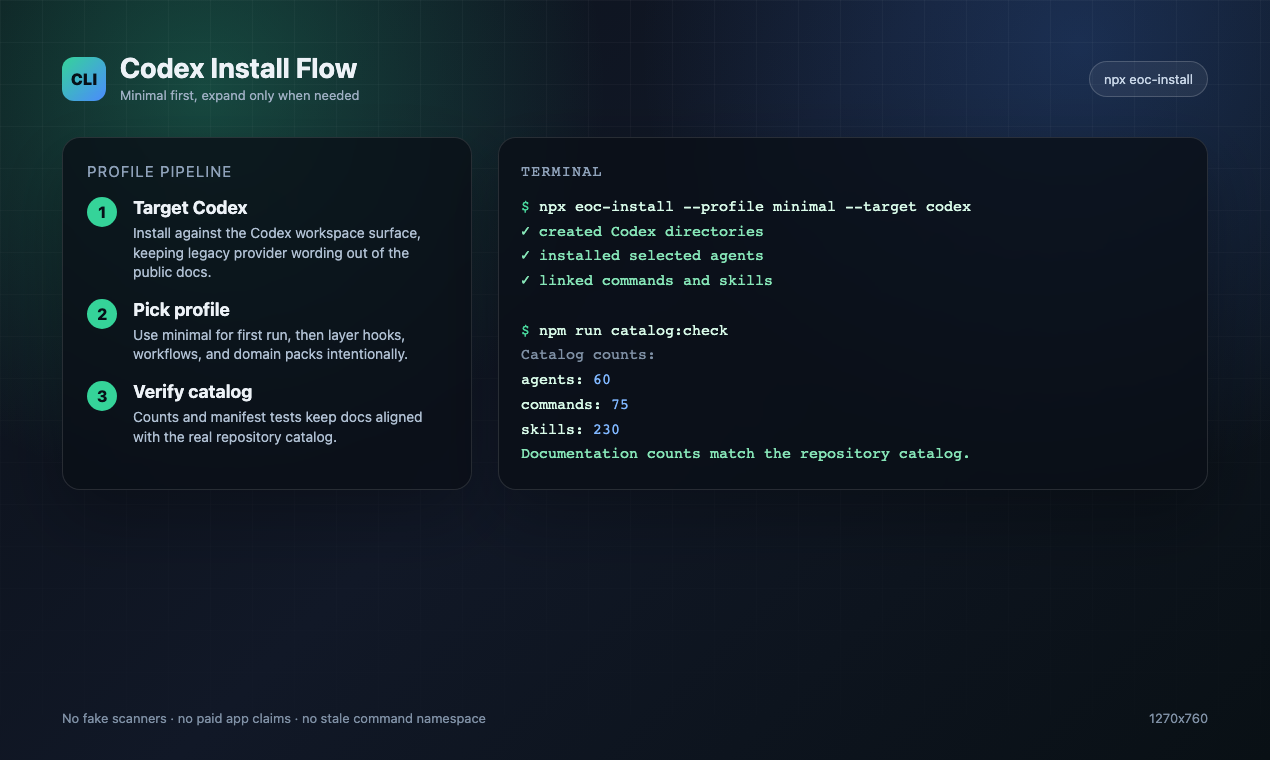
node scripts/install-apply.js --profile minimal --target codex --dry-run
node scripts/install-apply.js --profile minimal --target codex
Do not stack plugin and full manual installs. If you already layered install methods, use Reset / Uninstall EOC.
Screenshots
| Overview | Install flow |
|---|---|
 |
 |
| Catalog surface | Security workflow |
|---|---|
 |
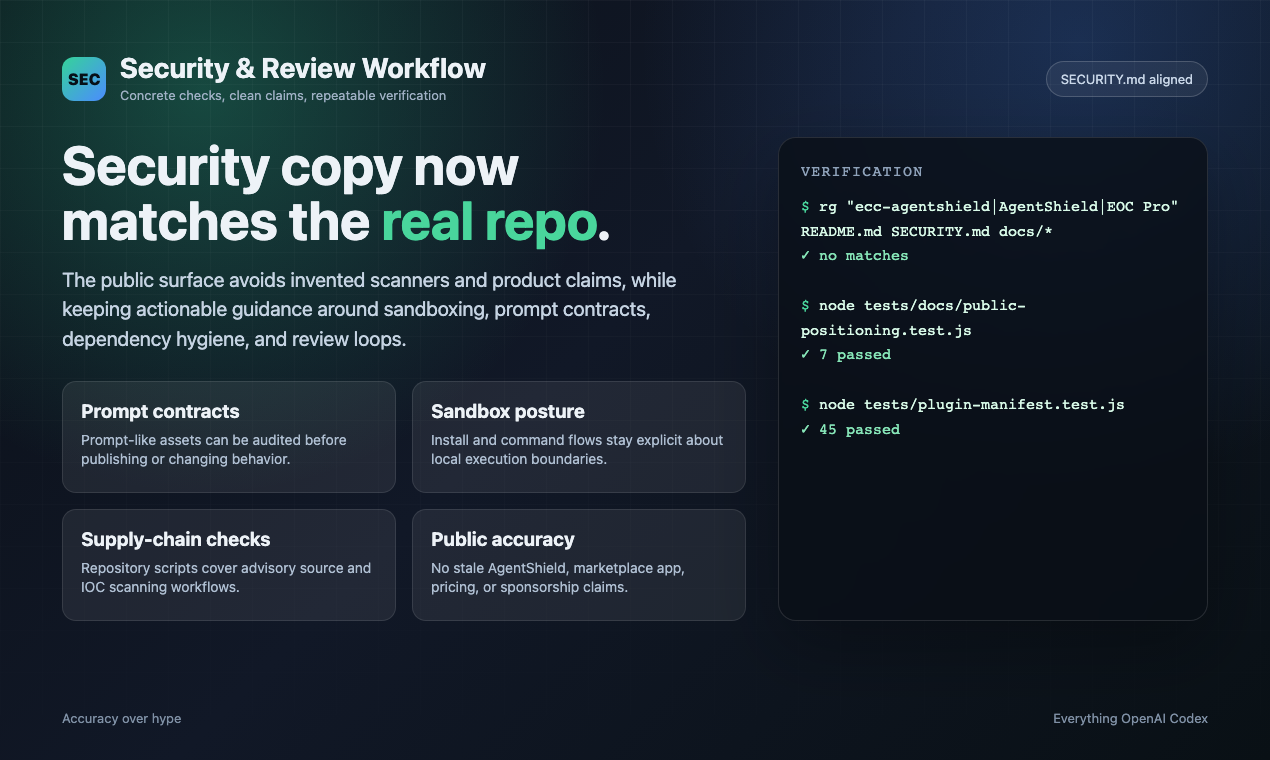 |
For launch copy, submission targets, and image links, see the launch kit.
Core Documentation
This repo is the source of truth. Use maintained repository docs instead of external video or thread references.
| Document | When to use it |
|---|---|
| Hermes setup | Set up the Hermes x EOC operator workflow |
| Public review guide | Evaluate EOC quickly for directories, awesome lists, and community submissions |
| Product improvement backlog | Prioritize activation, catalog discovery, install health, package trust, and demo proof |
| rc.1 release notes | Understand the current public release surface |
| Cross-harness architecture | Port skills, rules, and adapters between harnesses |
| Token optimization | Tune Codex model, compaction, and cost settings |
What's New
v2.0.0-rc.1 — Surface Refresh, Operator Workflows, and EOC 2.0 Alpha (Apr 2026)
- Dashboard GUI — New Tkinter-based desktop application (
ecc_dashboard.pyornpm run dashboard) with dark/light theme toggle, font customization, and project logo in header and taskbar. - Public surface synced to the live repo — metadata, catalog counts, plugin manifests, and install-facing docs now match the actual OSS surface: 60 agents, 232 skills, and 75 legacy command shims.
- Operator and outbound workflow expansion —
brand-voice,social-graph-ranker,connections-optimizer,customer-billing-ops,google-workspace-ops,project-flow-ops, andworkspace-surface-auditround out the operator lane. - Media and launch tooling —
manim-video,remotion-video-creation, and upgraded social publishing surfaces make technical explainers and launch content part of the same system. - Framework and product surface growth —
nestjs-patterns, richer Codex/OpenCode install surfaces, and expanded cross-harness packaging keep the repo usable beyond OpenAI Codex alone. - EOC 2.0 alpha is in-tree — the Rust control-plane prototype in
ecc2/now builds locally and exposesdashboard,start,sessions,status,stop,resume, anddaemoncommands. It is usable as an alpha, not yet a general release. - Operator status snapshots —
eoc status --markdown --write status.mdturns the local state store into a portable handoff covering readiness, active sessions, skill-run health, install health, pending governance events, and linked work items from Linear/GitHub/handoffs. Useeoc work-items upsert ...for manual entries,eoc work-items sync-github --repo owner/repofor PR/issue queue state, andeoc status --exit-codeto fail automation when readiness needs attention.
v1.9.0 — Selective Install & Language Expansion (Mar 2026)
- Selective install architecture — Manifest-driven install pipeline with
install-plan.jsandinstall-apply.jsfor targeted component installation. State store tracks what's installed and enables incremental updates. - 6 new agents —
typescript-reviewer,pytorch-build-resolver,java-build-resolver,java-reviewer,kotlin-reviewer,kotlin-build-resolverexpand language coverage to 10 languages. - New skills —
pytorch-patternsfor deep learning workflows,documentation-lookupfor API reference research,bun-runtimeandnextjs-turbopackfor modern JS toolchains, plus 8 operational domain skills andmcp-server-patterns. - Session & state infrastructure — SQLite state store with query CLI, session adapters for structured recording, skill evolution foundation for self-improving skills.
- Orchestration overhaul — Harness audit scoring made deterministic, orchestration status and launcher compatibility hardened, observer loop prevention with 5-layer guard.
- Observer reliability — Memory explosion fix with throttling and tail sampling, sandbox access fix, lazy-start logic, and re-entrancy guard.
- 12 language ecosystems — New rules for Java, PHP, Perl, Kotlin/Android/KMP, C++, and Rust join existing TypeScript, Python, Go, and common rules.
- Community contributions — Korean and Chinese translations, biome hook optimization, video processing skills, operational skills, PowerShell installer, Antigravity IDE support.
- CI hardening — 19 test failure fixes, catalog count enforcement, install manifest validation, and full test suite green.
v1.8.0 — Harness Performance System (Mar 2026)
- Harness-first release — EOC is now explicitly framed as an agent harness performance system, not just a config pack.
- Hook reliability overhaul — SessionStart root fallback, Stop-phase session summaries, and script-based hooks replacing fragile inline one-liners.
- Hook runtime controls —
ecc_HOOK_PROFILE=minimal|standard|strictandecc_DISABLED_HOOKS=...for runtime gating without editing hook files. - New harness commands —
/harness-audit,/loop-start,/loop-status,/quality-gate,/model-route. - NanoClaw v2 — model routing, skill hot-load, session branch/search/export/compact/metrics.
- Cross-harness parity — behavior tightened across OpenAI Codex, Cursor, OpenCode, and Codex app/CLI.
- 997 internal tests passing — full suite green after hook/runtime refactor and compatibility updates.
v1.7.0 — Cross-Platform Expansion & Presentation Builder (Feb 2026)
- Codex app + CLI support — Direct
AGENTS.md-based Codex support, installer targeting, and Codex docs frontend-slidesskill — Zero-dependency HTML presentation builder with PPTX conversion guidance and strict viewport-fit rules- 5 new generic business/content skills —
article-writing,content-engine,market-research,investor-materials,investor-outreach - Broader tool coverage — Cursor, Codex, and OpenCode support tightened so the same repo ships cleanly across all major harnesses
- 992 internal tests — Expanded validation and regression coverage across plugin, hooks, skills, and packaging
v1.4.1 — Bug Fix (Feb 2026)
- Fixed instinct import content loss —
parse_instinct_file()was silently dropping all content after frontmatter (Action, Evidence, Examples sections) during/instinct-import. (#148, #161)
v1.4.0 — Multi-Language Rules, Installation Wizard & PM2 (Feb 2026)
- Interactive installation wizard — New
configure-eccskill provides guided setup with merge/overwrite detection - PM2 & multi-agent orchestration — 6 new commands (
/pm2,/multi-plan,/multi-execute,/multi-backend,/multi-frontend,/multi-workflow) for managing complex multi-service workflows - Multi-language rules architecture — Rules restructured from flat files into
common/+typescript/+python/+golang/directories. Install only the languages you need - Chinese (zh-CN) translations — Complete translation of all agents, commands, skills, and rules (80+ files)
- Enhanced CONTRIBUTING.md — Detailed PR templates for each contribution type
v1.3.0 — OpenCode Plugin Support (Feb 2026)
- Full OpenCode integration — 12 agents, 24 commands, 16 skills with hook support via OpenCode's plugin system (20+ event types)
- 3 native custom tools — run-tests, check-coverage, security-audit
- LLM documentation —
llms.txtfor comprehensive OpenCode docs
v1.2.0 — Unified Commands & Skills (Feb 2026)
- Python/Django support — Django patterns, security, TDD, and verification skills
- Java Spring Boot skills — Patterns, security, TDD, and verification for Spring Boot
- Session management —
/sessionscommand for session history - Continuous learning v2 — Instinct-based learning with confidence scoring, import/export, evolution
See the full changelog in Releases.
Quick Start
Get up and running in under 2 minutes:
Pick one path only
Most OpenAI Codex users should use exactly one install path:
- Recommended default: install the OpenAI Codex plugin, then copy only the rule folders you actually want.
- Use the manual installer only if you want finer-grained control, want to avoid the plugin path entirely, or your OpenAI Codex build has trouble resolving the self-hosted marketplace entry.
- Do not stack install methods. The most common broken setup is:
/plugin installfirst, theninstall.sh --profile fullornpx eoc-install --profile fullafterward.
If you already layered multiple installs and things look duplicated, skip straight to Reset / Uninstall EOC.
Low-context / no-hooks path
If hooks feel too global or you only want EOC's rules, agents, commands, and core workflow skills, skip the plugin and use the minimal manual profile:
./install.sh --profile minimal --target codex
# or, from a packaged/tarball install:
npx eoc-install --profile minimal --target codex
.\install.ps1 --profile minimal --target codex
# or, from a packaged/tarball install:
npx eoc-install --profile minimal --target codex
This profile intentionally excludes hooks-runtime.
If you want the normal core profile but need hooks off, use:
./install.sh --profile core --without baseline:hooks --target codex
Add hooks later only if you want runtime enforcement:
./install.sh --target codex --modules hooks-runtime
Find the right components first
npx eoc consult "security reviews" --target codex
It returns matching components, related profiles, and preview/install commands. Use the preview command before installing if you want to inspect the exact file plan.
For production ML/MLOps workflows, keep the install opt-in and component-scoped:
npx eoc consult "mlops training model deployment" --target codex
node scripts/install-apply.js --profile minimal --target codex --with capability:machine-learning
Step 1: Install the Plugin (Recommended)
NOTE: The plugin is the default Codex path. Use the source installer only when you want local/manual control or you are debugging a marketplace cache issue.
# Add marketplace
/plugin marketplace add https://github.com/mturac/everything-openai-codex

# Install plugin
/plugin install eoc@eoc
Naming + Migration Note
EOC now has three public identifiers, and they are not interchangeable:
- GitHub source repo:
mturac/everything-openai-codex - Codex marketplace/plugin identifier:
eoc@eoc - npm package:
@mturac/eoc(registry packaging channel; not required for the Codex plugin path)
This is intentional. OpenAI marketplace/plugin installs are keyed by a canonical plugin identifier, so EOC uses eoc@eoc to keep tool names and slash-command namespaces short enough for strict Desktop/API validators. Older posts may still show the former long marketplace identifier; treat that as a legacy alias only. Separately, the npm channel uses @mturac/eoc, so npm installs and marketplace installs intentionally use different names.
Step 2: Install Rules Only If You Need Them
WARNING: Important: OpenAI Codex plugins cannot distribute
rulesautomatically.If you already installed EOC via
/plugin install, do not run./install.sh --profile full,.\install.ps1 --profile full, ornpx eoc-install --profile fullafterward. The plugin already loads EOC skills, commands, and hooks. Running the full installer after a plugin install copies those same surfaces into your user directories and can create duplicate skills plus duplicate runtime behavior.For plugin installs, manually copy only the
rules/directories you want under~/.codex/rules/ecc/. Start withrules/commonplus one language or framework pack you actually use. Do not copy every rules directory unless you explicitly want all of that context in Codex.Use the full installer only when you are doing a fully manual EOC install instead of the plugin path.
# Clone the repo first
git clone https://github.com/mturac/everything-openai-codex.git
cd everything-openai-codex

# Install dependencies (pick your package manager)
npm install        # or: pnpm install | yarn install | bun install

# Plugin install path: copy only EOC rules into the legacy ecc-owned namespace
mkdir -p ~/.codex/rules/ecc
cp -R rules/common ~/.codex/rules/ecc/
cp -R rules/typescript ~/.codex/rules/ecc/

# Fully manual EOC install path (use this instead of /plugin install)
# ./install.sh --profile full
# Windows PowerShell

# Plugin install path: copy only EOC rules into the legacy ecc-owned namespace
New-Item -ItemType Directory -Force -Path "$HOME/.codex/rules/ecc" | Out-Null
Copy-Item -Recurse rules/common "$HOME/.codex/rules/ecc/"
Copy-Item -Recurse rules/typescript "$HOME/.codex/rules/ecc/"

# Fully manual EOC install path (use this instead of /plugin install)
# .\install.ps1 --profile full
# npx eoc-install --profile full
For manual install instructions see the README in the rules/ folder. When copying rules manually, copy the whole language directory (for example rules/common or rules/golang), not the files inside it, so relative references keep working and filenames do not collide.
Fully manual install (Fallback)
Use this only if you are intentionally skipping the plugin path:
./install.sh --profile full
.\install.ps1 --profile full
If you choose this path, stop there. Do not also run /plugin install.
Reset / Uninstall EOC
If EOC feels duplicated, intrusive, or broken, do not keep reinstalling it on top of itself.
- Plugin path: remove the plugin from OpenAI Codex, then delete the specific rule folders you manually copied under
~/.codex/rules/ecc/. - Manual installer / CLI path: from the repo root, preview removal first:
node scripts/uninstall.js --dry-run
Then remove EOC-managed files:
node scripts/uninstall.js
You can also use the lifecycle wrapper:
node scripts/eoc.js list-installed
node scripts/eoc.js doctor
node scripts/eoc.js catalog search security
node scripts/eoc.js repair
node scripts/eoc.js uninstall --dry-run
npm run demo:smoke
EOC only removes files recorded in its install-state. It will not delete unrelated files it did not install.
If you stacked methods, clean up in this order:
- Remove the OpenAI Codex plugin install.
- Run the EOC uninstall command from the repo root to remove install-state-managed files.
- Delete any extra rule folders you copied manually and no longer want.
- Reinstall once, using a single path.
Step 3: Start Using
# Skills are the primary workflow surface.
# Existing slash-style command names still work while EOC migrates off commands/.

# Plugin install uses the canonical namespaced form
/eoc:plan "Add user authentication"

# Manual install keeps the shorter slash form:
# /plan "Add user authentication"

# Check available commands
/plugin list eoc@eoc
That's it! You now have access to 60 agents, 232 skills, and 75 legacy command shims.
Dashboard GUI
Launch the desktop dashboard to visually explore EOC components:
npm run dashboard
# or
python3 ./ecc_dashboard.py
Features:
- Tabbed interface: Agents, Skills, Commands, Rules, Settings
- Dark/Light theme toggle
- Font customization (family & size)
- Project logo in header and taskbar
- Search and filter across all components
Multi-model commands require additional setup
WARNING:
multi-*commands are not covered by the base plugin/rules install above.To use
/multi-plan,/multi-execute,/multi-backend,/multi-frontend, and/multi-workflow, you must also install theccg-workflowruntime.Initialize it with
npx ccg-workflow.That runtime provides the external dependencies these commands expect, including:
~/.codex/bin/codeagent-wrapper~/.codex/.ccg/prompts/*Without
ccg-workflow, thesemulti-*commands will not run correctly.
Cross-Platform Support
This plugin now fully supports Windows, macOS, and Linux, alongside tight integration across major IDEs (Cursor, Zed, OpenCode, Antigravity) and CLI harnesses. All hooks and scripts have been rewritten in Node.js for maximum compatibility.
Package Manager Detection
The plugin automatically detects your preferred package manager (npm, pnpm, yarn, or bun) with the following priority:
- Environment variable:
CODEX_PACKAGE_MANAGER - Project config:
.codex/package-manager.json - package.json:
packageManagerfield - Lock file: Detection from package-lock.json, yarn.lock, pnpm-lock.yaml, or bun.lockb
- Global config:
~/.codex/package-manager.json - Fallback: First available package manager
To set your preferred package manager:
# Via environment variable
export CODEX_PACKAGE_MANAGER=pnpm

# Via global config
node scripts/setup-package-manager.js --global pnpm

# Via project config
node scripts/setup-package-manager.js --project bun

# Detect current setting
node scripts/setup-package-manager.js --detect
Or use the /setup-pm command in OpenAI Codex.
Hook Runtime Controls
Use runtime flags to tune strictness or disable specific hooks temporarily:
# Hook strictness profile (default: standard)
export ecc_HOOK_PROFILE=standard

# Comma-separated hook IDs to disable
export ecc_DISABLED_HOOKS="pre:bash:tmux-reminder,post:edit:typecheck"

# Cap SessionStart additional context (default: 8000 chars)
export ecc_SESSION_START_MAX_CHARS=4000

# Disable SessionStart additional context entirely for low-context/local-model setups
export ecc_SESSION_START_CONTEXT=off

# Keep context/scope/loop warnings but suppress API-rate cost estimates
export ecc_CONTEXT_MONITOR_COST_WARNINGS=off
Windows PowerShell:
[Environment]::SetEnvironmentVariable('ecc_CONTEXT_MONITOR_COST_WARNINGS', 'off', 'User')
What's Inside
This repo is an OpenAI Codex plugin - install it directly or copy components manually.
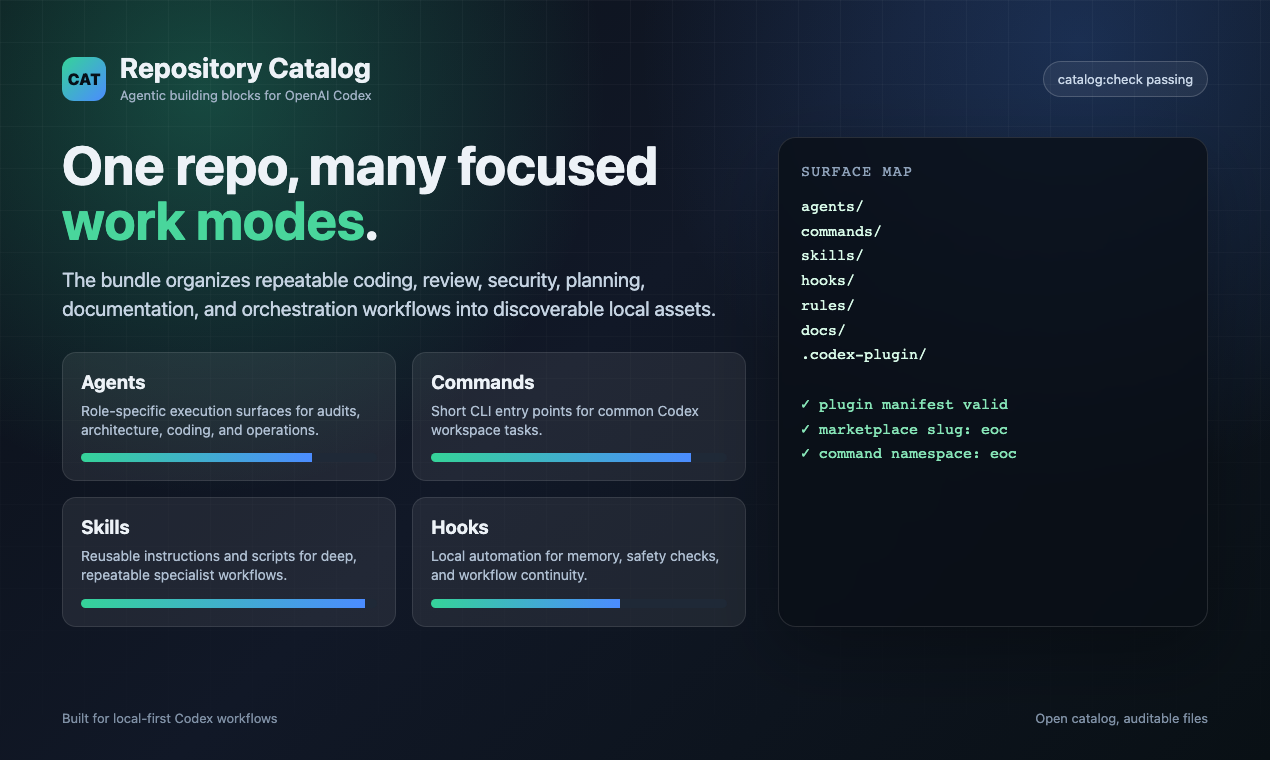
everything-openai-codex/
|-- .codex-plugin/   # Plugin manifest
|   |-- plugin.json         # Plugin metadata and component paths
|
|-- agents/           # 60 specialized subagents for delegation
|   |-- planner.md           # Feature implementation planning
|   |-- architect.md         # System design decisions
|   |-- tdd-guide.md         # Test-driven development
|   |-- code-reviewer.md     # Quality and security review
|   |-- security-reviewer.md # Vulnerability analysis
|   |-- build-error-resolver.md
|   |-- e2e-runner.md        # Playwright E2E testing
|   |-- refactor-cleaner.md  # Dead code cleanup
|   |-- doc-updater.md       # Documentation sync
|   |-- docs-lookup.md       # Documentation/API lookup
|   |-- chief-of-staff.md    # Communication triage and drafts
|   |-- loop-operator.md     # Autonomous loop execution
|   |-- harness-optimizer.md # Harness config tuning
|   |-- cpp-reviewer.md      # C++ code review
|   |-- cpp-build-resolver.md # C++ build error resolution
|   |-- fsharp-reviewer.md   # F# functional code review
|   |-- go-reviewer.md       # Go code review
|   |-- go-build-resolver.md # Go build error resolution
|   |-- python-reviewer.md   # Python code review
|   |-- database-reviewer.md # Database/Supabase review
|   |-- typescript-reviewer.md # TypeScript/JavaScript code review
|   |-- java-reviewer.md     # Java/Spring Boot code review
|   |-- java-build-resolver.md # Java/Maven/Gradle build errors
|   |-- kotlin-reviewer.md   # Kotlin/Android/KMP code review
|   |-- kotlin-build-resolver.md # Kotlin/Gradle build errors
|   |-- harmonyos-app-resolver.md # HarmonyOS/ArkTS app development
|   |-- rust-reviewer.md     # Rust code review
|   |-- rust-build-resolver.md # Rust build error resolution
|   |-- pytorch-build-resolver.md # PyTorch/CUDA training errors
|   |-- mle-reviewer.md      # Production ML pipeline, eval, serving, and monitoring review
|
|-- skills/           # Workflow definitions and domain knowledge
|   |-- coding-standards/           # Language best practices
|   |-- clickhouse-io/              # ClickHouse analytics, queries, data engineering
|   |-- backend-patterns/           # API, database, caching patterns
|   |-- frontend-patterns/          # React, Next.js patterns
|   |-- frontend-slides/            # HTML slide decks and PPTX-to-web presentation workflows (NEW)
|   |-- article-writing/            # Long-form writing in a supplied voice without generic AI tone (NEW)
|   |-- content-engine/             # Multi-platform social content and repurposing workflows (NEW)
|   |-- market-research/            # Source-attributed market, competitor, and investor research (NEW)
|   |-- investor-materials/         # Pitch decks, one-pagers, memos, and financial models (NEW)
|   |-- investor-outreach/          # Personalized fundraising outreach and follow-up (NEW)
|   |-- continuous-learning/        # Legacy v1 Stop-hook pattern extraction
|   |-- continuous-learning-v2/     # Instinct-based learning with confidence scoring
|   |-- iterative-retrieval/        # Progressive context refinement for subagents
|   |-- strategic-compact/          # Manual compaction suggestions (Longform Guide)
|   |-- tdd-workflow/               # TDD methodology
|   |-- security-review/            # Security checklist
|   |-- eval-harness/               # Verification loop evaluation (Longform Guide)
|   |-- verification-loop/          # Continuous verification (Longform Guide)
|   |-- videodb/                   # Video and audio: ingest, search, edit, generate, stream (NEW)
|   |-- golang-patterns/            # Go idioms and best practices
|   |-- golang-testing/             # Go testing patterns, TDD, benchmarks
|   |-- cpp-coding-standards/         # C++ coding standards from C++ Core Guidelines (NEW)
|   |-- cpp-testing/                # C++ testing with GoogleTest, CMake/CTest (NEW)
|   |-- django-patterns/            # Django patterns, models, views (NEW)
|   |-- django-security/            # Django security best practices (NEW)
|   |-- django-tdd/                 # Django TDD workflow (NEW)
|   |-- django-verification/        # Django verification loops (NEW)
|   |-- laravel-patterns/           # Laravel architecture patterns (NEW)
|   |-- laravel-security/           # Laravel security best practices (NEW)
|   |-- laravel-tdd/                # Laravel TDD workflow (NEW)
|   |-- laravel-verification/       # Laravel verification loops (NEW)
|   |-- python-patterns/            # Python idioms and best practices (NEW)
|   |-- python-testing/             # Python testing with pytest (NEW)
|   |-- quarkus-patterns/            # Java Quarkus patterns (NEW)
|   |-- quarkus-security/            # Quarkus security (NEW)
|   |-- quarkus-tdd/                 # Quarkus TDD (NEW)
|   |-- quarkus-verification/        # Quarkus verification (NEW)
|   |-- springboot-patterns/        # Java Spring Boot patterns (NEW)
|   |-- springboot-security/        # Spring Boot security (NEW)
|   |-- springboot-tdd/             # Spring Boot TDD (NEW)
|   |-- springboot-verification/    # Spring Boot verification (NEW)
|   |-- configure-ecc/              # Interactive installation wizard (NEW)
|   |-- java-coding-standards/     # Java coding standards (NEW)
|   |-- jpa-patterns/              # JPA/Hibernate patterns (NEW)
|   |-- postgres-patterns/         # PostgreSQL optimization patterns (NEW)
|   |-- nutrient-document-processing/ # Document processing with Nutrient API (NEW)
|   |-- docs/examples/project-guidelines-template.md  # Template for project-specific skills
|   |-- database-migrations/         # Migration patterns (Prisma, Drizzle, Django, Go) (NEW)
|   |-- api-design/                  # REST API design, pagination, error responses (NEW)
|   |-- deployment-patterns/         # CI/CD, Docker, health checks, rollbacks (NEW)
|   |-- docker-patterns/            # Docker Compose, networking, volumes, container security (NEW)
|   |-- e2e-testing/                 # Playwright E2E patterns and Page Object Model (NEW)
|   |-- content-hash-cache-pattern/  # SHA-256 content hash caching for file processing (NEW)
|   |-- cost-aware-llm-pipeline/     # LLM cost optimization, model routing, budget tracking (NEW)
|   |-- regex-vs-llm-structured-text/ # Decision framework: regex vs LLM for text parsing (NEW)
|   |-- swift-actor-persistence/     # Thread-safe Swift data persistence with actors (NEW)
|   |-- swift-protocol-di-testing/   # Protocol-based DI for testable Swift code (NEW)
|   |-- search-first/               # Research-before-coding workflow (NEW)
|   |-- skill-stocktake/            # Audit skills and commands for quality (NEW)
|   |-- liquid-glass-design/         # iOS 26 Liquid Glass design system (NEW)
|   |-- foundation-models-on-device/ # Apple on-device LLM with FoundationModels (NEW)
|   |-- swift-concurrency-6-2/       # Swift 6.2 Approachable Concurrency (NEW)
|   |-- mle-workflow/               # Production ML data contracts, evals, deployment, monitoring (NEW)
|   |-- perl-patterns/             # Modern Perl 5.36+ idioms and best practices (NEW)
|   |-- perl-security/             # Perl security patterns, taint mode, safe I/O (NEW)
|   |-- perl-testing/              # Perl TDD with Test2::V0, prove, Devel::Cover (NEW)
|   |-- autonomous-loops/           # Autonomous loop patterns: sequential pipelines, PR loops, DAG orchestration (NEW)
|   |-- plankton-code-quality/      # Write-time code quality enforcement with Plankton hooks (NEW)
|
|-- commands/         # Maintained slash-entry compatibility; prefer skills/
|   |-- plan.md             # /plan - Implementation planning
|   |-- code-review.md      # /code-review - Quality review
|   |-- build-fix.md        # /build-fix - Fix build errors
|   |-- refactor-clean.md   # /refactor-clean - Dead code removal
|   |-- quality-gate.md     # /quality-gate - Verification gate
|   |-- learn.md            # /learn - Extract patterns mid-session (Longform Guide)
|   |-- learn-eval.md       # /learn-eval - Extract, evaluate, and save patterns (NEW)
|   |-- checkpoint.md       # /checkpoint - Save verification state (Longform Guide)
|   |-- setup-pm.md         # /setup-pm - Configure package manager
|   |-- go-review.md        # /go-review - Go code review (NEW)
|   |-- go-test.md          # /go-test - Go TDD workflow (NEW)
|   |-- go-build.md         # /go-build - Fix Go build errors (NEW)
|   |-- skill-create.md     # /skill-create - Generate skills from git history (NEW)
|   |-- instinct-status.md  # /instinct-status - View learned instincts (NEW)
|   |-- instinct-import.md  # /instinct-import - Import instincts (NEW)
|   |-- instinct-export.md  # /instinct-export - Export instincts (NEW)
|   |-- evolve.md           # /evolve - Cluster instincts into skills
|   |-- prune.md            # /prune - Delete expired pending instincts (NEW)
|   |-- pm2.md              # /pm2 - PM2 service lifecycle management (NEW)
|   |-- multi-plan.md       # /multi-plan - Multi-agent task decomposition (NEW)
|   |-- multi-execute.md    # /multi-execute - Orchestrated multi-agent workflows (NEW)
|   |-- multi-backend.md    # /multi-backend - Backend multi-service orchestration (NEW)
|   |-- multi-frontend.md   # /multi-frontend - Frontend multi-service orchestration (NEW)
|   |-- multi-workflow.md   # /multi-workflow - General multi-service workflows (NEW)
|   |-- sessions.md         # /sessions - Session history management
|   |-- test-coverage.md    # /test-coverage - Test coverage analysis
|   |-- update-docs.md      # /update-docs - Update documentation
|   |-- update-codemaps.md  # /update-codemaps - Update codemaps
|   |-- python-review.md    # /python-review - Python code review (NEW)
|-- legacy-command-shims/   # Opt-in archive for retired shims such as /tdd and /eval
|   |-- tdd.md              # /tdd - Prefer the tdd-workflow skill
|   |-- e2e.md              # /e2e - Prefer the e2e-testing skill
|   |-- eval.md             # /eval - Prefer the eval-harness skill
|   |-- verify.md           # /verify - Prefer the verification-loop skill
|   |-- orchestrate.md      # /orchestrate - Prefer dmux-workflows or multi-workflow
|
|-- rules/            # Always-follow guidelines (copy to ~/.codex/rules/ecc/)
|   |-- README.md            # Structure overview and installation guide
|   |-- common/              # Language-agnostic principles
|   |   |-- coding-style.md    # Immutability, file organization
|   |   |-- git-workflow.md    # Commit format, PR process
|   |   |-- testing.md         # TDD, 80% coverage requirement
|   |   |-- performance.md     # Model selection, context management
|   |   |-- patterns.md        # Design patterns, skeleton projects
|   |   |-- hooks.md           # Hook architecture, TodoWrite
|   |   |-- agents.md          # When to delegate to subagents
|   |   |-- security.md        # Mandatory security checks
|   |-- typescript/          # TypeScript/JavaScript specific
|   |-- python/              # Python specific
|   |-- golang/              # Go specific
|   |-- swift/               # Swift specific
|   |-- php/                 # PHP specific (NEW)
|   |-- arkts/               # HarmonyOS / ArkTS specific
|
|-- hooks/            # Trigger-based automations
|   |-- README.md                 # Hook documentation, recipes, and customization guide
|   |-- hooks.json                # All hooks config (PreToolUse, PostToolUse, Stop, etc.)
|   |-- memory-persistence/       # Session lifecycle hooks (Longform Guide)
|   |-- strategic-compact/        # Compaction suggestions (Longform Guide)
|
|-- scripts/          # Cross-platform Node.js scripts (NEW)
|   |-- lib/                     # Shared utilities
|   |   |-- utils.js             # Cross-platform file/path/system utilities
|   |   |-- package-manager.js   # Package manager detection and selection
|   |-- hooks/                   # Hook implementations
|   |   |-- session-start.js     # Load context on session start
|   |   |-- session-end.js       # Save state on session end
|   |   |-- pre-compact.js       # Pre-compaction state saving
|   |   |-- suggest-compact.js   # Strategic compaction suggestions
|   |   |-- evaluate-session.js  # Extract patterns from sessions
|   |-- setup-package-manager.js # Interactive PM setup
|
|-- tests/            # Test suite (NEW)
|   |-- lib/                     # Library tests
|   |-- hooks/                   # Hook tests
|   |-- run-all.js               # Run all tests
|
|-- contexts/         # Dynamic system prompt injection contexts (Longform Guide)
|   |-- dev.md              # Development mode context
|   |-- review.md           # Code review mode context
|   |-- research.md         # Research/exploration mode context
|
|-- examples/         # Example configurations and sessions
|   |-- CODEX.md             # Example project-level config
|   |-- user-CODEX.md        # Example user-level config
|   |-- saas-nextjs-CODEX.md
No comments yet
Be the first to share your take.