
edgenote-ai
A shared knowledge base on Cloudflare Workers that both humans and LLMs can read/write via MCP (Model Context Protocol), using the Streamable HTTP transport.
An edge-deployed MCP knowledge base — most MCP memory servers run locally (stdio). edgenote-ai runs on Cloudflare Workers so Claude Desktop, Cursor, or any MCP client can connect natively from anywhere, no proxy needed.
LLMs are stateless — they forget everything between conversations. edgenote-ai gives them persistent, shared memory.
The Problem
Every LLM conversation starts from zero. You explain context, share background, re-establish what you discussed yesterday. Your AI assistant has no long-term memory.
edgenote-ai fixes this:
- LLM-to-LLM continuity — one session saves research notes, another picks them up
- Human + AI collaboration — write in the browser, ask your LLM "what did I write about X last week?"
- Team knowledge sharing (planned) — shared spaces for multiple people and their AI assistants
How it works
Human (browser) ─── Google OAuth ───→ edgenote-ai ←─── API key ─── LLM (MCP)
│
Cloudflare Workers + D1
│
MCP Streamable HTTP
(9 tools, spec-compliant)
Three interfaces, same data:
| Interface | Auth | Use case |
|---|---|---|
| MCP | API key | LLMs create, read, search notes as tool calls |
| REST API | API key | Scripts, CI, integrations |
| Web UI | Google OAuth | Humans browse, edit, and organize notes |
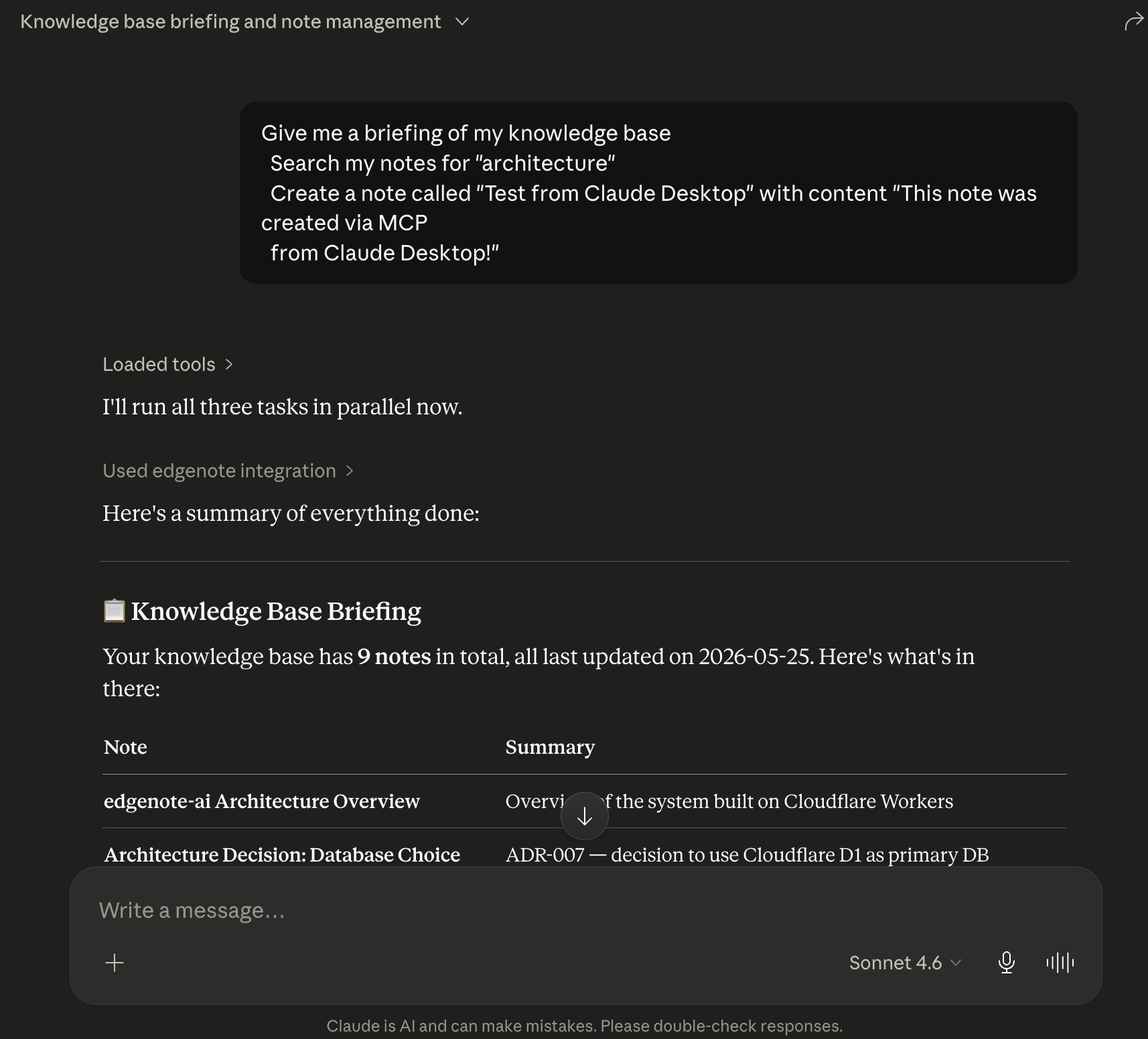
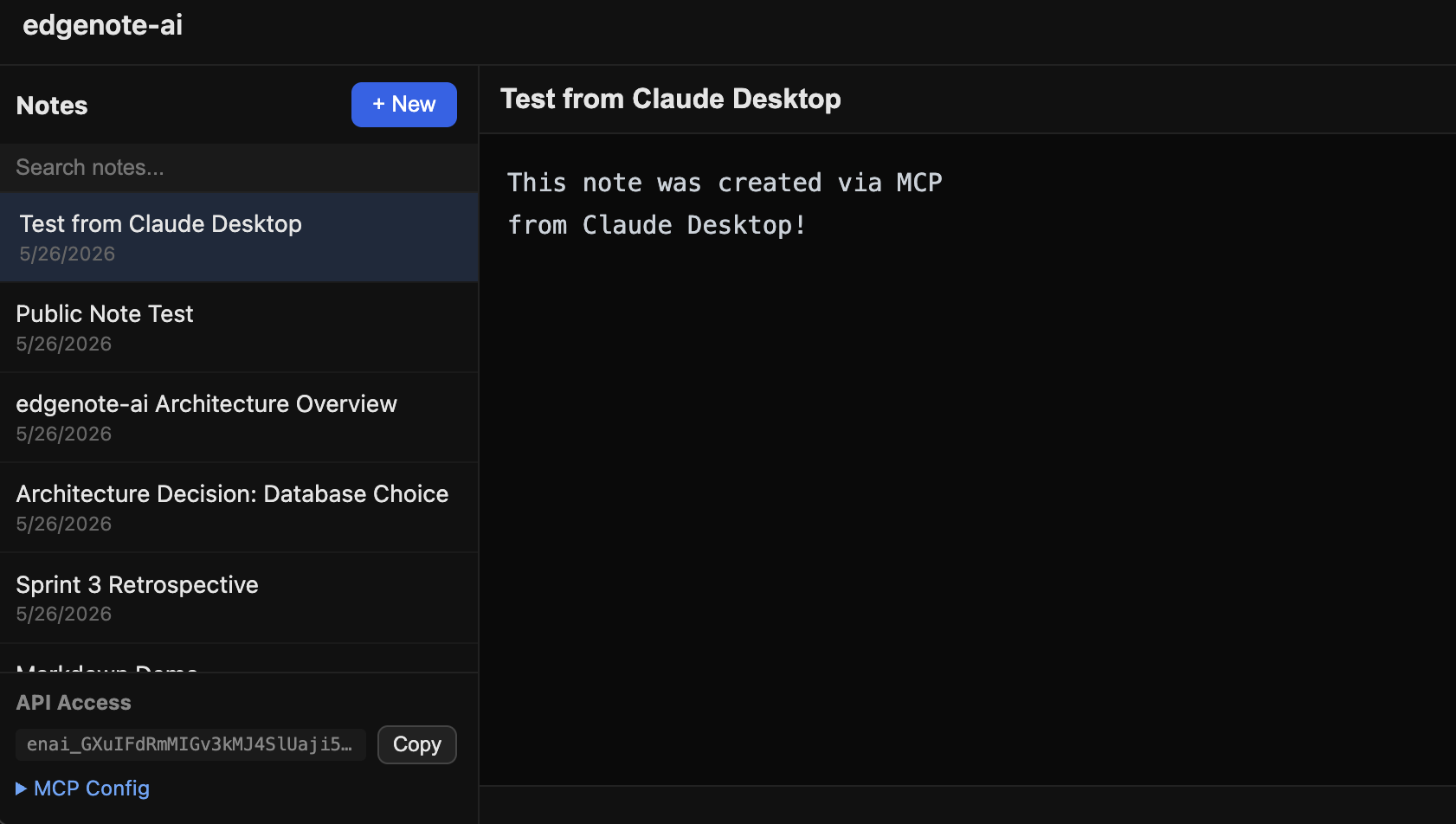
Claude Desktop → edgenote-ai → Web UI (full round-trip)
| Claude Desktop calls MCP tools | Note appears in Web UI |
|---|---|
 |
 |
Quick Start
1. Sign up
Visit edgenote.0xkaz.com and sign in with Google.
2. Get your API key
Your dashboard shows your API key and a ready-to-copy MCP configuration.
3. Connect your LLM
Add to ~/Library/Application Support/Claude/claude_desktop_config.json (macOS):
{
  "mcpServers": {
    "edgenote": {
      "command": "npx",
      "args": [
        "-y",
        "mcp-remote",
        "https://edgenote.0xkaz.com/mcp",
        "--header",
        "Authorization: Bearer YOUR_API_KEY"
      ]
    }
  }
}
Restart Claude Desktop after saving.
4. Use it
Ask Claude: "Give me a briefing of my knowledge base" or "Search my notes for deployment plans"
MCP Tools
9 tools available via the Streamable HTTP MCP endpoint:
| Tool | Description |
|---|---|
note_create |
Create a new note with title and Markdown content |
note_read |
Read a note by ID or title |
note_update |
Update content or append to an existing note |
note_search |
Search across all notes (currently LIKE-based, Rust/WASM tantivy planned) |
note_list |
List notes with optional filters |
note_delete |
Delete a note |
note_export |
Bulk export all notes for loading full context into a conversation |
context_briefing |
Get a comprehensive overview of your knowledge base — call first in a new conversation |
note_summarize |
Basic summary/preview of one or more notes (heading extraction, word count, content preview) |
When a new MCP session starts, the server returns dynamic instructions describing the user's knowledge base (note count, recent titles, suggested tools).
REST API
# Create a note
curl -X POST https://edgenote.0xkaz.com/api/notes \
  -H "Authorization: Bearer YOUR_API_KEY" \
  -H "Content-Type: application/json" \
  -d '{"title": "Meeting notes", "content": "## Decisions\n- Ship v2 by Friday"}'

# Search notes
curl "https://edgenote.0xkaz.com/api/notes/search?q=deployment" \
  -H "Authorization: Bearer YOUR_API_KEY"

# Bulk export (markdown)
curl https://edgenote.0xkaz.com/api/notes/export \
  -H "Authorization: Bearer YOUR_API_KEY"
Security note: API keys are for server-side and CLI use only. Do not embed them in client-side JavaScript or browser code.
Architecture
┌─────────────────────────────────────────────────┐
│           Cloudflare Workers                     │
│                                                  │
│  MCP Streamable HTTP ←→ Hono Router              │
│       ↓                    ↓                     │
│  Tool Handlers         REST API / Web UI         │
│       ↓                    ↓                     │
│             D1 (SQL storage)                     │
│                                                  │
│  Rust/WASM core (built, not yet integrated):     │
│  - pulldown-cmark (Markdown parsing)             │
│  - In-memory search index                        │
│  → tantivy full-text search planned              │
└──────────────────────────────────────────────────┘
Current stack
| Component | Status | Detail |
|---|---|---|
| Cloudflare Workers | ✅ Deployed | Hono framework, Streamable HTTP MCP |
| D1 | ✅ In use | Note storage, user auth, search (LIKE-based) |
| Google OAuth | ✅ Working | With CSRF state validation |
| MCP SDK | ✅ Spec-compliant | @modelcontextprotocol/sdk, protocol version 2025-11-25 |
| Rust/WASM core | ✅ Built | pulldown-cmark + in-memory search (not yet called from Workers) |
| R2 | Bound | Not yet used (planned for search index persistence) |
Planned (roadmap)
| Component | Purpose |
|---|---|
| tantivy (Rust/WASM) | Ranked full-text search with CJK support, replacing D1 LIKE |
| Automerge (Rust/WASM) | CRDT-based real-time collaborative editing |
| Durable Objects | Per-document state, WebSocket connections |
| Vectorize + Workers AI | Semantic search (vector + keyword hybrid) |
Development
Prerequisites
- Rust (stable) +
wasm-pack - Node.js 18+
- pnpm
- Wrangler CLI (
npm install -g wrangler)
Setup
git clone https://github.com/0xkaz/edgenote-ai.git
cd edgenote-ai
cp .dev.vars.example .dev.vars  # Add your Google OAuth credentials
pnpm install
pnpm db:migrate:local
Build WASM
pnpm build:wasm
Run locally
pnpm dev
Run tests
make test
Roadmap
- Project scaffolding
- Workers + D1 note CRUD
- Auth (API key + Google OAuth + CSRF state)
- MCP server (9 tools, Streamable HTTP)
- REST API
- Web editor UI with Markdown preview
- Public note sharing with TOC
- Context briefing and basic summary/preview tools
- Integrate Rust/WASM into Workers (tantivy search, Markdown rendering)
- CRDT real-time sync (Automerge)
- Shared spaces
- Semantic search (Vectorize + Workers AI)
License
MIT
No comments yet
Be the first to share your take.