
doceo: the Claude Code skill that teaches you anything in one screen
doceo (Latin): "I teach."
An open-source AI tutor skill for Claude Code. Point it at anything you don't understand and instead of a wall of text you get a one-screen visual lesson: one plain-language answer, one diagram, one analogy, and a tiny self-quiz. Every lesson is saved to your notes, so the next lesson already knows what you learned. And it improves itself from your feedback.
/doceo what is an LLM?
/doceo how does OAuth actually work
/doceo https://github.com/some/repo
/doceo src/services/billing/
/doceo            <- bare: "teach me the confusing thing we're discussing right now"
The pain it solves
You ask an AI to explain something new. It answers with 1,500 technically correct words. You read all of it, understand half of it, and remember none of it by tomorrow. Learning a new domain this way feels like being assigned a book per day.
Three things are broken in that workflow:
- No shape. Explanations arrive as prose. Your brain wants a picture, an analogy, and one sentence that resolves the confusion.
- No memory of you. Every chat starts from zero. The AI re-explains what you already know and skips what you actually miss.
- No feedback loop. When an explanation fails you, nothing changes. The next one fails the same way.
Doceo fixes all three: fixed lesson shape, persistent learner memory, and a self-improvement loop that turns your feedback into permanent teaching rules.
What a lesson looks like
Every lesson has the same skeleton, capped at roughly one screen:
| Part | What it gives you |
|---|---|
| The answer | One plain sentence at the top. Read only this and you still leave smarter. |
| The picture | One diagram: boxes, arrows, a "you are here" map. Drawn as inline SVG, sketchnote style. |
| The analogy | One real-world comparison picked from your world (your stack, your daily life). |
| Where this fits | Why this matters to you, in your project, in your role. |
| Baby steps | When the topic is a task: 3-5 steps, each with "done looks like". |
| Check yourself | 2-3 quiz questions, answers hidden behind a click. The Feynman test. |
| Go deeper | Optional links. Depth is opt-in, never forced. |
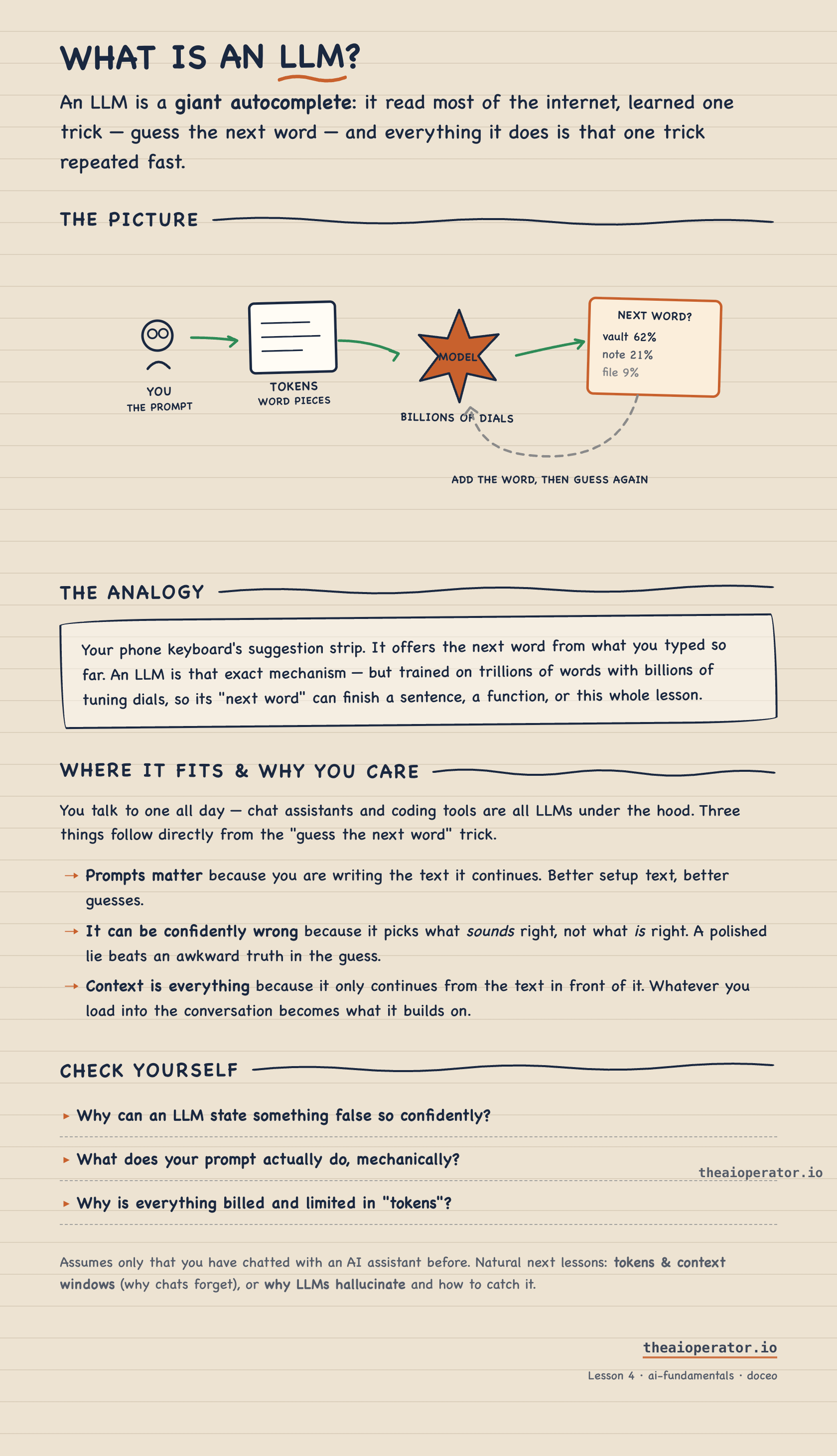
You get two artifacts per lesson: a rendered HTML page to learn from, and a markdown note (with Mermaid diagrams) saved into your lessons folder. An Obsidian vault is a natural fit for that folder, but any directory works.
How it works
flowchart LR
A["/doceo <anything>"] --> B["reads your memory<br/>profile · rules · past lessons"]
B --> C["one-screen lesson<br/>HTML page + markdown note"]
C --> D["one feedback question<br/>did this land?"]
D --> E["your answer becomes<br/>a teaching rule"]
E -.->|every future lesson reads the rules first| B
The memory
A small folder next to your lessons:
_profile.md- who you are, what you already know, how you like to be taught_learnings.md- teaching rules distilled from your feedback; read at the start of every run_style.md- optional: your own design system (colors, fonts, diagram vocabulary); when present, every lesson page renders in your brandindex.md- one line per lesson, so lesson 12 assumes lessons 1-11 and links back instead of re-explainingmaps/<domain>.md- one growing map per domain: everything you have learned, one picture
The improvement loop
After every lesson, doceo asks exactly one question: did this land? Repeated feedback becomes rules in _learnings.md, and every future lesson starts by reading those rules. The skill you have after 50 lessons is not the skill you installed.
Install
git clone https://github.com/eugeniughelbur/doceo ~/.claude/skills/doceo
Restart your Claude Code session once so /doceo appears in the slash menu.
First run asks one question (where to save lessons) and interviews you for 30 seconds to seed your profile. Config lives in ~/.doceo/config.json, so the same skill on a second machine (say, your work laptop) keeps a completely separate memory.
10 examples
Each screenshot is the lesson that exact prompt produced.
1. Learn a concept from zero
/doceo what is an LLM?
You use AI every day but never understood what's under the hood. One screen later you can explain next-word prediction to a colleague.
2. The concept every developer pretends to know
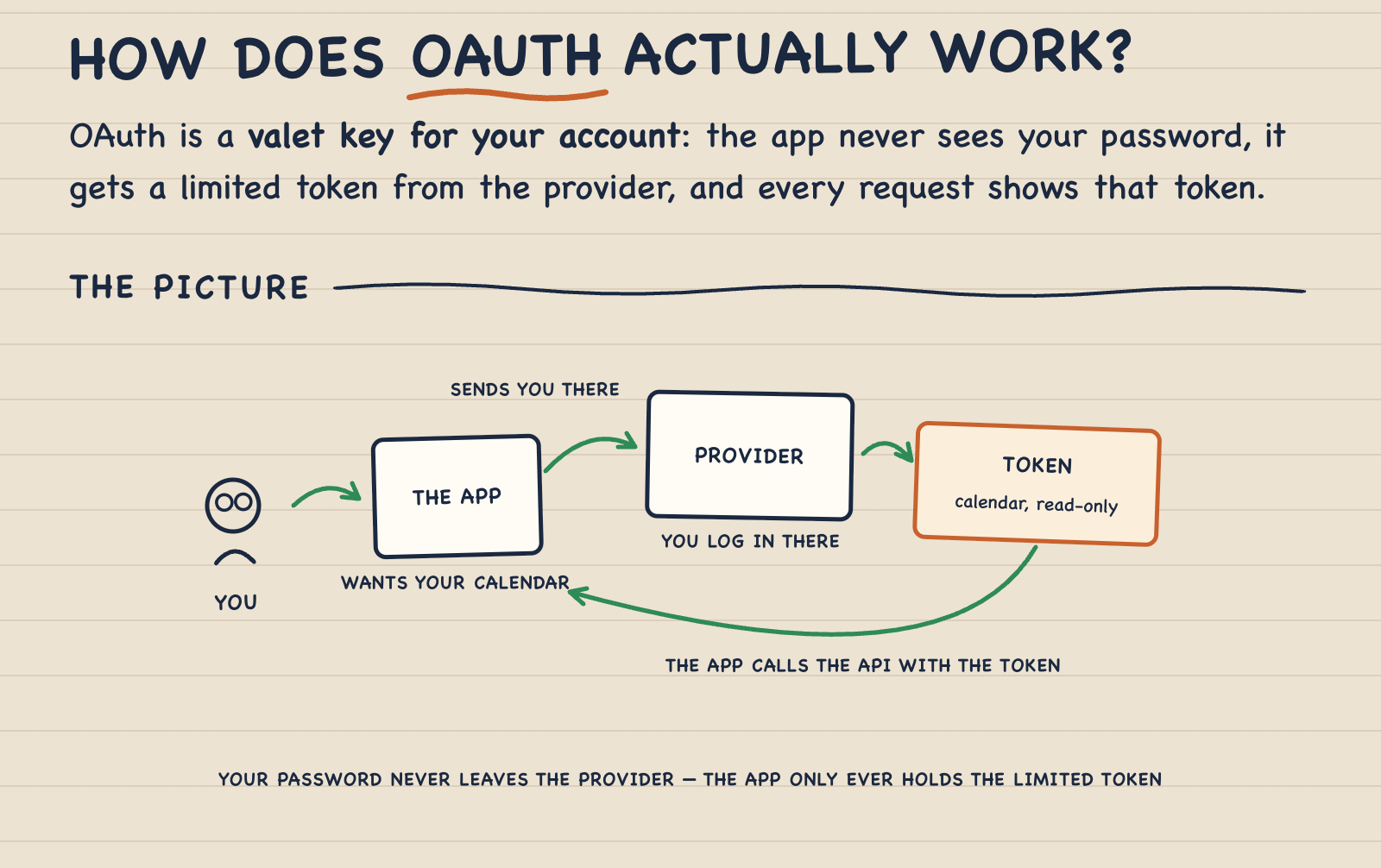
/doceo how does OAuth actually work
You've clicked "Sign in with Google" a thousand times and copy-pasted the config twice. Now you actually get the token dance.
3. Decide between two approaches
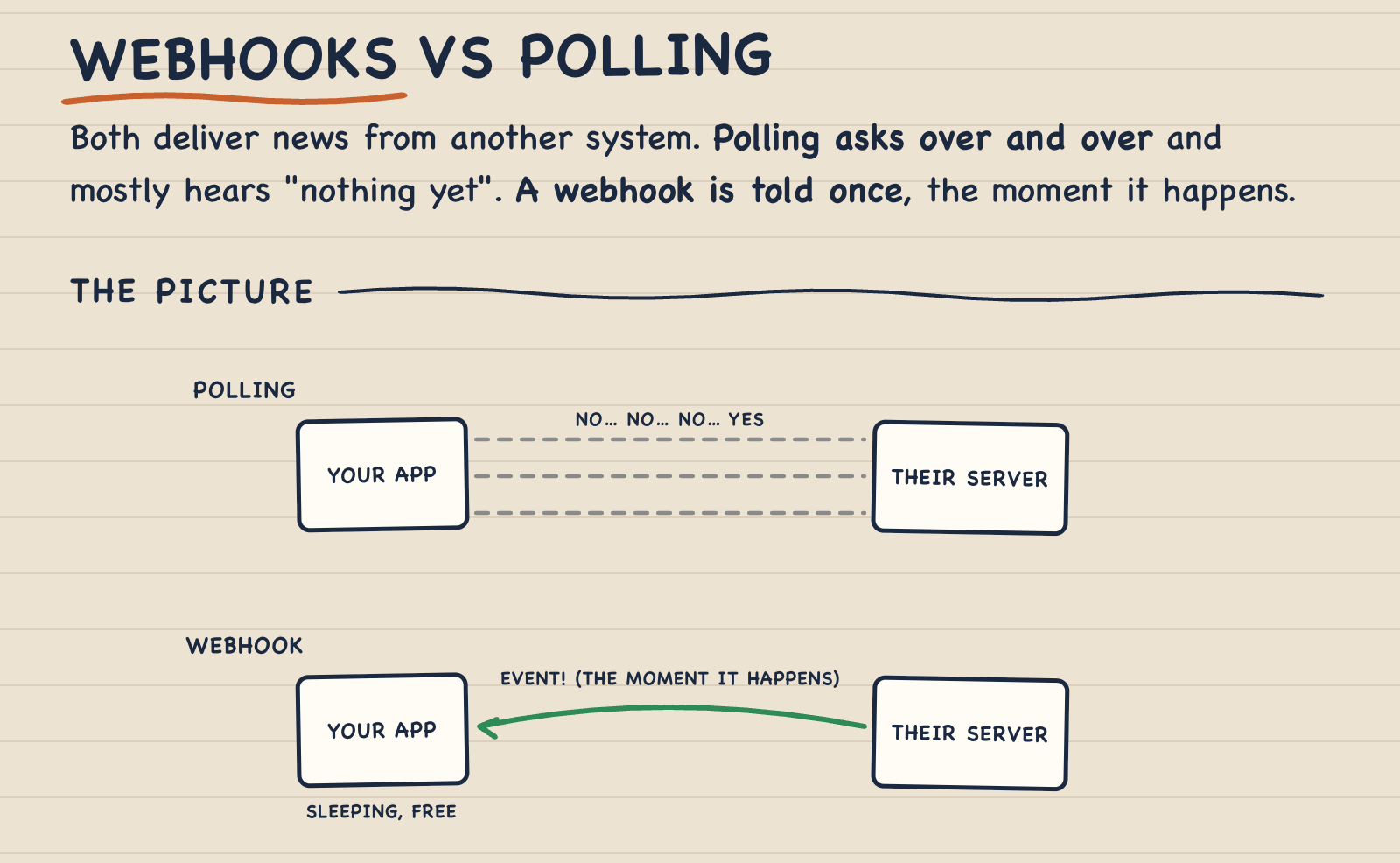
/doceo webhooks vs polling
You need to pick one for a feature today. The lesson gives you the picture, the trade-off, and which one fits your case.
4. Understand a repo before adopting it
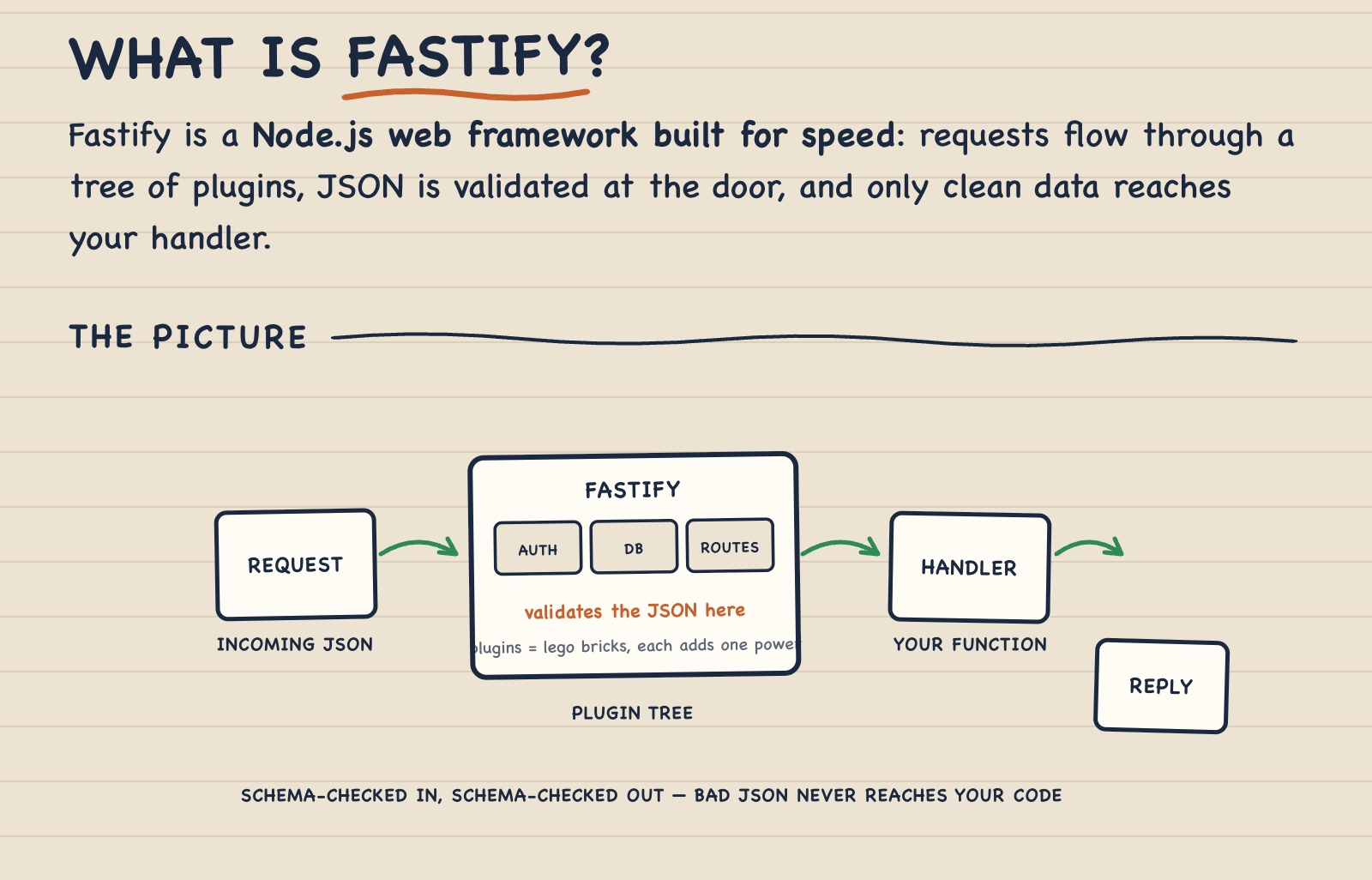
/doceo https://github.com/fastify/fastify
Somebody said "just use Fastify". Instead of reading the docs for an hour, you get the core idea and where it fits your stack.
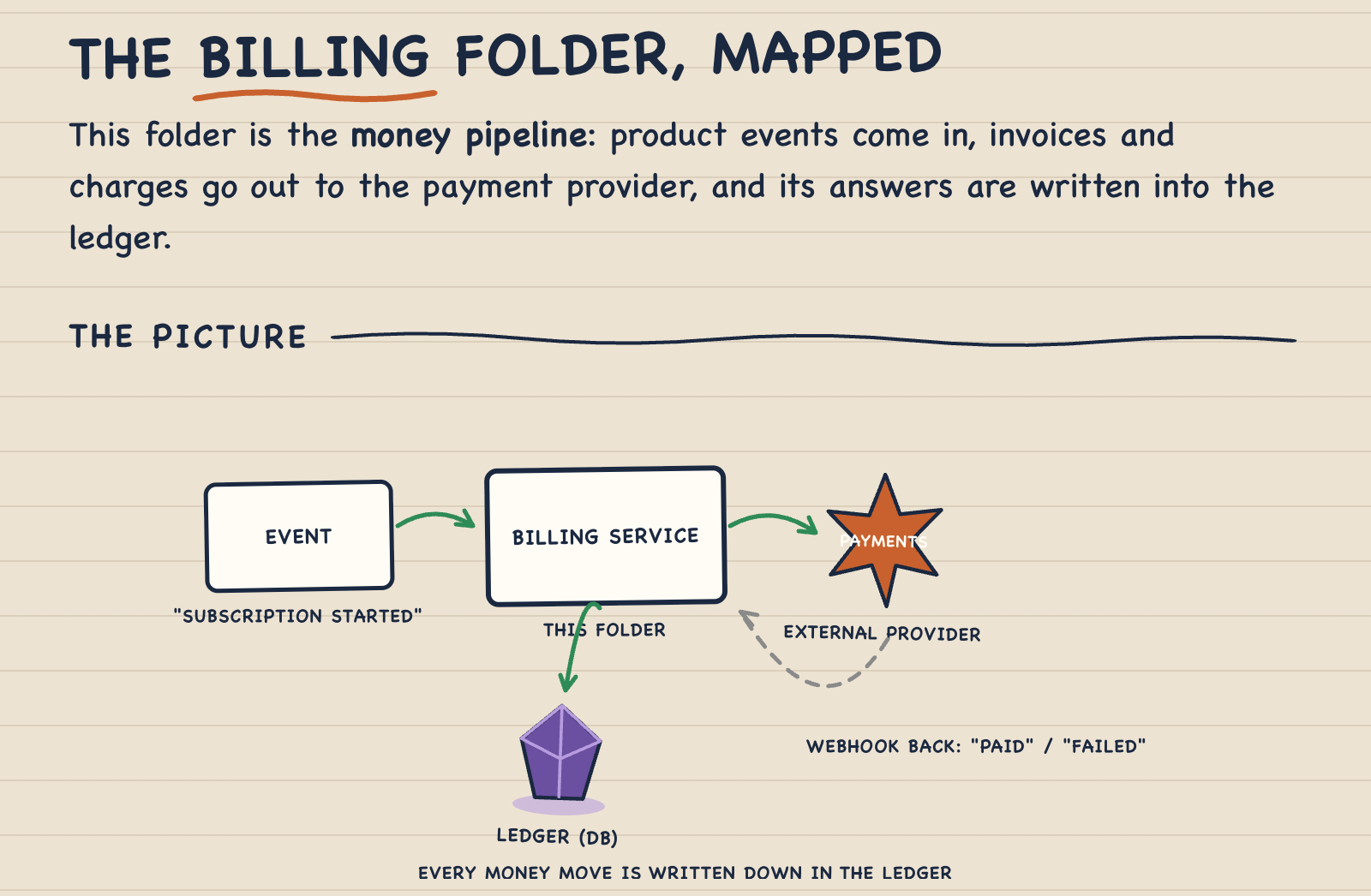
5. The folder you inherited and fear
/doceo src/services/billing/
New codebase, unfamiliar module, and you have to touch it this sprint. The lesson maps what it does and how data flows through it.
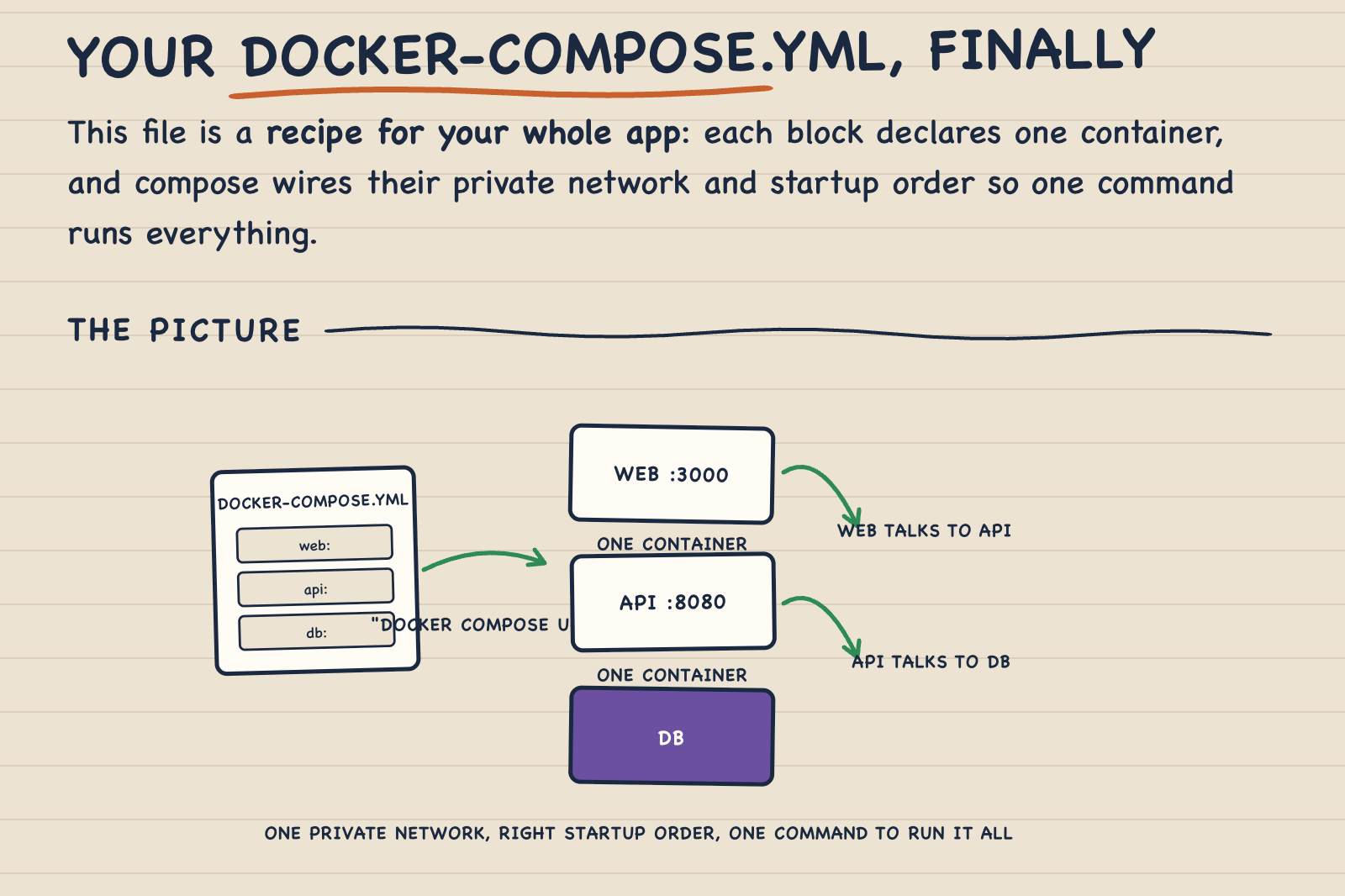
6. The config you copy-pasted but never understood
/doceo docker-compose.yml
It works, but you don't know why. One screen: what each block does and what breaks if you remove it.
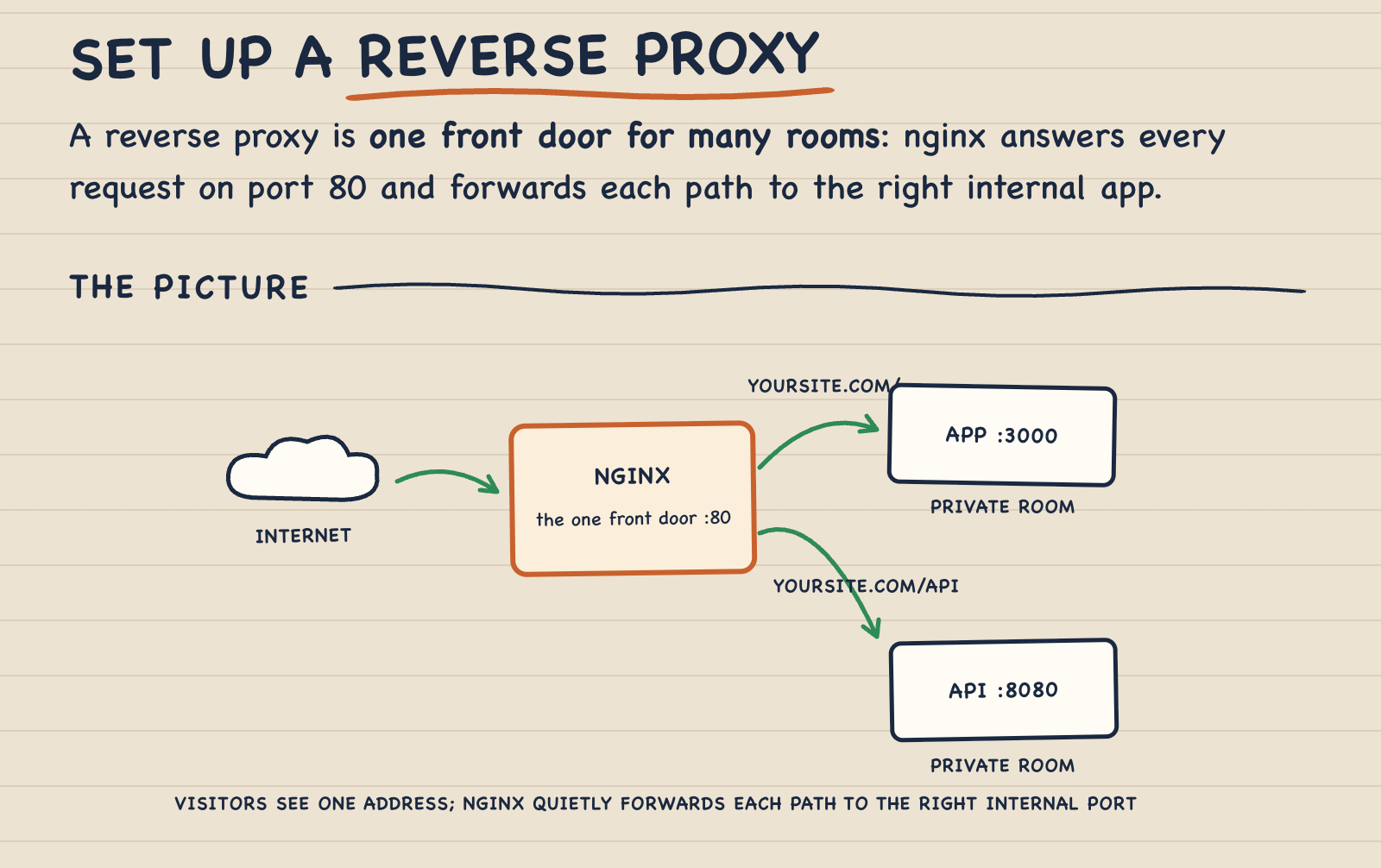
7. A task broken into baby steps
/doceo how to set up a reverse proxy with nginx
Task lessons add 3-5 baby steps, each with "done looks like", so you always know if you're on track.
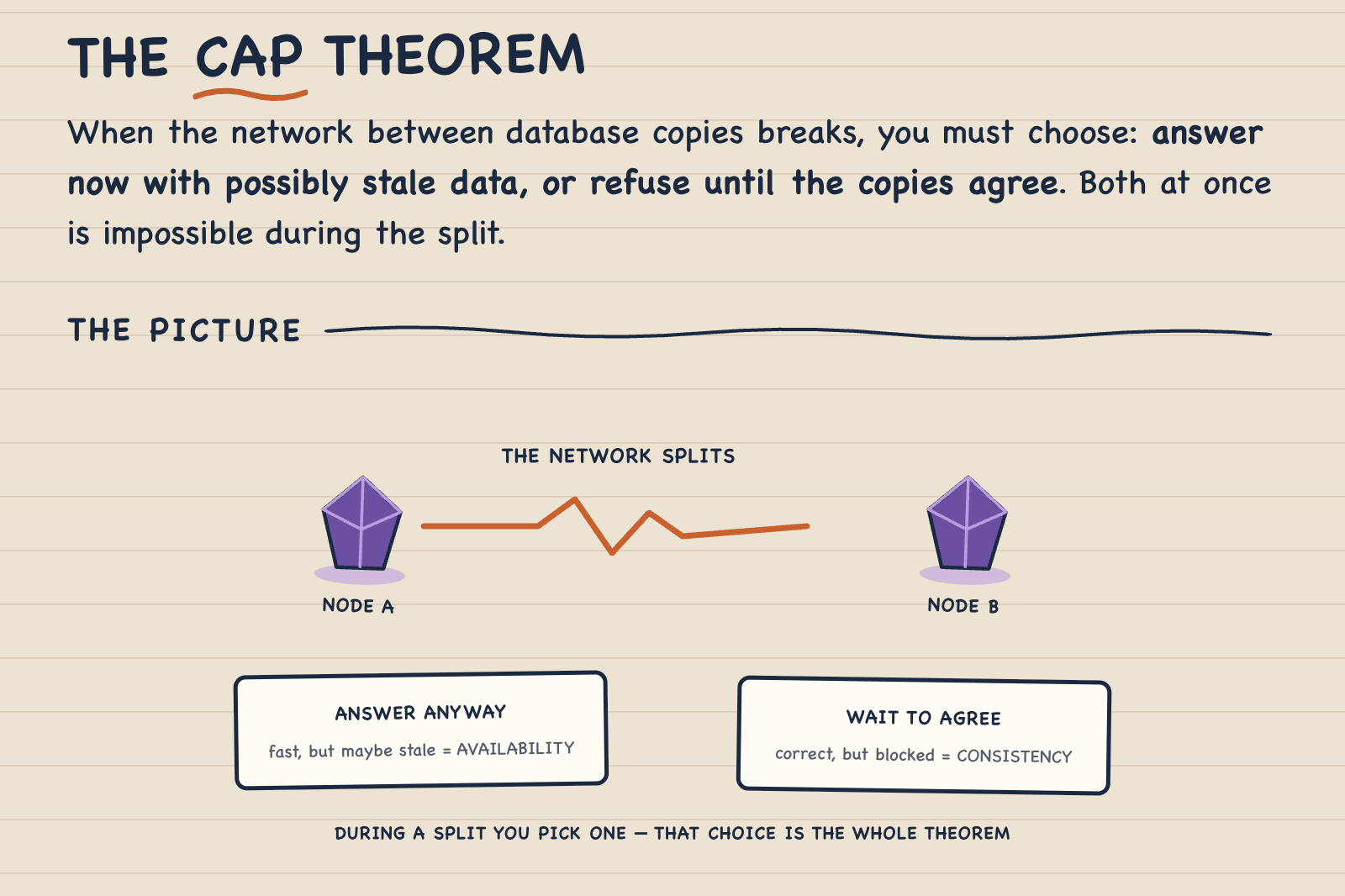
8. Theory made practical
/doceo the CAP theorem
Textbook theory, taught with an analogy from your world and one sentence that survives until the design meeting.
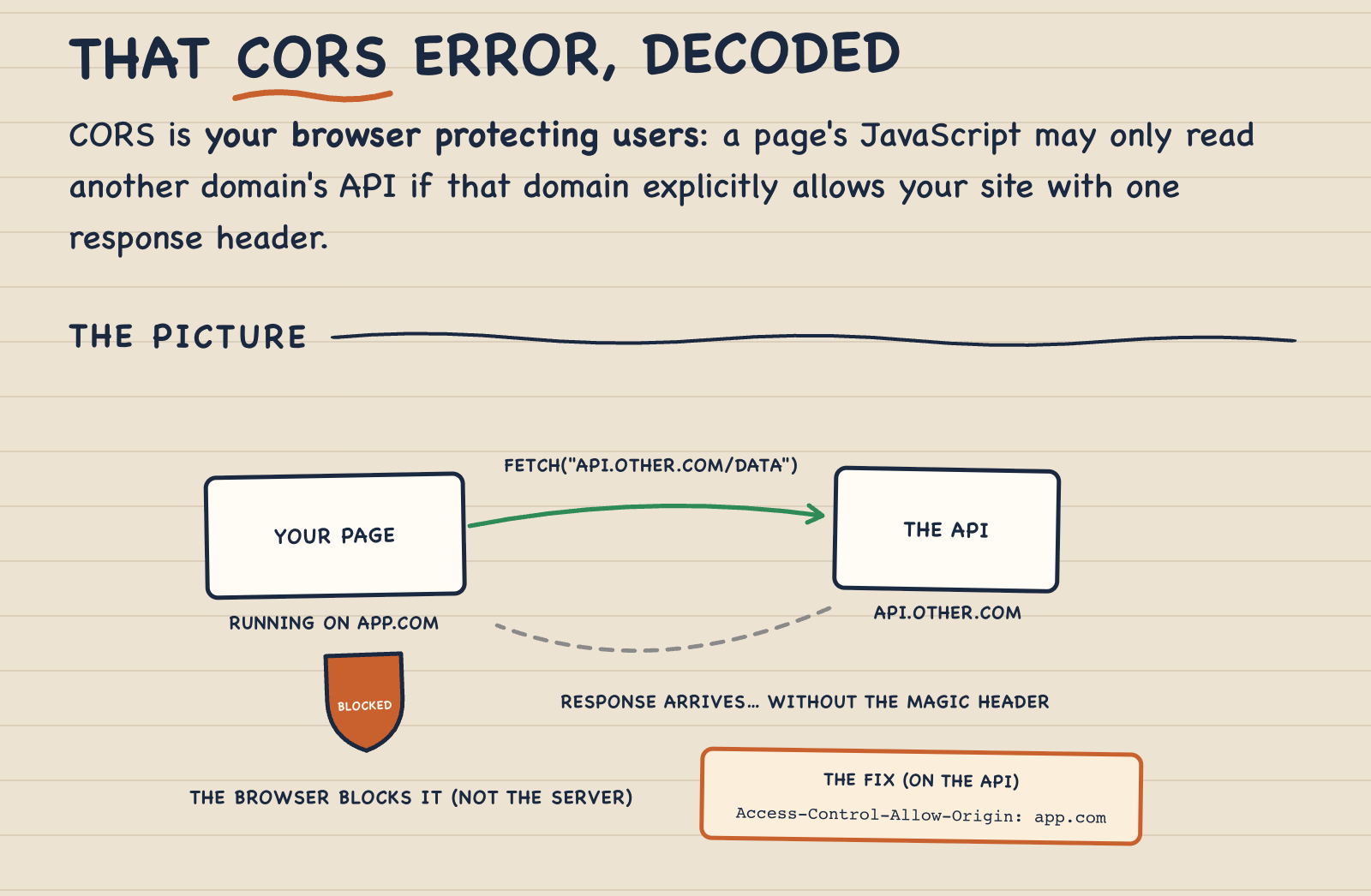
9. Teach the error, not just the fix
/doceo this error: "CORS policy: No 'Access-Control-Allow-Origin' header"
Instead of pasting a fix you'll need again next month, you learn what the browser is actually protecting and why the header fixes it.
10. Bare /doceo, mid-conversation
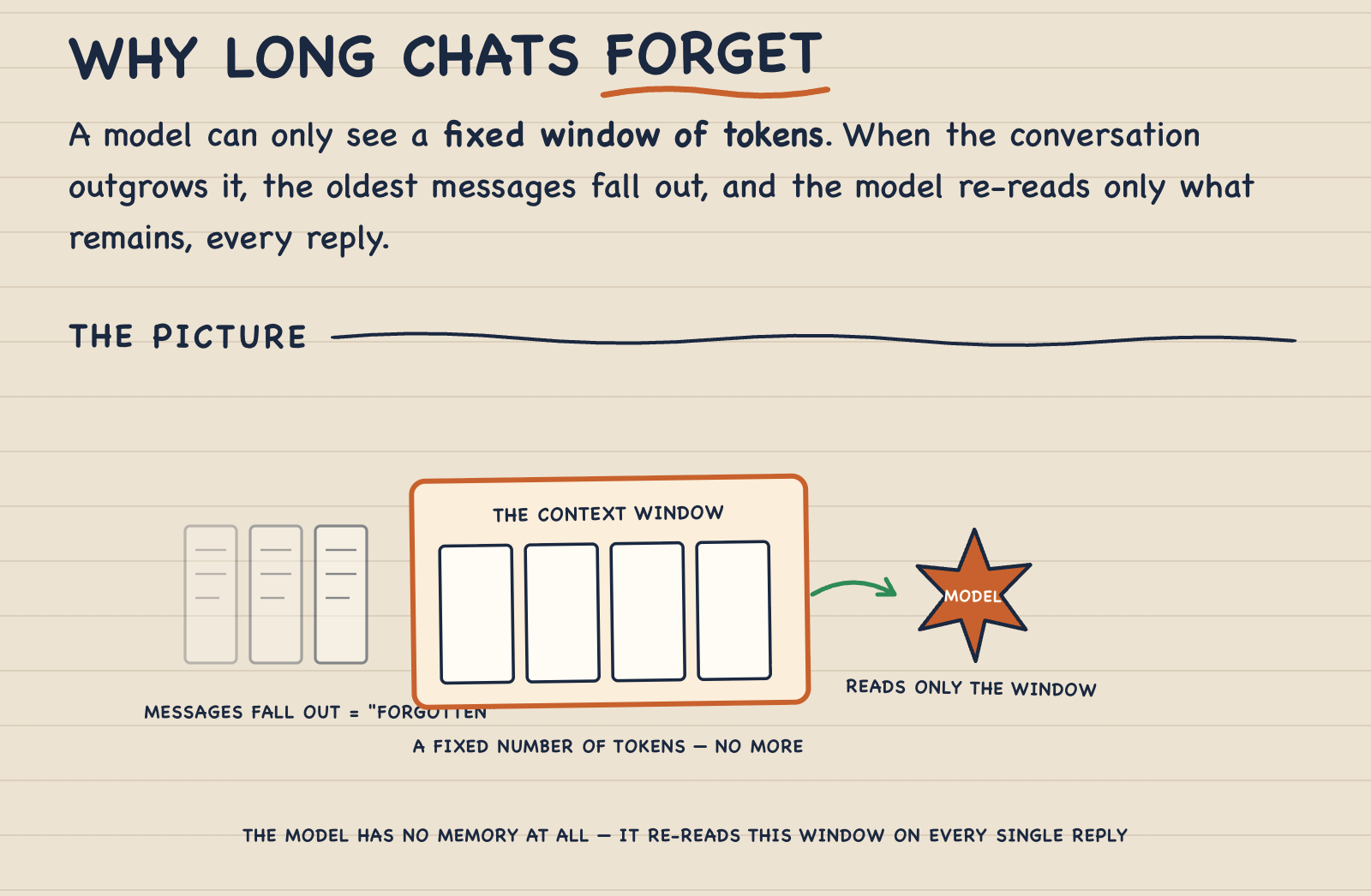
/doceo
You're deep in a session and something Claude said confused you. Bare /doceo grabs the confusing thing from context and turns it into a lesson on the spot.
Follow along
Weekly posts on AI second-brain systems, learning workflows, and what actually works.
More from the same stack: obsidian-second-brain, the living second-brain vault doceo plugs into.
Doceo vs. other learning tools
| Tool | Great at | Doesn't do |
|---|---|---|
| NotebookLM | Grounded Q&A over your documents | No lesson shape, no memory of you, no visuals per answer |
| DeepWiki | Auto-generated wiki for a repo | Repos only; explains to a generic reader |
| PocketFlow Tutorial-Codebase-Knowledge | Turning a whole repo into a tutorial book | One-shot output; a book, not one-screen lessons |
| doceo | Anything → one-screen visual lesson calibrated to you, improving with every use | Not a doc generator; it teaches one person: you |
FAQ
What is doceo? A Claude Code skill that works as a personal AI tutor: it turns any topic, codebase, file, or URL into a one-screen visual lesson calibrated to what you already know.
How is this different from just asking Claude or ChatGPT to explain something? Three ways: a fixed lesson shape (answer, picture, analogy, quiz) instead of free-form prose; a persistent memory of what you learned so lessons build on each other; a feedback loop that permanently changes how future lessons are taught.
Does it only work for code? No. Anything you want to learn: concepts, tools, processes, papers, codebases, or the thing that just confused you in conversation.
Where is my data stored? Is it private? Everything lives in local files on your machine, in a folder you choose. The skill repo contains nothing about you. Work and personal machines keep fully separate memories. Doceo is also instructed never to paste employer documents, proprietary code, or credentials into your notes; lessons capture your understanding in your own words.
Do I need Obsidian? No. Any folder works. Obsidian is a nice fit because the markdown lessons use Mermaid diagrams and wiki-links, which Obsidian renders natively.
What do I need to run it? Claude Code (CLI, desktop, or IDE extension). No API keys, no external services, no dependencies.
Can I make lessons look like my own brand?
Yes. Drop a _style.md with your colors, fonts, and diagram vocabulary into the memory folder and every lesson page renders in your design system.
How does it get better over time? Every lesson ends with one feedback question. Your answers are logged, repeated patterns become teaching rules, and every future lesson reads those rules first.
Privacy by design
- All memory is local, outside the repo. Nothing is uploaded anywhere.
- The skill never stores employer documents, proprietary code, or secrets; it writes your understanding in your own words.
- Separate machines, separate memories, by default.
License
MIT. Built by Eugeniu Ghelbur, an AI automation engineer shipping agents in production. More AI-builder tools and write-ups at theaioperator.io.
No comments yet
Be the first to share your take.