
Quick Start
Get to the first memory moment before learning daemon internals.
1. Install or build Cortex
Use the latest desktop installer, or build the 0.6.0 source CLI:
git clone https://github.com/AdityaVG13/cortex.git
cd cortex/daemon-rs
cargo build --release
2. Start local memory
Open Cortex Control Center and start Cortex from the app. CLI-only users can run:
cortex serve
3. Check readiness
cortex status --json
Success is "status": "ready". If status is needs_action or error, follow the returned nextAction / repair before continuing.
4. Connect one AI tool
Claude Code:
claude plugin marketplace add AdityaVG13/cortex
claude plugin install cortex@cortex-marketplace
Codex:
codex mcp add cortex -- cortex.exe mcp --agent codex
Restart the AI tool after changing MCP config.
5. Store and recall one memory
From a connected MCP client, call cortex_store, then cortex_recall. From the repo, run the matching smoke script:
Windows:
powershell -ExecutionPolicy Bypass -File scripts\first-run-smoke.ps1
macOS / Linux:
bash scripts/first-run-smoke.sh
That smoke checks status, stores one disposable local memory, and recalls it. Normal use does not require benchmark adapters, provider keys, or LongMemEval.
More tool-specific setup: Info/connecting.md.
POST /store
Save decisions, lessons, preferences. Conflict detection is automatic.
GET /recall
Hybrid keyword + semantic search. In-process ONNX embeddings, no external service.
GET /boot
Compiled identity + delta capsule. ~300 tokens served instead of ~15,000 raw.
Accessibility and settings
- Settings panel: Accessibility, Appearance & Motion, Connection, Budgets, and Keyboard & Navigation
- Runtime preferences: high contrast, reduced motion, keyboard hints, and compact navigation
- Accessibility gates: stronger focus states, ARIA/live regions, contrast checks, and 375px reflow checks
Governance
- Retention classes across store, MCP, OpenAPI, export, and import
- Local endpoint budgets with stable HTTP
429/ JSON-RPC denial metadata - Budget UI in Control Center, backed by the local
budgets.toml - Boot audits plus
GET /boot/auditand the read-onlycortex_boot_auditMCP tool - Admin rollback with dry-run/apply workflow and audit events
Recall quality
cortex-http-pureadapter as the canonical helper-free measurement floor- Purity gates, CAS-100, and triangle judge tooling for safer quality claims
bge-base-en-v1.5default embeddings with MiniLM profiles andqwen3-embedding-0.6bopt-in- Cross-encoder reranking behind off/shadow/primary modes; default remains off
Reliability
- Claude plugin MCP is attach-only and no longer starts a second daemon from plugin MCP paths
- Control Center supervises the app-managed daemon and honors intentional stops
- Handler panics return JSON 500 responses, with local panic breadcrumbs
- Storage hygiene compacts FTS, prunes stale embeddings, and migrates canonical vectors to PQ8 int8 blobs
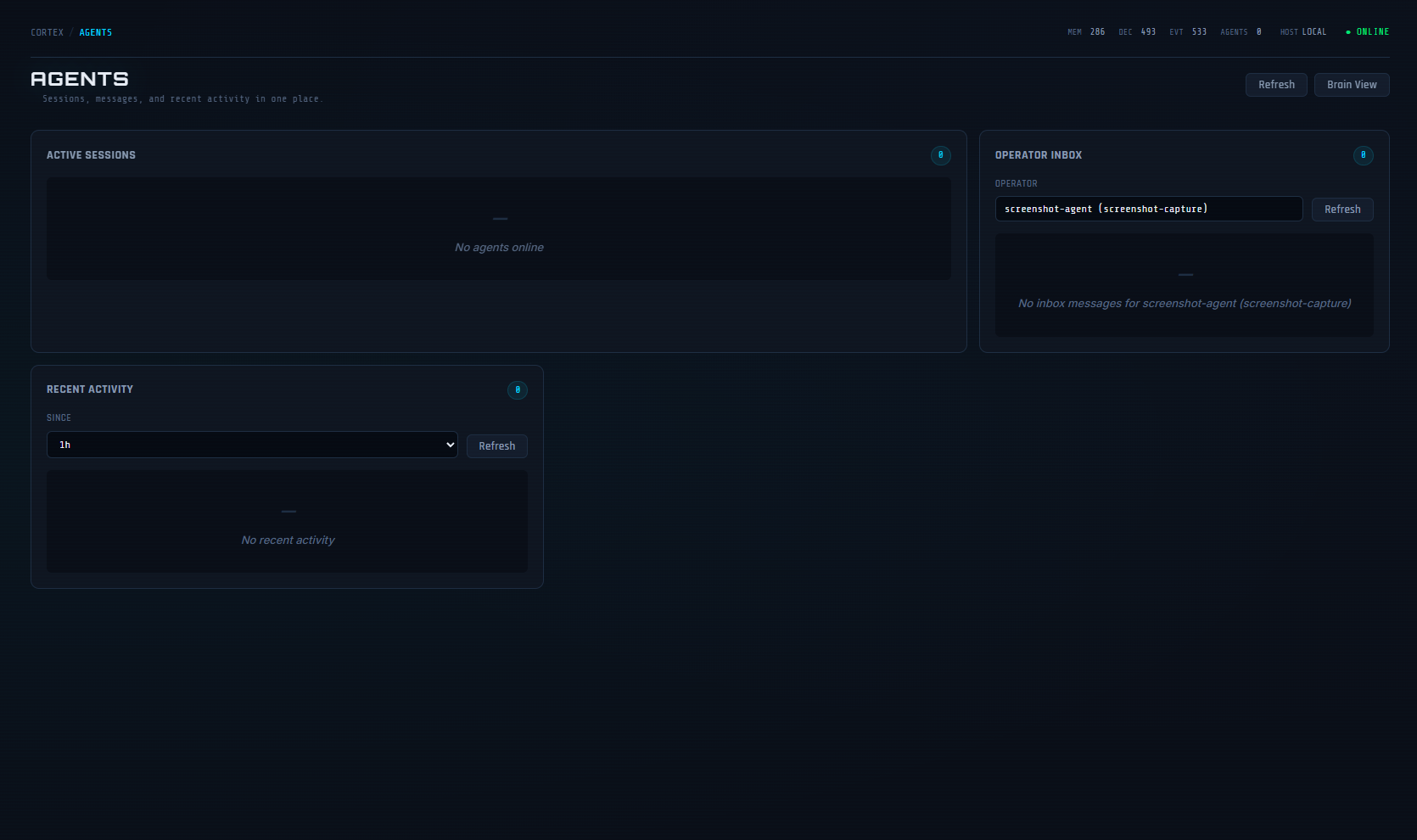
Multi-agent, one brain
- Each boot call registers a session. Control Center shows active sessions, deduplicated by agent identity.
- Read-path tools (recall, peek, unfold) reattach to existing sessions. No duplicates.
- Session descriptions preserved across reconnects and daemon restarts.
- What one agent stores, every other agent can recall.
Claude Code, Codex, Cursor, and custom scripts can all be connected simultaneously. Each tracks its own session while sharing the same memory.
| Tool | Connection | Setup |
|---|---|---|
| Claude Code | MCP (plugin) or desktop app | Plugin: claude plugin install cortex@cortex-marketplace |
| Codex | MCP | codex mcp add cortex -- cortex.exe mcp --agent codex |
| Cursor | MCP | Point MCP server at cortex mcp --agent cursor |
| Factory Droid | MCP | cortex mcp --agent droid |
| Aider | CLI / HTTP | cortex boot --agent aider |
| Custom tools | HTTP | Three endpoints: /boot, /recall, /store |
| Local LLMs | HTTP / MCP | Same protocol, any runtime |
| Platform | Desktop installer | Daemon archive |
|---|---|---|
| Windows | .exe (NSIS installer) |
.zip |
| macOS | .dmg |
.tar.gz |
| Linux | .AppImage / .deb |
.tar.gz |
git clone https://github.com/AdityaVG13/cortex.git
cd cortex/daemon-rs
cargo build --release
claude plugin marketplace add AdityaVG13/cortex
claude plugin install cortex@cortex-marketplace
| Mode | How it works |
|---|---|
| Desktop app | Control Center owns the daemon. Restart and monitor from the app. |
| CLI | cortex serve starts the daemon. Exits cleanly if one is already running. |
| Plugin | Attach-only MCP bridge. It connects to the running app/service daemon and does not silently spawn a second daemon. |
cortex status --json
Windows:
powershell -ExecutionPolicy Bypass -File scripts\first-run-smoke.ps1
macOS / Linux:
bash scripts/first-run-smoke.sh
# Daemon unit tests
cargo test --manifest-path daemon-rs/Cargo.toml

# Desktop test suite
npm --prefix desktop/cortex-control-center test

# Lifecycle smoke test
npm --prefix desktop/cortex-control-center run verify:lifecycle:dev

# Security audit
npm audit --omit=dev --audit-level=high
cargo audit
| Document | Covers |
|---|---|
| Connecting | Setup, MCP, HTTP, auth, troubleshooting |
| Architecture | Codebase map, entry points, data flow, config, tests |
| MCP Tools | All 29 MCP tool definitions and parameters |
| Research | Papers, inspirations, adaptation notes |
| Roadmap | What shipped, what's planned, and why |
| Security | Threat model, auth rules, vulnerability reporting |
| Team mode | Shared-server setup for engineering teams |
| Contributing | Development setup and PR guidelines |
| Command | Description |
|---|---|
cortex serve |
Start the daemon |
cortex --help |
Full command reference |
cortex doctor |
Run diagnostics |
cortex paths --json |
Show file and port paths |
cortex plugin ensure-daemon |
Ensure daemon health (plugin mode) |
cortex plugin mcp |
MCP stdio bridge to HTTP API |
cortex setup --team |
Initialize team mode and generate API keys |
cortex export |
Export data (json or sql) |
cortex import |
Import from a previous export |
cortex admin rollback --session-id <id> |
Soft-delete a session's memory writes (dry-run default; --apply to persist) |
No comments yet
Be the first to share your take.