
中文文档 | English
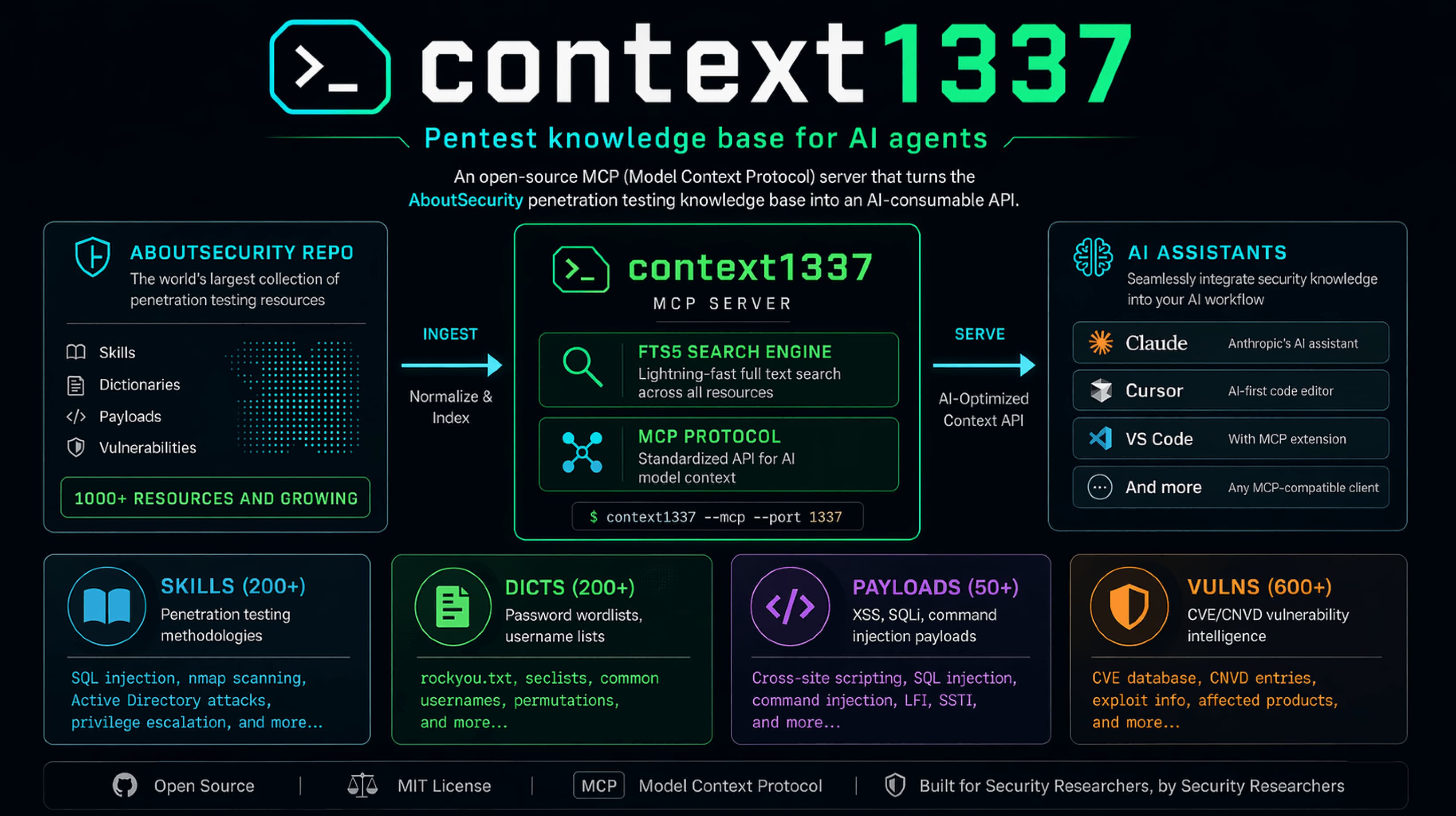
context1337 — AboutSecurity MCP Server
Standalone MCP resource service that turns AboutSecurity from a file repo into a consumable API. Like context7, but for security.
Demo
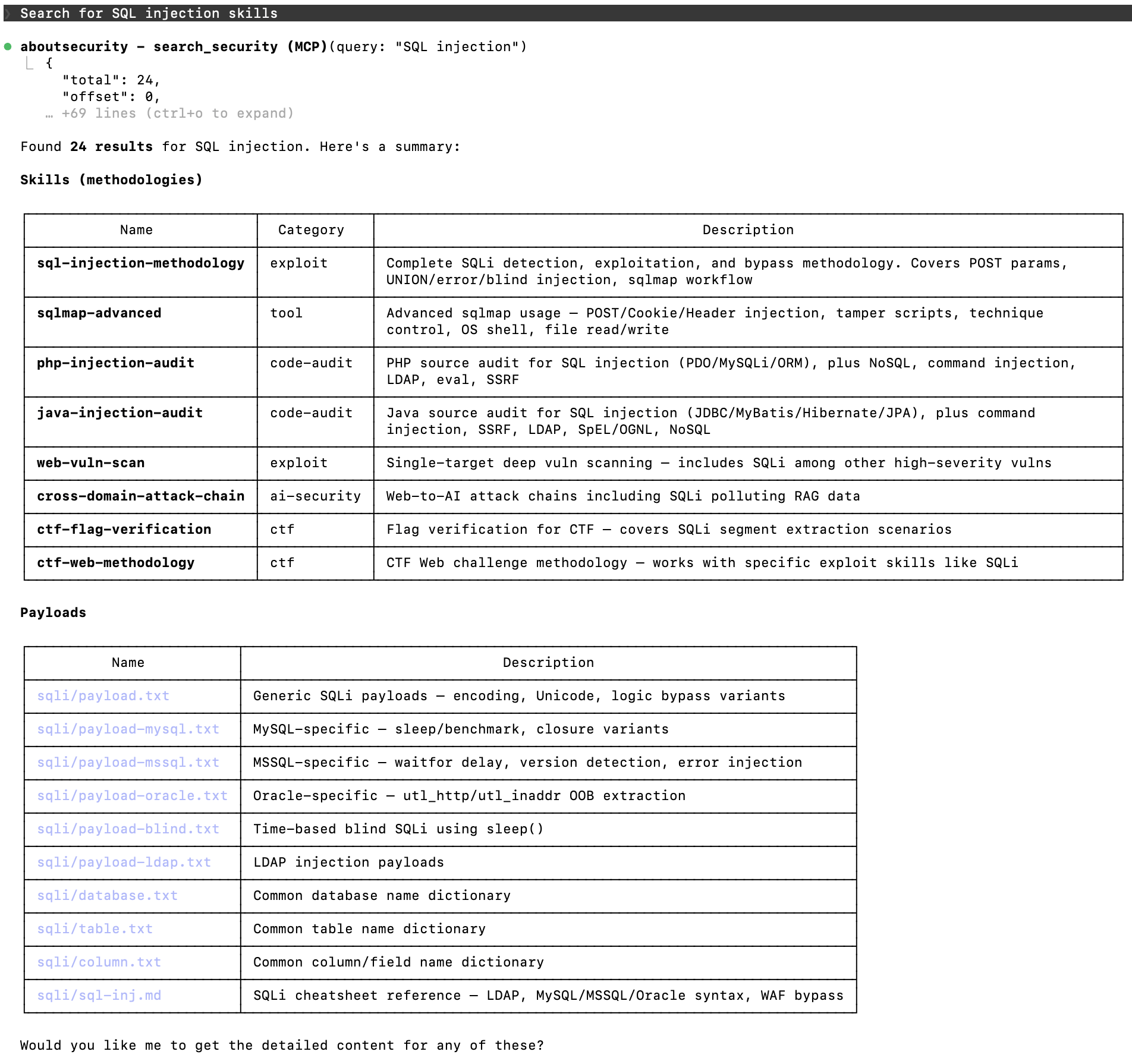
Search security resources
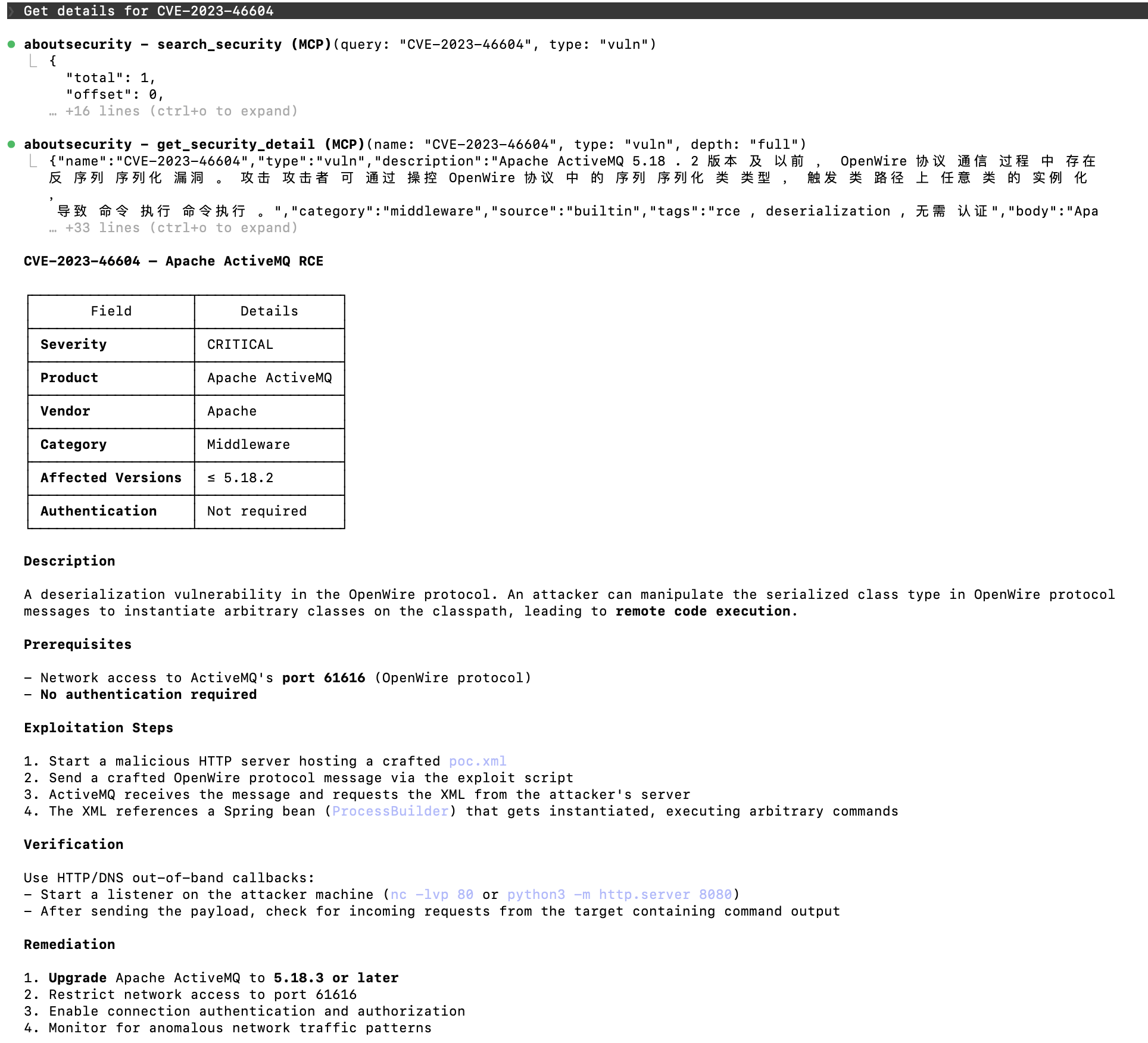
Vulnerability intelligence
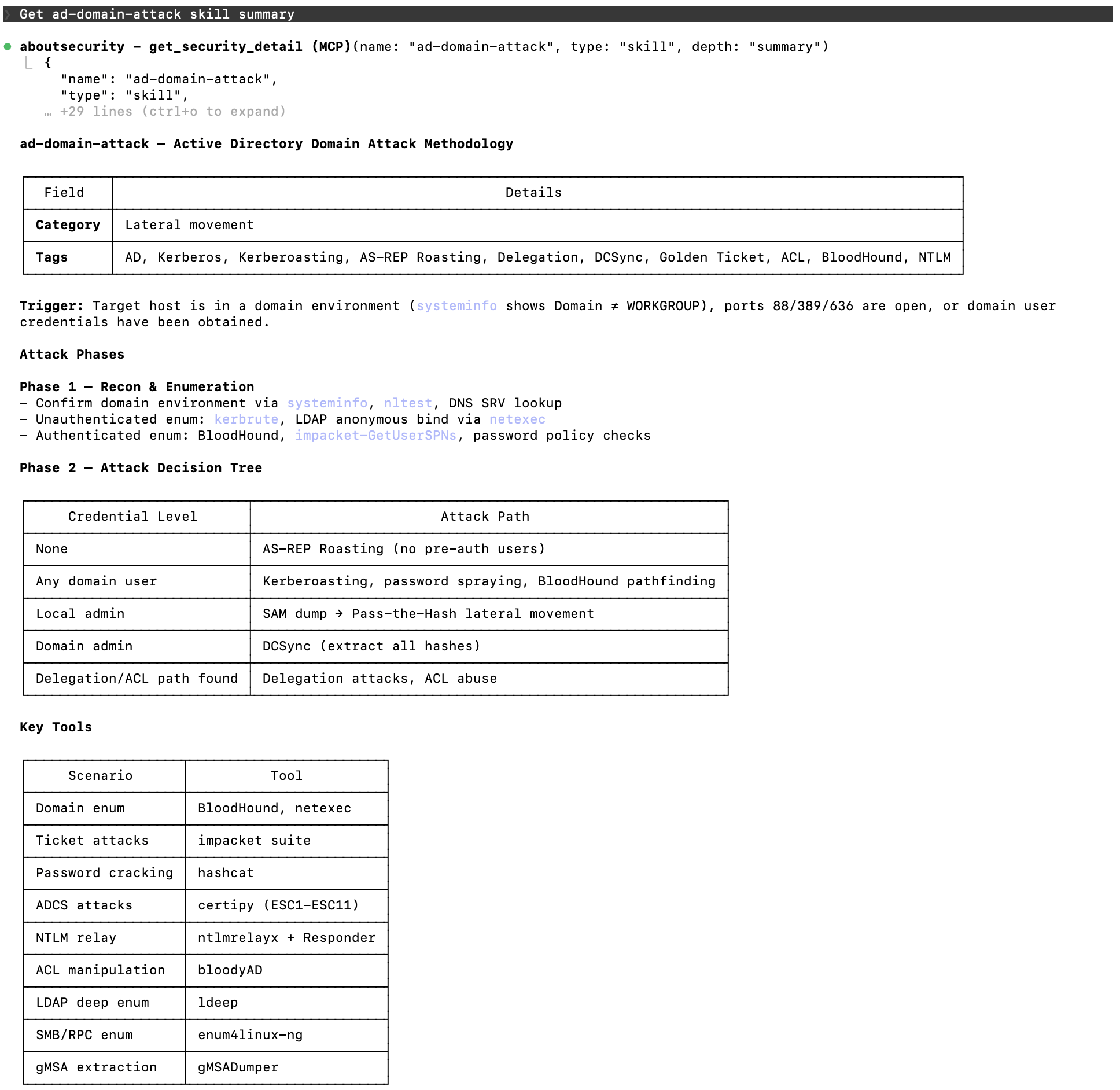
AD domain attack skill detail
Quick Start
Docker (recommended)
# Default: clones AboutSecurity from GitHub automatically
make docker
# Use local AboutSecurity repo (skip git clone, faster rebuild)
make docker-local
# or specify path:
make docker-local ABOUTSECURITY_LOCAL=../AboutSecurity
# Pin to a specific branch/tag
make docker-ref ABOUTSECURITY_REF=dev
docker run -p 1337:1337 -e ABOUTSECURITY_API_KEY=your-key context1337:latest
Local Development (recommended for first-time users)
Only requires Go 1.25+ (gotip) and Python 3 installed on your machine.
git clone https://github.com/wgpsec/context1337.git
cd context1337
# One command does everything:
# 1. Clones AboutSecurity repo (if not already present)
# 2. Installs Python dependencies (jieba, pyyaml)
# 3. Builds FTS5 search index (builtin.db)
# 4. Compiles Go binary
# 5. Symlinks data directories
# 6. Starts the server
make run
# Build & run (requires data/ populated with builtin.db or AboutSecurity content)
make build
./absec serve --port 1337 --data-dir ./data # default: --tool-mode lite
The server will be available at http://localhost:1337.
MCP Client Configuration
Claude Code (CLI)
# Add as user-level MCP server (available in all projects)
claude mcp add aboutsecurity --transport http --scope user http://localhost:1337/mcp
# Or project-level only (run from within your project directory)
claude mcp add aboutsecurity --transport http http://localhost:1337/mcp
If you set ABOUTSECURITY_API_KEY on the server, add the auth header:
claude mcp add aboutsecurity --transport http --header "Authorization: Bearer your-api-key" --scope user http://localhost:1337/mcp
After adding, restart Claude Code and run /mcp to verify the connection shows connected.
Claude Desktop
Edit your Claude Desktop config file (~/Library/Application Support/Claude/claude_desktop_config.json on macOS):
{
  "mcpServers": {
    "aboutsecurity": {
      "url": "http://localhost:1337/mcp",
      "headers": {
        "Authorization": "Bearer your-api-key"
      }
    }
  }
}
Cursor
{
  "mcpServers": {
    "aboutsecurity": {
      "serverUrl": "http://localhost:1337/mcp"
    }
  }
}
Usage Examples
Once connected, just ask your AI assistant naturally:
Search across all types
- "Search for SQL injection resources" →
search_security(query="SQL injection")finds skills and payloads - "What XSS payloads are available?" →
search_security(query="XSS", type="payload") - "Show me all exploit skills" →
search_security(type="skill", category="exploit")
Get detailed knowledge
- "Explain the SQL injection skill in detail" → search first, then call
get_security_detail(id="absec://builtin/skill/sql-injection", depth="full") - "How does nmap scanning work?" →
get_security_detail(id="absec://builtin/skill/nmap-scan")returns methodology
Read data files
- "Show the top 100 passwords dictionary" → search first, then call
read_security_file(id="absec://builtin/dict/Auth%2Fpassword%2FTop100.txt") - "Get XSS event handler payloads" →
read_security_file(id="absec://builtin/payload/XSS%2Fevents.txt")
Search vulnerabilities
- "Find critical Apache vulnerabilities" →
search_security(query="Apache", type="vuln", severity="CRITICAL") - "List all middleware vulnerabilities" →
search_security(type="vuln", category="middleware") - "Get the Log4j RCE vulnerability details" → search first, then call
get_security_detail(id="absec://builtin/vuln/CVE-2021-44228", depth="full")
Search results include a stable id such as absec://builtin/skill/sql-injection. Prefer passing that id into detail or file tools because it preserves the exact source and resource. Legacy inputs such as name/type and path/type still work, but id avoids ambiguity when the same resource appears in multiple sources.
Example: absec://builtin/vuln/CVE-2021-44228 and absec://nuclei/vuln/CVE-2021-44228 can both exist. get_security_detail(name="CVE-2021-44228", type="vuln") cannot choose a source, while the stable ID selects the exact resource.
The AI will automatically call the right MCP tools to find relevant security knowledge.
Available MCP Tools
Default mode is lite (3 tools). Use --tool-mode full for 12 per-type tools. If the AI model fails to invoke tools proactively, switch to full mode — the 12 fine-grained, domain-specific tools improve trigger rates.
Lite mode (default, 3 tools)
| Tool | Description |
|---|---|
search_security |
Search or list all resource types (skill, dict, payload). Results include stable id fields. To search vulnerabilities, specify type="vuln" explicitly (excluded from default search). Vuln supports severity and product filters. |
get_security_detail |
Get full detail for a skill or vulnerability by stable id (preferred) or legacy name + type |
read_security_file |
Read dictionary or payload file content by stable id (preferred) or legacy path + type, with line-level pagination |
Full mode (12 tools)
| Tool | Description |
|---|---|
search_skill |
Search penetration testing skills by keyword; results include stable id fields |
search_dicts |
Search password dictionaries by keyword; results include stable id fields |
search_payload |
Search attack payloads by keyword; results include stable id fields |
search_vuln |
Search vulnerability database by keyword with severity and product filters; results include stable id fields |
list_skills |
Browse all skills; results include stable id fields |
list_dicts |
Browse all dictionaries; results include stable id fields |
list_payloads |
Browse all payloads; results include stable id fields |
list_vulns |
List vulnerabilities with pagination (default 50), category/severity/product filters; results include stable id fields |
get_skill |
Get skill detail by stable id (preferred) or legacy name, with depth + references |
get_dict |
Read dictionary file by stable id (preferred) or legacy path, with line pagination |
get_payload |
Read payload file by stable id (preferred) or legacy path, with line pagination |
get_vuln |
Get vulnerability detail by stable id (preferred) or legacy name, brief or full depth with PoC |
Makefile Targets
| Target | Description |
|---|---|
make run |
Build + index + start server (first run auto-clones data) |
make build |
Compile Go binary only |
make index |
Build FTS5 search index only |
make test |
Run unit tests |
make test-integration |
Run integration tests |
make docker |
Build Docker image (clones AboutSecurity from GitHub) |
make docker-local |
Build Docker image using local AboutSecurity repo |
make docker-ref |
Build Docker image pinned to a specific branch/tag |
make clean |
Remove binary, databases, and symlinks |
make clean-benchmark |
Remove benchmark logs |
REST API
| Endpoint | Description |
|---|---|
GET /api/health |
Health check + enabled resource count |
GET /api/stats |
Resource statistics by type/source (enabled only) |
GET /api/usage |
MCP usage and search-query aggregates (protected by ABOUTSECURITY_API_KEY; disabled when the key is empty) |
GET /api/resources |
List all resources with pagination and filters (admin management) |
POST /api/resources |
Create custom resource (source forced to "custom") |
PUT /api/resources/{id} |
Update custom resource (source=custom only, 403 otherwise) |
DELETE /api/resources/{id} |
Delete custom resource (source=custom only, 403 otherwise) |
PUT /api/resources/{id}/toggle |
Toggle resource enabled/disabled |
PUT /api/resources/batch-toggle |
Batch toggle by type/category/source filter |
Resource Management
Resources have an enabled field (default: 1). Disabled resources are excluded from all MCP tool queries (search, list, get) but remain visible in the management API (GET /api/resources).
Toggle single resource:
curl -X PUT http://localhost:1337/api/resources/42/toggle \
  -H "Authorization: Bearer $KEY" \
  -H "Content-Type: application/json" \
  -d '{"enabled": false}'
Batch toggle (by category/source):
curl -X PUT http://localhost:1337/api/resources/batch-toggle \
  -H "Authorization: Bearer $KEY" \
  -H "Content-Type: application/json" \
  -d '{"enabled": false, "filter": {"type": "skill", "category": "web"}}'
Create custom resource:
curl -X POST http://localhost:1337/api/resources \
  -H "Authorization: Bearer $KEY" \
  -H "Content-Type: application/json" \
  -d '{"type": "skill", "name": "my-technique", "category": "web", "description": "...", "body": "..."}'
Custom resources use source=custom (server-enforced) and can be edited or deleted. Built-in resources cannot be modified or deleted (403).
Environment Variables
| Variable | Default | Description |
|---|---|---|
ABOUTSECURITY_PORT |
1337 |
HTTP listen port |
ABOUTSECURITY_DATA_DIR |
./data |
Data directory root |
ABOUTSECURITY_API_KEY |
(empty=no auth) | Shared Bearer key for MCP, REST APIs, and GET /api/usage; usage analytics are disabled when empty |
ABOUTSECURITY_TOOL_MODE |
lite |
Tool registration mode: lite (3 tools) or full (12 tools) |
NUCLEI_TEMPLATES_DIR |
Native: empty; official image: bundled snapshot | Path to nuclei-templates repo root, enables secondary data source |
NUCLEI_MIN_SEVERITY |
high |
Minimum severity for nuclei vulnerability import: critical/high/medium/low |
Data Sources
Primary: AboutSecurity
On startup, context1337 automatically loads skill, dict, payload, and vuln data from the AboutSecurity repo and builds an FTS5 full-text search index. This is the only required data source.
Secondary: nuclei-templates
Optionally ingest vulnerability intelligence from nuclei-templates to supplement AboutSecurity's coverage. Context1337 imports the HTTP cves, cnvd, vulnerabilities, misconfiguration, and default-logins template categories. Detection/exposure, takeover, and non-HTTP protocol templates are intentionally excluded. Native binary runs only activate it when --nuclei-dir or NUCLEI_TEMPLATES_DIR is set.
The official Docker image bundles the latest supported HTTP template categories available at release build time and enables them with minimum severity high. Native binary runs remain opt-in. The resolved upstream commit is recorded in the image label org.opencontainers.image.nuclei-templates.revision; the running container never pulls or updates templates from the network.
# Enable supported nuclei HTTP vulnerability data (critical + high by default)
./absec serve --nuclei-dir /path/to/nuclei-templates

# Import only critical severity
./absec serve --nuclei-dir /path/to/nuclei-templates --nuclei-min-severity critical

# Widen to include medium severity
./absec serve --nuclei-dir /path/to/nuclei-templates --nuclei-min-severity medium

# Via environment variables
NUCLEI_TEMPLATES_DIR=/path/to/nuclei-templates ./absec serve
| Flag | Description | Default |
|---|---|---|
--nuclei-dir |
Path to nuclei-templates repo root. Leave unset to disable. | (empty = disabled) |
--nuclei-min-severity |
Minimum severity to import: critical | high | medium | low |
high |
Sync behavior: on startup, context1337 checks the nuclei configuration automatically. First-time
--nuclei-dir, directory changes, and severity changes rebuild onlysource=nucleiresources. The runtime DB stays in place, socustomresources are preserved. Starting again with the same config reuses the existing nuclei index.If
--nuclei-diris no longer set, startup removessource=nucleiresources, effectively disabling the secondary data source.
Architecture
Build time:   AboutSecurity/ → Python+jieba → builtin.db (FTS5 index)
Startup:      cp builtin.db → runtime.db, scan team/ → INSERT
              [optional] sync supported nuclei HTTP categories → INSERT (source=nuclei)
Runtime:      MCP Streamable HTTP + REST API, pure Go tokenizer for new content
WgpSec Agentic Ecosystem
context1337 is the service layer of the WgpSec Agentic Ecosystem — bridging structured security knowledge and autonomous AI agents.
┌───────────────────── WgpSec Agentic Ecosystem ─────────────────────┐
│                                                                     │
│  Knowledge ➜ Service ➜ Execution ➜ Evaluation                      │
│                                                                     │
│  AboutSecurity ──▶ context1337 ──▶ tchkiller ──▶ benchmark-platform │
│                    (this repo)      (Pentest Agent)  (CTF Range)    │
│                                         ▲                           │
│                                    PoJun (通用求解引擎)              │
│                                                                     │
└─────────────────────────────────────────────────────────────────────┘
| Project | Role |
|---|---|
| AboutSecurity | Structured pentest knowledge base (Skills, Dic, Payload, Vuln) |
| context1337 | MCP Server — turns AboutSecurity into a searchable API for AI agents |
| tchkiller | Autonomous pentest agent with multi-round decision-making and team collaboration |
| benchmark-platform | HunXiang CTF challenge platform for evaluating agent offensive capabilities |
| benchmark-challenges | Challenge data repository — packed & distributed via GitHub Releases |
| PoJun | General-purpose AI problem-solving engine (private) |
No comments yet
Be the first to share your take.