
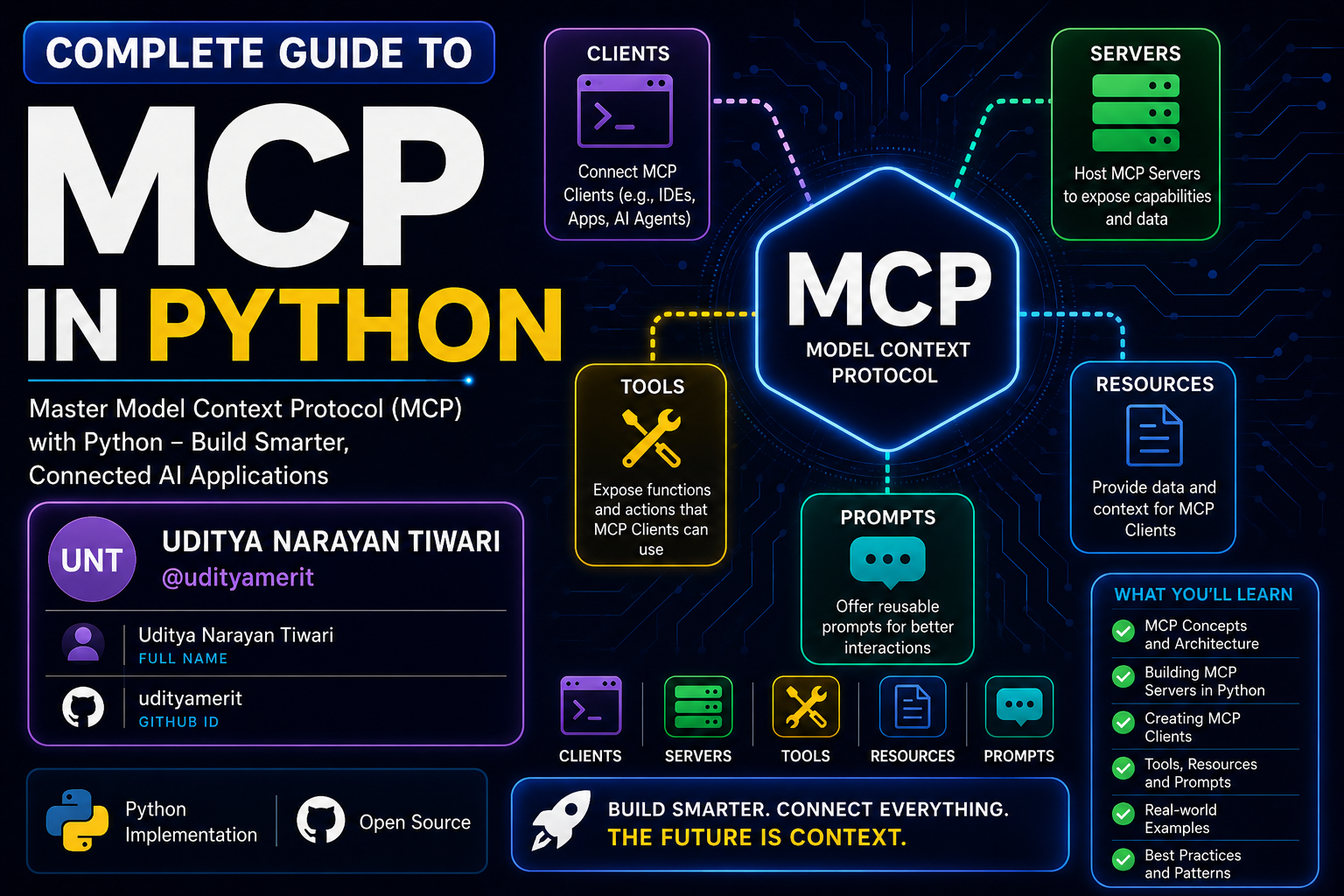
🚀 Complete Guide to MCP in Python




📌 Table of Contents
- What is MCP?
- Why MCP Matters
- About This Repository
- Features
- Course Overview
- Architecture Flow
- Advanced MCP Architecture
- Client-Server Communication Flow
- STDIO vs Streamable HTTP
- Multi-Server MCP Architecture
- Deployment Architecture
- Tech Stack
- Installation
- Project Structure
- Learning Outcomes
- Prerequisites
- Who Is This For?
- Contributing
- Connect With Me
- License
📖 What is MCP?
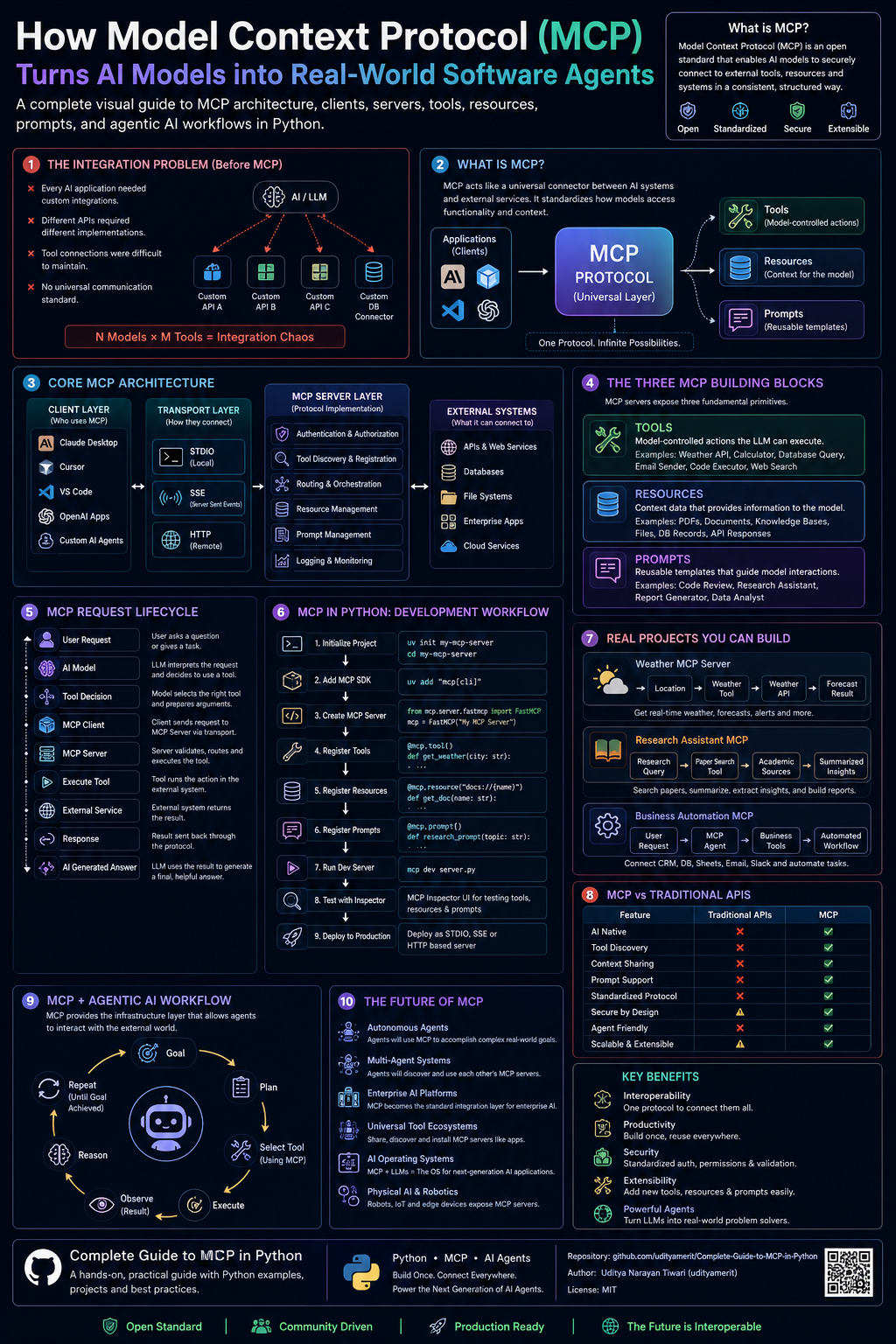
MCP (Model Context Protocol) is a standardized protocol that allows AI systems like:
- LLMs
- AI Agents
- AI Applications
- Automation Systems
to communicate with:
- APIs
- Databases
- Local Tools
- External Services
- Resources
- Prompts
- File Systems
Think of MCP as the:
🔌 USB-C Connector for AI Systems
Build once → Connect everywhere.
🌍 Why MCP Matters
Before MCP:
❌ Every framework implemented tools differently
❌ Developers repeatedly rebuilt integrations
❌ No universal AI-tool communication standard
MCP solves this using:
✅ Standardization
✅ Reusability
✅ Scalability
✅ Universal Connectivity
✅ Plug-and-Play AI Systems
Today, MCP is widely adopted across the AI ecosystem.
🎯 About This Repository
This repository is a complete beginner-to-advanced guide focused on:
- MCP Architecture
- MCP Servers
- MCP Clients
- MCP Deployment
- MCP Publishing
- Streamable HTTP
- STDIO Communication
- Resources
- Prompts
- Tools
- Real-World Projects
This repository uses:
🐍 Python SDK exclusively
making it perfect for Python developers entering the AI infrastructure ecosystem.
✨ Features
✅ Complete Guide
This is NOT a crash course.
You go from:
Beginner
   ↓
Understanding MCP
   ↓
Building MCP Servers
   ↓
Building MCP Clients
   ↓
Deploying MCP Applications
   ↓
MCP Expert
🐍 Python Focused
Unlike most tutorials using JS/TS, this repository focuses completely on Python.
⚡ Fully Updated
Includes modern MCP technologies:
- Streamable HTTP
- STDIO
- MCP Inspector
- Remote MCP Servers
- Multi-server orchestration
🛠️ Hands-On Learning
Build multiple:
- MCP Servers
- MCP Clients
- AI integrations
- Real-world projects
📚 Repository Overview
Explore the step-by-step curriculum of the complete MCP course:
01. Introduction
- What Model Context Protocol (MCP) is and why it exists
- Interactive guide to the MCP ecosystem
- Hands-on Jupyter notebook for beginners
02. MCP Architecture Overview
- Learn key terminology: Clients, Hosts, Servers, Transports, and Sessions
- Core building blocks: Tools, Resources, and Prompts
- Deep architectural diagrams and communication flows
03. Creating and Connecting MCP Server
- Setting up a Python development environment with the UV package manager
- Building your very first custom weather MCP server
- Connecting the server to Claude Desktop and using it locally
04. Connect MCP Client to an MCP Server
- Implementing an asynchronous Python MCP client
- Connecting the client to a local weather server using
stdiotransport - Connecting to remote servers using NPX (e.g., openbnb/mcp-server-airbnb)
05. MCP Server Deep Dive - Tools
- Creating advanced MCP tools using FastMCP
- Cryptocurrency price tracking tools (CoinGecko API)
- Operating system utilities (Screenshot Capturing with PyAutoGUI)
- External AI search integrations (Perplexity AI API)
- Complex validation using Pydantic models for structured input
06. MCP Server Resources and Prompts
- Resources: Exposing local data, inventory lists, and dynamically resolved prices using custom URIs (
inventory://) - Prompts: Developing structured, reusable prompt templates for LLMs to generate reports or analyses
07. MCP Server Deployment and Publishing
- Standard packaging structure for Python MCP servers (
src/architecture) - Configuring
pyproject.tomlwith console scripts entry points - Publishing MCP servers to GitHub and running them globally via
uvx
08. MCP Server stdio and Streamable HTTP
- Creating servers using
streamable-httptransport (FastMCP SSE) - Testing and debugging servers using MCP Inspector (
npx @modelcontextprotocol/inspector) - Public deployment on AWS EC2 Virtual Machines (Nginx reverse proxy, PM2/Screen process managers)
09. MCP Client Deep Dive
- Developing an advanced Python client integrated with OpenAI API
- Auto-discovery of MCP tools and schema translation to OpenAI Function Calling format
- Letting the model decide on tool invocations and feeding tool outputs back to GPT
10. End-To-End Projects
- Real-world, production-ready project implementations:
- Chess Stats: A custom MCP server connecting to the Chess.com public API for player stats and comparisons
- Memory Tracker: A persistent long-term semantic memory storage server for AI agents using OpenAI Vector Stores
11. Build MCP Client with Multi MCP Server
- Orchestrating multiple independent MCP servers (Airbnb and Memory Tracker) in a single Python client
- Connecting client session dynamically to manage multi-server capabilities and auto-route tool calls
- Creating user-friendly graphical interfaces using Streamlit for complex multi-tool chats
🏗️ Architecture Flow
MCP Architecture Flow
flowchart TD

    A[User / Developer] --> B[AI Application / Agent]

    B --> C[MCP Client]

    C --> D{Transport Layer}

    D -->|STDIO| E[MCP Server Local]
    D -->|Streamable HTTP| F[MCP Server Remote]

    E --> G[Tools]
    E --> H[Resources]
    E --> I[Prompts]

    F --> G
    F --> H
    F --> I

    G --> J[Local Functions]
    G --> K[External APIs]
    G --> L[Databases]
    G --> M[Automation Scripts]

    H --> N[Static Resources]
    H --> O[Dynamic Resources]
    H --> P[Knowledge Base]

    I --> Q[Reusable Prompt Templates]
    I --> R[Structured Prompt Systems]

    J --> S[Execution Results]
    K --> S
    L --> S
    M --> S

    N --> T[Context Data]
    O --> T
    P --> T

    Q --> U[Prompt Responses]
    R --> U

    S --> V[MCP Client Response Handler]
    T --> V
    U --> V

    V --> W[LLM Processing]

    W --> X[Final AI Response]

    X --> Y[User]
🌐 Advanced MCP Architecture
flowchart LR

    subgraph USERS
        U1[Developer]
        U2[End User]
    end

    subgraph AI_SYSTEMS
        A1[LLM]
        A2[AI Agent]
        A3[Claude / VS Code]
    end

    subgraph MCP_CLIENT
        C1[Session Manager]
        C2[Tool Caller]
        C3[Prompt Manager]
        C4[Resource Handler]
        C5[Transport Manager]
    end

    subgraph TRANSPORTS
        T1[STDIO]
        T2[Streamable HTTP]
        T3[WebSocket]
    end

    subgraph MCP_SERVER
        S1[Tool Registry]
        S2[Prompt Registry]
        S3[Resource Registry]
        S4[Authentication]
        S5[Execution Engine]
    end

    subgraph EXTERNAL_SYSTEMS
        E1[REST APIs]
        E2[Databases]
        E3[File Systems]
        E4[Cloud Services]
        E5[Local Processes]
    end

    U1 --> A2
    U2 --> A2

    A1 --> C1
    A2 --> C1
    A3 --> C1

    C1 --> C2
    C1 --> C3
    C1 --> C4
    C1 --> C5

    C5 --> T1
    C5 --> T2
    C5 --> T3

    T1 --> S1
    T2 --> S1
    T3 --> S1

    S1 --> S5
    S2 --> S5
    S3 --> S5

    S5 --> E1
    S5 --> E2
    S5 --> E3
    S5 --> E4
    S5 --> E5

    E1 --> S5
    E2 --> S5
    E3 --> S5
    E4 --> S5
    E5 --> S5

    S5 --> C1

    C1 --> A1
    A1 --> U2
🔄 Client-Server Communication Flow
sequenceDiagram

    participant User
    participant LLM
    participant MCP_Client
    participant MCP_Server
    participant External_API

    User->>LLM: Request Task

    LLM->>MCP_Client: Need External Tool

    MCP_Client->>MCP_Server: Request Available Tools

    MCP_Server-->>MCP_Client: Return Tool List

    MCP_Client->>MCP_Server: Execute Tool

    MCP_Server->>External_API: API Request

    External_API-->>MCP_Server: API Response

    MCP_Server-->>MCP_Client: Tool Result

    MCP_Client-->>LLM: Structured Response

    LLM-->>User: Final Answer
⚡ STDIO vs Streamable HTTP
Streamable HTTP Architecture
flowchart TB

    A["LLM or AI Agent"]
    B["MCP Client"]
    C["HTTP Transport Layer"]
    D["Remote MCP Server"]

    A --> B
    B --> C
    C --> D

    D --> E["Authentication"]
    D --> F["Tool Execution"]
    D --> G["Prompt Engine"]
    D --> H["Resource Access"]

    F --> I["External APIs"]
    F --> J["Cloud Functions"]
    F --> K["Databases"]

    I --> L["Execution Result"]
    J --> L
    K --> L

    L --> B
    B --> A
Local STDIO Architecture
flowchart LR

    A["AI Application"]
    B["MCP Client"]
    C["Local MCP Server"]

    A --> B
    B --> C
    C --> B

    C --> D["Python Functions"]
    C --> E["Local Files"]
    C --> F["Terminal Commands"]
    C --> G["Local APIs"]

    D --> H["Response"]
    E --> H
    F --> H
    G --> H

    H --> B
🧠 Multi-Server MCP Architecture
flowchart TD

    A[AI Agent]

    A --> B[MCP Client]

    B --> C[MCP Server 1]
    B --> D[MCP Server 2]
    B --> E[MCP Server 3]

    C --> F[Weather APIs]
    D --> G[Database Tools]
    E --> H[Memory System]

    F --> I[Combined Context]
    G --> I
    H --> I

    I --> B

    B --> J[LLM Final Processing]

    J --> K[User Response]
🚀 Deployment Architecture
flowchart TD

    A[Developer Machine]

    A --> B[GitHub Repository]

    B --> C[CI/CD Pipeline]

    C --> D[Docker Container]

    D --> E[Cloud VM / VPS]

    E --> F[MCP Server Deployment]

    F --> G[Public Streamable HTTP Endpoint]

    G --> H[MCP Clients Worldwide]

    H --> I[LLMs / AI Agents]
🛠️ Tech Stack
| Technology | Purpose |
|---|---|
| Python | Core Development |
| MCP SDK | MCP Development |
| VS Code | Development |
| Git & GitHub | Version Control |
| Claude | MCP Host |
| APIs | External Integrations |
⚙️ Installation
Clone Repository
git clone https://github.com/udityamerit/Complete-Guide-to-MCP-in-Python.git
Move into Directory
cd Complete-Guide-to-MCP-in-Python
Create Virtual Environment
python -m venv venv
Activate Environment
Windows
venv\Scripts\activate
Mac/Linux
source venv/bin/activate
Install Dependencies
pip install -r requirements.txt
▶️ Running MCP Projects
This repository is organized into standalone chapter directories. Each folder contains its own self-contained code files, configuration, and dependencies.
To run a specific project:
- Navigate to the desired folder:
cd "05 MCP Server Deep Dive - Tools" - Follow the detailed setup and execution instructions inside the directory's
README.md. - Most servers can be run directly using
uv run <filename>.pyor standardpython <filename>.pyafter installing dependencies.
📂 Project Structure
📦 Complete-Guide-to-MCP-in-Python
 ┣ 📂 01 Introduction
 ┃ ┣ 📜 introduction.ipynb
 ┃ ┗ 🌐 introduction.html
 ┣ 📂 02 MCP Architecture Overview
 ┃ ┣ 📜 MCP Architecture.ipynb
 ┃ ┗ 🌐 MCP Architecture.html
 ┣ 📂 03 Creating and Connecting MCP Server
 ┃ ┣ 📜 weather.py
 ┃ ┗ 📜 README.md
 ┣ 📂 04 Connect MCP Client to an MCP Server
 ┃ ┣ 📜 client.py
 ┃ ┣ 📜 client_npx.py
 ┃ ┗ 📜 README.md
 ┣ 📂 05 MCP Server Deep Dive - Tools
 ┃ ┣ 📜 crypto.py
 ┃ ┣ 📜 local.py
 ┃ ┣ 📜 screenshot.py
 ┃ ┣ 📜 websearch_perpexity_model.py
 ┃ ┣ 📜 complex_input_mcp.py
 ┃ ┗ 📜 README.md
 ┣ 📂 06 MCP Server Resourese and Prompts
 ┃ ┣ 📜 prompt.py
 ┃ ┣ 📜 resources.py
 ┃ ┗ 📜 README.md
 ┣ 📂 07 MCP Server Deployment and Publishing
 ┃ ┣ 📂 src/mcpserver/
 ┃ ┣ 📜 pyproject.toml
 ┃ ┗ 📜 README.md
 ┣ 📂 08 MCP Server stdio and Streamable https
 ┃ ┣ 📂 Images/
 ┃ ┣ 📜 server.py
 ┃ ┣ 📜 main.py
 ┃ ┗ 📜 README.md
 ┣ 📂 09 MCP Client Deep Dive
 ┃ ┣ 📂 Images/
 ┃ ┣ 📜 client_query.py
 ┃ ┗ 📜 README.md
 ┣ 📂 10 End-To-End Project
 ┃ ┣ 📂 Chess Stats
 ┃ ┃ ┣ 📂 Images/
 ┃ ┃ ┣ 📂 src/chess_stats/
 ┃ ┃ ┗ 📜 README.md
 ┃ ┗ 📂 Memory Tracker
 ┃   ┣ 📂 Images/
 ┃   ┣ 📜 server.py
 ┃   ┗ 📜 README.md
 ┗ 📂 11 Build MCP Client with Multi MCP Server
   ┣ 📂 Images/
   ┣ 📜 client.py
   ┣ 📜 chat_ui.py
   ┣ 📜 main.py
   ┣ 📜 pyproject.toml
   ┗ 📜 README.md
📸 Project Demos & Screenshots
Here are some visual demonstrations of the projects in action, taken from the local debug consoles, Claude Desktop, and the MCP Inspector.
♟️ Chess.com Stats MCP Server (Chapter 10)
🔍 Chess Tool Discovery
Discovering available Chess tools in the client:
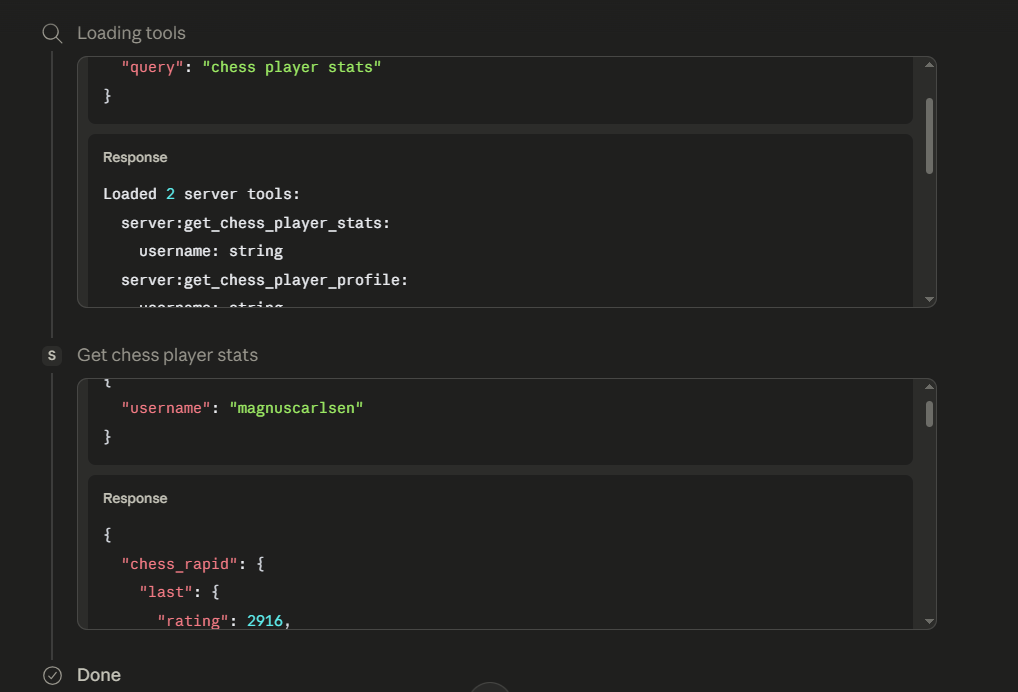
📈 Chess Player Stats
Fetching real-time player ratings and stats from Chess.com API:
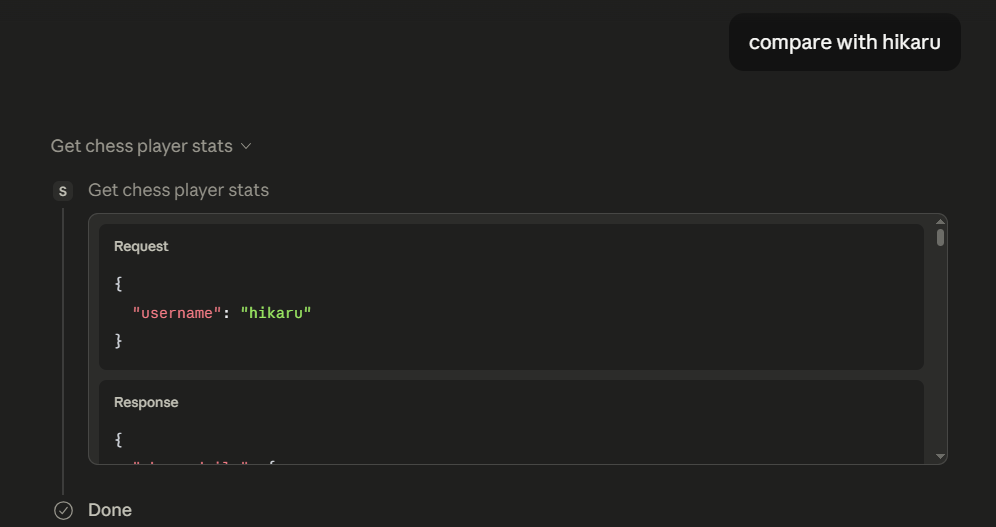
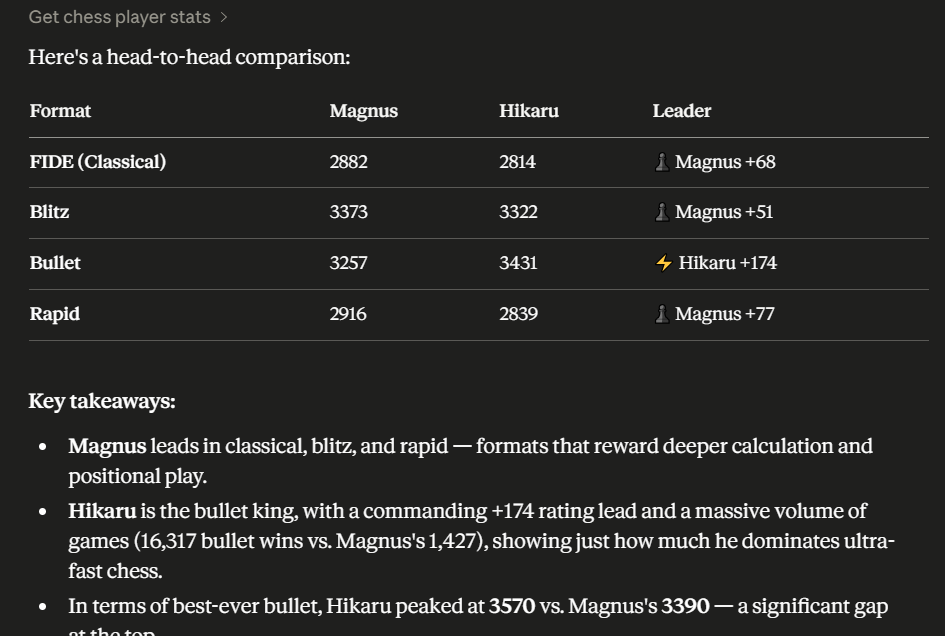
⚔️ Player Comparison
Comparing two chess masters' stats side-by-side using the AI:
🧠 OpenAI Vector Store Memory Tracker (Chapter 10)
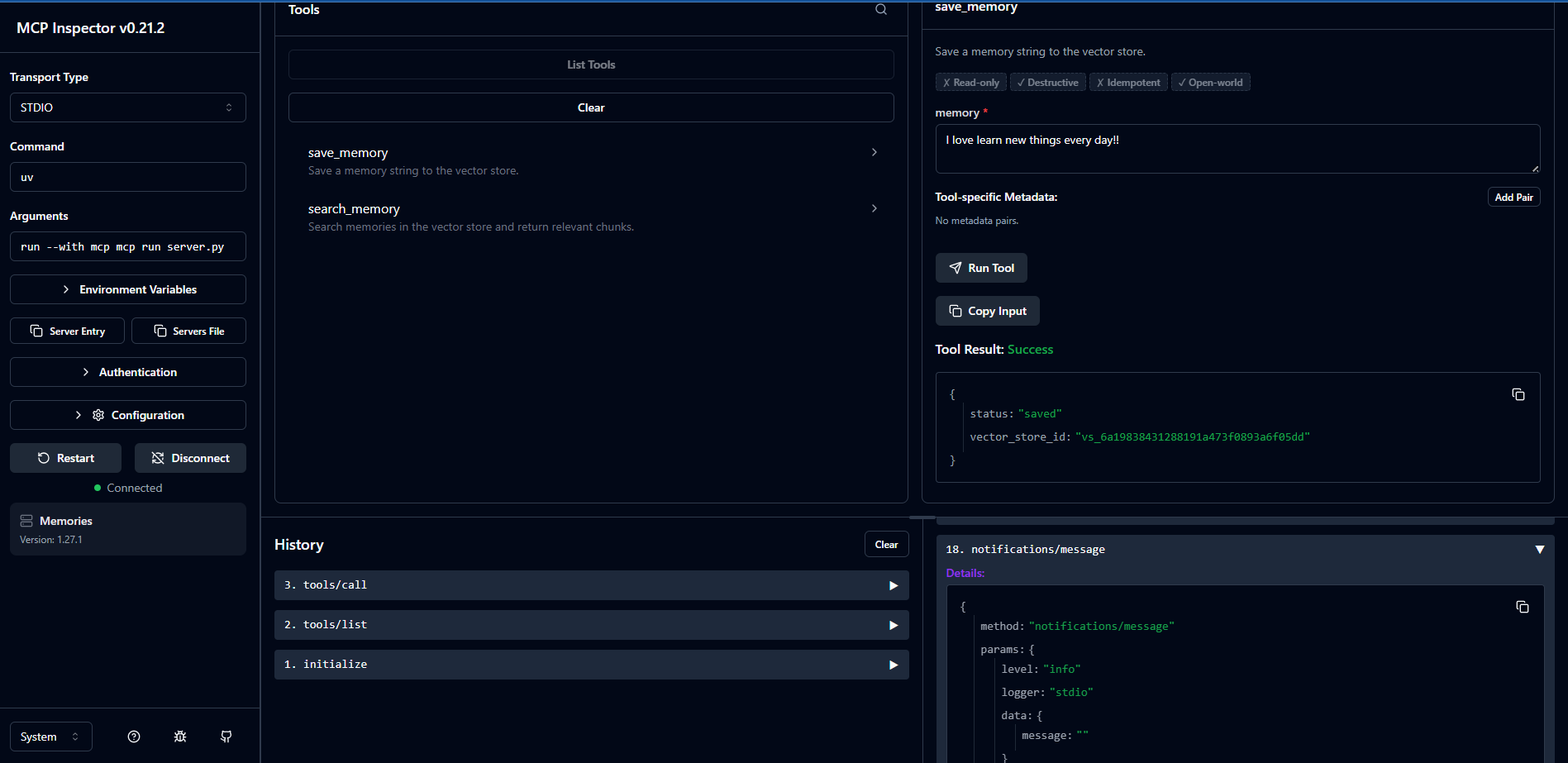
💾 Saving Dynamic Memory
AI agent saving a memory dynamically into the OpenAI Vector Store:
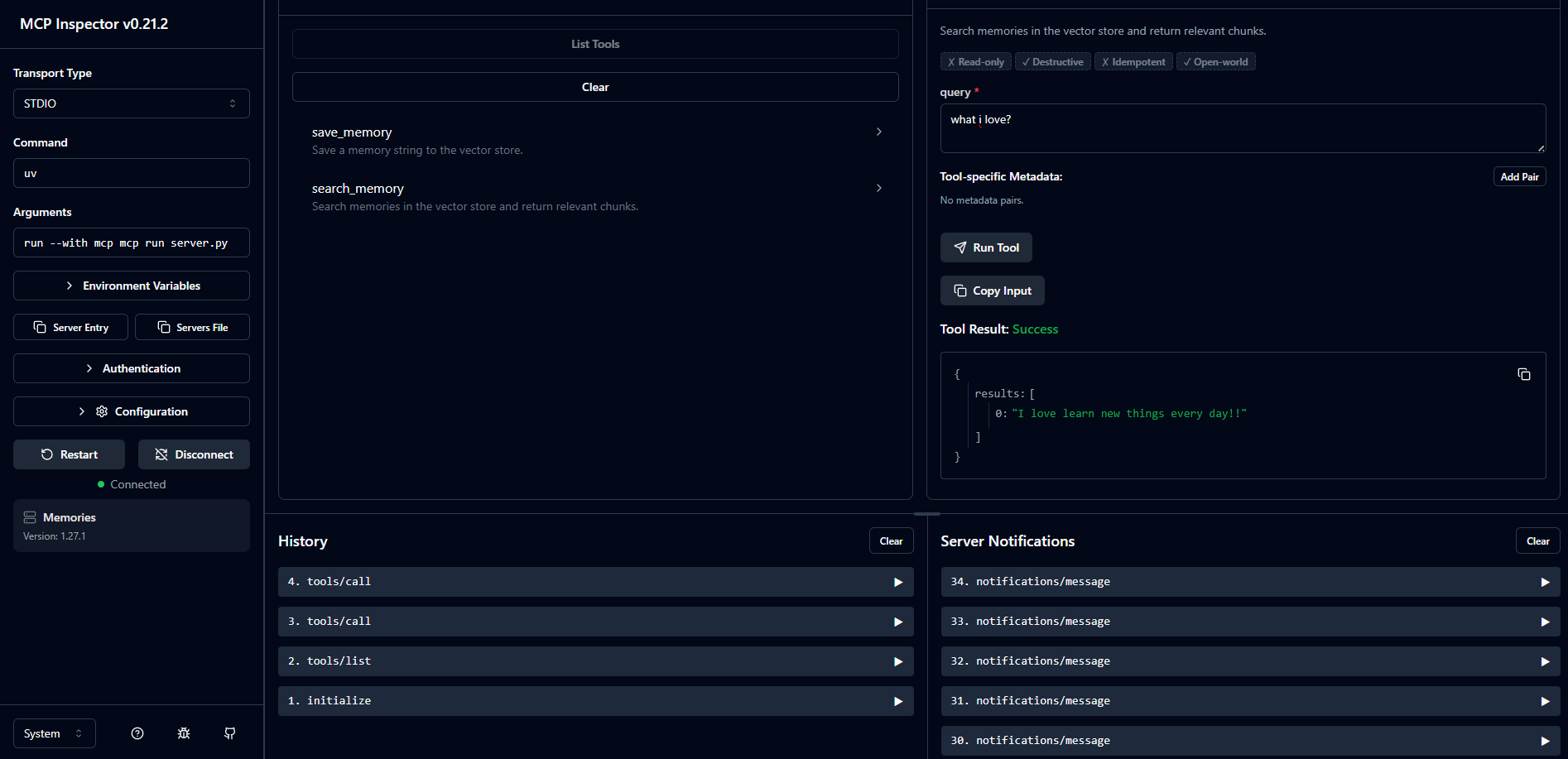
🔍 Semantic Memory Retrieval
Retrieving semantic memories based on natural language queries:
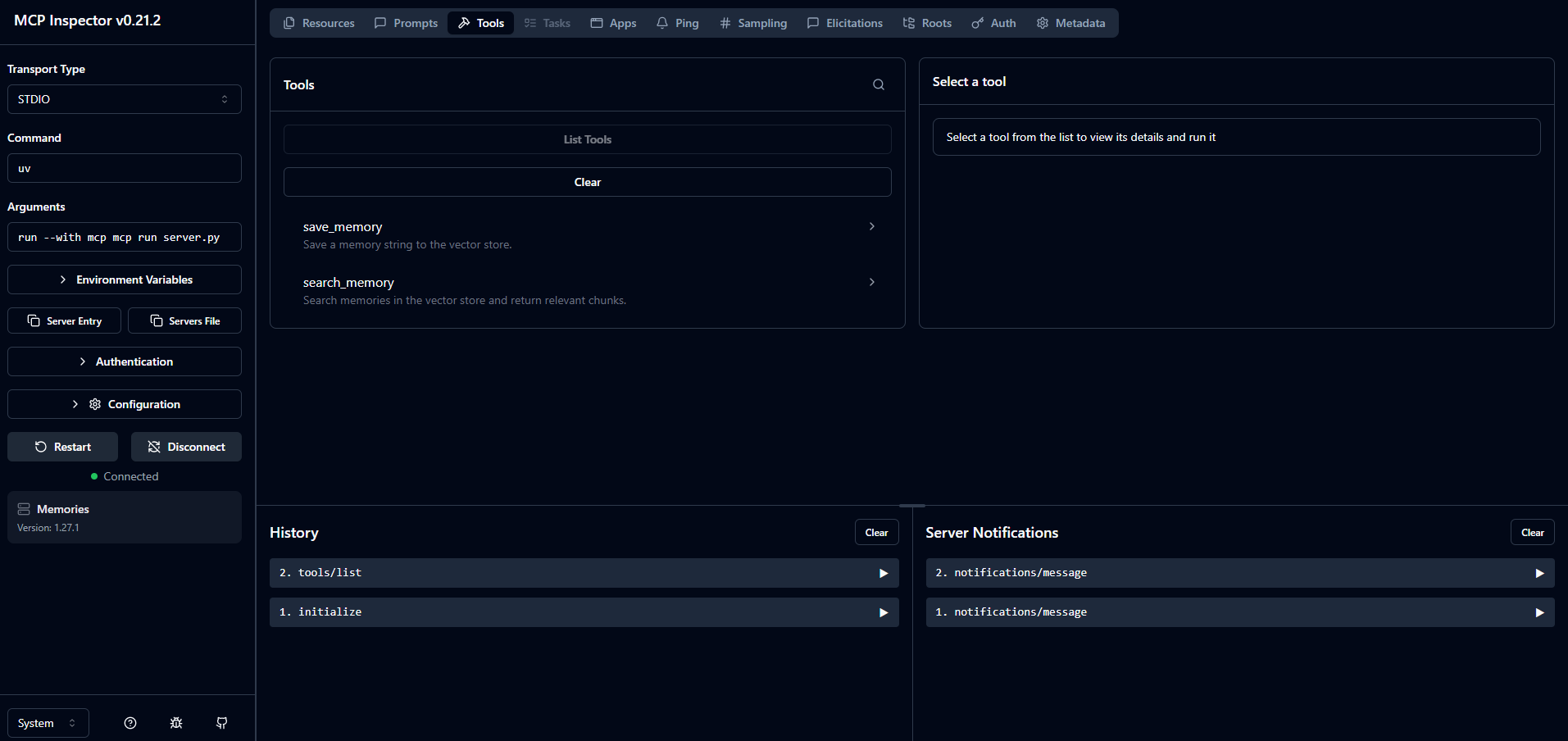
🖥️ Inspector Connection
The Memory Tracker MCP Server connected to the local MCP Inspector:
🛠️ MCP Client Deep Dive & OpenAI Tool Calling (Chapter 09)
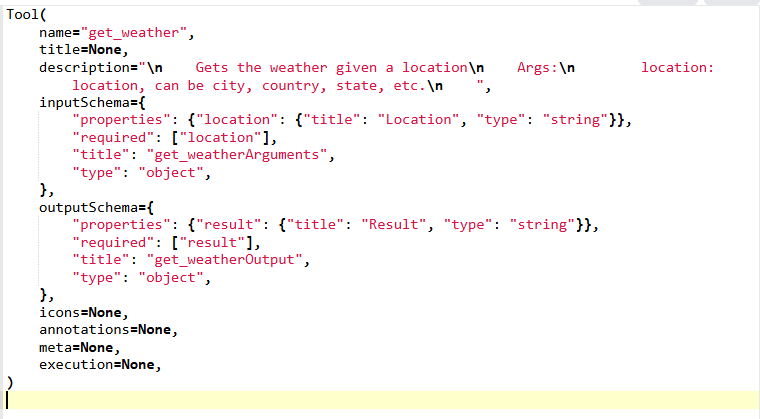
📡 MCP Tool Discovery
Discovering tools from the local Python MCP server session:
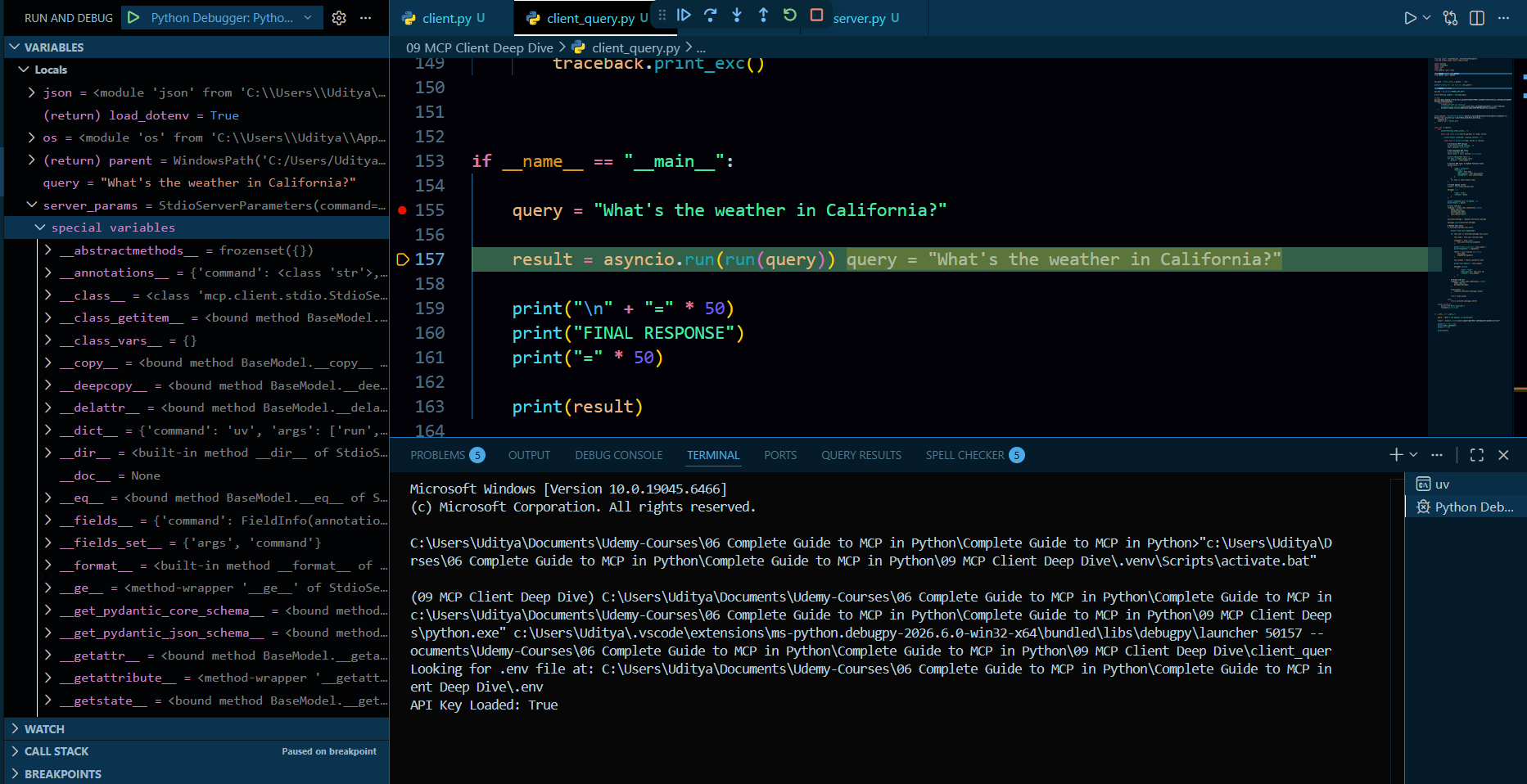
🤖 OpenAI Tool Conversion & Execution
Converting MCP tools schema to OpenAI Function Calling format and handling execution:
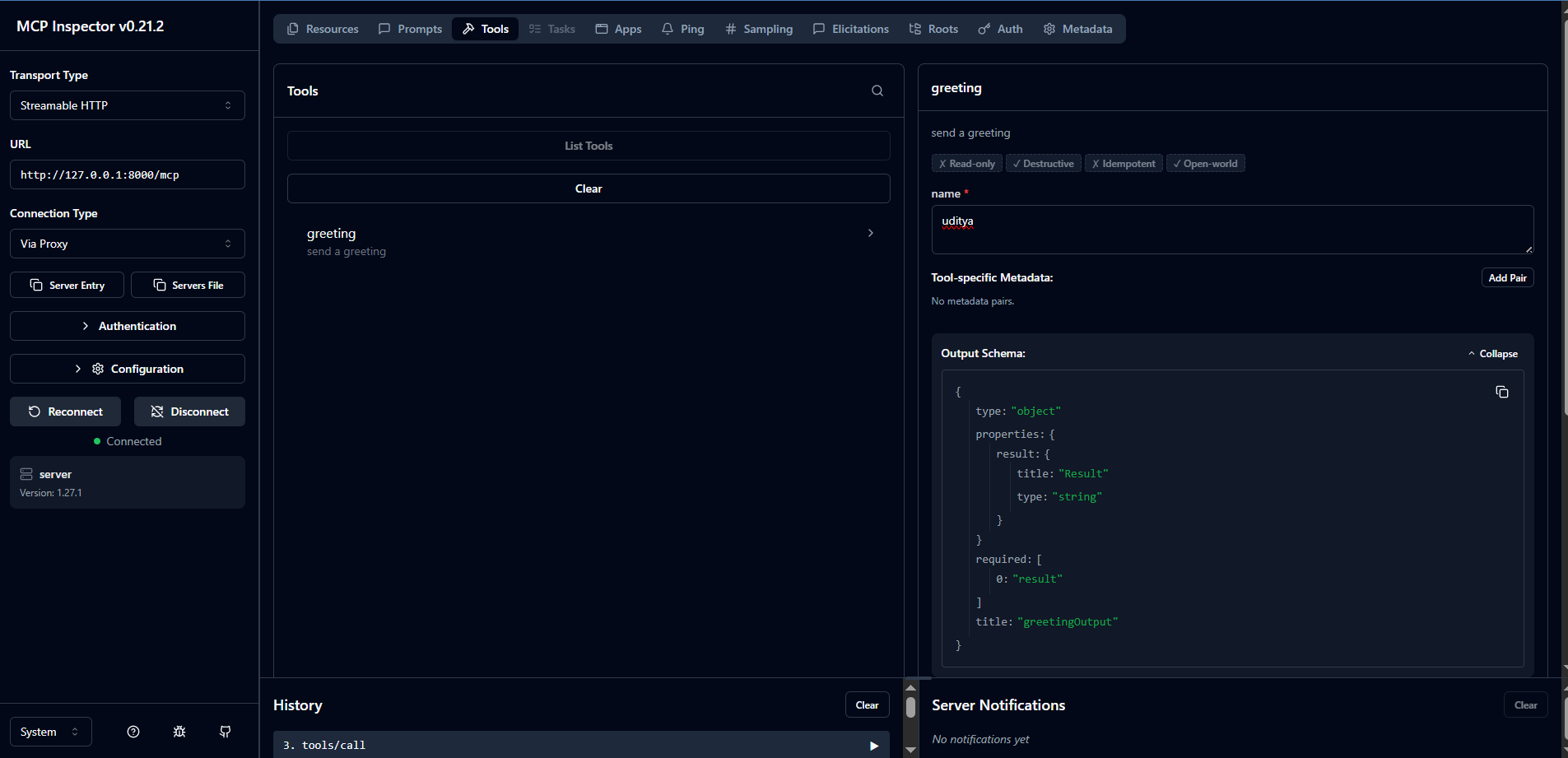
⚡ MCP Inspector & Streamable HTTP (Chapter 08)
🔌 Connecting to Streamable HTTP Server
Testing local or remote Streamable HTTP MCP servers using the official MCP Inspector interface:
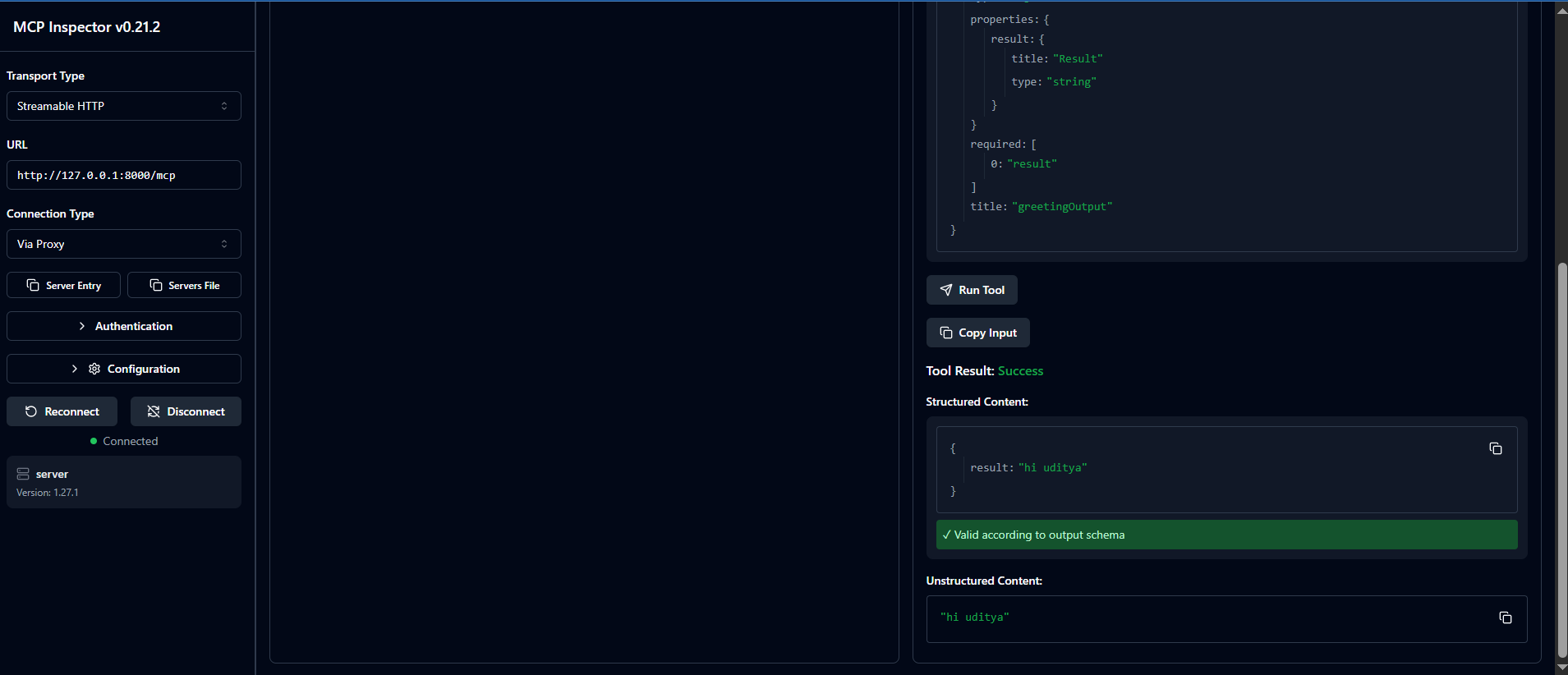
🧪 Greeting Tool Test Execution
Executing a greeting tool call and receiving structured output inside MCP Inspector:
🌐 Multi-Server MCP Agent: Airbnb & Memory (Chapter 11)
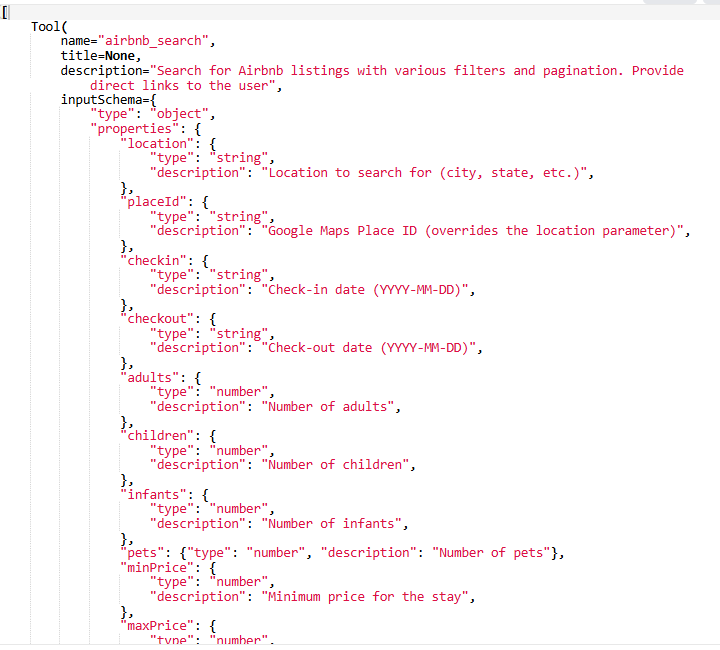
🔌 Multi-Server Tool Discovery
Discovering and combining tools from both Airbnb and Memory servers dynamically:
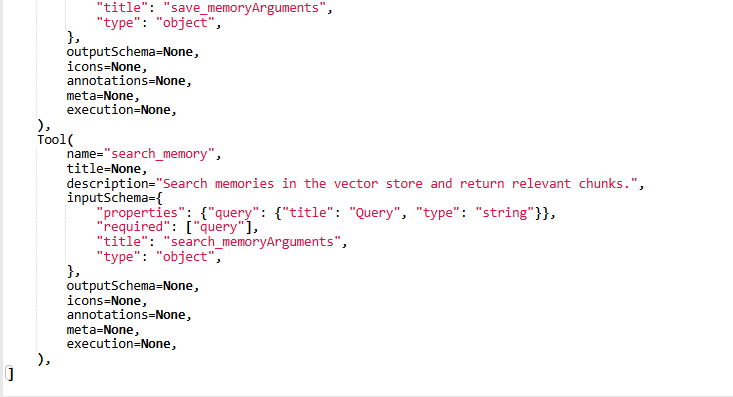
🧠 Context-Aware Searches with Local Memory
Filtering Airbnb properties using retrieved semantic memories during the search query:
🎯 Learning Outcomes
By the end of this repository, you will:
✅ Understand MCP deeply
✅ Build MCP Servers
✅ Build MCP Clients
✅ Deploy MCP remotely
✅ Use Streamable HTTP
✅ Use STDIO communication
✅ Integrate AI tools
✅ Build production-ready AI systems
🧪 Prerequisites
- Basic Python knowledge
- Basic API understanding
- Familiarity with Git/GitHub
- Windows or Mac
👨💻 Who Is This For?
Perfect for:
- AI Engineers
- Python Developers
- AI Enthusiasts
- LLM Builders
- Automation Engineers
- AI Infrastructure Developers
- Agentic AI Developers
🤝 Contributing
Contributions are welcome.
Steps
- Fork repository
- Create feature branch
- Commit changes
- Push changes
- Open Pull Request
⭐ Support
If this repository helped you:
⭐ Star the repository
🍴 Fork the repository
📢 Share with others
📬 Connect With Me
👨💻 Uditya Narayan Tiwari
🌐 Portfolio: https://udityanarayantiwari.netlify.app/
📚 Knowledge Base: https://udityaknowledgebase.netlify.app/
💻 GitHub: https://github.com/udityamerit
🔗 LinkedIn: https://www.linkedin.com/in/uditya-narayan-tiwari-562332289/
📜 License
This project is licensed under the MIT License.
No comments yet
Be the first to share your take.