
Clira is an AI executive agent that handles your email, calendar, and messaging across WhatsApp and Telegram. It prepares actions and drafts, but nothing executes without your approval. Self-hosted, open source, and architecturally designed so the AI cannot hallucinate facts into your outbox.
Highlights
- Multi-channel agent across WhatsApp, Telegram, SMS, and web chat
- Nothing sends without explicit approval
- Planner/style architecture where the style layer cannot introduce facts
- Extensible through MCP server connections and user-authored skills
- Self-hosted with Docker Compose so your runtime and data stay under your control
- Gmail ingestion in push and pull modes with deterministic pre-filtering
Architecture At A Glance
Clira is easiest to understand as two tightly connected systems: a multi-channel executive agent runtime that works across inbox, calendar, memory, and messaging context without bypassing approvals, and a draft-first reply pipeline that handles email as one capability inside that broader product.
Executive Agent Runtime
The executive agent is not just "chat with tools." It runs inside a deterministic policy envelope that decides what tools can exist, when the agent must pause for approval, and when a rerun is allowed with broader capabilities.
Reply Pipeline
This path is intentionally strict: deterministic filtering first, then a schema-validated LLM gate, then a planner/style split where the style stage is not allowed to add facts.
For the code-level component map and file references behind these diagrams, see docs/architecture.md.
Product Views
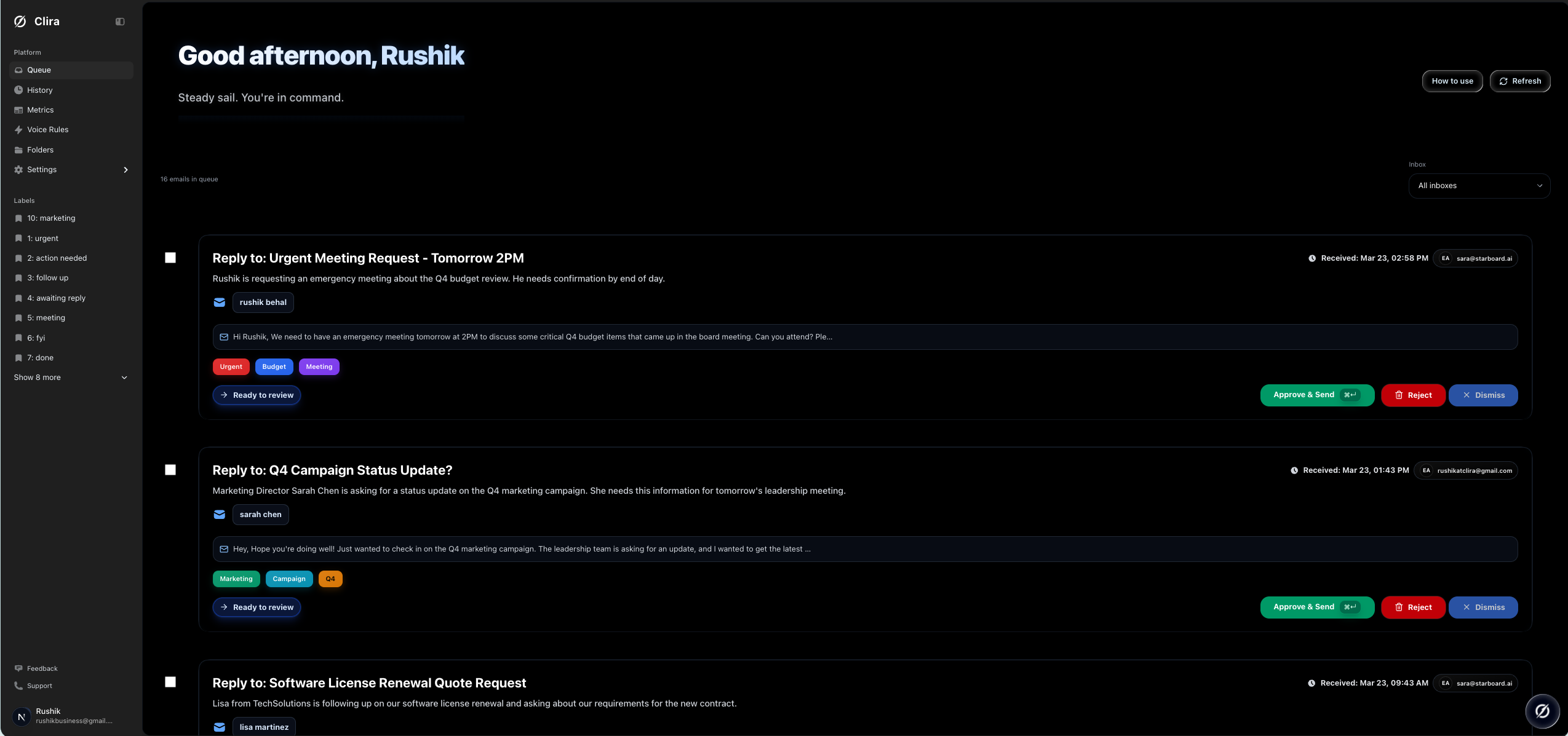
Queue view with actionable drafts
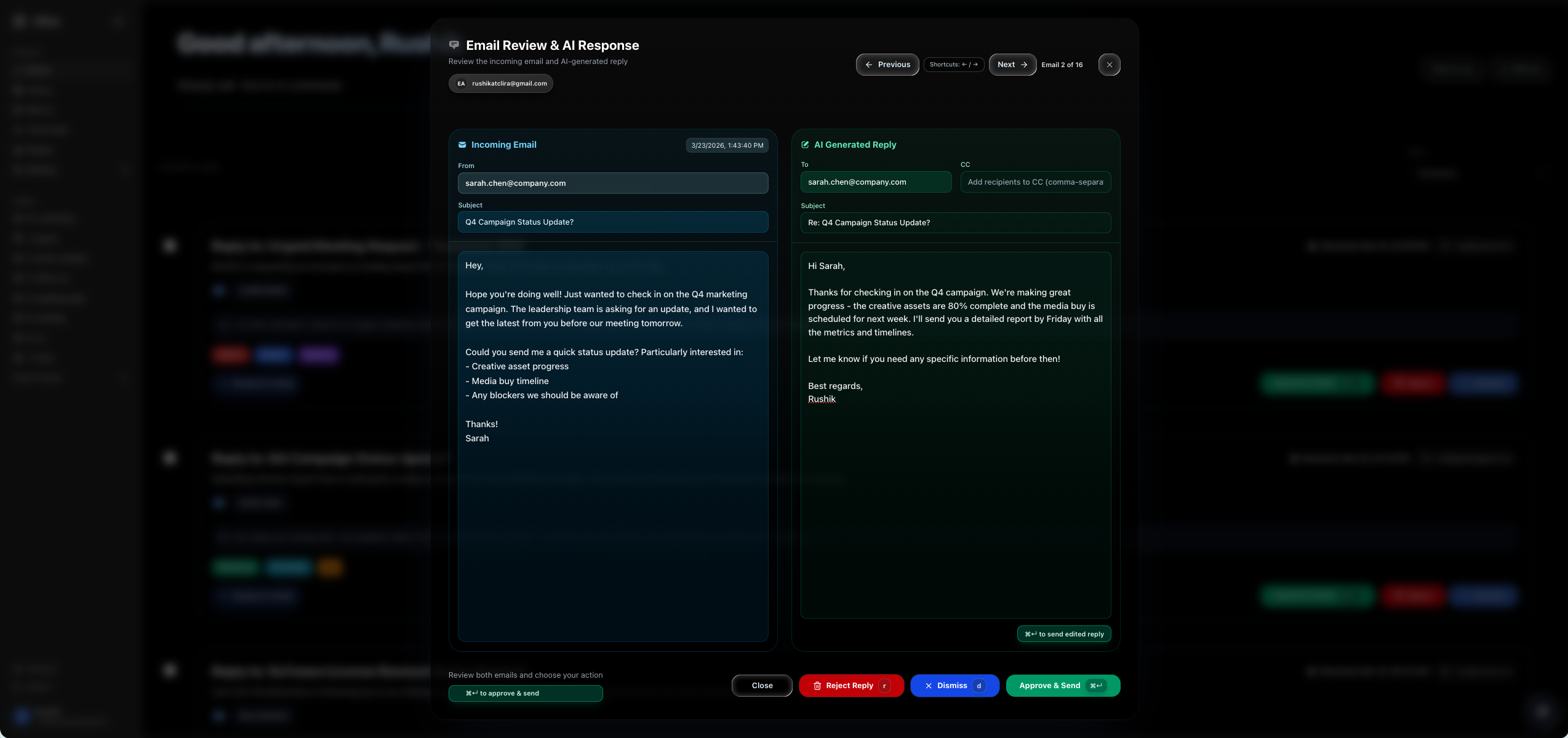
Reply review modal before approval
Fast Self-Host
This is the default launch path. It assumes Docker and Docker Compose are installed.
- Clone the repo and copy the environment template.
cp .env.example .env
- Initialize local runtime state and generated secrets.
npm run selfhost:init
If you do not want to use npm, run bash scripts/selfhost-init.sh directly.
- Configure Gmail Pub/Sub and write the generated values back into
.env.
npm run setup:google -- --project-id YOUR_PROJECT_ID --mode pull --write-env
- Fill in the remaining required values in
.env.
GOOGLE_CLIENT_IDGOOGLE_CLIENT_SECRET- your AI provider key
- Pull and start the default launch stack.
npm run selfhost:up
- Open Clira.
- App: http://localhost:13000
- Liveness: http://localhost:13000/api/health
- Deep readiness: http://localhost:13000/api/health?deep=1
Image Tags
Clira publishes two kinds of image tags:
mainandsha-<commit>for continuous builds from themainbranchvX.Y.Z,vX.Y, andlatestfor release tags such asv0.1.0
For evaluation and internal testing, the default CLIRA_IMAGE=ghcr.io/rushik-b/clira:main is fine.
For production or any install you want to keep stable, pin CLIRA_IMAGE to an exact release tag in .env.
What Starts By Default
npm run selfhost:up starts the core profile:
appworkergmail-pull-workercrondbredis
backfill-worker is intentionally not part of the default launch profile. Add it only when you want inbox search backfill:
npm run selfhost:up:full
Required Environment Values
Minimum first-run values live at the top of .env.example. The important ones are:
APP_PUBLIC_URLNEXTAUTH_SECRETCRON_SECRETEMAIL_ENCRYPT_SECRETEMAIL_ENCRYPT_SALTGOOGLE_CLIENT_IDGOOGLE_CLIENT_SECRETGMAIL_PUBSUB_TOPICGMAIL_PUBSUB_PULL_SUBSCRIPTIONGOOGLE_APPLICATION_CREDENTIALSAI_PROVIDER- provider auth for the selected model backend
Clira stores local runtime secrets under .clira-runtime/. The default Gmail service-account file path is ./.clira-runtime/google-service-account.json.
Self-Host Commands
| Command | What it does |
|---|---|
npm run selfhost:init |
Creates .env if missing, generates secrets, creates .clira-runtime, and runs diagnostics |
npm run selfhost:doctor |
Read-only diagnostics for env, Docker, ports, Gmail credentials, and AI provider config |
npm run selfhost:up |
Pulls and starts the default core self-host profile |
npm run selfhost:up:full |
Pulls and starts core plus backfill-worker |
npm run selfhost:down |
Stops the self-host stack |
npm run selfhost:logs |
Tails the main self-host services |
npm run setup:google |
Provisions Gmail Pub/Sub resources and optional .env updates |
Contributor Workflow
If you are developing Clira rather than just hosting it, use docs/setup.md. That doc covers:
- local
npm run dev - worker processes in separate terminals
- local builds with
docker-compose.dev.yml - contributor-oriented verification
AI Provider Notes
Google remains the default provider. The OpenRouter env names are still used for compatibility, but OPENROUTER_BASE_URL can point at any OpenAI-compatible endpoint. That includes OpenRouter, LM Studio, vLLM, and similar gateways. Details live in docs/ai-providers.md.
Documentation
- Self-host guide:
docs/self-host.md - Contributor setup:
docs/setup.md - Architecture:
docs/architecture.md - Gmail Pub/Sub:
docs/gmail-pubsub.md - AI providers:
docs/ai-providers.md - Troubleshooting:
docs/troubleshooting.md - Operations:
docs/operations.md - Full docs index:
docs/README.md
No comments yet
Be the first to share your take.