
Capio
Capio — Latin: "I seize, I capture."
Turn your phone's screenshot pile into a searchable archive. Upload screenshots of Instagram posts, LinkedIn articles, or any web page — Capio reads the text, groups related shots, labels the source, and saves a clean note you can actually find later.
The problem it solves: You screenshot something interesting, it gets buried in a camera roll of 1,000+ images, and you never find it again. Capio fixes that.
📱 Works on your phone too — open the app in your mobile browser over Wi-Fi. No app install needed.
If Capio solves a problem you recognise, a ⭐ on this repo goes a long way — thank you!







How it works
Phone / desktop browser
│ (same Wi-Fi)
▼
Capio web app → reads the text (OCR) → cleans it up (AI) → saves a searchable note
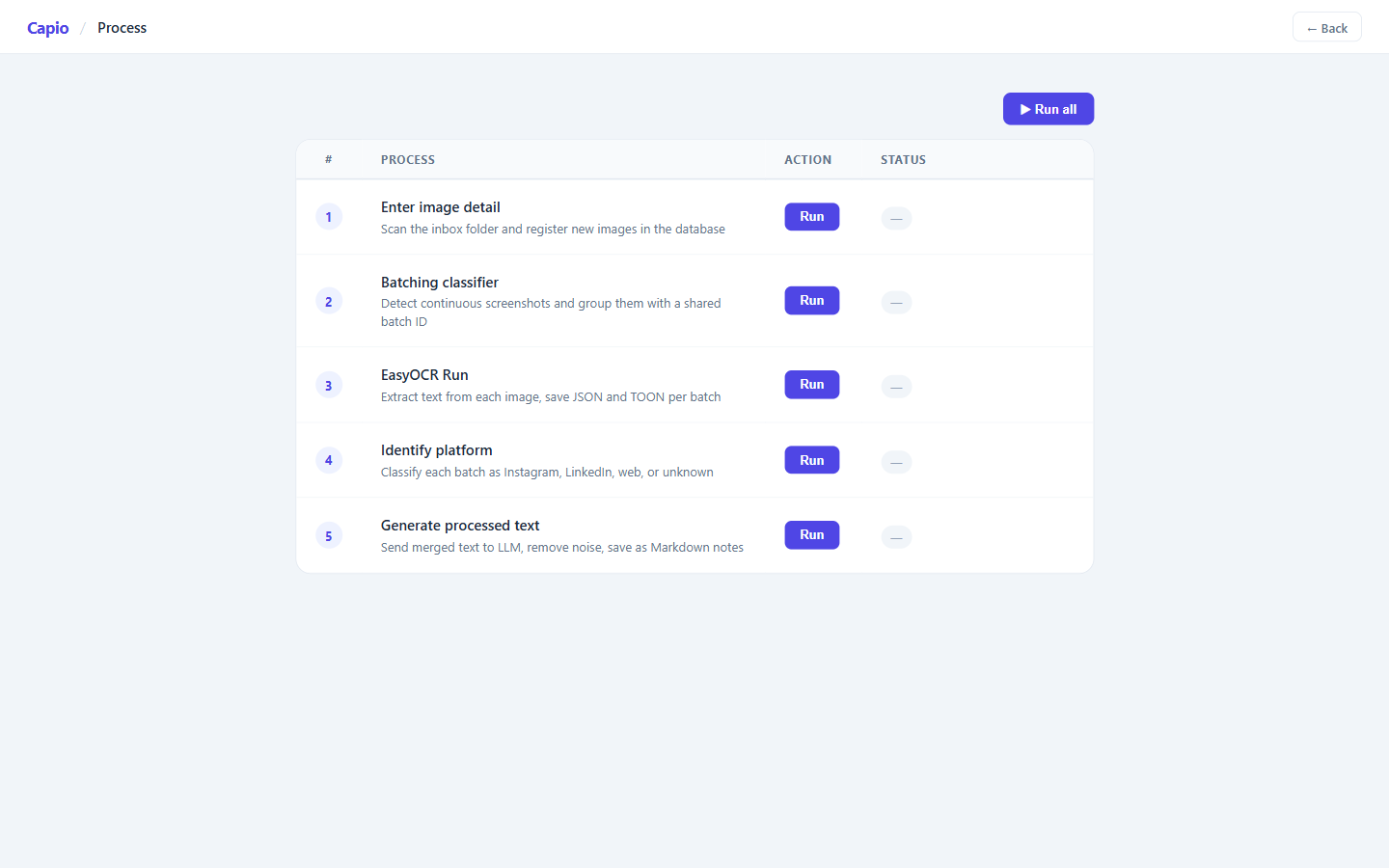
Five steps, one click each:
| Step | What happens |
|---|---|
| 1. Upload | Drag screenshots from your phone or desktop into the inbox |
| 2. Scan | Capio finds new images and registers them |
| 3. Read | EasyOCR extracts every word from every image |
| 4. Classify | Detects whether it came from Instagram, LinkedIn, a website, etc. |
| 5. Clean up | An AI (Groq / Llama 4) removes UI clutter and writes a title + summary |
Example: input → output
These 3 screenshots were taken 7 seconds apart while scrolling an Instagram post. Capio detects they belong together, reads the text across all three, then produces a single clean note.
Input — 3 raw phone screenshots
| Shot 1 | Shot 2 | Shot 3 |
|---|---|---|
Screenshots from @ai.priyanshi on Instagram. Used here for educational and demonstration purposes only. All rights belong to the original creator.
Output — one clean Markdown note
# The 5 Evaluation Frameworks That Will Get Your AI Project Taken Seriously
**Platform:** instagram
**Author:** ai priyanshi
**Gist:** The five evaluation frameworks hiring managers expect you to know in 2026.
---
## Top 5 Evaluation Frameworks
- **RAGAS**: Reference-free RAG evaluation trusted by AWS, Microsoft, and Databricks.
- **DeepEval**: 50 plus research-backed metrics with pytest-style testing for LLMs.
- **LangSmith**: Experiment tracking and LLM-as-a-judge that scales to production.
- **LlamaIndex Evals**: Built-in faithfulness, relevancy, and retrieval metrics every RAG builder needs.
- **Weights & Biases Weave**: Collaborative eval tracking that top AI teams actually use.
## Other Evaluation Frameworks Worth Exploring
### Agent-focused
- Inspect AI · AgentBench · LangGraph Eval
### Observability plus eval
- Langfuse · Arize Phoenix · Helicone
### Enterprise and managed
- Braintrust · Confident AI · Maxim AI · AWS Bedrock Evaluations · Vertex AI Eval
### Research and benchmarks
- OpenAI Evals · HELM · lm-evaluation-harness · MMLU · GLUE · BIG-bench
### Specialized
- RAGChecker · TruLens · Promptfoo · Giskard
If you can't measure your AI system, you can't ship it.
The Instagram chrome (follow button, comment bar, profile ring) is stripped. The content is structured, titled, and searchable.
Screenshots
Home
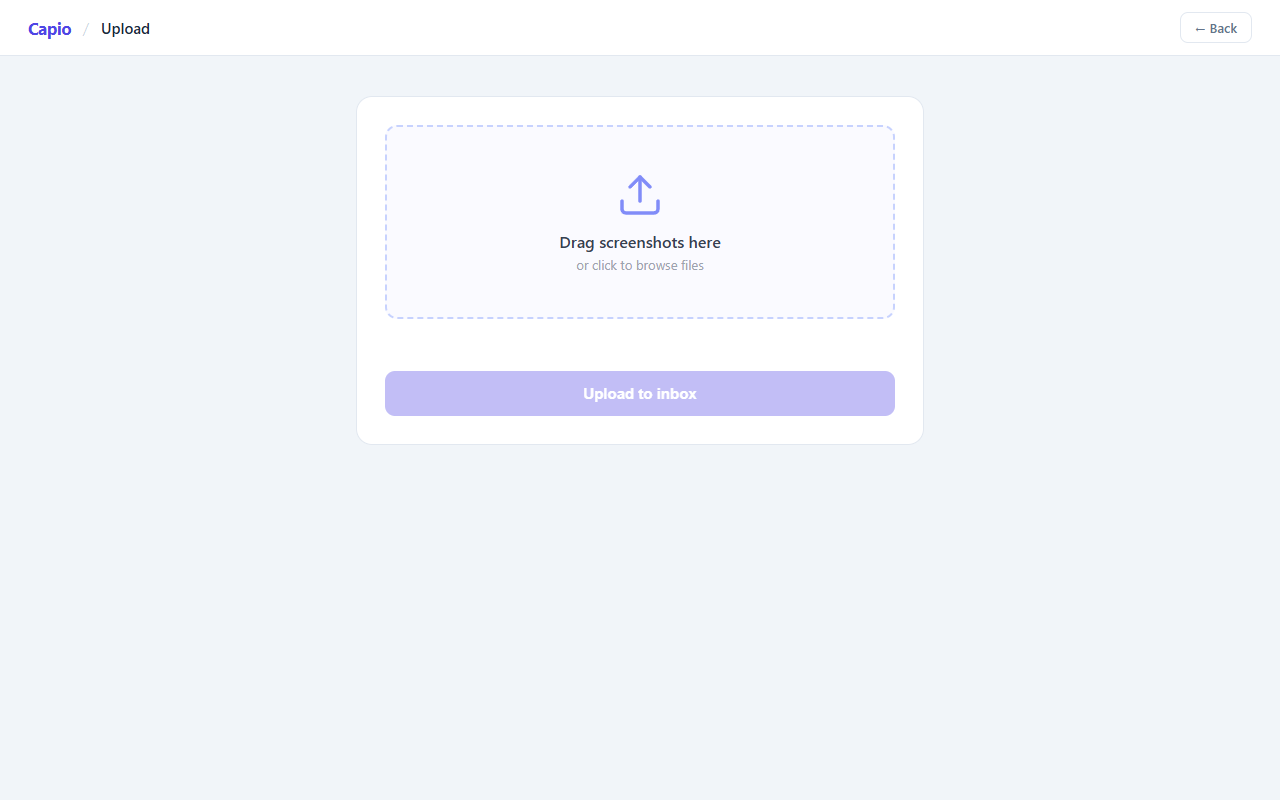
Upload — drag and drop from your phone or desktop
Process — run the 5-step pipeline
Browse — search, filter, and manage your notes
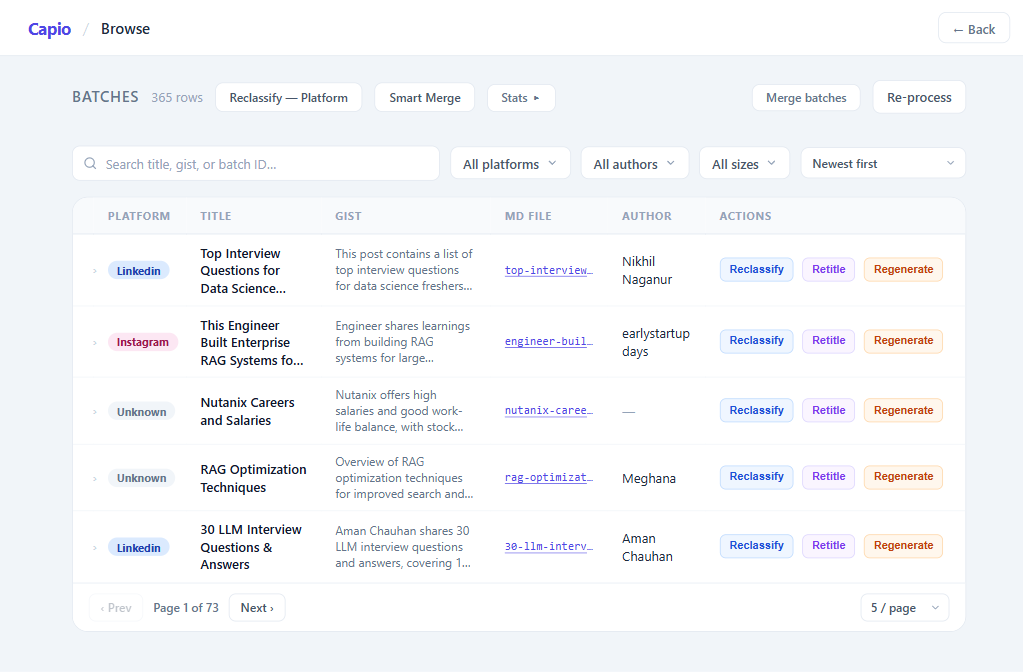
- FTS5 full-text search across title, gist, author, OCR text, and batch ID — 300 ms debounce, live match count
- Filter bar — platform multi-select, author dropdown, sort by newest / oldest / title / author
- Image viewer — click any row then "Show N images" to step through the batch one frame at a time with ‹ › buttons or ← → keyboard
- Reclassify — auto (keyword re-detection) or manual (checkbox multi-select); updates both the DB row and the
.mdfile - Smart Merge — two-stage Jaccard similarity flags likely duplicates; cross-date merges ask for confirmation before proceeding
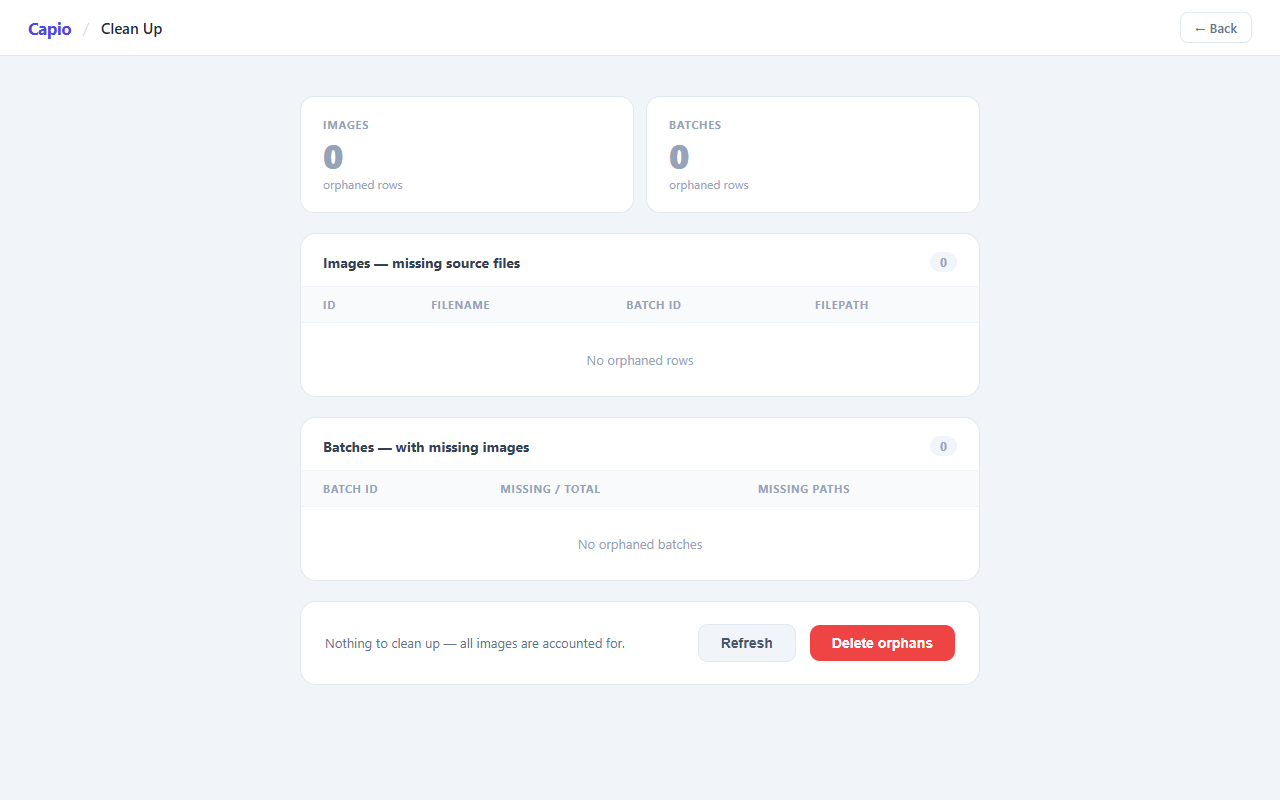
Clean Up — remove records for deleted images
Loci — reading room with topic chips and recommended notes
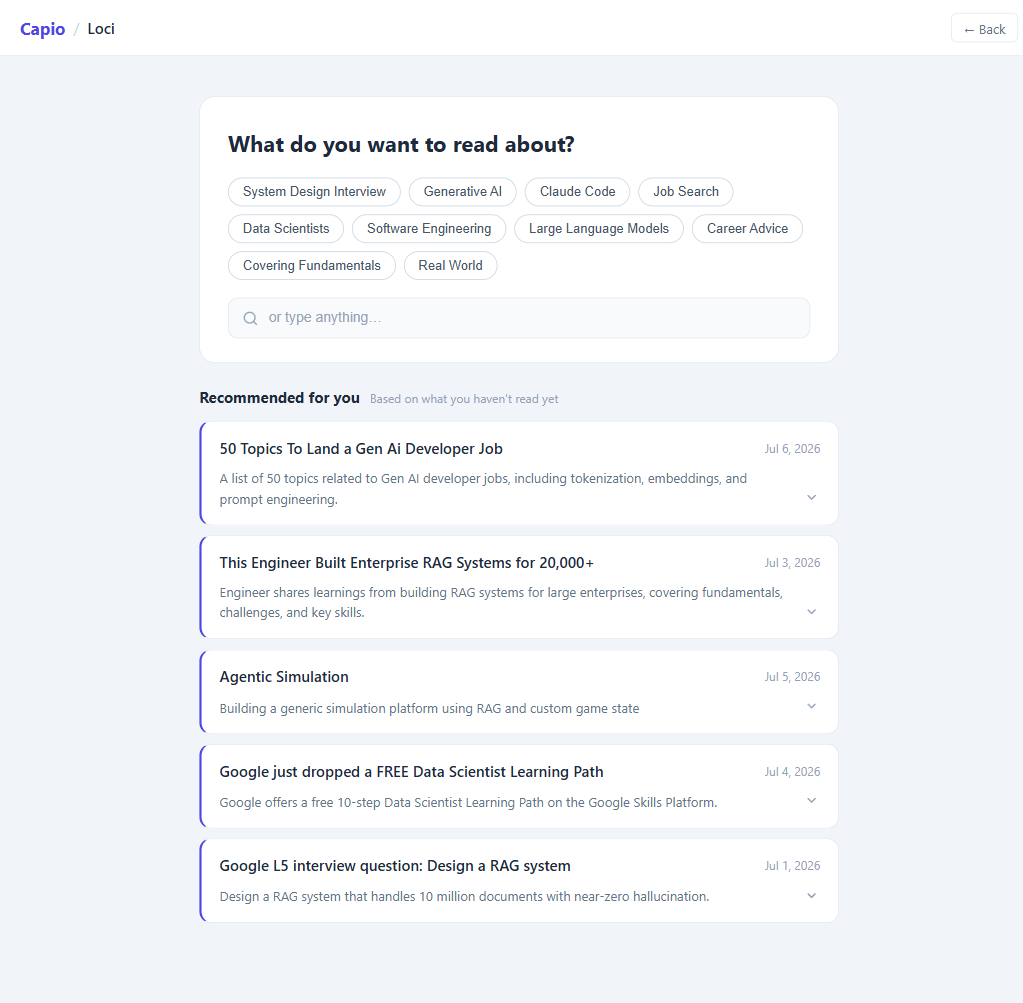
Loci is the reading side of Capio. Browse is for finding a specific note you remember; Loci is for surfacing notes worth reading that you've forgotten you saved.
Topic chips sit at the top of the page. They're extracted from your archive's titles and gists using n-gram scoring — unigrams, bigrams, and trigrams that appear across multiple batches — with sub-phrase elimination so "machine learning" doesn't produce three separate chips for "machine", "learning", and "machine learning". Chips are ranked by a recency/frequency/engagement score: a topic you've been capturing a lot recently rises to the front; one you haven't touched in months fades back.
Clicking a chip filters the recommendation cards below to batches on that theme. You can also type a search query directly to filter without selecting a chip.
Recommendation cards show unread batches ranked by the same RFM score — recency of capture, how many times you've engaged with the topic, and whether you've already read this specific note. Cards show title, gist, platform, and date at a glance.
Reading panel — clicking a card slides up a full-screen panel that renders the archive Markdown: the cleaned note, section headings, and comments (Instagram/LinkedIn/Reddit replies collected under ## Comments). A toolbar at the top gives you three actions:
- Mark as unread — clears
last_viewed_atso the note re-enters the recommendations pool - Useful (✓) — same as Mark as unread; also clears any deprioritisation so the note stays in full rotation
- Not useful (✗) — sets
deprioritized_at; the note sinks to the bottom of all future recommendation lists regardless of RFM score - Print to PDF — renders the reading panel as a clean printable document
Knowledge Graph — a force-directed D3 graph of topic co-occurrences across your archive. Nodes are the top phrases by frequency; edges connect phrases that appear together in the same batch. Node size reflects how often a topic appears; edge weight reflects how often two topics co-occur. Click any node to run that topic as a search query. Zoom and pan to explore clusters — useful for seeing which themes in your archive are interconnected and which are isolated.
Mobile view (390px — iPhone-sized browser)
| Home | Upload | Process |
|---|---|---|
| Browse | Clean Up | Loci |
|---|---|---|
Requirements
| What | Details |
|---|---|
| Python | 3.10 |
| Groq API key | Free at console.groq.com — used for AI text cleanup |
| NVIDIA GPU | Optional, but speeds up OCR significantly (developed on RTX 3060) |
| CUDA | Optional — 12.5 if using the GPU |
Installation
1. Clone the repo and install dependencies
git clone https://github.com/your-username/capio.git
cd capio
pip install -r backend/requirements.txt
GPU-accelerated OCR — skip this if you don't have an NVIDIA GPU:
pip install torch torchvision torchaudio --index-url https://download.pytorch.org/whl/cu124
2. Set your Groq API key
Get a free key at console.groq.com, then set it in your terminal:
# Windows (PowerShell)
$env:GROQ_API_KEY = "your_key_here"
# macOS / Linux
export GROQ_API_KEY="your_key_here"
3. Start the server
uvicorn backend.api:app --host 0.0.0.0 --port 8008 --reload
4. Open the app
- On this computer: http://localhost:8008
- On your phone (same Wi-Fi):
http://<your-laptop-IP>:8008- Find your IP on Windows: run
ipconfig→ look for IPv4 Address under Wi-Fi
- Find your IP on Windows: run
Usage
- Go to Upload and drag your screenshots in
- Go to Process and click ▶ Run all — or run each step individually (1 → 5)
- Go to Browse to search, filter, reclassify, and manage your notes
- Go to Loci to read recommended content — topic chips surface what you've been collecting, a Knowledge Graph shows how topics connect, and a full-screen reading panel renders each note as formatted Markdown
- Go to Clean Up anytime to remove database records for images you've deleted
Skills & Technologies
Stack
| Layer | Technology |
|---|---|
| Text extraction | EasyOCR — GPU-accelerated OCR (NVIDIA RTX 3060, CUDA 12.5) |
| AI text cleanup | Groq — Llama 4 Scout 17B |
| Web server | FastAPI with async file handling (aiofiles, python-multipart) |
| Database | SQLite with FTS5 virtual table |
| Frontend | Plain HTML / CSS / JavaScript |
Concepts demonstrated
| Concept | Detail |
|---|---|
| GPU-accelerated OCR pipeline | EasyOCR on CUDA 12.5 — GPU flag toggled at runtime, falls back to CPU |
| Continuous screenshot detection | are_continuous_screenshots() — 2-of-3 signal voting: sequential filenames, identical pixel dimensions, EXIF timestamps within 10 min |
| TOON serialisation | Custom compact text format fed to the LLM instead of JSON — ~40% fewer tokens |
| Multi-label platform classification | Keyword scoring across 13 platforms; result stored as JSON array in DB |
| Platform-aware prompt engineering | Per-platform UI chrome removal rules injected into every LLM call — backend/prompts.py |
| FTS5 full-text search | SQLite virtual table with BM25 ranking; search covers title, gist, author, full OCR text, and batch ID substring |
| Two-stage Jaccard similarity | backend/similarity.py — title+gist+author token overlap → 3-word body shingle overlap; flags duplicate batches for Smart Merge |
| RFM recommendation engine | backend/recommender.py — n-gram extraction with sentence-boundary tokenisation, sub-phrase elimination, and recency/frequency/engagement scoring |
| Force-directed knowledge graph | D3.js co-occurrence graph of topics — nodes weighted by frequency, edges by co-occurrence, click-to-search, zoom/pan |
| Atomic SQLite transactions | Write-then-rename on archive files; DB commit before filesystem mutations; crash-safe batch merge |
| Local-first architecture | Phone + laptop on the same Wi-Fi — no cloud dependency, no account needed |
| SHA-256 deduplication | Every upload checked by hash before write — backend/storage.py |
| MCP server | backend/mcp_server.py — exposes search, list_batches, and get_batch tools so AI assistants can query the archive |
MCP server
backend/mcp_server.py exposes Capio's archive as an MCP (Model Context Protocol) server. Connect it to Claude Desktop, Cursor, or any MCP-compatible assistant to query your saved notes in natural language.
Exposed tools
| Tool | What it does |
|---|---|
search |
FTS5 full-text search across title, gist, author, and OCR text |
list_batches |
Returns all batches with title, gist, platform, and date |
get_batch |
Returns full detail for one batch by ID |
Connect to Claude Desktop — add to claude_desktop_config.json:
{
  "mcpServers": {
    "capio": {
      "command": "python",
      "args": ["C:/path/to/capio/backend/mcp_server.py"]
    }
  }
}
Then ask Claude: "What have I saved about machine learning?" — it searches your archive directly.
Project structure
backend/
  api.py              — FastAPI app and all endpoints
  db.py               — SQLite schema (FTS5 virtual table + triggers)
  classifier.py       — Keyword-based platform scoring (13 platforms)
  similarity.py       — Two-stage Jaccard duplicate detection
  recommender.py      — RFM topic chips + recommendation engine (Loci)
  mcp_server.py       — FastMCP server — exposes archive to AI assistants
  prompts.py          — AI prompt templates
  storage.py          — SHA-256 upload deduplication
  cleanup_missing.py  — Orphan detection (CLI + API)
  extractors/         — EasyOCR wrapper
  static/             — Web frontend (Upload, Process, Browse, Clean Up, Loci)
  inbox/              — Drop screenshots here
  archive/            — Processed Markdown notes (one per batch)
  capio.db            — All metadata and OCR results
project-context/
  2.build/            — Setup, API, pipeline, and schema reference docs
License
MIT — see LICENSE.
No comments yet
Be the first to share your take.