
Bridge Search 🌉



The Problem
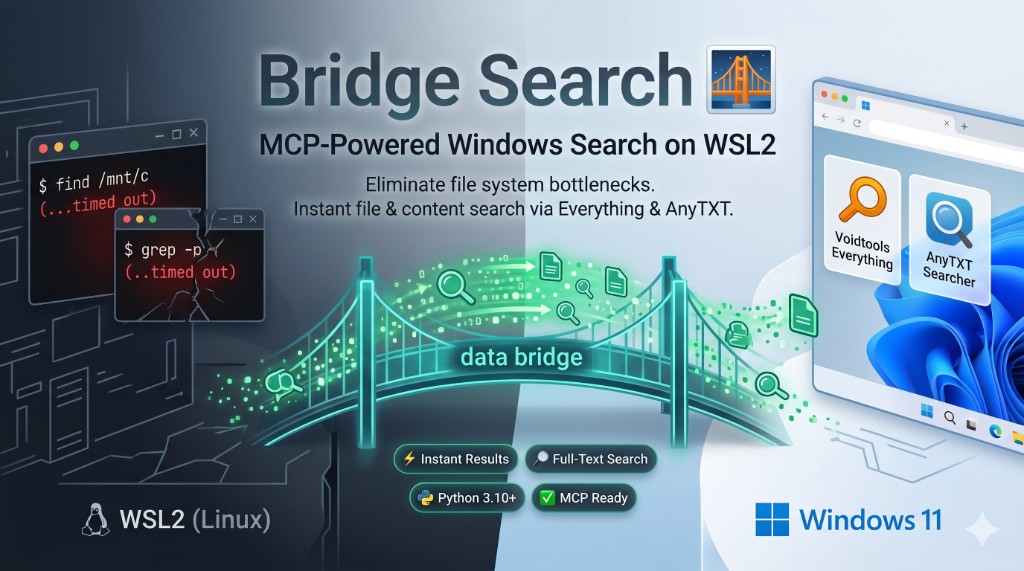
The OS boundary is a massive bottleneck. When AI agents (like OpenClaw, Cursor, or Claude) try to search Windows files (/mnt/c etc.) from inside WSL2 using standard Linux commands, the results are disastrous. The search takes forever, the agent times out, loses its context window, or simply hallucinates file paths to move on.
The Solution
Bridge Search bypasses the file system bottleneck entirely. It uses Model Context Protocol (MCP) tools to connect your AI directly to the native, hyper-optimised search engines built for Windows.
It handles all the messy cross-OS path translations automatically, giving your agent two immediate superpowers:
- ⚡ Voidtools Everything: Instant, millisecond file and folder lookups.
- 🔎 AnyTXT: Lightning-fast full-text search across documents, code, and PDFs.
Stop letting your AI waste tokens and time on brute-force scanning.
[!TIP] This skill is identified as
windows-searchfor agent discovery. The underlying package isbridge_searchand the MCP server ID remainsbridge-search.
⚡ Quick Start
1. Prerequisites (Windows)
To get blazing-fast search speeds, you need the underlying Windows indexers installed and running. (Defaults assume both are available):
- Voidtools Everything: Install the main app and ensure the background service is running.
es.exeis not always bundled with the GUI installer—download the Everything Command Line Interface (CLI) from the Voidtools downloads page (separate package), then putes.exeon WindowsPATHor underC:\Program Files\Everything\. Everything can search any indexed Windows volume, includingC:,D:,E:,F:, andX:, provided those drives are indexed and accessible to the service. - AnyTXT Searcher: Install it, open the app, then go to Tool → HTTP Search Service and enable it. Bridge Search uses that HTTP endpoint for content search on Windows; it is not a CLI binary. If the host/port changes, run
python3 scripts/rediscover_anytxt_endpoint.pyto perform a lightweight UI/session probe, persist the working endpoint, and print the resolved URL. Add--verify-searchif you want an additional content-search check. If the helper reportsHttpSearch=0, the HTTP Search Service is disabled inC:\ProgramData\Anytxt\config\config.dband must be enabled first.
(Note: If you only want to use one of these, or just want to use WSL native search, Bridge Search is fully configurable. See Advanced Configuration below).
2. Automated Setup (via AI Agent)
Human users can copy and paste this exact prompt to their AI agent to automate the setup:
"I need you to search my Windows files efficiently. Please navigate to your designated skills directory, clone
https://github.com/Sarakael78/Bridge-Search. If the pulled directory is not already namedwindows-search, rename it towindows-searchimmediately for discovery. ReadREADME.mdandSKILL.mdin thewindows-searchfolder, then run./install.shfrom the folder root. If./install.shstops for asudopassword, halt and ask me to run it manually. Once installed, explicitly ensure thewindows-searchskill is activated in your environment (for OpenClaw, verifyalsoAllowincludesbridge-searchand runopenclaw gateway restart). Use thebridge-searchMCP tools for all file lookups going forward, obeying the guardrails inSKILL.md."
3. Manual Installation (WSL2)
Open your WSL2 terminal and run:
# Clone into 'windows-search' directory for agent discovery
git clone https://github.com/Sarakael78/Bridge-Search.git windows-search
cd windows-search
chmod +x install.sh
./install.sh
The clone directory name must be windows-search for the agent to correctly identify the skill; however, the internal MCP server name used in clients remains bridge-search.
(Note: install.sh is a bootstrap script. On Debian/Ubuntu-based WSL, it will prompt for sudo to install missing python3, pip, and venv via apt, then run the Python setup. On Fedora/RHEL and other non-apt distros, install those packages with your package manager, then run ./install.sh—it will skip apt and run the Python setup only.)
install.sh forwards extra flags to scripts/setup_skill.py and defaults to --venv (for example: ./install.sh --skip-checks or ./install.sh --dev).
Existing installs / upgrading
If you already have Bridge Search installed, update the repo and rerun setup so the MCP registration, dependencies, runtime config, and health checks are refreshed:
cd /path/to/windows-search
git pull
./install.sh
# then restart your MCP host / agent gateway if it is already running
During setup, Bridge Search will probe the configured AnyTXT endpoint. If that endpoint no longer works, it will scan common WSL/Windows host endpoints, persist the working URL to config/bridge-search.config.json, and rerun health checks. If your AnyTXT service is reachable but not verified, run:
python3 scripts/rediscover_anytxt_endpoint.py --verify-search
4. MCP client (mcporter) on WSL
The bridge exposes MCP over stdio. setup_skill.py can register it; otherwise you need mcporter (or another MCP host that launches scripts/server.py, or python3 -m bridge_search when the bridge_search package is on PYTHONPATH / installed editable from this repo). Install Node.js, then:
npm install -g @steipete/mcporter
Manual registration is documented under Manual MCP Registration below.
🤖 For AI Agents (OpenClaw, Claude, Cursor)
If you are an AI assistant reading this, Bridge Search provides specialised MCP tools for Windows/WSL file discovery and file operations. Use them instead of shell-searching /mnt/c and other Windows mounts.
SKILL.md is the authoritative operational contract for agents. It intentionally owns:
- guardrails and the Absolute Zero rule
- tool choice and search order
- path policy and
is_confirmedsemantics - integrations with other skills
Use README.md for installation, troubleshooting, configuration, and security. That split is deliberate so the agent behavior lives in one place instead of drifting across two docs.
🏗️ Architecture Flow
sequenceDiagram
    participant User
    participant Agent as AI Agent (OpenClaw)
    participant MCP as Bridge Search MCP Server (WSL)
    participant Win as Windows Host

    User->>Agent: "Find the project specification on Windows"
    Agent->>MCP: Call tool: `locate_file_or_folder`
    MCP->>Win: Query Voidtools Everything (es.exe) via OS bridge
    Win-->>MCP: Returns `C:\Users\User\spec.pdf`
    MCP->>MCP: Translates to `/mnt/c/Users/User/spec.pdf` (wslpath)
    MCP-->>Agent: Returns safe, mapped WSL path
    Agent-->>User: "Found it at /mnt/c/Users/User/spec.pdf"
🛠️ Provided MCP Tools
Bridge Search equips your AI with the following capabilities:
locate_file_or_folder: Instantly finds files by name. Useses.exeon Windows (target_env=windows). Useeverywhereto combine with WSLlocate(daily-refreshed DB, non-blocking refresh) and optional WSLfindunder$HOME.locate_content_inside_files: Instantly searches inside documents (PDFs, Word, text). Uses AnyTXT's HTTP API on Windows andgrepwhen targeting WSL paths. Includes automatic host-IP discovery for WSL2.map_directory: Generates hierarchical, paginated directory maps to understand project structures.get_health: Diagnoses the status of all search backends (Everything, AnyTXT, WSL locate/find/grep) and connectivity.manage_file: Safely read, write, move, or delete files across the OS boundary with automatic path translation and policy checks.
manage_file safety rules
manage_file is stricter than a raw shell wrapper:
- write and delete still require
is_confirmed=Truewhen confirmation gates are enabled writenow defaults to replace, while append requireswrite_mode="append"- copy and move will not overwrite an existing destination unless
overwrite=True - copy and move refuse source and destination paths that resolve to the same location
- copy and move refuse to place a directory inside itself
- delete refuses filesystem root and the current user's home directory
- write returns a structured
destination_parent_missingerror if the parent directory does not exist - reads try several common text encodings (
utf-8,utf-16,cp1252) before giving up - write/copy/move/mkdir are blocked on symlink paths, while delete removes the symlink itself rather than following it
- file operations use Python filesystem APIs instead of shelling out to
cp,mv, orrm -rf writewith empty or missingcontentstill runs (replace creates/truncates; append is a no-op) but returns warningempty_content_write- deleting a directory with more than
limits.max_delete_entriestop-level entries proceeds whenis_confirmed=Truebut includes warninglarge_directory_delete
Unified response contract
All five tools return the same top-level payload shape:
successresultserrorswarningsmeta
Errors and warnings include a stable machine-readable code, so callers do not need to parse English prose.
Important:
- a zero-hit search is a valid outcome, so it returns
success: truewithresults: [] - when multiple backends are queried,
successmay still betrueif at least one backend returns results; always inspecterrorsandwarningsfor partial failures - when both
errorsandresultsare non-empty,meta.degradedistrueso partial success is explicit - when Windows paths come back from Everything or AnyTXT, Bridge Search translates them to WSL paths when possible and preserves the original as
raw_path manage_file(read)returns decoded text inresults[0].contentand may includeresults[0].encoding
Concrete response examples
Successful filename search
{
  "success": true,
  "results": [
    {
      "type": "search_hit",
      "path": "/mnt/c/Users/david/Documents/spec.pdf",
      "raw_path": "C:\\Users\\david\\Documents\\spec.pdf",
      "source": "windows-everything"
    }
  ],
  "errors": [],
  "warnings": [],
  "meta": {
    "total_found": 1
  }
}
Zero-hit search
{
  "success": true,
  "results": [],
  "errors": [],
  "warnings": [],
  "meta": {
    "total_found": 0
  }
}
Backend error response
{
  "success": false,
  "results": [],
  "errors": [
    {
      "code": "backend_unavailable",
      "message": "es.exe not found. Check Everything installation or Windows PATH.",
      "source": "windows-everything"
    }
  ],
  "warnings": [],
  "meta": {}
}
Blocked manage_file mutation
{
  "success": false,
  "results": [],
  "errors": [
    {
      "code": "write_confirmation_required",
      "message": "WRITE BLOCKED. Pass is_confirmed=True after reviewing the target path.",
      "path": "/mnt/c/Users/david/Documents/note.txt"
    }
  ],
  "warnings": [],
  "meta": {
    "action": "write"
  }
}
Tool reference
get_health()– No parameters; reports whether Everything, AnyTXT, and the WSL helpers can be reached.locate_file_or_folder(query, target_env="windows", exact_match=False, limit=100, offset=0)– Filename search.querymust be non-empty; blank or whitespace-only input returnsquery_required.target_env=windows,wsl, oreverywhere. Windows results call Everything, WSL results uselocate(daily-refreshed DB with background refresh) and optionalfind.meta.wsl_locate_refresh_scheduledis always present when WSL locate is enabled:falseby default,truewhen stale data triggers a background refresh.- Everything native paging (
-viewport-offset,-viewport-count) is used only fortarget_env="windows"so mergedeverywherepaging stays consistent. limit/offsetobeylimits.max_limit(default 500) andlimits.max_offset(default 50 000). Paginated responses may setmeta.total_found_is_lower_boundwhen paging is capped.- Results include both a normalized WSL
pathand the originalraw_pathfor Windows hits.
locate_content_inside_files(query, target_env="everywhere", wsl_search_path="", limit=50, offset=0)– AnyTXT (windows) plusgrep(wsl).querymust be non-empty; blank or whitespace-only input returnsquery_required.wsl_search_pathdefaults to$HOME; useallow_grep_from_filesystem_rootorBRIDGE_SEARCH_ALLOW_ROOT_GREP=1to allow/.- WSL grep returns at most 2 matching lines per file (
-m 2) to keep results concise and fast; usemanage_file(read)to see full file contents. - Responses may include
line_number(WSL) orsnippet/raw_pathfor AnyTXT.
map_directory(target_path, max_depth=2, include_extensions=None, exclude_hidden=True, target_env="auto", limit=100, offset=0)– Paginated directory map.- Depth capped by
limits.max_depth, and listings stop afterlimits.max_catalog_linesentries to avoid blowing the cache.
- Depth capped by
manage_file(action, source_path, destination_path=None, content=None, target_env="wsl", overwrite=False, is_confirmed=False, write_mode="replace")– Guarded reads/writes.action=read|write|copy|move|delete|mkdir.is_confirmed=Trueis required for mutations when confirmations are enabled.write_modedefaults toreplace; passappendwhen you explicitly want append semantics.
🚑 Troubleshooting
- AnyTXT connection errors/timeouts: Bridge Search includes automatic WSL2 host discovery. It tries
127.0.0.1and then your host IP from/etc/resolv.conf. If the Windows UI advertiseshttp://bde:9921/but WSL resolvesbdeto127.0.1.1, setBRIDGE_SEARCH_ANYTXT_URLto the actual host IP (for examplehttp://<wsl-default-gateway>:9921) instead of relying on the hostname. Use theget_healthtool to diagnose exactly which URL failed. Keep the resolved endpoint inconfig/bridge-search.config.jsonas the last-known-good value so future sessions do not lose it, and refresh that value if the listener moves. Ensure AnyTXT Searcher → Tool → HTTP Search Service is enabled; Bridge Search talks to the Wt HTML search UI on the configured HTTP port, not a CLI binary or the older sample JSON-RPC snippets. get_healthreports AnyTXT failures: Health probes hit the same runtime HTTP API endpoint for configured and fallback URLs; a working base UI URL alone is not sufficient.- Everything returns "es.exe not found": Install the Everything CLI from Voidtools downloads if you only installed the GUI. Ensure the background service is running and
es.exeis on WindowsPATH(or underC:\Program Files\Everything\). Runget_healthto confirm detection. mcporter: command not found: Node.js ormcporteris missing. Install via npm:npm install -g @steipete/mcporter.- Agent ignores tools: If the agent drops context and tries to use
find /mnt/c/, remind it: "Do not use shell commands to search. Use yourbridge-searchMCP tools."
⚙️ Advanced Configuration & Backends
You do not have to use both Everything and AnyTXT. Set backends in config/bridge-search.config.json (copy from config/bridge-search.config.example.json) or use per-process environment variables (e.g., BRIDGE_SEARCH_ENABLE_EVERYTHING=1).
We provide templates in the config/ directory for common setups:
bridge-search.config.everything-only.example.json— Windows filename search only.bridge-search.config.anytxt-only.example.json— Windows content search only.bridge-search.config.everything-and-anytxt.example.json— Both Windows indexers enabled.bridge-search.config.relaxed.json— A deliberately relaxed profile.
Configuration reference
Config structure
service.anytxt_url(defaulthttp://127.0.0.1:9920, or the service URL from your install). Used by AnyTXT HTTP tool calls.security.path_denylist(default,minimal,custom,none) controls the denylist applied to search paths and file operations.security.custom_restricted_prefixes+security.allowed_prefixesoverride the deny/allow lists you see inpath_policy.py. Use absolute WSL paths or Windows-styleC:\...paths; Windows entries are normalized into WSL form before policy checks. If you are explicitly allowlisting drive roots, include the roots you want searchable, for exampleD:\,E:\,F:\, andX:\(or the equivalent/mnt/d,/mnt/e,/mnt/f,/mnt/xpaths).security.allow_grep_from_filesystem_root&security.allow_wsl_locator_from_filesystem_rootgate root-level scans.security.require_confirm_for_writes/security.require_confirm_for_deleteskeepmanage_filemutations gated byis_confirmed.limits.*values tune caps:max_limit,max_offsetcontrol the MCP pagination parameters.max_depthandmax_catalog_lineslimitmap_directory.max_locator_resultsboundslocate_*backends.anytxt_max_response_bytescaps AnyTXT payloads.command_timeout_secondsis the default timeout fores.exe,grep,wslpath, and HTTP calls.max_read_bytesis the soft limit formanage_file(read)before a truncation warning (default 1 048 576 bytes).max_delete_entriesis the top-level entry count above whichmanage_file(delete)emits a warning about large directory removal (default 1000).
backends.everything,.anytxt,.wsl_locate,.wsl_find, and.wsl_grepenable or disable each search backend.- WSL locate database path defaults to
~/.cache/bridge-search/wsl-locate.dband refreshes at most once every 24 hours via a non-blocking background job; stale cache rows can still be returned immediately while refresh runs.
Environment overrides
BRIDGE_SEARCH_CONFIG— absolute path to a different config file.BRIDGE_SEARCH_ANYTXT_URL— override the AnyTXT HTTP endpoint (typically the JSON-RPC service root, normalised to remove query/fragment only).BRIDGE_SEARCH_CMD_TIMEOUT_SECONDS— overrideslimits.command_timeout_seconds.BRIDGE_SEARCH_ALLOWED_PREFIXES— allowlist applied to both searches and file ops. The parser accepts:or;; prefer;when any Windows-styleC:\...prefix is present.BRIDGE_SEARCH_ENABLE_EVERYTHING,BRIDGE_SEARCH_ENABLE_ANYTXT,BRIDGE_SEARCH_ENABLE_WSL_LOCATE,BRIDGE_SEARCH_ENABLE_WSL_FIND,BRIDGE_SEARCH_ENABLE_WSL_GREP— toggle each backend on/off.BRIDGE_SEARCH_LOCATE_DB_PATH— optional override for the WSL locate database file path.BRIDGE_SEARCH_ALLOW_ROOT_GREP=1or configallow_grep_from_filesystem_rootlets WSLgreprun from/.BRIDGE_SEARCH_ALLOW_ROOT_LOCATOR=1orallow_wsl_locator_from_filesystem_rootlets WSL locate/find index and search from/.
Example configs now also expose:
limits.command_timeout_secondsfor subprocess and HTTP timeout tuning- a
_write_notereminder thatmanage_file(write)defaults to replace, while append requireswrite_mode="append"per call
AnyTXT HTTP URL: By default, the bridge uses http://127.0.0.1:9920. Update this via the --anytxt-url flag during setup, by editing config/bridge-search.config.json (service.anytxt_url), or by setting BRIDGE_SEARCH_ANYTXT_URL.
Installer note: setup_skill.py persists the AnyTXT runtime URL into config/bridge-search.config.json, replaces an existing bridge-search mcporter entry instead of failing outright, and now attempts AnyTXT endpoint rediscovery automatically when the configured endpoint fails health checks.
Manual MCP Registration
[!WARNING] For AI agents to discover this skill correctly, the skill folder must be named
windows-searchwithin your designated skills directory.
If you cannot run setup_skill.py, register stdio yourself with mcporter:
mcporter config add bridge-search \
  --command python3 \
  --arg /absolute/path/to/Bridge-Search/scripts/server.py \
  --description "WSL-to-Windows search bridge (Everything/AnyTXT)" \
  --persist ~/.mcporter/mcporter.json
If you use a venv with the package installed (pip install -e . from the repo), you can point mcporter at the venv’s python and pass -m / bridge_search instead of scripts/server.py (same stdio MCP).
For OpenClaw, manually add bridge-search to alsoAllow for your agent, then run openclaw gateway restart.
Installer note: setup_skill.py no longer edits ~/.openclaw/openclaw.json unless you explicitly pass --openclaw-allowlist.
Hermes Agent (native MCP client)
If you use Hermes Agent, register bridge-search in your ~/.hermes/config.yaml:
hermes config set mcp_servers.bridge-search.command "/path/to/windows-search/start-bridge-search.sh"
hermes config set mcp_servers.bridge-search.args '[]'
hermes config set mcp_servers.bridge-search.enabled true
hermes config set mcp_servers.bridge-search.timeout 30
The repository includes start-bridge-search.sh — a thin wrapper that resolves the repo directory dynamically and launches the local venv's Python with -m bridge_search. It is tracked as executable; if your checkout loses executable bits, restore them with:
chmod +x /path/to/windows-search/start-bridge-search.sh
Hermes's native MCP client auto-discovers the server on next session start, injecting the bridge tools (locate_file_or_folder, locate_content_inside_files, etc.) directly alongside your other tools.
Uninstalling
mcporter config remove bridge-search --persist ~/.mcporter/mcporter.json
# Optionally remove the repo directory and venv
rm -rf /path/to/Bridge-Search
For OpenClaw, remove bridge-search from alsoAllow in ~/.openclaw/openclaw.json and run openclaw gateway restart.
🛡️ Security Model
TL;DR: Bridge Search includes built-in safeguards to prevent your AI from accidentally modifying critical OS files or endlessly scanning your hard drive. The MCP process runs with your standard user privileges. Controls are defence in depth, relying on workflow flags and path resolution.
| Protection Mechanism | Description |
|---|---|
| Path Denylist | Paths are resolved via realpath and checked against a denylist of sensitive prefixes (e.g., /etc, /mnt/c/Windows, /usr). |
| Optional Allowlist | Set BRIDGE_SEARCH_ALLOWED_PREFIXES in environment or security.allowed_prefixes in config. The env parser accepts : or ;; prefer ; when any C:\... path is present. If set, operations and search results are strictly filtered to these folders. |
| Confirmation Flags | All write/delete operations require the is_confirmed=True flag from the agent by default. (Note: This is a workflow check, not OS-level authorisation). |
| Safer File Ops | Copy/move require explicit overwrite opt-in, block self-targeting and copy-into-self mistakes, and delete refuses root and home-directory targets. |
| Encoding & Symlink Policy | Text reads try common Windows/Unicode encodings before failing. Mutating operations are blocked on symlink paths so the agent must act on the resolved real path explicitly. |
| Search Root Limits | WSL content/filename searches default to $HOME. Searching from / requires explicit opt-in via config keys like security.allow_grep_from_filesystem_root. |
| Timeouts & DoS Caps | Directory listing, locator hits, AnyTXT HTTP responses, and subprocess calls have caps/timeouts (for example limits.max_catalog_lines, limits.anytxt_max_response_bytes, limits.command_timeout_seconds). |
| AnyTXT URL Scope | The AnyTXT HTTP endpoint is operator-controlled (service.anytxt_url or BRIDGE_SEARCH_ANYTXT_URL). It should point to localhost or a private-network host only. The bridge logs a stderr warning when a non-private host or non-http(s) scheme is configured. |
⚠️ Warning: Each example JSON file includes a _security_warning field. Read it before editing. Relaxing these settings (like using path_denylist: "none" or disabling confirmation flags) is at your own risk.
🧱 Architecture Notes
See ARCHITECTURE.md for the internal design, backend flow, pagination strategy, timeout model, and installer posture.
Release notes: CHANGELOG.md.
🤝 Contributing & Support
If you encounter a bug or have a feature request, please open an issue. To contribute code:
- Clone the repository.
- Install developer dependencies:
python3 scripts/setup_skill.py --venv --dev(requires Python 3.10+). - Make your changes and run the test suite:
python3 -m pytest - Submit a pull request.
No comments yet
Be the first to share your take.