
Asya Chat UI (open-source ChatGPT shell)
Open source multi-provider LLM chat platform with organization management, model routing, tool execution, usage analytics, and OpenAI-compatible APIs alternative to Open WebUI and LibreChat.
Developed by asya.ai authors of https://eldigen.com (automated e-mail and document support system) and https://pitchpatterns.com (automated call centre analytics and robocalls)
Screenshots
Empty chat:
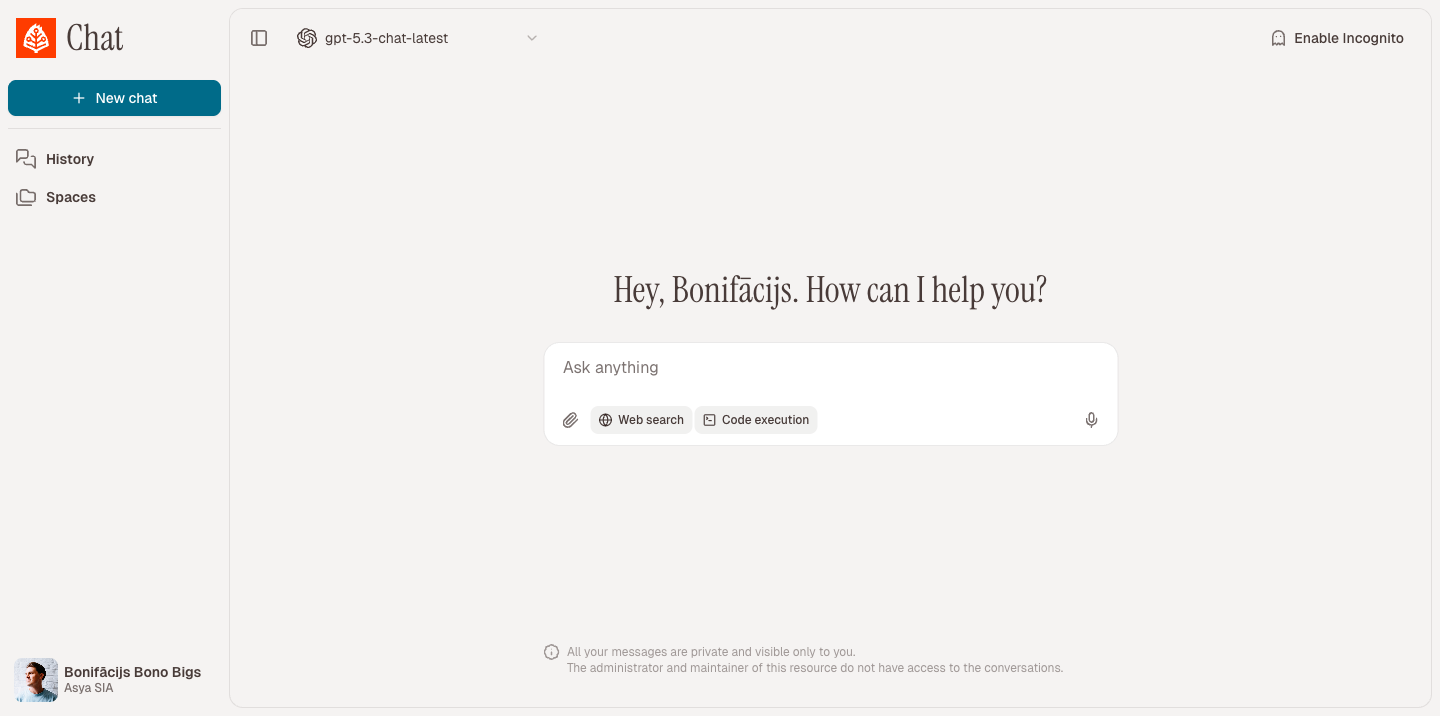
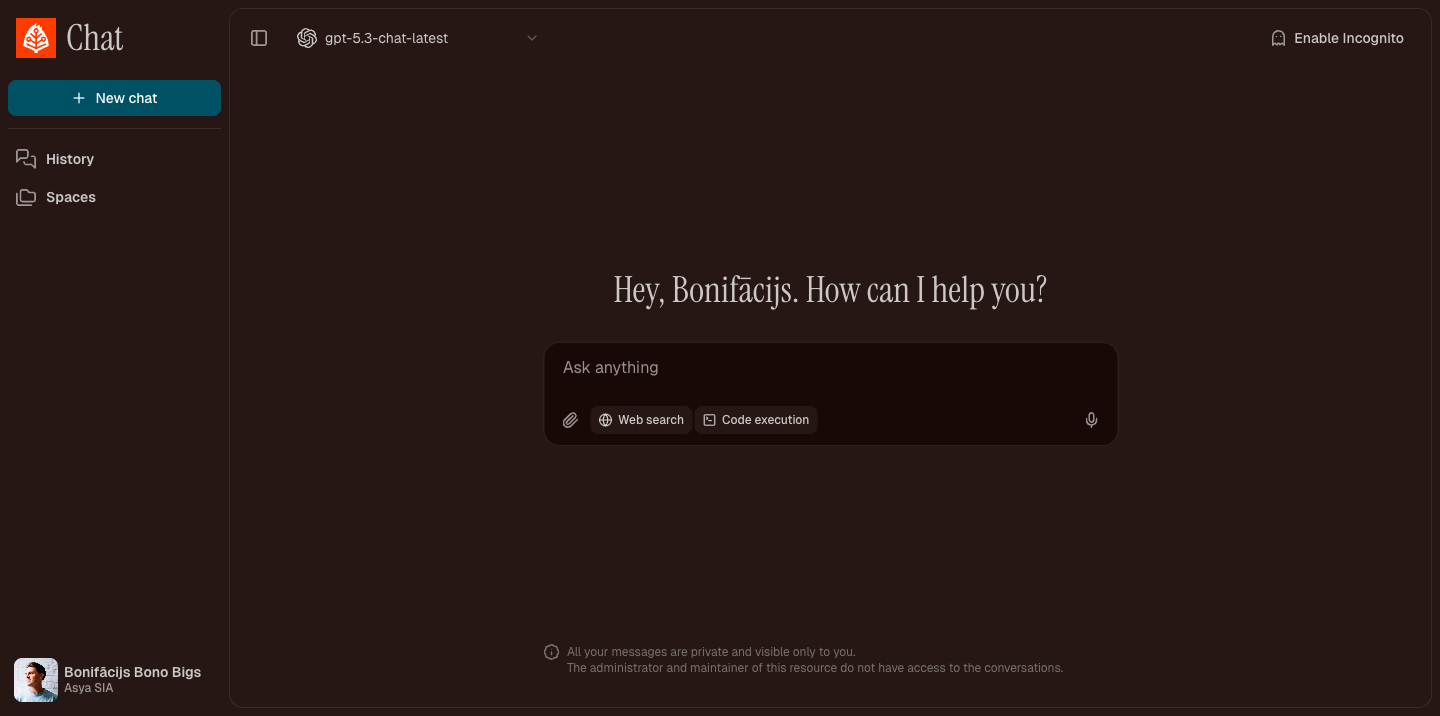
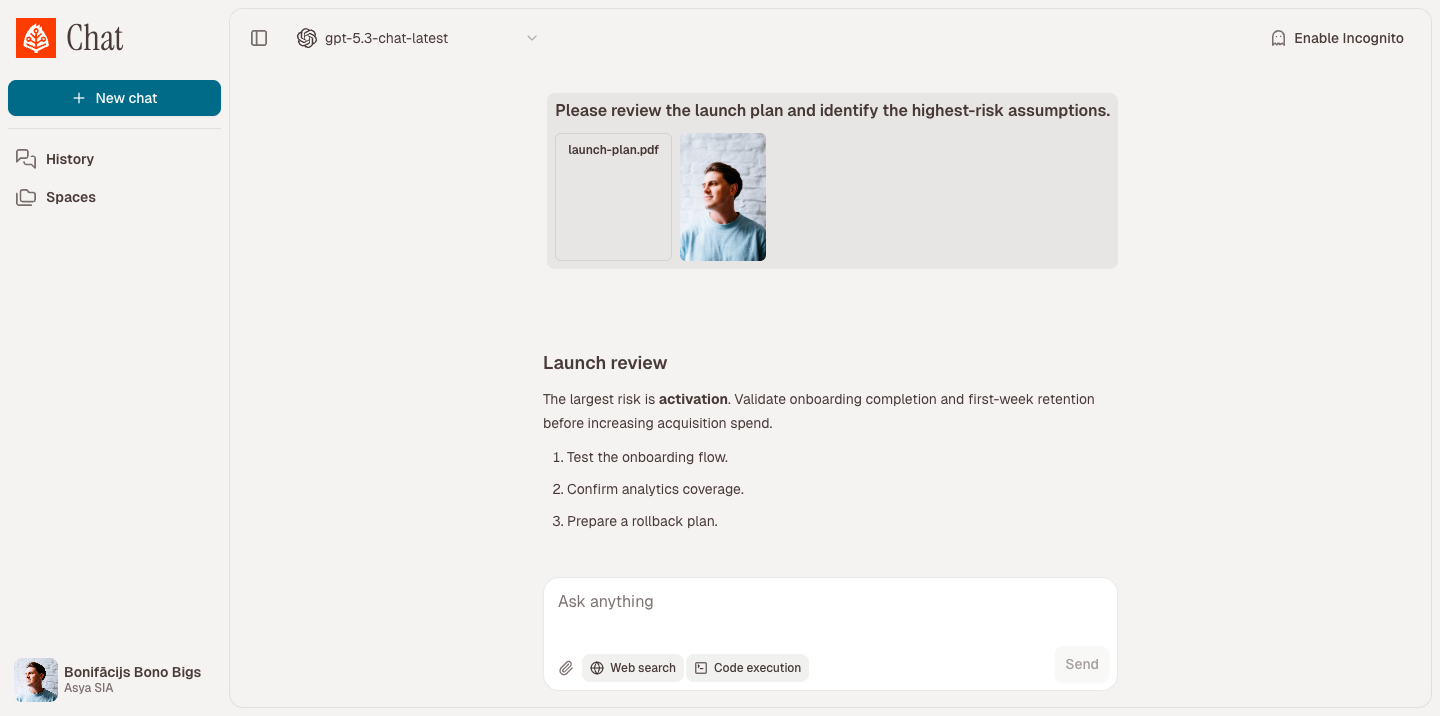
Chat with attachments and tools:
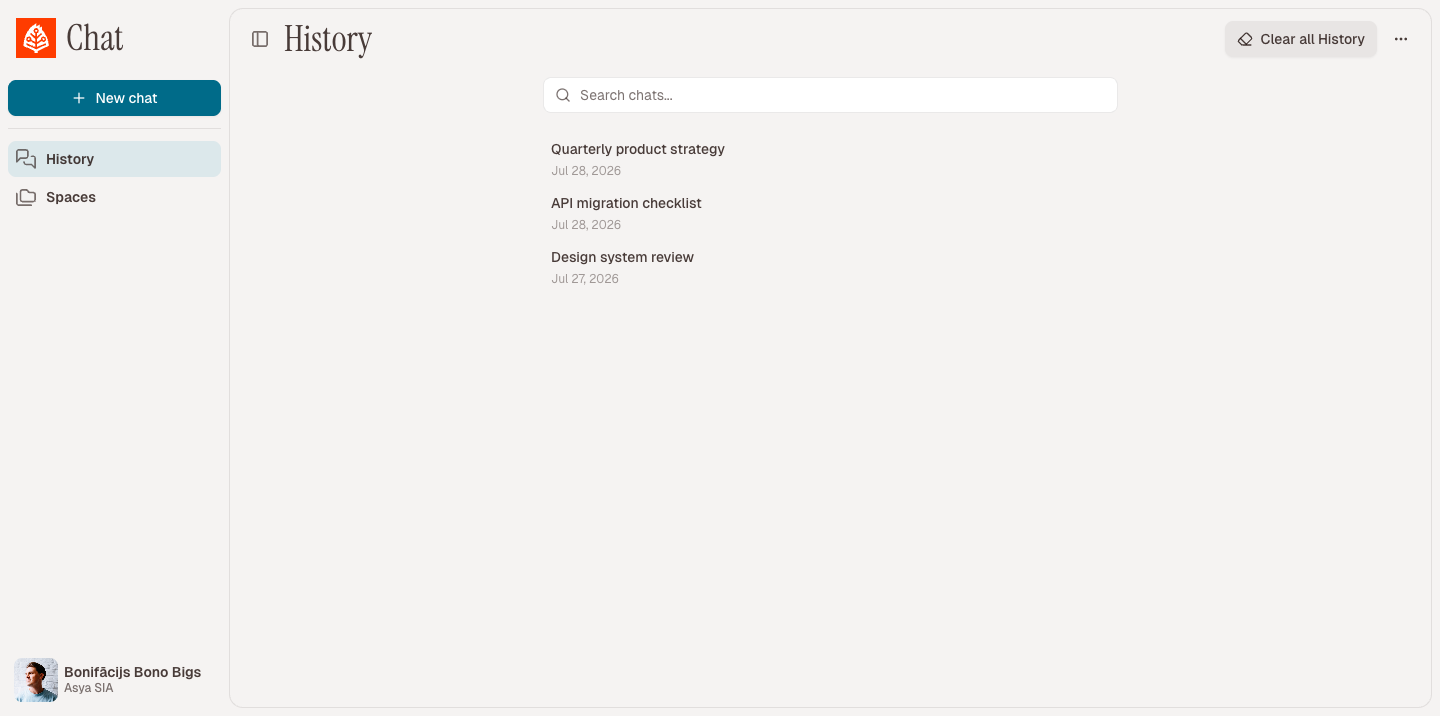
Chat history:
Roadmap
- UX improvements (larger visuals, left side panel CSS)
- UX button to enable/disable Web Search (DuckDuckGo & Perplexity API)
- Function to share public chat
- Group chats (groups that see each other chats)
- … Add your own feature requests in Github Issues
License
This project is released under GNU GPL v3.0. See LICENSE for the full text.
What This Project Does
asya-chat-ui is a full-stack chat application that supports:
- multi-organization and role-based access (
super_admin, org admins, members) - model management per organization (enable/disable models and providers)
- multiple provider backends (OpenAI, Azure OpenAI, Gemini, Groq, Anthropic, OpenRouter, Vertex)
- streaming chat generation with resumable task events and parallel tool calling
- RAG projects (document sources, embeddings, retrieval) that can be attached to chats
- user memories, chat search, chat sharing via public link, and incognito (ephemeral) chats
- org-level data retention policies for chats and files
- built-in tools for web search/scraping, code execution, PDF, time, memory, and image generation/editing
- OpenAI-compatible API endpoints (
/v1/models,/v1/chat/completions,/v1/responses,/v1/embeddings) - OIDC SSO, login-domain → org mapping, and UI localization (English, Japanese, Latvian)
- usage tracking by model/user/org/month
Architecture
The stack is split into services orchestrated with Docker Compose:
nginx: serves the frontend build and proxies/api/*to backendbackend: FastAPI app for auth, chat APIs, org/model config, projects/agents, usage, and OpenAI compatibilitymigrate: one-shot Alembic migration runner before API/worker startworker: Celery worker for async chat generation tasksbeat: Celery beat scheduler (incognito cleanup, org retention cleanup)postgres: primary relational data storeredis: broker/result backend for Celery task orchestrationscraper: Puppeteer + Readability microservice used by web toolsdind: Docker-in-Docker engine used to run sandboxed code execution containersexecutor(profileexec): image build target for Python code execution runtime
Compose files:
docker-compose.yml(+ optionaldocker-compose.override.yml) — local build/devdocker-compose.prod.yml— production deploy from Docker Hub images (asyaai/asya-chat-ui-*)
Request and Generation Flow
1) User interaction
- Frontend (React + Vite) sends requests to
/api/...(REST) and/api/chats/{chat_id}/ws(WebSocket). nginxrewrites/api/*and forwards to FastAPI.
2) Chat creation and streaming
- User message is saved in Postgres (skipped for lasting history when the chat is incognito).
- Backend creates a generation task and assistant placeholder message.
- Worker runs a LangChain-based agentic loop: provider calls, parallel tool execution, and optional RAG retrieval from attached projects.
- Worker emits ordered generation events (
activity,tool_event,delta,done,error) into DB. - Frontend consumes real-time events over WebSocket; falls back to polling task events when needed.
- Long chats can be summarized when they approach context limits.
3) Tool execution
- Web tools call scraper service for search/scrape or screenshots (DuckDuckGo; Perplexity when configured).
- Code execution tool writes inputs/outputs under
data/files, then runs code in an isolated container viadind. - PDF / image / memory / project tools enrich answers from attachments, user memory, or indexed project sources.
4) Usage accounting and retention
- Every generation (and embedding/image operation) writes token and usage metadata into
UsageEvent. - Usage endpoints aggregate data by model/user/org/month.
- Celery beat applies org retention settings and cleans up expired incognito chats.
Repository Layout
frontend/- React app UI (chat, projects, settings, auth, usage pages)backend/app/- FastAPI APIs, provider adapters, LangChain runtime, tools, worker logic, modelsbackend/alembic/- database migrationsbackend/executor/- Python sandbox image used by code executionscraper/- Node.js headless browser scraping servicenginx/- reverse proxy and static hosting configdocker-compose.yml- core service topologydocker-compose.override.yml- development overrides (hot reload + frontend dev server)docker-compose.prod.yml- production stack using published images
Operations Documentation
For setup and maintenance, use these docs:
- Setup guide
- Environment variables and configuration reference
- Maintenance runbook
- Wiki publishing guide
Configuration
- Copy environment template:
cp .env.example .env
- Set required values at minimum:
JWT_SECRET- database values (
DATABASE_URLorPOSTGRES_*) - at least one provider key (
OPENAI_API_KEY,GEMINI_API_KEY,ANTHROPIC_API_KEY, etc.)
- Optional but commonly used:
- SMTP values for invite/password reset emails
- org-level super admin bootstrap (
SUPER_ADMIN_EMAILS) PERPLEXITY_API_KEYfor Perplexity-backed searchAGENT_EMBEDDING_MODEL(defaultBAAI/bge-m3) for project RAG embeddings- execution limits (
EXEC_*) and attachment limits WORKER_REPLICASto scale Celery workersWORKER_CONCURRENCYfor per-worker Celery concurrency (default: 2)
Running with Docker Compose
Default local development
docker compose up --build
This uses docker-compose.override.yml automatically, enabling:
- backend auto-reload
- frontend dev server on
http://localhost:5173
Main app URL through nginx: http://127.0.0.1:8085
Core stack only (without override)
docker compose -f docker-compose.yml up --build
In this mode, nginx serves the production frontend build bundled in its image.
Production (Docker Hub images)
cp .env.example .env
# set JWT_SECRET, POSTGRES_PASSWORD, and provider keys
docker compose -f docker-compose.prod.yml up -d
Images (override tag with CHATUI_TAG):
asyaai/asya-chat-ui-backendasyaai/asya-chat-ui-webasyaai/asya-chat-ui-scraperasyaai/asya-chat-ui-executor
Bind address/port defaults: 127.0.0.1:8085 (CHATUI_BIND_ADDRESS, CHATUI_PORT).
To build and push a new release to Docker Hub, see docs/docker-hub-publish.md.
Python execution image (dind)
Code execution runs containers via the dind service, which has its own Docker daemon.
Building on the host does not make the image visible there.
On first local docker compose up, executor-bootstrap builds chatui-python-exec:latest
inside dind automatically. After changing files under backend/executor/, rebuild with:
docker compose run --rm executor-bootstrap
Or manually inside dind:
docker compose exec dind docker build -t chatui-python-exec:latest /executor
In production compose, executor-bootstrap pulls asyaai/asya-chat-ui-executor and tags it for dind instead of building locally.
Key API Surfaces
- Auth and account:
/auth/* - API keys:
/api-keys/* - Orgs and provider configuration:
/orgs/* - Models and model suggestions:
/models/* - Projects / RAG agents and sources:
/agents/* - Chats, messages, generation tasks/events, sharing, WebSocket stream:
/chats/* - Usage aggregation:
/usage/* - OpenAI-compatible endpoints:
/v1/* - Health check:
/healthz
Security and Safety Boundaries
- Scraper blocks private/loopback/internal IP destinations.
- Code execution runs in isolated containers with:
- dropped capabilities
- read-only root filesystem
- cpu/memory/pids/ulimit caps and a private sized
/tmptmpfs - timeout and output-size caps
- symlink-safe output collection (regular files only)
- import allowlist guidance for models (enforcement is the sandbox)
- Auth uses JWT with periodic token refresh through response header.
- Provider access can be disabled globally per org and overridden per org config.
- Incognito chats are excluded from lasting history/share and cleaned up on a schedule.
- Org retention policies purge old chats and files via Celery beat.
Development Notes
- Frontend package manager:
pnpm - Backend package manager/runtime tooling:
uv - Database migrations: Alembic (
uv run alembic upgrade head) - Run backend tests:
make test(orcd backend && uv run pytest) - Backend health endpoint:
GET /healthz - Scraper health endpoint:
GET /healthzon scraper service - UI locales live under
frontend/src/locales/(en,ja,lv)
Attribution
This project is developed and maintained by asya.ai, and published as open source at asya-ai/asya-chat-ui under GPLv3.
No comments yet
Be the first to share your take.