
🦀 ASC Daemon CLI
🌍 Language: English · 🌐 Other Languages



📌 About
Open source utility for managing runtime applications on Linux: a daemon and CLI written in Rust that launch and maintain applications of any runtime — Docker containers, native applications (systemd) and plain processes. Included: a package manager, backups, monitoring, and an MCP server for AI. Works standalone via the CLI or as an agent of the AdminService.Cloud SaaS platform. Runs in any Linux environment, including WSL (Windows Subsystem for Linux).
✨ Key features
- 📱 Application management — Docker containers, native applications (systemd) and system utilities
- 💻 CLI — full server management from the terminal (
asc ...) - 🧬 Instance cloning —
asc app clone <id>: a full copy of an application instance (data, env, settings) with a new id; via the AdminService.Cloud UI a clone can be moved to another node - 📡 ConnectRPC + REST API — the API proto contracts live in this repository (
proto/) and ship together with the daemon; the AdminService.Cloud platform links them from here. REST (JSON/HTTP) runs alongside ConnectRPC on the same server — from the same contracts - 📦 Package manager — an
asc.yamlmanifest, registries (like apt) and installation viaasc install <package> - 🤖 MCP server — manage the server through AI (Claude Code, Claude Desktop, the ASC platform)
- 💾 Backups —
asc backup create|restore|list|prune, a local storage out of the box, S3/FTP/SFTP storages configurable (upload not wired up yet), exclusions viaasc.backup.yaml, rotation - 📊 Monitoring — system and application metrics, health checks
- 📁 SFTP server — file access isolated to a specific application
- 🖥️ Console — WebSocket application terminal and live logs
- ⏰ Scheduler — scheduled (cron) tasks, a priority queue
- ⌨️ Tab completion — bash, zsh and fish: commands, flags and live values (app ids, packages, storages); installed automatically, or
asc completion <shell> - 🔄 asc-updater — a separate updater utility: auto-updates (can be disabled), stable/beta channels, rollback; at install time — pick default settings or your own
- 🧠 Skills for AI agents — ready-made skills for Claude Code and other models in the skills/ directory
💡 Motivation
Existing panels solve only part of the problem: Portainer manages Docker, Pterodactyl manages game servers, classic hosting panels manage websites. As soon as a real server mixes containers with native services, you are back to raw SSH. asc-daemon was born to manage any runtime through one tool — Docker containers, systemd services and plain processes — with the same commands, the same API and the same package manager. And because AI agents are becoming the way servers get managed, the daemon speaks MCP natively, so an AI can operate your server as a first-class client. The daemon is fully autonomous: everything works locally via the CLI, no platform account required.
⚡ Installation
curl -fsSL https://raw.githubusercontent.com/AdminServiceCloud/asc-daemon/main/install.sh | sudo bash
interactive: shows the default settings and asks — accept or change
curl -fsSL https://raw.githubusercontent.com/AdminServiceCloud/asc-daemon/main/install.sh | sudo bash -s -- --silent
silent mode: one command, everything installed with defaults and no questions
You can also configure it after a silent install: asc-updater + /etc/asc/config.toml.
📋 Requirements
- 🐧 OS: Debian and Ubuntu are supported today, including under WSL (Windows Subsystem for Linux); other distributions (CentOS/RHEL, Fedora, Arch, etc.) and macOS are planned
- 🧬 Architectures: x86_64, ARM64, ARMv7
- 🔑 Root/sudo for installation; Docker is installed automatically when needed
- ⚙️ systemd (for
asc serviceand autostart)
⌨️ Quick start
asc service install
⚙️ install the daemon's API service as a systemd unit (autostart)
asc service start|status
🚀 start the service / check its state
asc status
📊 server and application status
asc install helloworld
📦 install an application from the registry
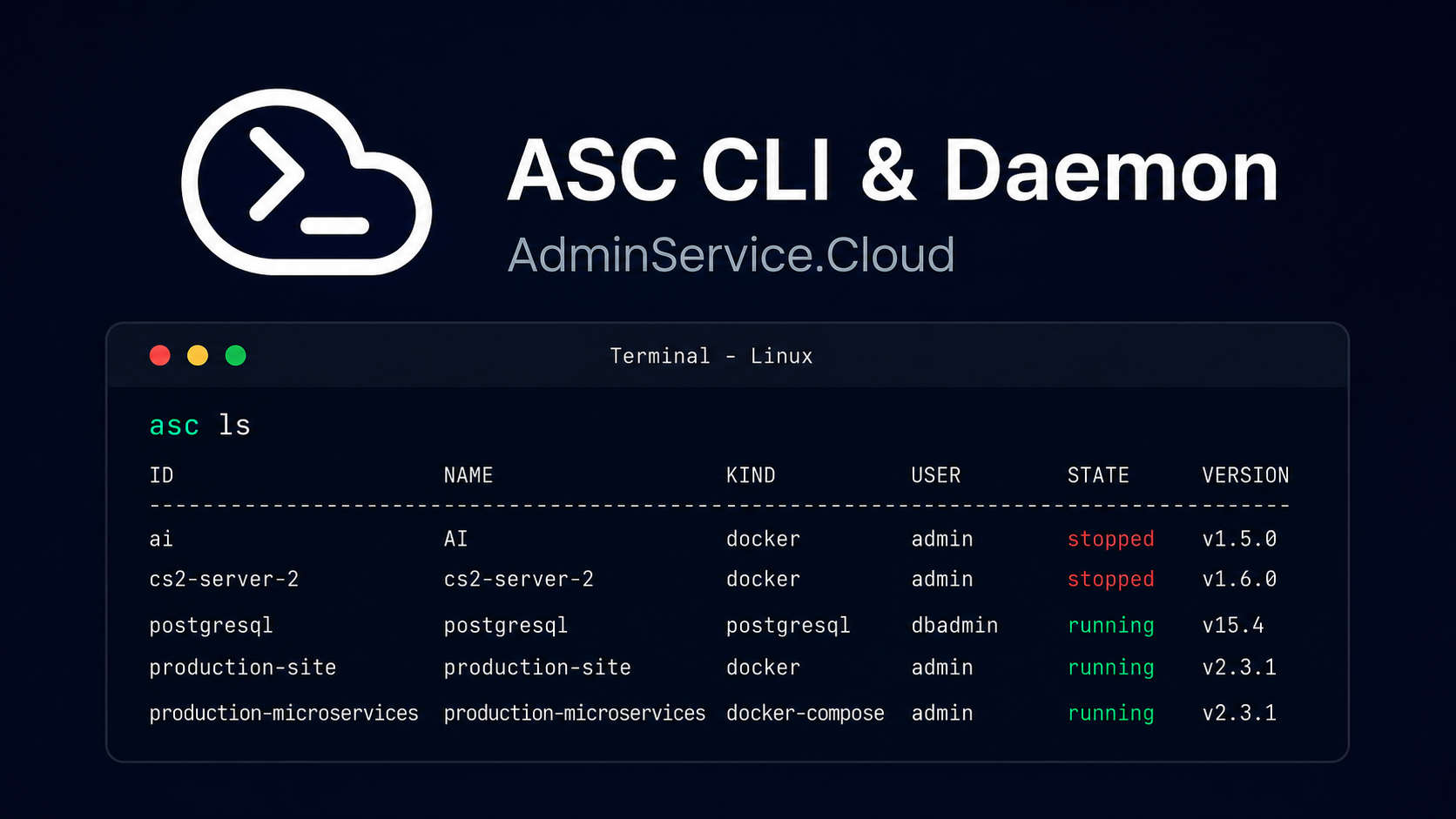
asc ls | asc ls ports | asc ls disk | asc ls stats
📋 list apps, or switch the same list to published ports, disk usage or live stats (
asc ports/asc disk/asc statsare the standalone equivalents)
asc stacks
🗂️ installed stacks and their member apps, hierarchically
asc app logs helloworld
📜 application logs
asc app clone helloworld
🧬 clone an application instance (data, env, settings)
asc app settings helloworld
🎛️ interactive settings editor (types, limits and enums from asc.settings.yaml)
asc backup create helloworld
💾 back up an app (local storage by default;
asc backup restore <app> <backup-id>to restore)
asc config lang ru
🌍 change the CLI output language (en|ru)
asc connect <token>
☁️ connect to the AdminService.Cloud platform
asc mcp serve
🤖 run the MCP server for AI clients
🧠 Skills for Claude Code and other models
The skills/ directory contains ready-made Agent Skills that teach AI agents to manage the server through asc:
cp -r skills/* ~/.claude/skills/
Claude Code: install the skills globally (for all projects)
cp -r skills/* .claude/skills/
Claude Code: install the skills for the current project only
| Skill | What it does |
|---|---|
| 🖥️ asc-server-management | Server management: applications, logs, backups. If asc is not installed, it checks, then offers to install it from the official repository with a single command (silent mode) |
| 📦 asc-app-packaging | Packaging applications: asc.yaml / asc.stack.yaml, validation against schemas, publishing to a registry |
For MCP clients (Claude Desktop and others) use the daemon's MCP server instead of skills: asc mcp serve.
📚 Documentation
Documentation for the daemon's modules lives in the docs/english/ directory:
| Doc | Description |
|---|---|
| 🦀 Daemon overview | Architecture, API, installation |
| 📡 api | gRPC (ConnectRPC) + REST on one port, tokens |
| 📱 app-management | Docker and native applications, CLI |
| 📦 package-manager | asc.yaml, registries, asc install |
| 🤖 mcp-server | MCP server for AI |
| 📊 monitoring | System and application metrics |
| 💾 backups | Application backups |
| 📁 sftp | SFTP isolated per application |
| 🖥️ console | WebSocket application console |
| ⏰ scheduler | Task scheduler |
| ⌨️ completion | Tab completion for bash, zsh and fish — commands, flags and live values |
| 🔄 updater | The asc-updater utility: auto-updates, channels, rollback |
🗺️ Roadmap
The roadmap for the whole project is kept in the asc-platform repository:
- 🎯 ROADMAP — daemon tasks use the
DMN-*prefix - 🤝 Development process
💬 Support
Reach out to the maintainers through any of these channels:
- 🐛 GitHub Issues — bug reports and feature requests (templates included)
- ❓ GitHub Discussions — questions and ideas
- 💬 Discord — the official community server: chat, help, announcements
- ☁️ adminservice.cloud — the platform website and contact options
- 📚 docs.adminservice.cloud — the public documentation site
🌟 Project assistance
If you want to say thank you or support the active development of asc-daemon:
- ⭐ Add a GitHub star to the repository
- 🐦 Share the project on social media
- 📝 Write about the project on your blog or at meetups
- 💬 Join the Discord community
- 🤝 Contribute — code, docs, translations, registry packages
🌠 Star History
🤝 Contributing
Contribution rules are in CONTRIBUTING.md; CI and releases run on GitHub Actions (.github/workflows/). Developing on Windows? Use WSL (Ubuntu) to build and test the project: cargo build / cargo test run in WSL, while cargo check / clippy work from the host against the Linux target (see .cargo/config.toml). Every pull request automatically gets a review from the code owner (@statebyte) via CODEOWNERS.
Please read our 🤝 Code of Conduct before participating — we are committed to a welcoming and harassment-free community.
👥 Authors & contributors
The original setup of this repository is by Omar El Sayed (@statebyte), AdminService.Cloud, Anytecture Software.
For a full list of all authors and contributors, see the contributors page.
🛡️ Security
asc-daemon follows good practices of security, but 100% security cannot be assured. The software is provided "as is" without any warranty.
Found a vulnerability? Please report it privately — see our 🛡️ Security Policy.
📄 License
MIT — free to distribute, modify and use commercially, but with mandatory attribution: Omar El Sayed (@statebyte), the AdminService.Cloud project, Anytecture Software.
No comments yet
Be the first to share your take.