
appstore-release




Ship an iOS app to App Store review end-to-end — driven by the App Store Connect API.
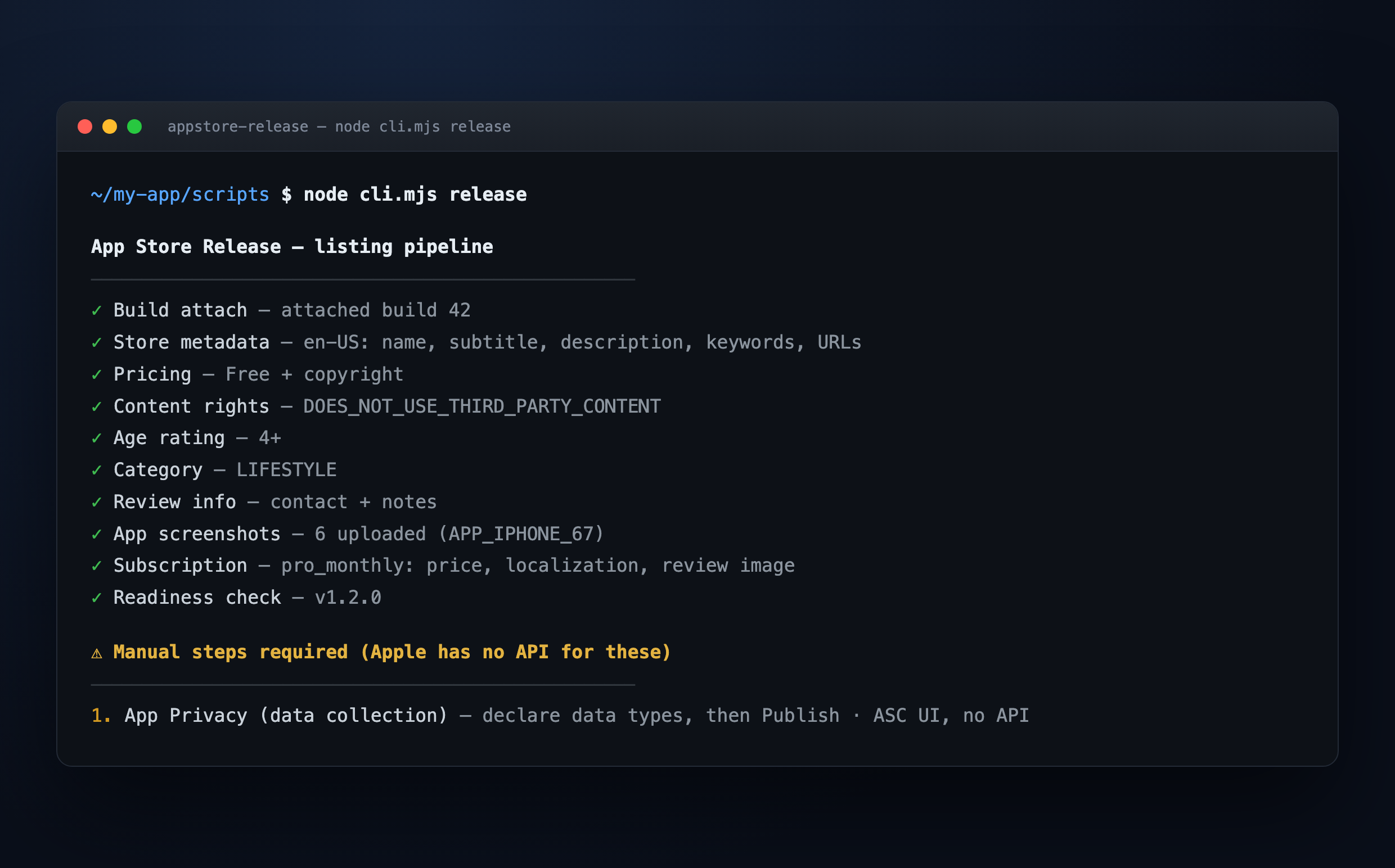
An agent skill that turns the tedious, error-prone App Store submission into a single repeatable pipeline. You fill one config.json; the tooling generates credentials, uploads metadata + screenshots, sets pricing, age rating, content rights and review info, configures subscriptions, and submits for review. It only stops for the two things Apple genuinely does not expose via API — and hands you the exact clicks for those.
Built for Claude Code and any agent that can run shell commands. Parametric: works for any app given an ASC API key + app id.
Why
Submitting an iOS app touches ~15 App Store Connect surfaces, several of which fail with cryptic errors the first time (emoji in the description, a missing price tier, an age-rating field the API silently requires, a first-time subscription that can't be attached via API, an NSUserTrackingUsageDescription that blocks App Privacy…). This skill encodes every one of those pitfalls (see gotchas.md) so you never hit them twice.
- ✅ ~90% automated via the ASC API — idempotent, re-runnable.
- ⚠️ 2 UI-only steps are detected and surfaced with exact instructions (App Privacy data-collection; first-time subscription attach).
- 🧩 Parametric — no hardcoded ids; everything is discovered from your app id.
- 🧱 Clean architecture (SOLID) — easy to read, audit, and extend.
Install
As an agent skill (skills.sh):
npx skills add beydemirfurkan/appstore-release
As a Claude Code plugin:
/plugin marketplace add beydemirfurkan/appstore-release
/plugin install appstore-release@beydemirfurkan
Or clone and point your agent at SKILL.md.
Quick start
- Create an ASC API key (App Store Connect → Users and Access → Integrations → App Store Connect API → App Manager role). Download the
.p8, note the Key ID + Issuer ID. Seesetup.md. - Fill a config from
config-template.json. - Set env + run:
export ASC_KEY_ID=...          # 10-char key id
export ASC_ISSUER_ID=...       # issuer uuid
export ASC_P8_PATH=/abs/AuthKey_XXXX.p8
export ASC_APP_ID=1234567890   # numeric app id from the ASC url
export APPSTORE_CONFIG=/abs/config.json

cd skills/appstore-release/scripts
node cli.mjs status            # read-only overview
node cli.mjs release           # run the whole listing pipeline (idempotent)
node cli.mjs check             # what's still missing + the UI-only steps
node cli.mjs submit --submit   # submit the app version for review
Or just tell your agent: "publish my app for review" — with the skill installed it drives all of the above and asks you only for genuine decisions (subscription price, release timing) and the two UI-only steps.
What it does
| Command | Automates |
|---|---|
credentials |
fresh distribution cert + provisioning profile (fixes stale EAS credentials) |
attach-build |
attach the newest VALID build to the version |
metadata |
name, subtitle, description, keywords, promo, support/marketing/privacy URLs |
pricing |
price tier (Free) + copyright |
content-rights |
third-party content declaration |
age-rating |
full 2025 age-rating declaration (4+) |
category |
primary/secondary category |
review-info |
App Review contact + demo account |
screenshots |
upload exact-size PNGs (reserve→upload→commit) |
subscription |
localization, price, group, paywall review image |
submit |
create + submit the review submission |
status / check |
read-only overview / readiness report |
The two UI-only steps (Apple has no API)
- App Privacy → Data Collection — declare data types, then Publish.
- First-time subscription — attach it to the version and submit in the UI.
check detects and prints both with exact clicks.
Architecture
skills/appstore-release/
  SKILL.md            the runbook an agent follows
  scripts/
    cli.mjs           single entrypoint / dispatcher
    lib/              injected services, one responsibility each
      env jwt client discovery assets config log context
    commands/         one file per task, uniform { meta, run(ctx) } contract
  references/         setup · gotchas · screenshots · config-template
Dependency injection via lib/context.mjs; add a capability by dropping a file in commands/ and registering it in cli.mjs. See _contract.md.
Requirements
- Node.js 18+ (uses built-in
fetch,crypto). openssl(for thecredentialscommand).- An Expo/EAS-built iOS app is assumed for the build step, but the ASC listing/submission commands work for any iOS app already uploaded to App Store Connect.
Security
Never commit secrets. The .gitignore blocks *.p8, credentials.json, *.p12, *.mobileprovision, and secrets/. Verify with git check-ignore <file>. The skill reads your .p8 only to sign short-lived JWTs locally; nothing is sent anywhere but Apple's API.
Contributing
Issues and PRs welcome — especially new gotchas and additional commands (in-app events, custom product pages, phased release, Android/Play parity). Keep commands idempotent and config-driven per the contract.
License
MIT © 2026 Furkan Beydemir
Not affiliated with or endorsed by Apple. "App Store" and "App Store Connect" are trademarks of Apple Inc.
No comments yet
Be the first to share your take.