
Cyber Fantasy UI Skill
Formerly Aoleme UI. A discoverable OpenClaw skill for dark neon dashboards, glassmorphism-heavy interfaces, and gamified React or Tailwind UI generation.
Demo
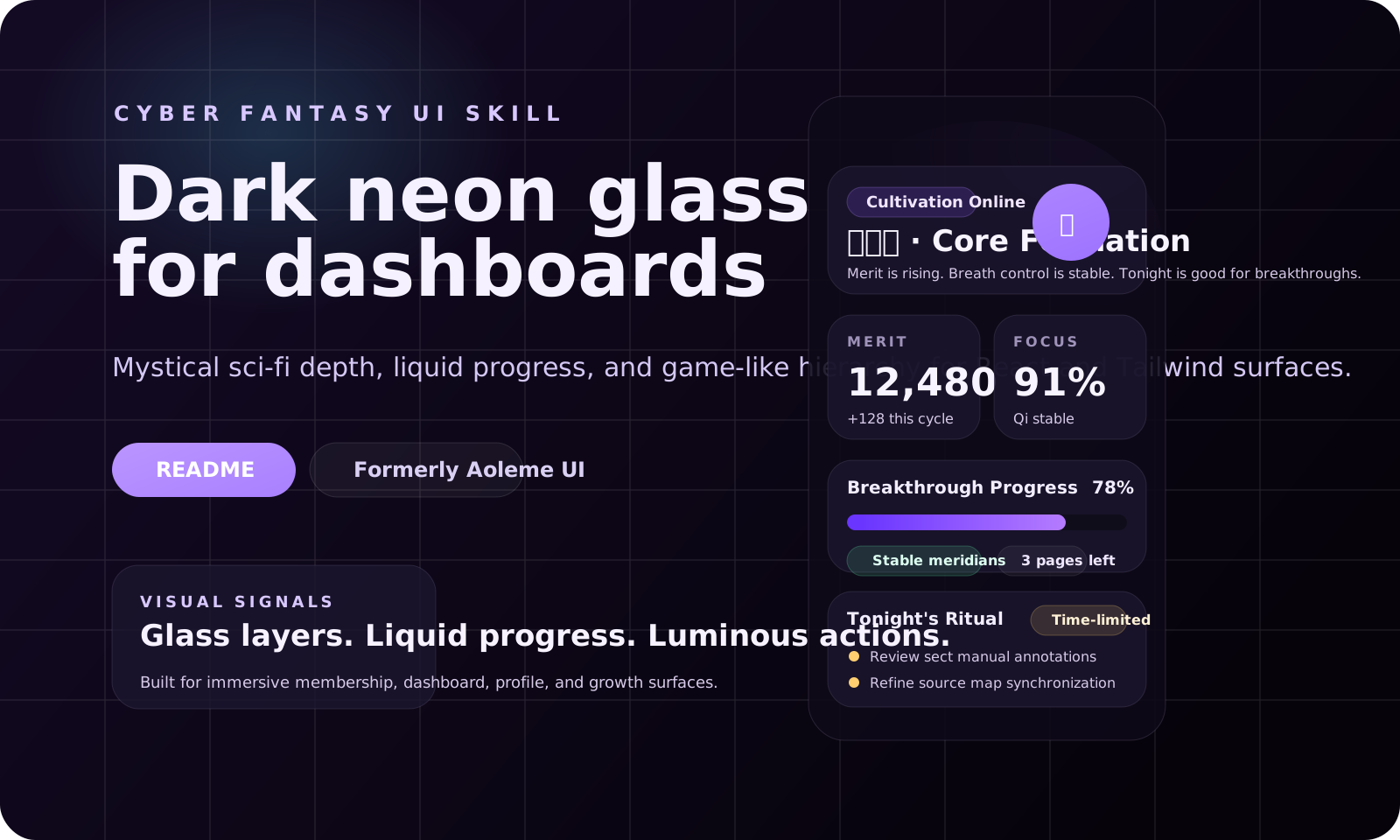
- Preview file:
demo/index.html - Demo stylesheet:
demo/styles.css
This demo shows the core visual language of the skill: dark layered surfaces, cultivation-purple accents, liquid progress treatments, glass panels, status chips, and game-like information hierarchy.
What This Skill Does
Use this skill when you want OpenClaw to:
- design a dark, mystical, game-like dashboard
- restyle an existing React or Tailwind page into a cyber-fantasy direction
- apply glow, glass surfaces, liquid progress bars, and immersive UI patterns consistently
Best for:
- dashboards
- membership centers
- growth systems
- event pages
- profile screens
- status panels
Not for:
- backend logic or API workflows
- conservative enterprise products unless the user explicitly wants this aesthetic
Example Prompts
- Design a cyber-fantasy dashboard for a habit tracker using React and Tailwind.
- Restyle this page into a dark neon glassmorphism UI with purple glow and liquid progress bars.
- Build a gamified profile screen with merit points, cultivation levels, and mystical status cards.
- Create an immersive mobile event page with dark glass panels and restrained sci-fi motion.
- Turn this plain admin interface into a game-like dashboard without changing its data model.
Why This Skill
- It gives the agent a concrete visual target instead of vague prompts like "make it cooler".
- It includes reusable Tailwind tokens and CSS utilities rather than only a style description.
- It encourages selective adaptation instead of destructive redesign.
- It warns against risky global rules such as forcing
overflow: hiddenacross an entire app.
Included Files
SKILL.md- skill entrypoint, trigger rules, and execution guidanceresources/tailwind.config.js- colors, fonts, animations, and keyframesresources/global.css- glass, liquid, glow, and performance helper stylesdemo/index.html- static local demodemo/styles.css- demo stylesheetdemo/preview.svg- README preview imagePUBLISHING.md- local verification and release steps
Install
Skills CLI (recommended)
npx skills add https://github.com/isdou/aoleme-ui-skill --skill cyber_fantasy_ui
Use the manual options below only when your agent is not supported by the Skills CLI.
Shared install
mkdir -p ~/.openclaw/skills/cyber_fantasy_ui
rsync -av ./ ~/.openclaw/skills/cyber_fantasy_ui/
Workspace install
mkdir -p <your-project>/skills/cyber_fantasy_ui
rsync -av ./ <your-project>/skills/cyber_fantasy_ui/
Start a new OpenClaw session after installing.
If your OpenClaw setup restricts skill discovery to the workspace root, copy or sync the folder instead of symlinking it.
Verify
openclaw skills info cyber_fantasy_ui --json
openclaw skills list --json
Expected:
nameiscyber_fantasy_uieligibleistrue- the description mentions cyber-fantasy, dark neon, or gamified UI
Manual Use Without OpenClaw
- Merge the needed parts of
resources/tailwind.config.jsinto your Tailwind config. - Copy or import the utilities from
resources/global.css. - Use
demo/as a style reference and reuse the guidance fromSKILL.md.
Naming
Public-facing name:
Cyber Fantasy UI Skill
Internal skill key:
cyber_fantasy_ui
Legacy aliases kept in docs:
Aoleme UICyber Xianxia UI Skill
Publish
git add .
git commit -m "Rename skill to cyber_fantasy_ui"
npx clawhub login
npx clawhub publish . --slug cyber-fantasy-ui --name "Cyber Fantasy UI Skill" --version 1.1.1
If clawhub fails under your current Node version, switch to an LTS runtime such as Node 20 and retry.
License
MIT © 2026 isdou
No comments yet
Be the first to share your take.