
Animate Roblox Characters Skill



animate-roblox-characters is an open-source Codex and Claude Code skill for creating complete stylized Roblox R6 and R15 character animations in Blender. It operates on an authentic premade or Studio-derived Roblox rig, handles bone/control inspection, pose planning, keyframing, Graph Editor polish, foot-lock and loop checks, source-appropriate export, a rendered animated GIF preview, and optional Roblox Studio validation.
Every pose is created on armature pose bones, checked from front and side views, critiqued, corrected, and polished before completion.
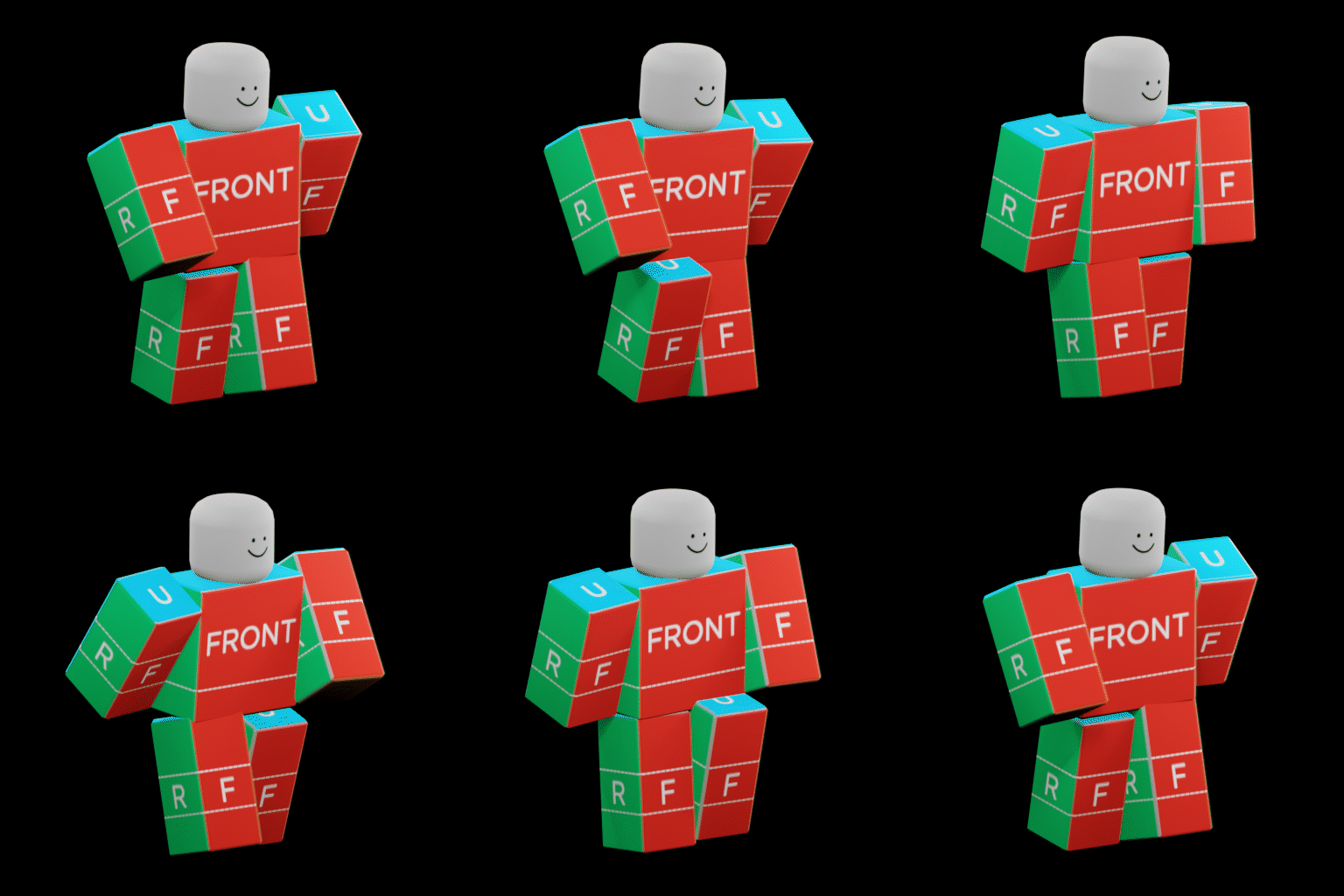
Example 24-frame, 30 FPS stylized R6 walk created with GPT-5.6 Sol using extra-high reasoning. The preview was rendered from Blender frames and encoded with one shared palette.
Every completed animation includes:
- A final
.blendworking file saved separately from the original rig. - A Roblox
.rbxanimor animation-only FBX export selected from the rig type. - Front/side pose reviews plus curve, contact, hierarchy, and loop audits.
- A verified animated GIF rendered from the final action—not a screen recording.
Requirements
- Codex or Claude Code with Agent Skills support.
- Blender 4.5 LTS (recommended) or a compatible newer release.
- A Blender MCP server that can execute arbitrary Python in the open Blender process.
- Python 3.10 or newer.
- Pillow
>=10,<13for verified shared-palette GIF encoding. - Optional: the Roblox Studio built-in MCP server for Studio-side playback checks.
The repository includes an offline dependency manifest/checker, the current Cautioned Blender extension, and a pinned installer for the authentic premade R6 control rig. It does not bundle Blender or a remote-control server. Follow the linked Blender MCP's uv/uvx and Blender add-on setup, keep it on localhost, set DISABLE_TELEMETRY=true, and leave remote asset integrations disabled because arbitrary Python execution is its intended capability.
For classic Motor6D R6/R15 rigs, use Cautioned's Blender Animations (ultimate edition) Studio plugin and the bundled v2.6.3 Blender extension. This preserves joint mapping and exports .rbxanim. For verified skinned Roblox rigs, use FBX.
The colored, labeled R6 control-rig interface seen in the referenced tutorials is R6 IK + FK Blender Rig V2.22. It is mandatory for generic R6 authoring. The skill downloads the actual .blend and matching .rbxm directly from the author's attachments and verifies pinned hashes. Because the author did not state a redistribution license, Git does not mirror the source rig binaries.
Compatible Blender MCPs commonly expose tools named execute_blender_code or blender_python_exec. The skill discovers capabilities and is not tied to one MCP implementation or tool name.
Quick install
Install through the cross-agent Skills CLI:
npx skills add dillydog580/animate-roblox-characters
The installer discovers animate-roblox-characters and lets you choose Codex, Claude Code, or another compatible agent. The manual platform-specific methods below remain available.
Install for Codex
Clone the repository and copy its skill folder into Codex:
git clone https://github.com/dillydog580/animate-roblox-characters.git roblox-animation-skill
mkdir -p "$HOME/.agents/skills"
cp -R roblox-animation-skill/animate-roblox-characters "$HOME/.agents/skills/"
Codex normally detects the skill automatically. Invoke it directly:
Use $animate-roblox-characters to make a fast, aggressive R15 sword attack.
Windows PowerShell equivalent:
git clone https://github.com/dillydog580/animate-roblox-characters.git roblox-animation-skill
New-Item -ItemType Directory -Force "$HOME\.agents\skills" | Out-Null
Copy-Item -Recurse roblox-animation-skill\animate-roblox-characters "$HOME\.agents\skills\"
Install for Claude Code
Clone the repository and copy the same canonical skill folder into Claude Code:
git clone https://github.com/dillydog580/animate-roblox-characters.git roblox-animation-skill
mkdir -p "$HOME/.claude/skills"
cp -R roblox-animation-skill/animate-roblox-characters "$HOME/.claude/skills/"
For one project only, copy it to:
<project-directory>/.claude/skills/animate-roblox-characters/
Then invoke it by name:
/animate-roblox-characters Make a fast, aggressive R15 sword attack.
The skill uses the portable SKILL.md Agent Skills format. Blender MCP operation names are discovered at runtime, so the same skill folder is shared by Codex and Claude instead of maintaining divergent copies.
Windows PowerShell equivalent:
git clone https://github.com/dillydog580/animate-roblox-characters.git roblox-animation-skill
New-Item -ItemType Directory -Force "$HOME\.claude\skills" | Out-Null
Copy-Item -Recurse roblox-animation-skill\animate-roblox-characters "$HOME\.claude\skills\"
One-time R6 asset setup
Install the mandatory premade R6 pair once:
# Codex installation
python3 "$HOME/.agents/skills/animate-roblox-characters/scripts/fetch_assets.py" --component r6-ik-fk-v222

# Claude Code installation
python3 "$HOME/.claude/skills/animate-roblox-characters/scripts/fetch_assets.py" --component r6-ik-fk-v222
Install the GIF encoder dependency into the Python environment the agent can use:
python3 -m pip install "Pillow>=10,<13"
On Windows, use py -3 in place of python3.
The user supplies the creative request. The agent prepares or transfers the authentic premade rig and performs the animation workflow. Every completed animation includes the final .blend, Roblox animation export, audits/notes, and an animated GIF encoded from sequential RGB renders rather than a screen recording. A network download, plugin install, local file dialog, or Roblox publish permission may require user authorization.
Crash-safe Blender workflow
The skill requires one already-open, interactive Blender GUI connected through Blender MCP for the entire task. It refuses command-line/background Blender sessions, never starts one Blender process per frame, and never tells Blender to quit when the animation is finished.
If Blender still closes unexpectedly:
- Reopen the most recent saved working
.blendin Blender 4.5 LTS. - Start Blender MCP in that same GUI process.
- Ask the agent to continue from Phase 0; it must inspect the file before resuming.
- Keep Blender in the persistent GUI/MCP workflow; do not retry through
blender --backgroundor an automatically relaunched child process.
Premade authentic rigs only
- R6 always uses the actual V2.22 premade rig (or an actual Studio-exported R6 target). It includes
__PrimaryArmature,MasterControl, IK/FK, the labeled/colored body controls, body variants, Rig Settings, Utilities, and Rig Texture workflow. - R15 always uses a premade Roblox Studio R15 or the user's actual Studio character transferred through Cautioned's tools.
- The repository contains no generated Roblox player model, neutral imitation, or block-proxy fallback.
The skill obtains the rig from its original author and the transfer tool from its official GitHub/Creator Store sources.
Development
Run checks:
python3 -m unittest discover -s tests -v
python3 animate-roblox-characters/scripts/toolchain.py --repository-only
Contributions should keep the canonical phase order and verification rules intact. New rig or MCP adapters must fail clearly when a required capability or premade authentic rig is unavailable and must never generate/substitute a player model or skip pose review.
License
Repository-authored code is MIT. The bundled Cautioned extension remains GPL-3.0-or-later. License and notice files are included both at repository root and inside the installable skill folder.
No comments yet
Be the first to share your take.