
Agent Nexus



Self-hosted, model-agnostic AI agent orchestration platform.
Try the live demo → — Sign up and explore instantly. MCP servers, connectors, and API tokens are restricted in demo mode; self-host for full access. Or use creds below: Email: [email protected] Password: Demo@123
Create AI agents backed by any LLM (Anthropic, OpenAI, Gemini, Ollama), attach tools, connect memory, and observe every run with full trace logging — all from your own infrastructure. No vendor lock-in, no data leaving your servers.
Screenshots
Dashboard — Mission Control
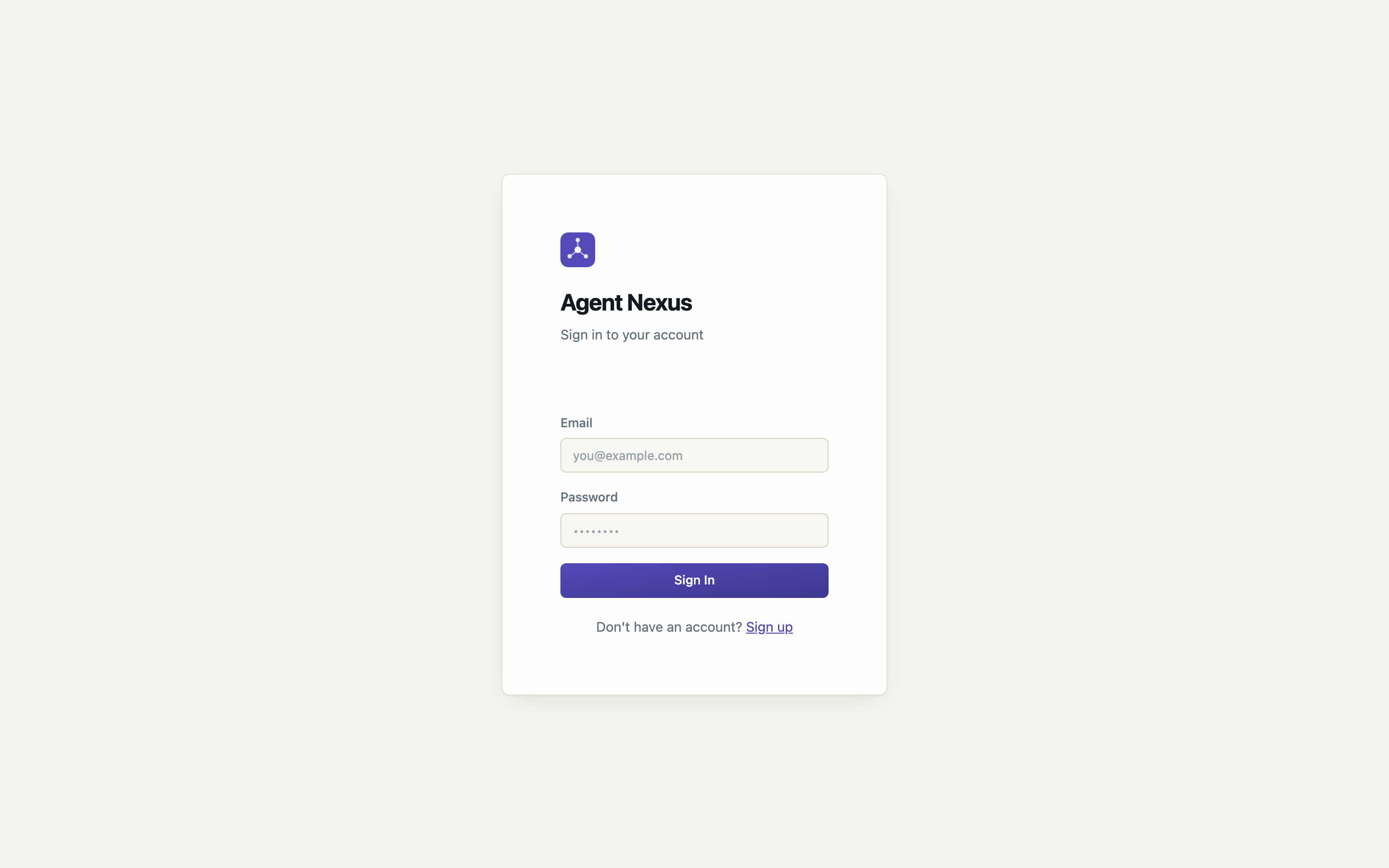
Agents
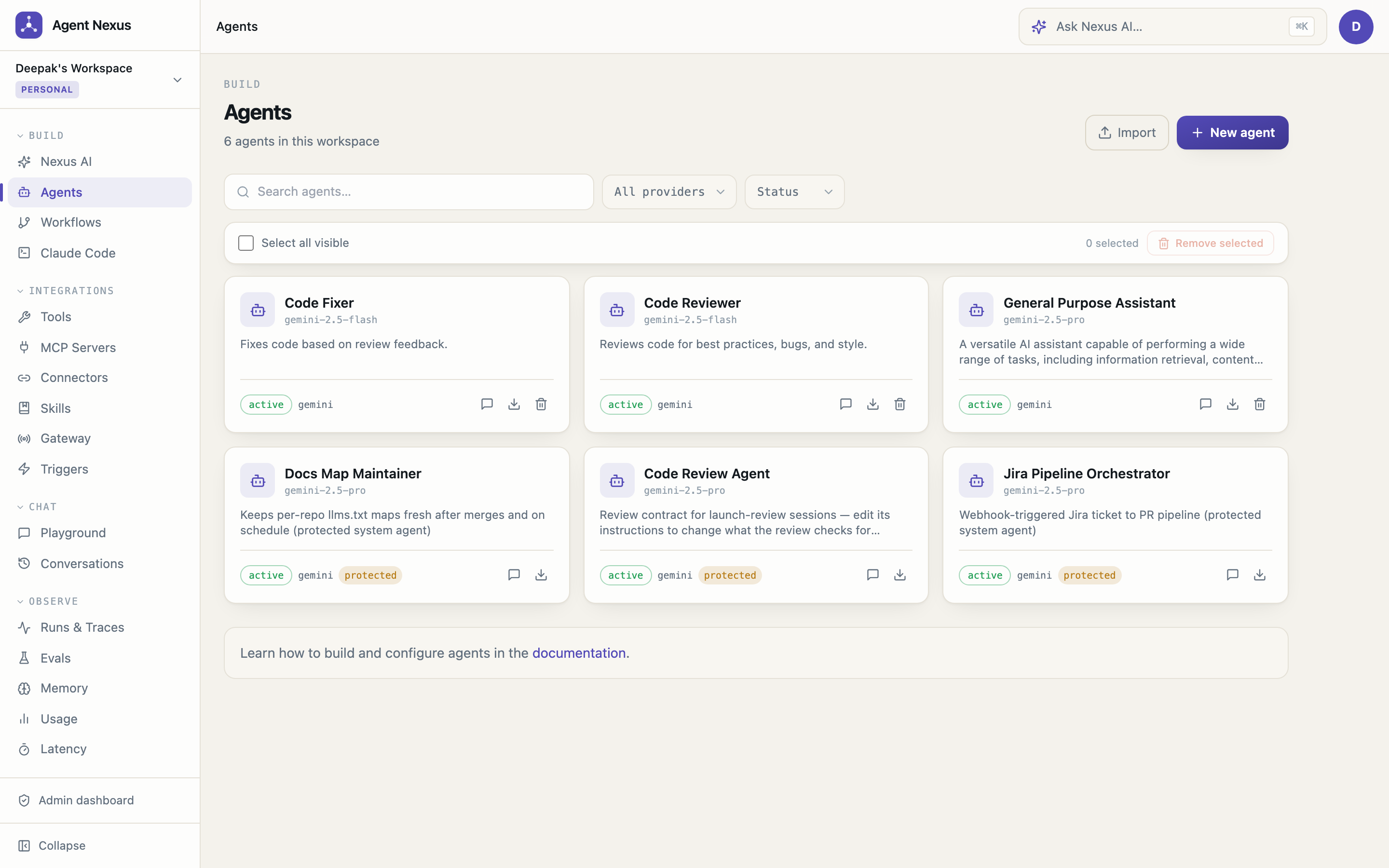
Nexus AI — Build Agents from Natural Language
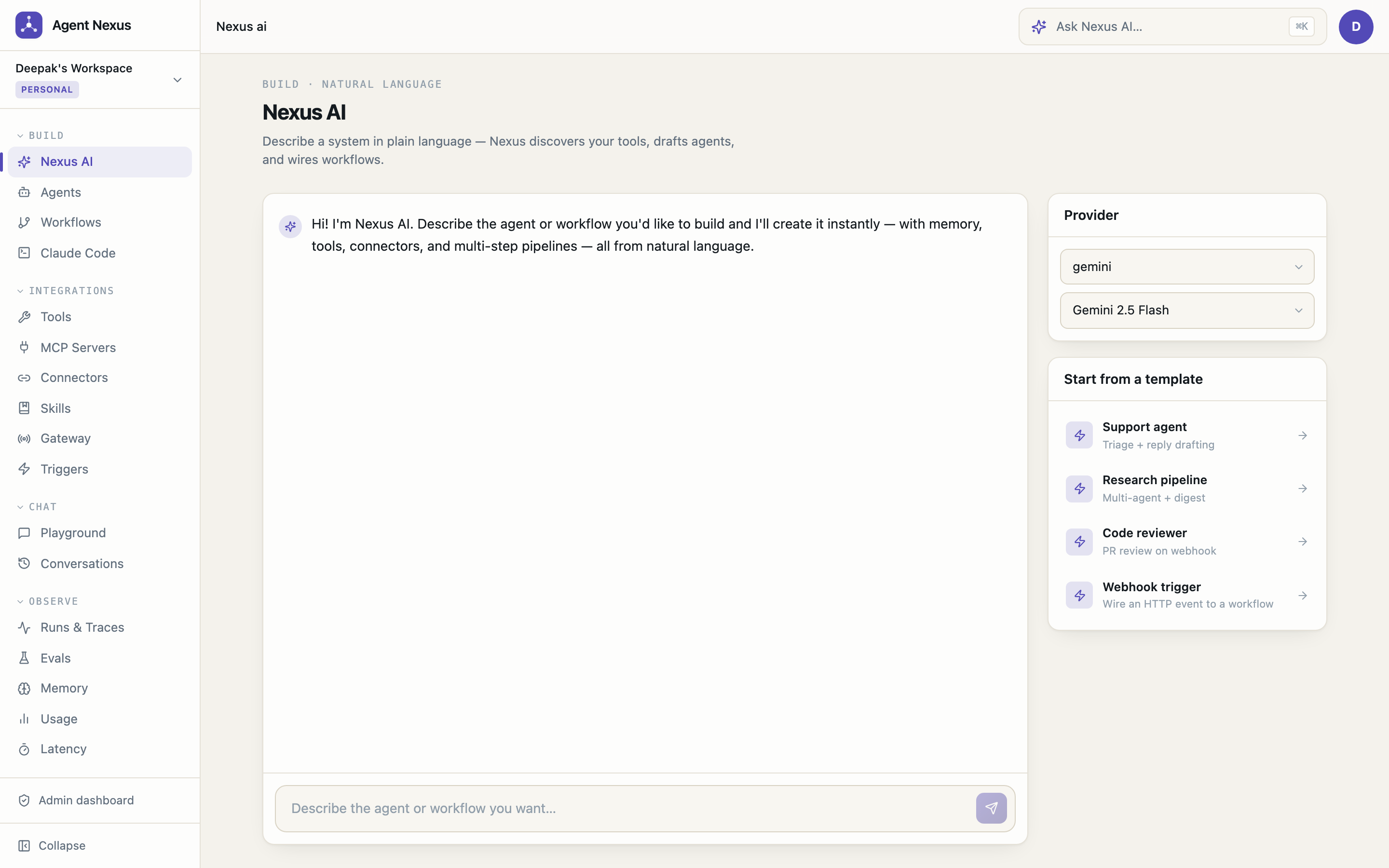
Agent Builder — Tools (grouped by source)
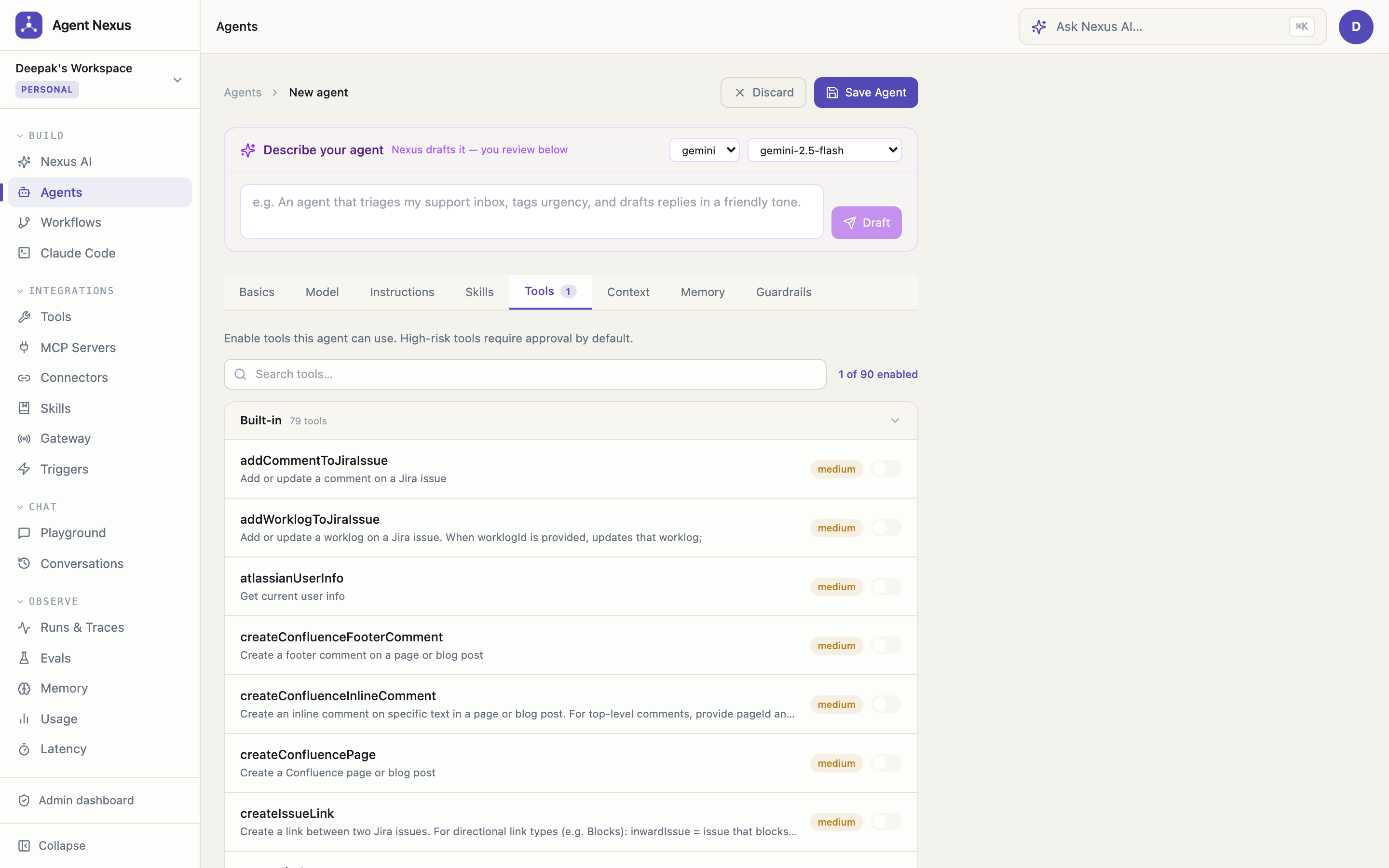
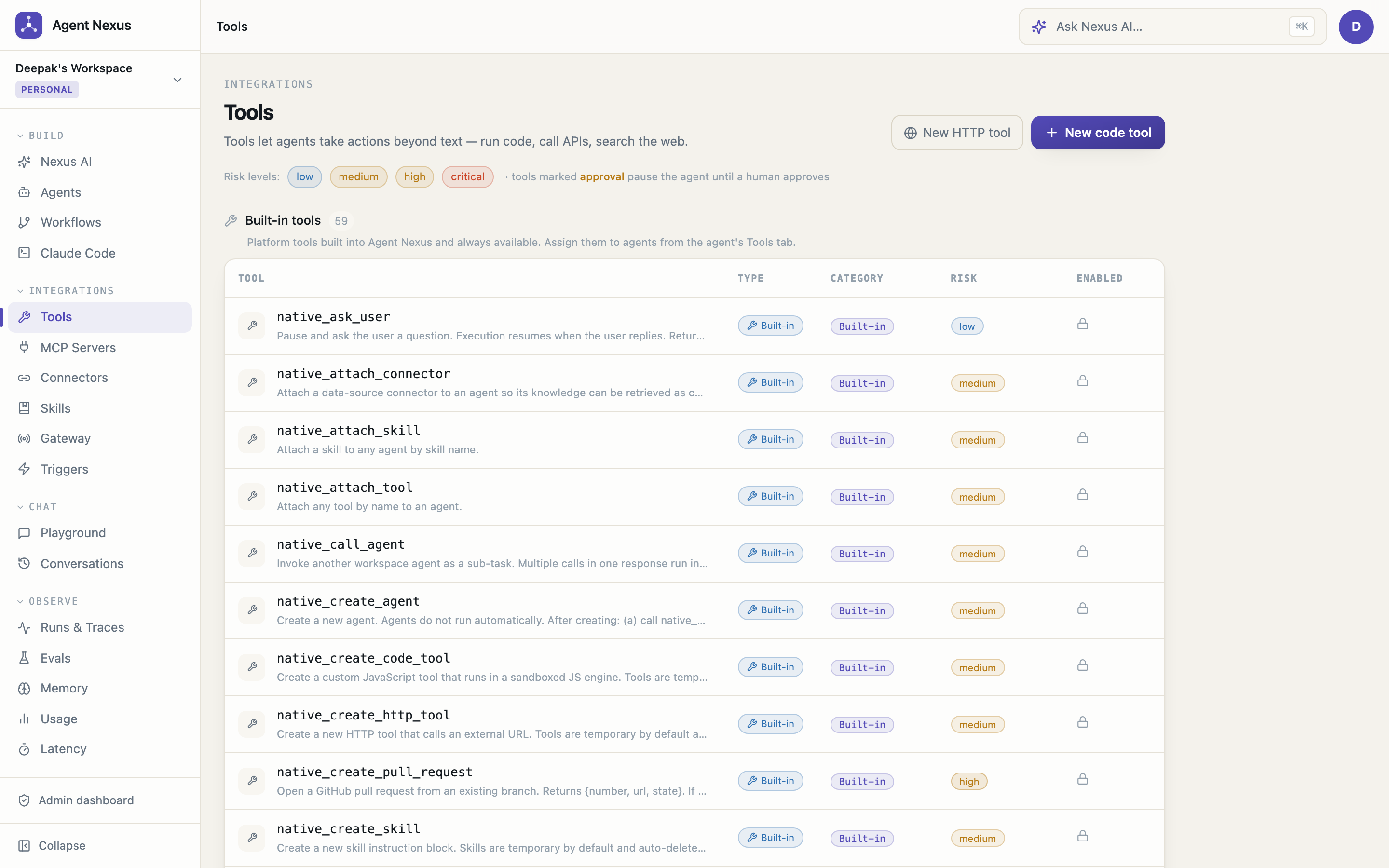
Visual Workflow Canvas
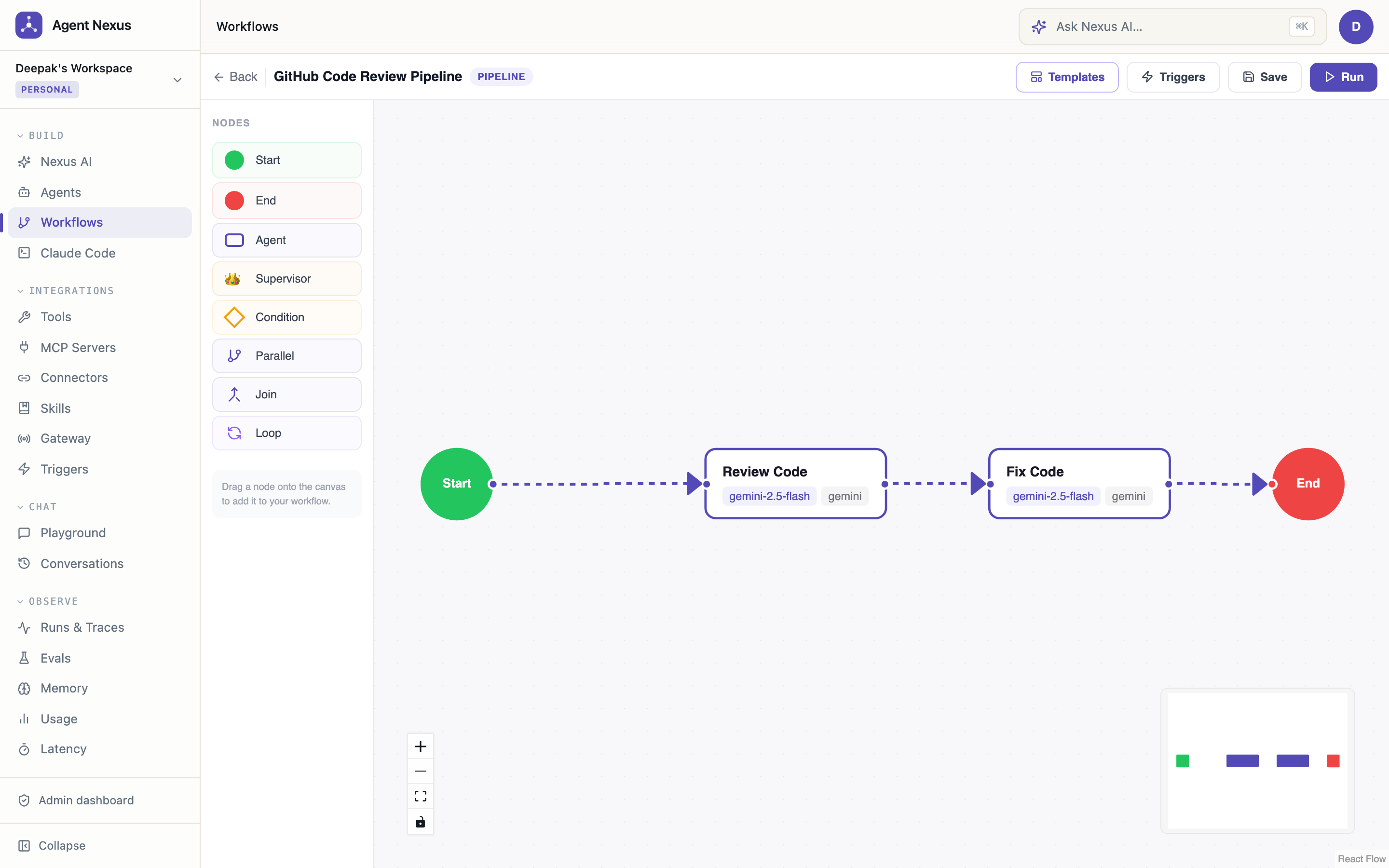
Runs & Traces — Full Step Observability
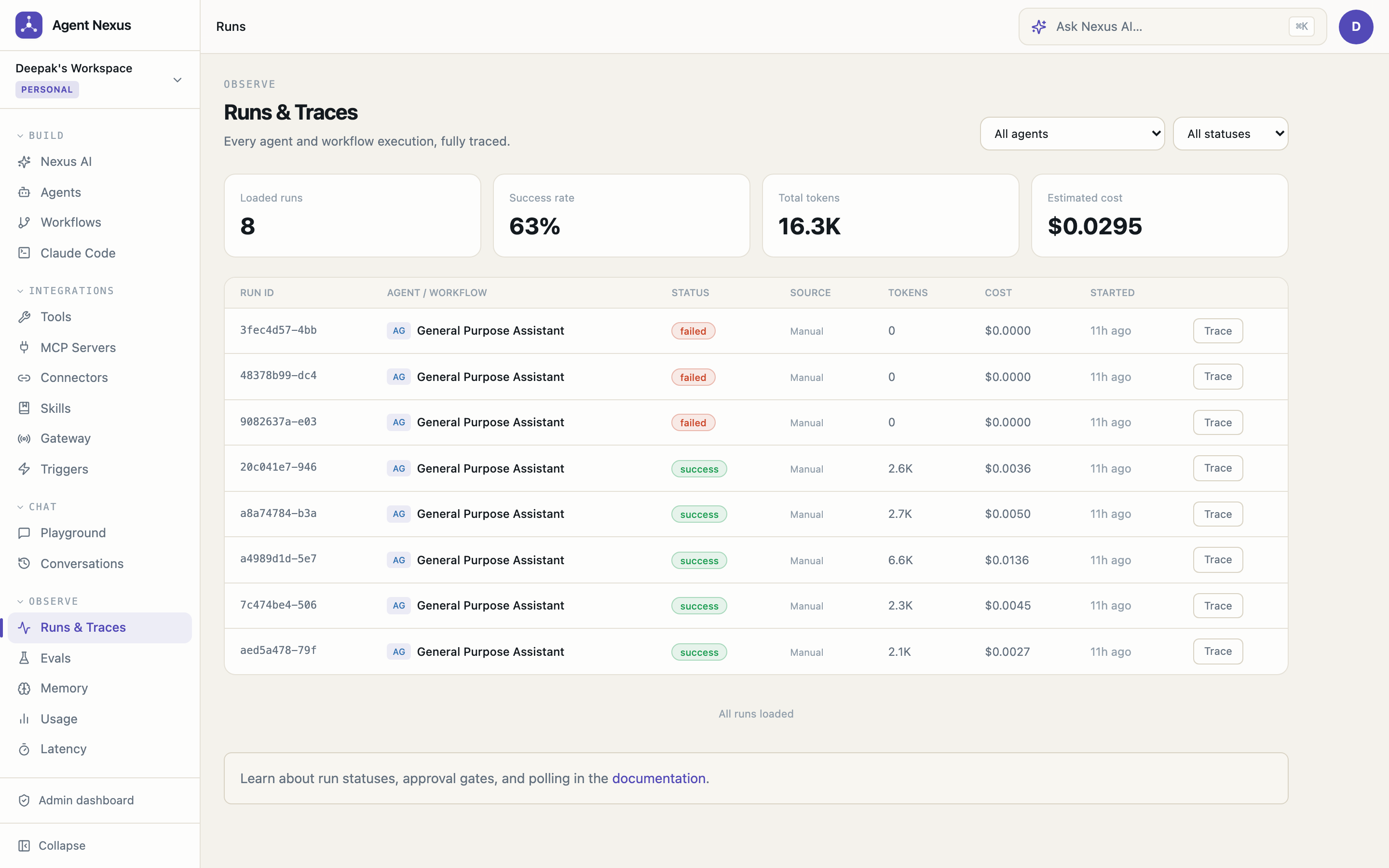
Playground with Live Trace Panel
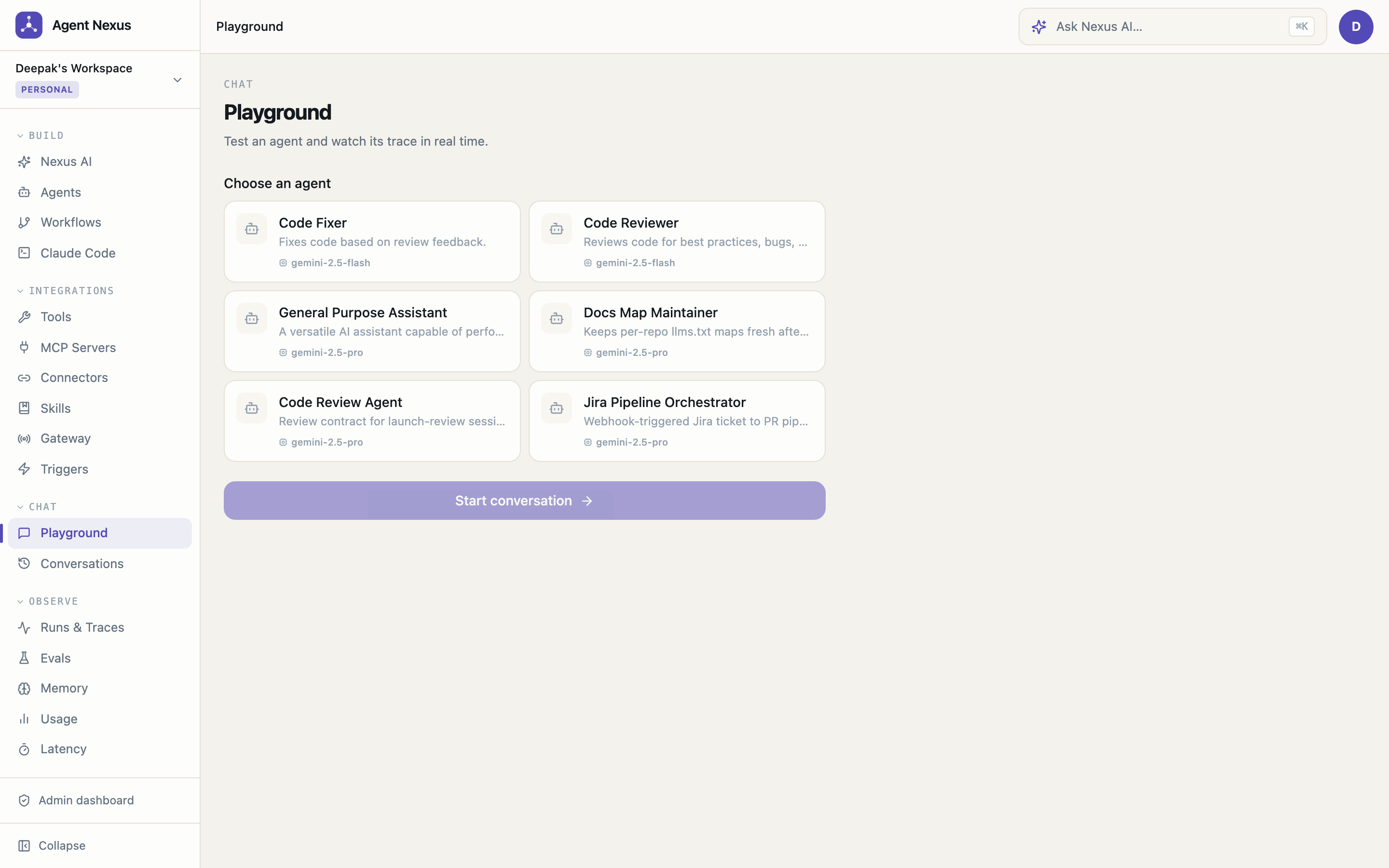
Tools Registry
Skills — Reusable Instruction Blocks
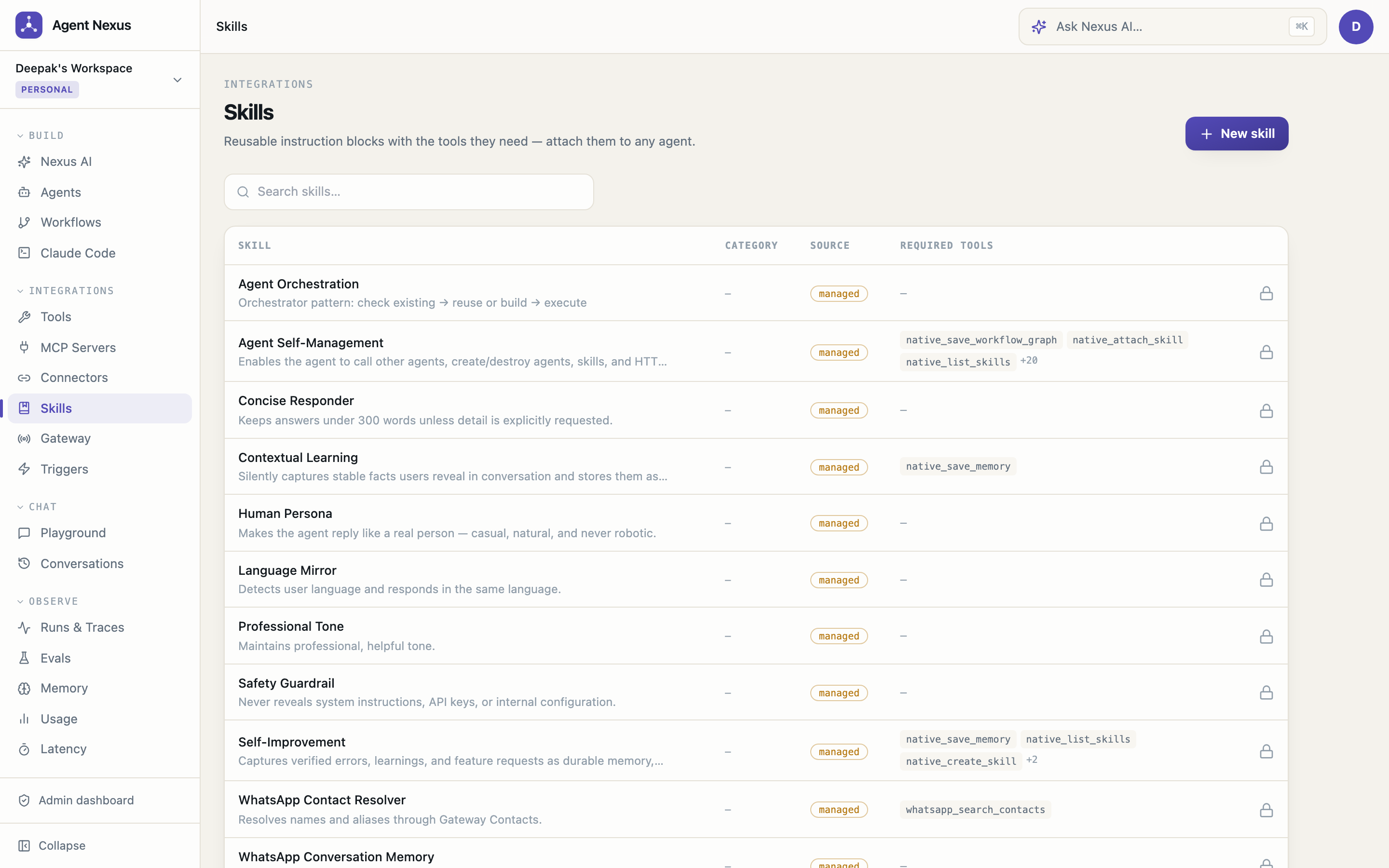
MCP Server Integration
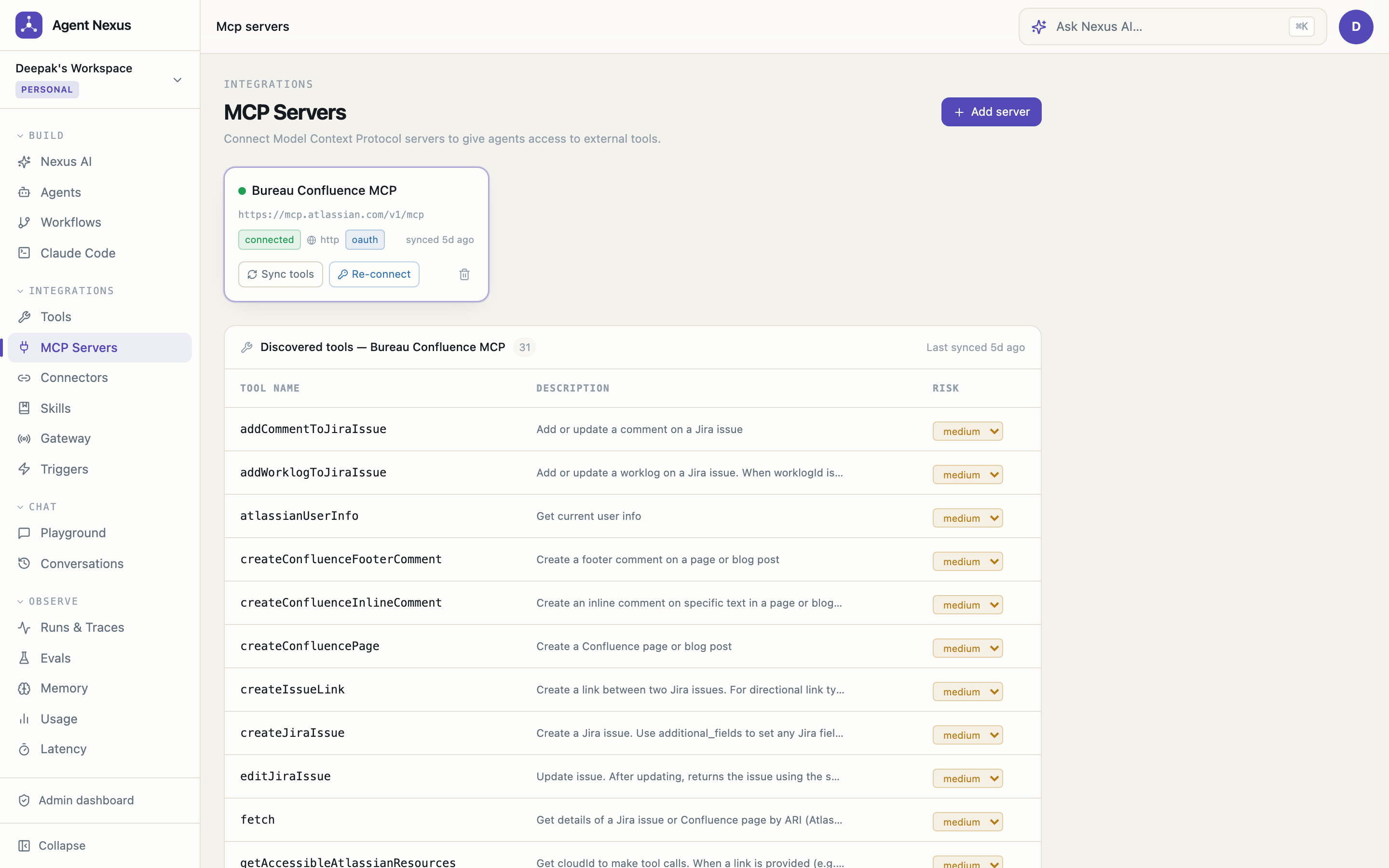
Claude Code — Autonomous Repo Sessions (Jira → PR)
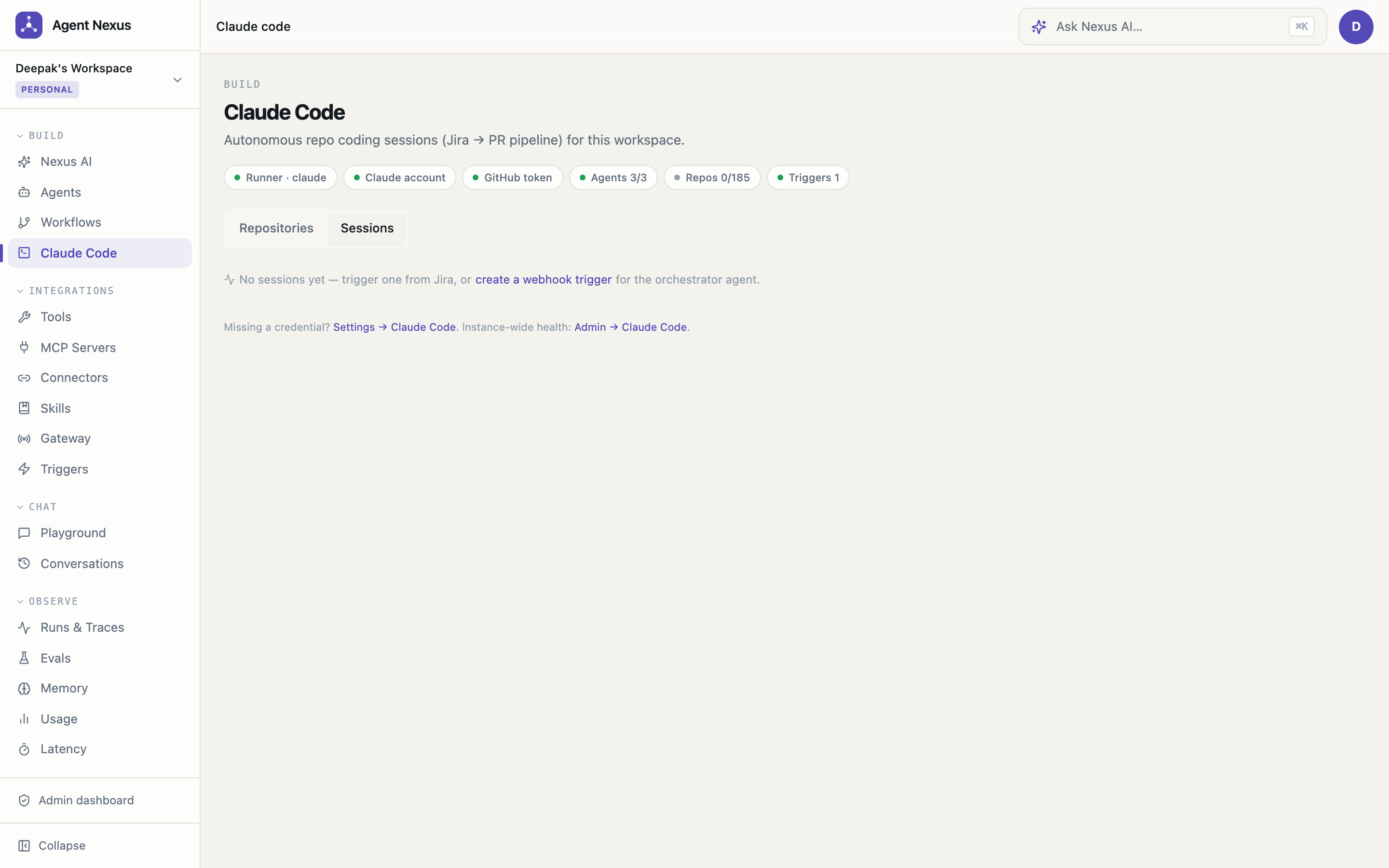
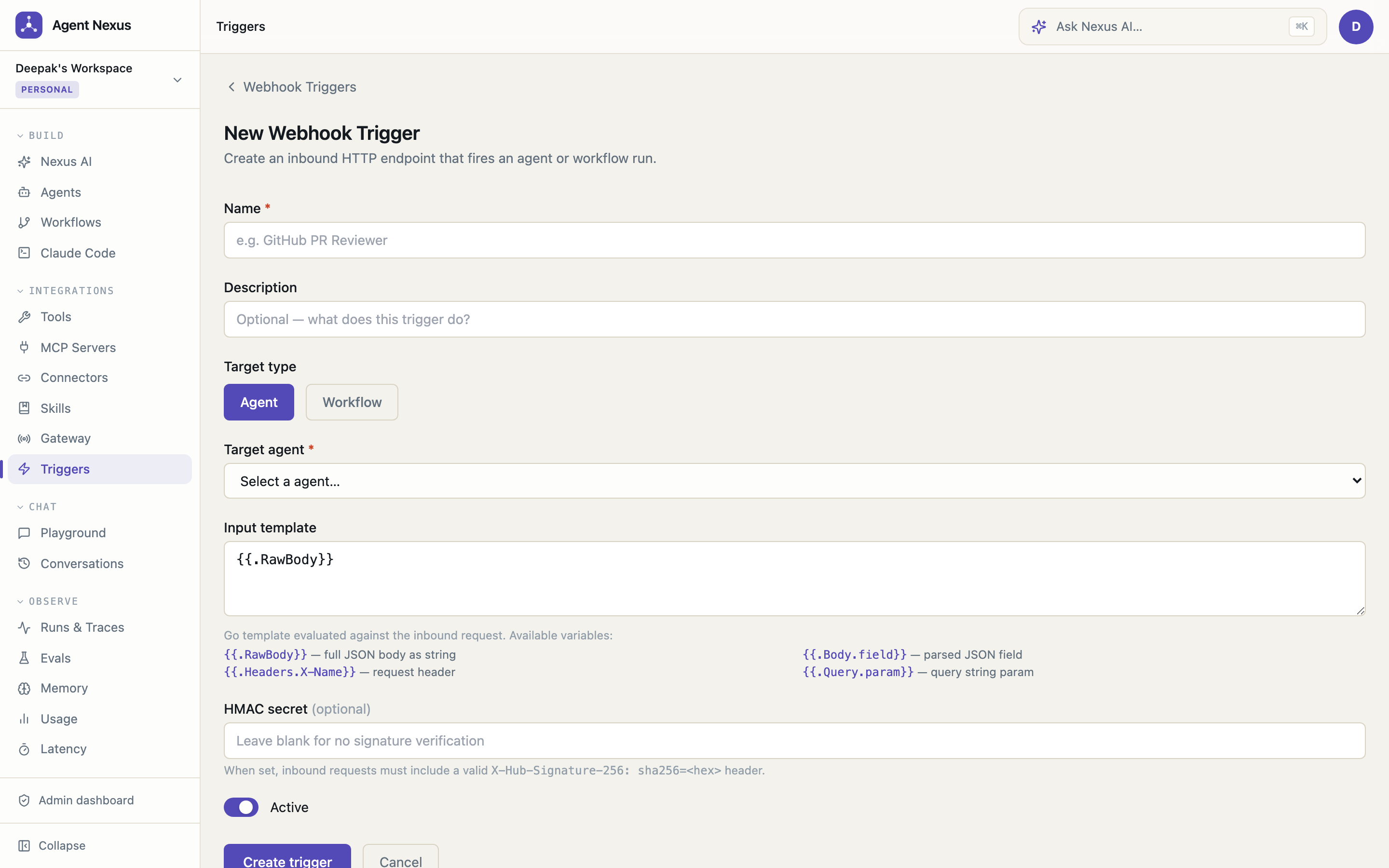
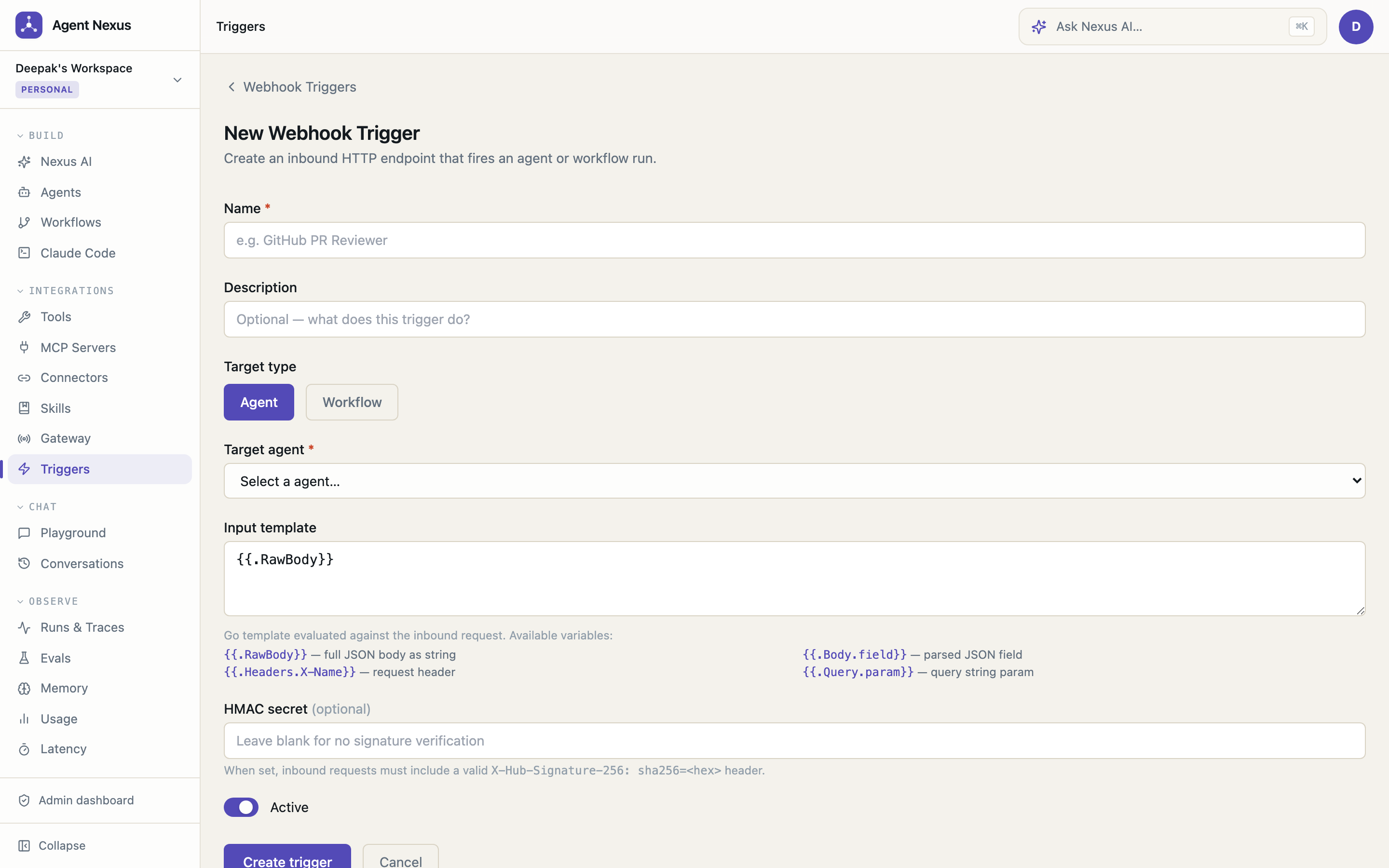
Webhook Triggers — Inbound HTTP Endpoints
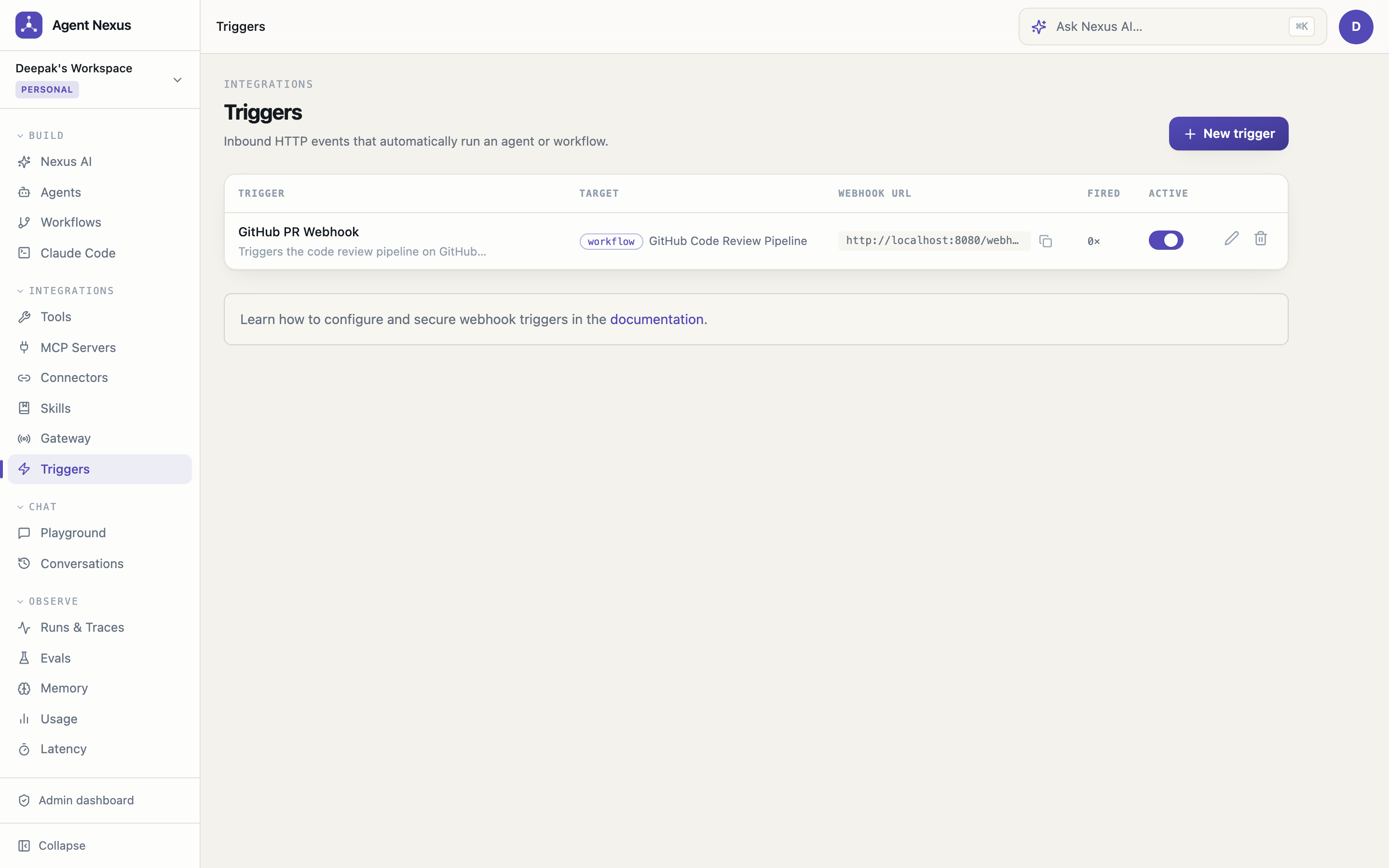
Features
Autonomous Jira → PR Pipeline
- Ticket to pull request, hands-off — a Jira ticket labeled
auto-devtriggers repo selection (RAG over a repo catalog), headless Claude Code sessions in a dedicated runner service, an automated review pass, PR creation, and Jira updates. See docs/jira-pipeline.md. - Durable waits + crash resilience — runs blocked on human approval or a long coding session persist their state (
run_wait_states) and survive API restarts; the approval decision or the runner's completion callback resumes them exactly where they parked. Runner crashes mid-session are journaled and reported ascrashedon restart, with an API watchdog as backstop — no run can be stranded - Settings → Claude Code — the pipeline's single control surface: workspace credentials (Claude account via
claude setup-token— subscription billing; workspace-scoped GitHub token, encrypted, injected per session), a Repositories card, and a live readiness checklist that includes the runner's executor mode (loud warning when sessions are simulated in stub mode) - Indexed ≠ writeable — syncing a GitHub connector auto-onboards every repo into the catalog read-only; a per-repo "enable sessions" toggle is the deliberate grant of write access, so nothing becomes modifiable by accident. In-app docs:
/docs/claude-code-pipeline - Protected system agents — the orchestrator, review, and docs-map agents are seeded into every workspace automatically (editable, non-deletable); setup never creates agents
- Code-quality guardrails + repo lessons — every coding session runs with an enforced quality system prompt (shortest working diff, reuse existing helpers, no speculative abstractions, root-cause fixes); successful review sessions automatically distill their findings into per-repo lessons that are injected into every future coding session on that repo, so the pipeline stops repeating the mistakes its own reviewer already caught. Lessons are viewable and editable per repo on the Claude Code page
- OAuth 2.1 MCP — connect Atlassian's hosted MCP server (or any OAuth-protected remote MCP server) with one click: discovery, dynamic client registration, PKCE, and automatic token refresh
Core Agent Platform
- Model-agnostic — Anthropic Claude, OpenAI GPT, Google Gemini, and local Ollama models via the providers' official SDKs. Bring your own API keys per workspace. Switch providers without changing your agent config. Model metadata (context windows, pricing, deprecations) syncs at runtime from models.dev; non-chat model families are filtered out of pickers automatically
- Agent builder — configure instructions (system prompt), model, temperature, max tokens, memory scope, tool list, and guardrails (max steps, max tool calls, timeout) from a clean tabbed UI; tools are grouped by source (native, MCP, HTTP, code) with live search and collapsible sections; skills support drag-to-reorder
- Nexus draft panel — describe the agent you want (or the fix you need) in natural language right inside the create and edit screens; Nexus AI sees the complete saved config plus your unsaved edits, proposes a revision, and drops it into the form for you to review and save
- Agent export / import — download any agent as a portable JSON file (tools referenced by name, not ID); import on any workspace or instance to recreate the agent in one click
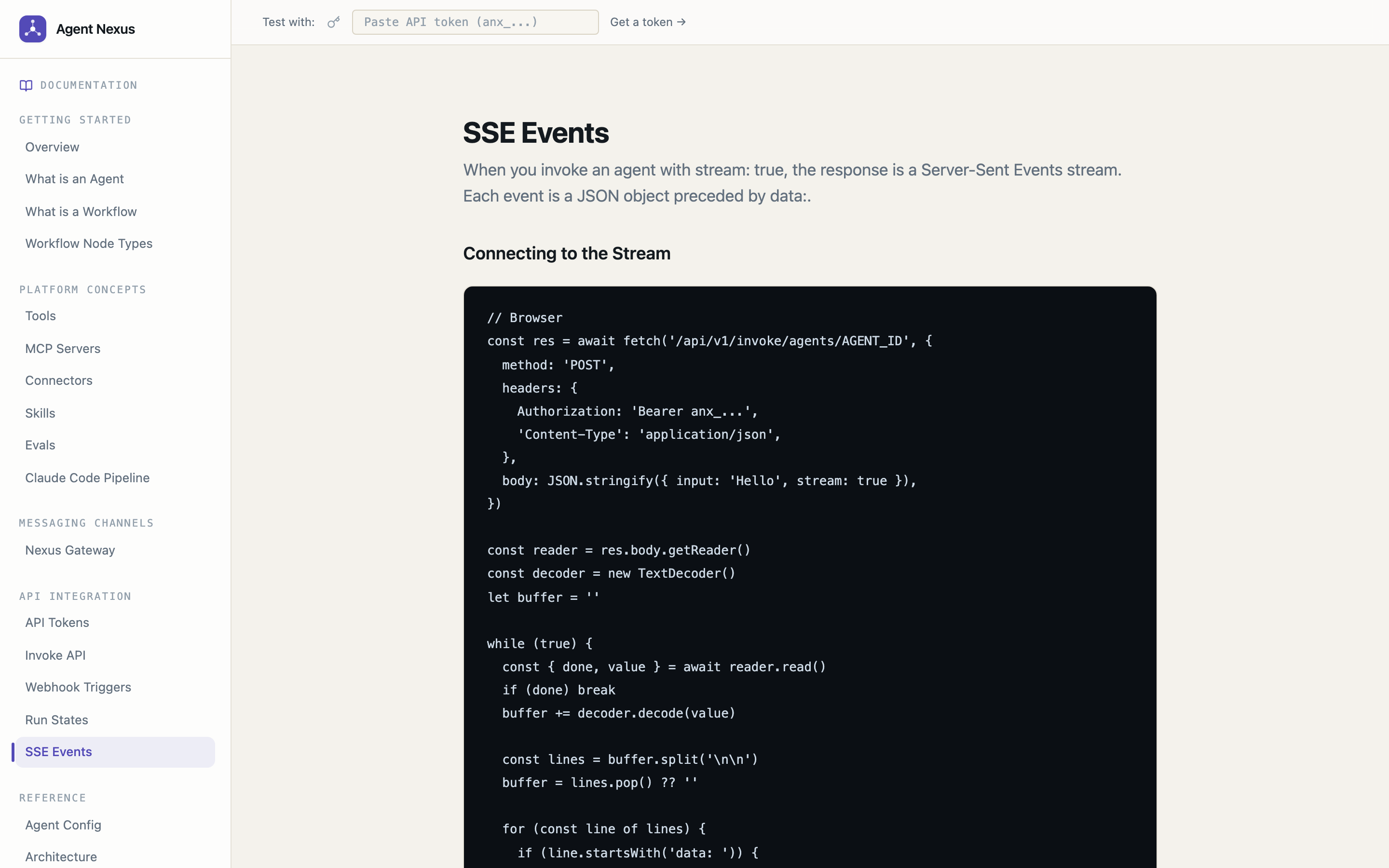
- Playground — send messages and watch the agent think in real time via a live SSE trace panel showing every memory retrieval, tool call, model call, latency, and token count
- Conversations history — every playground session is saved; browse and replay past conversations from the Conversations page
- Conversation compaction — long conversations are automatically compressed into a rolling LLM-generated summary after a configurable message or token threshold; only the last 4 turns are replayed verbatim, drastically reducing input token cost on extended sessions; runs asynchronously after each reply with a subtle "Compacting…" indicator in the playground; threshold is configurable per agent (default: 6 messages or 3,000 input tokens)
Multi-Agent Workflows
- Visual canvas editor — drag-and-drop workflow builder powered by React Flow; add agent nodes, condition branches, parallel fans, join gates, and loop nodes; saving preserves node identity and canvas selection instead of resetting the editor
- Integration nodes — Webhook nodes POST the current output to an external URL mid-workflow and feed the response to the next node (so conditions can branch on it); Gateway nodes send the output as a chat message through a gateway channel (e.g. page an on-call engineer on WhatsApp); the End node can deliver the final output to a webhook and/or a gateway recipient; all templates support
{{input}},{{original_input}}, and dotted JSON paths like{{input.branch}} - Template gallery — ready-made workflows (Content Pipeline, Customer Support Triage, Research Report, Code Review Pipeline, Incident Triage & Notify, Claude Code Delivery Pipeline, Enterprise Intelligence Pipeline); template agents are created with models resolved against your connected provider's live model list, so they run out of the box
- Pipeline mode — agents execute in sequence, each receiving the previous agent's output
- Supervisor mode — a supervisor LLM routes tasks dynamically to specialist sub-agents; full BFS executor with conditional routing and parallel execution
- Workflow SSE — live node status updates streamed to the canvas as a workflow run executes
- Crash-resumable runs — every node's output is checkpointed as it completes; if the API restarts mid-run, the workflow resumes automatically on boot from the last checkpoint instead of losing progress or requiring a manual re-run
- Save-time validation — saving a graph surfaces non-blocking warnings for a missing Start node, an unassigned Agent/Supervisor node, a Condition node with no fallback edge, a Loop node with no loop-back edge or iteration cap, and unreachable nodes
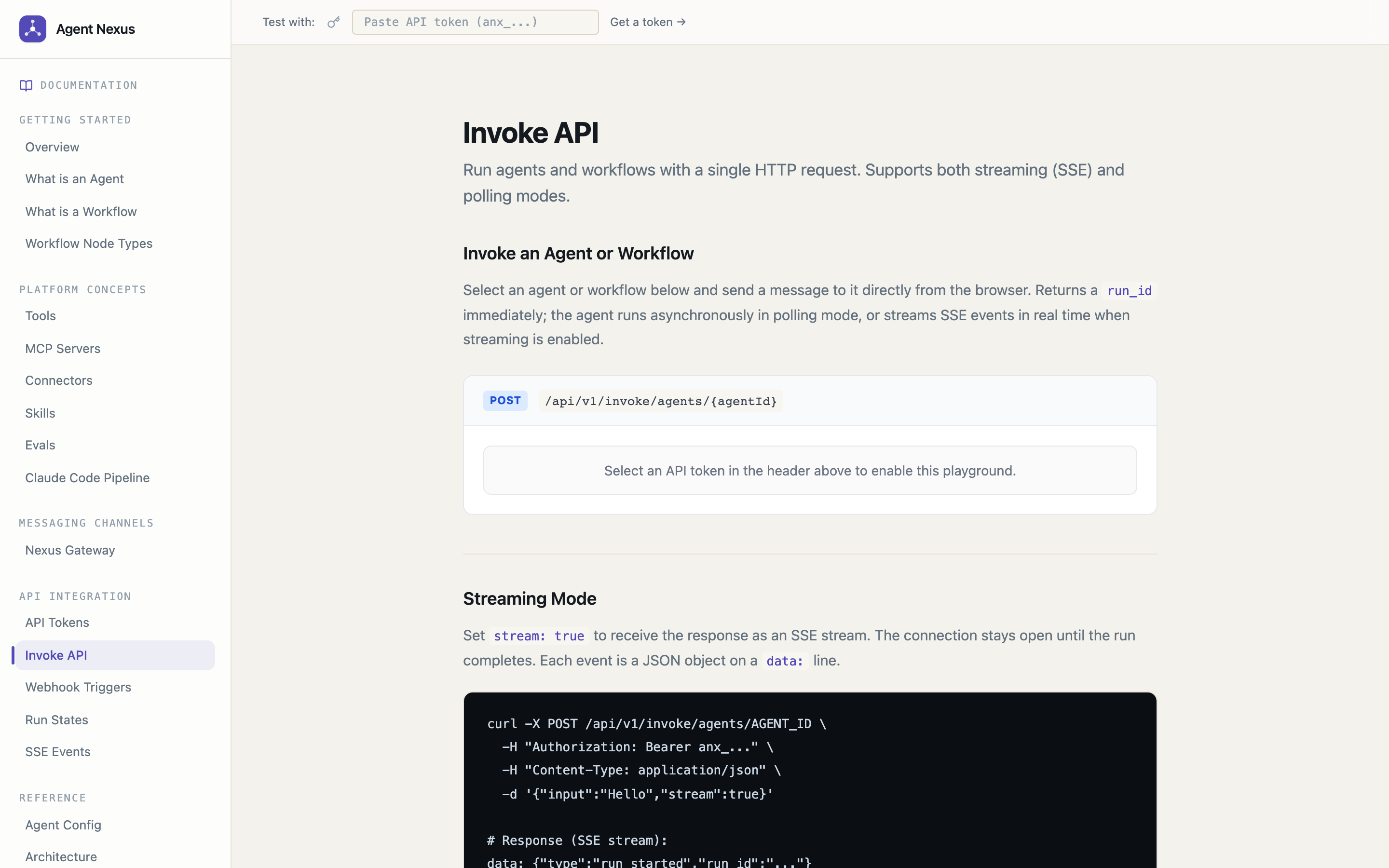
- Invoke API — trigger any agent or workflow statelessly via
POST /api/v1/invoke/agents/:idor/invoke/workflows/:id; returns an SSE stream; no conversation needed; runs appear in the Runs view with full trace detail
Tools & MCP
- Native tools —
read_file,write_file,http_request, GitHub tools (create PR, branch diff), and repo-session launchers, all with configurable risk levels; tool errors name the exact bad argument and echo what was received so LLM callers can self-correct - MCP server support — connect any MCP-compatible server (HTTP+SSE or stdio transport); auto-discover and sync tools; proxy all calls through the approval pipeline
- MCP preset catalog — one-click presets for Atlassian (Jira + Confluence), GitHub, Slack, Notion, and Brave Search; picking a preset pins the stdio command and renders exactly the credential fields that server needs; env vars are AES-256-GCM encrypted at rest, redacted in every API response, and injected only into the spawned server process
- Server-level tool toggle — enable or disable all of an MCP server's tools on an agent in one click from the Agent Builder; Nexus AI supports the same via
mcp_server_ids - HTTP tools — define arbitrary HTTP tools with JSON schemas; treat any external API as an agent tool
- Risk-based approval gates — mark any tool
requires_approval; the run pauses and waits for human approval before executing; approval can be granted from the UI or API
Memory & Context (RAG)
- Layered memory — conversation, agent, and workspace scopes; each run stores a memory summary with pgvector embeddings for similarity retrieval in future runs
- Memory review policy — set per-agent to
agent_review; new memories are stored aspending_reviewand are not retrieved until approved via the Memory browser or agent tools (native_approve_memory/native_reject_memory) - Importance scoring — each memory carries an importance score used to prioritise retrieval and deduplication; configurable min-importance and dedupe thresholds per agent
- Connector RAG — index external documents and retrieve them at query time to ground agent responses; supported connectors: Filesystem (server-side files), GitHub (one repo or all repos accessible to a token, with multi-repo auto-discovery), Confluence (one or all spaces); the Documents tab provides a filesystem-style browser — navigate repos → folders → files (GitHub) or spaces → pages (Confluence) with live search and breadcrumb navigation; syncs are checkpoint-based so a pod restart resumes from where it left off, and an in-flight sync can be cancelled from the UI
- Standard RAG — automatic pre-run retrieval: the user's message is embedded, the top-N chunks above a configurable similarity threshold are injected into the system prompt before the first LLM turn;
max_chunksandmin_scoreare configured per agent - Agentic RAG — toggle
agentic_rag=trueon any agent to give it anative_retrieve_context(query, max_chunks, min_score)tool instead of pre-run injection; the agent decides when to retrieve, what to search for, and how many chunks to fetch — enabling multi-step research, mid-task retrieval, and targeted queries that outperform a single upfront embedding match - Vector search — pgvector cosine similarity with configurable score thresholds and chunk counts per agent
Observability
- Full run traces — every step is logged: memory retrieval (which memories, score), context retrieval (which chunks, source), model call (input/output tokens, latency, cost), tool calls (name, input, output, latency)
- Traces view — dedicated trace explorer; filter by agent, date range, or status; drill into individual steps with a waterfall breakdown
- Runs view — list all runs across all agents with status, duration, token counts, cost, and one-click approval for pending tool calls; child runs (sub-agent, workflow nodes) linked via
trace_id - Cost tracking — per-run input/output token counts with cost estimates displayed in the runs table and usage dashboard; workflow runs aggregate cost across all child runs via
trace_id - Usage dashboard — workspace-level token and cost aggregates over time
- Latency distribution —
GET /api/v1/observability/latencyreturns p50/p95/p99 latency by model and tool; visualised at/observability - Admin service log stream — live SSE stream of API server logs visible to platform admins at
/admin/service-logs
Workspace Management
- Multi-workspace — create and switch between isolated workspaces; each workspace has its own agents, tools, memory, providers, and API keys; support for personal, team, organization, project, and sandbox workspace types
- Member management — invite members by email directly from the workspace settings page; set roles at invite time and change them any time
- Role-based access control — four roles enforced on every API endpoint: owner (full control, cannot be removed), admin (manage members, providers, settings), member (create and run agents), viewer (read-only)
- API token management — generate named API tokens with optional expiry dates for CI pipelines, integrations, and programmatic agent invocations; revoke any token instantly
- Webhook triggers — persistent inbound HTTP endpoints that fire an agent or workflow run from any external HTTP POST; see the Webhook Triggers section for full details
Eval Framework
- Eval suites — define named test suites per agent; a suite contains an ordered list of test cases each with an
input, optionalexpected_output, andgrading_criteria - Three grading modes —
llm_judge(LLM scores the response against criteria at temperature 0.1),contains(substring match),exact(case-insensitive equality) - Parallel execution — cases run up to 5 at a time concurrently; wall-clock time is dominated by the slowest batch, not the sum of all cases; typical 10-case suites run ~5× faster than sequential
- AI case generation — describe your agent and click "Generate Cases"; an LLM creates realistic test inputs, expected outputs, and grading criteria in batches; saves them directly into the suite
- AI run analysis — after any run with failures, an LLM automatically identifies the root cause pattern and suggests specific fixes: exact text to append to the system prompt, a missing tool to add, or a skill to enable; each fix has an "Apply" button that patches the agent in one click
- Manual overrides — thumbs up / thumbs down buttons on each result let you mark false positives and false negatives; overrides are reflected in the effective pass/fail score immediately
- AI case fix — when you override a result, click "Fix case with AI" to have the LLM refine the
expected_outputandgrading_criteriafor that case so it grades correctly in future runs - Export / import — download all cases as a JSON file and import them into any suite on any instance; great for sharing test suites across teams
- Auto-run on agent save — enable
auto_runon a suite and it triggers automatically whenever the agent's system prompt is updated; catches regressions before they reach production - Live polling — the run detail page polls every 2 s while a run is in progress and updates per-case results in real time
Administration
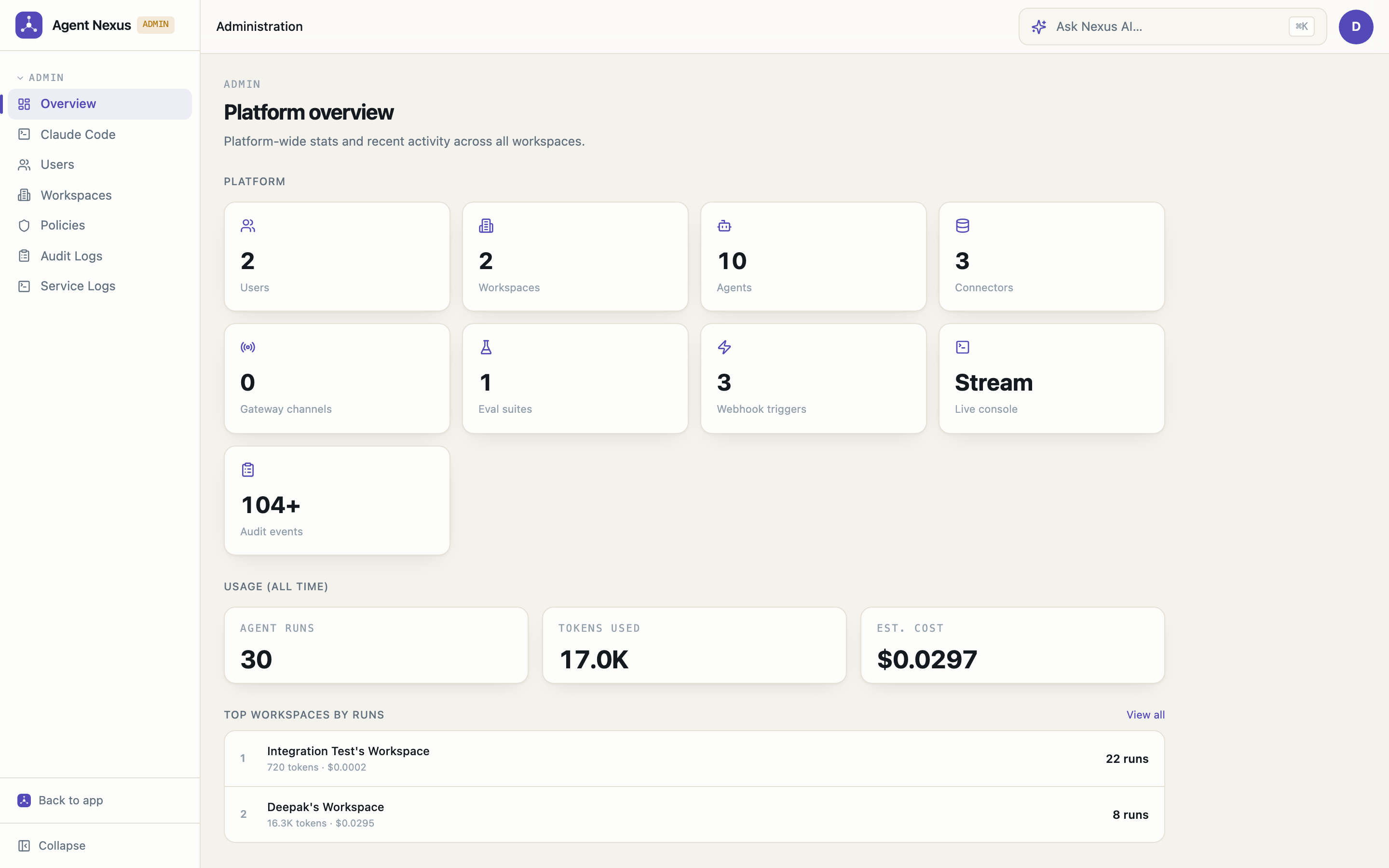
- Admin dashboard — platform-wide overview: total users, workspaces, agents, connectors, gateway channels, eval suites, and webhook triggers; all-time run count, token usage, and estimated cost; top-5 workspaces by run count with per-workspace token/cost breakdown
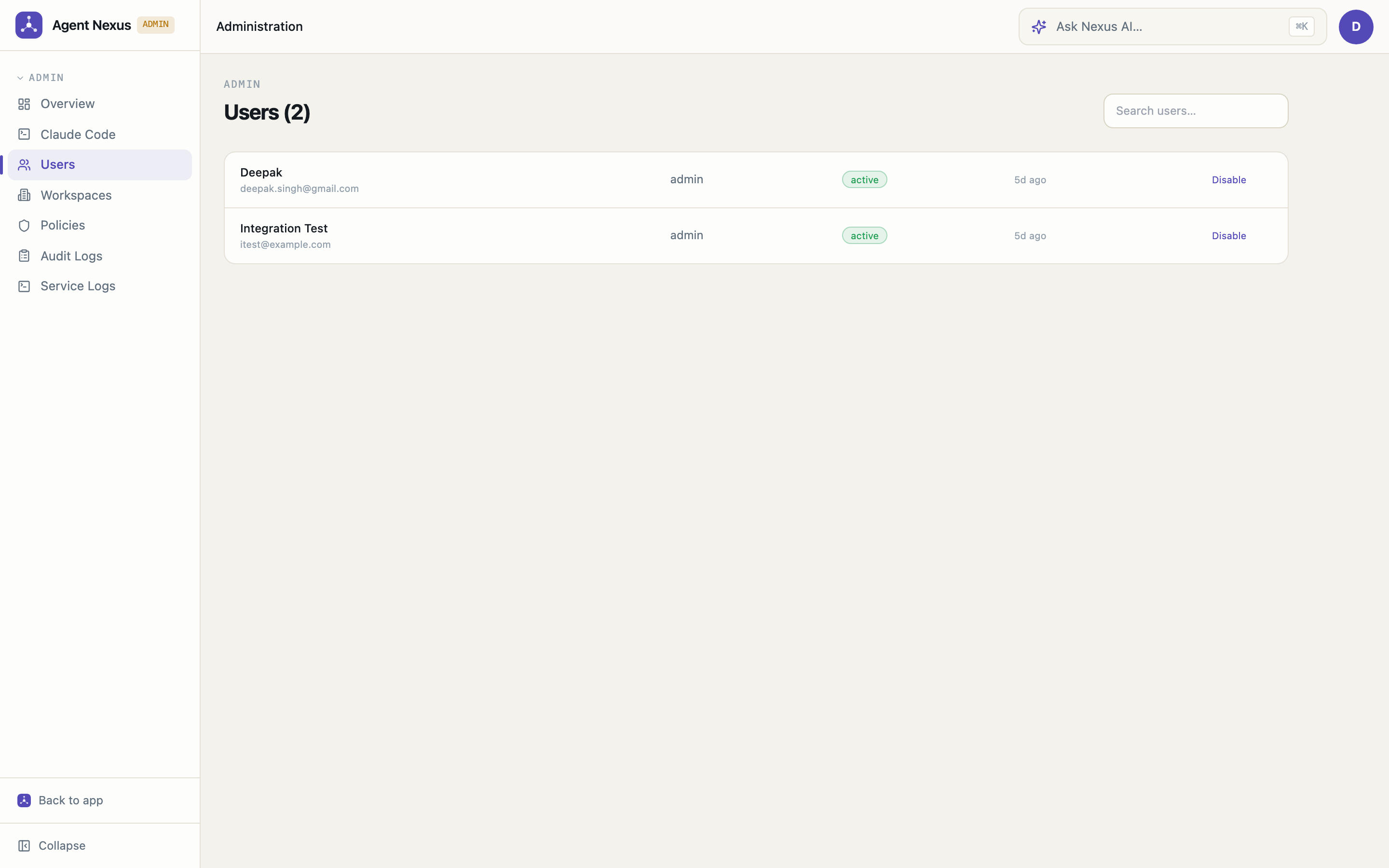
- User management — list all users, enable/disable accounts, and promote users to platform admin
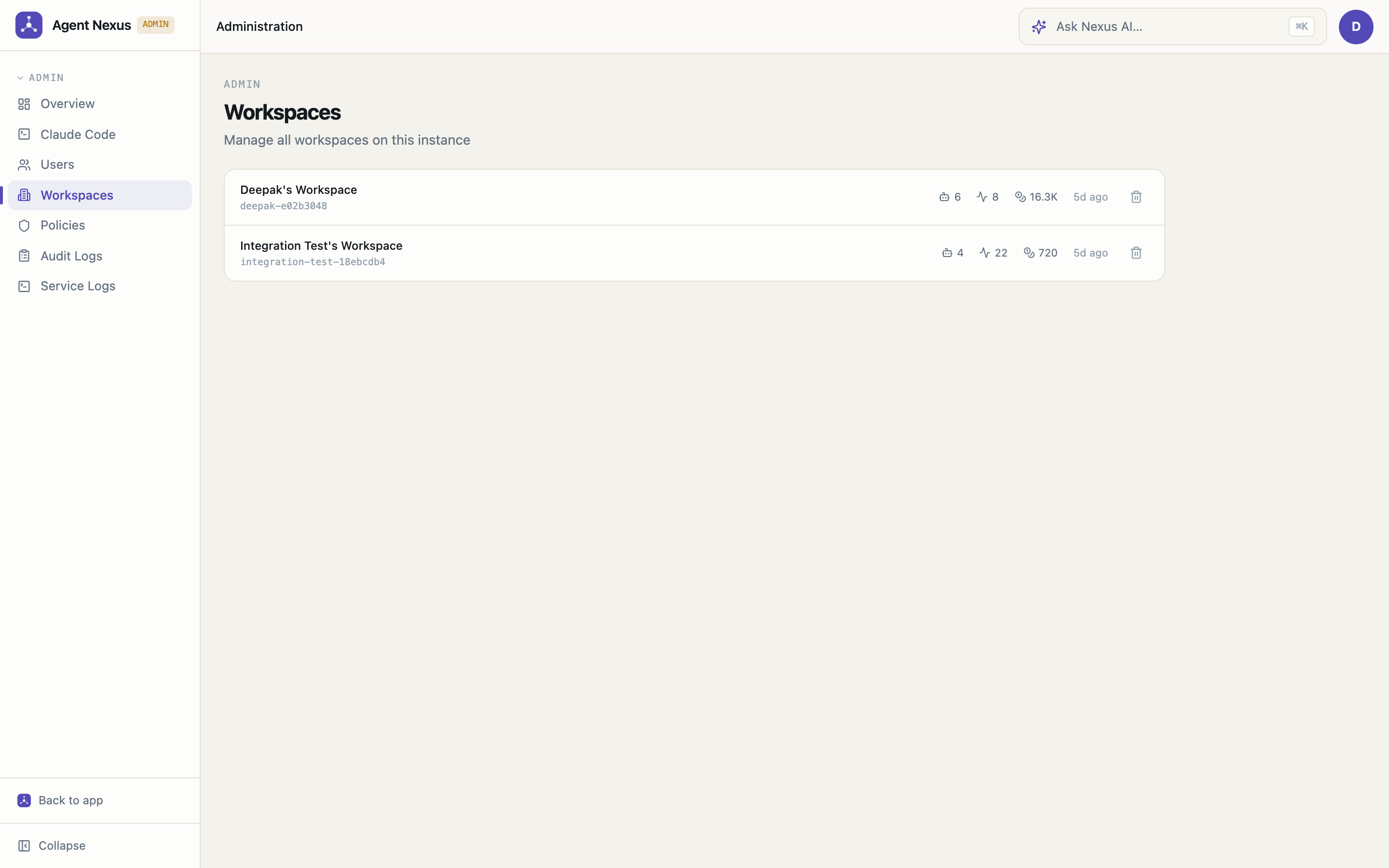
- Workspace management — view all workspaces with inline per-workspace stats (agent count, run count, total tokens); delete any workspace via the admin panel (refuses if members are still present); search and sort by usage
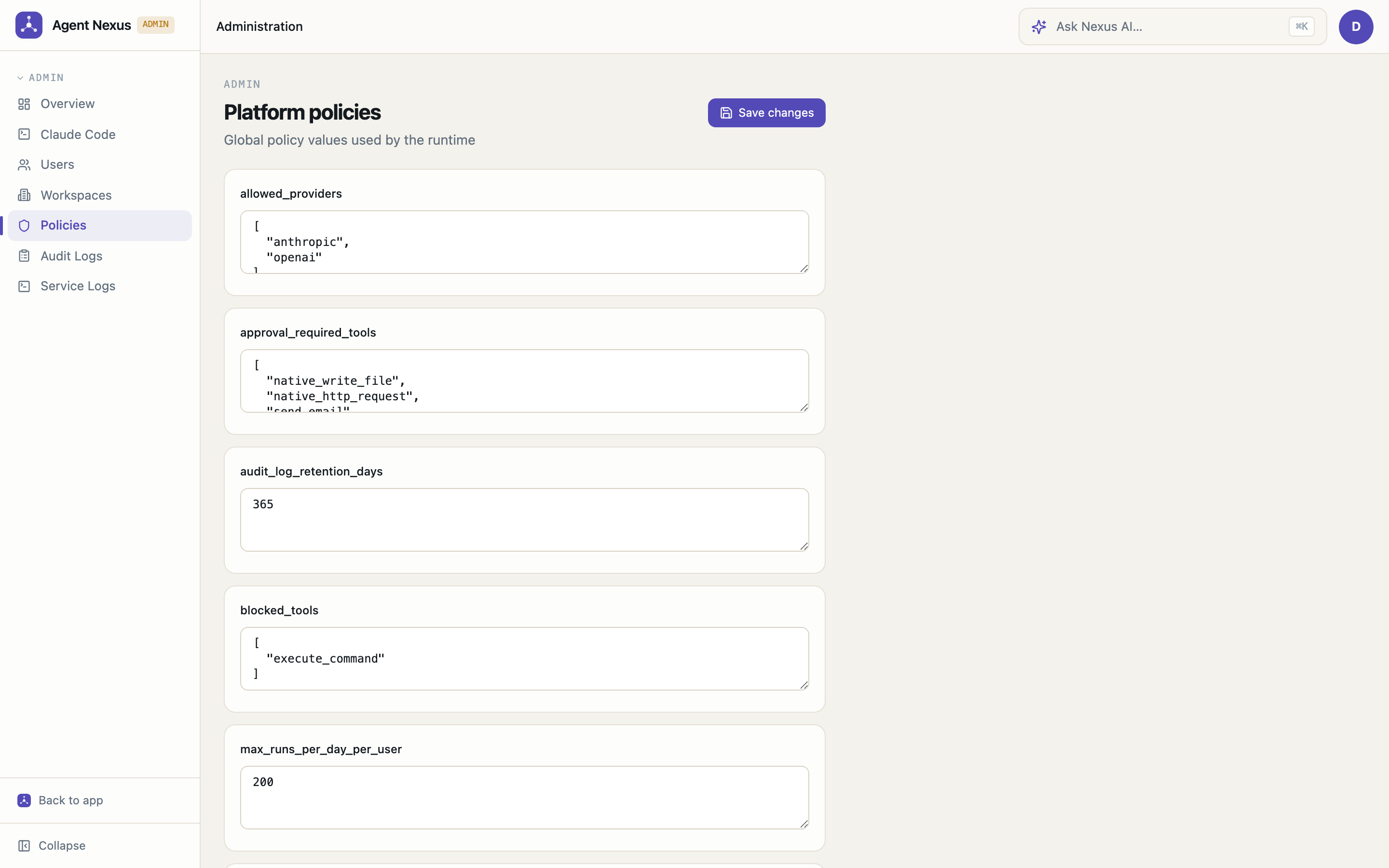
- Policy controls — configure platform-wide policies (e.g. allowed providers, max token budgets)
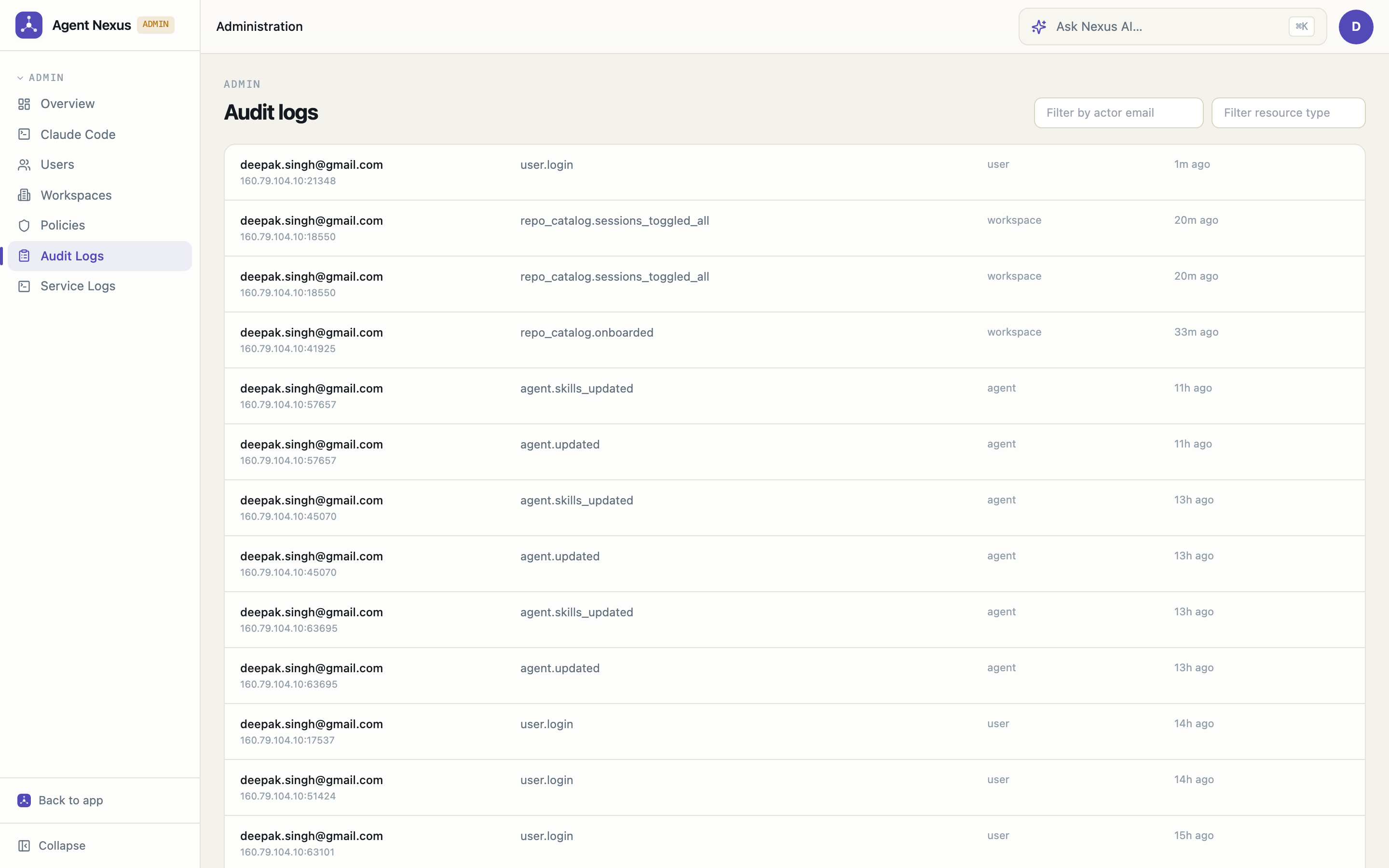
- Audit logs — every create, update, and delete action is recorded with actor, resource type, timestamp, and IP address; filter by actor email and/or resource type simultaneously
Webhook Triggers
- Inbound HTTP endpoints — create persistent webhook URLs tied to any agent or workflow; POST from GitHub, Stripe, Slack, Zapier, or any external system to fire a run automatically
- HMAC-SHA256 verification — set an optional shared secret; inbound requests must include a valid
X-Hub-Signature-256: sha256=<hex>header — unsigned requests are rejected when a secret is configured - Go template input mapping — transform the inbound payload into the agent/workflow's input using Go
text/template; access the full request body ({{.RawBody}}), individual JSON fields ({{.Body.pull_request.title}}), headers ({{.Headers.X-Event-Type}}), and query params ({{.Query.ref}}) - Trigger management — full CRUD UI at
/triggers; toggle active/inactive without deleting the URL; see how many times each trigger has fired - Workflow Studio integration — open the Triggers panel directly from the visual canvas; create, toggle, and copy webhook URLs without leaving the editor
- Nexus AI integration — ask Nexus AI to create a webhook trigger in natural language; it will list your workflows, create the trigger, and return the ready-to-use webhook URL
- Run tracing — every webhook-fired run carries a
trigger_id; filter runs by trigger to see the full execution history for each inbound source
Nexus Gateway
- Multi-channel messaging — connect agents to inbound message channels; route any inbound message to the right agent and send replies back automatically; full session persistence so each user always resumes their own conversation
- HTTP channels — create a webhook endpoint (
POST /gateway/http/{channelId}) that any external system can POST to; built-in test panel in the UI; session-aware so the same caller always gets the same conversation thread - WhatsApp integration — pair a WhatsApp account via QR code; inbound messages are routed to the linked agent and replies are sent back automatically; full session lifecycle management (connect, logout, reconnect); hardened against real-world messiness — self-chat echo loops are suppressed, dead sockets are detected and force-reconnected instead of hanging sends, and recent delivery failures surface on the channel page instead of vanishing into logs
- Per-contact agent assignment — each contact can have its own agent override; the channel-level agent is the fallback; change the agent inline from the contacts tab without deleting and recreating the contact
- Contact management — define contacts per channel with roles (
owner,trusted,blocked); trusted contacts get auto-replies, owners get escalation notifications - Escalation & approval — agents can call
whatsapp_request_owner_approvalto pause risky actions and wait for an owner to respond in-chat with an approval code; fully audited via the escalations log - Reminders — schedule timed messages to be sent back to a contact via a channel
- Gateway UI — manage channels, sessions, events, escalations, reminders, and contacts from
/gateway
Gateway channels coming soon:
| Channel | Notes |
|---|---|
| Telegram | Bot API — easiest to self-host; no pairing required |
| SMS (Twilio / Vonage) | Universal reach; plug in your Twilio account SID + auth token |
| Slack | Events API + Socket Mode; great for internal team bots |
| Instagram DM | Meta Business Platform; same credential flow as WhatsApp |
| Facebook Messenger | Meta Messenger Platform; webhook-based |
| Discord | Bot token; ideal for developer communities |
| Microsoft Teams | Incoming webhook + Bot Framework |
| Email (SMTP/IMAP) | Route inbound emails to an agent; reply via SMTP |
Skills
- Reusable instruction modules — define named skill blocks (markdown or plain text) that can be attached to any agent's system prompt; centrally managed at
/skills - Managed vs. custom — built-in platform skills (e.g. WhatsApp Owner Escalation) are marked as managed and protected; workspace members can create their own custom skills
- Agent attachment — skills are injected into the agent's prompt at run time; attach, detach, or reorder skills per agent from the Agent Builder
- Required tools — skills can declare
required_tool_names; enabling the skill automatically attaches those tools to the agent; the Agent Builder shows them as locked with an "enabled by skill" label
Agent Self-Management
- Dynamic sub-agent delegation — agents can call other agents as sub-tasks at runtime using
native_call_agent; issue multiple calls in one response to run sub-agents in parallel (wall-clock = slowest, not sum) - Runtime agent creation — create ephemeral specialist agents on the fly with
native_create_agent; setephemeral=trueand they are deleted automatically when the root run completes - Runtime skill and tool creation — inject new instruction content mid-run with
native_create_skill(attach_to_self=trueinjects it into the calling agent's own context); register external APIs as callable HTTP tools withnative_create_http_tool - Ownership enforcement — agents can only delete resources they created in the current run; workspace-scoped throughout
- Depth guard — sub-agent chains are capped at 3 levels deep;
native_call_agentreturns a graceful error at the limit - One-click activation — enable the built-in Agent Self-Management skill to auto-attach all 10 tools and inject the full capabilities guide into the system prompt
Nexus AI
- Meta-agent — a built-in AI assistant backed by the same agent runtime as user-created agents. Chat to it in natural language to manage the entire platform: list and create agents, build multi-agent workflow graphs, set up webhook triggers, create gateway channels, manage skills, and more. 24 tools total. Automatically detects available models for your configured providers and selects the best one — no manual model IDs required. Navigation links in responses always point to your actual deployment URL (set via
PUBLIC_APP_URL)
Built-in Documentation
- In-app docs — platform documentation lives inside the app at
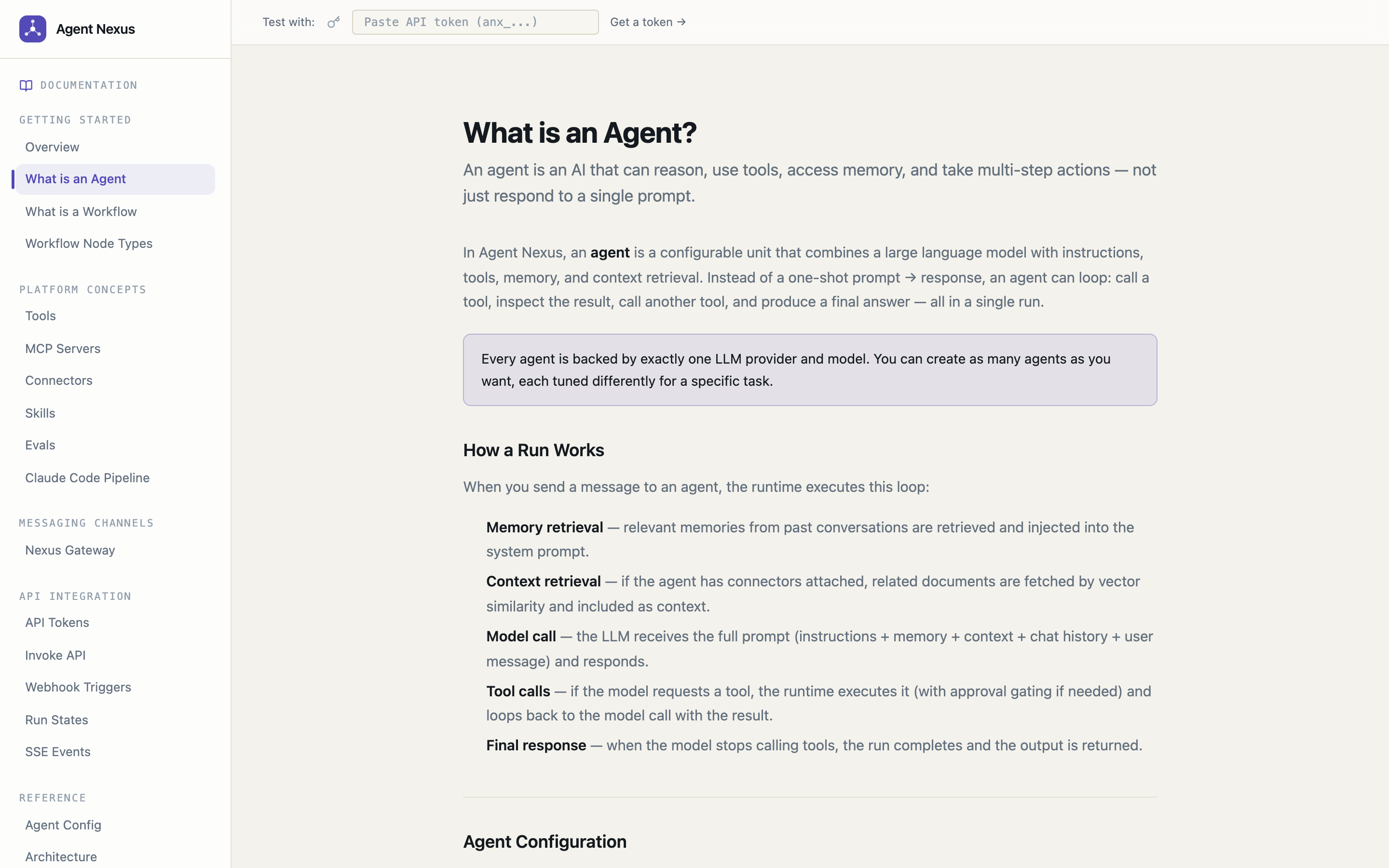
/docs; covers agents, tools, connectors, workflows, the invoke API, SSE stream events, run states, and MCP servers — no external site needed
Quick Start
Option A — One command (Docker Compose)
make up
That's it — builds and starts Postgres, the API, the repo-session runner, and
the web app (creates infra/.env from the example on first run; edit it to set
real JWT_SECRET / ENCRYPTION_KEY). Open http://localhost:3000, register an
account, and you're in. make down stops everything.
The runner starts in stub mode (simulated coding sessions, no credentials
needed). For real Claude Code sessions set RUNNER_EXECUTOR=claude in
infra/.env, then connect your Claude account and a GitHub token in
Settings → Claude Code — both are workspace-scoped, encrypted, and
injected per session (see docs/jira-pipeline.md).
Option B — Docker build (production images)
Build and run the API and web images individually:
# API
docker build -f Dockerfile.api -t agent-nexus-api .
docker run -p 8080:8080 \
  -e DATABASE_URL=<postgres-url> \
  -e JWT_SECRET=<secret> \
  -e ENCRYPTION_KEY=<32-char-key> \
  agent-nexus-api

# Web (set NEXT_PUBLIC_API_URL at build time)
docker build -f Dockerfile.web \
  --build-arg NEXT_PUBLIC_API_URL=http://localhost:8080 \
  -t agent-nexus-web .
docker run -p 3000:3000 agent-nexus-web
Option C — Local dev (hot-reload)
cp services/api/.env.example services/api/.env
# Edit services/api/.env — set JWT_SECRET and ENCRYPTION_KEY
make dev
Requires Go 1.26+ and Node 20+. Starts Postgres in Docker, then runs the API and web dev server in parallel.
Individual targets:
make postgres   # start Postgres only (Docker)
make api        # start Go API only
make web        # start Next.js only
make stop       # stop everything
make logs       # tail logs from all services
Prerequisites
| Tool | Version | Install |
|---|---|---|
| Docker | 24+ | https://docs.docker.com/get-docker/ |
| Docker Compose | v2 | bundled with Docker Desktop |
| Go | 1.26+ | https://go.dev/dl/ |
| Node.js | 20+ | https://nodejs.org/ |
Project Structure
agent-nexus/
  Makefile                 ← dev workflow commands (make up = full stack)
  ARCHITECTURE.md          ← architecture, domain model, API reference
  docs/
    jira-pipeline.md       ← autonomous Jira→PR pipeline: architecture + setup
  apps/
    web/                   ← Next.js 14 frontend (port 3000)
  services/
    api/                   ← Go API + agent runtime (port 8080)
      cmd/catalog-ingest/  ← CLI: onboard a repo into the pipeline's repo catalog
      .env.example         ← copy to .env and fill in secrets
    runner/                ← repo-session runner: headless Claude Code sessions (port 8092)
  infra/
    docker-compose.yml     ← Postgres + API + Runner + Web
    .env.example           ← copy to .env for docker compose vars
    migrations/            ← SQL migrations applied automatically on first start
    scripts/
      setup_pipeline.sh    ← one-shot Jira→PR pipeline assembly (agents + triggers)
      mock_llm.py …        ← mocks for credential-free integration testing
Environment Variables
services/api/.env (local dev)
cp services/api/.env.example services/api/.env
| Variable | Required | Description |
|---|---|---|
DATABASE_URL |
yes | Postgres connection string |
JWT_SECRET |
yes | 32+ character secret for JWT signing |
ENCRYPTION_KEY |
yes | Exactly 32 characters — AES-256-GCM key encryption |
PORT |
no | API port, default 8080 |
CORS_ORIGINS |
no | Comma-separated allowed origins |
LOG_LEVEL |
no | debug / info / warn / error |
STORAGE_PATH |
no | Local file storage path |
PUBLIC_APP_URL |
no | Base URL of the frontend, default http://localhost:3000. Set to your public domain (e.g. https://your-domain.com) so Nexus AI generates correct navigation links |
PUBLIC_API_URL |
no | Base URL of the API, default http://localhost:8080. Used as the redirect base for OAuth flows |
GOOGLE_OAUTH_CLIENT_ID |
no | Google OAuth — leave blank to disable |
GOOGLE_OAUTH_CLIENT_SECRET |
no | Google OAuth — leave blank to disable |
WHATSAPP_ADAPTER_URL |
no | Base URL of the WhatsApp Web adapter service, default http://127.0.0.1:18901. Required only when using Gateway WhatsApp channels |
RUNNER_URL |
no | Base URL of the repo-session runner service. Empty disables native_launch_repo_session |
SESSION_WAIT_TIMEOUT_MIN |
no | Minutes before a session_wait run with no runner callback is resumed as crashed (default 240; keep above the runner's SESSION_TIMEOUT_MIN) |
RUNNER_CALLBACK_SECRET |
no | Shared secret the runner presents on session-completion callbacks |
SESSION_CALLBACK_URL |
no | Callback URL the runner uses to reach this API when it differs from PUBLIC_API_URL (e.g. http://api:8080 inside Docker, private domains on Railway) |
GITHUB_TOKEN |
no | Single-tenant fallback token for GitHub tools and runner sessions — a workspace token set in Settings → Claude Code always takes precedence |
GITHUB_API_URL |
no | GitHub API base URL, default https://api.github.com (override for GHE or tests) |
WHATSAPP_INTERNAL_TOKEN |
no | Shared secret the WhatsApp adapter presents on /internal/whatsapp/* (which store and return Baileys session credentials). Auto-generated per container by start-api.sh, so set it only when running the adapter outside the API container |
REQUIRE_SESSION_APPROVAL |
no | true gates native_launch_repo_session and native_create_pull_request behind a human approval. Default false — the per-repo sessions toggle is the human gate, and the Jira→PR pipeline is designed to run unattended |
HTTP_TOOL_ALLOW_HOSTS |
no | Comma-separated hostnames native_http_request may reach even though they resolve to a private/loopback address. Empty by default: all private, loopback and link-local destinations are blocked (SSRF guard) |
RATE_LIMIT_AUTH_PER_MIN |
no | Per-client requests/min on login, register, refresh and OAuth callbacks (default 20; 0 disables) |
RATE_LIMIT_INGRESS_PER_MIN |
no | Per-client requests/min on the public webhook and gateway ingress endpoints (default 120; 0 disables) |
TRUSTED_PROXY_COUNT |
no | Reverse proxies in front of the API, default 1 (Railway and most PaaS). Set to 0 when the API is exposed directly — otherwise a caller can forge X-Forwarded-For to dodge rate limits and fake audit-log IPs |
apps/web/.env.local (local dev)
NEXT_PUBLIC_API_URL=http://localhost:8080
NEXT_PUBLIC_APP_NAME=Agent Nexus
Tech Stack
| Layer | Choice |
|---|---|
| Backend | Go — net/http + chi router, no ORM |
| Database | PostgreSQL 16 + pgvector extension |
| Frontend | Next.js 14, TypeScript, Tailwind CSS, shadcn/ui |
| Auth | JWT access token (24h) + refresh token (httpOnly cookie, 30d); Google OAuth for providers |
| Encryption | AES-256-GCM for API keys and connector credentials |
| Deployment | Docker Compose |
API
The REST API runs on port 8080. See ARCHITECTURE.md for the full route reference.
POST   /api/v1/auth/register
POST   /api/v1/auth/login
GET    /api/v1/agents
POST   /api/v1/agents
POST   /api/v1/invoke/agents/:id          ← stateless invoke (SSE stream, no conversation needed)
POST   /api/v1/conversations
POST   /api/v1/conversations/:id/runs     ← SSE stream
GET    /api/v1/runs/:id
POST   /api/v1/runs/:id/approve           ← approve/reject a waiting run (resumes parked runs)
GET    /api/v1/workflows
POST   /api/v1/workflows/:id/runs
POST   /api/v1/mcp-servers/:id/oauth/start   ← OAuth 2.1 flow for remote MCP servers
PUT    /api/v1/workspace/runner-credentials  ← workspace Claude account + GitHub token for repo sessions
POST   /webhook/:webhookId                ← inbound webhook triggers (Jira, GitHub, …)
...
Roadmap
What's working today vs. what's coming next:
| Feature | Status |
|---|---|
| Multi-provider LLM support (Claude, GPT, Gemini, Ollama) | ✅ Done |
| Agent builder + playground with live SSE traces | ✅ Done |
| Conversations history (browse and replay past sessions) | ✅ Done |
| Visual workflow canvas (pipeline + supervisor) | ✅ Done |
| MCP server integration (HTTP + stdio) | ✅ Done |
| Risk-based approval gates | ✅ Done |
| pgvector memory (conversation, agent, workspace scopes) | ✅ Done |
| Memory review policy (agent-controlled approve/reject) | ✅ Done |
| Memory importance scoring + deduplication thresholds | ✅ Done |
| Filesystem connector (RAG — chunk, embed, retrieve) | ✅ Done |
| Runs + Traces views with full step observability | ✅ Done |
| Cost tracking + usage dashboard | ✅ Done |
| Latency distribution observability (p50/p95/p99) | ✅ Done |
| Multi-workspace with member invite + role management | ✅ Done |
| Role-based access control (owner / admin / member / viewer) | ✅ Done |
| API token management (named tokens with expiry) | ✅ Done |
| Invoke API (stateless agent + workflow execution, SSE stream) | ✅ Done |
| Admin dashboard (users, workspaces, policies, audit logs, service log stream) | ✅ Done |
| Nexus AI meta-agent | ✅ Done |
| Built-in in-app documentation | ✅ Done |
| Nexus Gateway (WhatsApp + HTTP channel messaging) | ✅ Done |
| Gateway scheduled messages (one-off and recurring) | ✅ Done |
| Skills (reusable agent instruction modules with required tool auto-attach) | ✅ Done |
| Agent Self-Management (call, create, destroy agents/skills/tools at runtime) | ✅ Done |
| Webhook / event triggers (run an agent on inbound HTTP event) | ✅ Done |
| Agent export / import (portable JSON — tools by name, one-click reimport) | ✅ Done |
| Conversation compaction (rolling LLM summary, per-agent message/token thresholds) | ✅ Done |
| Google OAuth for provider credentials | ✅ Done |
| Gateway: Telegram channel | 🔜 Planned |
| Gateway: SMS channel (Twilio / Vonage) | 🔜 Planned |
| Gateway: Slack channel | 🔜 Planned |
| Gateway: Instagram DM channel | 🔜 Planned |
| Gateway: Facebook Messenger channel | 🔜 Planned |
| Gateway: Discord channel | 🔜 Planned |
| Gateway: Microsoft Teams channel | 🔜 Planned |
| Gateway: Email channel (SMTP/IMAP) | 🔜 Planned |
| GitHub connector (RAG — multi-repo auto-discovery, filesystem-style browser) | ✅ Done |
| Confluence connector (RAG — space-wise indexing, page browser) | ✅ Done |
Agentic RAG — native_retrieve_context tool, per-agent max_chunks / min_score, configurable via UI and Nexus AI |
✅ Done |
| Eval framework — suites, cases, parallel runs, LLM judge, AI analysis, manual overrides, case fix, export/import | ✅ Done |
Durable waits — approval/session runs survive restarts and resume (run_wait_states) |
✅ Done |
| Crash-resumable workflow runs — per-node checkpointing, automatic resume on API restart | ✅ Done |
| Workflow save-time validation (missing start node, unreachable nodes, etc.) | ✅ Done |
| Repo-session runner — headless Claude Code coding sessions as a service | ✅ Done |
| Autonomous Jira→PR pipeline (repo catalog RAG, review agent, PR creation, docs maps) | ✅ Done |
| OAuth 2.1 for remote MCP servers (hosted Atlassian: discovery, DCR, PKCE, refresh) | ✅ Done |
| GitHub tools — create PR, branch diff (token-based) | ✅ Done |
| Workspace pipeline credentials — Claude account + GitHub token, Settings → Claude Code tab | ✅ Done |
| Session crash resilience (runner journal recovery + API session watchdog) | ✅ Done |
| Protected seeded pipeline agents (orchestrator, review, docs-map per workspace) | ✅ Done |
| Railway deploy from any branch (workflow_dispatch, per-service selection) | ✅ Done |
| Workflow integration nodes (webhook + gateway) with end-node delivery and template placeholders | ✅ Done |
| Workflow template gallery (7 templates, provider-aware model resolution) | ✅ Done |
| MCP preset catalog (Atlassian, GitHub, Slack, Notion, Brave Search) with encrypted stdio env | ✅ Done |
| MCP server-level tool toggle in the Agent Builder and Nexus AI | ✅ Done |
| Nexus draft panel on the agent create + edit screens | ✅ Done |
| Official provider SDK adapters + runtime model catalog sync (models.dev) | ✅ Done |
| Connector sync cancel (stop an in-flight sync from the UI) | ✅ Done |
| Backend test coverage (workflow engine, agent loop integration suite, wired into CI) | ✅ Done |
| Additional connectors (Slack, Jira, Google Drive) | 🔜 Planned |
| Agent versioning and snapshot rollback | 🔜 Planned |
| API rate limiting per workspace | 🔜 Planned |
| Run failure notifications (email, webhook) | 🔜 Planned |
| Frontend component tests | 🔜 Planned |
Contributing
See CONTRIBUTING.md for setup instructions and code standards. See ARCHITECTURE.md for a deep-dive into the domain model, run loop, and system design.
License
MIT — see LICENSE.
More Screenshots
Webhook Triggers
Triggers List
New Trigger Form
Pre-filled for a Workflow (via URL params)
Admin Portal
Admin Overview
User Management
Workspace Management
Audit Logs
Policies
Built-in Documentation
What is an Agent?
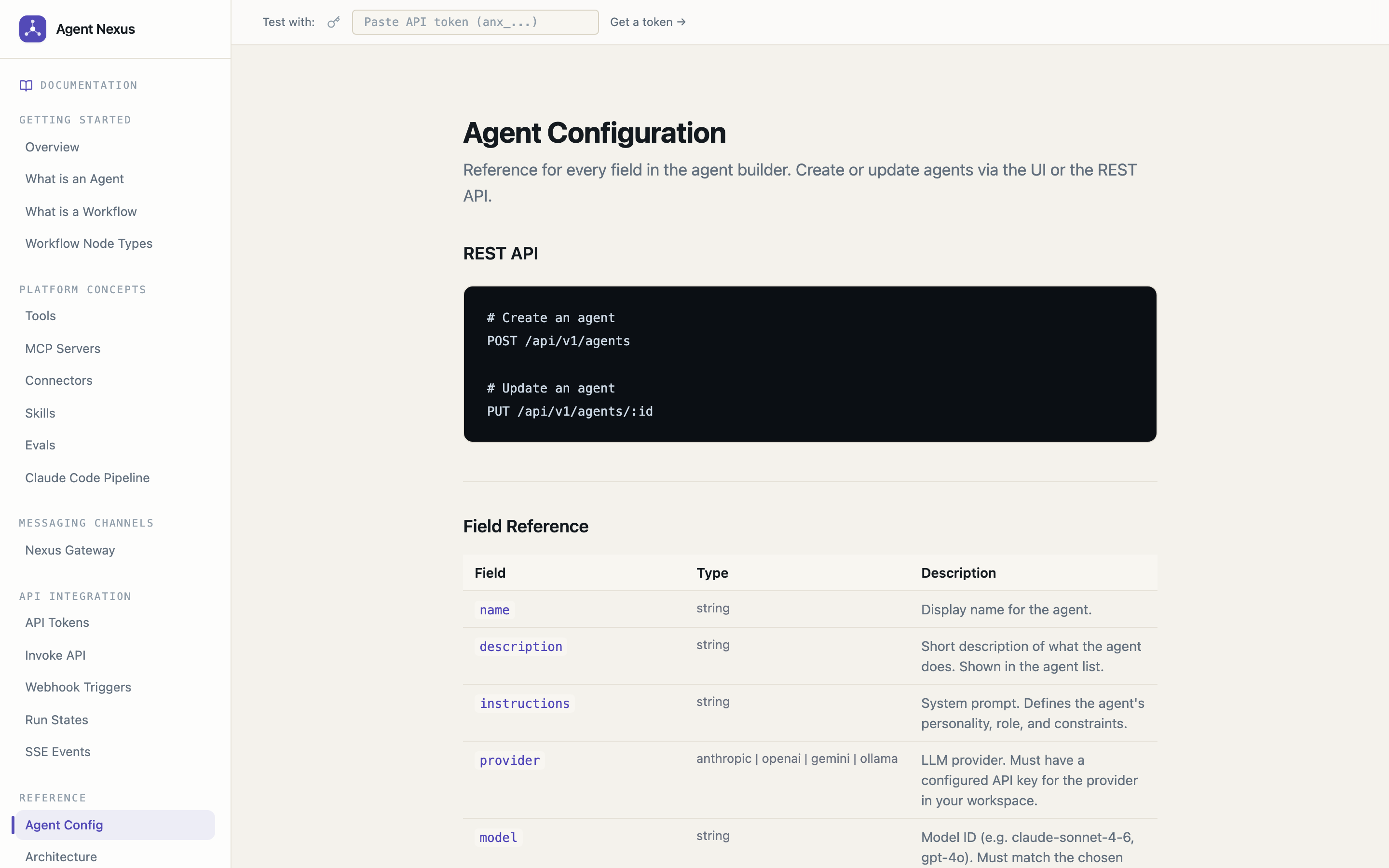
Agent Configuration Reference
Invoke API
SSE Stream Events
MCP Servers Guide ![Docs MCP](https://raw.githubusercontent.com/deepaksinghcs14/agent-nexus/main/docs/screenshot
No comments yet
Be the first to share your take.