
Tessera is a desktop and browser-based workspace for organizing parallel AI coding sessions across projects, collections, and Git worktrees. It provides persistent tabs, split panes, Kanban boards, and real-time Git tracking to help developers run Claude Code, Codex, and OpenCode side by side while maintaining visibility into agent sessions, diffs, and pull requests.
Tessera — a workspace for organizing AI coding sessions across projects, collections, tabs, panes, and Git worktrees
277Stars
28Forks
14Open issues
1Watching
TypeScript AGPL-3.0 v0.2.1 Updated 9 hours ago
README
Tessera
Keep parallel AI coding work organized.




Tessera helps you run Claude Code, Codex, and OpenCode side by side in terminal or rich GUI modes—without losing track of sessions, files, branches, diffs, or pull requests.
Product Demos
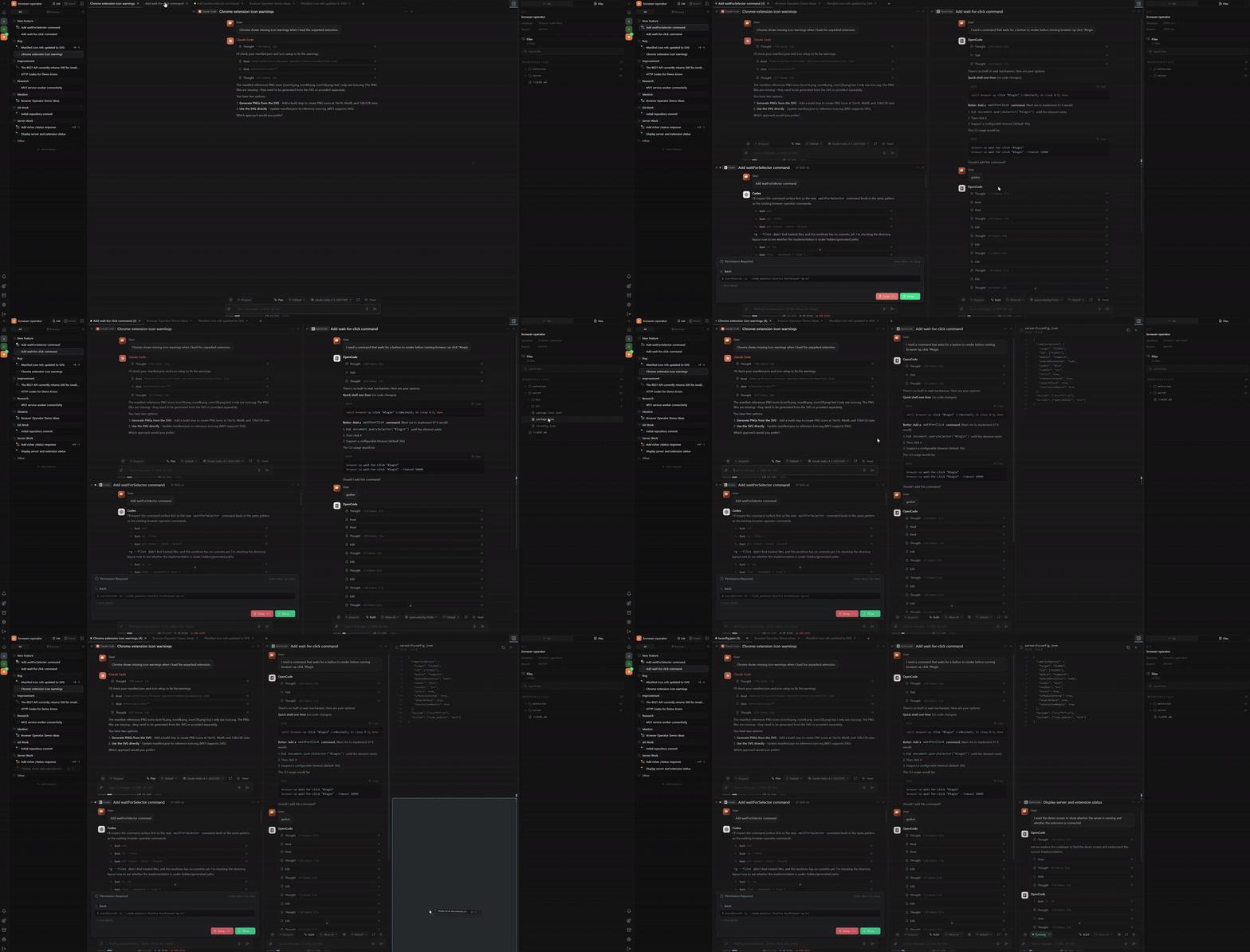
Projects, collections, sessions, tabs, and panes
Organize AI coding work by project and collection, then open sessions across persistent tabs and split panes.
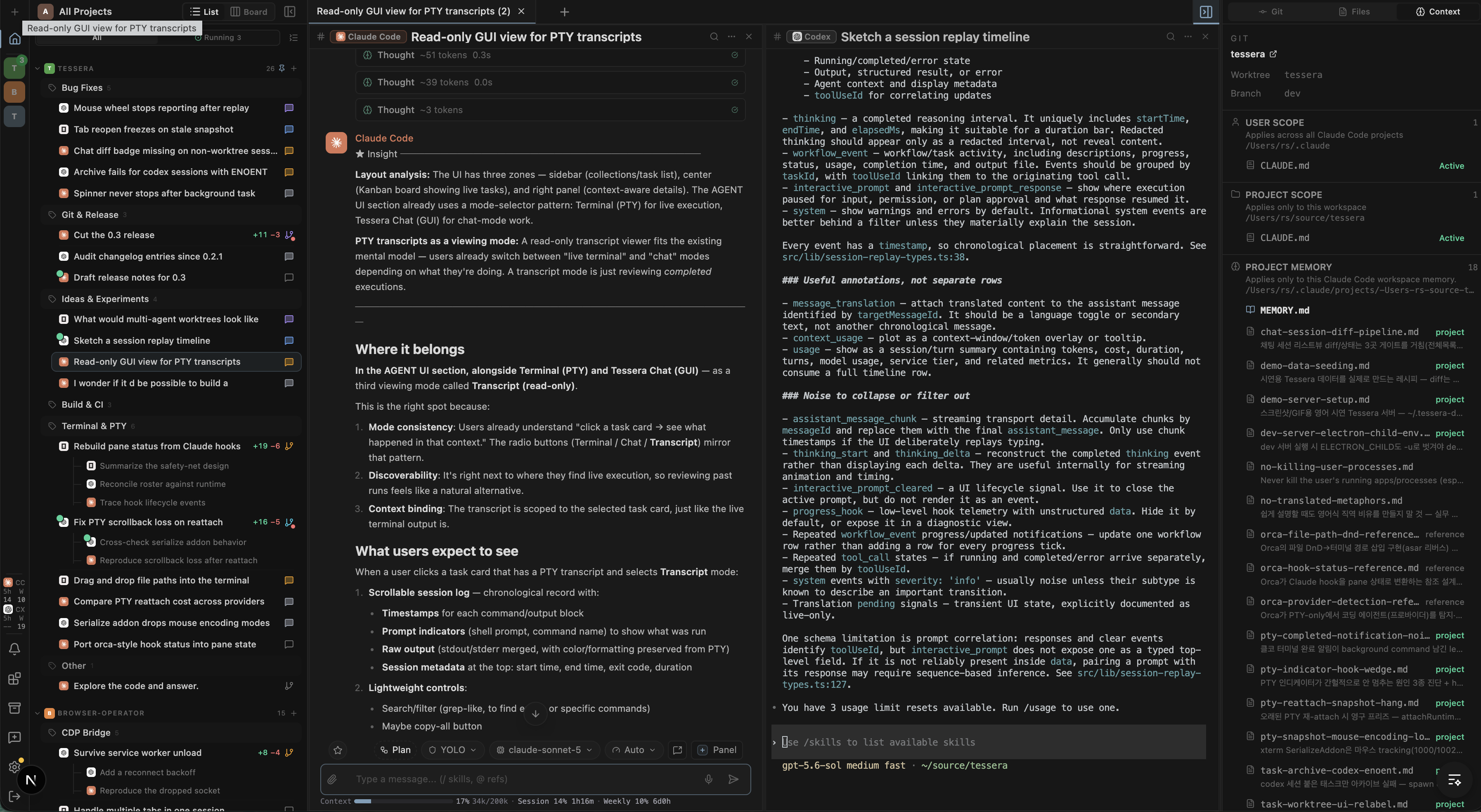
Terminal mode, with GUI when you need it
Run coding agents in terminal (PTY) sessions, rich GUI conversations, or both side by side in the same workspace.
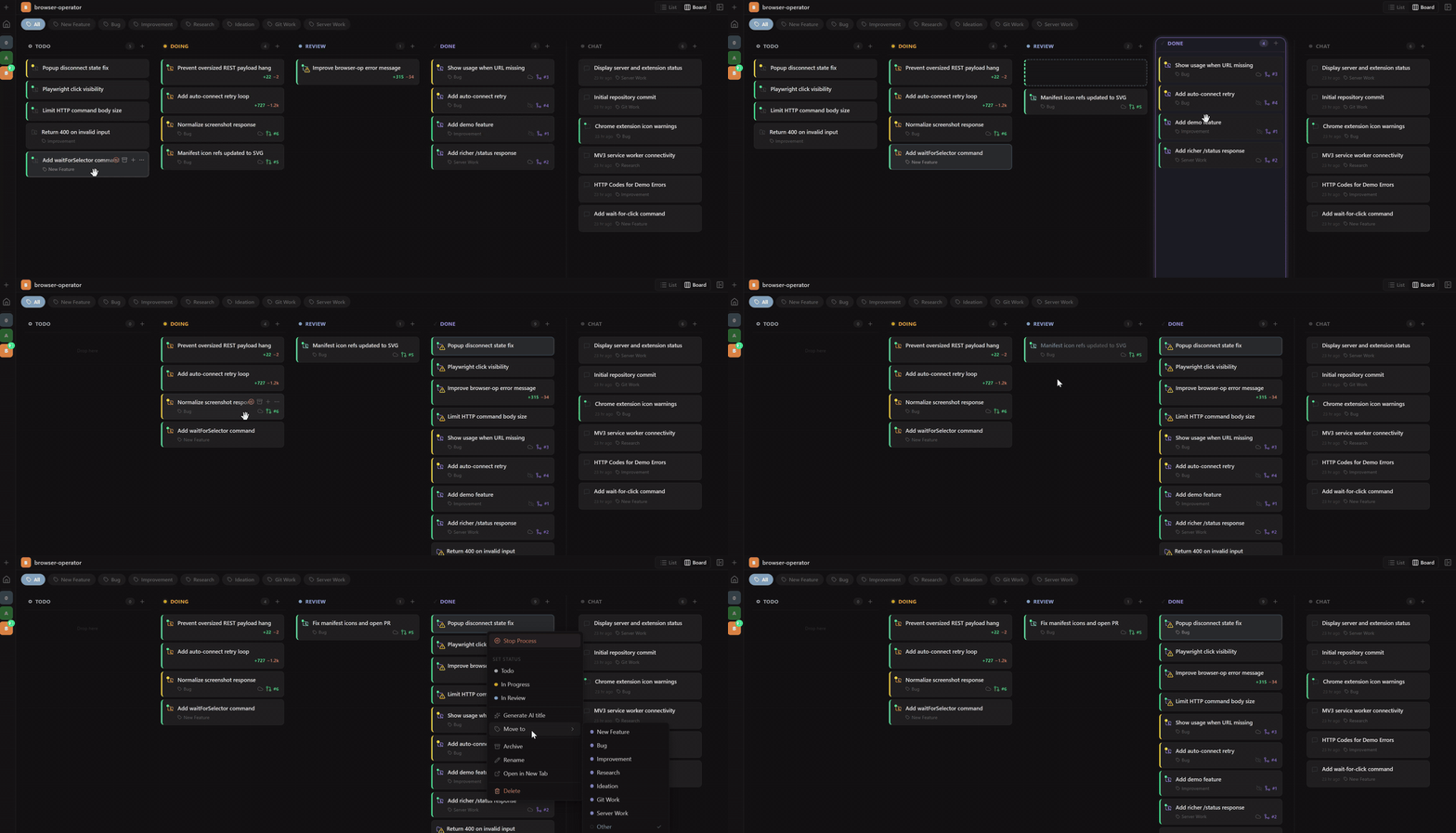
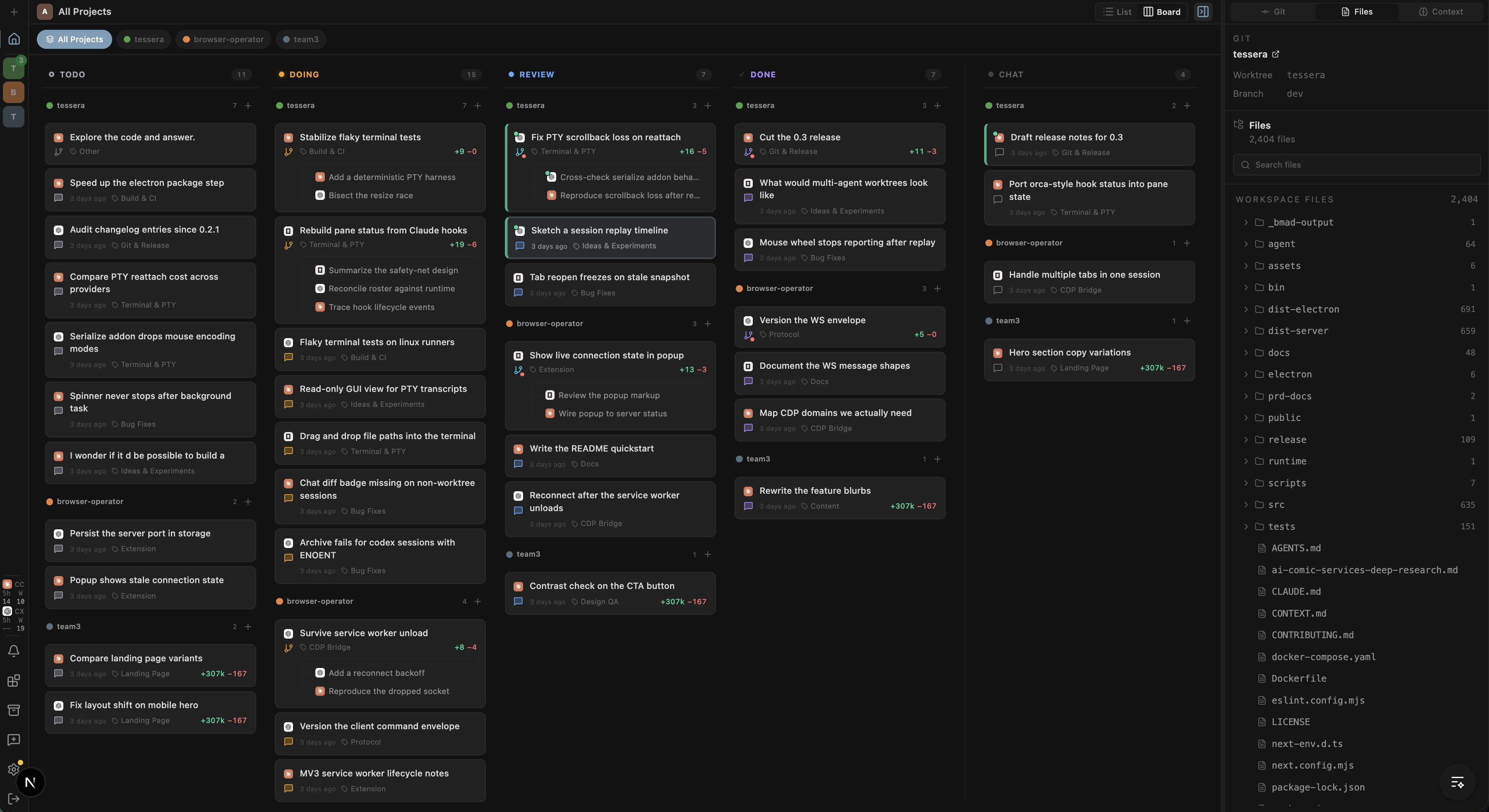
Kanban board workflow
Move implementation work through Todo, Doing, Review, and Done while keeping each task tied to sessions, collections, and worktrees.
See every active task across Todo, Doing, Review, Done, and Chat, grouped by project and tied to its agent session and worktree.
Open any task directly from the board and continue working in its terminal session without losing context.
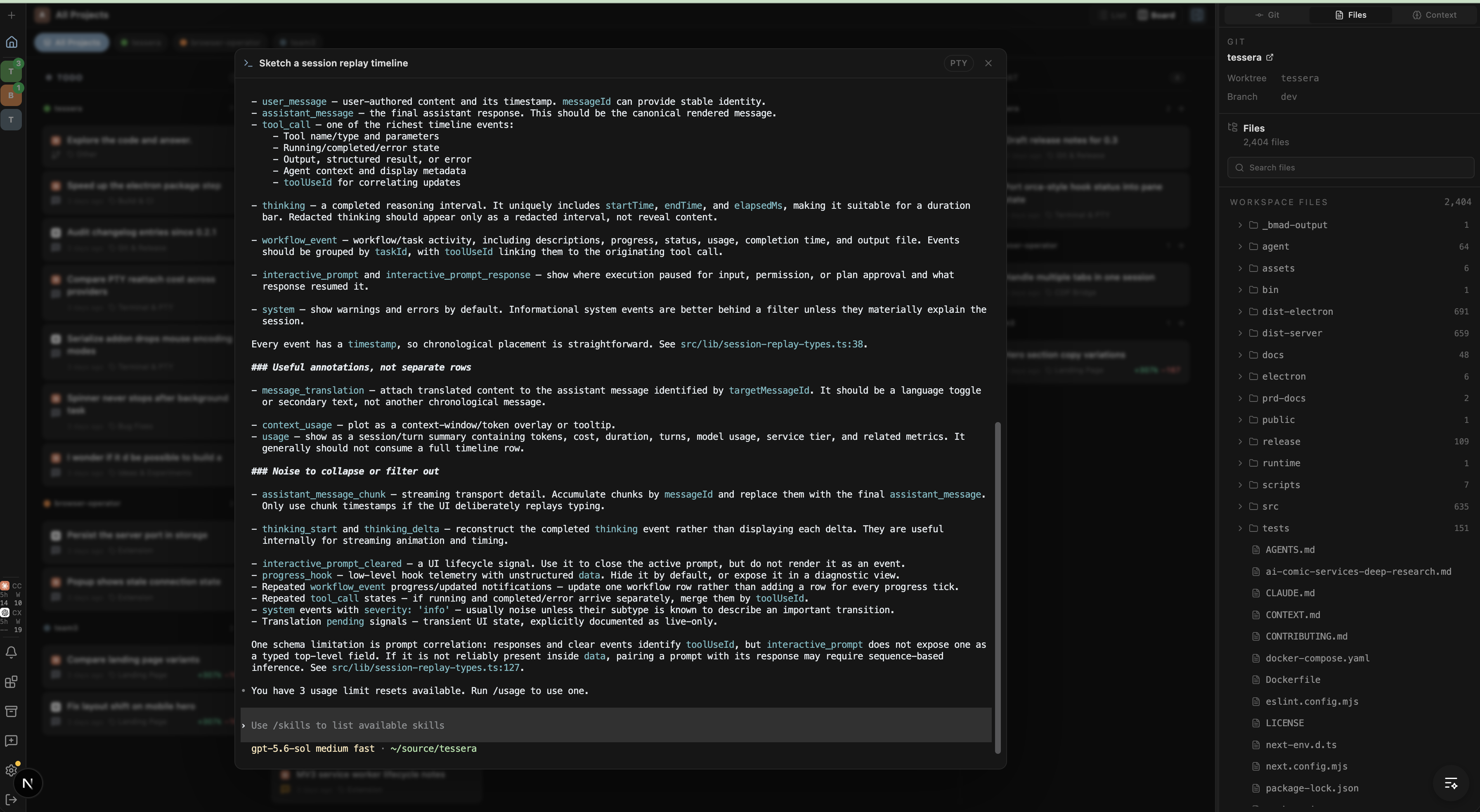
Terminal and file tabs
Open agent sessions, terminals, and files as movable tabs so you can reshape the workspace around the work instead of switching tools.
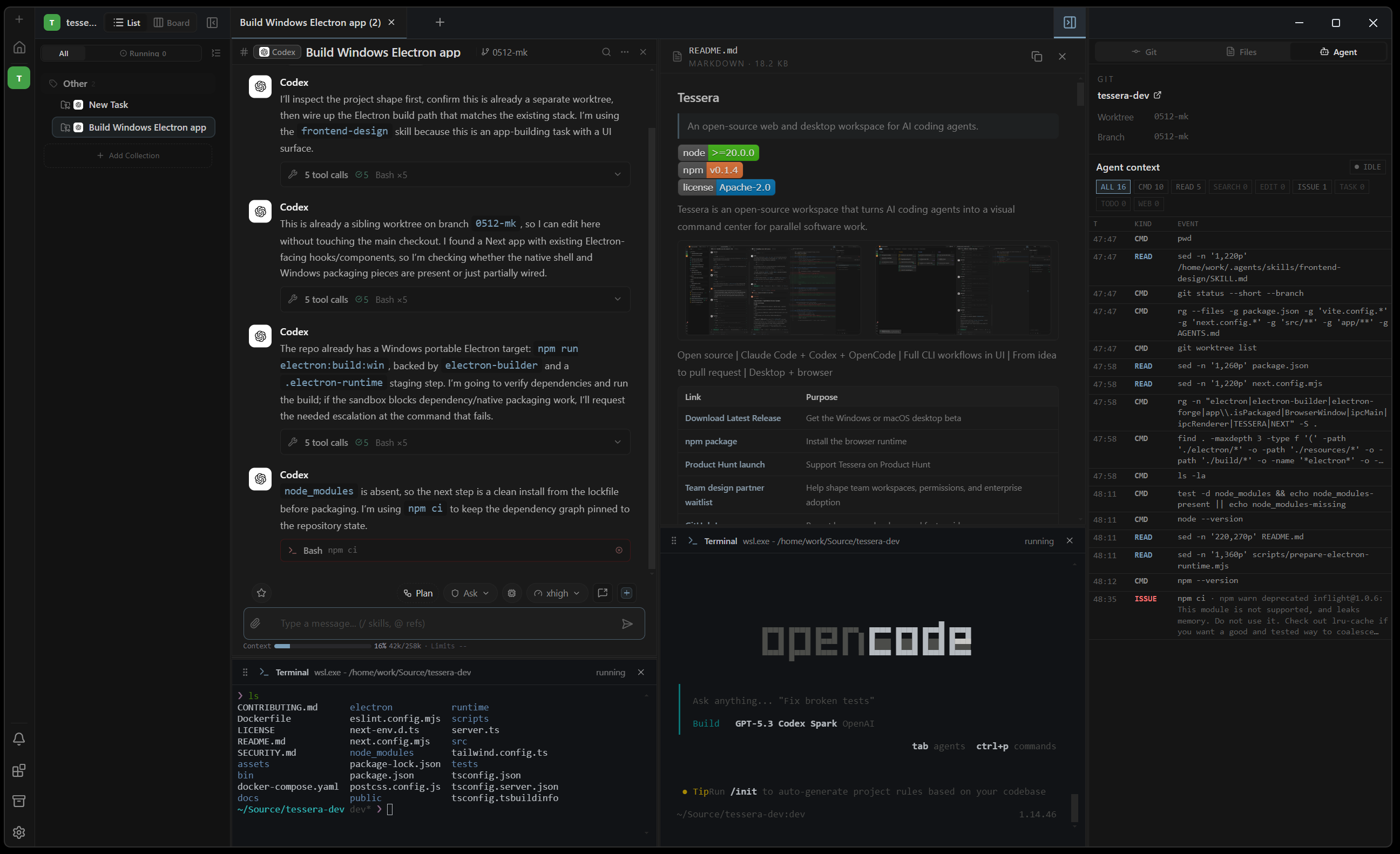
Rich composer controls
Open new panels, continue an existing conversation, tune reasoning, select models, choose permissions, use voice input (browser runtime only), add @ references, attach images, and send context-rich prompts from one composer.
Agent state, tool logs, and diffs
Keep each agent session tied to its task and worktree while tracking tool calls, failures, file changes, diffs, and branch state in real time.
Session instructions and memory
See and edit the active instructions and memory for the session at a glance, including user and project scopes, global memory, and past work summaries.
Install
Desktop app
Download from GitHub Releases.
| Platform | Asset |
|---|---|
| Windows, including WSL | Portable .exe |
| macOS | .dmg for Apple Silicon or Intel |
| Linux beta | .deb |
Windows builds are not code-signed yet, so SmartScreen may show an unknown-publisher warning. macOS builds are signed and notarized with Apple Developer ID.
Browser runtime
Requires Node.js 20 or later and npm 10 or later.
npm install -g @horang-labs/tessera
tessera
Open the printed local URL.
Docker Compose
mkdir -p data/config data/local data/ssh data/codex data/tessera workspaces
touch data/gitconfig
docker compose up --build -d
Open http://127.0.0.1:32123. If bind mounts are not writable:
sudo chown -R 1000:1000 data workspaces
First Run
On first run, Tessera guides you through:
- Creating a local account for the browser runtime.
- Checking that a supported CLI is installed and authenticated.
- Selecting a project folder.
- Starting a chat or worktree-backed task.
Authenticate provider CLIs first, for example with claude login, codex login, or OpenCode's configured provider credentials.
Build From Source
For development, clone the repository and install dependencies:
Source development requires Node.js 20 or later and npm 10 or later.
git clone https://github.com/horang-labs/tessera.git
cd tessera
npm install
Tessera uses a custom Node.js server for the Next.js app, WebSocket transport, database initialization, provider bootstrapping, and background pollers. The dev script starts that server:
npm run dev
Supported environment variables:
| Variable | Default | Purpose |
|---|---|---|
TESSERA_DATA_DIR |
~/.tessera |
App data root for the database, local users, auth keys, settings, worktrees, attachments, and session history |
PORT |
3000 from source, 32123 from the npm CLI |
HTTP server port for source and npm runs |
TESSERA_HOST |
127.0.0.1 |
Host interface for source and npm runs. HOST is also accepted by the source server |
LOG_LEVEL |
info |
Backend log level: debug, info, warn, or error |
CLAUDE_CONFIG_DIR |
~/.claude |
Override the Claude Code config directory used for skill discovery |
Desktop release builds use Electron:
| Target | Command |
|---|---|
Windows portable .exe |
npm run electron:build:win |
macOS Apple Silicon dev .dmg |
npm run electron:build:mac-arm64 |
Electron build outputs are written under release/.
Stored Data And Privacy
Tessera runs locally, stores app data under ~/.tessera/ by default, and sends provider requests through the Claude Code, Codex, or OpenCode CLI installed on your machine.
Published builds include minimal anonymous usage telemetry that you can disable during onboarding or in Settings. Tessera does not collect prompts, messages, file paths, command output, repository names, or account details.
Teams And Design Partners
Tessera is currently focused on individual local workflows, but we are preparing team and enterprise features for companies running coding agents across multiple developers.
The team product is being shaped around three areas: shared workspaces for parallel agent work, governance for permissions and tool use, and operational visibility into agent usage, cost, and review state.
If your team wants to use Tessera in production, join the design partner waitlist.
Roadmap
Planned areas include:
| Area | Direction |
|---|---|
| Cloud team collaboration | Shared projects, team-visible task state, and collaborative review workflows |
| Enterprise governance | Permission management, tool-use policies, audit trails, and controls for blocked or unapproved agent actions |
| Agent operations analytics | Visibility into agent efficiency, model/provider usage, and cost patterns across a team workspace |
| Team memory | Shared project context and team-specific agent memory for recurring workflows |
| Multi-agent collaboration | A lead agent that coordinates task creation, review, Git workflow management, and parallel worker agents |
| Tessera-native agent | A built-in agent experience in addition to external CLI providers |
| Web debugging | Browser inspection, logs, screenshots, and frontend debugging context |
License
Tessera is open source under the GNU Affero General Public License v3.0 (AGPL-3.0).
Copyright (c) 2026 Horang Labs, Inc.
See the LICENSE file for the full text.
Comments (0)
Sign in to join the discussion.
No comments yet
Be the first to share your take.